Tool Reviews

Saad Mouaouine
Taplio is well-known. It’s also expensive, and for most LinkedIn creators, it’s overkill. You don’t need to pay for a lead database, outreach tools, and the CRM layer just to get the content features you actually want.
These 7 best Taplio alternatives cover the same ground for less money, with a clearer focus on what matters: writing great posts, scheduling consistently, and understanding what’s working.
The 7 Best Taplio Alternatives at a Glance
Before reviewing each tool, here’s a full feature comparison so you can see exactly what you’re getting at a glance.
By the way, “⚠️” means the feature is existing but is limited.
Tool | Starting Price | AI Writing | Voice Learning | Scheduling | Analytics | Carousel | Free Trial | LinkedIn API |
|---|---|---|---|---|---|---|---|---|
MagicPost | ₹49/mo | ✅ | ✅ | ✅ | ✅ | ❌ | ✅ | ✅ |
AuthoredUp | ₹19.95/mo | ❌ | ❌ | ✅ | ✅ | ❌ | ✅ | ❌ |
PerfectPost | Free | ❌ | ❌ | ✅ | ✅ | ❌ | ✅ | ❌ |
EasyGen | ₹59/mo | ✅ | ⚠️ (based on creators) | ❌ | ❌ | ❌ | ⚠️ (3 free posts) | ❌ |
RedactAI | ₹19.90/mo | ✅ | ✅ | ⚠️ (AI posts only) | ⚠️ (basic performance tracking) | ❌ | ✅ | ❌ |
SocialSonic | ₹20/mo | ✅ | ⚠️ | ✅ | ✅ | ✅ | ✅ | ❌ |
Supergrow | ₹19/mo | ✅ | ✅ | ✅ | ✅ | ✅ | ✅ | ❌ |
1. MagicPost - Best Overall
MagicPost is the safest, most complete LinkedIn content platform on the market. The only tool on this list that is officially verified by LinkedIn’s developer program.

MagicPost is an AI-powered LinkedIn content platform built for creators, professionals, and teams who want to post consistently without sacrificing their voice. Unlike most tools that use browser extensions or cookie scraping, MagicPost connects through LinkedIn’s official API, which means zero risk of account suspension.
The AI learns your personal writing style from your own posts or any creator you admire, then generates drafts that actually sound like you. The result is a complete workflow: idea generation, drafting, scheduling, and analytics, all in one place.
Key Features
AI post generation from scratch, URLs, YouTube videos, or blog articles
Personal writing style import: train the AI on your own posts
Hook Generator to write scroll-stopping opening lines
500,000+ viral post inspiration library
Native LinkedIn scheduling through the official API
LinkedIn analytics and competitor creator analytics
Idea Generator for niche-specific topic suggestions
Free trial; no credit card is required
Pros and Cons
Pros | Cons |
|---|---|
✅ LinkedIn API verified — no account ban risk | ❌ No carousel maker (yet) |
✅ Full workflow in one platform | ❌ Advanced features require Creator plan or above |
✅ Voice learning from your own posts | |
✅ Strongest analytics on the list | |
✅ Most active product development |
Pricing
Plan | Price | Key Inclusions |
|---|---|---|
Starter | ₹4026/mo | 20 posts/mo, 1 seat, Ideas Generator, Hook Generator, Scheduling |
Creator | ₹5666/mo | Unlimited posts, LinkedIn metrics, Inspiration library, Scheduled comments, Engagement |
Enterprise | ₹10604/mo | Unlimited posts, 2+ seats, Multi-account, Custom reports, Dedicated support |
What users think: Users on Trustpilot consistently highlight MagicPost’s analytics as a standout feature, calling it better than LinkedIn’s native dashboard. The LinkedIn-verified API is frequently cited as a major reason for choosing it over alternatives that risk account suspension. Reviewers also praise how the AI adapts to their personal writing style rather than generating generic output.
2. AuthoredUp - Best for Formatting and Editing
AuthoredUp is the best formatting and editing tool available in the market for LinkedIn. It’s not an AI writer, but if you already create your own content and just need improved control over how it appears and performs, nothing surpasses it.

AuthoredUp is a Chrome extension and web platform designed around one concept: assisting you in formatting, previewing, organizing, and analyzing your LinkedIn posts with significantly more control than LinkedIn’s native editor permits. It’s trusted by over 2,000 companies including Microsoft, SAP, and EY.
The key distinction is that AuthoredUp does not generate content. You create the posts; it assists you in formatting them, previewing how they’ll look on desktop and mobile, creating a content calendar, and tracking what’s performing. If you already have a strong writing habit and just need better tools surrounding it, AuthoredUp is the most straightforward option available.
Key Features:
Rich text formatting: bold, italic, bullets, emojis directly within LinkedIn
Multi-device post preview (desktop, tablet, mobile) before publishing
Readability score and word count to optimize for LinkedIn’s algorithm
300+ hook and post-ending templates
Content calendar with scheduling and best times to post insights
Full post history and performance analytics with CSV export
Saved posts library with searchable and filterable inspiration from LinkedIn
Company page and LinkedIn Groups management from one dashboard
14-day free trial
Pros and Cons
Pros | Cons |
|---|---|
✅ Best-in-class formatting for LinkedIn | ❌ No AI content generation at all |
✅ Multi-device preview is genuinely unique | ❌ Dependence on the Chrome extension |
✅ Clear analytics with pattern insights | ❌ No mobile application |
✅ GDPR-compliant, data hosted in Germany | ❌ Minimum of 3 profiles required for the team plan |
✅ 4.8 rating on Chrome Web Store | ❌ Not LinkedIn API-verified |
Pricing
Plan | Price | Key Inclusions |
|---|---|---|
Individual | $19.95/mo | 1 profile, editor, analytics, scheduling, 300+ hooks, unlimited drafts |
Business | $14.95/profile/mo | 3+ profiles, team analytics, draft collaboration, org management (min. 3 profiles) |
What users think: AuthoredUp has only 1 Trustpilot review (3.2 stars), which is not a reliable sample size. Chrome Web Store reviews are vastly more representative: 4.8 stars from thousands of users, with creators describing it as an essential part of their daily LinkedIn workflow. The single negative Trustpilot review complained that the free version’s formatting didn’t transfer to LinkedIn; this is a known limitation of the free tier.
3. PerfectPost - Best Free Trial
PerfectPost is a solid free option for LinkedIn creators who want scheduling, analytics, and a writing assistant without paying. The dependency on the Chrome extension is a risk to consider.

PerfectPost is a Chrome extension and SaaS platform built around content editing, scheduling, and LinkedIn analytics. Its free plan is genuinely useful (not a stripped-down teaser) and the Premium plan unlocks one of the more advanced analytics dashboards on this list, including engagement curves, visibility trends, and decision-making rates that LinkedIn doesn’t surface natively.
The AI writing assistant is available on Premium but is positioned as a refinement tool rather than a full post generator. Like AuthoredUp, PerfectPost is not primarily an AI content creation platform. It’s a content management and optimization layer for people who already know what they want to say.
Key Features
Post editor with formatting, preview, and publishing
Schedule posts including videos, images, PDFs, and polls
Schedule the first comment in advance
Advanced analytics: engagement curves, visibility trends, decision-making rates
Top commenter insights and unreplied comment tracker
Customizable LinkedIn feed filters
AI writing assistant for drafting and refinement (Premium)
Analytics data export
Free plan with no credit card required
Pros and Cons
Pros | Cons |
|---|---|
✅ Genuinely useful free plan | ❌ Chrome extension — account suspension risk |
✅ More advanced analytics than most tools | ❌ Not LinkedIn API-verified |
✅ First comment scheduling is a rare feature | ❌ AI writing is limited compared to dedicated tools |
✅ Clean, focused interface | ❌ No Trustpilot presence to validate reputation |
Pricing
Plan | Price | Key Inclusions |
|---|---|---|
Free | $0 | 5 scheduled posts, 1 month analytics, 1 custom feed, unlimited drafts, post preview |
Premium | $19/mo | Unlimited scheduling, full analytics, unlimited feeds, writing assistant, top commenter insights, data export |
What users think: PerfectPost has no Trustpilot page. Feedback from the Chrome Web Store and the LinkedIn community is generally positive, with users highlighting the depth of analytics as a standout feature. The extension-based approach is noted as a potential account risk by more cautious users.
4. EasyGen - Fastest Post Generator
EasyGen offers fast and easy LinkedIn post generation via Chrome extension. However, Trustpilot reviews raise serious concerns about billing practices and customer support that you should read before subscribing.

EasyGen is a Chrome extension built by viral LinkedIn creator Ruben Hassid that generates LinkedIn posts in multiple tones. The tool’s biggest selling point is speed: it’s one of the fastest ways to go from a topic to a publish-ready draft.
The biggest concern is its track record, which includes complaints about unauthorized charges and a strict no-refund policy.
Key Features
AI post generation in multiple tones from Chrome
LinkedIn Profile Generator to optimize your profile copy
Pros and Cons
Pros | Cons |
|---|---|
✅ Very fast post generation | ❌ Chrome extension — account suspension risk |
✅ LinkedIn-specific focus | ❌ Trustpilot reviews cite fraud and billing issues |
✅ Profile generator is a unique feature | ❌ Strict no-refund policy |
❌ Free trial is extremely limited (3 posts) |
Pricing
Plan | Price | Key Inclusions |
|---|---|---|
Full access | $59/mo | Unlimited AI post generation, LinkedIn Profile Generator, 3 free posts before subscribing |
What users think: EasyGen has a 3.0 Trustpilot rating from 3 reviews. Two of those reviews describe serious issues: one alleges the tool charged users despite promising free posts, and another warns about the strict no-refund policy. The third review is positive. Given the limited sample size and the severity of the complaints, treat this with caution.
5. RedactAI - Best for Matching Voices
RedactAI is one of the strongest AI writing tools on this list for style replication. The main limitation is that you can only schedule AI-generated posts, not manually written ones, which makes it less flexible as a complete workflow platform.

RedactAI is a LinkedIn-only AI content platform that builds a personalized AI model from your LinkedIn profile, posting history, and personal notes. The result is AI-generated drafts that genuinely reflect your vocabulary and tone, rather than producing generic output that sounds like everyone else on the platform.
The tool generates three post variations per prompt, includes a viral post inspiration feed filtered by niche and engagement, and supports content recycling of your best-performing past posts. The key limitation: scheduling is only available for AI-generated content. If you write a post yourself and want to schedule it, you’ll need a different tool.
Key Features
Personal style model built from your last 100 LinkedIn posts
3 post variations per prompt to choose from
Viral post inspiration feed sortable by engagement metrics
Content recycling: identify and repurpose your best past posts
URL, YouTube, and blog-to-post generation
Idea generator with topic and sub-topic suggestions
Writing style adoption from top LinkedIn creators
Post scheduling (AI-generated posts only)
Free trial, no credit card required
Pros and Cons
Pros | Cons |
|---|---|
✅ Best-in-class personal style replication | ❌ Can only schedule AI-generated posts |
✅ 3 variations per prompt gives real choice | ❌ Analytics are still limited and rolling out |
✅ Viral inspiration feed is genuinely useful | ❌ No LinkedIn API verification |
✅ Content recycling saves time | ❌ No carousel maker |
✅ Affordable entry price | ❌ No Trustpilot presence |
Pricing
Plan | Price | Key Inclusions |
|---|---|---|
Essential | $19.90/mo | 15 posts/mo, scheduling, preview, 1 profile, 2 writing styles, idea generator, stats |
Creator | $39.90/mo | Unlimited posts, unlimited inspiration, unlimited recycle, ChatWithRedactAI, 24/5 support |
Copywriter | $109.90/mo | Everything in Creator + multiple profiles, priority support |
What users think: RedactAI has no Trustpilot page. Community feedback on LinkedIn and Product Hunt is positive; users frequently highlight how accurately the tool captures their personal voice. The most common criticism is that the hook templates can feel repetitive over time.
6. Socialsonic - Most Budget-Friendly
Socialsonic is a budget-friendly LinkedIn content tool within the broader Writesonic AI ecosystem. It’s solid for solopreneurs and freelancers who want AI-assisted posting with scheduling and basic analytics at a low price. Team and agency plans are still in development.

Socialsonic is developed by the team behind Writesonic and is built specifically for LinkedIn. At ₹1,600/month, it’s one of the most affordable tools on this list that still includes genuine AI content generation, post scheduling, analytics, and a carousel maker.
The platform includes gamified consistency tracking (streaks and achievements to help you stay on a posting schedule), which is a genuinely useful feature for solo creators who struggle with consistency. The Team Accelerator and Agency Powerhouse plans are listed as “Coming Soon,” which means it’s currently best suited to individual users.
Key Features
AI-powered post generation with personalized content ideas
Real-time trending topic alerts for your niche
Post scheduling for peak engagement times
AI image and carousel maker
Comprehensive performance analytics
Gamified consistency tracking with streaks and achievements
Thought leader discovery for strategic networking
Content repurposing tools
7-day money-back guarantee
Pros and Cons
Pros | Cons |
|---|---|
✅ Most affordable full-featured tool on this list | ❌ Team and agency plans not yet available |
✅ Carousel maker included at entry price | ❌ No Trustpilot presence |
✅ Gamified consistency features are genuinely helpful | ❌ Not LinkedIn API-verified |
✅ 7-day money-back guarantee | ❌ Less established than competitors — smaller user base |
Pricing
Plan | Price | Key Inclusions |
|---|---|---|
Pro | ₹1,600/mo | 1 user, AI content, scheduling, analytics, carousel maker, trending alerts, gamified tracking |
Team Accelerator | Coming soon | ₹6,000/mo — 3 users, company page management, team collaboration (not yet available) |
Agency Powerhouse | Coming soon | ₹16,000/mo — 10 users, multi-client analytics, custom branding (not yet available) |
What users think: Socialsonic has no Trustpilot page. As a newer tool, independent reviews are limited. Community feedback highlights it as a strong entry-level option for creators who want AI assistance and scheduling without a high price point. The gamified consistency features are frequently mentioned as a genuine differentiator.
7. Supergrow - Best for Carousels
Supergrow is the best carousel tool on this list and one of the strongest AI voice-learning platforms. It’s a direct MagicPost competitor for creators and agencies who prioritize carousels and team collaboration.

Supergrow is an AI-powered LinkedIn personal branding platform that excels at two things: voice learning and carousel creation. You upload 10 of your own posts, and the AI builds a content model that reflects your specific tone, sentence length, and vocabulary. From there, it generates drafts that sound far more like you than standard AI tools.
The carousel maker is the standout feature: it includes professional templates that eliminate the need for Canva or external design tools for most use cases. Supergrow also includes an engagement curation tool that lets you build a custom feed of specific creators and prospects, so you can comment strategically without getting lost in the LinkedIn feed.
Key features:
AI post generation with personal voice learning from your own posts
Content repurposing from YouTube videos, books, articles, and URLs
Carousel maker with professional templates (Pro plan)
Custom engagement feeds: curate the creators you want to engage with
AI-assisted comment generation for strategic engagement
Post scheduling with weekly and monthly calendar views
Profile analytics: follower growth and post performance
Team features: approval workflows, org management, team reporting (higher plans)
7-day free trial, no credit card required
Pros and Cons
Pros | Cons |
|---|---|
✅ Best carousel maker on this list | ❌ Carousel requires Pro plan ($39/mo), not included in Starter |
✅ Strongest voice learning after MagicPost | ❌ Not LinkedIn API-verified |
✅ Engagement curation is a genuine differentiator | ❌ Analytics less comprehensive than MagicPost |
✅ Clean, focused interface | ❌ No Trustpilot presence |
✅ 7-day free trial with full feature access |
Pricing
Plan | Price | Key Inclusions |
|---|---|---|
Starter | $19/mo | AI posts, content ideas, repurposing, formatting, voice learning, AI chat assistant |
Pro | $39/mo | Everything in Starter + carousel maker, engagement feeds, AI comments, profile analytics, top commenter insights |
What users think: Supergrow has no Trustpilot page but has strong Product Hunt and community feedback. Users consistently praise the carousel feature and voice learning capability. One frequently quoted review from the founder of Saleshandy describes it as “a game-changer” for creating posts that actually sound like them. The most common criticism is that the carousel maker sits behind the $39 Pro plan rather than the $19 Starter.
क्या आपको वास्तव में टैपलियो के विकल्प की आवश्यकता है?
टैपलियो एक शक्तिशाली उपकरण है, लेकिन यह एक विशिष्ट प्रकार के लिंक्डइन उपयोगकर्ता के लिए बनाया गया है: एक ऐसा उपयोगकर्ता जिसे सामग्री निर्माण, एक लीड डेटाबेस, और एक ही स्थान पर आउटरीच प्रबंधन की आवश्यकता होती है। यदि यह आपको वर्णित करता है, तो टैपलियो शायद सही विकल्प हो सकता है।
अधिकांश निर्माताओं, सलाहकारों और सामग्री टीमों के लिए, यह अधिक है। यहां तीन कारण हैं जिनकी वजह से लोग छोड़ते हैं:
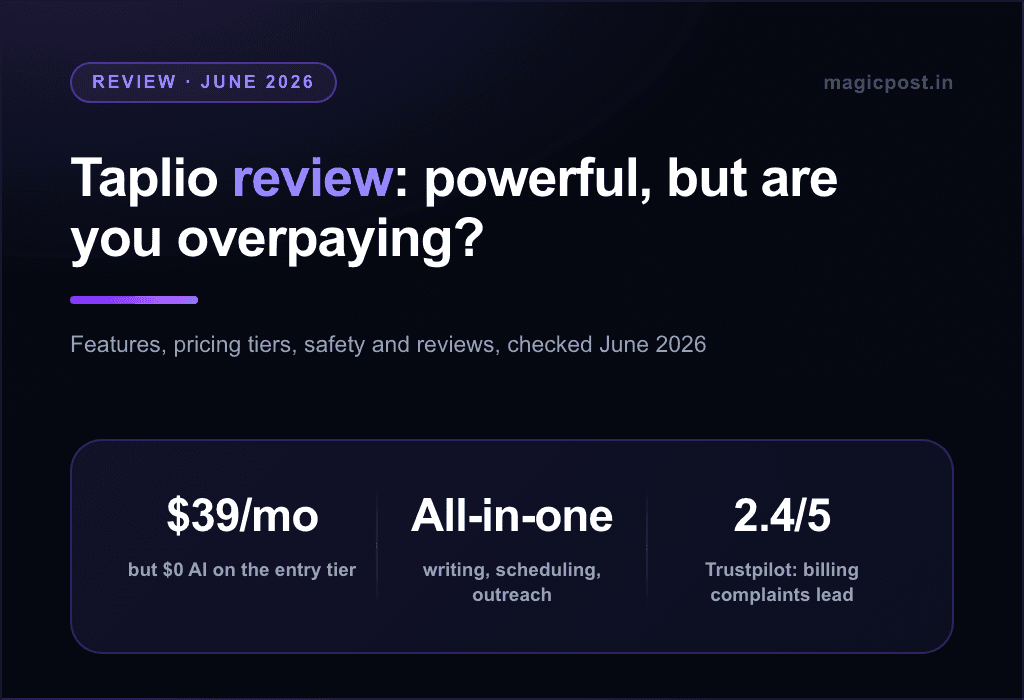
कीमत: टैपलियो की प्रारंभिक योजना $39/माह से शुरू होती है, लेकिन अधिकतर सुविधाएं जो लोग वास्तव में चाहते हैं (कैरोसेल जनरेटर, एआई लेखन, और लीड डेटाबेस) उच्च स्तरों के पीछे बंद हैं। आपको वे सुविधाएं प्राप्त करने के लिए उन सुविधाओं के लिए भुगतान करना पड़ता है जिनकी आपको आवश्यकता नहीं होती।
जनरेटिक एआई आउटपुट: टैपलियो का एआई लेखक पोस्ट उत्पन्न कर सकता है, लेकिन उपयोगकर्ता अक्सर आउटपुट को सामान्य महसूस करने के रूप में वर्णित करते हैं। लिंक्डइन पर व्यक्तिगत ब्रांड बनाना ऐसे पोस्ट की जरूरत होती है जो आपकी तरह लगें, और कच्चा एआई आउटपुट, भले ही अच्छी तरह से निर्देशित हो, बिना महत्वपूर्ण संपादन के वहां नहीं पहुंचता।
इंटरफेस की जटिलता: टैपलियो बहुत कुछ करने की कोशिश करता है: सामग्री निर्माण, सीआरएम, लीड जनरेशन, आउटरीच। यह चौड़ाई कीमत पर आती है। उन निर्माताओं के लिए जो बस लिंक्डइन पर सामग्री लिखने और प्रकाशित करने का एक साफ, तेज तरीका चाहते हैं, इंटरफेस अधिकतर एक बाधा की तरह महसूस कर सकता है।
Which Taplio Alternative Should You Choose?
Here’s a breakdown based on what you actually need. Look at the features and which tools cater to them best.
If you need... | Best pick | Why |
|---|---|---|
Full content creation + scheduling + safety | MagicPost | LinkedIn API verified, covers the full workflow |
Formatting and editing only, no AI | AuthoredUp | Best-in-class editor with multi-device preview |
Start for free, upgrade later | PerfectPost | Genuinely useful free plan with real analytics |
Quick AI posts via Chrome extension | EasyGen | Fast generation, but check Trustpilot first |
Best personal style replication | RedactAI or Supergrow | Both learn your voice from your own posts |
Carousels without Canva | Supergrow | Best carousel maker on this list |
Budget-friendly all-in-one | SocialSonic | $20/mo with AI, scheduling, carousels, and analytics |
Why MagicPost Is the Best Taplio Alternative
Most tools on this list do one or two things well. MagicPost does everything and does it safely.
Every other LinkedIn tool on this list either uses a Chrome extension or third-party API access that violates LinkedIn’s terms of service. That means every post scheduled and every account connected carries a risk of suspension.
MagicPost is the only tool on this list that operates through LinkedIn’s official developer program as a verified partner. That’s not a marketing claim; it’s a verified technical distinction.
Beyond safety, the workflow is complete:
Stuck on what to write? The Idea Generator suggests niche-specific topics instantly.
Struggling with the opening line? The Hook Generator writes proven opening formats.
Want inspiration? Browse 500,000+ viral posts filtered by niche, format, and engagement.
Ready to write? The AI generates drafts in your voice, trained on your own posts.
Done writing? Schedule posts directly through the official LinkedIn API at your optimal time.
Want to know what’s working? The analytics dashboard tracks everything LinkedIn hides from you.
At ₹3,600/month for the Starter plan, MagicPost costs more than some tools on this list. But it replaces all of them. You don’t need a separate formatting tool, a separate analytics tracker, a separate hook generator, and a separate scheduler. Everything is in one place, built specifically for LinkedIn, and safe to use.
Try MagicPost free; no credit card is required. Generate up to 5 LinkedIn posts and see exactly how it works before you commit. Start your free trial at magicpost.in.
11. Buffer
Rating: 1.8 (Trustpilot)
In our top 11, we have Buffer.
Buffer is a comprehensive tool that allows you to schedule all your content on one site.
However, it's not specifically designed for LinkedIn; it's built for all social media networks.

Some of its standout features include:
The ability to create content and build an idea bank, which can be organized into different categories.
This prevents the need to constantly go in and out of the platform, allowing you to schedule posts directly within the tool once they're ready.
The option to write captions with the help of AI. Keep in mind, however, that the AI is generalized and not specific to LinkedIn, so the results may not always fit perfectly.
View your mood board and content in a gallery format to maintain visual consistency for your brand, across all your social media networks.
Ability to create posts, reels and stories for different social media accounts.
Includes LinkedIn metrics that are a bit more advanced than those available directly on LinkedIn.
Essentially, content creation here revolves around organization, and that's exactly what Buffer offers.
Pricing
Buffer is one of the most affordable Taplio alternatives, with paid plans that start at ₹500/month.

Also, there’s a free plan allowing you to schedule up to 10 posts per social media account.
12. Postwise
Lastly, another LinkedIn-specific alternative worth recommending is Postwise, designed to help you create viral posts effortlessly.
It was also created by a LinkedIn content creator, which means it’s built with real-world LinkedIn growth strategies in mind.

Some of the standout features Postwise offers include:
Content Scheduling: Easily schedule all your LinkedIn posts, ensuring consistency in your content strategy.
Advanced Insights: Gain access to metrics and insights that help you better understand your audience and optimize performance.
AI-Powered Suggestions: Get tailored content ideas and suggestions for your topics, saving time on brainstorming.
One of the standout features of Postwise is its focus on user-friendly tools that allow you to streamline your LinkedIn growth strategy.
It’s great for content creators and professionals who want to consistently produce high-quality posts without being overwhelmed by complex tools.
What also sets Postwise apart is its flexibility with Twitter threads integration, making it a dual-purpose tool for those active on both platforms.
Pricing
Postwise's pricing is mid-range, striking a balance between affordability and robust features:
Basic Plan: $37/month, which includes access to 3 LinkedIn accounts and Twitter threads.
Business Plan: $97/month, ideal for larger teams or agencies with multiple accounts.

While the tool does offer a 7-day free trial, one downside is that it requires credit card information upfront, which might deter some users from giving it a try.
Finally, Postwise is perfect for content creators aiming to craft engaging, viral LinkedIn posts with ease, as well as freelancers and solopreneurs who want to save time while keeping their LinkedIn presence consistent.
It's also a great fit for business professionals looking for a simple, efficient way to share insights and elevate their personal branding on the platform.
Taplio Alternatives Overview
Tool | Starting Price | Pro / Advanced Price | Key Features |
|---|---|---|---|
MagicPost | ₹1,333/month | ₹1,999/month and ₹4,333/month | AI post generator, personal writing style, hook generator, URL-to-post, scheduling, preview, ideas generator |
AuthoredUp | ₹1,583/month | ₹1,167/month (business) | Chrome extension, live preview, formatting, content calendar, engagement tracking (no AI generator) |
PerfectPost | Free | ₹1,583/month | Chrome extension editor, scheduling, preview, collaboration, basic analytics, post formatting |
EasyGen | Free (3 posts) | ₹4,999/month | Chrome extension, LinkedIn-focused generator, multiple tones, profile generator, "Top Voice" assistant |
Kleo | Free | — | Post analysis, trend spotting, hooks, formatting tools, preview (no analytics, no AI generator) |
RedactAI | ₹917/month | ₹3,000–4,000/month | 3 draft variations per prompt, customizable style, multimedia integration, trend tracking assistance |
SocialSonic | ₹1,083/month | ₹5,000/month (3 users) / ₹13,333/month (agency) | AI post creation, suggestions, scheduling, AI engagement comments, formatting tools |
Supergrow | ₹1,333/month | ₹2,083/month | AI posts from text/video/book, readability score, carousel templates, engagement feed |
Waalaxy | ₹1,750/month | ₹3,000–4,000/month (enterprise custom) | LinkedIn automation, messaging sequences, lead generation, CRM, AI outreach |
Hootsuite | ₹8,250/month | Higher tiers for teams & agencies | All-in-one scheduler, analytics, social listening, multi-platform publishing |
Buffer | ₹500/month | Higher plans for teams | Multi-platform scheduler, idea bank, AI captions, gallery board, LinkedIn analytics |
Postwise | ₹2,458/month | ₹8,083/month | AI suggestions, viral post tools, scheduling, advanced insights, LinkedIn + Twitter support |
What is the Best Taplio Alternative?
Taplio appears to be an all-in-one LinkedIn tool, but the user experience might not be the best.
On Reddit and Quora, users are comparing Taplio alternatives with cleaner interfaces, more efficient AI writing tools, and better pricing plans.
These may seem like small details, but they are essential for boosting engagement and achieving growth, whether for your personal brand or for increasing your business visibility.
Frequently Asked Questions
Are there free alternatives to Taplio?
Yes. Some LinkedIn tools offer free plans with basic scheduling or content assistance.
Which Taplio alternative is best for solopreneurs?
Tools like MagicPost, AuthoredUp, or Buffer are a good choice for solopreneurs due to their affordability, ease of use, and focus on content scheduling.
Do these Taplio alternatives have AI content generation features?
Most of the Taplio alternatives we listed include an AI content writer that helps you create content, brainstorm new ideas, or rewrite existing posts for better engagement.
Are Taplio alternatives safe for LinkedIn?
Most of these tools are safe to use with LinkedIn. However, avoid using tools that require a browser installation. Also, don’t use features that mimic human behavior, as these may violate LinkedIn’s terms of service.
Frequently Asked Questions
Are there free Taplio alternatives?
Yes. PerfectPost offers a free plan with scheduling, post preview, and analytics. Supergrow and EasyGen both offer free trials with full feature access. MagicPost’s free trial allows you to generate 5 posts without requiring a credit card.
Which Taplio alternative is best for solopreneurs?
MagicPost for complete workflow coverage. SocialSonic or Supergrow if you are on a tighter budget. AuthoredUp if you already write your own content and just need improved formatting and analytics.
Do these Taplio alternatives have AI content generation?
Most do. MagicPost, RedactAI, SocialSonic, Supergrow, and EasyGen all include AI post generation. AuthoredUp and PerfectPost do not generate content from scratch — they are editing and formatting tools.
Are these Taplio alternatives safe for LinkedIn?
It depends on the tool. MagicPost is the only LinkedIn API-verified platform on this list, meaning it is the only tool with zero risk of account suspension. All Chrome extension-based tools (AuthoredUp, PerfectPost, and EasyGen) operate outside LinkedIn’s official program and carry varying degrees of account risk.
Which tool is the closest alternative to Taplio’s full feature set?
MagicPost covers the content creation and scheduling side more thoroughly than any tool on this list. If you also need lead generation and outreach automation — Taplio’s other major feature set — that’s a different product category that none of the tools above address. For lead generation and LinkedIn outreach, you’d need a dedicated tool like Waalaxy or Expandi alongside a content platform.
How to Gain More Followers on LinkedIn in 2026
Struggling to grow on LinkedIn? Discover the precise strategies, frameworks, and posting habits that genuinely assist you in gaining more followers on LinkedIn in 2026.
How to Make LinkedIn Private in 2026: Step-by-Step Privacy Guide
LinkedIn is public by default. Here’s how to make your LinkedIn profile private in 2026, step-by-step, without disappearing from the people you want to reach.
How to Automate LinkedIn Posts Without Losing Your Voice
Can you automate LinkedIn posts without sounding like a bot? Yes. Here’s how to do it safely, consistently, and in your own voice using MagicPost in an Indian context.
Top 11 Most Unfavorable LinkedIn Post Types
A witty and insightful analysis of the most prevalent LinkedIn post archetypes, ranging from oversharers to opportunists, and an exploration of why they continue to dominate your feed.
CoPostly Review: Features, Pricing, and Drawbacks
CoPostly review covering features, pricing, pros and cons, and plan comparison to help you decide if it’s the right LinkedIn content tool for you.
15 Best LinkedIn Outreach Message Templates (With Follow-Ups)
Discover LinkedIn outreach message templates, follow-up strategies, and tips to get responses and build genuine business relationships.
AI LinkedIn Posts: How to Use AI Without Sounding Too Technical
Tired of generic, robotic content? Discover how to write AI LinkedIn posts that truly reflect your voice using a reliable step-by-step humanization framework.
Content Distribution Strategies: Build Reach on LinkedIn
Publishing is not the same as distributing. Discover the content distribution strategies that genuinely enhance your LinkedIn reach, from controlled scheduling to intelligent repurposing.
AI LinkedIn Posts: How to Use AI Without Sounding Too Technical
Tired of generic, robotic content? Discover how to write AI LinkedIn posts that truly reflect your voice using a reliable step-by-step humanization framework.
How to Create a LinkedIn Editorial Calendar (2026)
Learn how to create a LinkedIn editorial calendar that helps you stay consistent, organized, and stress-free in your posting. It includes a practical content mix framework.