" height="26.80529977783203px" id="tymKb8bqC" width="128.00300311279295px"/><path d="M 0 2.417 L 0 0 L 12.909 0 L 12.909 2.417 Z" fill="rgb(126, 78, 253)" height="2.417099999999998px" id="aYr4em6zK" transform="translate(128.341 22.325)" width="12.908999999999992px"/></svg>)

"/><stop offset="1" stop-color="rgb(118, 37, 250)"/></linearGradient></defs><g d="M 19.242 21.22 L 19.362 6.204 L 19.272 6.204 L 13.757 21.22 L 10.161 21.22 L 4.796 6.204 L 4.706 6.204 L 4.825 21.22 L 0 21.22 L 0 0 L 7.283 0 L 12.109 13.607 L 12.229 13.607 L 16.844 0 L 24.247 0 L 24.247 21.22 Z M 26.421 26.113 L 26.421 23.445 L 41.407 23.445 L 41.407 26.113 Z" fill="transparent" height="26.112508199679183px" id="DvfaAIHYn" width="41.40731898311435px"><path d="M 19.242 21.22 L 19.362 6.204 L 19.272 6.204 L 13.757 21.22 L 10.161 21.22 L 4.796 6.204 L 4.706 6.204 L 4.825 21.22 L 0 21.22 L 0 0 L 7.283 0 L 12.109 13.607 L 12.229 13.607 L 16.844 0 L 24.247 0 L 24.247 21.22 Z" fill="rgb(46, 46, 46)" height="21.220180016149442px" id="pLsxRCobd" width="24.247352589074694px"/><path d="M 0 2.668 L 0 0 L 14.986 0 L 14.986 2.668 Z" fill="url(%23yD9d4I5GR-3279285344-linear-gradient)" height="2.6675085048549647px" id="yD9d4I5GR" transform="translate(26.421 23.445)" width="14.986002836263765px"/></g></svg>)

The MagicPost team
क्या आपका व्यवसाय LinkedIn से गायब है?
ऐसे में, आप संभावित ग्राहकों के साथ जुड़ने, अपनी विशेषज्ञता को प्रदर्शित करने और अपने ब्रांड को विकसित करने का अवसर खो रहे हैं।
तो, आप LinkedIn व्यवसाय पृष्ठ कैसे बनाते हैं? और आप इसे कैसे अनुकूलित करते हैं?
LinkedIn कंपनी पृष्ठ केवल आपके लोगो को अपलोड करने और अपने उत्पादों या सेवाओं का अत्यधिक प्रचार करने के बारे में नहीं है।
आइए हम देखते हैं कि आप LinkedIn पर व्यवसाय पृष्ठ कैसे बना सकते हैं और आप अपने पृष्ठ को सक्रिय और आकर्षक कैसे बनाए रख सकते हैं।
What Is a LinkedIn Business Page?
A LinkedIn business page is a dedicated profile that represents your company, organization, or brand.
Having a company page on LinkedIn helps you improve your business’s online visibility, build trust, and engage with your target audience.
Additionally, you can use it to grow your business by engaging with industry professionals, generating leads, and recruiting top talent.



क्या आपको एक व्यवसाय LinkedIn पृष्ठ की आवश्यकता है?
आप सोच सकते हैं कि क्या आपको वास्तव में LinkedIn पर एक व्यवसाय पृष्ठ की आवश्यकता है।
एक LinkedIn व्यवसाय पृष्ठ आपके व्यवसाय के लिए एक मुफ्त प्रदर्शनी के रूप में कार्य करता है.
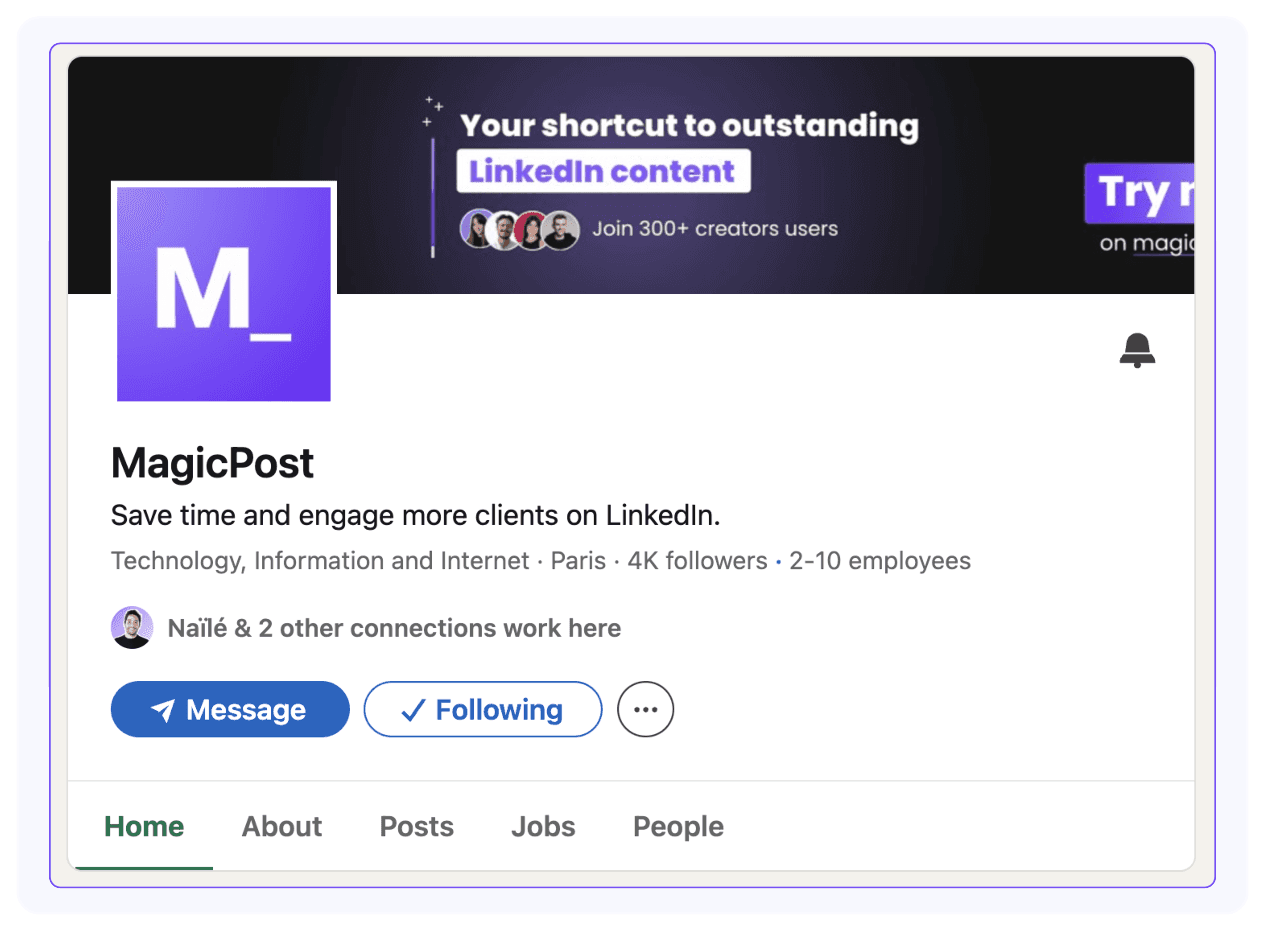
यह आपको अपने उत्पाद या सेवा को बढ़ावा देने की अनुमति देता है, जो आपके व्यक्तिगत प्रोफ़ाइल के साथ-साथ आपकी कंपनी को दृश्यता देता है। यह विशेष रूप से महत्वपूर्ण है यदि आप व्यक्तिगत ब्रांडिंग पर काम कर रहे हैं।
यह आपको ध्यान आकर्षित करने में मदद करेगा और सुनिश्चित करेगा कि आप प्रतिस्पर्धा में खो न जाएं।
अतिरिक्त रूप से, आप अपने व्यवसाय पृष्ठ को अपने व्यक्तिगत प्रोफ़ाइल से लिंक कर सकते हैं।
यह लोगों के लिए सीधे आपकी प्रोफ़ाइल से आपकी कंपनी को खोजना आसान बनाता है, जो अधिक ट्रैफ़िक लाने में मदद करता है।
यह आपकी दृश्यता बढ़ाने का एक बहुत सरल और प्रभावी तरीका है, विशेष रूप से यदि आप B2B उद्योग में हैं, जहाँ आपका लक्ष्य अन्य व्यवसायों से जुड़ना है।
How to Create a LinkedIn Business Page
In addition to creating your page, there are also key aspects you shouldn't overlook.
Let's dive into what they are and why they deserve your attention.
Step 1. Log Into Your LinkedIn Account
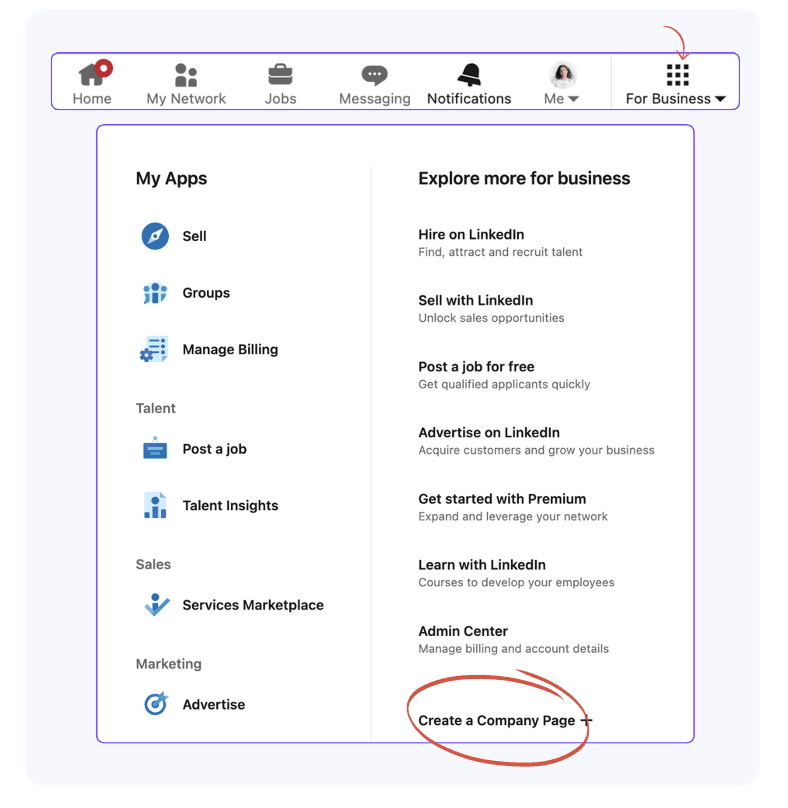
You can't create a business page on LinkedIn without a personal account. Sign into your LinkedIn account, open the For Business list, and click on Create a Company Page.
Step 2: Select your LinkedIn page type
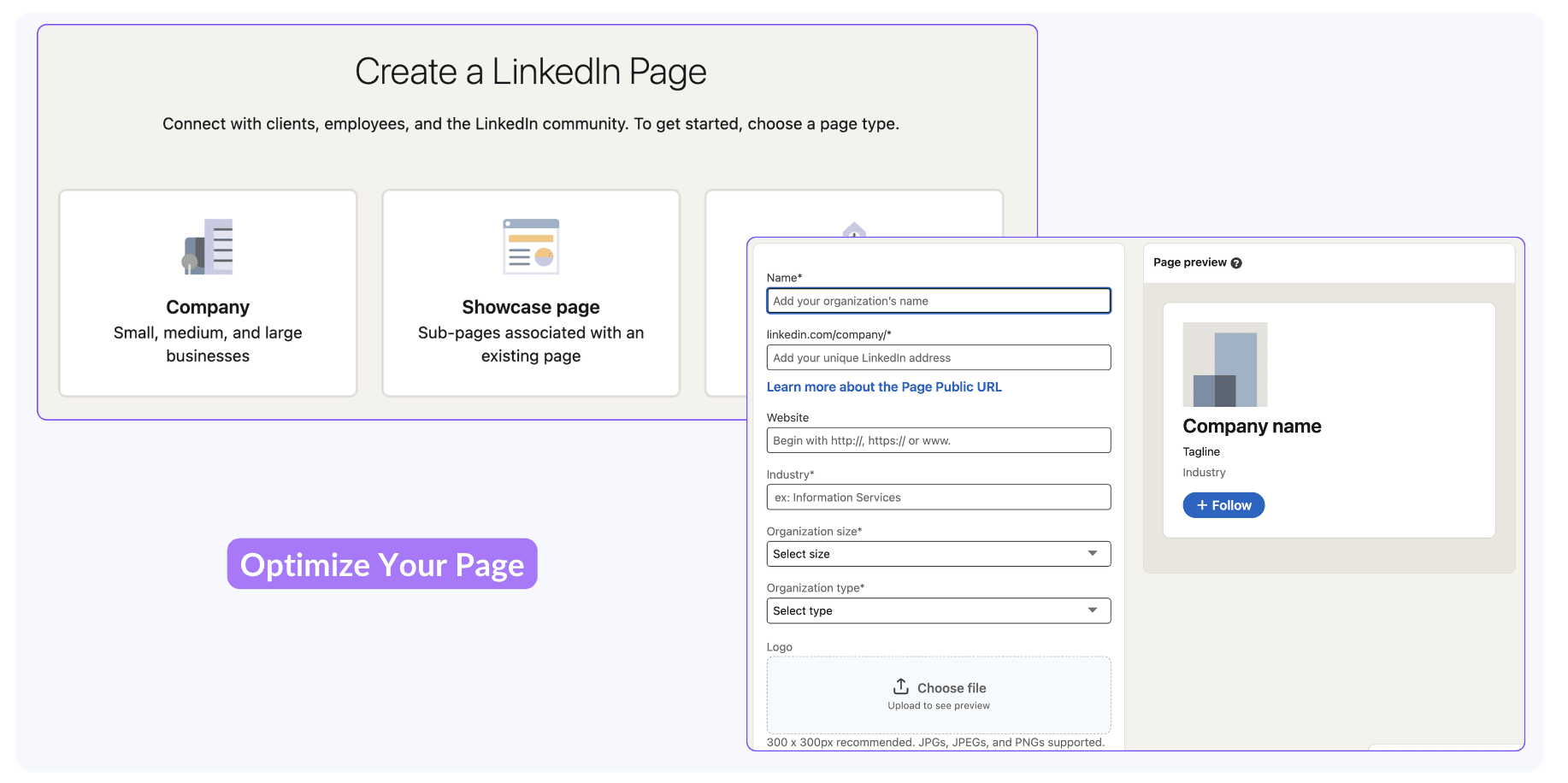
There are 3 types of company pages on LinkedIn:
Company
Showcase page
Educational Institution.
To raise your brand awareness and get more clients, the best choice for a LinkedIn business page is Company.
Step 3. Add your business information
Accurately fill in your business information. This way, LinkedIn's algorithm accurately understands and categorizes your business page, making it easier to find.
Wondering how to get more traffic to your newly created LinkedIn business page?
Fill in all information. According to LinkedIn, company pages with a complete profile get up to 30% more weekly visits.
Step 4. Optimize Your Company Page
Adding only basic information when creating your LinkedIn business page won't attract any customers.
To get new clients and create a professional image, you have to optimize your company page.
First, upload an eye-catching banner, add your logo, and include a brief description of what your business does—focus on how you can help your customers.

If you'd like to describe your business in more detail, include a longer description to help people fully understand what it offers.
To have a better idea of what works and what doesn't, check out other companies' pages.
This isn't just to see what your competition is doing but also to take note of what they're doing, what content they're sharing, how they've set up their profiles, and gather ideas for your own page.
Step 5. Publish Your LinkedIn Page
Once you've filled in all your business information and optimized your company page, it's time to publish it.
Click on Create page so your LinkedIn business page goes live.
At first, your page will get little to no visibility or visitors, but with the right strategy, you can build your audience and boost engagement.
So, what are the best practices for growing your business page on LinkedIn?
How to Grow Your Business Page on LinkedIn
With your LinkedIn business page created, let's go through some of the best ways you can get more followers and reach your audience:
1. Invite Your Network to Like Your Page
The easiest way to promote your LinkedIn business page? Ask your network to follow it.
LinkedIn allows you to send invitations to your first-degree connections, asking them to follow your company page.
You can invite up to 50 connections per month. Focus on connections that you think are interested in your business or industry.
Also, don't send all 50 invitations at once. LinkedIn might consider this as spamming behaviour and you might end up with a restricted LinkedIn account.
2. Turn Employees Into Brand Ambassadors
Improve your business page's reach by asking your employees to like, comment, or share posts. This engagement increases your business page's visibility and attracts new followers.
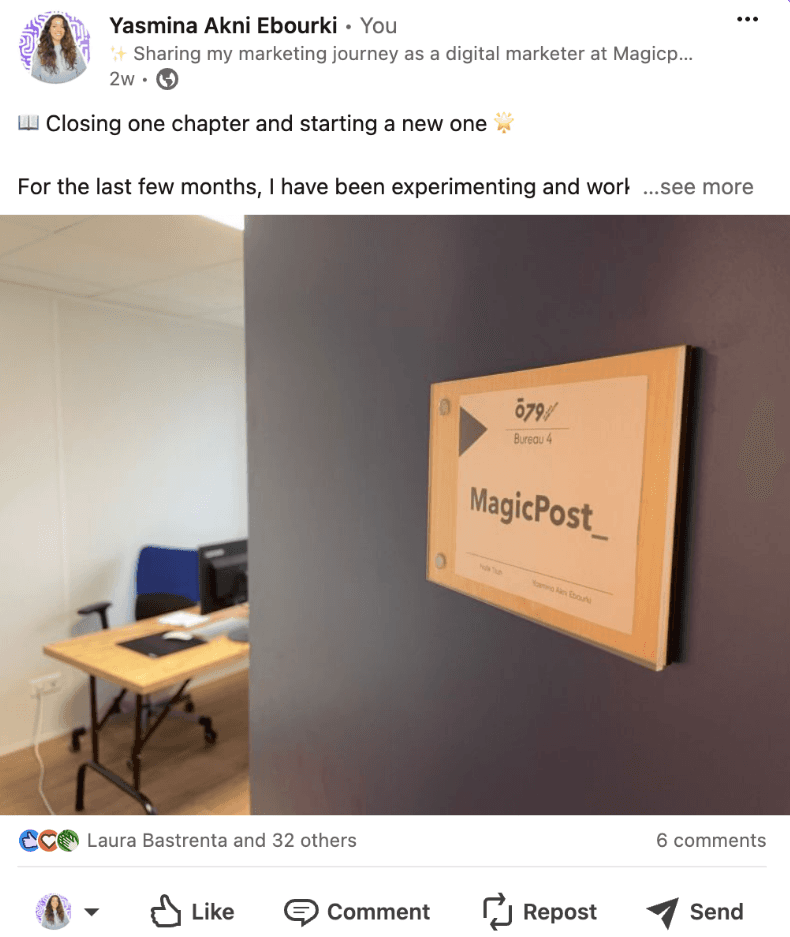
Keep in mind that content shared by individuals tends to receive more attention than posts from company pages.
3. Share Engaging Content
Build a strong presence on LinkedIn and attract more followers to your company page by sharing engaging content.
LinkedIn content that includes product demonstrations, infographics, or behind-the-scenes videos catches your network's attention and encourages organic interaction.
4. Engage with Your Audience
To grow your LinkedIn company page, you have to engage with your audience—clients and anyone talking about your product or service.
It's not enough to post; you also need to comment and show support.
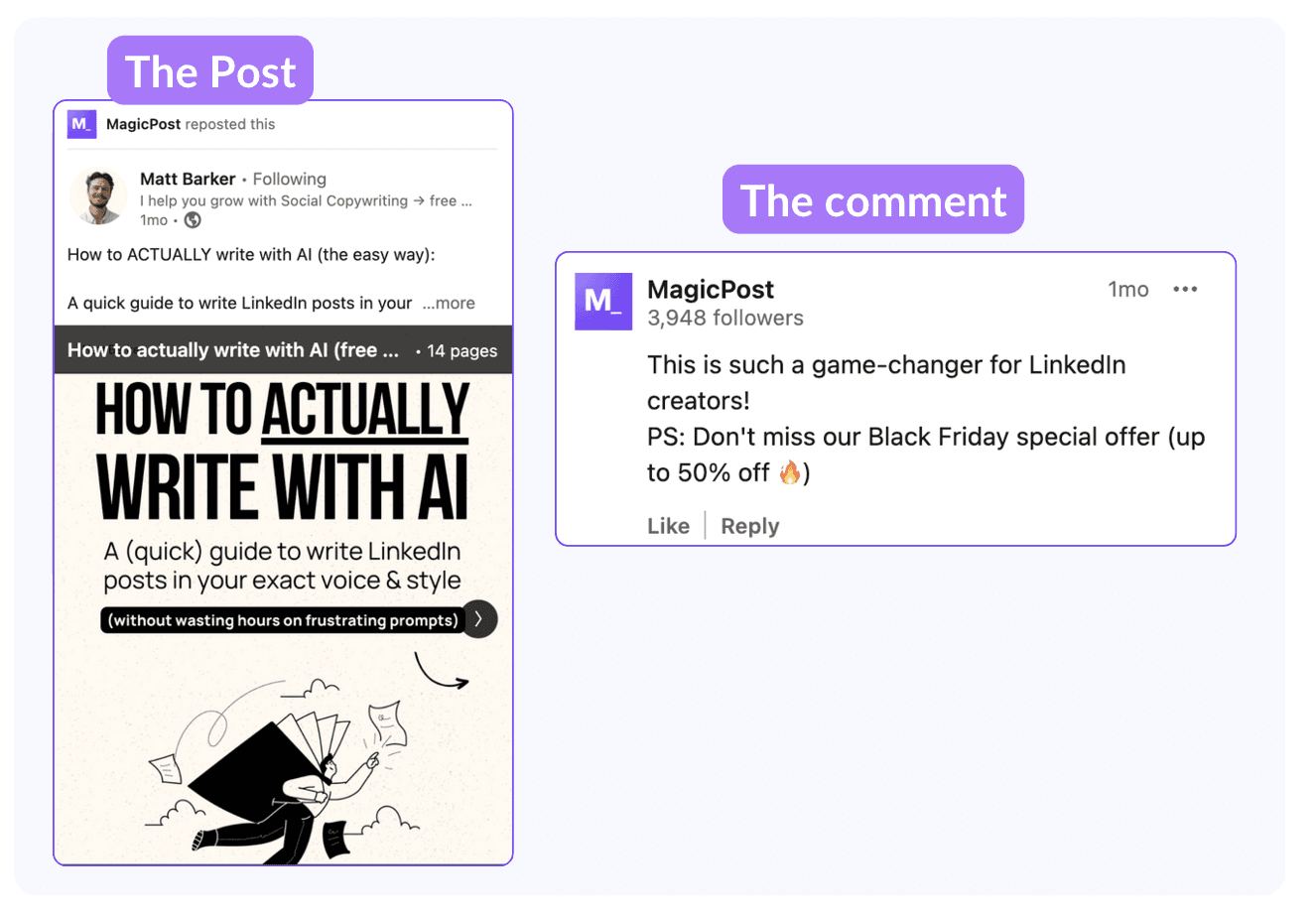
These individuals are your brand ambassadors, and engaging with them helps strengthen your connection.
You can also engage with your employees when they post about work-related topics or their professional experiences.
By doing so, you show that there's a real person behind the company page, which helps keep it active and engaging.
Avoid generic comments like "Good job" and try to add something more personal or even humorous to connect with your audience.
Aim to present your brand as approachable and open rather than overly formal.
5. Share User Generated Content
Build trust and highlight your brand's authenticity by sharing user-generated content.
When clients share their experiences with your product or service, they create social proof that resonates with your target audience.
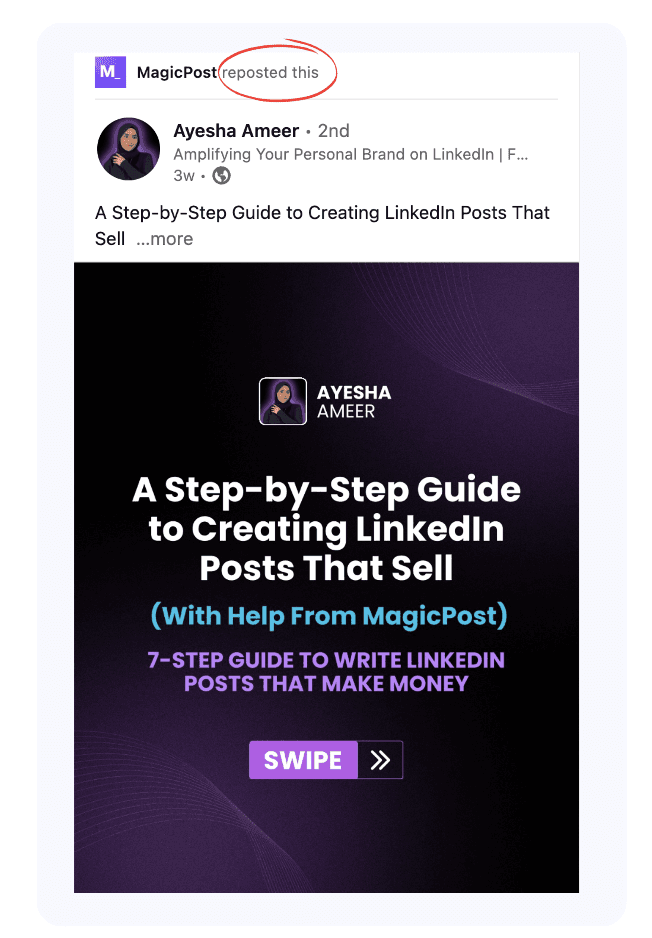
User generated content is often perceived as more credible, as it comes directly from real people, with no marketing involved.
Repost or highlight this type of content to showcase your business or product impact while showing appreciation for your customers. This way, you encourage them to keep using your product and inspire other clients or partners to share their own experiences.
6. Use LinkedIn Ads
If you want to speed up your LinkedIn company page growth, consider using LinkedIn Ads.
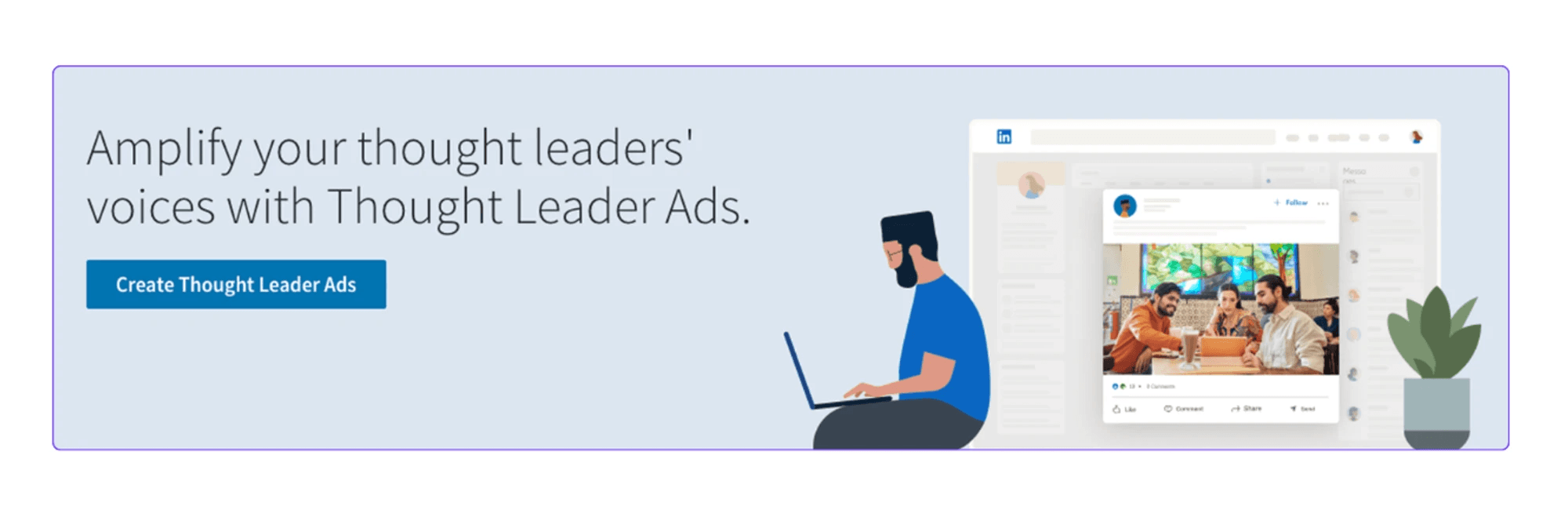
Define your target audience as LinkedIn members by job title, industry, company size, and more. Then, you can reach out to them using sponsored content, text ads, or sponsored InMail.
7. Track Your LinkedIn Company Page Performance
Monitor your LinkedIn business page performance to understand what works and how you should adjust your strategy. Keep track of post engagement, follower growth, and content performance to determine what works best with your target audience.
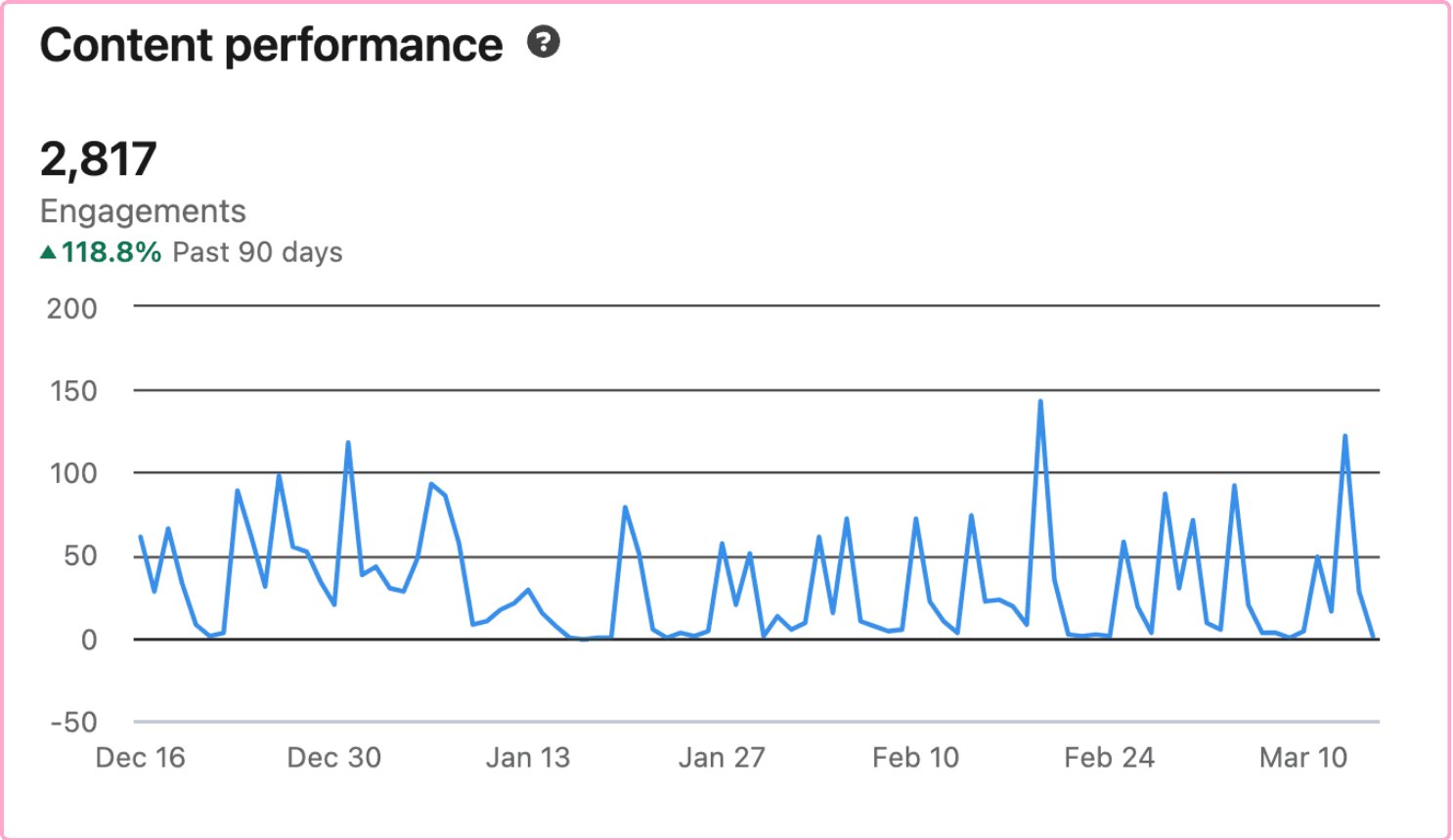
Pay attention to trends, identify your best-performing post formats and topics, and try to replicate their success. If your content gets little to no engagement, change the format, post at different hours, or try to find the best post length for your audience.
Avoid These Mistakes on Your LinkedIn Business Page
1. Overselling
Don’t turn your company page on LinkedIn into a constant sales pitch.
Promoting your product or services can backfire, and your network will start ignoring your content or even unfollowing you. Instead, focus on sharing relevant content, industry news, and customer success stories.
This doesn’t mean you should stop promoting your business. But when you do so, make it natural and relevant to your audience’s needs instead of turning it into a sales push.
2. Sharing too many external links
LinkedIn’s algorithm prioritizes content that keeps members engaged on the platform. So, sharing links to your website, blog, or other platforms will hurt your content reach.
You can promote your business on LinkedIn by adding a Visit my website button to your company page.
If you have to share a link with one of your posts, it’s better to add it in the comments instead of including it directly in the post.
Ignoring engagement
Not replying to your audience will sabotage your LinkedIn business page growth.
When LinkedIn members engage with your content but don’t get a reply, they might lose interest in your brand.
Show that your company values its community by engaging with comments, replying to feedback, and starting conversations.
Additionally, engaging with your followers tells LinkedIn’s algorithm that your content is relevant and valuable.
Frequently Asked Questions
Are LinkedIn business pages free?
Yes. LinkedIn business pages are 100% free. However, to accelerate the growth of your company page, you’ll need to pay for additional features such as a Premium account or LinkedIn ads.
How many LinkedIn pages can I create for my company?
There is no limit on how many LinkedIn pages you can create for your company. However, you can only have one primary company page.
Can I create a LinkedIn Business page without a personal profile?
No. You need a personal profile that is at least one day old to create and manage a LinkedIn business page.
Can I create a LinkedIn business page on mobile?
Yes. You can create a LinkedIn business on mobile, both on Android and iOS devices.
How many LinkedIn connections do I need to create a company page?
There is no clear number of LinkedIn connections you need to create a company page. However, having no connections at all might prevent you from setting up a business page.
Can I use my personal profile as a LinkedIn business page?
LinkedIn clearly distinguishes between personal profiles and company pages. Using your personal profile as a business page may flag your account for violating LinkedIn’s terms of service. This could lead to your account being suspended or even banned.
How often should I post on my LinkedIn company page?
Depending on your niche, you should post 2 to 4 times per week. While consistency matters for LinkedIn growth, the quality of your posts matters more than quantity.

Master LinkedIn Account-Based Marketing (ABM) for B2B Success
Learn about Account-Based Marketing (ABM) on LinkedIn to attract high-value clients and develop new strategies for identifying key accounts to boost sales.

How to Create a LinkedIn Business Page and Optimize It
Learn how to create a LinkedIn business page, build your presence, attract clients, and optimize your company page to connect with your audience.