" height="26.80529977783203px" id="tymKb8bqC" width="128.00300311279295px"/><path d="M 0 2.417 L 0 0 L 12.909 0 L 12.909 2.417 Z" fill="rgb(126, 78, 253)" height="2.417099999999998px" id="aYr4em6zK" transform="translate(128.341 22.325)" width="12.908999999999992px"/></svg>)

"/><stop offset="1" stop-color="rgb(118, 37, 250)"/></linearGradient></defs><g d="M 19.242 21.22 L 19.362 6.204 L 19.272 6.204 L 13.757 21.22 L 10.161 21.22 L 4.796 6.204 L 4.706 6.204 L 4.825 21.22 L 0 21.22 L 0 0 L 7.283 0 L 12.109 13.607 L 12.229 13.607 L 16.844 0 L 24.247 0 L 24.247 21.22 Z M 26.421 26.113 L 26.421 23.445 L 41.407 23.445 L 41.407 26.113 Z" fill="transparent" height="26.112508199679183px" id="DvfaAIHYn" width="41.40731898311435px"><path d="M 19.242 21.22 L 19.362 6.204 L 19.272 6.204 L 13.757 21.22 L 10.161 21.22 L 4.796 6.204 L 4.706 6.204 L 4.825 21.22 L 0 21.22 L 0 0 L 7.283 0 L 12.109 13.607 L 12.229 13.607 L 16.844 0 L 24.247 0 L 24.247 21.22 Z" fill="rgb(46, 46, 46)" height="21.220180016149442px" id="pLsxRCobd" width="24.247352589074694px"/><path d="M 0 2.668 L 0 0 L 14.986 0 L 14.986 2.668 Z" fill="url(%23yD9d4I5GR-3279285344-linear-gradient)" height="2.6675085048549647px" id="yD9d4I5GR" transform="translate(26.421 23.445)" width="14.986002836263765px"/></g></svg>)

Alice Malby
क्या आपको पता है कि टैगिंग आपके LinkedIn पोस्ट की दृश्यता को नाटकीय रूप से सुधार सकती है? यह एक अंतर्निहित मेगाफोन की तरह है जो व्यापक दर्शकों तक पहुँचने और अर्थपूर्ण वार्तालाप शुरू करने में मदद करती है।
LinkedIn पोस्ट में किसी को टैग करना जुड़ाव बढ़ाने, संबंध बनाने और आपके कंटेंट की पहुँच बढ़ाने के लिए एक शक्तिशाली उपकरण हो सकता है।
प्रासंगिक व्यक्तियों को प्रभावी रूप से टैग करके, आप न केवल उनके ध्यान को अपने पोस्ट की ओर खींचते हैं बल्कि संभवतः उनके नेटवर्क को भी अपने कंटेंट के संपर्क में लाते हैं, जिससे इसके प्रभाव को बढ़ाया जा सकता है।
यह मार्गदर्शिका आपको LinkedIn पर प्रभावी टैगिंग की कला के माध्यम से ले जाएगी, इसे एक साधारण "@" प्रतीक से आपकी आवाज़ को बढ़ाने के लिए एक रणनीतिक उपकरण में परिवर्तित करेगी।
TL:DR; Tagging someone in a LinkedIn post can enhance visibility and engagement. Identify the purpose of your post, choose relevant people to tag, write an engaging message, and follow up on your post to maintain the conversation.
Crafting Your LinkedIn Post
Step 1: Identify the Purpose of Your Post
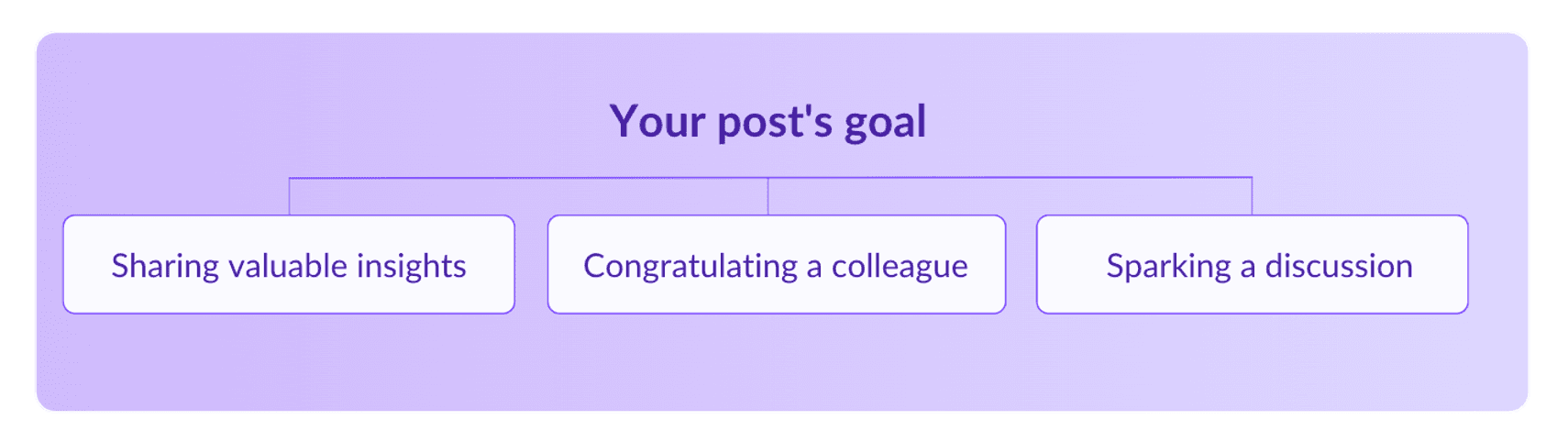
Be clear about the objective of your post. Are you sharing valuable insights, congratulating a colleague, or initiating a discussion? A clear purpose guides your tagging strategy.
Are you announcing a new project, sharing statistics, or seeking advice? Understanding your goal will help you determine whom to tag and how to frame your message.
Step 2: Choose Relevant People to Tag
When tagging, prioritize quality over quantity. A couple of highly targeted tags make your post feel like a well-thought-out piece of content.
On the other hand, tagging a wide variety of people can create the impression that you’re either indiscriminately seeking attention or that the content lacks a clear direction. Remember, targeted tags add value, while excessive tagging diminishes it.
Tagging individuals directly involved in your content or those who might find it valuable is essential. Tagging the right people increases the likelihood of engagement and meaningful interactions.
Step 3: Write a Clear and Engaging Message
It’s all about crafting a clear and engaging message. Highlight the main points of your post and explain why you are tagging the selected individuals.
A well-written post encourages engagement and ensures your message is clear.
If you’re struggling with this, tools like MagicPost can help you create compelling content efficiently and refine your content for maximum impact.



Tagging Someone in Your Post
Step 4: How to Tag Someone
The actual process of tagging someone on LinkedIn is quite easy. Follow these simple steps:
Open LinkedIn and begin writing your post in the update box as usual.
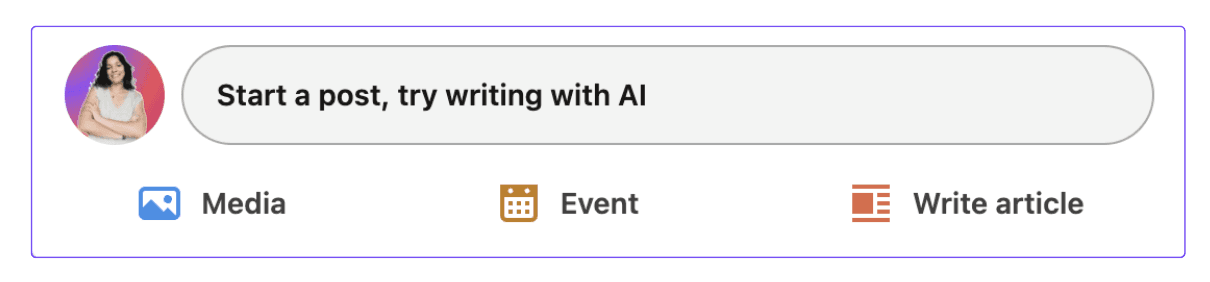
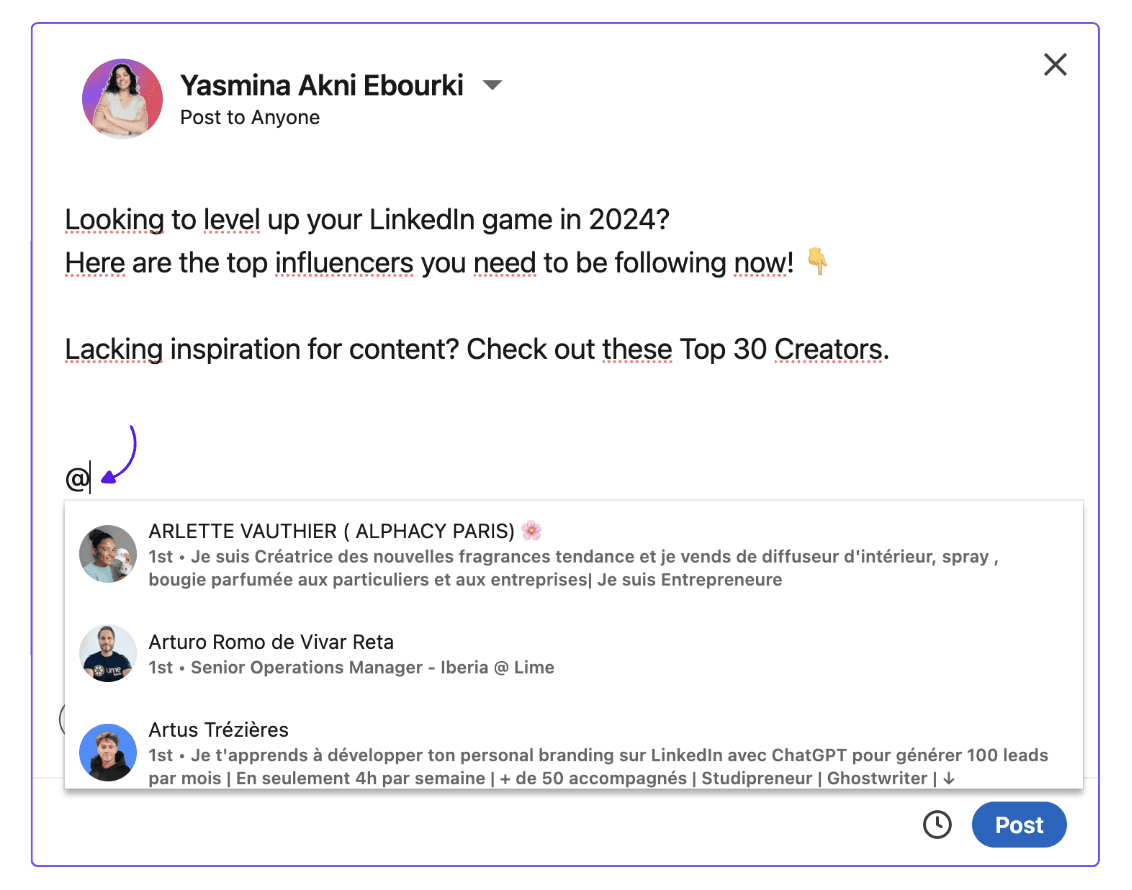
When you reach the point where you want to tag someone, type the "@" symbol followed by their name.
LinkedIn will show a list of people matching the name you typed. Select the correct individual from the list.
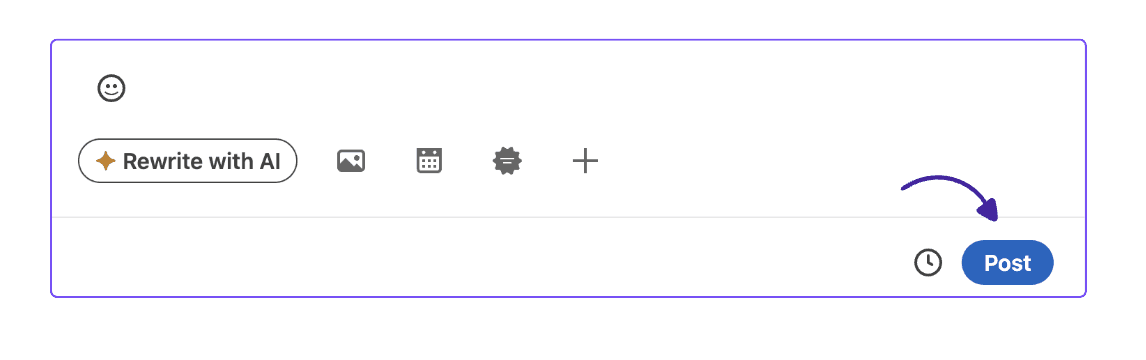
Complete your post and click "Post" to share it with your network.
That’s it, it’s literally that simple!
Step 5: Following Up on Your Post
It’s never pleasant to feel used, so don't let the conversation end with the tag. Maintaining the conversation with tagged individuals is important for building relationships.
Respond to comments and engage with those who interact with your post. If the discussion continues in follow-up posts, consider mentioning tagged individuals again if relevant. This keeps the conversation alive and fosters deeper connections.
Better yet, try messaging them privately to see if they’d be interested in collaborating on a series of joint posts. Suggest a topic that is relevant for both of you and that you’d each be able to provide unique insights on. Remember that if you don't ask, you don't get it. So try stepping out of your comfort zone now and then.
💡Pro Tip: If you want to attract the attention of a recruiter, consider creating a post about the company that interests you, highlighting its positive aspects while tagging the relevant team members.
This can be a great way to make a first impression and open up potential opportunities.
LinkedIn पर टैगिंग के लिए सर्वश्रेष्ठ प्रथाएँ
जब LinkedIn पर टैगिंग करने की बात आती है, तो कुछ स्पष्ट किया जा सकता है कि क्या करना है और क्या नहीं। हम सुझाव देते हैं कि आप प्रभावी और सम्मानजनक टैगिंग के लिए इन दिशानिर्देशों का पालन करें:
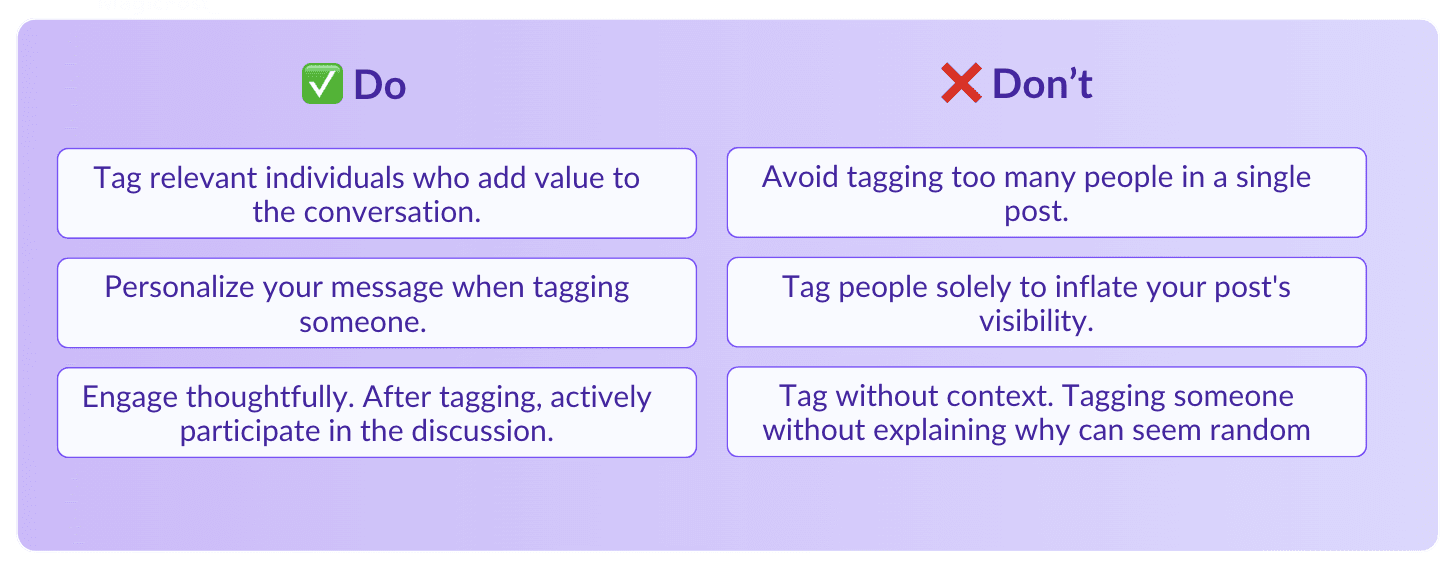
करें: संबंधित व्यक्तियों को टैग करें जो बातचीत में मूल्य जोड़ते हैं।
करें: जिस व्यक्ति को टैग कर रहे हैं, उनके लिए अपना संदेश व्यक्तिगत बनाएं। समझाएं कि आपने उन्हें क्यों टैग किया और उनका विशेषज्ञता या दृष्टिकोण कैसे दर्शकों के लिए फायदेमंद हो सकता है।
करें: सोच-समझ कर संवाद करें। टैग करने के बाद, चर्चा में सक्रिय रूप से भाग लें। टिप्पणियों का उत्तर दें और एक अर्थपूर्ण संवाद को बढ़ावा दें।
करें: योगदानों को स्वीकार करने के लिए टैग का उपयोग करें। व्यक्तियों को टैग करें ताकि जहां ज़रूरत हो वहाँ श्रेय दिया जा सके। यदि किसी ने एक परियोजना में मदद की या विचार प्रदान किए, तो उन्हें टैग करना उनके योगदान को स्वीकारने का एक अच्छा तरीका है।
न करें: एक ही पोस्ट में बहुत से लोगों को टैग करने से बचें। यह स्पैम जैसा लग सकता है और आपके संपर्कों को नाराज कर सकता है। जिनका वास्तव में संबंध हो, केवल उन्हीं पर ध्यान केंद्रित करें।
न करें: केवल अपनी पोस्ट की दृश्यता बढ़ाने के लिए लोगों को टैग करें। याद रखें कि प्रामाणिक और संदेश के संदर्भ में रहना चाहिए।
न करें: संदर्भ के बिना टैग करें। बिना किसी स्पष्टीकरण के टैग करना यादृच्छिक और असंगठित लग सकता है। हमेशा यह बताएं कि आप किसी को टैग कर रहे हैं, इसके पीछे कारण क्या है।
इन टैगिंग के कदमों और सर्वश्रेष्ठ प्रथाओं के साथ, आप टैगिंग को एक बुनियादी सुविधा से LinkedIn पर अपनी उपस्थिति को बढ़ाने के लिए एक रणनीतिक उपकरण में बदल सकते हैं।
Should You Tag on LinkedIn?
In short, yes. It’s a great way to garner more attention and jump-start your engagement on specific posts. However, use this tool wisely and be sure to tag someone who is active on LinkedIn as that is more likely to yield results.
So what are you waiting for? I’m sure you already have loads of ideas for new posts that include tags!

Does LinkedIn Show Who Viewed Your Profile? (2026)
Does LinkedIn show who viewed your profile? Learn what others see, how to browse anonymously, and the differences between free and premium accounts.

How to Send an Ideal LinkedIn Connection Request (2026)
To send a good LinkedIn connection request, go to the contact’s profile, click on 'Connect,' and include a personalized message. Here are a few templates for you.
How to Tag Someone in a LinkedIn Post Effectively: 5-Step Guide
Tagging someone with a simple @ in your LinkedIn post can enhance your visibility and engagement when done correctly. However, there are some best practices to keep in mind.

LinkedIn Search by Name: How to Find Anyone More Quickly & Easily
Learn how to master LinkedIn searches by name or email. Discover filters, Boolean techniques, and professional tips to find anyone on LinkedIn more quickly and connect like a professional.