" height="26.80529977783203px" id="tymKb8bqC" width="128.00300311279295px"/><path d="M 0 2.417 L 0 0 L 12.909 0 L 12.909 2.417 Z" fill="rgb(126, 78, 253)" height="2.417099999999998px" id="aYr4em6zK" transform="translate(128.341 22.325)" width="12.908999999999992px"/></svg>)

"/><stop offset="1" stop-color="rgb(118, 37, 250)"/></linearGradient></defs><g d="M 19.242 21.22 L 19.362 6.204 L 19.272 6.204 L 13.757 21.22 L 10.161 21.22 L 4.796 6.204 L 4.706 6.204 L 4.825 21.22 L 0 21.22 L 0 0 L 7.283 0 L 12.109 13.607 L 12.229 13.607 L 16.844 0 L 24.247 0 L 24.247 21.22 Z M 26.421 26.113 L 26.421 23.445 L 41.407 23.445 L 41.407 26.113 Z" fill="transparent" height="26.112508199679183px" id="DvfaAIHYn" width="41.40731898311435px"><path d="M 19.242 21.22 L 19.362 6.204 L 19.272 6.204 L 13.757 21.22 L 10.161 21.22 L 4.796 6.204 L 4.706 6.204 L 4.825 21.22 L 0 21.22 L 0 0 L 7.283 0 L 12.109 13.607 L 12.229 13.607 L 16.844 0 L 24.247 0 L 24.247 21.22 Z" fill="rgb(46, 46, 46)" height="21.220180016149442px" id="pLsxRCobd" width="24.247352589074694px"/><path d="M 0 2.668 L 0 0 L 14.986 0 L 14.986 2.668 Z" fill="url(%23yD9d4I5GR-3279285344-linear-gradient)" height="2.6675085048549647px" id="yD9d4I5GR" transform="translate(26.421 23.445)" width="14.986002836263765px"/></g></svg>)
LinkedIn Comment Generator
Generate Comments for LinkedIn Posts in One Click
Commenting on LinkedIn is one of the easiest ways to get noticed, but staring at a post and trying to think of something worth saying wastes more time than it should.
Paste the post, click generate, and get three comments with the help of our LinkedIn comment generator. Pick the one that suits you, copy it, and you’re done.
How to Use a LinkedIn Comment Generator?
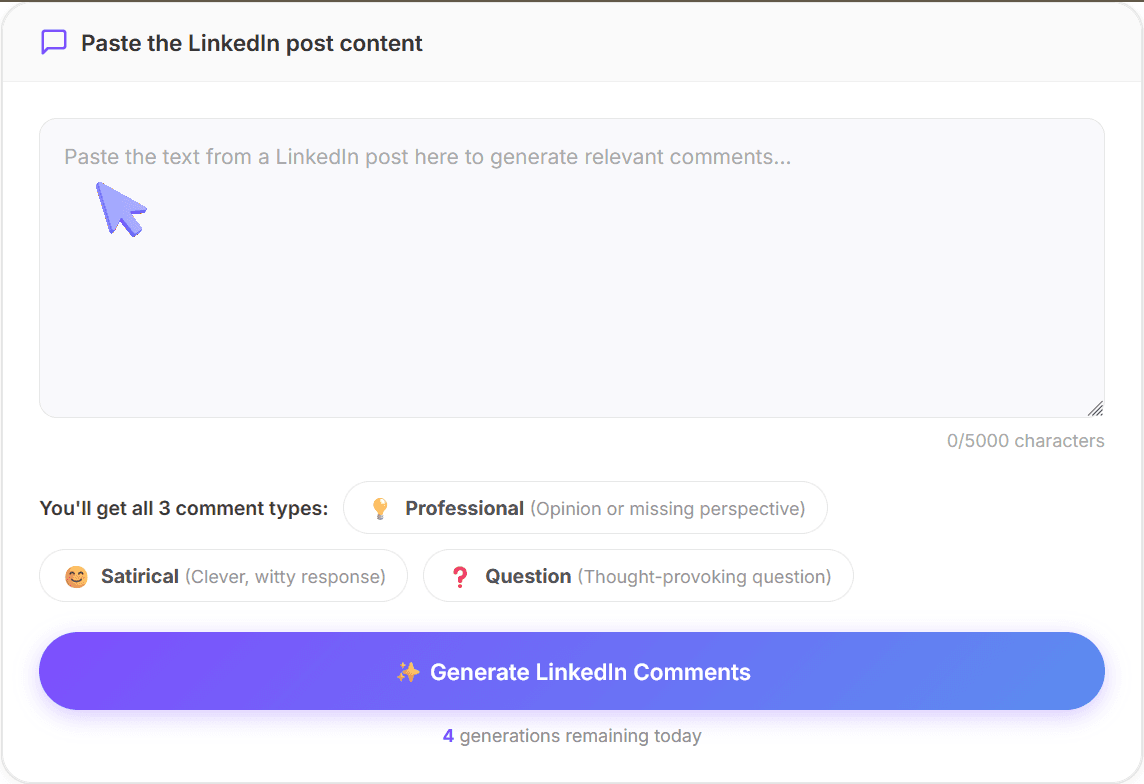
STEP 1
Paste the Post
Copy the text from any LinkedIn post and paste it into the text box. It can support up to 5,000 characters.
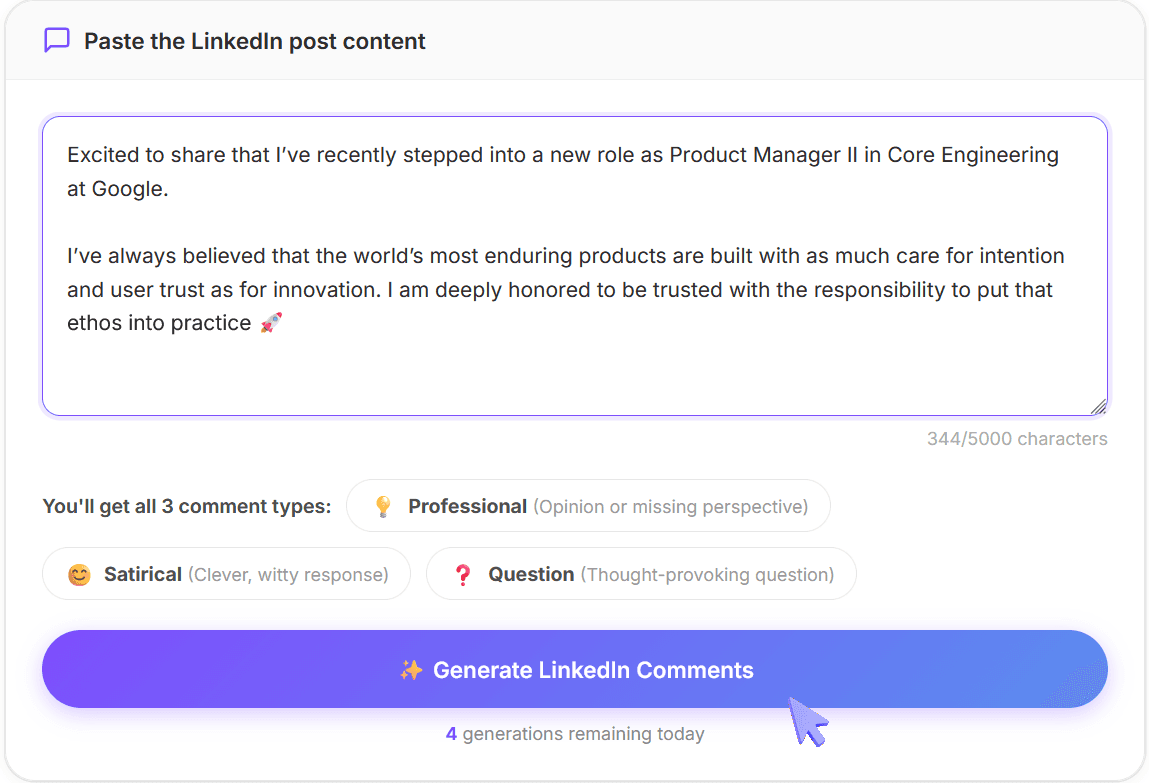
STEP 2
Generate Comments
Click "Generate LinkedIn Comments." The tool reads through the post and writes one comment for each type.
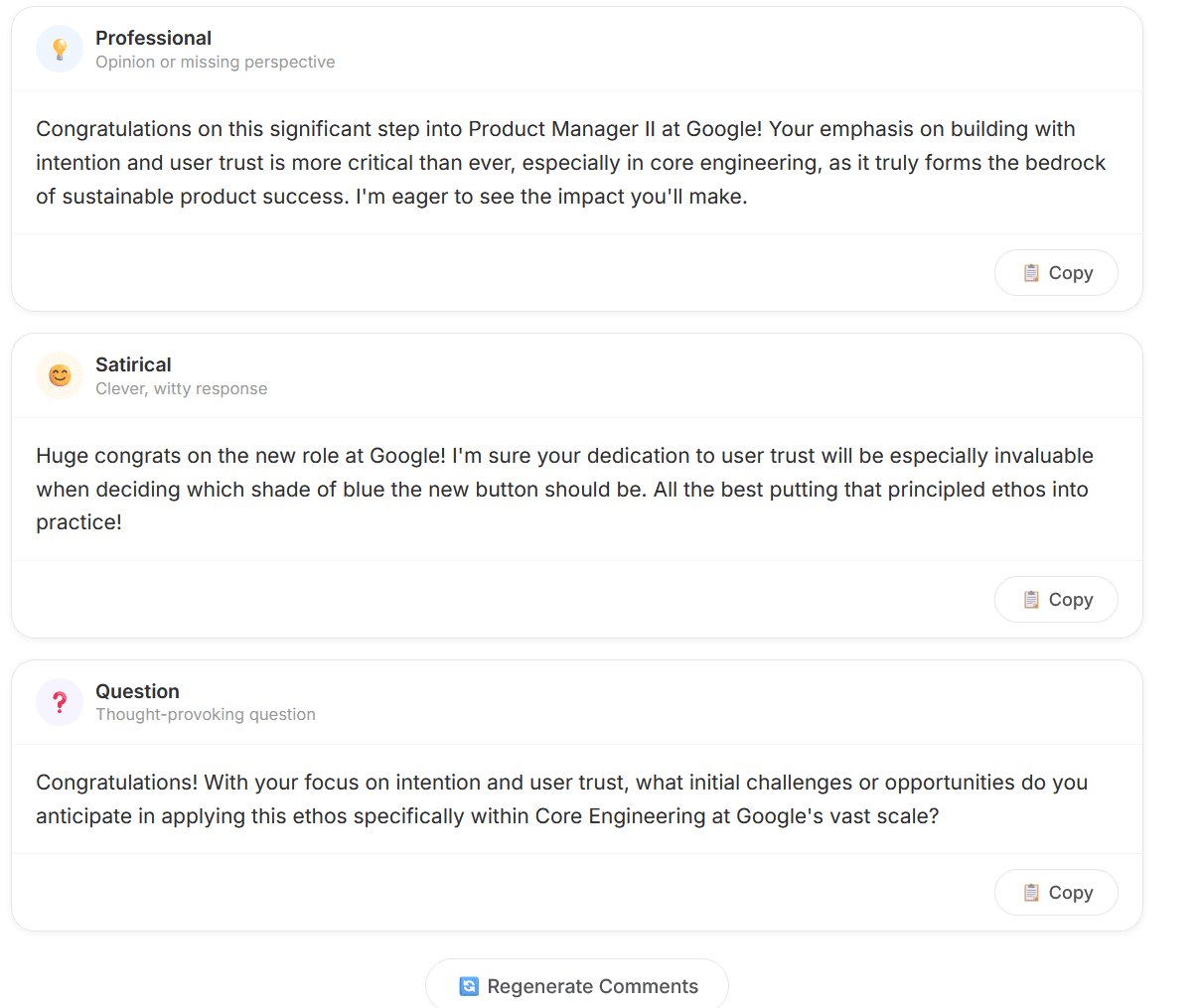
STEP 3
Copy and Post
Choose the comment that matches your tone and the post's context, copy it, and post it. Edit it first if you want it to sound more like you.
What Is a LinkedIn Comment Generator?
A LinkedIn comment generator is a free tool that reads a LinkedIn post and writes three comments for you, each with a different angle. You do not need an account or to install anything.
Simply paste a LinkedIn post and it'll take care of the rest!
LinkedIn Comment Generator Comment Types
Professional
This is for opinions or missing perspectives. It adds something to the conversation. Use it when you want to come across as knowledgeable without being pushy.
Satirical
A clever, witty response. A lighter take on the post. It works well when the original post is bold or provocative and you want to engage without being too serious.
Question
A thought-provoking question that turns the comment into a conversation starter. It's good for engagement and for signalling genuine curiosity.
Why Use a LinkedIn Comment Generator?
1. You Stay Visible Without Posting Every Day
Commenting helps you get in front of people who haven't seen your content before. It takes less effort than a full post, but still works.
2. You Always Have Something Worth Saying
You don't need to write something profound every time you leave a comment, but "nice post!" doesn't help anyone.
✅ The tool gives you something with real substance to work with.
3. You Can Match the Tone to the Moment
Some posts call for a direct opinion, whereas others are begging for a witty response.
✅ Having three different angles ready means you're not locked into one way of engaging.
4. You Stop Losing Time on a Blank Text Post
The hardest part of commenting is getting started. Once you have a draft in front of you, editing it so it sounds like you takes thirty seconds.
✅ The tool generates comments that suit the content. Just take a few seconds to make it sound like you!
Frequently Asked Questions
1. Is the LinkedIn comment generator free to use?
Yes, the tool is completely free and designed to instantly generate comments for any LinkedIn post you paste. You don't need to sign up or share your personal details.
2. Do I need to install anything?
You don’t need to install anything. Just paste a LinkedIn post and click "Generate."
3. How many comments can I generate?
You can generate 5 comments per day.
4. Does it work for any type of post?
Yes, including opinion posts, news shares, carousels, and announcements. As long as you paste an actual LinkedIn post, and not a very short sentence, it'll generate comments for you.
More Free Tools from MagicPost
MagicPost offers a variety of free tools to enhance your LinkedIn content, including:
Summary Generator: Turn long content into clear summaries.
Video Downloader: Download LinkedIn videos in one click.
Headline Generator: Create scroll-stopping profile headlines.
Text Formatter: Clean, structure, and polish your text.
Hooks Generator: Write irresistible opening lines.
Post Ideas Generator: Generate endless content ideas.
Post Previewer: Preview and refine your post layout.
Advocacy Employee Simulator: Simulate employee advocacy posts.
Hashtag Generator: Find relevant hashtags instantly.
Mockup Generator: Create realistic post mockups fast.
Engagement Rate Calculator: Measure post performance accurately.
LinkedIn Post Pricing Calculator: Calculate how much to charge for a LinkedIn post.
Quote Card Generator: Turn quotes into shareable visuals.
Poll Idea Generator: Generate engaging LinkedIn poll ideas.