

Florence Vallet
Product Specialist
How to let clients validate posts before publishing
This feature is mainly for agencies with an organisation account.
Validation mode for organisation members
When you're an org account, you can now activate the option "Validation mode" on each org member.
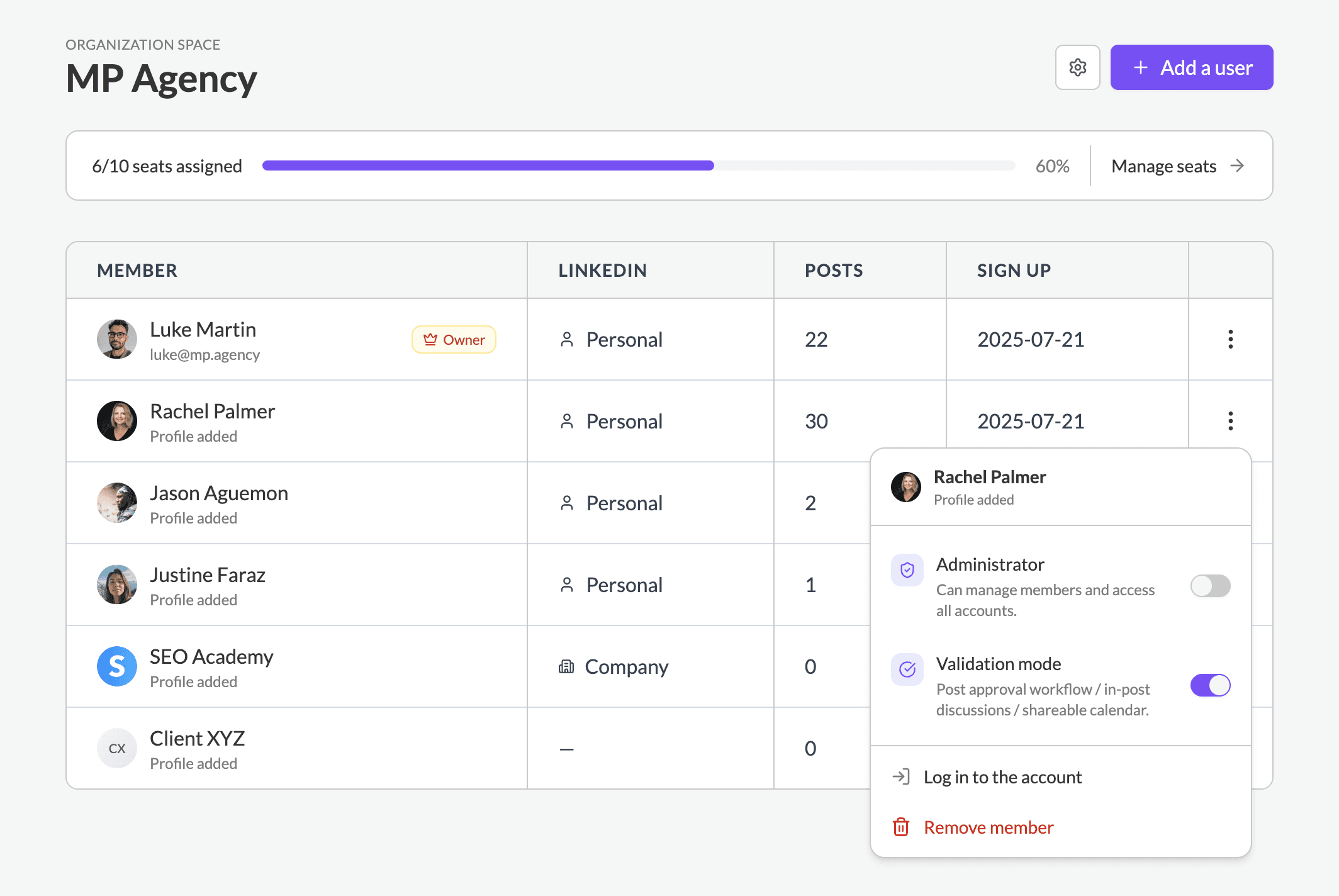
By default, orgs with type "Agency" has validation mode enabled by default for each new member.
Validation mode allows to:
Validate posts before publishing
Share the calendar for review
Comment directly within posts
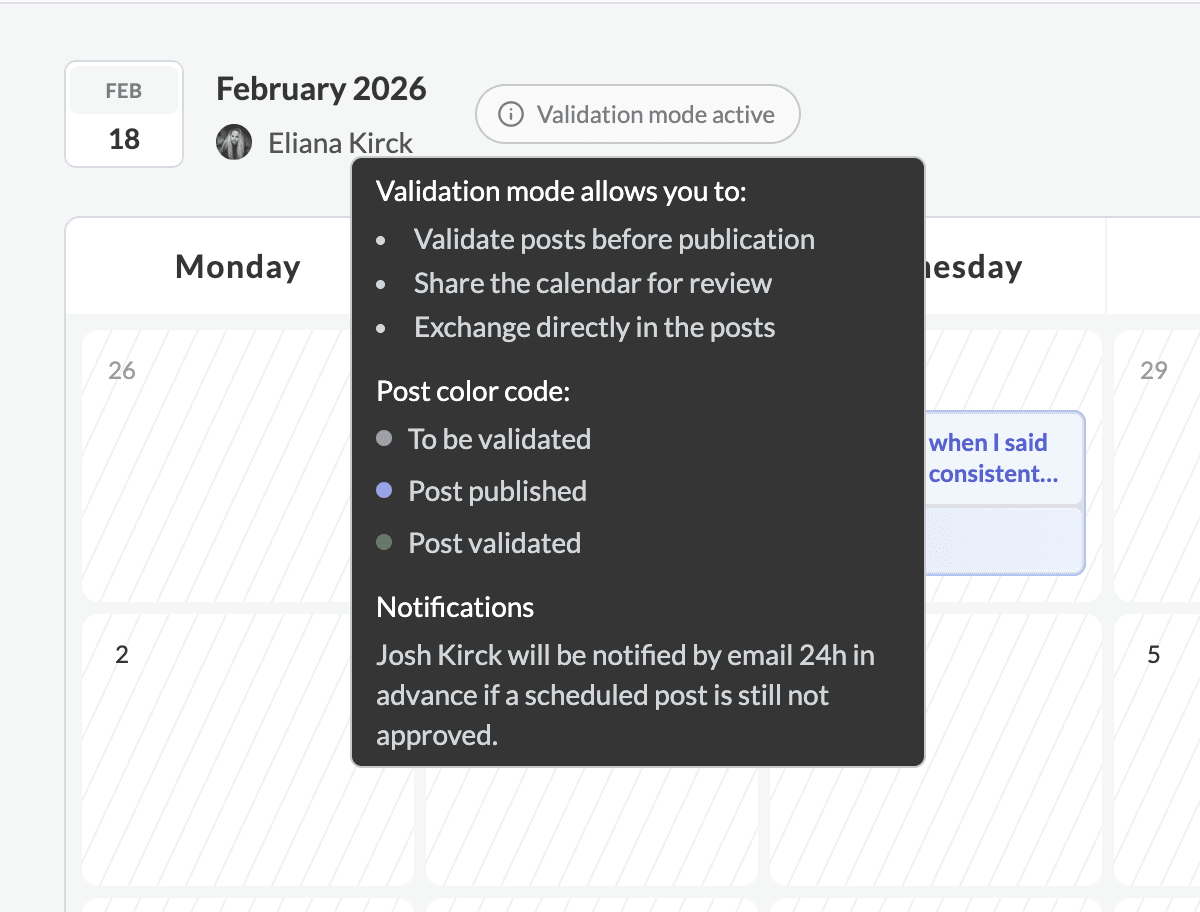
For an org member with this mode active, posts won’t be published until the post is marked as validated.
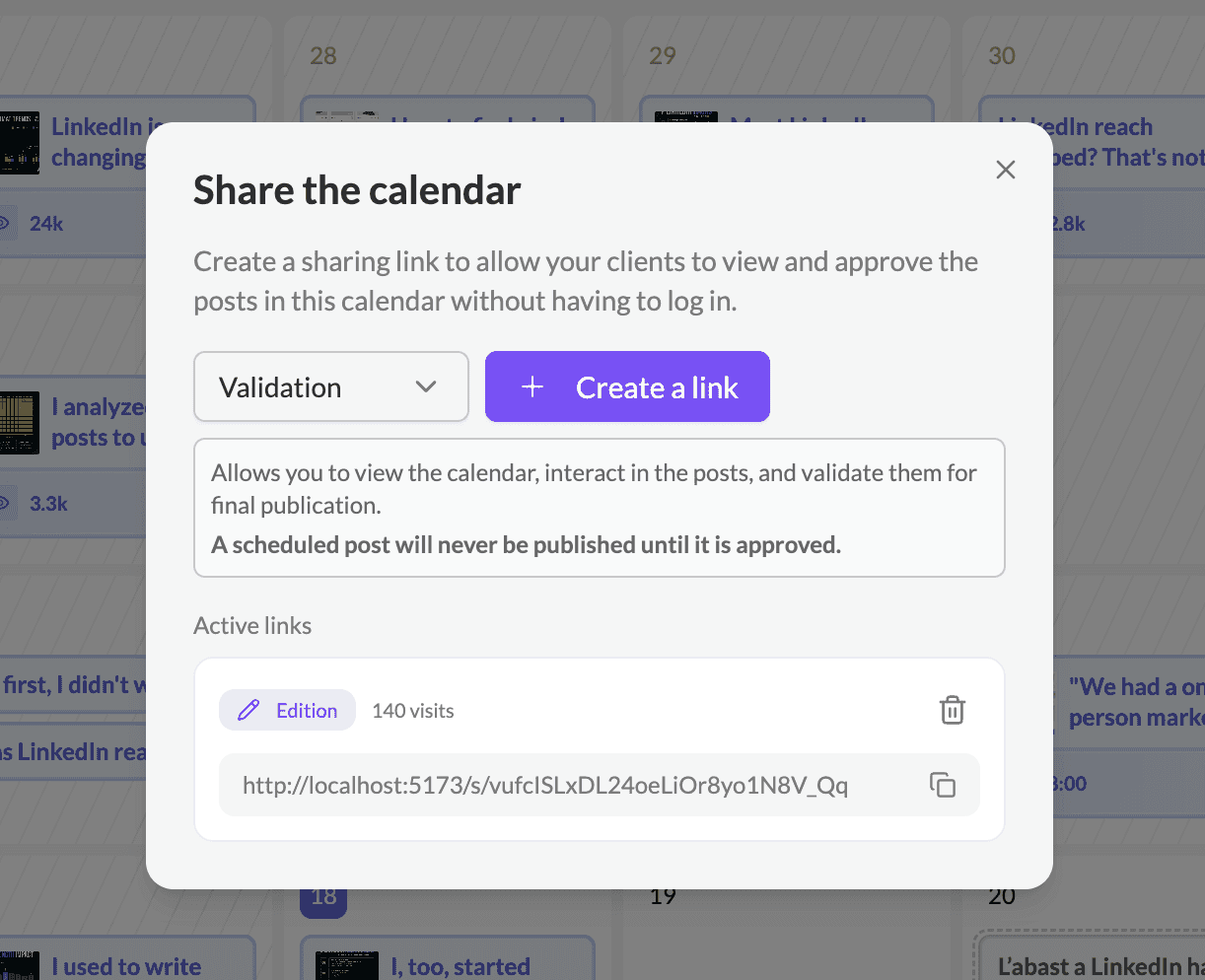
The Calendar is shareable to an external person (usually a client or a team member whose content is managed on his behalf). via 2 link types: Validation or Edition.
Validation: Allows you to view the calendar, comment on scheduled posts, and validate them for publication.
Edition: Includes all the permissions of the validation mode, plus the ability to edit posts directly.
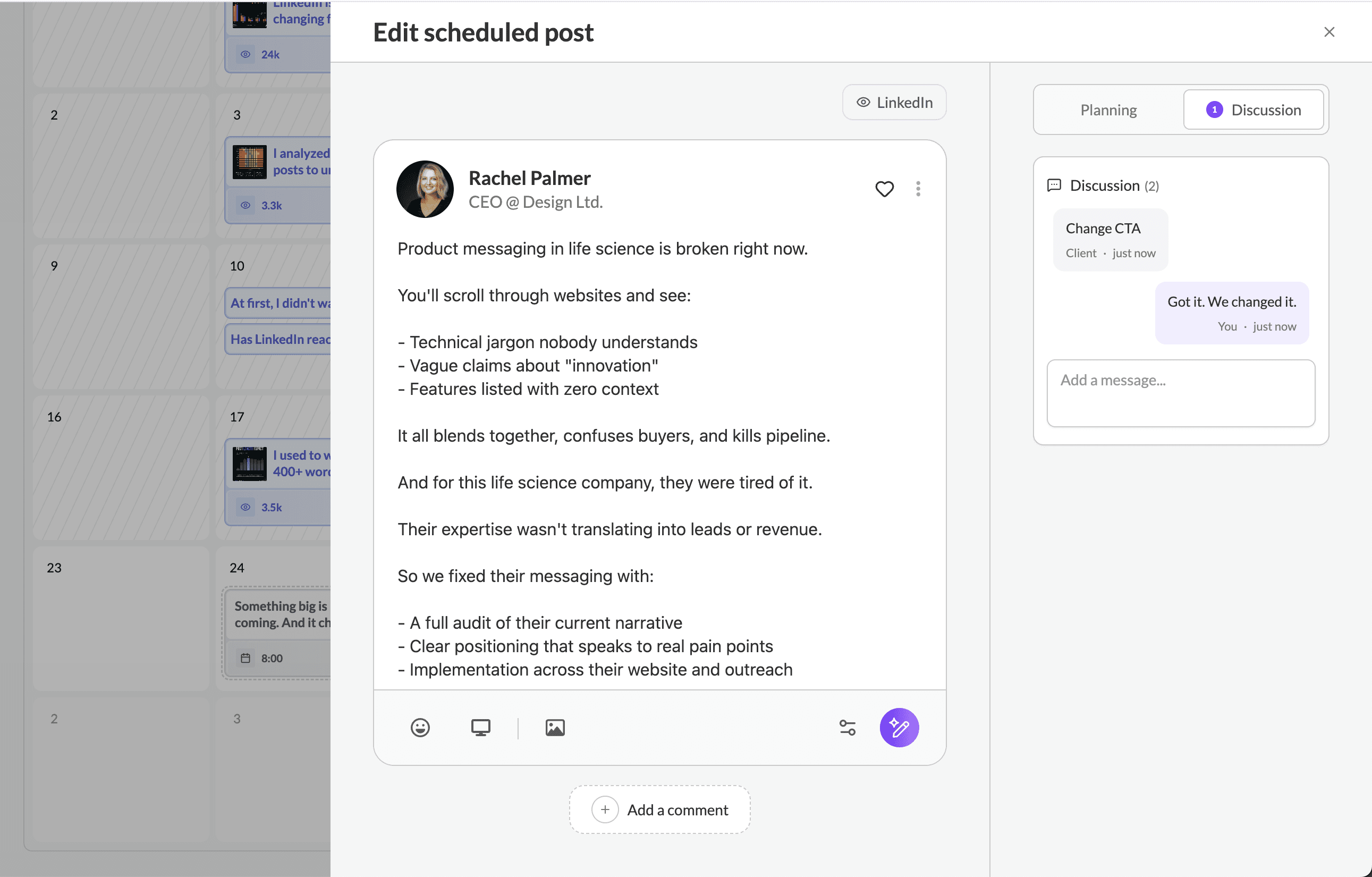
Messages can be left on the post between the agency/org and the client/end-user via the shared link.
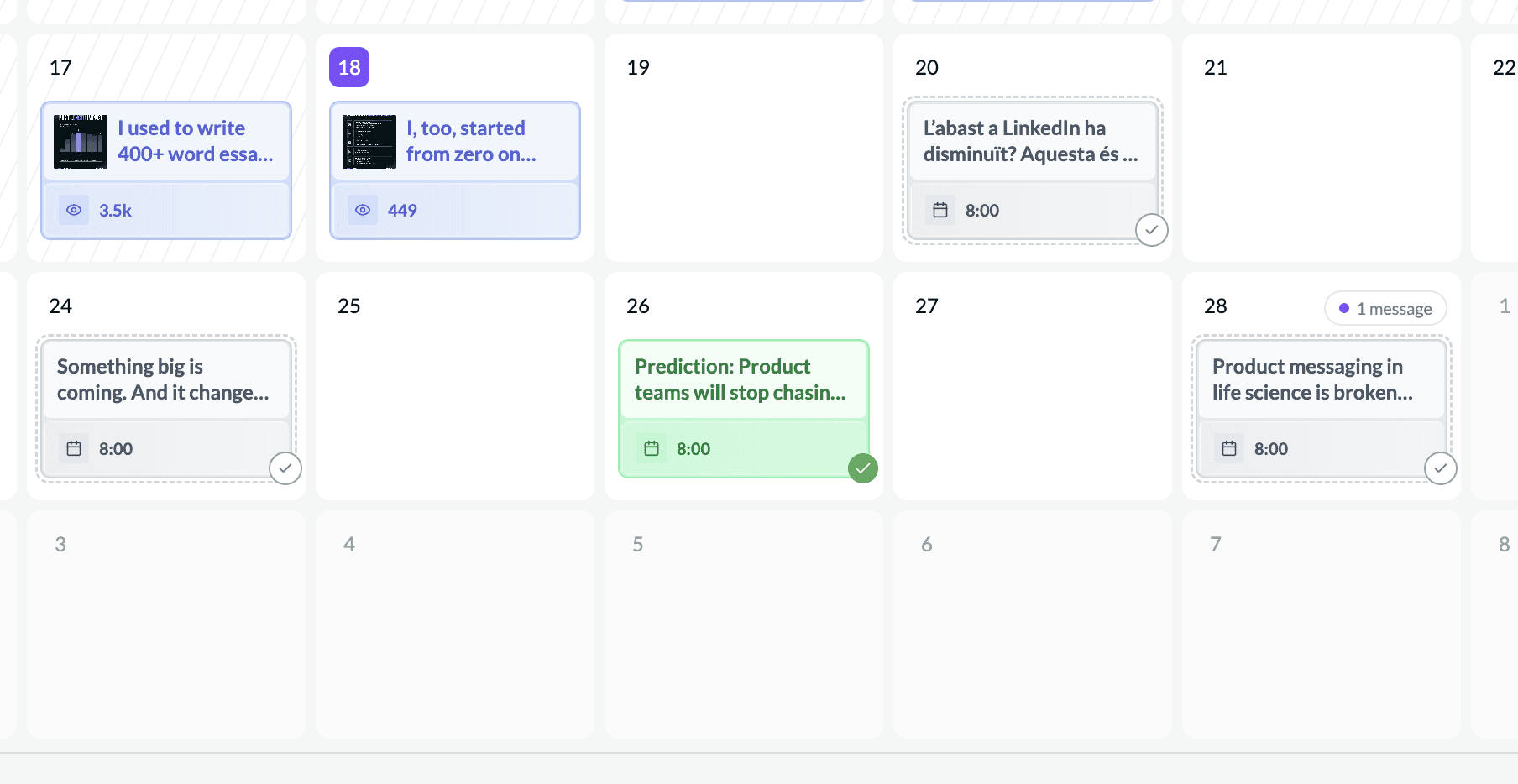
On the Calendar, post labels are gone, replaced by 3 post colors:
scheduled to validate (grey)
scheduled validated (green)
published (blue)
Validate later option for regular users:
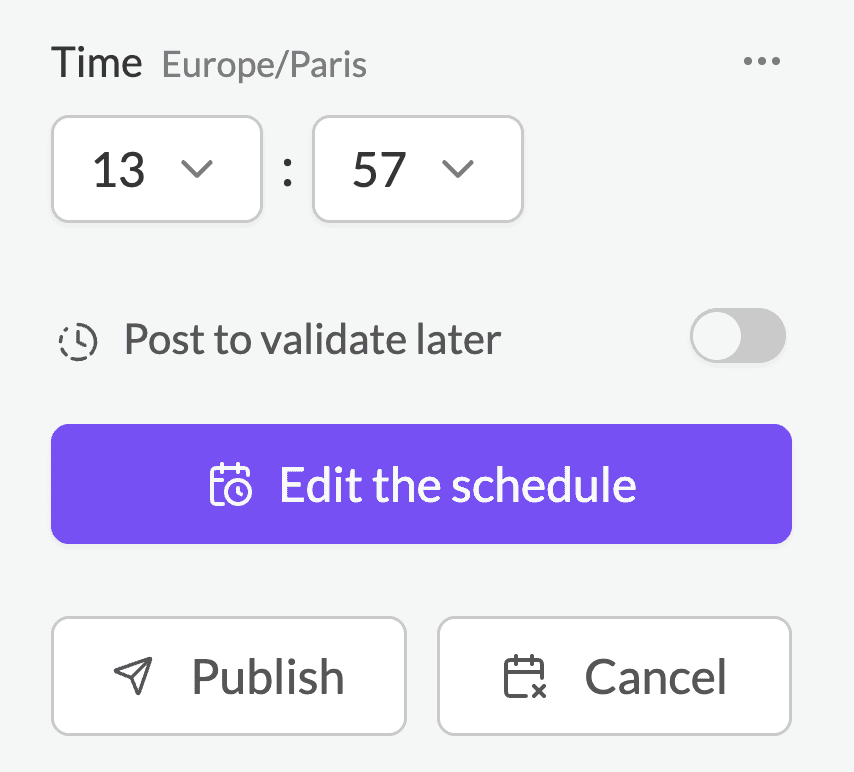
Regular users can now Schedule and “validate a post later”. The post will appear on the calendar but marked as “to validate”.
The post can be scheduled in the calendar, but will not be published on LinkedIn as long as this option is active.
Useful if you want to prepare your upcoming post calendar, but some posts still need to be refined.
Notifications
Reminders 24h and 1h before will be sent by email to the user, or to the org owner in the case of validation mode in org mode.
Pembaruan terakhir pada:
20 Februari 2026