" height="26.80529977783203px" id="tymKb8bqC" width="128.00300311279295px"/><path d="M 0 2.417 L 0 0 L 12.909 0 L 12.909 2.417 Z" fill="rgb(126, 78, 253)" height="2.417099999999998px" id="aYr4em6zK" transform="translate(128.341 22.325)" width="12.908999999999992px"/></svg>)

"/><stop offset="1" stop-color="rgb(118, 37, 250)"/></linearGradient></defs><g d="M 19.242 21.22 L 19.362 6.204 L 19.272 6.204 L 13.757 21.22 L 10.161 21.22 L 4.796 6.204 L 4.706 6.204 L 4.825 21.22 L 0 21.22 L 0 0 L 7.283 0 L 12.109 13.607 L 12.229 13.607 L 16.844 0 L 24.247 0 L 24.247 21.22 Z M 26.421 26.113 L 26.421 23.445 L 41.407 23.445 L 41.407 26.113 Z" fill="transparent" height="26.112508199679183px" id="DvfaAIHYn" width="41.40731898311435px"><path d="M 19.242 21.22 L 19.362 6.204 L 19.272 6.204 L 13.757 21.22 L 10.161 21.22 L 4.796 6.204 L 4.706 6.204 L 4.825 21.22 L 0 21.22 L 0 0 L 7.283 0 L 12.109 13.607 L 12.229 13.607 L 16.844 0 L 24.247 0 L 24.247 21.22 Z" fill="rgb(46, 46, 46)" height="21.220180016149442px" id="pLsxRCobd" width="24.247352589074694px"/><path d="M 0 2.668 L 0 0 L 14.986 0 L 14.986 2.668 Z" fill="url(%23yD9d4I5GR-3279285344-linear-gradient)" height="2.6675085048549647px" id="yD9d4I5GR" transform="translate(26.421 23.445)" width="14.986002836263765px"/></g></svg>)

Margot Daugieras
Czy jesteś zmęczony tworzeniem ogólnego kontentu na LinkedIn, który nie przyciąga uwagi Twojej publiczności? Chciałbyś odkryć magiczny przepis, który sprawi, że Twoja publiczność zatrzyma się w trakcie przewijania i zwróci uwagę na Twój post?
Gotowy na uwolnienie się od płaskich, nudnych postów i rozpoczęcie tworzenia treści, które przyciągną zaangażowanie i widoczność? W takim razie powinieneś przeczytać ten artykuł. Zbadaliśmy i zebraliśmy pięć szablonów, które możesz wykorzystać do stworzenia unikalnego głosu na platformie.
TL;DR: Użyj tych 5 szablonów postów na LinkedIn — opowieści, lista, osobista refleksja, narzekanie i analiza — aby zwiększyć zaangażowanie, zwiększyć widoczność i stworzyć fascynujące treści, które się wyróżniają.
Dlaczego warto korzystać z szablonu postów na LinkedIn?
Korzystanie z szablonu postów na LinkedIn może pomóc Ci na wiele sposobów, w zależności od Twoich potrzeb:
Upewnij się, że Twoja wiadomość jest jasna, profesjonalna i efektywnie komunikuje zamierzony przekaz do Twojej sieci zawodowej.
Stanowić mogą wskazówkę, zapewniając efektywną strukturę, którą możesz dostosować do swojej konkretnej treści, zachowując jednocześnie dopracowaną prezentację.
Mogą również zaoszczędzić cenny czas, oferując ramy, które możesz szybko dostosować do różnych typów postów, niezależnie od tego, czy dzielisz się aktualizacjami, artykułami, czy ogłoszeniami.
Ogólnie rzecz biorąc, szablony mogą uprościć proces tworzenia angażujących i wpływowych treści na LinkedIn, zwłaszcza gdy brakuje Ci czasu. Przydatne, prawda?



5 szablonów postów na LinkedIn do wykorzystania
Teraz, moment, na który czekałeś.
Przejdźmy do 5 najlepszych szablonów, które działają ZAWSZE.
Podejście narracyjne
Historie mają tę magiczną zdolność, aby chwytać nas i nigdy nie puszczać! Poruszają nasze serca, sprawiając, że komunikaty nie są tylko informacyjne, ale wręcz fascynujące. Dlatego wplatanie opowieści w Twoje posty na LinkedIn jest jak dodanie paliwa rakietowego do poziomów zaangażowania.
Od dzielenia się własnymi zabawnymi wpadkami po świętowanie dużych zwycięstw, a nawet pokazywanie entuzjastycznych recenzji od klientów, możliwości opowiadania historii są nieskończone.
A zgadnij co? Niektóre z najgorętszych postów na LinkedIn? Tak, zgadłeś— są to wszystkie te soczyste, nie do odrzucenia historie.
Szablon podejścia narracyjnego krok po kroku:
Zaczepka: Rozpocznij od osobistej anegdoty, aby przyciągnąć uwagę czytelnika.
Połączenie: Podziel się swoimi emocjami, aby głęboko się połączyć.
Punkt zwrotny: Podkreśl punkt zwrotny, który wszystko zmienił.
Rezultat: Opisz wynik, aby pokazać wpływ.
Refleksja: Zastanów się nad wnioskami, aby dodać głębokości.
Zachęta: Oferuj praktyczne porady lub zachętę.
Zaangażowanie: Zakończ pytaniem angażującym do rozmowy.
Szablon listy
Szablon listy to jeden z najlepszych typów treści, które możesz stworzyć na LinkedIn: krótki, zwięzły i przepełniony mądrością!
Najlepsza część? Użytkownicy LinkedIn je uwielbiają! Są głodni szybkich wskazówek, sztuczek i przełomowych strategii. Podaj swoje spostrzeżenia w schludnej, listowej formie, a zobaczysz, jak Twoje zaangażowanie wzrasta!
Więc, czy to zliczanie dziesięciu najlepszych sztuczek, przewodnik krok po kroku, czy skarbnica zasobów, wybierz swój smak listy i przygotuj się, aby zachwycić swoją publiczność!
Oto przykład szablonu listy od Luke’a Matthewsa:
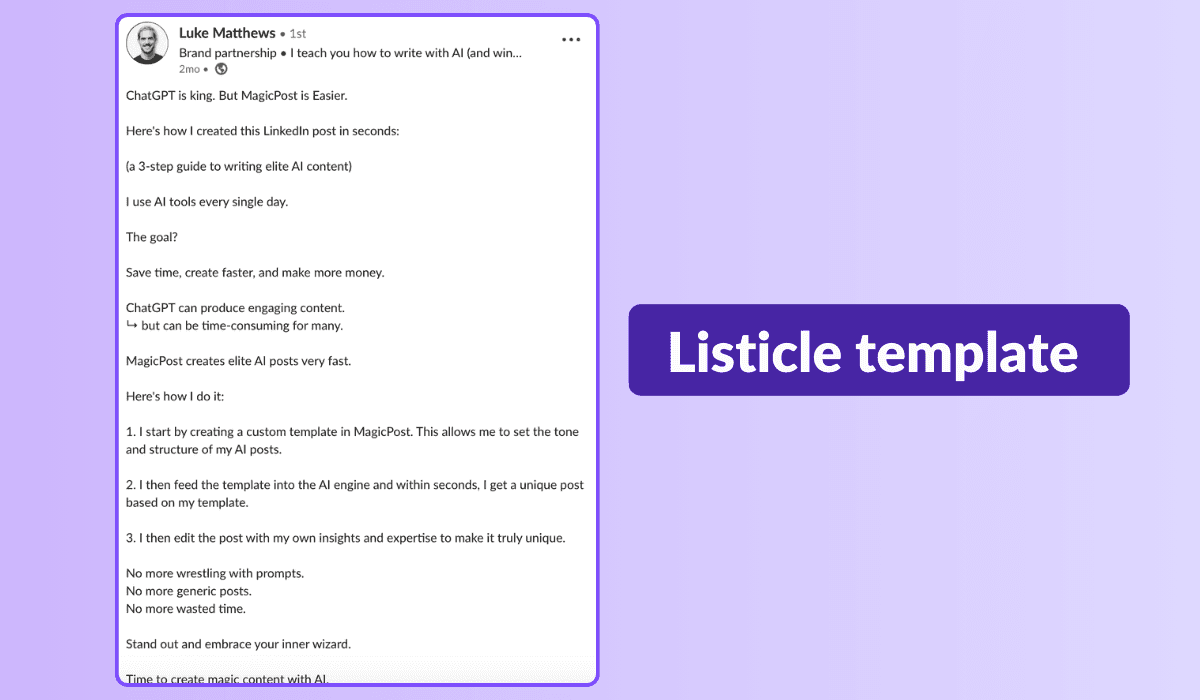
Szablon listy krok po kroku:
Przyciągnij uwagę chwytliwym tytułem.
Rozpocznij od fascynującego wprowadzenia, aby złapać swoich czytelników.
Przejdź do swojej listy z charyzmatycznymi punktami.
Zakończ mocnym zakończeniem i podkreśl kluczowe wnioski.
Nie zapomnij o wezwaniu do działania, aby zaangażować swoją publiczność i zachęcić do dyskusji.
Chociaż zwykły tekst sprawdza się dobrze, rozważ urozmaicenie swoich list z karuzelami dla jeszcze większej widoczności i wydajności— w końcu karuzele uzyskują 5 razy więcej kliknięć!
Dzięki mocy szablonów list, staniesz się źródłem branżowych spostrzeżeń, budując lojalną społeczność oddanych czytelników w trakcie.
Osobista refleksja
Czy wiesz, że Twoja strona LinkedIn może odzwierciedlać Twoje osobiste przemyślenia jako mini-hub blogowy?
Zapomnij o długich artykułach; kompaktowe blogi poniżej 500 słów mogą być Twoim głosem w dowolnym temacie. Martwisz się o limity słów? Rozbij to na kawałki lub stwórz serię, aby zbudować oczekiwanie!
Twój przepis na osobistą refleksję:
Wyraź swoją perspektywę.
Uwzględnij odmienne poglądy.
Urozmaicaj to historiami.
Podaj 3-5 wskazówek.
Zakończ wezwaniem do działania.
Już wcześniej omawiałeś temat? Przekieruj ich do swojego wpisu i zapoczątkować rozmowę! Zwiększ ruch i buduj zaufanie ze swoją publicznością.
Szablon narzekania
Gotowy na wstrząsnięcie sytuacją i skłonienie ludzi do dyskusji? Przyjmij szablon narzekania!
To odwraca normy, kwestionuje perspektywy i pobudza refleksję, przesuwając granice po drodze. Ale idź ostrożnie! Podchodź z wrażliwością i szanuj różnorodne opinie, aby wspierać konstruktywny dialog.
Gotowy, aby stworzyć przekonywujące, kontrowersyjne treści na LinkedIn, które pobudzają żywe dyskusje? Zanurzmy się i sprawmy, aby sytuacja się zmieniła!
Szablon narzekania krok po kroku:
Rozpocznij od dominującego pomysłu: Zastanówmy się nad tym, co wszyscy mówią.
Wprowadź świeże spojrzenie: Gotowy do wstrząśnięcia sprawami swoim śmiałym punktem widzenia?
Uzasadnij to: Złamać 'dlaczego' za twoją postawą solidnymi dowodami.
Oferuj alternatywę: Co powiesz na to, aby zmienić narrację i zbadać inną drogę?
Zaangażuj wszystkich w akcję: Co macie do powiedzenia? Wasze myśli są ważne.
Czas na dołączenie do dyskusji: Podzielcie się swoimi spostrzeżeniami i zbierzmy kilka żywych dyskusji!
Szablon analizy
Szukasz, aby przyciągnąć entuzjastów liczb?
Użyj szablonu opartego na analizie, aby osiągnąć doskonałe zaangażowanie na LinkedIn. Numery nie są tylko sposobem na przyciągnięcie uwagi; wywołują również myślowe dyskusje.
Jednak dokładność jest kluczowa, aby uniknąć reperkusji związanych z błędnym przedstawieniem danych. Jeśli to wydaje się szablonem, który by Ci się spodobał, sugerujemy kontrastowanie dużych liczb z mniejszymi dla szokującego efektu.
Oto, jak wygląda krok po kroku szablon analizy z przykładem:
Rozpocznij od krótkiego wprowadzenia, które przygotowuje umysł publiczności.
"Czy wiesz, że globalny rynek e-commerce ma osiągnąć 6,5 biliona dolarów do 2023 roku?"
Wstaw swoją dużą liczbę danych, być może taką, która podkreśla kluczowy trend.
"Według Statista, rynek e-commerce odnotował wzrost o 27,6% w 2020 roku, napędzany przejściem na zakupy online w czasie pandemii."
Porównaj dużą liczbę z mniejszym i konkretnym punktem danych.
"Jednak tylko 22% małych firm ma w pełni zintegrowaną strategię e-commerce, jak wynika z raportu Digital Commerce 360."
Przedstaw swoją analizę i spostrzeżenia na podstawie przedstawionych danych. Wyjaśnij, co one pokazują i jakie mają konsekwencje.
"Te liczby podkreślają ogromny potencjał e-commerce, ale również pokazują wyzwania, przed którymi stoją małe firmy, aby skorzystać z tej okazji.
Firmy muszą się dostosować i inwestować w solidne strategie e-commerce, aby odnieść sukces na rynku cyfrowym."
Zakończ wezwaniem do działania, które zachęca czytelników do podzielenia się swoimi spostrzeżeniami na temat danych.
"Co sądzisz o przyszłości e-commerce i jej wpływie na małe firmy?
Podziel się swoimi spostrzeżeniami w komentarzach poniżej i porozmawiajmy o strategiach sukcesu w cyfrowej erze."
Jak stworzyć własne szablony postów na LinkedIn?
Aby stworzyć szablon, który odpowiada Twojemu stylowi, wykonaj te trzy kroki:
1. Znajdź swój styl
Zacznij od tworzenia postów na LinkedIn w sposób, który wydaje się naturalny dla Ciebie. Eksperymentuj tak dużo, jak to możliwe. Wykorzystaj narzędzia takie jak MagicPost, aby generować różnorodne posty i zidentyfikować style, które wchodzą w rezonans z Tobą. Wykorzystuj style, które uznałeś za skuteczne i przyjemne.
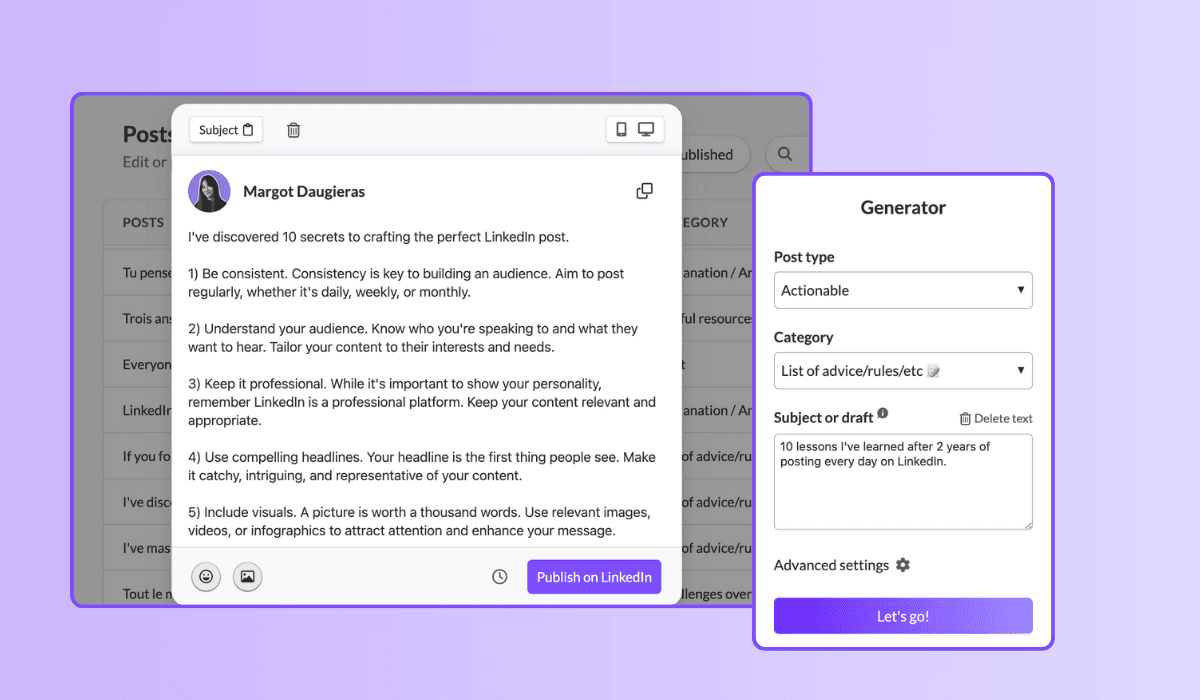
2. Przejrzyj swoje wyniki
Zwróć szczególną uwagę na wyniki swoich postów. Analizuj, które posty generują największe zaangażowanie i próbuj zidentyfikować wzorce w tym, co najlepiej działa na Twoją publiczność. To pomoże Ci opracować własną "magiczna formułę" na udane posty.
3. Iteruj i nieustannie poprawiaj
Kiedy post okazuje się skuteczny, zapisz go w funkcji „Szablon” w MagicPost. Dzięki temu możesz łatwo powielać udane posty z tym samym stylem i wygrywającą formułą. Nieustannie udoskonalaj swoje podejście na podstawie opinii i danych o wynikach, aby ciągle poprawiać swoje szablony.
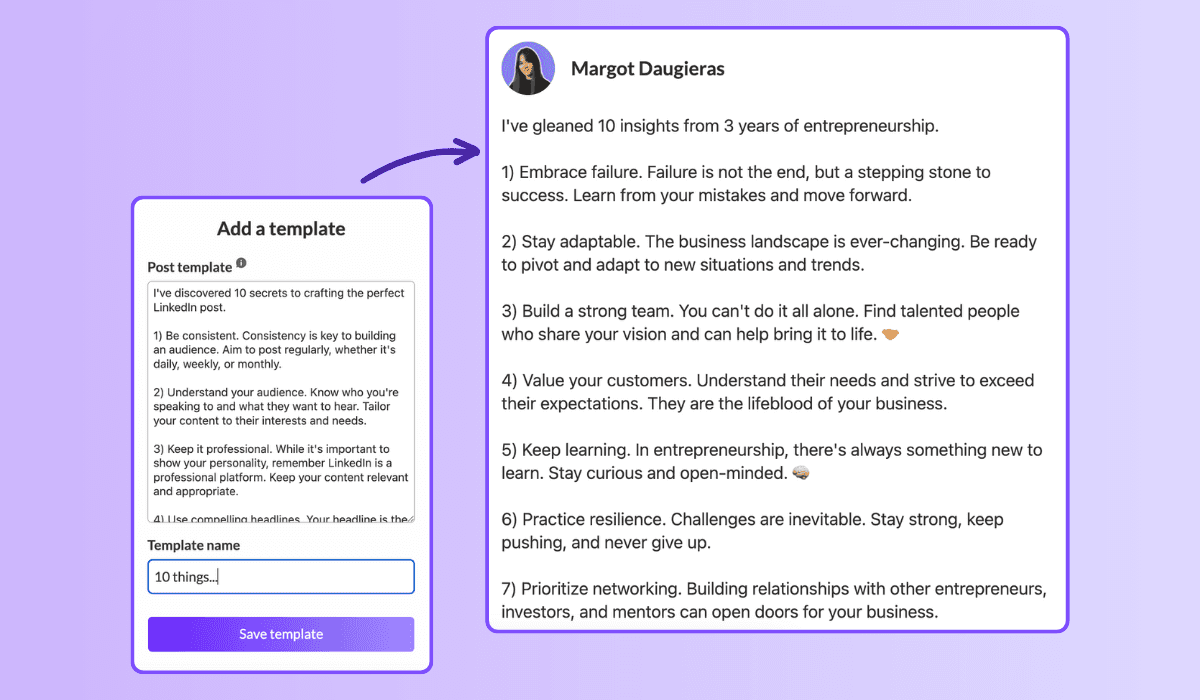
Postępując zgodnie z tymi krokami, będziesz mógł stworzyć szablony postów na LinkedIn, które nie tylko odzwierciedlają Twój unikalny styl, ale także generują znaczne zaangażowanie. Wykorzystanie różnych narzędzi i metod do uproszczenia swojej strategii może zaoszczędzić Ci czas, jednocześnie maksymalizując wpływ Twoich postów.
Więc zanurz się i zacznij tworzyć posty, które przyciągają uwagę Twojej publiczności!
Ożyw swoją grę na LinkedIn za pomocą świeżych szablonów!
Nie trzymaj się starej rutyny—te szablony mogą odmienić twoją strategię treści. Nie tylko oferują szeroki wachlarz opcji, ale również gwarantują, że nigdy nie zabraknie ci pomysłów!
Więc, na co czekać? Zanurz się w te szablony i połącz je używając MagicPost, aby uwolnić pełną moc swojej obecności na LinkedIn.
Wznieś swoją profesjonalną podróż na nowe wyżyny!
2. The challenge overcome
Family: Challenges overcome. 1.03% median ER, 51 median likes, on 16,823 posts. The second-best family, and the engine of most great LinkedIn stories.
[Open inside the problem, present tense: "[Number] months ago, [the thing that was broken]."]
[Raise the stakes: what it would have cost to fail.]
[The turn: the decision, insight, or person that changed it.]
[What you did, concretely. The steps, not the vibes.]
[Where it landed, with one number.]
[The transferable lesson, one line, for the reader facing the same wall.]
When to use it: whenever a result came from struggle and the struggle is the interesting part. This is the backbone of the personal story post, the highest-leverage format on the platform.
3. The hard moment
Family: Hard moment. 0.80% median ER, 47 median likes, on 3,234 posts. Less used than the others (only 3,234 posts), which is part of why it still earns. Honesty is uncrowded.
[Name the hard thing, without a bow on it: "[What happened]. It still stings."]
[Resist resolving it too fast. Stay in the moment one beat longer than is comfortable.]
[What you are learning from it, tentatively, not as a TED talk.]
[An open question to the room, inviting people who have been there.]
When to use it: a layoff, a failed launch, a loss, a setback you are still inside. Use it honestly or not at all; the family rewards real vulnerability, not performed vulnerability. For the job-loss version specifically, the open-to-work explainer covers how to frame it.
4. The lessons learned
Family: Lessons learned. 0.70% median ER, 32 median likes, on 24,803 posts. A heavily-used family (24,803 posts) that still clears the median: proof the format travels.
[The setup: "[Time period] doing [thing] taught me [number] things."]
[Lesson 1: the counterintuitive one first. Bold the takeaway, then one line of why.]
[Lesson 2.]
[Lesson 3. Keep each to two lines max; the list is the value.]
[Close on the one lesson you wish you had learned soonest.]
When to use it: end of a project, a year, a role, a chapter. Anything you can look back on. Full skeleton bank in the lessons learned post guide.
Fill these in your own voice, automatically. This is the exact job MagicPost's AI LinkedIn post generator was built for: you pick a template, drop in your raw situation, and it writes the post in your tone, with the right length and structure for the family, no blank-page stare. Templates are the scaffold; the generator does the fill.
5. The situation recap
Family: Situation recap. 0.68% median ER, 45 median likes, on 11,729 posts. A "here is where things stand" post: state of the project, the market, the journey.
[Frame the moment: "[Number] weeks into [thing], here is the honest status."]
[What is working, briefly. One or two wins.]
[What is not working, more honestly. This is the part people read for.]
[What you are changing because of it.]
[Where you expect to be by [date]. Invite people to check back.]
When to use it: building in public, a recurring update cadence, a midpoint reflection. The transparency is the engagement driver: people follow trajectories, not snapshots.
Tier 2: the teaching templates (your reliable middle)
These five sit around the median: dependable, useful, the everyday workhorses. They teach rather than confess, which caps their ceiling but makes them repeatable. Mix them into the giving tier so you are not always confessing.
6. The explainer
Family: Explainer / analysis. 0.40% median ER, 21 median likes, on 83,180 posts. The second-most-used family on LinkedIn and, not coincidentally, one of the lowest likes counts (21). Useful, crowded, hard to stand out in.
[The question, as your reader would phrase it: "Why does [thing] actually [happen]?"]
[The short answer, in one sentence, up top. Do not bury it.]
[The mechanism: walk through how it works in 3 to 4 steps.]
[The "so what": what the reader should do differently knowing this.]
When to use it: breaking down a concept, a trend, a how-it-works in your domain. Strong for authority, weak for raw engagement, so reserve it for when teaching is the point.
7. The tips list
Family: Tips / rules list. 0.49% median ER, 57 median likes, on 9,520 posts. Note the split: a middling ER but 57 median likes and the highest median comments of any family (23). This template trades efficiency for conversation. People argue with lists.
[The promise: "[Number] rules for [outcome], learned the hard way."]
[Rule 1, as an imperative. "Do X." Then one line of cost-of-ignoring-it.]
[Rules 2 through N, same shape, tight.]
[The bonus rule, slightly contrarian, to bait the comments.]
[Ask: "What would you add?" The list format earns its comments by inviting them.]
When to use it: when you have hard-won rules and want a discussion, not just applause. The comment count is the real prize here.
8. The quick tip
Family: Quick tip. 0.46% median ER, 29 median likes, on 3,684 posts. The smallest unit of value: one actionable thing, fast.
[The tip in the first line, no windup: "[Do this specific thing] to [get this result]."]
[Why it works, one sentence.]
[How to do it, two or three lines. Concrete enough to act on today.]
[Optional: the mistake it replaces.]
When to use it: between bigger posts, to stay present without a big lift. Cheap to produce, modest but reliable return.
9. The contrarian take
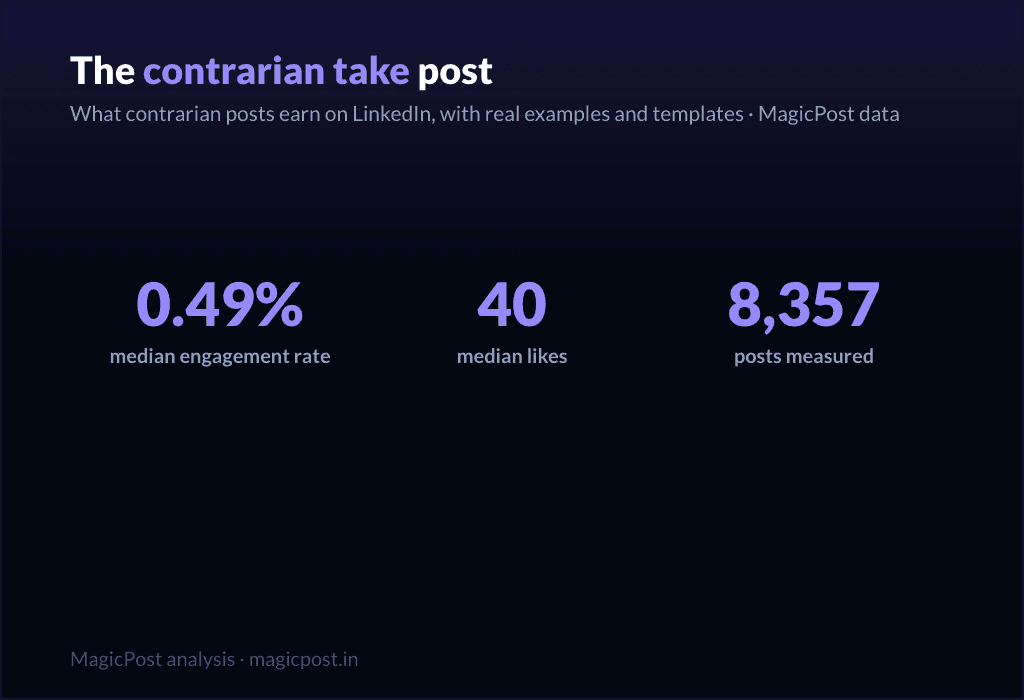
Family: Contrarian take. 0.49% median ER, 40 median likes, on 8,357 posts. Above-median engagement and the second-highest median comments outside the tips list (14): disagreement drives replies.
[The unpopular claim, stated flatly: "[Common belief] is wrong."]
[Acknowledge why people believe it. Be fair to the other side first.]
[Your evidence: the experience or data that changed your mind.]
[The reframe: what to believe instead, and what it changes.]
[Invite the pushback explicitly. The disagreement is the engine.]
When to use it: when you have a real, defensible counter-position, not a hot take for its own sake. Full playbook in the contrarian post guide. Use sparingly; an account that is contrarian about everything is just tiring.
10. The personal reflection
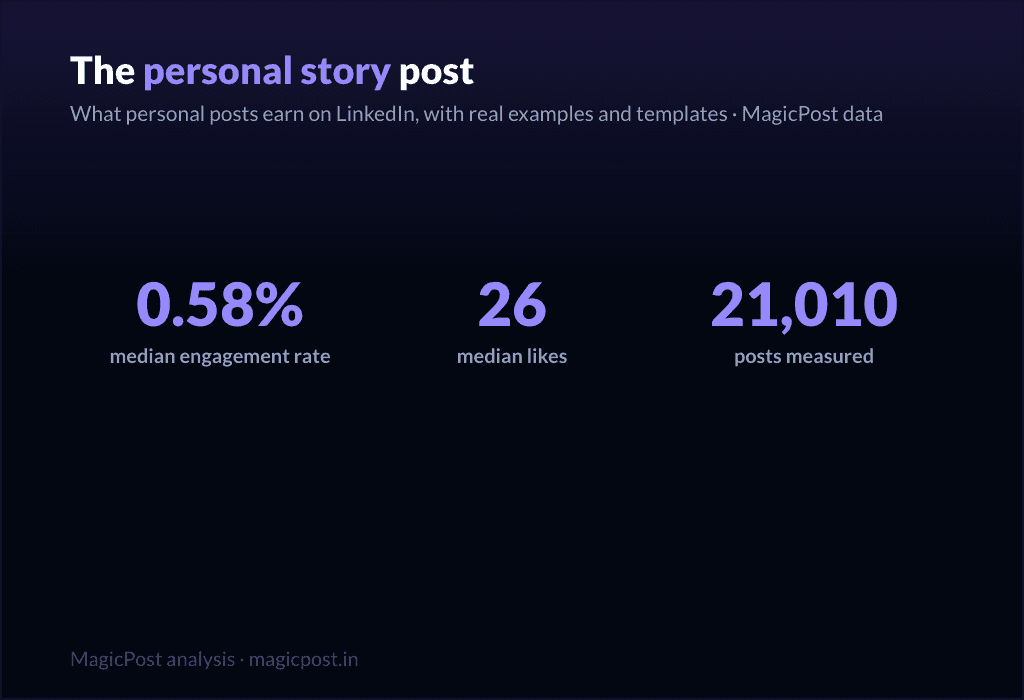
Family: Personal reflection. 0.58% median ER, 26 median likes, on 21,010 posts. Above the median on ER, lower on raw likes (26): it earns a high share of a smaller audience. Quiet, but it builds the relationship.
[A small, specific observation from your week: "[Tiny moment that made you think]."]
[Zoom out: what it made you realize about [work / people / yourself].]
[Hold the thought lightly. This is reflection, not a thesis.]
[An open-ended line that lets people sit with it too.]
When to use it: the in-between days, to stay human and not just useful, including the lighter seasonal beats covered in the holiday post guide. Pairs well with the giving tier as connective tissue.
Tier 3: the asking templates (use sparingly)
Here is the honest part most template pages hide. Every promotional family sits below the 0.39% median. These templates ask the reader for something (a click, a signup, a sale) and the feed charges you for it. They are necessary (you have to sell sometime) but they are a tax, not a treat. Earn the right with the tiers above, then spend it here, rarely.
11. The launch announcement
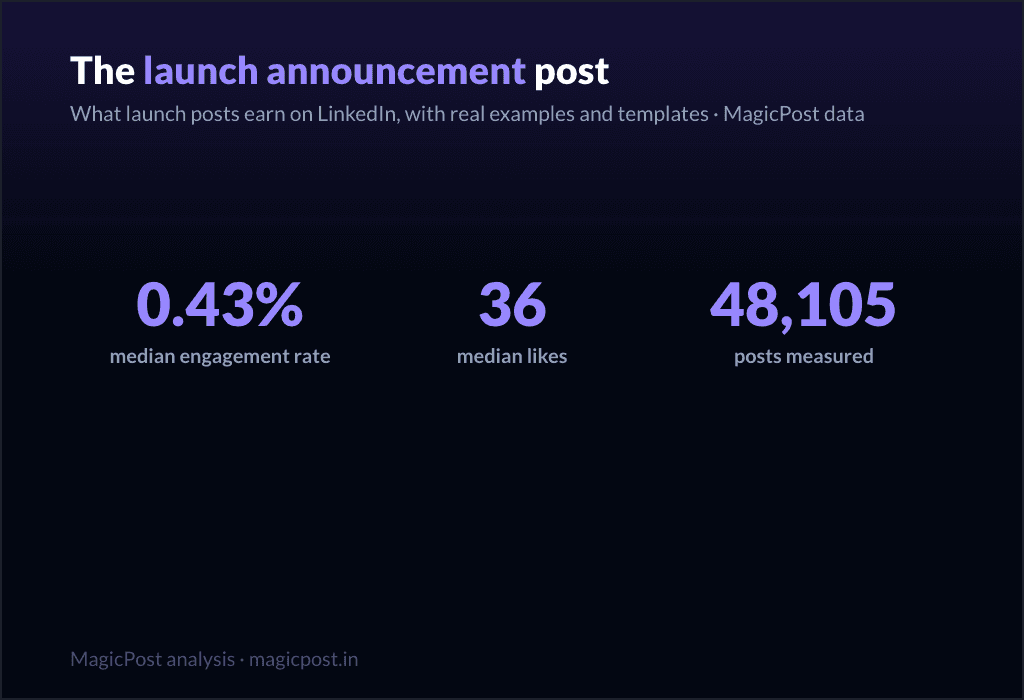
Family: Launch announcement. 0.43% median ER, 36 median likes, on 48,105 posts. The least-bad of the asking templates, slightly above median on ER but thin on comments (5). Still, do not lead your whole feed with launches.
[The news, but framed as a reader benefit, not a press release: "If you [reader problem], this is for you."]
[The problem it solves, in the reader's words.]
[What it is, in one clear line. Then one proof point.]
[The single next step. One CTA, not five.]
When to use it: an actual launch, used once or twice per launch, not as a daily drumbeat. Deep version in the product launch post guide.
12. The value-first sale
Family: Value-first selling. 0.33% median ER, 34 median likes, on 57,659 posts. Below the median (0.33%), which is the honest cost of selling, even when you wrap it in value.
[Lead with a free, genuinely useful insight. Give before you ask.]
[Make the insight complete on its own. It must stand without the pitch.]
[The soft bridge: "This is also exactly what [your offer] does for you."]
[A low-pressure invitation, not a hard close.]
When to use it: when you need to sell but want to protect the relationship. It is the gentlest asking template, and still below median, which tells you something. More patterns in the sales post examples and the wider promotion post examples.
13. The comment-gated lead magnet
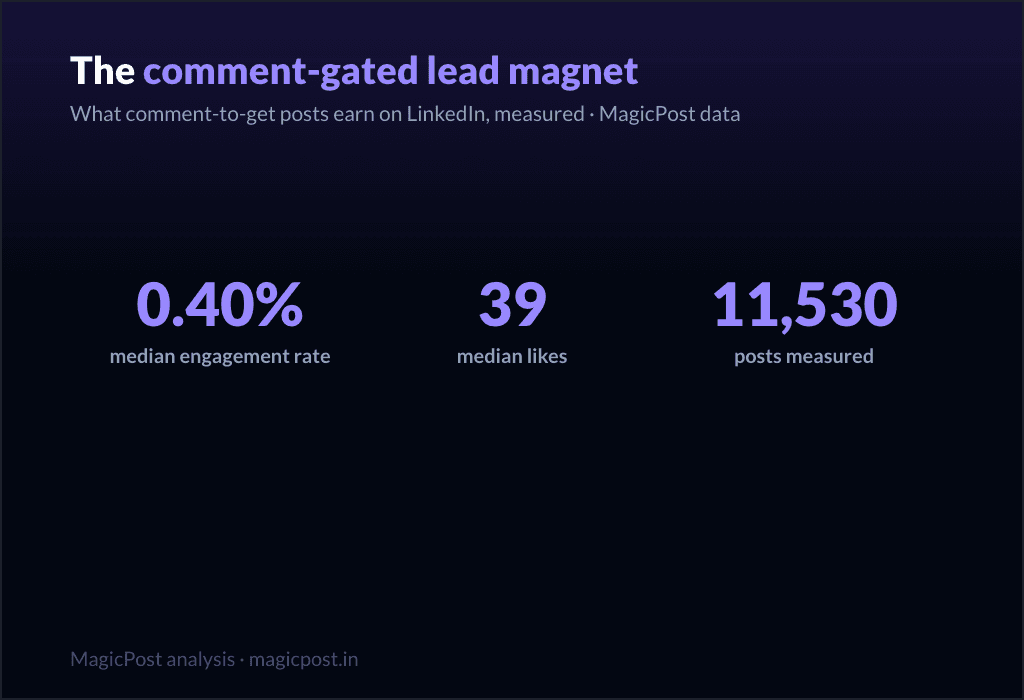
Family: Comment-gated lead magnet. 0.40% median ER, 39 median likes, on 11,530 posts. Right at the median on ER, but look at the comments: 17 median comments, second only to the tips list. The "comment X and I will send it" mechanic manufactures comments by design.
[The valuable thing you are giving away: "[Resource] that [specific outcome]."]
[Proof it is worth wanting: one line on what is inside.]
[The gate: "Comment '[word]' and I will send it to you." Keep the word short.]
[A reason to act now, lightly.]
When to use it: when you have a real asset and want both distribution and a comment spike. Be aware the comments are partly mechanical, not pure enthusiasm. Full mechanics in the lead magnet post guide.
14. The webinar invite
Family: Webinar signup push. 0.31% median ER, 32 median likes, on 51,864 posts. One of the two lowest families in the whole table (0.31%). Event posts ask for a calendar commitment, and the feed knows it.
[The outcome of attending, first: "Leave knowing how to [specific result]."]
[Who it is for, in one line. Disqualify the wrong people on purpose.]
[The logistics, compressed: date, time, format. One line.]
[The single registration link. Make the action trivial.]
When to use it: a real event, posted no more than two or three times in the run-up, spaced out. Lead with the giving tier in between. Full template set in the webinar post guide.
15. The podcast / video share
Family: Podcast / video share. 0.29% median ER, 36 median likes, on 32,031 posts. The lowest-performing family in the entire dataset (0.29%). Sharing content you made elsewhere asks people to leave the feed, and they mostly do not.
[The single best idea from the episode, stated as its own standalone insight.]
[One more: a surprising quote or moment, paraphrased.]
[Make the post valuable even if nobody clicks. That is the whole trick.]
[Then, almost as an afterthought: "Full conversation in the comments / link."]
When to use it: when you genuinely want to drive listens or views, knowing it is the weakest template on this list. The fix is the same every time: make the post worth reading on its own, and treat the click as a bonus.
The pattern, in one line: give four times for every time you ask. The data is unambiguous, and so is the playbook. With MagicPost you can write, schedule and analyze all of it in one place, building your week from the giving tier and spending the asking tier only when you have earned it.
Where this data comes from
Everything on this page is MagicPost's own research. We classified 1,141,932 LinkedIn posts into the template family each one belongs to, then ranked the families by median engagement rate: likes plus comments divided by the author's follower count, expressed as a percentage. The overall median across the whole corpus is a 0.39% engagement rate, the line we use to separate "above median" from "below median" throughout. Each family also reports its median likes and its sample size (n), shown in the table and beside every template. We use medians, never averages, so viral outliers cannot move a row. Engagement-rate figures are aggregated and anonymized. Figures dated June 2026 and refreshed with the data.
FAQ
What is the best LinkedIn post template?
By measured engagement on 1,141,932 posts, the best template family is the win announcement (celebrating a win): a 1.21% median engagement rate and 66 median likes, the highest of any family. More broadly, the top tier is what we call the "giving templates," the ones that hand the reader something before asking for anything: celebrating a win (1.21%), challenges overcome (1.03%, 51 median likes), the hard moment (0.80%, 47 median likes), lessons learned (0.70%, 32 median likes) and the situation recap (0.68%, 45 median likes). All five clear the 0.39% overall median comfortably. The worst templates are the promotional ones, all of which sit below that median.
How many LinkedIn post templates are there?
There are as many wordings as there are tools, but they collapse into a smaller number of real families. We measured 22 of them, from celebrating a win (1.21% median ER) down to podcast / video share (0.29%). The 15 fill-in skeletons on this page cover the families worth using, sorted into three performance tiers.
Do promotional post templates work on LinkedIn?
They work, but they cost you. Every promotional family sits below the 0.39% overall median: launch announcement (0.43% ER, the least-bad), value-first selling (0.33%, 34 median likes), comment-gated lead magnet (0.40%), webinar signup push (0.31%) and podcast / video share (0.29%, the lowest of all 22 families). Use them when you must, sparingly, and earn the right with the giving templates first.
Which LinkedIn template gets the most comments?
The tips / rules list, with 23 median comments, the highest of any family, despite a middling 0.49% engagement rate and 57 median likes. The comment-gated lead magnet is next at 17 median comments, though those are partly manufactured by the "comment to receive" mechanic. If conversation is your goal rather than likes, a rules list is the template to reach for.
Are storytelling templates really better than how-to templates?
Yes, clearly. Challenges overcome (1.03% ER), hard moment (0.80%) and lessons learned (0.70%) all beat the teaching families like explainer / analysis (0.40%, 21 median likes) and punchy advice (0.44%, 28 median likes), even though those teaching families are far more heavily used (explainer / analysis alone covers 83,180 posts). The crowd writes how-to; the data rewards story.
Where can I see real examples of these templates?
Beyond the skeletons here, LinkedIn post examples collects real posts for each family, and the family-specific guides linked throughout (the personal story post, lessons learned post, contrarian post and others) go deeper on each one with multiple worked examples.
13 przykładów postów na LinkedIn, które przynoszą rezultaty (2026)
Ukraść te 13 sprawdzonych przykładów postów na LinkedIn, aby przekształcić swoją treść w potencjalnych klientów i autorytet. Zawiera szablony i pełną dekonstruację tego, co działa.
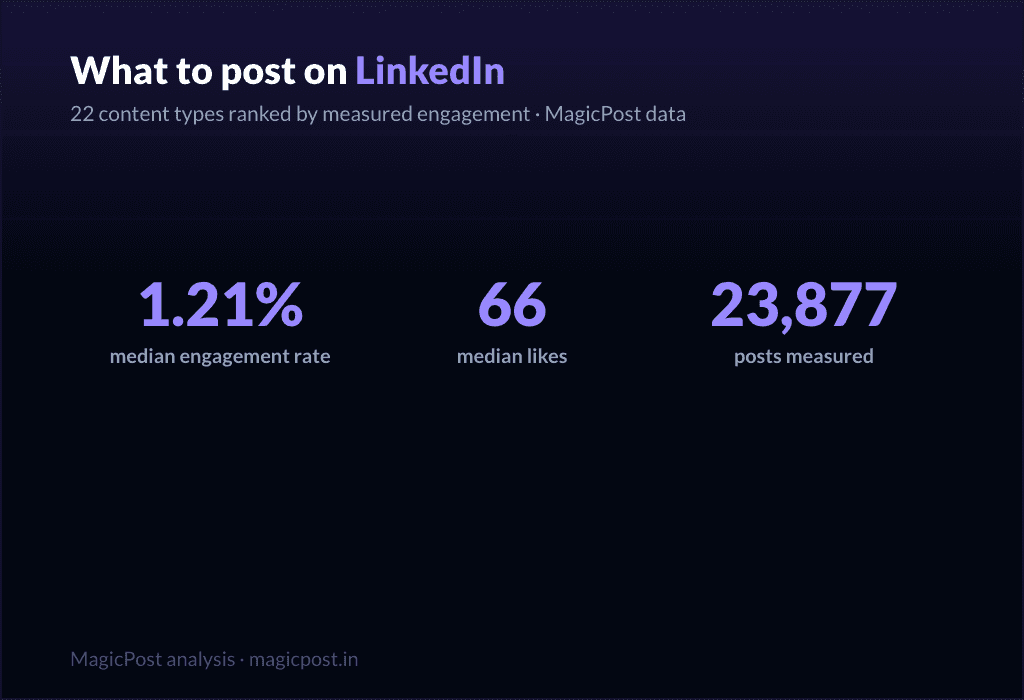
Co publikować na LinkedIn? (2026)
Zwiększ swój wpływ na LinkedIn dzięki naszemu ekspertowi przewodnikowi. Odkryj potężne strategie publikacji i rodzaje treści, aby skutecznie angażować swoją sieć.
Jak ogłosić nową pracę na LinkedIn: (+ 5 gotowych szablonów)
Opanuj swoje nowe ogłoszenie o pracy na LinkedIn. Rozwijaj swoją sieć, przyciągaj możliwości i zdobądź 5 gotowych szablonów postów, aby uczynić to bezwysiłkowym.
Najlepsze przykłady postów promujących na LinkedIn (2026)
Musisz napisać post sprzedażowy, ale nie wiesz, od czego zacząć? Pokażę ci przykłady najskuteczniejszych postów promocyjnych, które możesz dostosować do swoich potrzeb.
LinkedIn Otwarte na Pracę: Co to jest i jak to działa (2026)
Dowiedz się, jak funkcja LinkedIn Open to Work może przekształcić Twoje poszukiwania pracy w 2025 roku. Wskazówki, zalety, wady i triki, które pomogą Ci wyróżnić się w oczach rekruterów.
Magnesy leadów LinkedIn: Przewodnik po leadach, które naprawdę działają
Odkryj, jak tworzyć potężne magnesy leadowe, które przyciągają jakościowe leady, wzbudzają pragnienie i prowadzą twoją publiczność do zostania płacącymi klientami.
The LinkedIn Product Launch Post: Real Examples, Templates, and What Launches Actually Earn
The LinkedIn product launch post: real examples, 3 templates, and the data (launches earn 0.43% median ER). Lead with the problem, not the product.
The Personal Story LinkedIn Post: Why Vulnerability Wins (and How to Write Yours)
The personal story LinkedIn post: challenges overcome earn 1.03% median ER, hard moments 0.80%, vs 0.39% platform median. Examples and templates.
The Contrarian LinkedIn Post: What Provocation Actually Earns (Spoiler: Less Than You Think)
The contrarian LinkedIn post, measured: 0.49% median ER. Better than average, far below sincerity. What separates real takes from rage-bait.
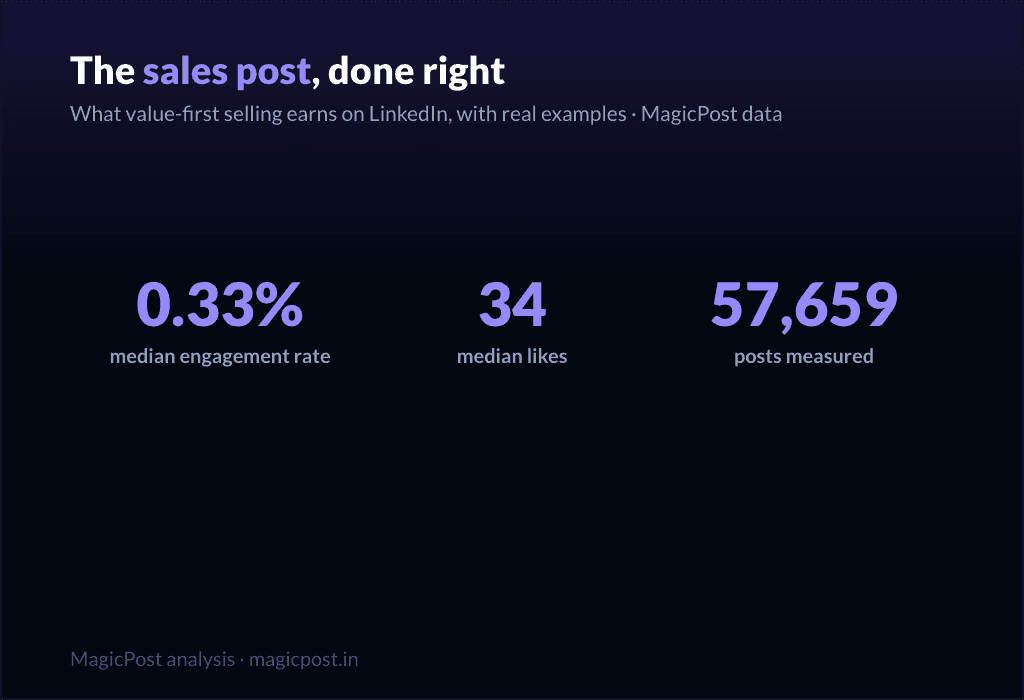
LinkedIn Sales Post Examples: Why Selling Posts Underperform (and the Ones That Work Anyway)
LinkedIn sales post examples: even value-first selling earns 0.33% median ER, below the 0.39% platform median. The ones that work anyway.