Content Creation

Margot Daugieras
Last updated: 19 Jun 2025
क्या LinkedIn पोस्ट कभी एक लंबे पाठ की दीवार की तरह लगती हैं?
जब LinkedIn पोस्ट प्रारूप सपाट दिखता है, यहां तक कि मजबूत विचार भी छूट जाते हैं। पाठक स्कैन करते हैं, मुख्य बिंदु चूक जाते हैं और आगे बढ़ जाते हैं।
बोल्ड टेक्स्ट संदेश को संरचित करने में मदद करता है। यह दृश्य एंकर बनाता है, मुख्य सीख को उजागर करता है, और पोस्ट को मोबाइल पर जल्दी स्किम करना आसान बनाता है।
यहां बताया गया है कि LinkedIn पर टेक्स्ट को बोल्ड कैसे करें, साथ ही फॉर्मेटिंग की सर्वोत्तम प्रथाएं और आपका सामग्री को उजागर करने का एक मुफ्त उपकरण बिना पोस्ट को अव्यवस्थित किए।
Can You Bold Text on LinkedIn?
LinkedIn doesn’t have a built-in option that allows you to bold text in your posts, comments, or profile.
However, you can use bold text on LinkedIn using a formatting tool that converts regular text into bold characters.
Should You Use LinkedIn Bold Text?
When it comes to making an impact on LinkedIn, catching your audience's eye is crucial.
Here’s how formatting your LinkedIn posts helps you compete for attention:
Highlight key points. Use LinkedIn text formatting to bold key points you want your audience to notice. If a particular point in your post is vital or helpful, bolding it can make your reader pause and read through the entire content.
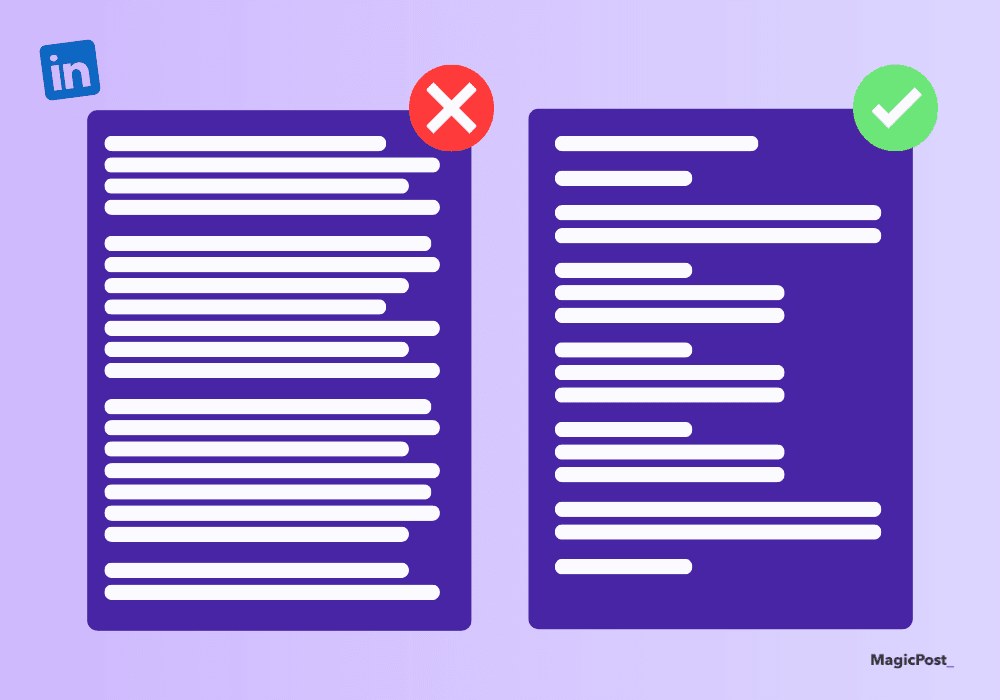
Create a visual impact. Playing around with text formats like italics, bold, or underlining gives your words a little makeover. When you share a lengthy post, formatting can guide their eyes to focus on what you have to say.
Improve readability. Plain text can be a bit dull. Formatted text breaks up dense messages and helps your readers comprehend them better.
How to Bold Text in LinkedIn Posts? 2 Easy Ways
Unless you’re posting an article or newsletter, the option to format a regular post doesn’t exist anywhere on LinkedIn.
So, how can you make text bold on LinkedIn?
Add Bold Text to LinkedIn With a Free Tool
With just plain text, your LinkedIn post may not catch your network’s attention.
When you’re trying to go viral on LinkedIn, the lack of formatting options can be limiting. But if you want to guide your readers' eyes to the most important parts of your content, there’s an easy solution.
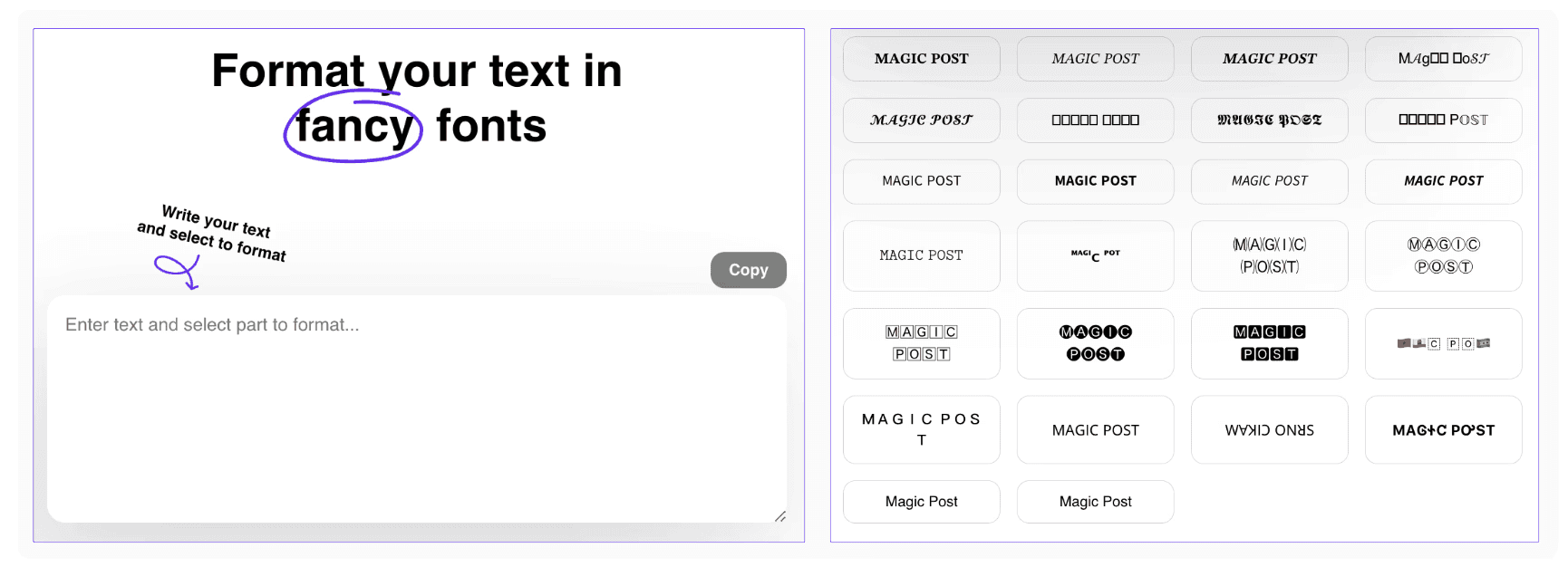
You can use MagicPost’s free LinkedIn formatter to add bold text to your LinkedIn posts and give your posts a cleaner look, better structure, and a scroll-stopping impact.
Use MagicPost’s Built-In Post Formatter
You can also bold your LinkedIn text with MagicPost’s built-in formatter.
Besides generating personalized posts, MagicPost helps you improve their appearance. You can bold the text, add bullet points, include emojis, or even craft a hook that captures more attention.
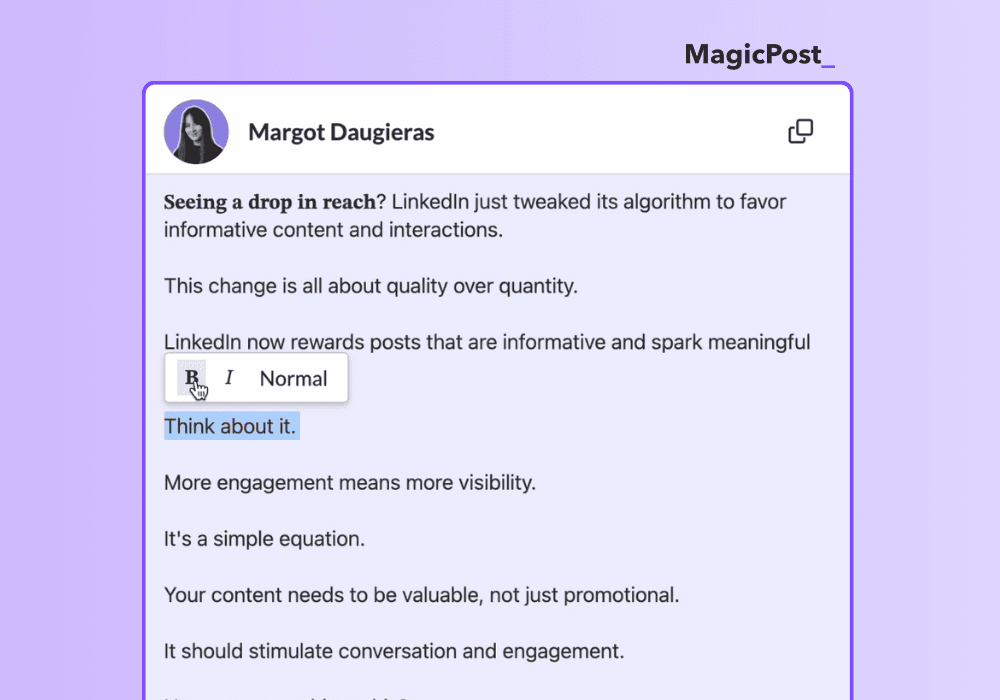
This is available on all of MagicPost’s paid plans that you can test through the free trial.
How Should You Format Text on LinkedIn for More Engagement?
There are more ways to format your content, besides bolding text on LinkedIn.
1. Italicize LinkedIn Text
While bold text is used for strong emphasis, italics subtly stress words or phrases, making them stand out without shouting. Italics are perfect for highlighting conversational ideas, internal thoughts, or personal opinions.
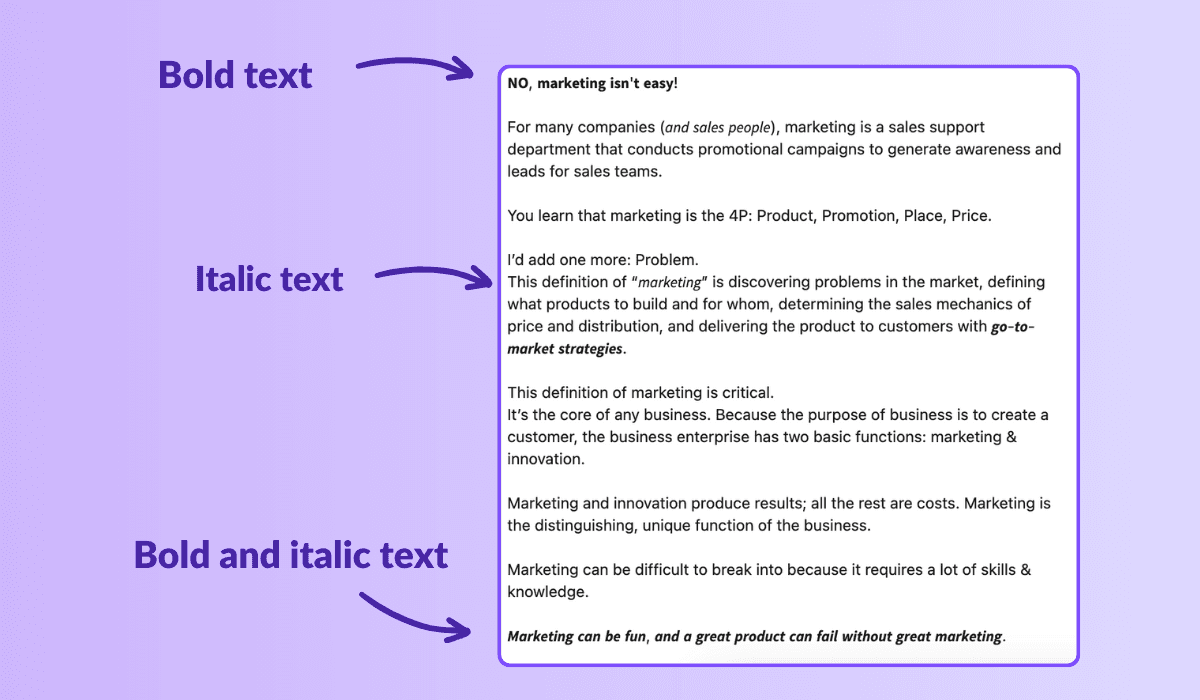
Besides this, italics add to the visual appeal of your text, making it more aesthetically pleasing.
2. Underline Important Parts
Compared to bold and italics, underlined text on LinkedIn is less common. Often, underlined text can be mistaken for a hyperlink, which might mislead your audience into thinking it’s a link.
Therefore, we recommend using underlined text sparingly to avoid any misunderstandings.
3. Use Capital letters
Capital letters are another LinkedIn text format that can be a slippery slope. If not used correctly, they might come across as shouting, even if your intention is simply to highlight a point. Use them judiciously to grab attention.
If emphasis is your goal, consider other options. Uppercase letters are ideal for acronyms and abbreviations.
For example:
AI: Artificial Intelligence
SEM: Search Engine Marketing
CRM: Customer Relationship Management
4. Include Emojis
Emojis give your text a more personal touch. They are great for grabbing attention, enriching the flow of content, and making it more relatable.
Another great thing about emojis is how they can lighten serious messages, making your content more engaging and consumable.
5. Keep it clean
Don’t use multiple formatting styles at once. The key is to maintain clarity, so use formatting to improve readability without overwhelming your audience.
For example, using both bold and strikethrough styles for the same sentence will make it harder to read.
6. Be consistent
If you use a certain formatting style to highlight the important parts of your LinkedIn post, stick to it.
Create your own formatting style and use it for all of your LinkedIn posts to build your brand and make your content easy to recognize.
Conclusion
Bold text is one of the simplest ways to improve the LinkedIn post format. It helps readers scan faster, spot the main idea, and remember the takeaway.
Keep it minimal, intentional, and consistent. Use bold to create structure, not to compensate for weak writing.
When formatting starts to feel like a chore, MagicPost makes it easy to draft, structure, and bold key lines without breaking the layout when copying to LinkedIn.
Frequently Asked Questions
Can I add bold text on LinkedIn?
Yes, you can. However, LinkedIn doesn’t offer built-in formatting options like bold or italic. To add bold, italic, or underlined text, you’ll need to use a third-party text formatting tool.
Should I use multiple formatting styles in one LinkedIn post?
Using bold, italic, or underlined text can help highlight key points and make your post more engaging. However, adding too many styles at once can feel distracting or cluttered.
Can formatting help improve engagement on LinkedIn?
Formatting your LinkedIn post can enhance engagement. Using bold or italic text highlights important parts and makes your content easier to scan.
You can find an active Reddit thread where LinkedIn members discuss which text style helps them achieve more engagement.
Will LinkedIn penalize my post for using toomuch bold text?
No, LinkedIn won’t penalize your post for using bold or italic text from third-party tools. However, excessive formatting can make your post hard to read.
Are there tools that help format text for LinkedIn?
Yes. You can use MagicPost's free text formatter to make your content more engaging.
How to bold text in LinkedIn post in mobile?
To bold text in a LinkedIn post on mobile, use a free LinkedIn text formatter like MagicPost. Open the tool in your mobile browser, type your text, select the bold style, then copy and paste it into your LinkedIn app.

How to Format LinkedIn Posts with a Text Formatter
Learn how to format your LinkedIn posts for improved visibility using techniques such as line breaks and text formatting tools to structure your posts.
Last update: 1 Dec 2025

How to Write in Italics on LinkedIn
Learn how to write in italics on LinkedIn and efficiently combine it with other formatting styles like bold or bullet points.
Last update: 20 Nov 2025

How to Add Emojis to LinkedIn Posts (and Make Them Look Great)
Learn how to add emojis to LinkedIn to boost engagement, enhance the readability of your posts, and make your content stand out.
Last update: 13 May 2025

LinkedIn Hashtag Generator: Are Hashtags Still Useful on LinkedIn?
Are hashtags still relevant on LinkedIn? Find out how they influence your content strategy, their benefits and drawbacks, and if you should incorporate them into your posts.
Last update: 8 Jan 2024