" height="26.80529977783203px" id="tymKb8bqC" width="128.00300311279295px"/><path d="M 0 2.417 L 0 0 L 12.909 0 L 12.909 2.417 Z" fill="rgb(126, 78, 253)" height="2.417099999999998px" id="aYr4em6zK" transform="translate(128.341 22.325)" width="12.908999999999992px"/></svg>)

"/><stop offset="1" stop-color="rgb(118, 37, 250)"/></linearGradient></defs><g d="M 19.242 21.22 L 19.362 6.204 L 19.272 6.204 L 13.757 21.22 L 10.161 21.22 L 4.796 6.204 L 4.706 6.204 L 4.825 21.22 L 0 21.22 L 0 0 L 7.283 0 L 12.109 13.607 L 12.229 13.607 L 16.844 0 L 24.247 0 L 24.247 21.22 Z M 26.421 26.113 L 26.421 23.445 L 41.407 23.445 L 41.407 26.113 Z" fill="transparent" height="26.112508199679183px" id="DvfaAIHYn" width="41.40731898311435px"><path d="M 19.242 21.22 L 19.362 6.204 L 19.272 6.204 L 13.757 21.22 L 10.161 21.22 L 4.796 6.204 L 4.706 6.204 L 4.825 21.22 L 0 21.22 L 0 0 L 7.283 0 L 12.109 13.607 L 12.229 13.607 L 16.844 0 L 24.247 0 L 24.247 21.22 Z" fill="rgb(46, 46, 46)" height="21.220180016149442px" id="pLsxRCobd" width="24.247352589074694px"/><path d="M 0 2.668 L 0 0 L 14.986 0 L 14.986 2.668 Z" fill="url(%23yD9d4I5GR-3279285344-linear-gradient)" height="2.6675085048549647px" id="yD9d4I5GR" transform="translate(26.421 23.445)" width="14.986002836263765px"/></g></svg>)

Margot Daugieras
Apakah Anda bosan membuat konten LinkedIn yang umum dan tidak mampu menarik perhatian audiens Anda? Apakah Anda ingin menemukan resep ajaib yang akan membuat audiens Anda berhenti sejenak saat menggulir dan memperhatikan postingan Anda?
Siap untuk bebas dari postingan yang datar dan membosankan, serta mulai menyusun konten yang akan mendorong keterlibatan dan visibilitas? Maka Anda harus membaca artikel ini. Kami telah meneliti dan mengompilasi lima template yang dapat Anda gunakan untuk menciptakan suara yang unik di platform ini.
TL;DR: Gunakan 5 template posting LinkedIn ini—naratif, daftar, refleksi pribadi, keluhan, dan analisis—untuk meningkatkan keterlibatan, mendorong visibilitas, dan menciptakan konten menarik yang menonjol.
Mengapa Anda Perlu Menggunakan Template Postingan LinkedIn?
Menggunakan template postingan LinkedIn dapat membantu Anda dalam banyak cara, tergantung pada kebutuhan Anda:
Pastikan bahwa pesan Anda jelas, profesional, dan secara efektif mengkomunikasikan pesan yang Anda maksud kepada jaringan profesional Anda.
Berfungsi sebagai panduan, menyediakan struktur efisien yang dapat Anda sesuaikan untuk konten spesifik Anda sambil mempertahankan presentasi yang rapi.
Mereka juga dapat menghemat waktu berharga dengan menawarkan kerangka yang dapat Anda sesuaikan dengan cepat untuk berbagai jenis postingan, baik Anda membagikan pembaruan, artikel, atau pengumuman.
Secara keseluruhan, template dapat menyederhanakan proses pembuatan konten yang menarik dan berdampak di LinkedIn, terutama ketika Anda kekurangan waktu. Berguna, kan?



5 Template Post LinkedIn untuk Digunakan
Sekarang, saat yang Anda tunggu-tunggu.
Mari kita tinjau 5 template terbaik yang bekerja SETIAP KALI.
Pendekatan Naratif
Cerita memiliki kemampuan magis untuk menarik perhatian kita dan tidak pernah melepaskannya! Mereka menggugah emosi kita, menjadikan pesan tidak hanya informatif, tetapi juga benar-benar menawan. Itulah sebabnya menganyam cerita ke dalam pos LinkedIn Anda seperti menambahkan bahan bakar roket ke tingkat keterlibatan Anda.
Dari membagikan kesalahan lucu Anda sendiri hingga merayakan kemenangan besar dan bahkan menampilkan ulasan luar biasa dari klien, kemungkinan mendongeng tidak terbatas.
Dan tebak apa? Beberapa pos LinkedIn paling menarik di luar sana? Ya, Anda menebaknya—semuanya tentang cerita-cerita menarik yang tidak bisa dilewatkan.
Langkah-langkah template pendekatan naratif:
Pancing perhatian: Mulailah dengan anekdot pribadi untuk menarik perhatian pembaca Anda.
Hubungkan: Bagikan emosi Anda untuk terhubung secara mendalam.
Titik balik: Soroti titik balik yang mengubah segalanya.
Hasil: Deskripsikan hasil untuk menunjukkan dampaknya.
Refleksi: Refleksikan pelajaran yang dipelajari untuk memberi kedalaman tambahan.
Dukungan: Berikan nasihat atau dorongan yang dapat ditindaklanjuti.
Keterlibatan: Akhiri dengan pertanyaan menarik untuk memicu percakapan.
Template Listicle
Template listicle adalah salah satu jenis konten terbaik yang dapat Anda buat di LinkedIn: pendek, menarik, dan penuh kebijaksanaan!
Bagian terbaik? Pengguna LinkedIn menyukainya! Mereka haus akan tip cepat, trik, dan strategi yang mengubah permainan. Sajikan wawasan Anda dalam kemasan rapi gaya daftar, dan saksikan keterlibatan Anda melambung tinggi!
Jadi, apakah itu hitungan mundur sepuluh trik teratas, panduan langkah demi langkah, atau harta karun sumber daya, pilih rasa listicle Anda dan bersiaplah untuk memukau audiens Anda!
Berikut adalah contoh template listicle dari Luke Matthews:
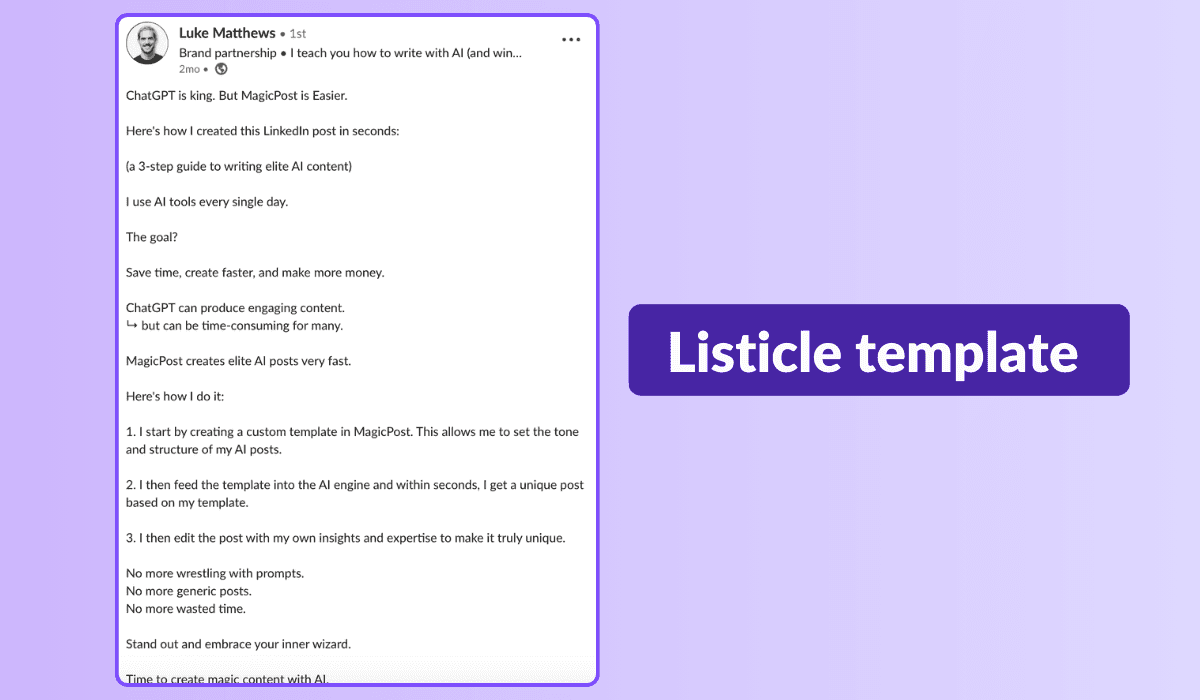
Langkah-langkah template listicle:
Tarik perhatian dengan judul yang catchy.
Mulailah dengan pengantar yang menawan untuk menangkap perhatian pembaca Anda.
Masuk ke daftar Anda dengan poin-poin yang menarik.
Kemasi dengan kesimpulan yang kuat dan soroti poin-poin penting.
Jangan lupa seruan untuk bertindak untuk melibatkan audiens Anda dan mendorong diskusi.
Sementara teks biasa bekerja dengan baik, pertimbangkan untuk menghias listicle Anda dengan carousel untuk visibilitas dan performa yang lebih besar — setelah semua, carousel mendapatkan 5x lebih banyak klik!
Dengan kekuatan listicle, Anda akan menjadi sumber terpercaya untuk wawasan industri, membangun komunitas pembaca setia di sepanjang jalan.
Refleksi Pribadi
Tahukah Anda bahwa halaman LinkedIn Anda dapat mencerminkan refleksi pribadi Anda sebagai pusat mini-blog?
Lupakan artikel panjang; blog kompak di bawah 500 kata bisa menjadi suara Anda tentang topik apa pun. Khawatir tentang batasan kata? Pecah menjadi pos yang lebih kecil atau buat seri untuk membangun antisipasi!
Resep refleksi pribadi Anda:
Bagikan perspektif Anda.
Bahas pandangan yang berlawanan.
Beri bumbu dengan cerita.
Sajikan 3-5 tips.
Akhiri dengan seruan untuk bertindak.
Pernah membahas topik ini sebelumnya? Arahkan mereka ke pos Anda dan nyalakan percakapan! Hasilkan lalu lintas dan bangun kepercayaan dengan audiens Anda.
Template Rant
Siap untuk mengguncang segalanya dan membuat orang-orang berbicara? Sambut template rant!
Ini membalikkan norma, menantang perspektif, dan menghidupkan refleksi, mendorong batasan sepanjang jalan. Tapi berhati-hatilah! Dekati dengan sensitif dan hormati pandangan yang beragam untuk mendorong dialog yang konstruktif.
Siap untuk menciptakan konten yang menarik dan kontroversial di LinkedIn yang memicu diskusi hangat? Mari kita mulai dan membuat gelombang!
Langkah-langkah template rant:
Mulai dengan ide yang dominan: Mari kita membahas apa yang sudah dibicarakan semua orang.
Guncang segalanya dengan pandangan baru Anda: Siap untuk mengguncang perahu dengan perspektif berani Anda?
Dukung dengan alasan: Mari kita uraikan 'mengapa' di balik sikap Anda dengan bukti yang solid.
Berikan alternatif: Bagaimana jika kita membalik naskah dan menjelajahi jalur yang berbeda?
Ajak semua orang terlibat: Ayo dengar apa yang Anda semua katakan! Pendapat Anda penting.
Waktunya bergabung dalam percakapan: Bagikan pemikiran Anda dan mari kita picu diskusi yang hidup!
Template Analisis
Mencari cara untuk menarik minat pecinta angka?
Gunakan template berbasis analitik untuk mendorong keterlibatan luar biasa di LinkedIn. Angka bukan hanya untuk menarik perhatian; mereka juga memicu diskusi yang memikirkan.
Namun, akurasi sangat penting untuk menghindari dampak negatif akibat salah mendeskripsikan data. Jika ini tampak seperti template yang Anda nikmati, kami sarankan untuk membandingkan angka besar dengan angka kecil untuk efek yang mengejutkan.
Berikut adalah langkah-langkah apa yang terlihat seperti template analisis dengan contoh:
Buka dengan pengantar singkat yang mempersiapkan pikiran audiens.
"Tahukah Anda bahwa pasar e-commerce global diperkirakan akan mencapai $6.5 triliun pada tahun 2023?"
Masukkan angka data besar Anda, mungkin satu yang menyoroti tren kunci.
"Menurut Statista, pasar e-commerce mengalami pertumbuhan 27,6% pada tahun 2020 saja, didorong oleh pergeseran ke belanja online di tengah pandemi."
Bandingkan angka besar dengan titik data kecil dan spesifik.
"Namun, hanya 22% dari usaha kecil memiliki strategi e-commerce yang sepenuhnya terintegrasi, menurut Digital Commerce 360."
Presentasikan analisis dan wawasan Anda berdasarkan data yang disajikan. Jelaskan apa yang mereka ungkapkan dan implikasinya.
"Angka-angka ini menyoroti potensi besar dari e-commerce tetapi juga menggarisbawahi tantangan yang dihadapi oleh usaha kecil dalam memanfaatkan kesempatan ini.
Bisnis harus beradaptasi dan berinvestasi dalam strategi e-commerce yang kuat untuk berkembang di pasar digital."
Akhiri dengan CTA yang mendorong pembaca untuk merespons data dengan membagikan pandangan mereka.
"Apa pendapat Anda tentang masa depan e-commerce dan dampaknya terhadap usaha kecil?
Bagikan wawasan Anda di kolom komentar di bawah ini, dan mari kita diskusikan strategi untuk sukses di era digital."
Bagaimana Cara Membuat Template Postingan LinkedIn Anda Sendiri?
Untuk membuat template yang sesuai dengan gaya Anda, ikuti tiga langkah ini:
1. Temukan Gaya Anda
Mulailah dengan membuat postingan LinkedIn dengan cara yang terasa alami bagi Anda. Bereksperimenlah sebanyak mungkin. Manfaatkan alat seperti MagicPost untuk menghasilkan berbagai postingan dan mengidentifikasi gaya mana yang cocok untuk Anda. Gunakan kembali gaya yang Anda rasa efektif dan menyenangkan.
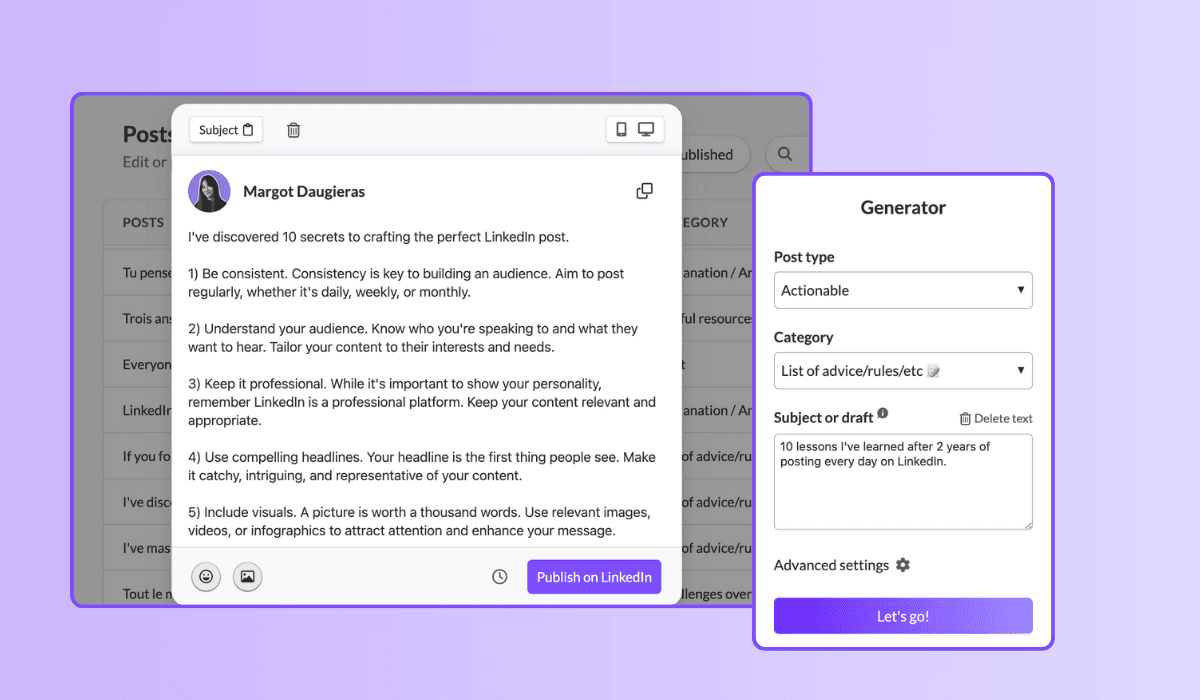
2. Tinjau Hasil Anda
Perhatikan dengan seksama kinerja postingan Anda. Analisis postingan mana yang menghasilkan keterlibatan terbanyak dan coba identifikasi pola dari apa yang paling berhasil untuk audiens Anda. Ini akan membantu Anda mengembangkan "formula ajaib" Anda sendiri untuk postingan yang sukses.
3. Iterasi dan Perbaiki Secara Terus Menerus
Setiap kali sebuah postingan berkinerja baik, simpan di fitur “Template” dari MagicPost. Ini memungkinkan Anda untuk dengan mudah menggandakan postingan sukses dengan gaya dan formula yang sama. Selalu perbaiki pendekatan Anda berdasarkan umpan balik dan data kinerja untuk terus meningkatkan template Anda.
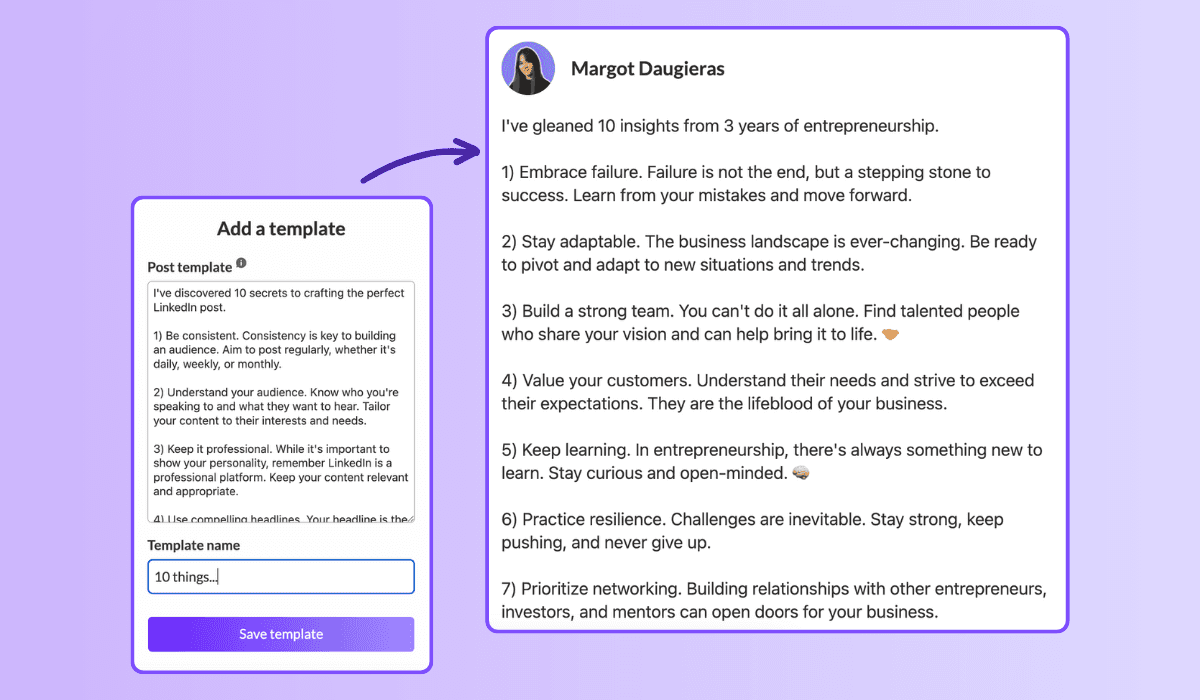
Dengan mengikuti langkah-langkah ini, Anda akan dapat membuat template postingan LinkedIn yang tidak hanya mencerminkan gaya unik Anda tetapi juga menghasilkan keterlibatan yang signifikan. Memanfaatkan berbagai alat dan metode untuk menyederhanakan strategi Anda dapat menghemat waktu sambil memaksimalkan dampak dari postingan Anda.
Jadi, selami dan mulailah membuat postingan yang memikat audiens Anda!
Perkaya Permainan LinkedIn Anda dengan Template Baru!
Jangan terpaku pada rutinitas lama—template ini dapat mengubah strategi konten Anda. Tidak hanya menawarkan berbagai pilihan, tetapi juga menjamin Anda tidak akan kehabisan ide!
Jadi, mengapa menunggu? Selami template ini, dan kombinasikan dengan menggunakan MagicPost untuk melepaskan kekuatan penuh kehadiran Anda di LinkedIn.
Tingkatkan perjalanan profesional Anda dan capailah ketinggian baru!
2. The challenge overcome
Family: Challenges overcome. 1.03% median ER, 51 median likes, on 16,823 posts. The second-best family, and the engine of most great LinkedIn stories.
[Open inside the problem, present tense: "[Number] months ago, [the thing that was broken]."]
[Raise the stakes: what it would have cost to fail.]
[The turn: the decision, insight, or person that changed it.]
[What you did, concretely. The steps, not the vibes.]
[Where it landed, with one number.]
[The transferable lesson, one line, for the reader facing the same wall.]
When to use it: whenever a result came from struggle and the struggle is the interesting part. This is the backbone of the personal story post, the highest-leverage format on the platform.
3. The hard moment
Family: Hard moment. 0.80% median ER, 47 median likes, on 3,234 posts. Less used than the others (only 3,234 posts), which is part of why it still earns. Honesty is uncrowded.
[Name the hard thing, without a bow on it: "[What happened]. It still stings."]
[Resist resolving it too fast. Stay in the moment one beat longer than is comfortable.]
[What you are learning from it, tentatively, not as a TED talk.]
[An open question to the room, inviting people who have been there.]
When to use it: a layoff, a failed launch, a loss, a setback you are still inside. Use it honestly or not at all; the family rewards real vulnerability, not performed vulnerability. For the job-loss version specifically, the open-to-work explainer covers how to frame it.
4. The lessons learned
Family: Lessons learned. 0.70% median ER, 32 median likes, on 24,803 posts. A heavily-used family (24,803 posts) that still clears the median: proof the format travels.
[The setup: "[Time period] doing [thing] taught me [number] things."]
[Lesson 1: the counterintuitive one first. Bold the takeaway, then one line of why.]
[Lesson 2.]
[Lesson 3. Keep each to two lines max; the list is the value.]
[Close on the one lesson you wish you had learned soonest.]
When to use it: end of a project, a year, a role, a chapter. Anything you can look back on. Full skeleton bank in the lessons learned post guide.
Fill these in your own voice, automatically. This is the exact job MagicPost's AI LinkedIn post generator was built for: you pick a template, drop in your raw situation, and it writes the post in your tone, with the right length and structure for the family, no blank-page stare. Templates are the scaffold; the generator does the fill.
5. The situation recap
Family: Situation recap. 0.68% median ER, 45 median likes, on 11,729 posts. A "here is where things stand" post: state of the project, the market, the journey.
[Frame the moment: "[Number] weeks into [thing], here is the honest status."]
[What is working, briefly. One or two wins.]
[What is not working, more honestly. This is the part people read for.]
[What you are changing because of it.]
[Where you expect to be by [date]. Invite people to check back.]
When to use it: building in public, a recurring update cadence, a midpoint reflection. The transparency is the engagement driver: people follow trajectories, not snapshots.
Tier 2: the teaching templates (your reliable middle)
These five sit around the median: dependable, useful, the everyday workhorses. They teach rather than confess, which caps their ceiling but makes them repeatable. Mix them into the giving tier so you are not always confessing.
6. The explainer
Family: Explainer / analysis. 0.40% median ER, 21 median likes, on 83,180 posts. The second-most-used family on LinkedIn and, not coincidentally, one of the lowest likes counts (21). Useful, crowded, hard to stand out in.
[The question, as your reader would phrase it: "Why does [thing] actually [happen]?"]
[The short answer, in one sentence, up top. Do not bury it.]
[The mechanism: walk through how it works in 3 to 4 steps.]
[The "so what": what the reader should do differently knowing this.]
When to use it: breaking down a concept, a trend, a how-it-works in your domain. Strong for authority, weak for raw engagement, so reserve it for when teaching is the point.
7. The tips list
Family: Tips / rules list. 0.49% median ER, 57 median likes, on 9,520 posts. Note the split: a middling ER but 57 median likes and the highest median comments of any family (23). This template trades efficiency for conversation. People argue with lists.
[The promise: "[Number] rules for [outcome], learned the hard way."]
[Rule 1, as an imperative. "Do X." Then one line of cost-of-ignoring-it.]
[Rules 2 through N, same shape, tight.]
[The bonus rule, slightly contrarian, to bait the comments.]
[Ask: "What would you add?" The list format earns its comments by inviting them.]
When to use it: when you have hard-won rules and want a discussion, not just applause. The comment count is the real prize here.
8. The quick tip
Family: Quick tip. 0.46% median ER, 29 median likes, on 3,684 posts. The smallest unit of value: one actionable thing, fast.
[The tip in the first line, no windup: "[Do this specific thing] to [get this result]."]
[Why it works, one sentence.]
[How to do it, two or three lines. Concrete enough to act on today.]
[Optional: the mistake it replaces.]
When to use it: between bigger posts, to stay present without a big lift. Cheap to produce, modest but reliable return.
9. The contrarian take
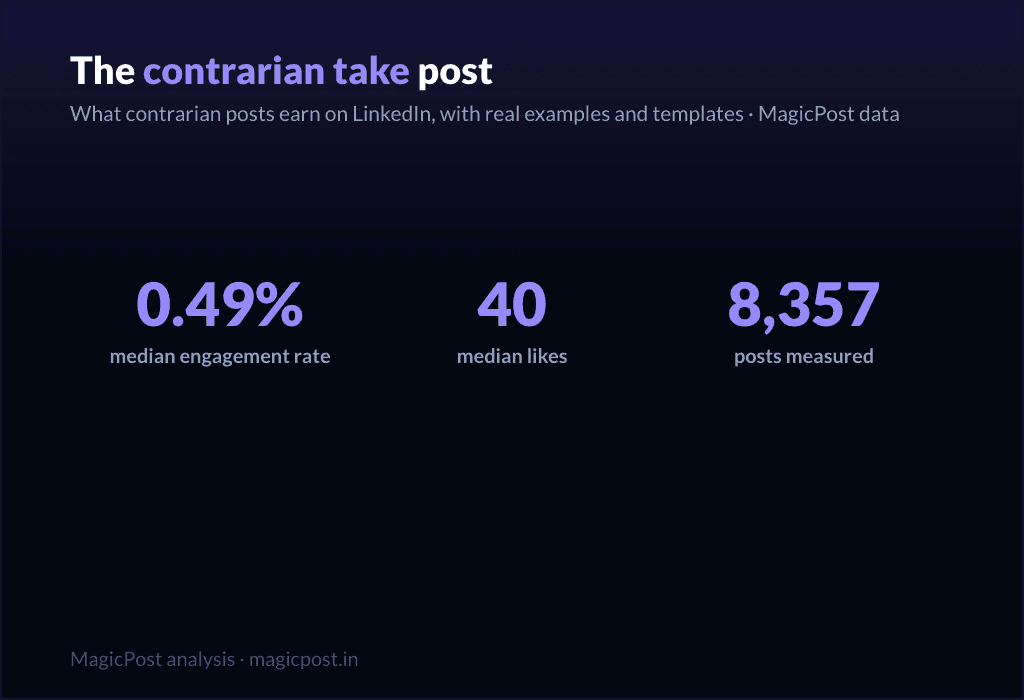
Family: Contrarian take. 0.49% median ER, 40 median likes, on 8,357 posts. Above-median engagement and the second-highest median comments outside the tips list (14): disagreement drives replies.
[The unpopular claim, stated flatly: "[Common belief] is wrong."]
[Acknowledge why people believe it. Be fair to the other side first.]
[Your evidence: the experience or data that changed your mind.]
[The reframe: what to believe instead, and what it changes.]
[Invite the pushback explicitly. The disagreement is the engine.]
When to use it: when you have a real, defensible counter-position, not a hot take for its own sake. Full playbook in the contrarian post guide. Use sparingly; an account that is contrarian about everything is just tiring.
10. The personal reflection
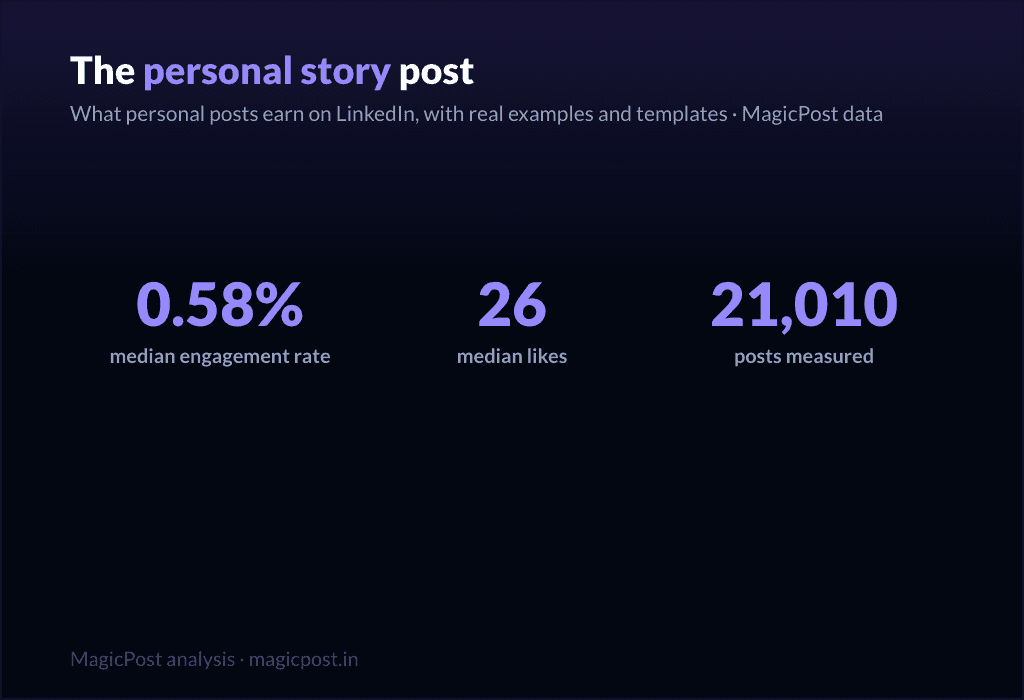
Family: Personal reflection. 0.58% median ER, 26 median likes, on 21,010 posts. Above the median on ER, lower on raw likes (26): it earns a high share of a smaller audience. Quiet, but it builds the relationship.
[A small, specific observation from your week: "[Tiny moment that made you think]."]
[Zoom out: what it made you realize about [work / people / yourself].]
[Hold the thought lightly. This is reflection, not a thesis.]
[An open-ended line that lets people sit with it too.]
When to use it: the in-between days, to stay human and not just useful, including the lighter seasonal beats covered in the holiday post guide. Pairs well with the giving tier as connective tissue.
Tier 3: the asking templates (use sparingly)
Here is the honest part most template pages hide. Every promotional family sits below the 0.39% median. These templates ask the reader for something (a click, a signup, a sale) and the feed charges you for it. They are necessary (you have to sell sometime) but they are a tax, not a treat. Earn the right with the tiers above, then spend it here, rarely.
11. The launch announcement
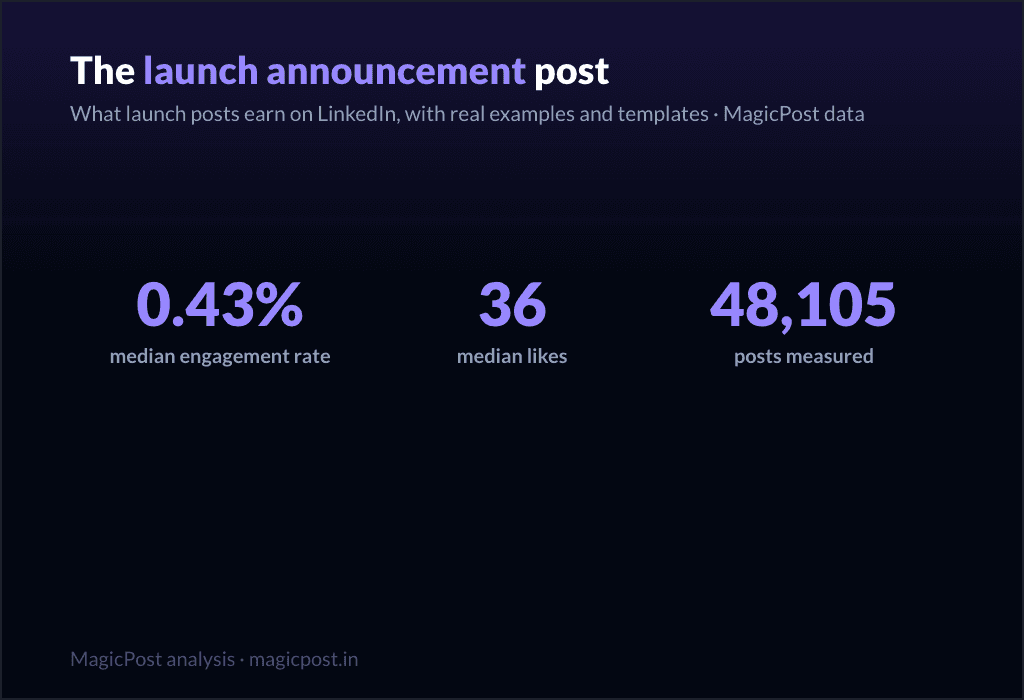
Family: Launch announcement. 0.43% median ER, 36 median likes, on 48,105 posts. The least-bad of the asking templates, slightly above median on ER but thin on comments (5). Still, do not lead your whole feed with launches.
[The news, but framed as a reader benefit, not a press release: "If you [reader problem], this is for you."]
[The problem it solves, in the reader's words.]
[What it is, in one clear line. Then one proof point.]
[The single next step. One CTA, not five.]
When to use it: an actual launch, used once or twice per launch, not as a daily drumbeat. Deep version in the product launch post guide.
12. The value-first sale
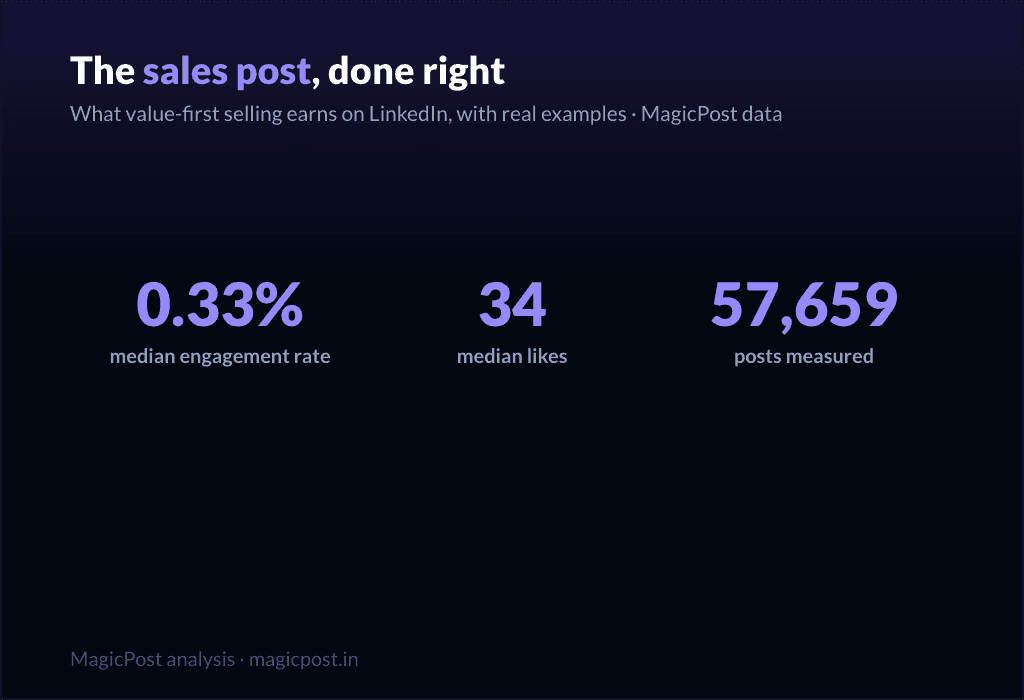
Family: Value-first selling. 0.33% median ER, 34 median likes, on 57,659 posts. Below the median (0.33%), which is the honest cost of selling, even when you wrap it in value.
[Lead with a free, genuinely useful insight. Give before you ask.]
[Make the insight complete on its own. It must stand without the pitch.]
[The soft bridge: "This is also exactly what [your offer] does for you."]
[A low-pressure invitation, not a hard close.]
When to use it: when you need to sell but want to protect the relationship. It is the gentlest asking template, and still below median, which tells you something. More patterns in the sales post examples and the wider promotion post examples.
13. The comment-gated lead magnet
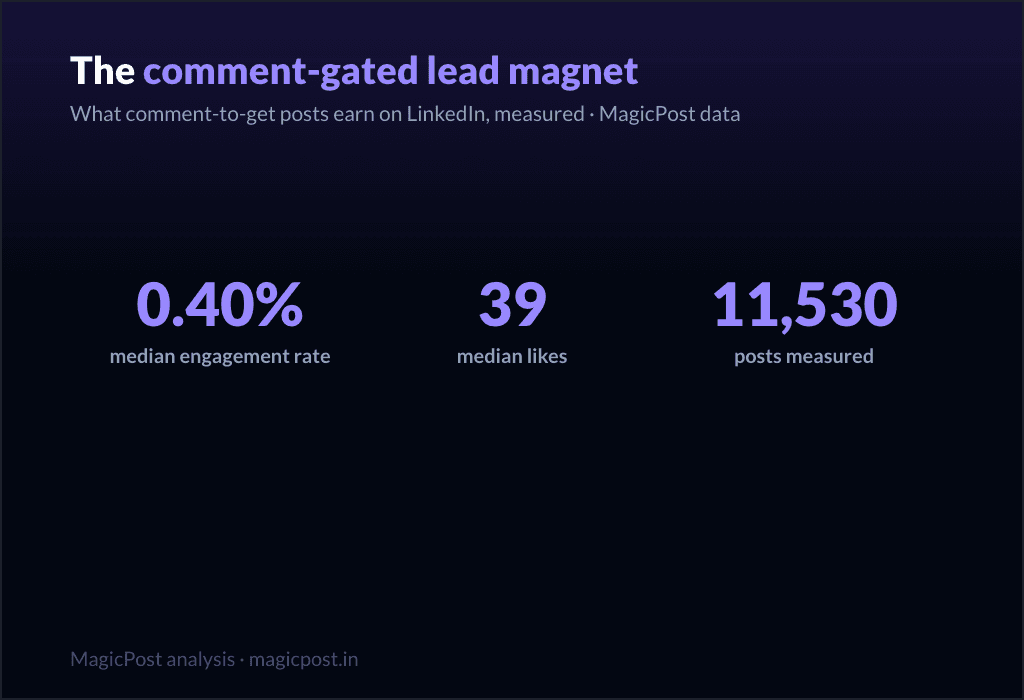
Family: Comment-gated lead magnet. 0.40% median ER, 39 median likes, on 11,530 posts. Right at the median on ER, but look at the comments: 17 median comments, second only to the tips list. The "comment X and I will send it" mechanic manufactures comments by design.
[The valuable thing you are giving away: "[Resource] that [specific outcome]."]
[Proof it is worth wanting: one line on what is inside.]
[The gate: "Comment '[word]' and I will send it to you." Keep the word short.]
[A reason to act now, lightly.]
When to use it: when you have a real asset and want both distribution and a comment spike. Be aware the comments are partly mechanical, not pure enthusiasm. Full mechanics in the lead magnet post guide.
14. The webinar invite
Family: Webinar signup push. 0.31% median ER, 32 median likes, on 51,864 posts. One of the two lowest families in the whole table (0.31%). Event posts ask for a calendar commitment, and the feed knows it.
[The outcome of attending, first: "Leave knowing how to [specific result]."]
[Who it is for, in one line. Disqualify the wrong people on purpose.]
[The logistics, compressed: date, time, format. One line.]
[The single registration link. Make the action trivial.]
When to use it: a real event, posted no more than two or three times in the run-up, spaced out. Lead with the giving tier in between. Full template set in the webinar post guide.
15. The podcast / video share
Family: Podcast / video share. 0.29% median ER, 36 median likes, on 32,031 posts. The lowest-performing family in the entire dataset (0.29%). Sharing content you made elsewhere asks people to leave the feed, and they mostly do not.
[The single best idea from the episode, stated as its own standalone insight.]
[One more: a surprising quote or moment, paraphrased.]
[Make the post valuable even if nobody clicks. That is the whole trick.]
[Then, almost as an afterthought: "Full conversation in the comments / link."]
When to use it: when you genuinely want to drive listens or views, knowing it is the weakest template on this list. The fix is the same every time: make the post worth reading on its own, and treat the click as a bonus.
The pattern, in one line: give four times for every time you ask. The data is unambiguous, and so is the playbook. With MagicPost you can write, schedule and analyze all of it in one place, building your week from the giving tier and spending the asking tier only when you have earned it.
Where this data comes from
Everything on this page is MagicPost's own research. We classified 1,141,932 LinkedIn posts into the template family each one belongs to, then ranked the families by median engagement rate: likes plus comments divided by the author's follower count, expressed as a percentage. The overall median across the whole corpus is a 0.39% engagement rate, the line we use to separate "above median" from "below median" throughout. Each family also reports its median likes and its sample size (n), shown in the table and beside every template. We use medians, never averages, so viral outliers cannot move a row. Engagement-rate figures are aggregated and anonymized. Figures dated June 2026 and refreshed with the data.
FAQ
What is the best LinkedIn post template?
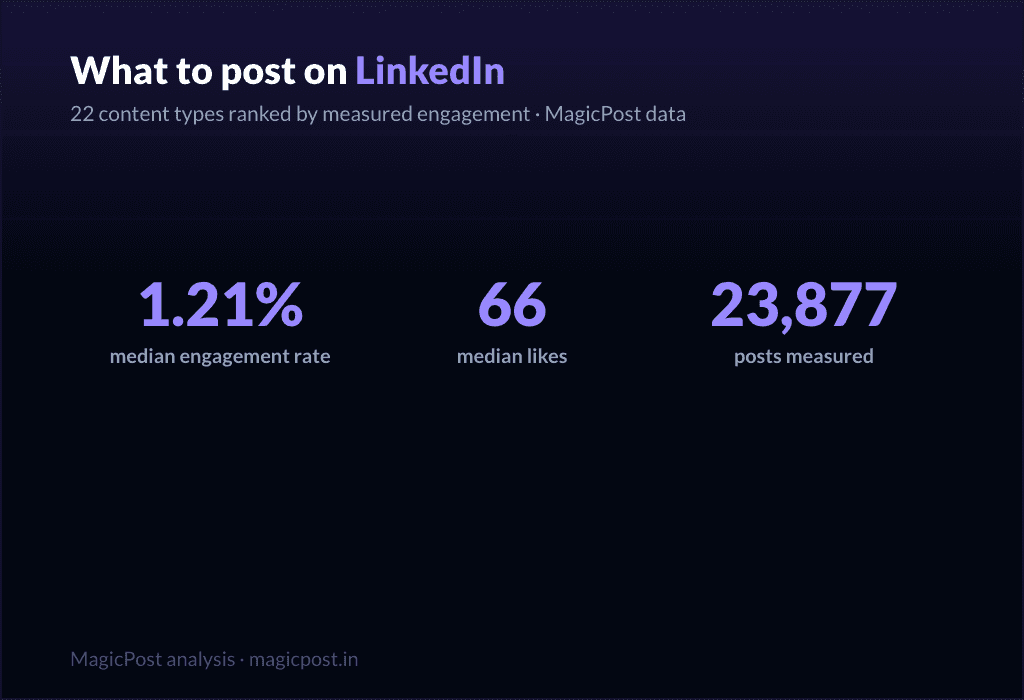
By measured engagement on 1,141,932 posts, the best template family is the win announcement (celebrating a win): a 1.21% median engagement rate and 66 median likes, the highest of any family. More broadly, the top tier is what we call the "giving templates," the ones that hand the reader something before asking for anything: celebrating a win (1.21%), challenges overcome (1.03%, 51 median likes), the hard moment (0.80%, 47 median likes), lessons learned (0.70%, 32 median likes) and the situation recap (0.68%, 45 median likes). All five clear the 0.39% overall median comfortably. The worst templates are the promotional ones, all of which sit below that median.
How many LinkedIn post templates are there?
There are as many wordings as there are tools, but they collapse into a smaller number of real families. We measured 22 of them, from celebrating a win (1.21% median ER) down to podcast / video share (0.29%). The 15 fill-in skeletons on this page cover the families worth using, sorted into three performance tiers.
Do promotional post templates work on LinkedIn?
They work, but they cost you. Every promotional family sits below the 0.39% overall median: launch announcement (0.43% ER, the least-bad), value-first selling (0.33%, 34 median likes), comment-gated lead magnet (0.40%), webinar signup push (0.31%) and podcast / video share (0.29%, the lowest of all 22 families). Use them when you must, sparingly, and earn the right with the giving templates first.
Which LinkedIn template gets the most comments?
The tips / rules list, with 23 median comments, the highest of any family, despite a middling 0.49% engagement rate and 57 median likes. The comment-gated lead magnet is next at 17 median comments, though those are partly manufactured by the "comment to receive" mechanic. If conversation is your goal rather than likes, a rules list is the template to reach for.
Are storytelling templates really better than how-to templates?
Yes, clearly. Challenges overcome (1.03% ER), hard moment (0.80%) and lessons learned (0.70%) all beat the teaching families like explainer / analysis (0.40%, 21 median likes) and punchy advice (0.44%, 28 median likes), even though those teaching families are far more heavily used (explainer / analysis alone covers 83,180 posts). The crowd writes how-to; the data rewards story.
Where can I see real examples of these templates?
Beyond the skeletons here, LinkedIn post examples collects real posts for each family, and the family-specific guides linked throughout (the personal story post, lessons learned post, contrarian post and others) go deeper on each one with multiple worked examples.
13 Contoh Postingan LinkedIn yang Mendorong Hasil (2026)
Ambil 13 contoh posting LinkedIn yang telah terbukti ini untuk mengubah konten Anda menjadi prospek dan otoritas. Termasuk template dan dekomposisi penuh tentang apa yang berhasil.
Apa yang Harus Diposting di LinkedIn? (2026)
Tingkatkan dampak LinkedIn Anda dengan panduan ahli kami. Jelajahi strategi posting yang kuat dan jenis konten untuk terlibat secara efektif dengan jaringan Anda.
Cara Mengumumkan Pekerjaan Baru di LinkedIn: (+ 5 Template Siap Pakai)
Kuasai pengumuman pekerjaan baru Anda di LinkedIn. Perluas jaringan Anda, tarik kesempatan, dan ambil 5 template pos plug-and-play untuk memudahkan.
Contoh Postingan Promosi LinkedIn Terbaik (2026)
Perlu menulis postingan penjualan tetapi tidak tahu harus mulai dari mana? Saya akan menunjukkan kepada Anda contoh-contoh posting promosi yang paling efektif sehingga Anda dapat menyesuaikannya dengan kebutuhan Anda.
LinkedIn Terbuka untuk Bekerja: Apa Itu dan Bagaimana Cara Kerjanya (2026)
LinkedIn Open to Work memberi sinyal kepada perekrut bahwa Anda tersedia, tetapi hanya jika Anda menggunakannya dengan benar. Berikut cara mengaktifkannya, siapa yang melihatnya, dan kapan untuk menonaktifkannya.
LinkedIn Lead Magnets: Panduan untuk Leads yang Benar-Benar Berhasil
Temukan cara untuk membuat magnet prospek yang kuat yang menarik prospek berkualitas, membangkitkan keinginan, dan membimbing audiens Anda untuk menjadi pelanggan yang membayar.
The LinkedIn Product Launch Post: Real Examples, Templates, and What Launches Actually Earn
The LinkedIn product launch post: real examples, 3 templates, and the data (launches earn 0.43% median ER). Lead with the problem, not the product.
The Personal Story LinkedIn Post: Why Vulnerability Wins (and How to Write Yours)
The personal story LinkedIn post: challenges overcome earn 1.03% median ER, hard moments 0.80%, vs 0.39% platform median. Examples and templates.
The Contrarian LinkedIn Post: What Provocation Actually Earns (Spoiler: Less Than You Think)
The contrarian LinkedIn post, measured: 0.49% median ER. Better than average, far below sincerity. What separates real takes from rage-bait.
LinkedIn Sales Post Examples: Why Selling Posts Underperform (and the Ones That Work Anyway)
LinkedIn sales post examples: even value-first selling earns 0.33% median ER, below the 0.39% platform median. The ones that work anyway.