Sei stanco di creare contenuti generici su LinkedIn che non riescono a catturare l'attenzione del tuo pubblico? Vorresti scoprire la ricetta magica che farà fermare il tuo pubblico a metà scroll e prestare attenzione al tuo post?
Pronto a liberarti da post piatti e noiosi e iniziare a creare contenuti che stimolino l'engagement e la visibilità? Allora dovresti leggere questo articolo. Abbiamo ricercato e raccolto cinque modelli che puoi utilizzare per creare una voce unica sulla piattaforma.
Perché hai bisogno di utilizzare un modello di post di LinkedIn?
Utilizzare un modello di post di LinkedIn può aiutarti in molti modi, a seconda delle tue esigenze:
Assicurati che il tuo messaggio sia chiaro, professionale e comunichi efficacemente il tuo messaggio al tuo network professionale.
Funzionano come una guida, fornendo una struttura efficiente che puoi personalizzare per adattarla ai tuoi contenuti specifici mantenendo una presentazione curata.
Possono anche farti risparmiare tempo prezioso offrendo un framework che puoi adattare rapidamente per vari tipi di post, sia che tu stia condividendo aggiornamenti, articoli o annunci.
In generale, i modelli possono semplificare il processo di creazione di contenuti coinvolgenti e impattanti su LinkedIn, specialmente quando hai poco tempo. Utile, vero?
5 Modelli di Post LinkedIn da Utilizzare
Ora, il momento che stavi aspettando.
Esaminiamo i 5 migliori modelli che funzionano SEMPRE.
Approccio Narrativo
Le storie hanno questa magica capacità di afferrarci e non lasciarci più! Ci toccano le corde del cuore, rendendo i messaggi non solo informativi, ma assolutamente coinvolgenti. Ecco perché intrecciare storie nei tuoi post di LinkedIn è come aggiungere carburante per razzi ai tuoi livelli di coinvolgimento.
Dalla condivisione dei tuoi divertenti imprevisti allcelebration di grandi vittorie e persino alla presentazione di recensioni entusiastiche dei clienti, le possibilità di narrazione sono infinite.
E indovina un po'? Alcuni dei post LinkedIn più in voga? Già, hai indovinato— parlano tutti di quelle storie succulente che non puoi mettere giù.
Il modello dell'approccio narrativo passo dopo passo:
Il gancio: Inizia con un aneddoto personale per catturare l'attenzione del lettore.
Collegare: Condividi le tue emozioni per connetterti profondamente.
Il punto di svolta: Sottolinea il punto di svolta che ha cambiato tutto.
Il risultato: Descrivi il risultato per mostrare l'impatto.
Riflessione: Rifletti sulle lezioni apprese per maggiore profondità.
Incoraggiamento: Offri consigli praticabili o incoraggiamento.
Coinvolgimento: Concludi con una domanda coinvolgente per avviare una conversazione.
Modello Listicle
Il modello listicle è uno dei migliori tipi di contenuto che puoi creare su LinkedIn: breve, incisivo e ricco di saggezza!
La parte migliore? Gli utenti di LinkedIn li adorano! Sono affamati di suggerimenti rapidi, trucchi e strategie che cambiano le regole del gioco. Servi le tue intuizioni in un pacchetto ordinato in stile elenco e guarda il tuo coinvolgimento decollare!
Quindi, sia che si tratti di un conteggio dei dieci migliori trucchi, di una guida passo passo o di un tesoro di risorse, scegli il tuo sapore listicle e preparati a stupire il tuo pubblico!
Il modello listicle passo dopo passo:
Cattura l'attenzione con un titolo accattivante.
Inizia con un'introduzione accattivante che attiri i lettori.
Immergiti nella tua lista con punti elenco incisivi.
Concludi con una forte conclusione e sottolinea i punti chiave.
Non dimenticare una chiamata all'azione per coinvolgere il tuo pubblico e incoraggiare la discussione.
Anche se il testo semplice funziona bene, considera di dare una marcia in più ai tuoi listicle con caroselli per una visibilità e una prestazione ancora maggiori: dopotutto, i caroselli ottengono 5 volte più clic!
Con il potere dei listicle, diventerai la fonte di riferimento per le intuizioni del settore, costruendo una comunità fedele di lettori dedicati lungo il cammino.
Riflessione Personale
Sapevi che la tua pagina LinkedIn può riflettere la tua riflessione personale come un hub di mini-blog?
Dimentica articoli lunghi; blog compatti sotto le 500 parole possono essere la tua voce su qualsiasi argomento. Preoccupato per i limiti di parole? Spezzalo in post di dimensioni ridotte o crea una serie per creare anticipazione!
La tua ricetta per la riflessione personale:
Esprimi la tua prospettiva.
Affronta opinioni opposte.
Rendi interessante il tutto con storie.
Fornisci da 3 a 5 consigli.
Termina con una chiamata all'azione.
Hai già trattato l'argomento? Rimandali al tuo post e avvia una conversazione! Guida il traffico e costruisci fiducia con il tuo pubblico.
Il Modello del Rant
Pronto a scuotere le cose e far parlare le persone? Abbraccia il modello del rant!
Capovolge le norme, sfida le prospettive e accende la riflessione, spingendo avanti i confini. Ma fai attenzione! Avvicinati con sensibilità e rispetta opinioni diverse per favorire un dialogo costruttivo.
Pronto a creare contenuti convincenti e controversi su LinkedIn che suscitano vivaci discussioni? Immergiamoci e facciamo un po' di onde!
Il modello del rant passo dopo passo:
Inizia con l'idea prevalente: Vediamo cosa stanno dicendo tutti.
Scuoti le cose con il tuo punto di vista fresco: Pronto a scuotere le acque con la tua prospettiva audace?
Supportalo con motivi: Analizziamo il 'perché' dietro la tua posizione con prove solide.
Offri un'alternativa: Che ne dici di ribaltare la questione e esplorare un percorso diverso?
Includi tutti nell'azione: Facci sapere cosa ne pensate! I vostri pensieri contano.
È tempo di unirsi alla conversazione: Condividi le tue idee e scateniamo una vivace discussione!
Modello di Analisi
Desideri catturare gli appassionati di numeri?
Utilizza un modello basato su analisi per guidare un coinvolgimento di alto livello su LinkedIn. I numeri non sono solo un modo per attrarre attenzione; accendono anche discussioni stimolanti.
Tuttavia, l'accuratezza è fondamentale per evitare ripercussioni derivanti da una cattiva rappresentazione dei dati. Se questo sembra un modello che ti piacerà, ti suggeriamo di confrontare grandi numeri con numeri più piccoli per un effetto sorprendente.
Ecco come appare un modello di analisi passo dopo passo, con un esempio :
Inizia con una breve introduzione che prepara la mente del pubblico.
"Sapevi che il mercato globale dell'e-commerce è previsto raggiungere i 6,5 trilioni di dollari entro il 2023?"
Inserisci il tuo grande numero di dati, possibilmente uno che evidenzi una tendenza chiave.
"Secondo Statista, il mercato dell'e-commerce ha registrato una crescita del 27,6% solo nel 2020, alimentata dal passaggio allo shopping online durante la pandemia."
Contrasta il grande numero con un dato più piccolo e specifico.
"Tuttavia, solo il 22% delle piccole imprese ha una strategia di e-commerce totalmente integrata, come riportato da Digital Commerce 360."
Presenta la tua analisi e le intuizioni basate sui dati presentati. Spiega cosa rivelano e quali sono le loro implicazioni.
"Questi numeri evidenziano l'immenso potenziale dell'e-commerce, ma sottolineano anche le sfide affrontate dalle piccole imprese nel capitalizzare questa opportunità.
Le aziende devono adattarsi e investire in solide strategie di e-commerce per prosperare nel mercato digitale."
Termina con una CTA che incoraggia i lettori a rispondere ai dati condividendo le loro opinioni.
"Quali sono i tuoi pensieri sul futuro dell'e-commerce e sul suo impatto sulle piccole imprese?
Condividi le tue intuizioni nei commenti qui sotto, e discutiamo strategie per il successo nell'era digitale."
Come Creare i Tuoi Template di Post su LinkedIn?
Per creare un template che si adatti al tuo stile, segui questi tre passaggi:
1. Trova il Tuo Stile
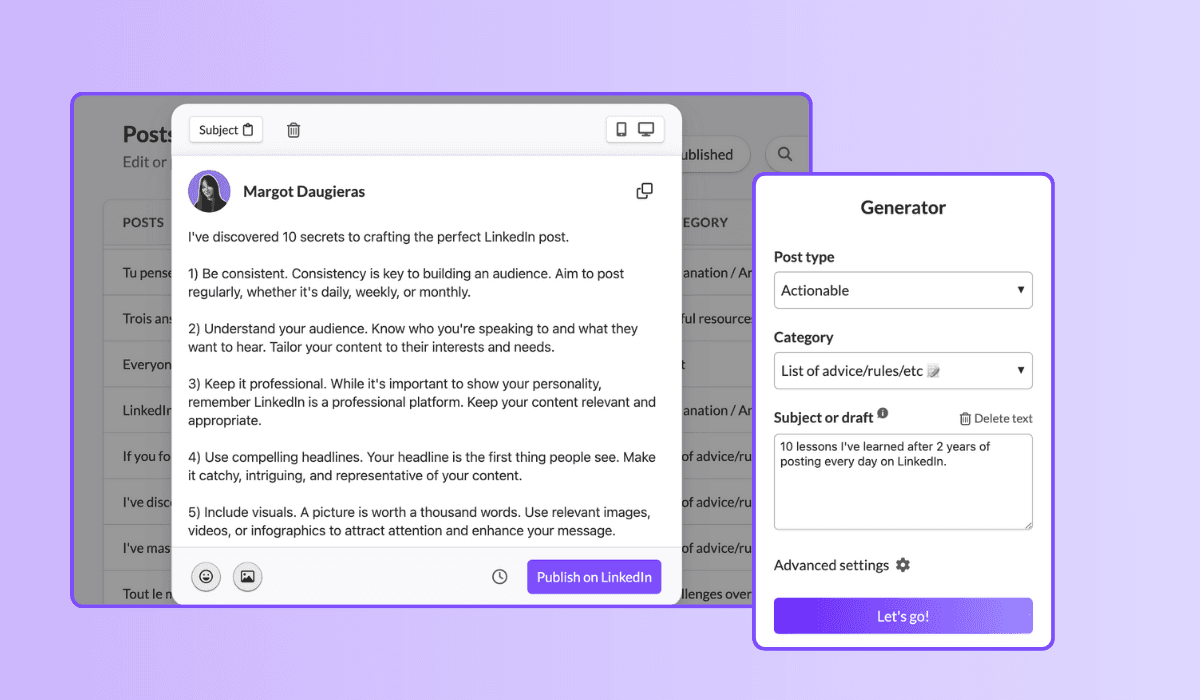
Inizia a creare post su LinkedIn in un modo che ti sembri naturale. Sperimenta il più possibile. Utilizza strumenti come MagicPost per generare vari post e identificare quali stili ti risuonano. Riutilizza gli stili che hai trovato efficaci e piacevoli.
2. Rivedi i Tuoi Risultati
Fai attenzione alle performance dei tuoi post. Analizza quali post generano il maggior coinvolgimento e cerca di identificare schemi in ciò che funziona meglio per il tuo pubblico. Questo ti aiuterà a sviluppare la tua "formula magica" per post di successo.
3. Itera e Migliora Costantemente
Ogni volta che un post ha buone performance, salvalo nella funzione “Template” di MagicPost. Questo ti consente di replicare facilmente post di successo con lo stesso stile e formula vincente. Raffina continuamente il tuo approccio basato su feedback e dati di performance per continuare a migliorare i tuoi template.
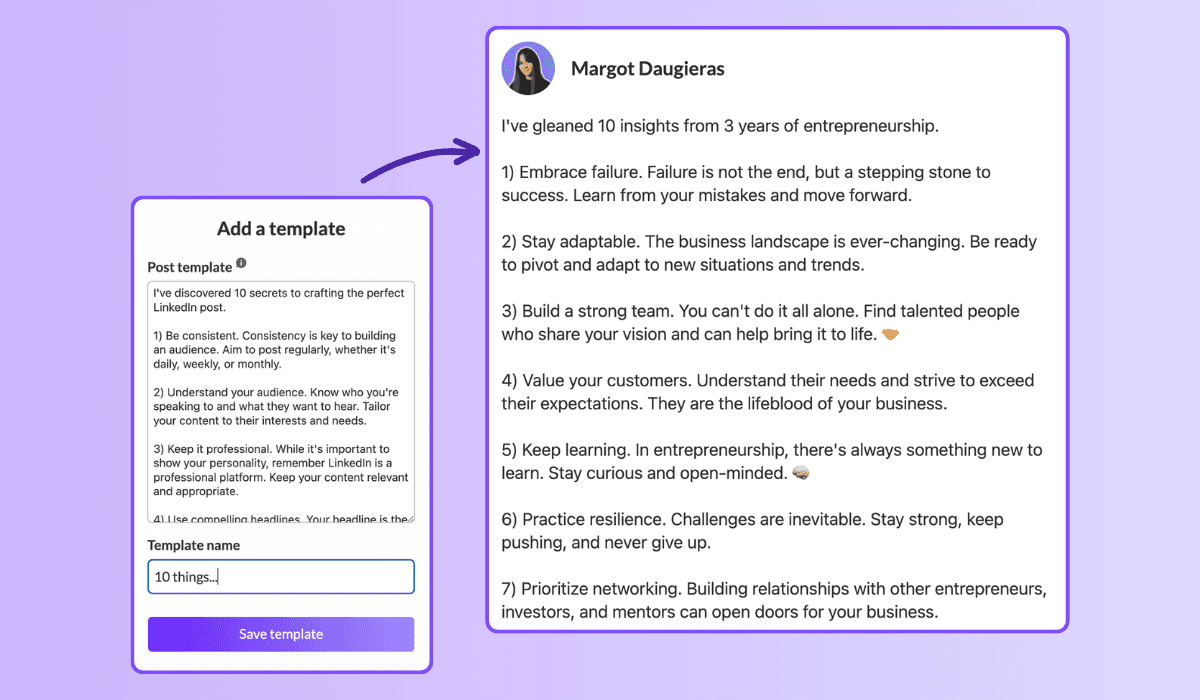
Seguendo questi passaggi, sarai in grado di creare template di post su LinkedIn che non solo riflettono il tuo stile unico ma che generano anche un significativo coinvolgimento. Utilizzare vari strumenti e metodi per semplificare la tua strategia può farti risparmiare tempo massimizzando l'impatto dei tuoi post.
Quindi, tuffati e inizia a creare post che catturano il tuo pubblico!
Dai una marcia in più al tuo profilo LinkedIn con nuovi modelli!
Non restare bloccato nella solita routine: questi modelli possono trasformare la tua strategia di contenuti. Non solo offrono una gamma di opzioni, ma garantiscono anche che non ti mancheranno mai idee!
Allora, perché aspettare? Immergiti in questi modelli e combinali utilizzando MagicPost per liberare tutta la potenza della tua presenza su LinkedIn.
Eleva il tuo percorso professionale e raggiungi nuove vette!
2. The challenge overcome
Family: Challenges overcome. 1.03% median ER, 51 median likes, on 16,823 posts. The second-best family, and the engine of most great LinkedIn stories.
[Open inside the problem, present tense: "[Number] months ago, [the thing that was broken]."]
[Raise the stakes: what it would have cost to fail.]
[The turn: the decision, insight, or person that changed it.]
[What you did, concretely. The steps, not the vibes.]
[Where it landed, with one number.]
[The transferable lesson, one line, for the reader facing the same wall.]
When to use it: whenever a result came from struggle and the struggle is the interesting part. This is the backbone of the personal story post, the format that does the most for you on the platform.
3. The hard moment
Family: Hard moment. 0.80% median ER, 47 median likes, on 3,234 posts. Less used than the others (only 3,234 posts), which is part of why it still earns. Honesty is uncrowded.
[Name the hard thing, without a bow on it: "[What happened]. It still stings."]
[Resist resolving it too fast. Stay in the moment one beat longer than is comfortable.]
[What you are learning from it, tentatively, not as a TED talk.]
[An open question to the room, inviting people who have been there.]
When to use it: a layoff, a failed launch, a loss, a setback you are still inside. Use it honestly or not at all; the family rewards real vulnerability, not performed vulnerability. For the job-loss version specifically, the open-to-work explainer covers how to frame it.
4. The lessons learned
Family: Lessons learned. 0.70% median ER, 32 median likes, on 24,803 posts. A heavily-used family (24,803 posts) that still clears the median: proof the format travels.
[The setup: "[Time period] doing [thing] taught me [number] things."]
[Lesson 1: the counterintuitive one first. Bold the takeaway, then one line of why.]
[Lesson 2.]
[Lesson 3. Keep each to two lines max; the list is the value.]
[Close on the one lesson you wish you had learned soonest.]
When to use it: end of a project, a year, a role, a chapter. Anything you can look back on. Full skeleton bank in the lessons learned post guide.
Fill these in your own voice, automatically. This is the exact job MagicPost's AI LinkedIn post generator was built for: you pick a template, drop in your raw situation, and it writes the post the way you would, with the right length and structure for the family, no blank-page stare. A skeleton gets you the shape; the generator handles the words.
5. The situation recap
Family: Situation recap. 0.68% median ER, 45 median likes, on 11,729 posts. A "here is where things stand" post: state of the project, the market, the journey.
[Frame the moment: "[Number] weeks into [thing], here is the honest status."]
[What is working, briefly. One or two wins.]
[What is not working, more honestly. This is the part people read for.]
[What you are changing because of it.]
[Where you expect to be by [date]. Invite people to check back.]
When to use it: building in public, a recurring update cadence, a midpoint reflection. The transparency is the engagement driver: people follow trajectories, not snapshots.
Tier 2: the teaching templates (your reliable middle)
These five sit around the median: dependable, useful, the everyday workhorses. They teach rather than confess, which caps their ceiling but makes them repeatable. Mix them into the giving tier so you are not always confessing.
6. The explainer
Family: Explainer / analysis. 0.40% median ER, 21 median likes, on 83,180 posts. The second-most-used family on LinkedIn and, not coincidentally, one of the lowest likes counts (21). Useful, crowded, hard to stand out in.
[The question, as your reader would phrase it: "Why does [thing] actually [happen]?"]
[The short answer, in one sentence, up top. Do not bury it.]
[The mechanism: walk through how it works in 3 to 4 steps.]
[The "so what": what the reader should do differently knowing this.]
When to use it: breaking down a concept, a trend, a how-it-works in your domain. Strong for authority, weak for raw engagement, so reserve it for when teaching is the point.
7. The tips list
Family: Tips / rules list. 0.49% median ER, 57 median likes, on 9,520 posts. Note the split: a middling ER but 57 median likes and the highest median comments of any family (23). This template trades efficiency for conversation. People argue with lists.
[The promise: "[Number] rules for [outcome], learned the hard way."]
[Rule 1, as an imperative. "Do X." Then one line of cost-of-ignoring-it.]
[Rules 2 through N, same shape, tight.]
[The bonus rule, slightly contrarian, to bait the comments.]
[Ask: "What would you add?" The list format earns its comments by inviting them.]
When to use it: when you have hard-won rules and want a discussion, not just applause. The comment count is the real prize here.
8. The quick tip
Family: Quick tip. 0.46% median ER, 29 median likes, on 3,684 posts. The smallest unit of value: one actionable thing, fast.
[The tip in the first line, no windup: "[Do this specific thing] to [get this result]."]
[Why it works, one sentence.]
[How to do it, two or three lines. Concrete enough to act on today.]
[Optional: the mistake it replaces.]
When to use it: between bigger posts, to stay present without a big lift. Cheap to produce, modest but reliable return.
9. The contrarian take
Family: Contrarian take. 0.49% median ER, 40 median likes, on 8,357 posts. Above-median engagement and the second-highest median comments outside the tips list (14): disagreement drives replies.
[The unpopular claim, stated flatly: "[Common belief] is wrong."]
[Acknowledge why people believe it. Be fair to the other side first.]
[Your evidence: the experience or data that changed your mind.]
[The reframe: what to believe instead, and what it changes.]
[Invite the pushback explicitly. The disagreement is the engine.]
When to use it: when you have a real, defensible counter-position, not a hot take for its own sake. Full playbook in the contrarian post guide. Use sparingly; an account that is contrarian about everything is just tiring.
10. The personal reflection
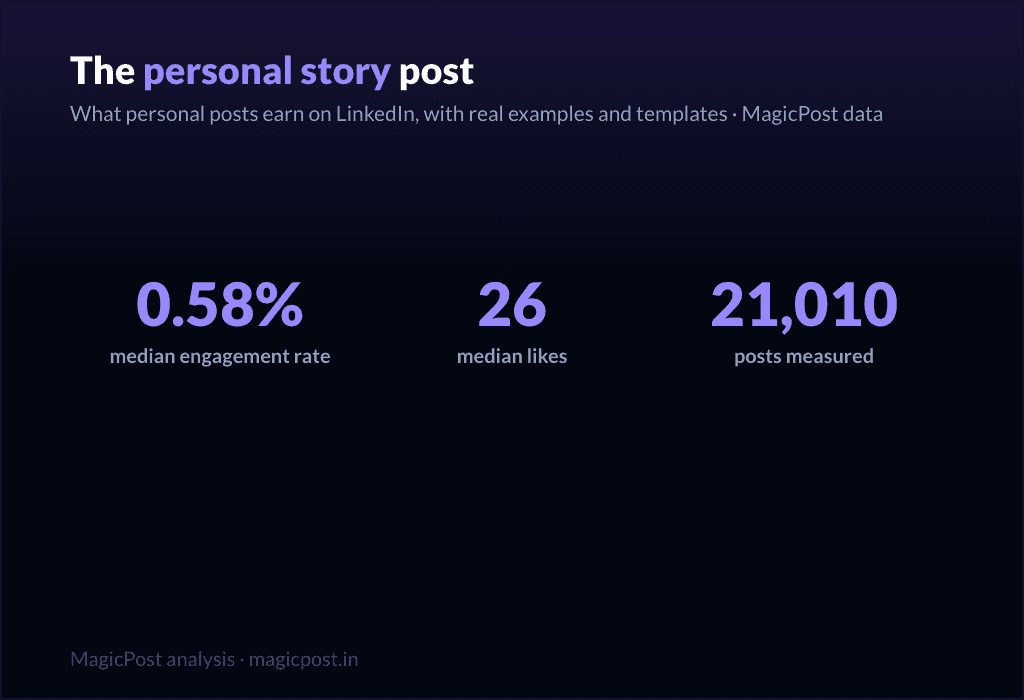
Family: Personal reflection. 0.58% median ER, 26 median likes, on 21,010 posts. Above the median on ER, lower on raw likes (26): it earns a high share of a smaller audience. Quiet, but it builds the relationship.
[A small, specific observation from your week: "[Tiny moment that made you think]."]
[Zoom out: what it made you realize about [work / people / yourself].]
[Hold the thought lightly. This is reflection, not a thesis.]
[An open-ended line that lets people sit with it too.]
When to use it: the in-between days, to stay human and not just useful, including the lighter seasonal beats covered in the holiday post guide. Pairs well with the giving tier as connective tissue.
Tier 3: the asking templates (use sparingly)
Here is the part most template pages hide. Every promotional family sits below the 0.39% median. These templates ask the reader for something (a click, a signup, a sale) and the feed charges you for it. They are necessary (you have to sell sometime) but they are a tax, not a treat. Earn the right with the tiers above, then spend it here, rarely.
11. The launch announcement
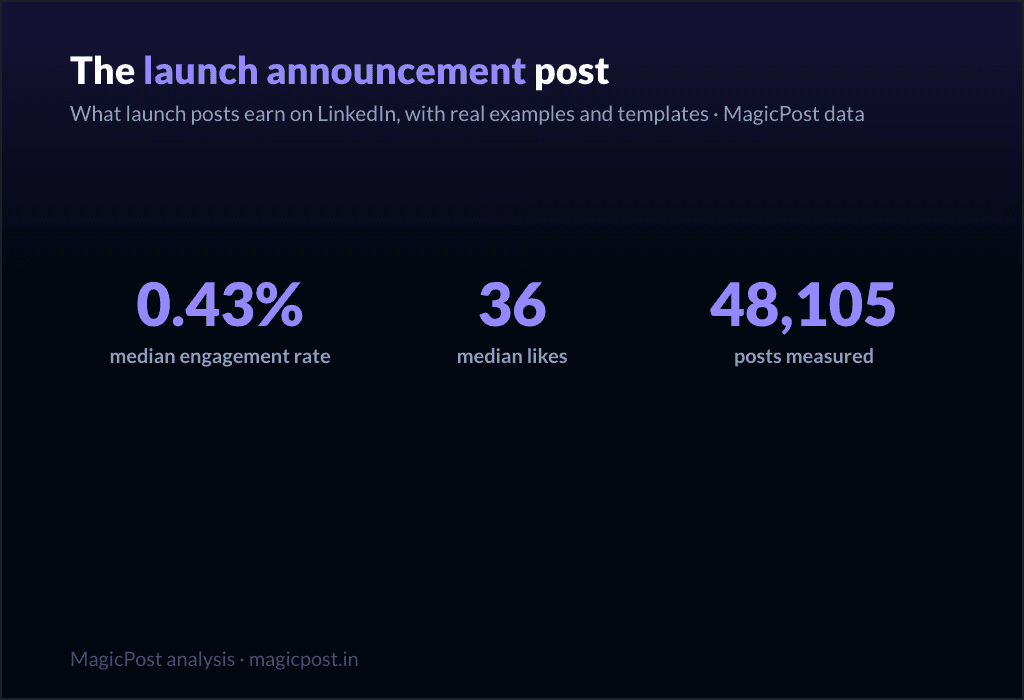
Family: Launch announcement. 0.43% median ER, 36 median likes, on 48,105 posts. The least-bad of the asking templates, slightly above median on ER but thin on comments (5). Still, do not lead your whole feed with launches.
[The news, but framed as a reader benefit, not a press release: "If you [reader problem], this is for you."]
[The problem it solves, in the reader's words.]
[What it is, in one clear line. Then one proof point.]
[The single next step. One CTA, not five.]
When to use it: an actual launch, used once or twice per launch, not as a daily drumbeat. Deep version in the product launch post guide.
12. The value-first sale
Family: Value-first selling. 0.33% median ER, 34 median likes, on 57,659 posts. Below the median (0.33%), which is the honest cost of selling, even when you wrap it in value.
[Lead with a free, genuinely useful insight. Give before you ask.]
[Make the insight complete on its own. It must stand without the pitch.]
[The soft bridge: "This is also exactly what [your offer] does for you."]
[A low-pressure invitation, not a hard close.]
When to use it: when you need to sell but want to protect the relationship. It is the gentlest asking template, and still below median, which tells you something. More patterns in the sales post examples and the wider promotion post examples.
13. The comment-gated lead magnet
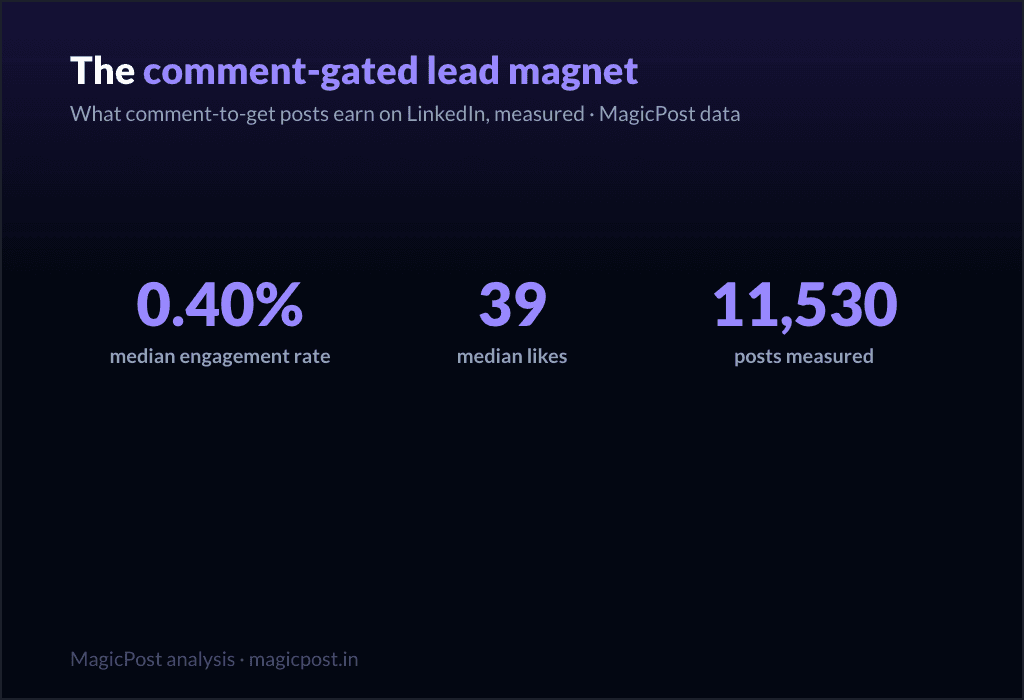
Family: Comment-gated lead magnet. 0.40% median ER, 39 median likes, on 11,530 posts. Right at the median on ER, but look at the comments: 17 median comments, second only to the tips list. The "comment X and I will send it" mechanic manufactures comments by design.
[The valuable thing you are giving away: "[Resource] that [specific outcome]."]
[Proof it is worth wanting: one line on what is inside.]
[The gate: "Comment '[word]' and I will send it to you." Keep the word short.]
[A reason to act now, lightly.]
When to use it: when you have a real asset and want both distribution and a comment spike. Be aware the comments are partly mechanical, not pure enthusiasm. Full mechanics in the lead magnet post guide.
14. The webinar invite
Family: Webinar signup push. 0.31% median ER, 32 median likes, on 51,864 posts. One of the two lowest families in the whole table (0.31%). Event posts ask for a calendar commitment, and the feed knows it.
[The outcome of attending, first: "Leave knowing how to [specific result]."]
[Who it is for, in one line. Disqualify the wrong people on purpose.]
[The logistics, compressed: date, time, format. One line.]
[The single registration link. Make the action trivial.]
When to use it: a real event, posted no more than two or three times in the run-up, spaced out. Lead with the giving tier in between. Full template set in the webinar post guide.
15. The podcast / video share
Family: Podcast / video share. 0.29% median ER, 36 median likes, on 32,031 posts. The lowest-performing family in the entire dataset (0.29%). Sharing content you made elsewhere asks people to leave the feed, and they mostly do not.
[The single best idea from the episode, stated as its own standalone insight.]
[One more: a surprising quote or moment, paraphrased.]
[Make the post valuable even if nobody clicks. That is the whole trick.]
[Then, almost as an afterthought: "Full conversation in the comments / link."]
When to use it: when you genuinely want to drive listens or views, knowing it is the weakest template on this list. The fix is the same every time: make the post worth reading on its own, and treat the click as a bonus.
The pattern, in one line: give four times for every time you ask. The data is unambiguous, and so is the playbook. MagicPost handles the drafting, the calendar, and the post-performance numbers together, so you build your week from the giving tier and spend the asking tier only when you have earned it.
Where this data comes from
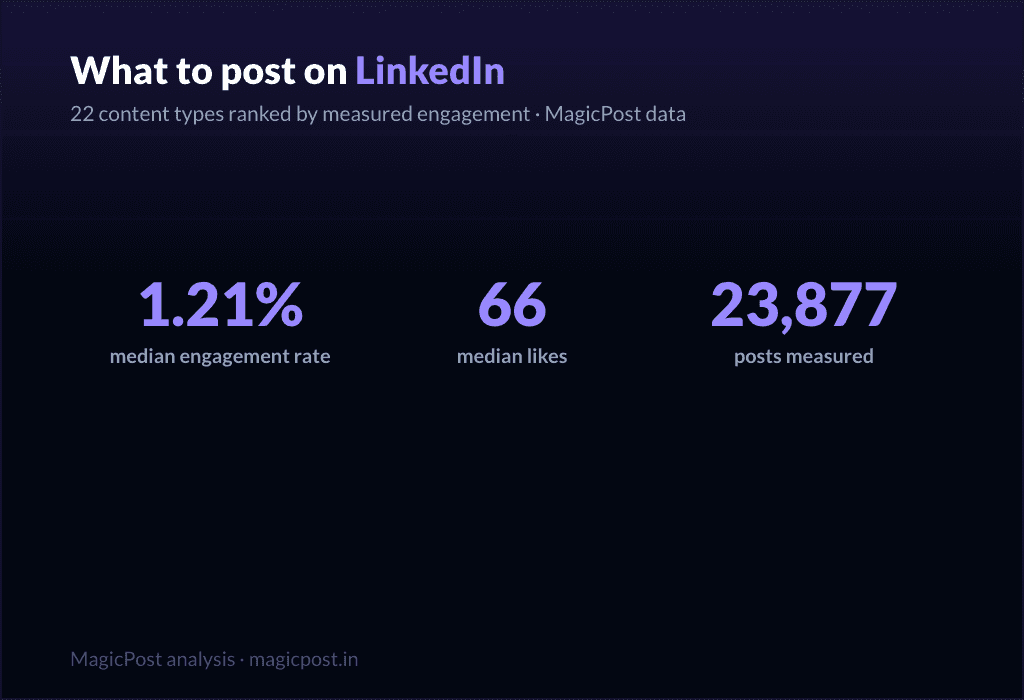
Everything on this page is MagicPost's own research. We classified 1,141,932 LinkedIn posts into the template family each one belongs to, then ranked the families by median engagement rate: likes plus comments divided by the author's follower count, expressed as a percentage. The overall median across the whole corpus is a 0.39% engagement rate, the line we use to separate "above median" from "below median" throughout. Each family also reports its median likes and its sample size (n), shown in the table and beside every template. We use medians, never averages, so viral outliers cannot move a row. Engagement-rate figures are aggregated and anonymized.
FAQ
Qual è il miglior template per i post LinkedIn?
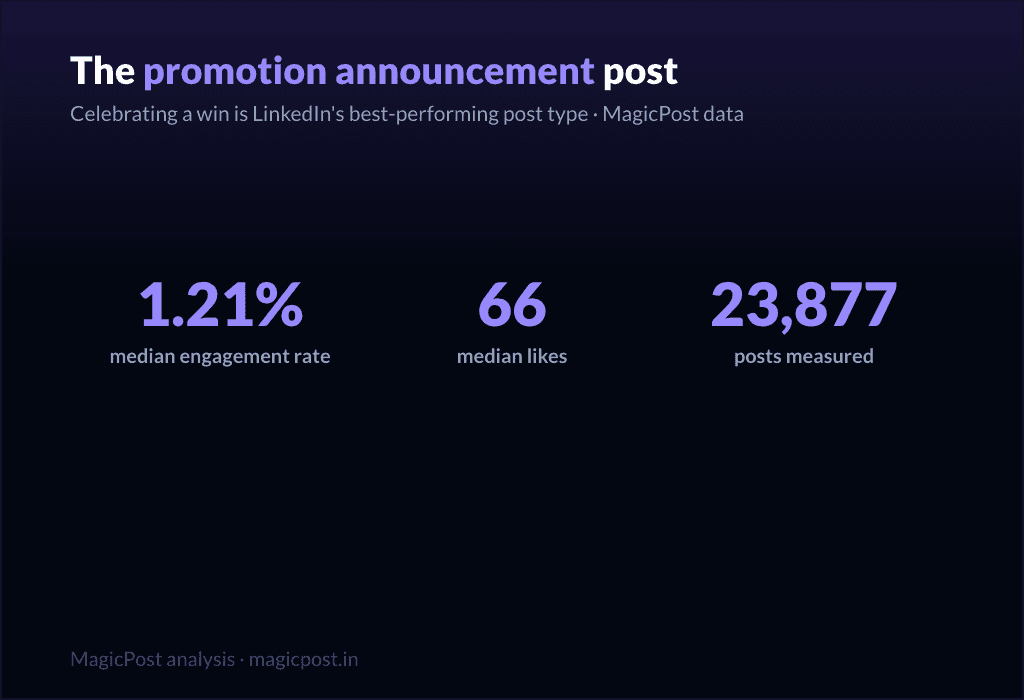
By measured engagement on 1,141,932 posts, the best template family is the win announcement (celebrating a win): a 1.21% median engagement rate and 66 median likes, the highest of any family. More broadly, the top tier is what we call the "giving templates," the ones that hand the reader something before asking for anything: celebrating a win (1.21%), challenges overcome (1.03%, 51 median likes), the hard moment (0.80%, 47 median likes), lessons learned (0.70%, 32 median likes) and the situation recap (0.68%, 45 median likes). All five clear the 0.39% overall median comfortably. The worst templates are the promotional ones, all of which sit below that median.
Quanti template di post LinkedIn esistono?
There are as many wordings as there are tools, but they collapse into a smaller number of real families. We measured 22 of them, from celebrating a win (1.21% median ER) down to podcast / video share (0.29%). The 15 fill-in skeletons on this page cover the families worth using, sorted into three performance tiers.
I template per i post promozionali funzionano su LinkedIn?
They work, but they cost you. Every promotional family sits below the 0.39% overall median: launch announcement (0.43% ER, the least-bad), value-first selling (0.33%, 34 median likes), comment-gated lead magnet (0.40%), webinar signup push (0.31%) and podcast / video share (0.29%, the lowest of all 22 families). Use them when you must, sparingly, and earn the right with the giving templates first.
Quale template LinkedIn ottiene più commenti?
The tips / rules list, with 23 median comments, the highest of any family, despite a middling 0.49% engagement rate and 57 median likes. The comment-gated lead magnet is next at 17 median comments, though those are partly manufactured by the "comment to receive" mechanic. If conversation is your goal rather than likes, a rules list is the template to reach for.
I template di storytelling sono davvero migliori dei template how-to?
Yes, clearly. Challenges overcome (1.03% ER), hard moment (0.80%) and lessons learned (0.70%) all beat the teaching families like explainer / analysis (0.40%, 21 median likes) and punchy advice (0.44%, 28 median likes), even though those teaching families are far more heavily used (explainer / analysis alone covers 83,180 posts). The crowd writes how-to; the data rewards story.
Dove posso vedere esempi reali di questi template?
Beyond the skeletons here, LinkedIn post examples collects real posts for each family, and the family-specific guides linked throughout (the personal story post, lessons learned post, contrarian post and others) go deeper on each one with multiple worked examples.