LinkedIn-Emojis sind keine Dekoration. Wenn du sie richtig verwendest, verbessern sie die Lesbarkeit, signalisieren dem Algorithmus die Struktur und machen Beiträge auf dem Handy leichter zu scannen.
Wenn du sie aber falsch verwendest, wirken deine Inhalte unprofessionell und lassen deine Reichweite einbrechen.
Hier sind die Emojis, die funktionieren, warum sie funktionieren, und eine vollständige Copy-Paste-Referenzliste, nach Anwendungsfall geordnet.
Helfen Emojis dem LinkedIn-Engagement?
Ja, bis zu einer bestimmten Obergrenze. Eine Analyse von über 4,5 Millionen LinkedIn-Posts ergab Folgendes:
Beiträge mit 15 bis 16 Emojis haben eine 2,5-mal höhere Wahrscheinlichkeit, 100 oder mehr Reaktionen zu erzielen.
Die Engagement-Kurve steigt bis etwa 18 Emojis stark an und flacht dann ab.
Ab 20 Emojis sinkt das Engagement.
Der Mechanismus besteht nicht darin, dass Emojis an sich ansprechend sind. Sie schaffen vielmehr eine visuelle Struktur, die die kognitive Belastung auf mobilen Bildschirmen verringert, wodurch Leser länger im Beitrag bleiben, was der Algorithmus als Verweildauer-Signal interpretiert.
70 % der LinkedIn-Aktivität findet auf Mobilgeräten statt. Ein dichter Block aus reinem Text verliert Leser in den ersten zwei Sekunden.
Strukturierter Text mit klaren visuellen Absätzen hält die Aufmerksamkeit. Emojis sind der schnellste Weg, diese Struktur zu schaffen, ohne spezielle Formatierungstools zu benötigen.
Zahlen auf einen Blick |
|---|
80 % der LinkedIn-Posts enthalten keine Emojis. 90,42 % enthalten zwei oder weniger. Wenn Sie sie konsequent einsetzen, liegen Sie bereits vor der großen Mehrheit der Inhalte auf der Plattform. |
Das ✨-Funkel-Emoji ist 57,7 % beliebter als das am zweithäufigsten verwendete Emoji in B2B-Social-Posts. Es funktioniert, weil es Neuheit signalisiert, ohne locker zu wirken. |
Native Dokument-Posts (Karussells und PDFs) führen 2026 alle Formate mit durchschnittlich 7 % Engagement an, teilweise weil ihre Struktur auf einer klaren visuellen Hierarchie beruht, die Emojis und Formatierungen auch in Text-Posts verstärken. |
Verbundene Emojis zum Kopieren und Einfügen
Kopiere jedes Emoji direkt aus diesem Abschnitt und füge es in deinen LinkedIn-Post ein. Wir haben sie danach organisiert, wie sie in B2B-Inhalten tatsächlich verwendet werden, statt nach der Unicode-Kategorie.
Post-Einstiege und Aufmerksamkeitsfänger
Verwende diese am Anfang deines Beitrags, um das Scrollen zu stoppen. Sie funktionieren am besten in der ersten Zeile, vor dem „Mehr anzeigen“-Abschneiden. Das nennt man einen Hook.
🔥 ⚡ 🚨 👀 💡 🎯 🚀 ✨ 💥 ❗ 🛑 👇 📢 📣 🔔 ⚠️ 🗣️ 💬
Ersetzungen für Aufzählungspunkte
Ersetze standardmäßige Aufzählungspunkte durch diese, um in listenbasierten Beiträgen eine visuelle Hierarchie zu schaffen. Sie funktionieren gut in Karussells und Textbeiträgen mit mehreren Punkten.
✅ ✔️ 📌 👉 ▶️ 🔹 🔸 🔷 🔶 ➡️ ⭐ 🌟 💎 🏆 🎖️ 🥇
Abschnittstrenner
Verwende diese zwischen Abschnitten in längeren Beiträgen, um einen Themenwechsel oder eine neue Idee anzuzeigen. Sie helfen den Lesern, sich ohne Zwischenüberschriften zurechtzufinden.
➖ ➕ 〰️ 🔱 ⚜️ 🔲 🔳 ▪️ ▫️ ◾ ◽
Business, Strategie und Wachstum
Diese sind relevant für Beiträge über Ergebnisse, Geschäftserfolge, Umsatz und Meilensteine des Unternehmens.
📈 📊 💼 🏦 💰 💵 🤝 🧩 🔑 🗝️ 📋 📝 🖊️ 📌 🗓️ ⏱️ ⏰ 🏗️ 🏢 🌐 🔗
Technologie, KI und Innovation
Diese sind nützlich für SaaS-, Tech- und KI-orientierte Inhalte. Sie signalisieren technische Glaubwürdigkeit, ohne zu wörtlich zu sein.
💻 🖥️ 📱 🤖 🧠 ⚙️ 🔧 🔬 🧪 🛠️ 🌐 📡 🔌 💾 🖱️ ⌨️ 🔐 🔒
Menschen, Teams und Führung
Für Beiträge über Recruiting, Kultur, Management und Teamdynamik verwende diese Emojis.
👥 🤝 👏 🙌 💪 🏆 🎓 👑 🧑💼 👩💼 👨💼 🗣️ 🫱🏼🫲🏽 🫶 ❤️ 🧡
Lernen, Erkenntnisse und Thought Leadership
Für Bildungsbeiträge, gelernte Lektionen, Frameworks und Expertenmeinungen sind dies die Emojis, die du verwenden solltest.
💡 🔭 📚 📖 🧭 🗺️ 🎯 🤔 🧐 💭 💬 📣 📝 ✏️ 🖊️ 📐 📏
Call to Action
Verwende diese Emojis am Ende von Beiträgen, um Leser zum Kommentieren, Teilen oder Klicken auf einen Link zu animieren.
👇 👆 👉 ➡️ 🔗 💬 🗨️ ♻️ 📩 📧 📲 🖱️ ✍️
Reaktionen und Emotionen (sparsam verwenden)
Diese Emojis sind nützlich, um Beiträgen Persönlichkeit und Wärme zu verleihen. Verwende höchstens ein oder zwei und nur dort, wo sie wirklich zum Ton passen.
😊 🙏 🥳 🎉 🎊 😎 🤩 🫡 💯 🙌 👍 ❤️ 🧡 💛 💚 💙 💜
Wie viele Emojis solltest du in einem LinkedIn-Beitrag verwenden?
Die Daten deuten auf 15 bis 18 Emojis als optimalen Bereich für die höchste Interaktionswahrscheinlichkeit hin.
In der Praxis mag diese Zahl hoch klingen, aber sie summiert sich schnell, wenn du Emojis als strukturelle Marker statt als Dekoration verwendest.
Ein Beitrag mit 10 Aufzählungspunkten, denen jeweils ein ✅ vorangestellt ist, hat bereits 10 Emojis, bevor du ein einziges Wort Fließtext schreibst.
Füge ein paar Abschnitts-Einstiege und einen CTA-Marker hinzu, und schon bist du ohne Anstrengung bei 15.
Die Regel, auf die es wirklich ankommt, ist nicht die Anzahl; es ist die Funktion. Jedes Emoji sollte etwas tun: einen Listenpunkt markieren, einen Abschnitt öffnen, einen CTA signalisieren oder das Scrollen in der ersten Zeile stoppen. Wenn du nicht erklären kannst, warum ein Emoji dort ist, entferne es.
Emoji-Anzahl | Wirkung |
|---|---|
0 | Keine visuelle Struktur. Gut für kurze, prägnante Textposts. Riskant für alles Längere. |
1 bis 5 | Minimale Struktur. Funktioniert für Posts mittlerer Länge mit ein oder zwei Kernpunkten. |
10 bis 18 | Optimaler Bereich. Posts mit strukturierten Listen und klaren Abschnitten landen hier ganz natürlich. |
20+ | Abnehmender Nutzen. Kann schnell überladen wirken, wenn Emojis dekorativ statt funktional eingesetzt werden. |
✅ Profi-Tipp: Das erste Emoji in deinem Beitrag ist das wichtigste. Es erscheint vor dem „Mehr anzeigen“ Abbruchpunkt bei ungefähr 140 Zeichen und gibt den Ton dafür an, ob jemand weiterliest. Verwende lieber einen aufmerksamkeitsstarken Einstieg (🔥 💡 🚨) als einen dekorativen.
Wie man einen LinkedIn-Beitrag für maximale Lesbarkeit formatiert
Emojis funktionieren am besten als Teil eines umfassenderen Formatierungsansatzes. LinkedIn unterstützt in Feed-Beiträgen kein Markdown, keine Überschriften und keine nativen Aufzählungspunkte.
Alles ist reiner Text, was bedeutet, dass die visuelle Struktur manuell erstellt werden muss.
Das Format, das auf Mobilgeräten am besten funktioniert, sind kurze Absätze, die durch Zeilenumbrüche getrennt sind, wobei Emojis den Beginn jedes Kernpunkts markieren. So sieht die Struktur in der Praxis aus:
🚨 Einstiegszeile, die das Scrollen stoppt (vor dem „Mehr anzeigen“-Abschnitt)
Kontext in ein oder zwei Sätzen. Nicht mehr.
✅ Punkt eins. ✅ Punkt zwei. ✅ Punkt drei.
Abschließende Erkenntnis oder Kernaussage.
👇 CTA. Was sollen sie als Nächstes tun?
Bevor du veröffentlichst, prüfe, wie dein Beitrag auf dem Mobilgerät aussieht. Die LinkedIn-Beitragsvorschau zeigt dir genau, wo der „Mehr anzeigen“-Abschnitt endet und wie deine Formatierung auf Desktop und Mobilgeräten dargestellt wird.
Die erste Zeile richtig zu machen, ist die wirkungsvollste Formatierungsentscheidung, die du treffen kannst.
Welche LinkedIn-Emoji- und Formatierungsfehler zerstören deine Reichweite?
Der größte Schaden durch Formatierung entsteht nicht durch zu viele Emojis. Er entsteht, wenn sie so eingesetzt werden, dass sie dem Algorithmus oder dem Leser minderwertige Inhalte signalisieren.
Fehler | Warum es schadet | Lösung |
|---|---|---|
Emojis nur als reine Dekoration verwenden | Fügt nur Rauschen hinzu und lenkt ab. Leser scrollen vorbei; der Algorithmus sieht eine geringe Verweildauer. | Verwende Emojis nur, wenn sie eine strukturelle Funktion erfüllen. |
Identische Emoji-Kombinationen in mehreren Beiträgen | LinkedIn erkennt wiederkehrende Formatierungsmuster, die mit vorlagenbasierten Inhalten verbunden sind. | Variiere die Struktur deiner Beiträge. Wechsle die Einstiege und Markierungen, die du verwendest. |
Emoji in der Überschrift eines geteilten Artikels | Wird in der Vorschaukarte oft seltsam dargestellt und wirkt unprofessionell. | Verwende Emojis im Beitragstext, nicht im Linktitel. |
Übermäßiger Einsatz von 🙏 und 💯 in beruflichen Kontexten | Sie wirken locker oder generisch. Auf der Plattform so oft verwendet, dass sie kaum noch auffallen. | Hebe dir emotionale Emojis für Beiträge auf, in denen sie wirklich zum Ton passen. |
Keine Zeilenumbrüche zwischen emoji-geführten Punkten | Ohne Leerraum wirken selbst strukturierte Beiträge auf Mobilgeräten dicht gedrängt. | Füge zwischen jedem Aufzählungspunkt oder Abschnitt eine Leerzeile ein. Eine Idee pro Absatz. |
Wie fügt man Emojis auf LinkedIn von einem PC oder Mac ein?
Sie benötigen kein separates Tool. Sowohl Windows als auch Mac haben integrierte Emoji-Auswahlen.
Windows: Drücken Sie Win + ; (Semikolon) oder Win + . (Punkt), um die Emoji-Auswahl zu öffnen. Suchen Sie nach Stichwort oder stöbern Sie nach Kategorie.
Mac: Drücken Sie Cmd + Ctrl + Space, um den Emoji-Viewer zu öffnen. Klicken Sie auf ein beliebiges Emoji, um es an der Cursorposition einzufügen.
Aus diesem Artikel: Kopieren Sie ein beliebiges Emoji direkt aus dem Referenzabschnitt oben und fügen Sie es in Ihren LinkedIn-Beitrag oder MagicPost-Entwurf ein.
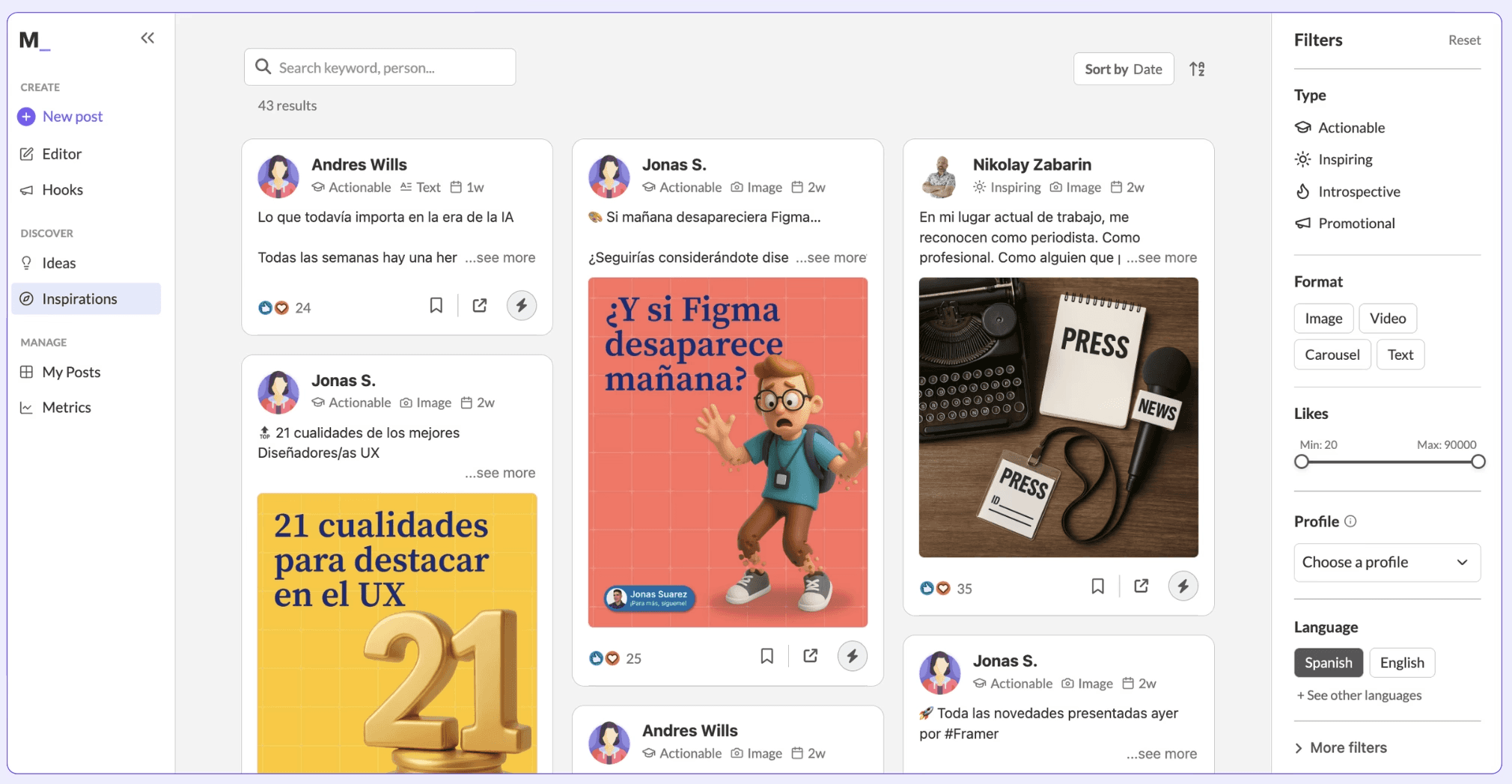
Wenn Sie LinkedIn-Beiträge mit MagicPost verfassen, werden Emojis und Formatierung als Teil des Entwurfs-Workflows behandelt.
Der KI-Post-Generator enthält bereits passende strukturelle Markierungen basierend auf Ihrem Schreibstil und Beitragstyp, sodass Sie Emojis nicht manuell einzeln einfügen.
Möchten Sie Beiträge, die bereits formatiert und strukturiert sind, wenn Sie sie entwerfen? Probieren Sie MagicPost kostenlos aus; keine Kreditkarte erforderlich.
Where this data comes from
The data here is ours, gathered in-house rather than borrowed from a survey. Core figures: 1,201,129 LinkedIn posts published over the last 12 months (reshares and deleted posts excluded), with the emoji count computed per post at build time, then grouped on median engagement. The presence cut compares 545,208 posts with no emoji against 655,921 with at least one. The count curve buckets posts by exact emoji count, 0 through 9, with a final 10-or-more band. History: the same corpus from 2022 to mid-2026, tracking the share of posts using at least one emoji within each year, directional by construction since the corpus grows over time. The follower-band control re-runs the presence cut inside each band, people only. Everything is reported as a median, not a mean, so one runaway post cannot pull a number off its mark. These figures come from our June 2026 pull and shift as the data set keeps growing.
FAQ
Sollte man auf LinkedIn Emojis verwenden?
Sie helfen, wenn sie strukturell verwendet werden. Eine Analyse von 4,5 Millionen Beiträgen zeigt, dass 15 bis 16 Emojis pro Beitrag die Wahrscheinlichkeit, 100+ Reaktionen zu erzielen, um das 2,5-Fache erhöht.
Der Algorithmus belohnt Beiträge, die Verweildauer erzeugen, und strukturierter Text mit visuellen Markierungen hält Leser länger bei der Stange als dichter Fließtext. Der Vorbehalt ist, dass dekorative oder übermäßige Emoji-Nutzung minderwertige Inhalte signalisiert.
Wie viele Emojis sollte man in einem LinkedIn-Post verwenden?
Der optimale Bereich liegt basierend auf den Engagement-Daten bei 15 bis 18. Das klingt nach viel, summiert sich aber schnell, wenn Sie Emojis als Ersatz für Aufzählungspunkte und Abschnittsmarkierungen verwenden.
Die nützlichere Regel ist, dass jedes Emoji einem Zweck dienen sollte: ein Listenelement markieren, einen Abschnitt einleiten oder auf einen CTA hinweisen. Wenn es rein dekorativ ist, entfernen Sie es.
Schaden zu viele Emojis Ihrer LinkedIn-Reichweite?
Bei B2B-Content schneiden strukturelle Marker durchweg besser ab als dekorative. Die ✅, 📌, 👉 und ➡️ für Listen; 💡, 🔥 und ✨ für Einstiege; sowie 👇 oder 💬 für CTAs.
Das ✨-Glitzer-Emoji ist in B2B-Social-Content 57,7 % beliebter als sein nächster Konkurrent, weil es Neuheit signalisiert, ohne locker zu wirken.
Welche Emojis funktionieren auf LinkedIn am besten?
Ja. Emojis werden in LinkedIn-Überschriften, im Info-Bereich und in Erfahrungsbeschreibungen korrekt dargestellt. Sie werden häufig in Überschriften verwendet, um Rollentitel von Wertversprechen zu trennen (z. B. „Gründer bei X 🚀 SaaS-Teams dabei helfen, ihre Pipeline über LinkedIn auszubauen“).
Verwende in einer Überschrift höchstens ein oder zwei. Das Ziel ist Hervorhebung, nicht Dekoration.
Kommen Emojis auf LinkedIn aus der Mode?
LinkedIn hat keine veröffentlichte Emoji-Strafe, aber der Algorithmus bestraft geringes Engagement, und Beiträge mit übermäßig vielen oder dekorativen Emojis schneiden tendenziell schlechter ab, weil sie als wenig aufwendig oder nach Vorlage erstellt wirken.
Die praktische Obergrenze auf Basis von Engagement-Daten liegt bei etwa 18 bis 20 Emojis. Darüber hinaus nehmen die Erträge ab.