" height="26.80529977783203px" id="tymKb8bqC" width="128.00300311279295px"/><path d="M 0 2.417 L 0 0 L 12.909 0 L 12.909 2.417 Z" fill="rgb(126, 78, 253)" height="2.417099999999998px" id="aYr4em6zK" transform="translate(128.341 22.325)" width="12.908999999999992px"/></svg>)

"/><stop offset="1" stop-color="rgb(118, 37, 250)"/></linearGradient></defs><g d="M 19.242 21.22 L 19.362 6.204 L 19.272 6.204 L 13.757 21.22 L 10.161 21.22 L 4.796 6.204 L 4.706 6.204 L 4.825 21.22 L 0 21.22 L 0 0 L 7.283 0 L 12.109 13.607 L 12.229 13.607 L 16.844 0 L 24.247 0 L 24.247 21.22 Z M 26.421 26.113 L 26.421 23.445 L 41.407 23.445 L 41.407 26.113 Z" fill="transparent" height="26.112508199679183px" id="DvfaAIHYn" width="41.40731898311435px"><path d="M 19.242 21.22 L 19.362 6.204 L 19.272 6.204 L 13.757 21.22 L 10.161 21.22 L 4.796 6.204 L 4.706 6.204 L 4.825 21.22 L 0 21.22 L 0 0 L 7.283 0 L 12.109 13.607 L 12.229 13.607 L 16.844 0 L 24.247 0 L 24.247 21.22 Z" fill="rgb(46, 46, 46)" height="21.220180016149442px" id="pLsxRCobd" width="24.247352589074694px"/><path d="M 0 2.668 L 0 0 L 14.986 0 L 14.986 2.668 Z" fill="url(%23yD9d4I5GR-3279285344-linear-gradient)" height="2.6675085048549647px" id="yD9d4I5GR" transform="translate(26.421 23.445)" width="14.986002836263765px"/></g></svg>)

Camelia Khadraoui
The name says it all: being linked in, because networking is the foundation of professional success.
LinkedIn is a huge social media platform built for connections, where professionals and businesses meet to network and collaborate.
As of 2026, the platform counts over 1 billion members worldwide. But it's not just for job opportunities; it's also great for B2B marketing and social selling.
This guide covers everything you need to know, from building your profile to using InMails, exporting contacts, and managing limits or restrictions.
Understanding LinkedIn Features
If you think LinkedIn is just for job hunting, think again.
LinkedIn is much more than an online résumé. If you don’t use it, you risk missing out on valuable opportunities to learn, connect, and get noticed.
Whether you’re a job seeker, recruiter, or business owner, understanding how LinkedIn's tools will help you make the most of your time on the platform.



Setting Up Your LinkedIn Profile
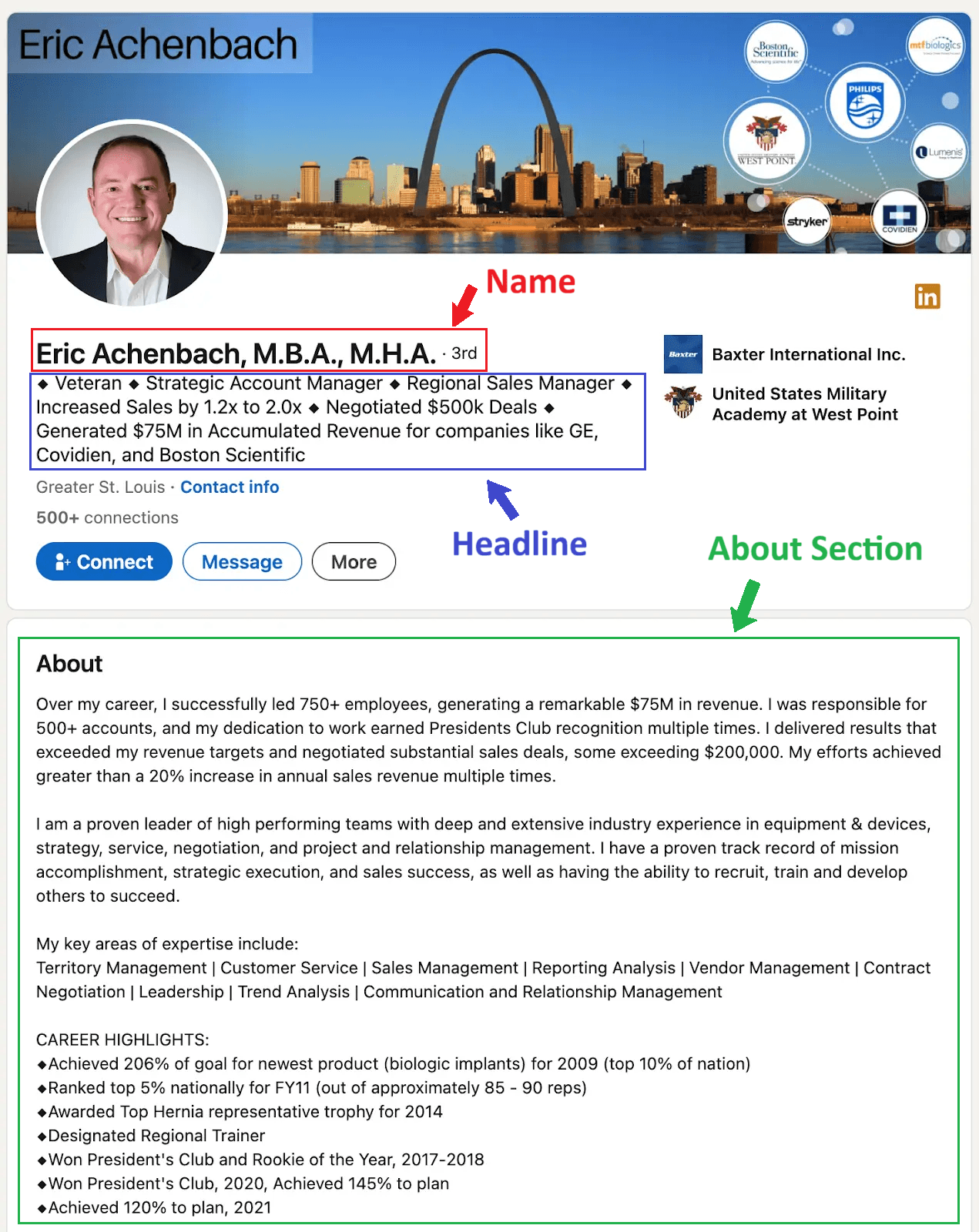
Your profile is your online first impression. It’s where people decide whether to connect with you or move on.
Photos: start with a professional profile picture and a banner that reflects your field. You can get creative with your designs or add logos of your selected clients. For more information, read our article about LinkedIn Profile Picture Do’s and Don’ts.
Headline: Your headline is your online first impression, so choose your words carefully. Mention what you do while keeping a personal touch. The goal is to keep people interested in connecting with you. Check out this article for more rules about how to Write Your LinkedIn Headline.
About: Use this section to tell your story. How did you get where you are? Why do you love it? What have you achieved? It can be short to medium length, but it must be authentic.
Finally, make your profile active: post updates, comment thoughtfully, and engage with people. LinkedIn rewards consistency with greater visibility.
InMails
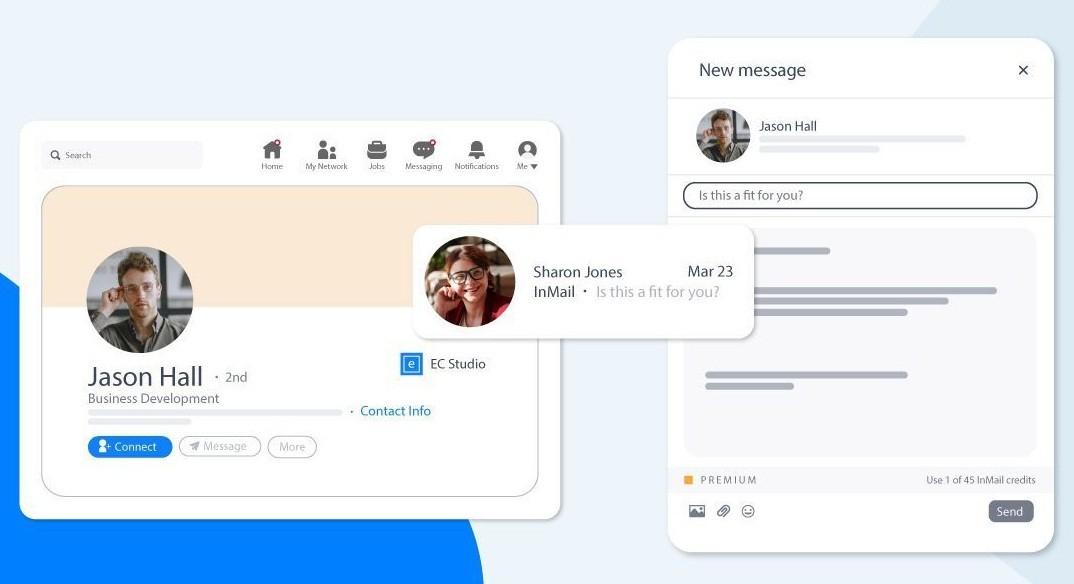
InMails are private messages you can send to people you’re not connected with. They’re mostly used by recruiters, sales professionals, and networkers who want to reach out directly.
Unlike regular messages, InMails are part of LinkedIn’s premium features and allow you to contact anyone without a prior connection.
To make InMails effective, you need to:
Be brief and personal.
Avoid generic templates.
End with a clear question, invitation, or business proposal.
When used wisely, InMails can open doors that regular posts can’t.
Contact Export
LinkedIn allows you to export your connections into a spreadsheet.
This is particularly useful for organizing your network, managing outreach, or transferring contacts into a Customer Relationship Management tool (CRM).
To export your contacts, go to Settings > Data Privacy > Get a copy of your data. Select “Connections,” and LinkedIn will email you a download link.
Tips: Use this data responsibly. These contacts trusted you enough to connect with you, so don’t spam or misuse their information. Instead, see it as a way to nurture relationships beyond the platform.
Connection Limits
LinkedIn encourages quality over quantity. You can have up to 30,000 direct connections, and each account has daily invitation limits to prevent spam.
If you send too many requests at once, or to people who don’t accept, you might get temporarily blocked from inviting others.
To avoid this turmoil and grow safely on the platform:
Only connect with people you genuinely share interests with.
Add a short note when sending a request.
Focus on engagement, not numbers.
A smaller, engaged network is far more valuable than thousands of silent connections.
Restricted Accounts
LinkedIn restricts accounts when it detects unusual activity, such as sending too many invitations or, of course, violating community policies.
However, if your account is restricted, LinkedIn will inform you of the reason and provide instructions for recovering it.
Typically, you will need to verify your identity or agree to the updated terms of use. To avoid restrictions:
Don’t use bots or third-party automation tools.
Keep your messaging natural and professional.
Respect others’ privacy and avoid aggressive outreach.
Staying compliant ensures that you can continue building your network without interruptions.
How to Use LinkedIn for Different Goals
Despite it being a career-oriented platform, LinkedIn can be whatever you make of it: a job listings board if you need work, a B2B sales platform if you need to sell, a recruitment hub if you need candidates, or just a personal blog to build a reputation for yourself.
If You’re Looking for a Job
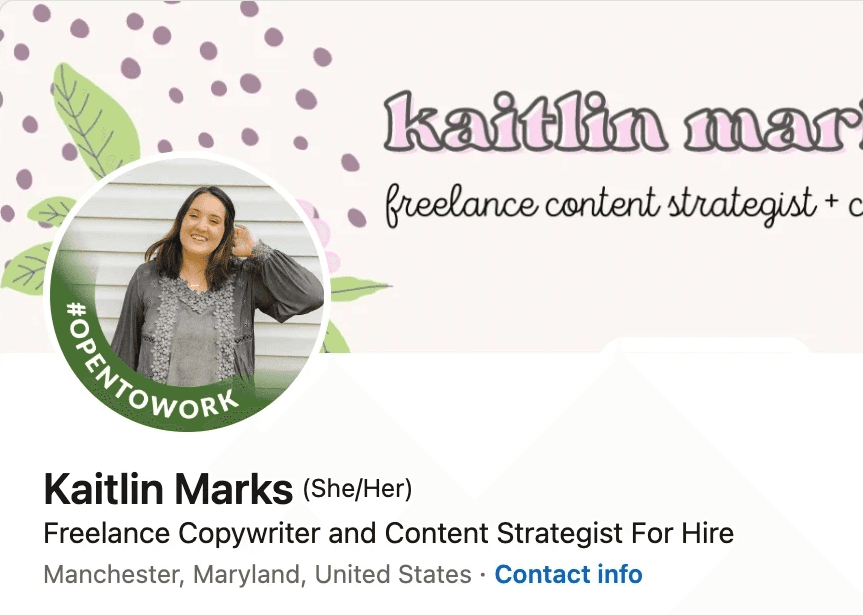
In 2025, 94% of recruiters use LinkedIn to find candidates. If you are looking for a new job, LinkedIn is the place to be.
Once your profile is set up, activate the “Open to Work” feature.
As the name suggests, it signals to recruiters that you’re available for work.
Since your LinkedIn profile acts as your digital resume, make it easy for recruiters to read by following these tips:
Highlight your success stories.
Add keywords from your target industry to your headline and About section.
Write a clear summary that showcases your strengths and value.
Feel free to contact hiring managers directly using InMails or connection requests.
Also, keep your messages brief, polite, and focused on how you can help.
Pro Tip: Set up job alerts and use filters to find the companies, roles, or locations you want. This saves time and helps you apply early for new jobs.
If You’re Hiring
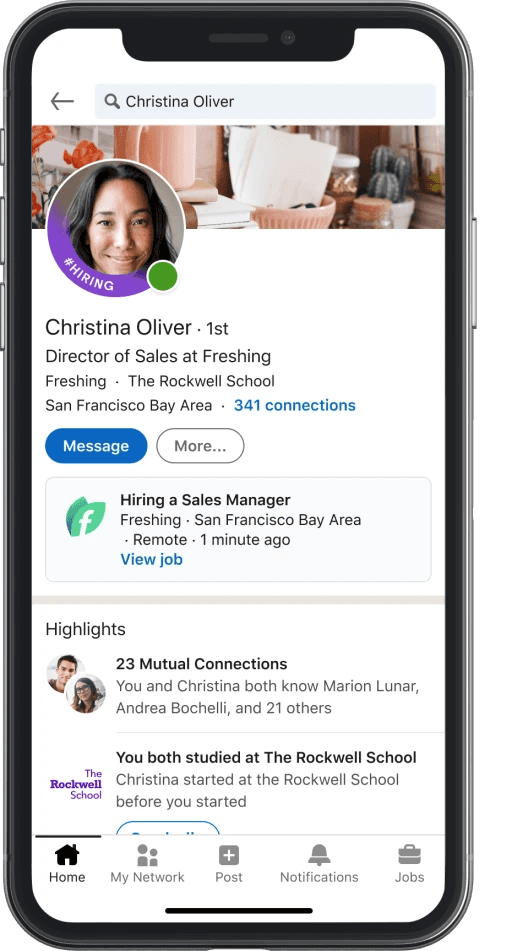
Looking for a job is hard, but finding the right candidate can be just as difficult.
To attract top candidates, use searchable keywords in your job posts that people are likely to search for, and write a clear description.
Use LinkedIn Recruiter and advanced filters to search for candidates by skills, experience, and open-to-work status.
When managing large candidate pools, export contacts or use CRM integrations to stay organized.
Tip: Don’t limit yourself to active applicants. Build a talent network by posting job offers regularly, employee stories, and leadership content. This attracts people who want to work with you.
If You Are A Business Owner
LinkedIn is a goldmine for B2B growth, when used correctly. First, identify and connect with prospects in your target market.
When you reach out, personalize each InMail. Avoid generic messages and mention something specific about their business to start a real conversation.
Build trust by posting regularly and growing your audience.
People prefer to buy from brands they trust; that is why you have to share educational content and professional experiences to prove your expertise.
Finally, export leads and manage them in your CRM. LinkedIn’s Sales Navigator helps you stay organized and follow up on time.
If You’re A Team Leader
To be seen as a leader, share your insights regularly and build a strong online presence.
To do so, be consistent. Comment on industry news, share what you have learned, or talk about challenges you have faced.
Go further by sharing personal experiences or behind-the-scenes glimpses of projects you worked on. This skyrockets your credibility and helps your name appear in searches beyond your immediate network.
Check LinkedIn analytics to see which posts get the most attention, when your audience is most active, and what topics spark discussion.
You could use MagicPost's analytics for a better view of your statistics.
Most importantly, connect with your peers by leaving thoughtful comments, collaborating, and building relationships offline when possible.
Creating Content On LinkedIn
LinkedIn allows you to share content in various formats: text, photos, videos, carousels, polls… It’s your choice to determine which format is most appropriate for you and your audience.
KISS (Keep it short and sweet):
On social media, users scroll quickly through their feeds, so it’s important to convey your message in as few words as possible.
Aim for brief, catchy headlines and captions that are easy to skim and comprehend.
Engage With Your Audience
Social media is about engagement, so write in a way that encourages interactions.
For example: Ask questions, use emojis and other digital graphics, and respond to comments and messages to build a personal connection with your audience.
Stay Relevant
Who wants to read old news? Right… Nobody!
Social media is about being in the moment, so it’s important to write content that's up to date with current events, trending topics, and popular hashtags.
Unless it made history, no one today wants to read (again) about the trending headlines of last month.
Track Your Analytics With MagicPost
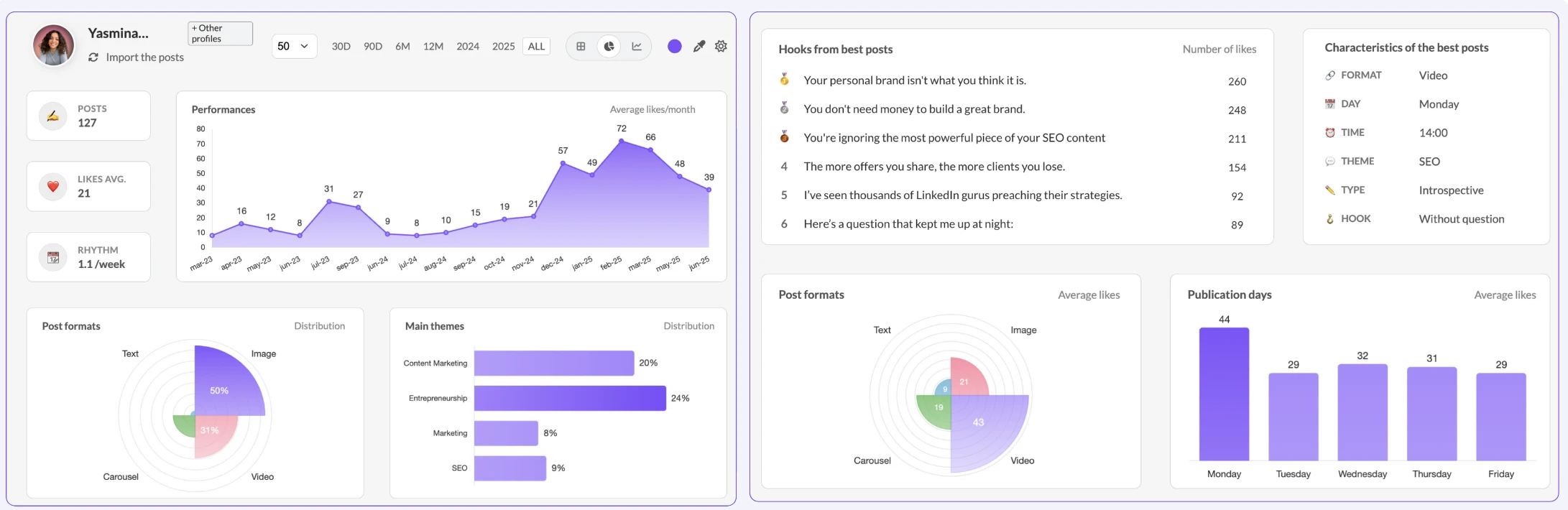
What's the point of posting good content if you don't track your numbers?
A great content creator keeps an eye on what’s working and what’s not.
Once a week, check your LinkedIn analytics to see which posts perform best, what time your audience engages most, and which content types drive the most reach and reactions.
👉 You can easily do this using MagicPost Analytics to track engagement and growth trends.
Find Your Tone
Your tone impacts how your message is received by the audience, so it’s important to choose a tone that is appropriate for your brand and audience.
For example, a serious tone may be appropriate for a corporate brand, while a light-hearted tone may be more suitable for a consumer brand.
Proofread Your Posts
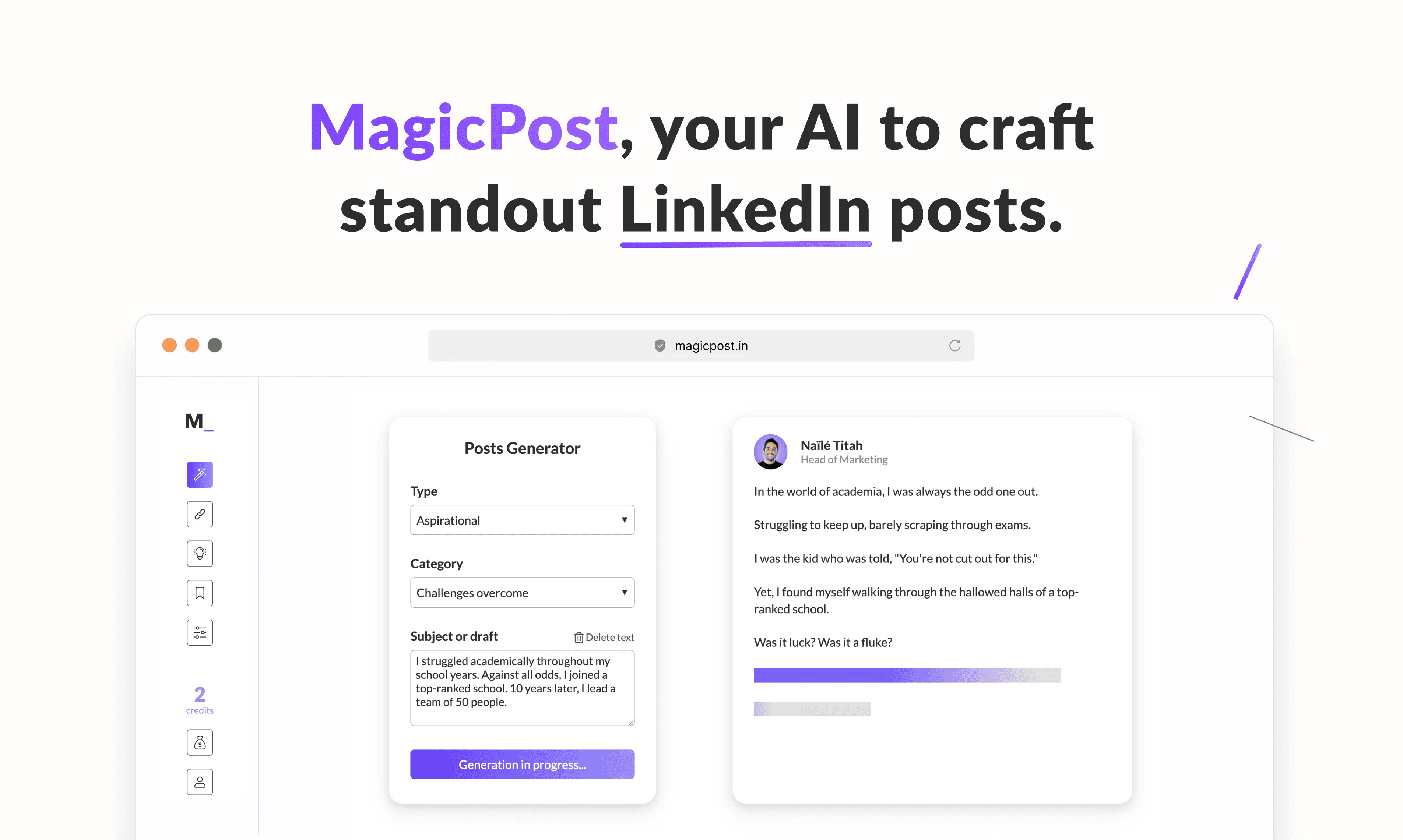
Finally, it’s important to take the time to edit and proofread your social media writing. Check for spelling and grammar errors, and ensure your content is concise, engaging, and easy to understand.
You can use MagicPost to create endless amounts of content, generate hooks, and schedule your posts, in a matter of minutes.
For more tips on how to optimize your posting time, watch this video about How To Create LinkedIn Posts using MagicPost
Repurpose Your Content
Don’t let your best ideas disappear after one post.
When you experience writer's block or need inspiration, you can repurpose your top-performing content into new formats.
For example, turn a blog post into a carousel or a video summary. This helps you maintain consistency with minimal effort.
👉 Read more in our guide on how to repurpose your old content.
LinkedIn शिष्टाचार पर सुझाव
LinkedIn अन्य सामाजिक मीडिया साइटों से भिन्न है। यहाँ, उपयोगकर्ताओं को कुछ अनकहे नियमों का पालन करने और अपने संदेशों और टिप्पणियों को पेशेवर रखने की अपेक्षा होती है।
LinkedIn का सही उपयोग करने के लिए, ईमानदार और सम्मानित रहने पर ध्यान केंद्रित करें। यह वास्तविक कनेक्शनों के लिए है, न कि स्पैम या नकली नेटवर्किंग के लिए। यहाँ आप ऐसा कैसे कर सकते हैं:
पेशेवर रहें:
यह TikTok नहीं है, इसलिए आपको नकारात्मक टिप्पणियाँ या अफवाहें छोड़ने की आवश्यकता नहीं है। यदि आप किसी से असहमत हैं, तो अपने विचार को विनम्रता से व्यक्त करें। LinkedIn एक पेशेवर मंच है जो नेटवर्किंग के लिए बनाया गया है, गर्मागरम बहस के लिए नहीं।अपने अनुभव के बारे में ईमानदार रहें:
क्या आप नहीं डरते कि पकड़े जाएंगे? नौकरी के शीर्षक या उपलब्धियों को न बनाएं। अपने काम और कौशल के बारे में ईमानदार रहें। लोग असली होने की तुलना में बड़े दावों की अधिक परवाह करते हैं। झूठे किसी न किसी समय पकड़े जाते हैं।जहाँ जो बात है वहाँ श्रेय दें:
यदि आप किसी विचार, लेख या परियोजना को साझा करते हैं जिसमें अन्य लोग शामिल हैं, तो उनका उल्लेख करें। सहकर्मियों, मेंटरों, या उन लोगों को टैग करें जिन्होंने आपको प्रेरित किया। जहाँ जो बात है वहाँ श्रेय देने से सम्मान दिखता है और आपको बेहतर कार्य संबंध बनाने में मदद मिलती है।गोपनीयता का सम्मान करें:
काम पर भरोसा बहुत महत्वपूर्ण है। हमेशा व्यक्तिगत संदेशों और संवेदनशील जानकारी को अपने पास ही रखें। वार्तालापों के स्क्रीनशॉट न पोस्ट करें या बिना अनुमति के किसी के संपर्क विवरण साझा न करें।स्पैम न करें:
नियमित कनेक्शन अनुरोध न भेजें या अज्ञात लोगों को कोल्ड संदेश कॉपी-पेस्ट न करें। अपने निमंत्रणों को व्यक्तिगत बनाएं, बताएं कि आप कनेक्ट क्यों होना चाहते हैं, और गुणवत्ता पर ध्यान केंद्रित करें, मात्रा पर नहीं।फ्लर्ट करने वाले संदेशों से बचें:
LinkedIn एक डेटिंग ऐप नहीं है। फ्लर्टिंग, अनुपयुक्त तारीफें, या व्यक्तिगत उन्नति कभी स्वीकार्य नहीं होती। अपने संदेशों और टिप्पणियों को पेशेवर और सम्मानजनक रखें। ऐसा करने से आपकी प्रतिष्ठा को नुकसान होगा।
इन अनकहे LinkedIn नियमों का पालन करके, आप एक मजबूत ऑनलाइन प्रोफ़ाइल बना सकते हैं और एक पेशेवर, अछूती प्रतिष्ठा बनाए रख सकते हैं।
Wrapping Up
Whether you’re applying for a job, recruiting talent, or promoting your business, integrity should guide every interaction.
Remember to be transparent about your goals, give credit where it’s due, and treat people as more than just opportunities.
Grow your network, but never at the expense of your principles. Because on LinkedIn, as in real life, the most meaningful connections are built on trust.