" height="26.80529977783203px" id="tymKb8bqC" width="128.00300311279295px"/><path d="M 0 2.417 L 0 0 L 12.909 0 L 12.909 2.417 Z" fill="rgb(126, 78, 253)" height="2.417099999999998px" id="aYr4em6zK" transform="translate(128.341 22.325)" width="12.908999999999992px"/></svg>)

"/><stop offset="1" stop-color="rgb(118, 37, 250)"/></linearGradient></defs><g d="M 19.242 21.22 L 19.362 6.204 L 19.272 6.204 L 13.757 21.22 L 10.161 21.22 L 4.796 6.204 L 4.706 6.204 L 4.825 21.22 L 0 21.22 L 0 0 L 7.283 0 L 12.109 13.607 L 12.229 13.607 L 16.844 0 L 24.247 0 L 24.247 21.22 Z M 26.421 26.113 L 26.421 23.445 L 41.407 23.445 L 41.407 26.113 Z" fill="transparent" height="26.112508199679183px" id="DvfaAIHYn" width="41.40731898311435px"><path d="M 19.242 21.22 L 19.362 6.204 L 19.272 6.204 L 13.757 21.22 L 10.161 21.22 L 4.796 6.204 L 4.706 6.204 L 4.825 21.22 L 0 21.22 L 0 0 L 7.283 0 L 12.109 13.607 L 12.229 13.607 L 16.844 0 L 24.247 0 L 24.247 21.22 Z" fill="rgb(46, 46, 46)" height="21.220180016149442px" id="pLsxRCobd" width="24.247352589074694px"/><path d="M 0 2.668 L 0 0 L 14.986 0 L 14.986 2.668 Z" fill="url(%23yD9d4I5GR-3279285344-linear-gradient)" height="2.6675085048549647px" id="yD9d4I5GR" transform="translate(26.421 23.445)" width="14.986002836263765px"/></g></svg>)

Camelia Khadraoui
In 2026, LinkedIn remains a top place for leads, but many still struggle to start creating content.
Choosing the right AI writing assistant isn’t easy. With dozens of tools promising speed, quality, and affordability, it’s hard to know which one is worth your time.
Let's take a detailed look at SayWhat’s capabilities, pricing, and how it measures up to alternatives like MagicPost.
What is SayWhat?
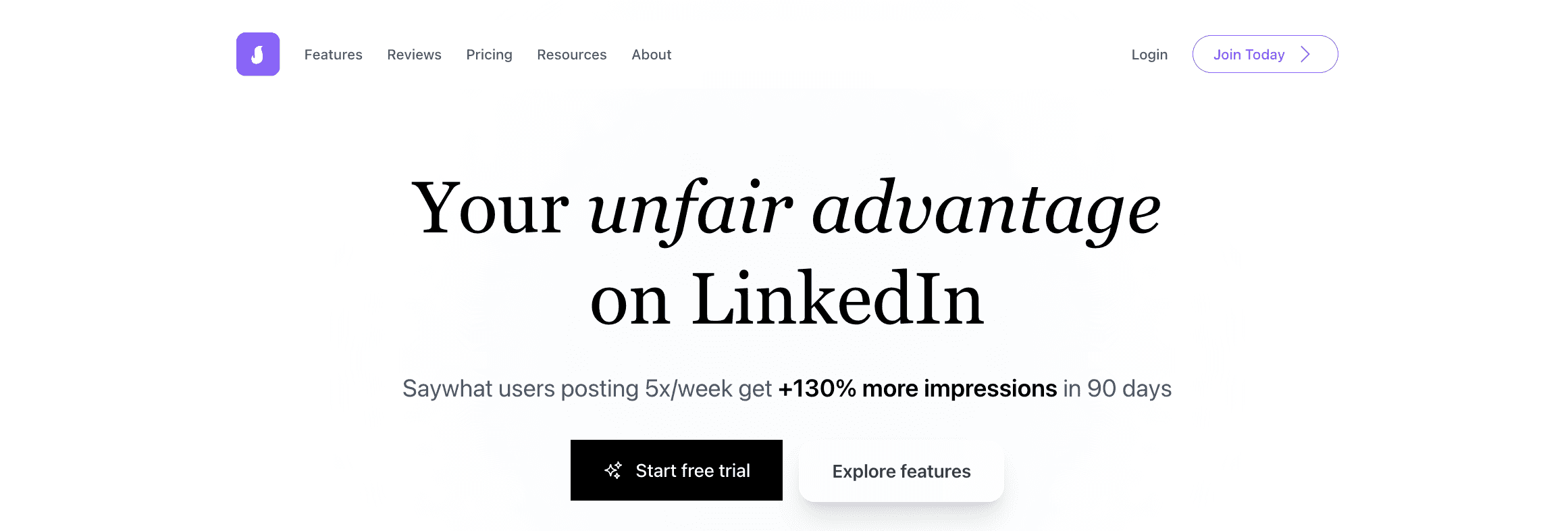
SayWhat is an AI platform designed to support every stage of LinkedIn growth. Unlike general AI tools like ChatGPT, SayWhat is trained on millions of LinkedIn posts to understand what works on the platform.
It offers a writing assistant, engagement tools, and analytics to help users build a strong personal brand from their expertise.



SayWhat Plans and Features Comparison
SayWhat offers multiple pricing plans tailored to different user needs.
The Starter plan is $80/month and is best for solo creators and those new to LinkedIn growth. Higher tiers are available for executives and teams, offering more advanced analytics and expanded lead generation capabilities.
All plans feature the core toolkit, but advanced support and custom onboarding are available at higher levels.
1. Plans & Prices
Plan | Monthly Price | Original Price | Annual Savings |
Standard | $47.99 | $59.99 | $143.98 |
Premium (Most Popular) | $79.99 | $99.99 | $239.98 |
Executive | $119.99 | $149.99 | $359.98 |
2. Features Overview
Feature | Standard | Premium | Executive |
Follow-up Accounts | ✅ Up to 20 | ✅ Up to 40 | ✅ Up to 60 |
Collab Post Writing Credits | ✅ 10 | ✅ 30 | ✅ 80 |
Auto-Generated Posts | ✅ 6 | ✅ 12 | ✅ 40 |
Streamlined Inbox for Engagement | ✅ | ✅ | ✅ |
Post Inspiration | ✅ | ✅ | ✅ |
Unlimited AI Comment Credits | ✅ Unlimited | ✅ Unlimited | ✅ Unlimited |
Content Analytics & Statistics | ✅ | ✅ | ✅ |
Top Leads | ✅ | ✅ | ✅ |
Free Trial | ✅ | ✅ | ✅ |
SayWhat Features Overview
SayWhatt is a LinkedIn tool that assists professionals in creating content, finding leads, and managing profiles effortlessly.
Along with profile optimization, branding support, free tools, post formatting, billboard-style posts, video downloads, and headline and summary assistance, SayWhatt’s main features include:
1. Write quality posts: LinkedIn Post Generator
The LinkedIn Post Generator assists users in creating high-quality posts that align with their style, industry, and goals.
It transforms ideas into clear, engaging posts that adhere to LinkedIn’s top formats and encourage interaction.
2. LinkedIn Analytics Tool
This tool provides feedback on post performance and audience response. Users can modify their approach to enhance reach by identifying what works and what doesn’t.

3. LinkedIn Lead Generation
SayWhatt assists users in locating and connecting with leads by tracking LinkedIn activity and interactions. This approach ensures that your engagement can lead to genuine business opportunities, not just increased views.
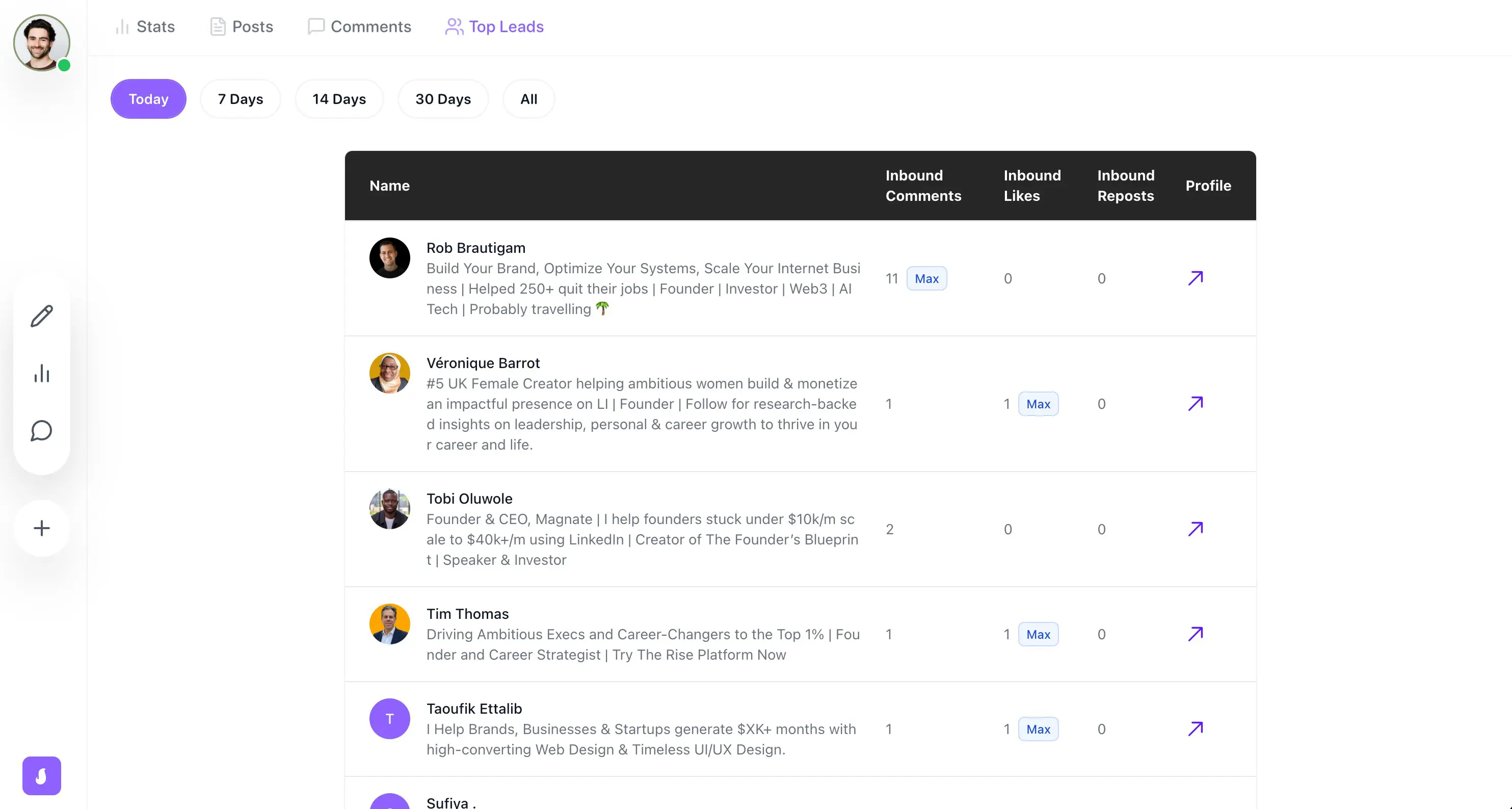
4. Engage with your Community: LinkedIn management
After you've composed a post, it’s essential to build a community.
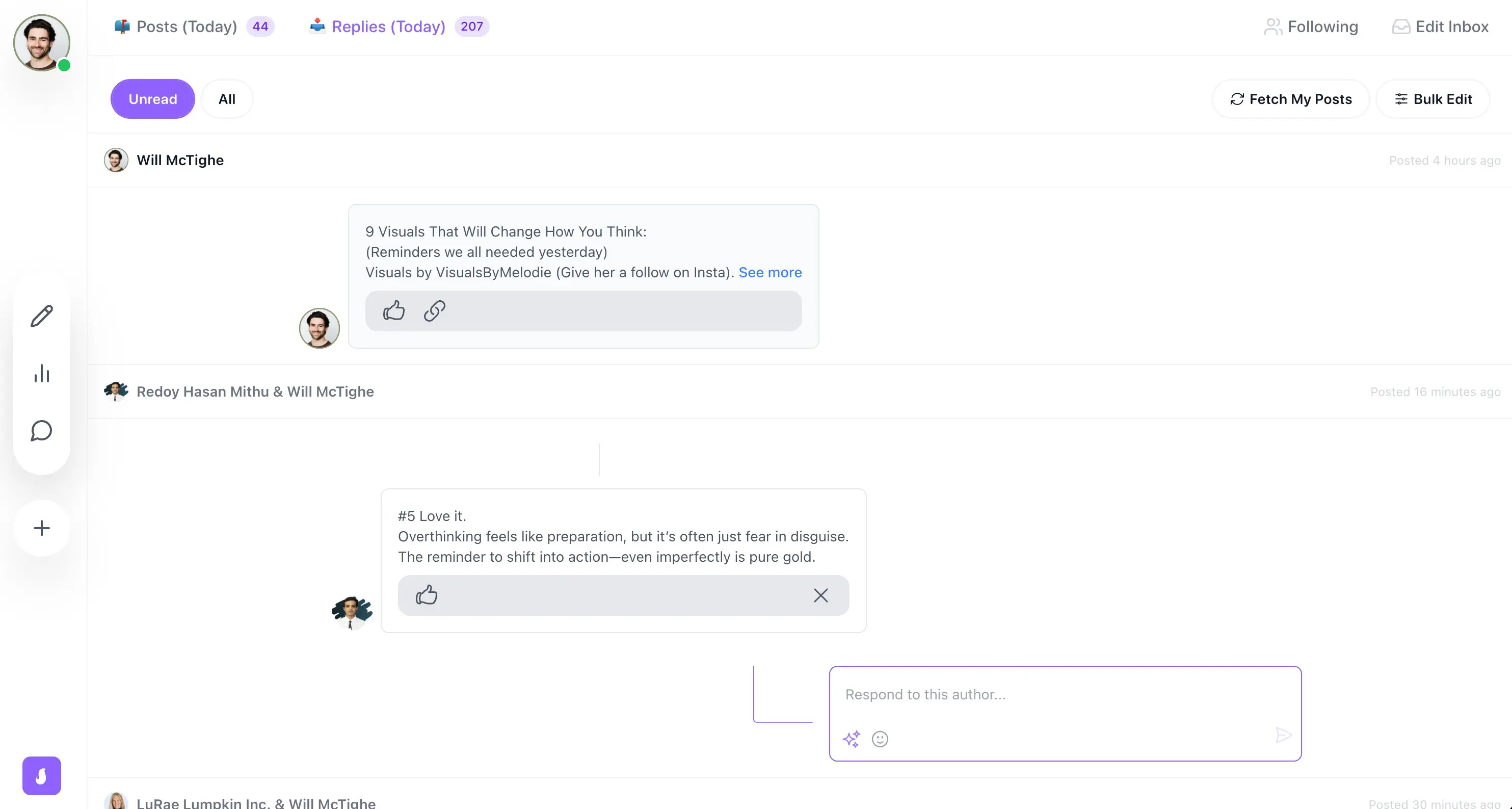
Having a single inbox allows you to nurture potential leads where you can respond to all comments under your post, either manually or using an AI model trained on your voice.
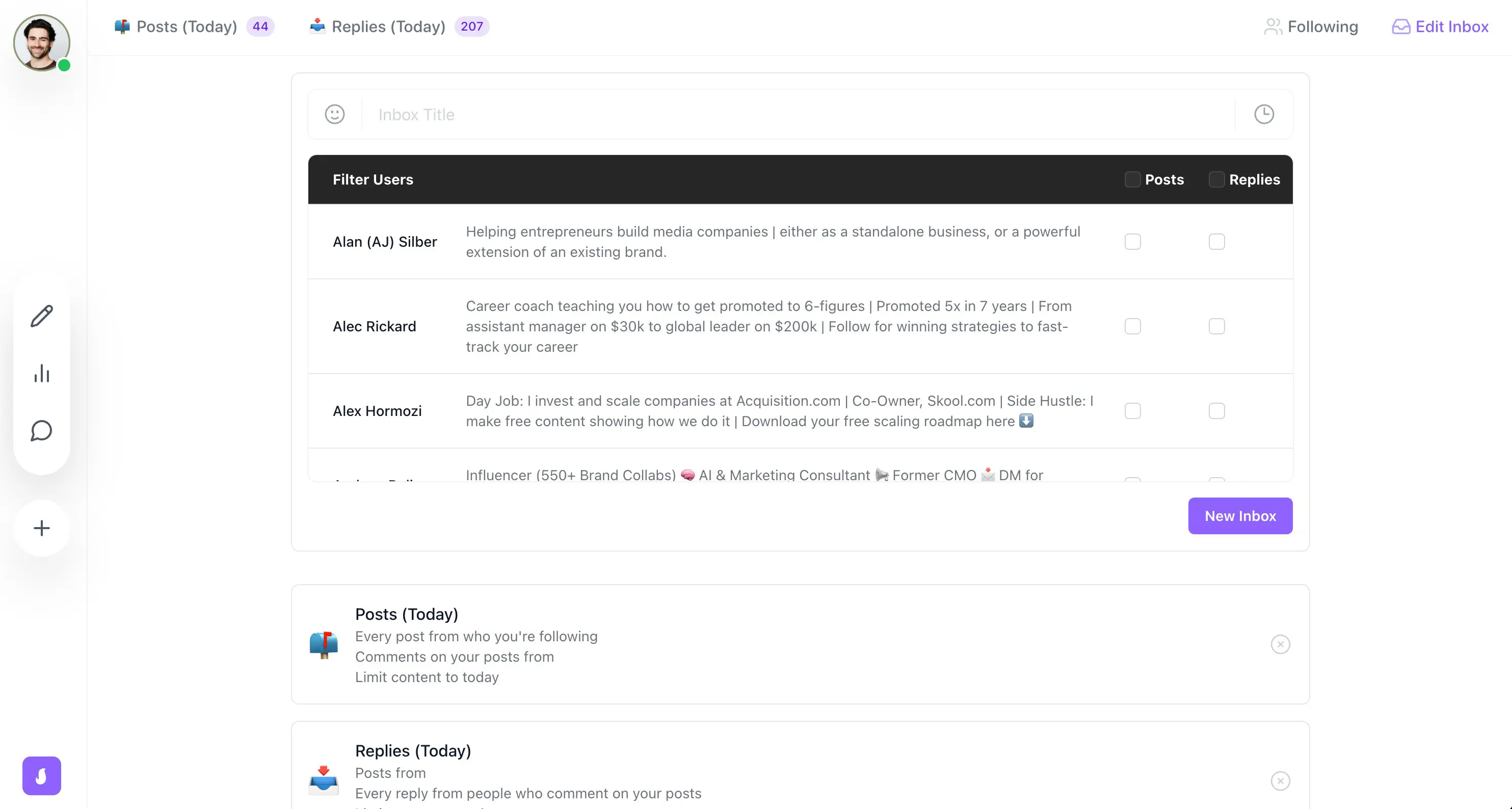
If you also wish to remain fresh in the minds of your prospects, Saywhat provides a second streamlined inbox where you can comment or react to others' posts in the same manner.
MagicPost: The Better Alternative

MagicPost is an AI-powered tool for professionals who want to remain active on LinkedIn without investing a lot of time in writing and scheduling posts.
The tool employs artificial intelligence to suggest post ideas, craft LinkedIn posts, and create attention-grabbing hooks. It also provides basic scheduling to help keep content flowing regularly.
Rather than focusing on outreach or heavy automation, MagicPost promises to make LinkedIn content creation faster, easier, and more consistent for entrepreneurs, small businesses, and creators. MagicPost’s top features include:
1. Post Idea Generator
When users enter a topic, industry, or keyword, they receive a list of content ideas tailored to their field.
If the input is specific, the results are helpful and varied. The tool frequently suggests ideas that feel relevant and timely, rather than generic. It’s a great place to find inspiration.
2. AI Post Generator
This feature is designed to transform those ideas into complete LinkedIn posts. For business-related topics, the outputs are typically well-structured and align with LinkedIn’s writing style.
Most of the time, these posts are best utilized as drafts that require editing, not as finished content ready for publication.
3. Hooks Generator
MagicPost also includes a hooks generator to help posts stand out in crowded LinkedIn feeds. It offers various types of hooks, such as questions, bold statements, and short-story openers.
4. Content Scheduling
For distribution, MagicPost provides basic content scheduling. Users can plan posts ahead of time, view their calendar, and set up automatic publishing for selected times. The interface is straightforward and user-friendly, making it easy to maintain consistency.
Why Choose MagicPost?
The main advantage of MagicPost is its affordable pricing, which makes it an ideal choice for creators looking to save money.
The Starter plan costs $16 per month. The Creator plan is around $24 per month when billed annually and provides unlimited post creation, scheduling, and templates.
Kawaak offers a free plan. Paid plans start at €19 per month, with the Business plan at €39 per month and the Enterprise plan at €249 per month.
Plan | MagicPost | Kawaak |
|---|---|---|
Free / Entry | — | €0 (Freemium) |
Starter / Basic | $16 / month | €19 / month (Starter) |
Mid-tier | $24 / month (Creator, annual) | €39 / month (Business) |
Enterprise / Premium | — | €249 / month (Enterprise) |
Kawaak also offers advanced analytics, AI image creation, content scheduling, and team management tools, which MagicPost does not provide.
MagicPost is best suited for individual creators who post frequently and seek unlimited content at a lower cost.
Kawaak is a better option for creators, teams, or agencies that require more advanced analytics, visuals, and collaboration tools.
Stanley Review: Features, Plans, and Drawbacks
Stanley review: What are the features, pros, and cons? Check out this article to see if it suits your needs.
CoPost Review: Features, Prices, Pros and Cons
Discover CoPost, and learn why MagicPost is the best alternative for AI-powered LinkedIn content creation, featuring simpler pricing and unlimited post generation.
CoPostly Review: Features, Pricing, and Drawbacks
CoPostly review covering features, pricing, pros and cons, and plan comparison to help you decide if it’s the right LinkedIn content tool for you.
Heyoo Review: Features, Advantages & Disadvantages
Review of Heyoo: what it does well, where it falls short, how much it costs, and who it actually makes sense for on LinkedIn.

Top 11 Most Unfavorable LinkedIn Post Types
A witty and insightful analysis of the most prevalent LinkedIn post archetypes, ranging from oversharers to opportunists, and an exploration of why they continue to dominate your feed.
SayWhat Review: Advantages, Disadvantages, Features, and Pricing
Discover if SayWhat is the right LinkedIn AI tool for you: Top features, pros, cons, pricing, and how it compares to MagicPost.
Socialsonic Review: What’s Good (and Bad)
SocialSonic review discussing features, limitations, pricing, and real-world performance. Find out if SocialSonic is worth it or if there are better alternatives available.