

Most people who start posting on LinkedIn don’t stop because they run out of ideas. They stop because they run out of system.
You post a few times, get inconsistent results, life gets busy, and the whole thing slowly collapses. A LinkedIn editorial calendar fixes that, not by adding more work to your plate, but by removing the daily decision fatigue that kills most content strategies before they have time to work.
Here’s how to build a simple, practical editorial calendar for LinkedIn, one you’ll actually maintain, with the right content mix and a scheduling system that handles the rest automatically.
What Is an Editorial Calendar?
An editorial calendar is a planning system that maps out what content you’ll publish, when, and in what format. For LinkedIn, it’s the difference between posting reactively when inspiration strikes and building a presence deliberately over time.
The terms “editorial calendar” and “content calendar” are often used interchangeably. In practice:
An editorial calendar tends to focus on the strategic layer (themes, pillars, and goals).
A content calendar is more operational (specific posts, dates, and formats).
For most LinkedIn creators, you need both in one simple system.
Why Does a LinkedIn Editorial Calendar Actually Matter?
Having a LinkedIn editorial calendar matters because consistency is the single variable that determines whether LinkedIn works for you.
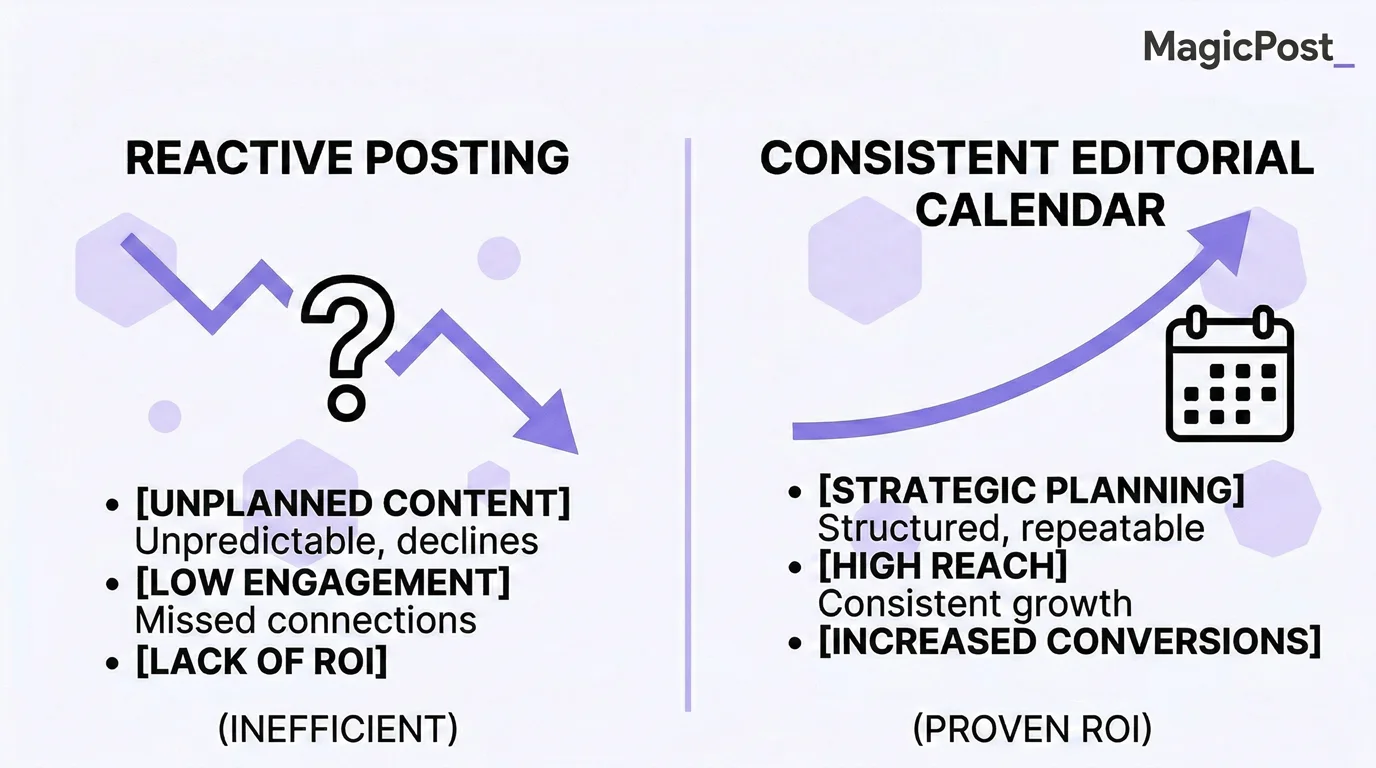
Here are three reasons a calendar makes the difference:
The numbers back it up. According to LinkedIn’s own data via Hootsuite, posting weekly produces a 2x lift in engagement. Only 7.1% of LinkedIn’s one billion users post regularly, so consistent creators are already ahead of 93% of the platform.
It removes daily decision fatigue. Motivation-based posting collapses the moment a busy week hits. A calendar means you’re not deciding what to post every morning because you already know; you just have to execute.
The algorithm rewards it. According to AuthoredUp’s analysis of over 994,000 LinkedIn posts, posting consistently about the same topic area builds your authority score over time, making LinkedIn more likely to distribute your content to the right audience.
What Should a LinkedIn Editorial Calendar Include?
Keep your editorial calendar simple. The more complex your system is, the less likely you are to use it. At minimum, your calendar needs five things for each planned post:
Element | What to Fill In |
|---|---|
Publish and date time | When the post goes live |
Content format | Text post, carousel, poll, or video |
Topic and angle | What the post is about and the specific take |
Content pillar | Which category it belongs to (see below) |
Status | Draft, scheduled, or published |
That’s it. You don’t need color-coded Notion databases or a 20-column spreadsheet. A simple table, a notes app, or a scheduling tool with a calendar view covers everything most solo creators and founders actually need.
What Is the Right Content Mix for LinkedIn?
One of the most common editorial calendar mistakes is posting the same type of content on repeat: always promotional, always educational, or always personal. Each one works, but the combination works better.
A widely used practitioner framework for LinkedIn content breaks down like this:
Content Type | Share | What It Looks Like |
|---|---|---|
Thought leadership | 40% | Opinions, frameworks, hard-won lessons, and contrarian takes |
Industry trends | 30% | News reactions, data you find interesting, and what’s changing in your field |
Personal stories | 20% | Behind-the-scenes, failures, wins, and process posts |
Promotion | 10% | Your product, service, offer, or CTA posts |
The 10% promotional ceiling is intentional. LinkedIn’s algorithm actively reduces the reach of posts it identifies as overtly sales-focused. Keeping self-promotion at roughly one in ten posts protects your overall distribution while still giving you space to convert.
Applied to a three-post-per-week schedule, that’s roughly
Two thought leadership or trend posts
One personal story per week
One promotional post every two to three weeks
This is manageable, varied, and algorithm-friendly.
How to Build a LinkedIn Editorial Calendar Step-by-Step?
Building an editorial calendar isn’t as complex as you might think.
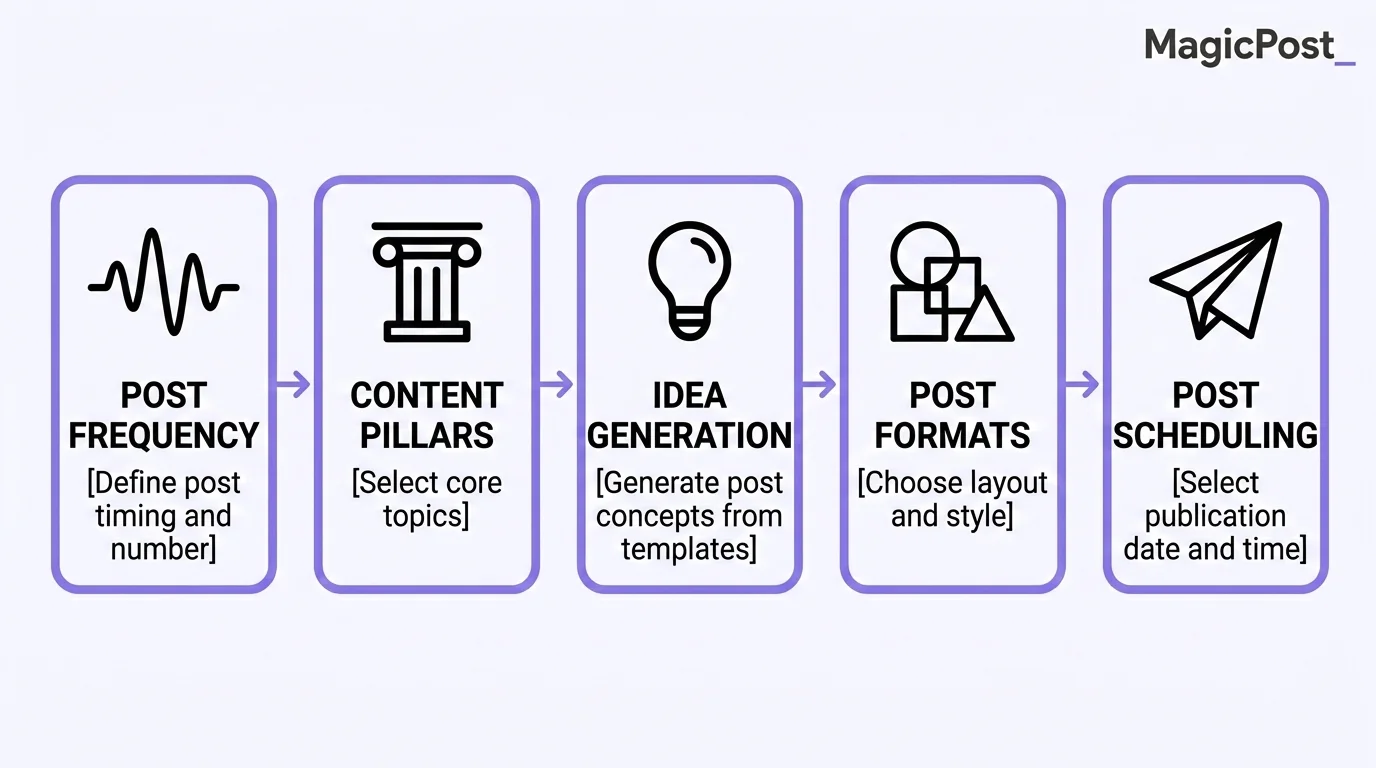
The basic rule is to not overwhelm yourself with a system that you won’t be able to commit to.
Step 1: Decide on Your Posting Frequency
The research consistently points to 3 to 5 posts per week as the sweet spot for most LinkedIn creators. More importantly, never post twice in a 24-hour window, as LinkedIn’s algorithm assigns your newer post less reach if a previous post is still gaining traction.
If 3 to 5 posts per week feels like too much right now, start with 2 to 3. Consistency at a lower frequency will always outperform sporadic bursts at a higher one.
See Best Frequency to Post on LinkedIn for more insights and strategies.
Step 2: Define Your Content Pillars
Content pillars are the 3 to 5 recurring topic areas your posts will rotate through. They keep your calendar focused and help LinkedIn identify you as an expert in a specific niche.
A consultant, for example, might build pillars around leadership lessons, industry commentary, client case studies, personal growth, and the occasional offer. Every post belongs to one of those pillars. You’re not starting from scratch each time; you’re rotating through a known set of topics.
For more on building a coherent content approach, check out LinkedIn Posting Strategy.
Step 3: Generate Your Ideas in Batches
Don’t try to come up with post ideas one at a time on the day you need to write. Batch your ideation: set aside 20 to 30 minutes once a week to generate enough ideas to fill the next 7 to 10 days.
MagicPost’s Idea Generator and Hook Generator are built exactly for this. Pick a theme, get six tailored post ideas, and generate strong opening lines for each. In one short session, you can fill an entire week’s calendar with topics and angles, ready to write or generate.
Step 4: Assign Formats Across Your Weekly Schedule
Once you have your ideas, assign each one a format before you start writing. This keeps your calendar varied and prevents you from defaulting to text posts every time because they feel easiest.
A simple weekly rhythm might look like:
Monday: Text post (thought leadership or opinion)
Wednesday: Carousel or poll (higher engagement formats)
Friday: Personal story or behind-the-scenes
Adjust based on your own analytics. MagicPost shows you which formats perform best for your specific audience, so over time your schedule can be shaped by data rather than guesswork.
Here’s what a solid week might look like in practice:
Day | Format | Content Pillar | Topic/Angle |
|---|---|---|---|
Monday | Text post | Thought leadership | Why most LinkedIn advice gets consistency wrong |
Tuesday | Carousel | Industry trends | 4 shifts happening in B2B marketing right now |
Wednesday | Poll | Engagement | Which content format drives the most leads for you? |
Thursday | Text post | Personal story | The week I nearly quit posting, and what changed |
Friday | Text post | Promotion | How MagicPost helped me go from 2 posts to 14 a month |
Step 5: Write, Schedule, and Let It Run
This is where the system pays off. With MagicPost, once your post is written or AI-generated and ready to go, you pick a date and time, and the platform publishes it automatically. No reminders, no manual posting, and no copy-pasting at 8 a.m.
MagicPost also recommends posting times based on your audience activity data, so you don’t need to guess when your followers are most active. Schedule multiple posts at once, and your week is done in one sitting.
Manual Editorial Calendar vs. MagicPost: What Are the Differences?
Creating an editorial calendar manually is possible, but MagicPost’s AI and automation features turn this task into a breeze.
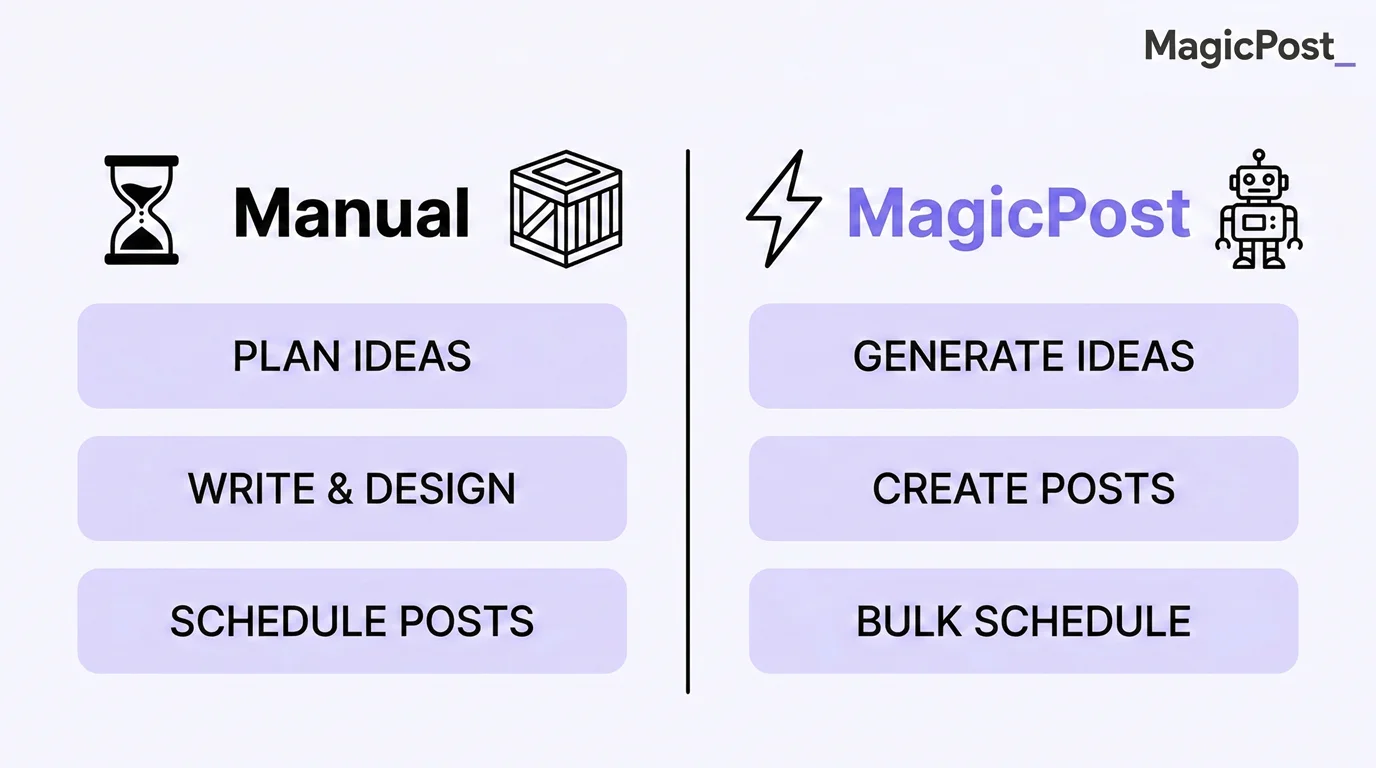
Here’s how both approaches compare:
Step | Manual Workflow | With MagicPost |
|---|---|---|
Idea generation | ❌ Brainstorm from scratch very time | ✅ AI generates 6 ideas per theme in seconds |
Writing | ❌ 30 to 60 minutes per post | ✅ AI drafts in minutes, you review and edit |
Scheduling | ❌ Set a phone reminder, post manually | ✅ Pick a date and a time, MagicPost publishes automatically |
Timing optimization | ❌ Guess or Google it | ✅ MagicPost recommends times based on your audience data |
Consistency | ❌ Depends on willpower | ✅ Systematic and scheduled in advance |
Performance review | ❌ Manual export and spreadsheet | ✅ Built-in analytics in the same platform |
The manual workflow is fine if you have time, discipline, and a reliable creative process. Most founders and consultants don’t have all three simultaneously. MagicPost closes the gap between the calendar you plan and the content you actually publish.
How Often Should You Update Your Editorial Calendar?
Two cadences work together for updating your editorial calendar.
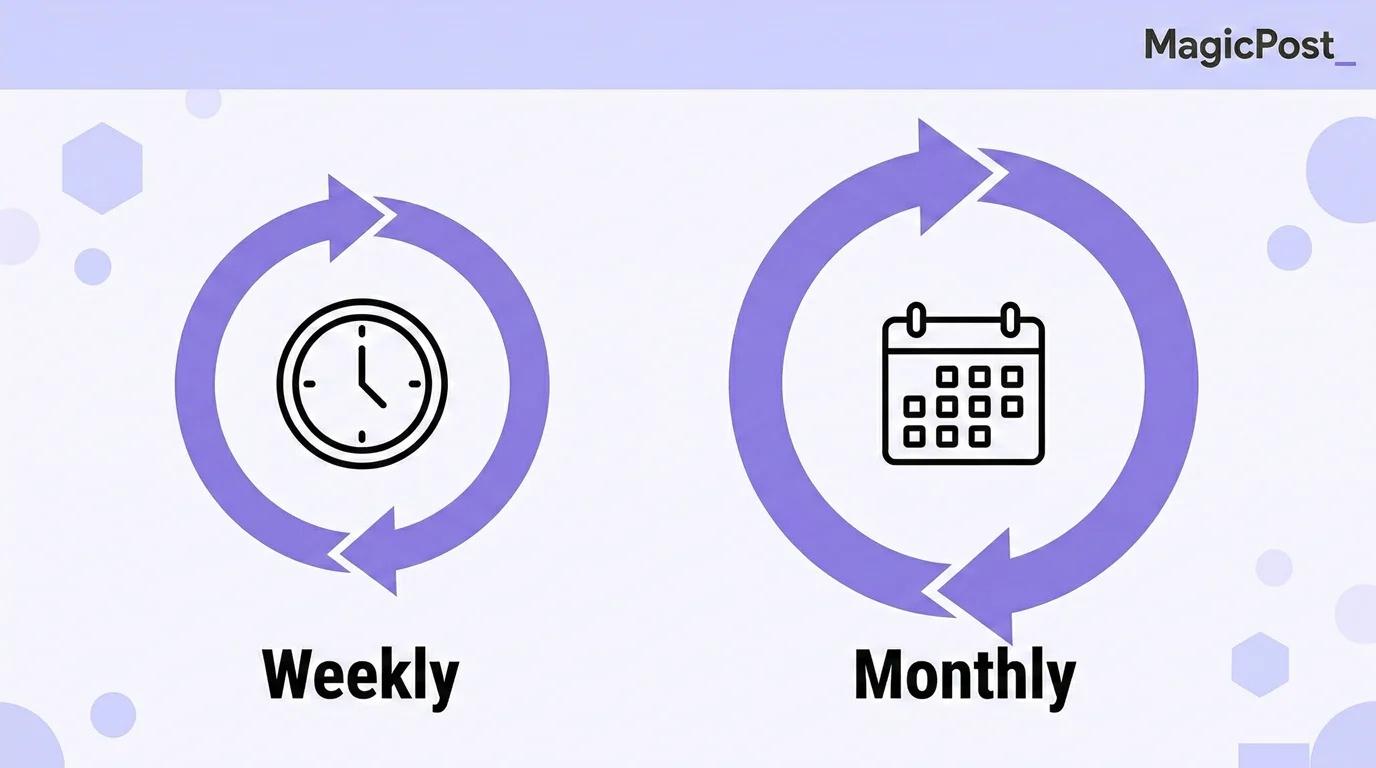
Here’s what we recommend:
A weekly micro-review takes five minutes. Check what’s scheduled for the coming week, fill any gaps, and confirm that drafts are ready to go. That’s it.
A monthly reset takes 20 to 30 minutes. Look at which posts performed best and worst, identify any patterns (format, topic, and hook style), adjust your content mix for the next month, and plan your pillar themes ahead.
Pro Tip: This is also when you can use MagicPost’s analytics to check your best posting times and top content formats and update your schedule accordingly.
The goal is a living document, not a rigid plan. Your calendar should flex around real life without collapsing entirely when one week gets busy.
Build Your LinkedIn Content Calendar with MagicPost
An editorial calendar is only as good as the system behind it. Planning what to post means nothing if creating and publishing the posts still takes an hour a day.
MagicPost connects your content calendar directly to the tools that help you write it and publish it. Generate ideas, draft posts with AI, schedule them at optimal times, and track what’s working, all in one place.
Try MagicPost for free; no credit card required. Start your free trial and go from a blank calendar to scheduled content in minutes.
FAQ
What is an editorial calendar?
An editorial calendar is a system for planning what content you'll publish, when, and in what format. For LinkedIn, it helps you move from reactive, inspiration-dependent posting to a consistent, deliberate content strategy.
What's the difference between an editorial calendar and a content calendar?
In practice, an editorial calendar tends to focus on strategy: themes, content pillars, and goals. A content calendar is more operational: specific posts, dates, formats, and statuses. Most LinkedIn creators need both combined into one simple system.
How many LinkedIn posts should I plan per week?
Research consistently points to 3 to 5 posts per week as the most effective cadence for most creators. If that feels like a stretch, 2 to 3 quality posts beat 5 rushed ones every time.
Never post twice in the same 24-hour window, as this reduces reach on your newer post. More detail: Best Frequency to Post on LinkedIn.
How do I come up with content ideas for my calendar?
Batch your ideation rather than generating ideas one at a time. Set aside 20 to 30 minutes once a week, use your content pillars as prompts, and fill the next 7 to 10 days at once.
MagicPost's Idea Generator and Hook Generator can generate a full week of post topics and opening lines in minutes, organized around your chosen theme.
Can MagicPost help me manage my LinkedIn content calendar?
Yes. MagicPost lets you write or AI-generate your posts; schedule them at a specific date and time; and the platform publishes automatically with no manual posting needed. It also recommends optimal posting times based on your audience activity data and shows you performance analytics so you can improve your calendar over time.
Learn more at magicpost.in.
What content mix should I use on LinkedIn?
A practical starting point: 40% thought leadership and opinions, 30% industry trends and commentary, 20% personal stories and behind-the-scenes, and 10% promotional posts.
Keeping promotion at roughly one in ten posts protects your overall reach, as LinkedIn's algorithm actively reduces distribution for overtly sales-focused content.