

It's no secret that LinkedIn is a major tool for finding professionals and opportunities.
People no longer scroll randomly, hoping to find relevant profiles or content. Instead, they actively search for specific job titles, skills, industries, and expertise.
But with over 1 billion users, standing out can be a challenge.
That’s why LinkedIn SEO matters. If your profile and content aren’t optimized, recruiters, clients, and collaborators may never find you, no matter how strong your work is.
What Is LinkedIn SEO
LinkedIn SEO means improving your profile and content so they appear higher in LinkedIn’s search results.
When someone searches for keywords like “Industrial architect,” “SEO consultant,” or “B2B copywriter,” LinkedIn looks through profiles and content to find the best matches.
LinkedIn SEO is different from regular SEO because it’s focused on professional intent. People aren’t just looking for information only, they are looking for other professionals.
This means your job titles, skills, and descriptions are just as important as the content you write.
A well-optimized profile helps you get found naturally, without needing ads or always reaching out to others.
Why LinkedIn SEO Matters
Imagine someone searching for keywords or skills that match your experience.
If your profile is well-optimized, it’s much more likely to show up in their search results.
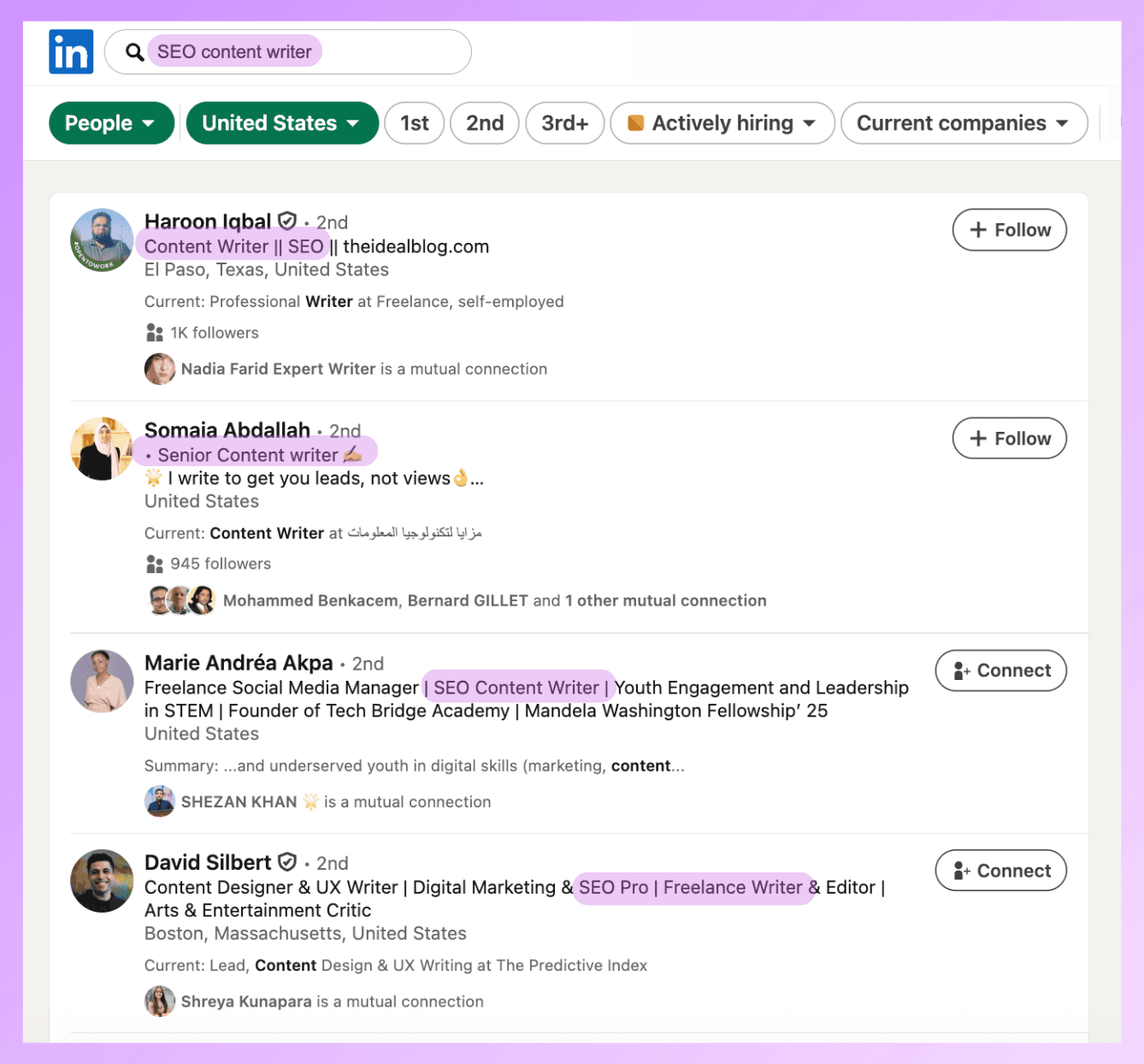
LinkedIn profiles can also appear in search results on sites like Google, which helps you reach even more people online.
SEO doesn’t just affect your profile, it also impacts your posts and articles.
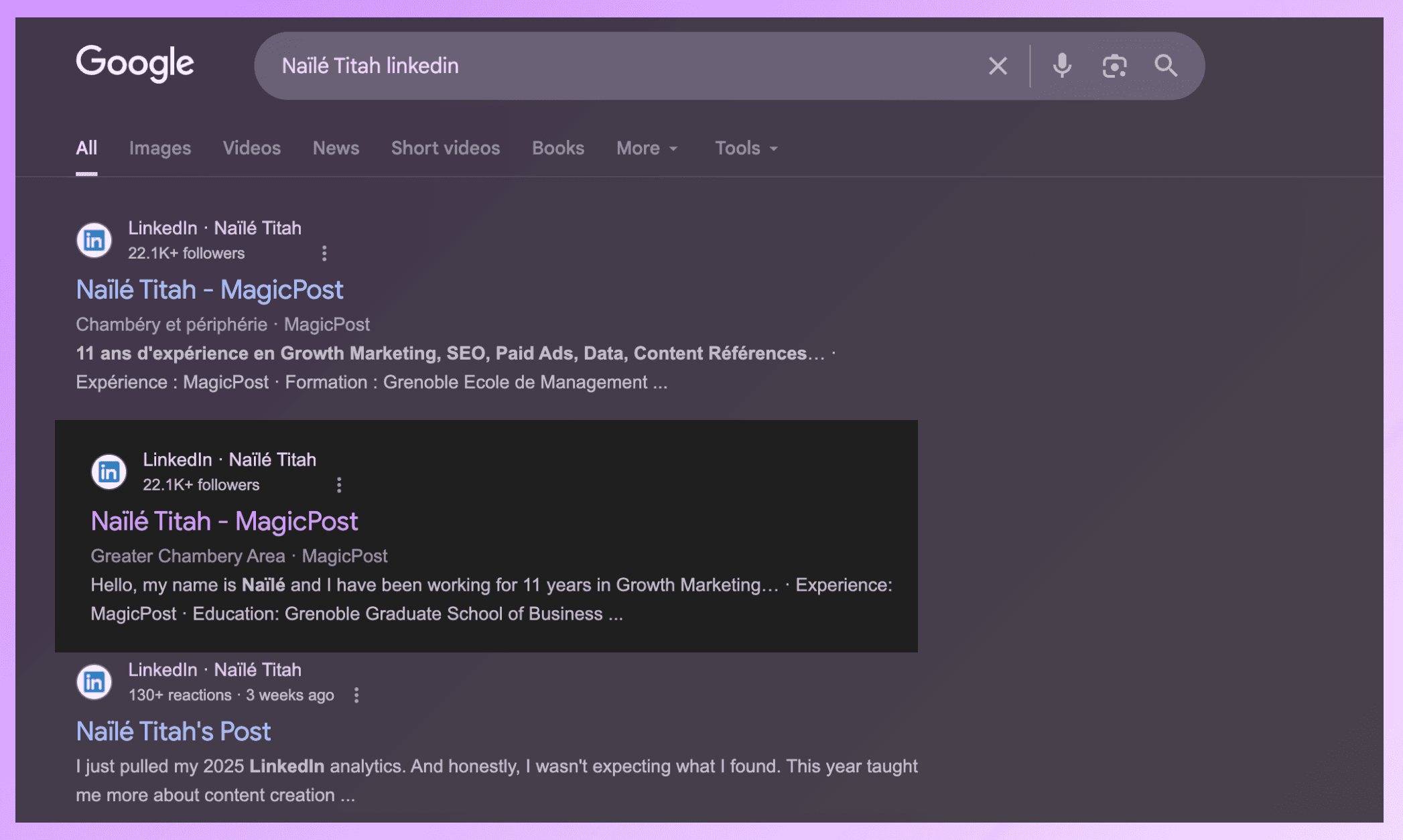
Your LinkedIn posts and articles can show up in search results, helping you highlight your expertise.
These long-form articles are filled with keywords that will help you rank on traditional search engines.
This takes advantage of LinkedIn’s strong reputation to increase your visibility on the platform and beyond.
LinkedIn SEO doesn’t just help you show up in direct searches. With an optimized profile and content, you can also appear naturally in people’s feeds.
Benefit | Explanation |
Enhanced professional image | Reinforces your credibility and makes you look more professional. |
More networking opportunities | Increases your chances of forming new, relevant professional connections. |
Visibility in job searches | More likely to be discovered by recruiters, clients, and employers actively searching for talent. |
Stronger personal brand | A complete profile positions you as trustworthy in your industry. |
Top 3 LinkedIn Ranking Factors
When you optimize your LinkedIn profile for SEO, you’re more likely to show up when the right people search for you, on LinkedIn and beyond.
These people might be employers, clients, or even fans who want to follow your work.
If your profile isn’t optimized, you’ll only show up in very specific name searches. Even then, others may have the same name, so it’s important to stand out.
LinkedIn considers several factors when deciding which profiles and content appear first in search results, by analyzing your:
Ranking factor | What LinkedIn evaluates |
Keyword | Headline, About section, experience titles and descriptions, skills, and content |
Profile | Photo, Banner, Summary, Experience, Skills, and Location |
Engagement | Views, Connections, Comments, Reactions |
The more complete your profile, the higher you’ll rank. Profiles with a clear photo, banner, detailed summary, and full experience sections are more likely to show up than incomplete ones.
How to Optimize Your LinkedIn Profile for SEO
Here are some key strategies to help improve your LinkedIn profile’s SEO:
Your About section should naturally build on those keywords. The first few lines matter most because they’re indexed and show up before the “see more” link.
Use complete sentences, explain the value you offer, and include different versions of your main keywords in a natural way.
Don’t treat your experience section as just a formality. Each job is an opportunity to showcase your expertise.
Choose job titles people actually search for and describe your work using terms from your industry.
Finally, make sure your listed skills match what you say in the rest of your profile. This keeps everything consistent.
1. Do your Keyword Research
Keyword research involves identifying the words and phrases your target audience uses when searching for content or profiles.
To do so, you could try two different methods:
Using LinkedIn
Using keyword research tools like Semrush, which we’ll cover later
First rule is: creative, generic phrases don’t work well in search.
Secondly, start by being clear. Your headline should say exactly what you do, using keywords people are likely to search for.
A clear headline with the right keywords helps both LinkedIn and people understand what you do right away.
For example, if you are an SaaS specialist, you might look for keywords to help your profile appear when people search for “SEO.”
On LinkedIn, search for the terms “SEO” “SaaS” and then click on “People.”
This shows a list of people who rank for that keyword or similar terms.
You’ll notice these users target keywords like “copywriter,” “content strategist,”. These can give you more ideas for your own profile.
You can also browse other users’ profiles to find additional keyword ideas.
Here’s an example:
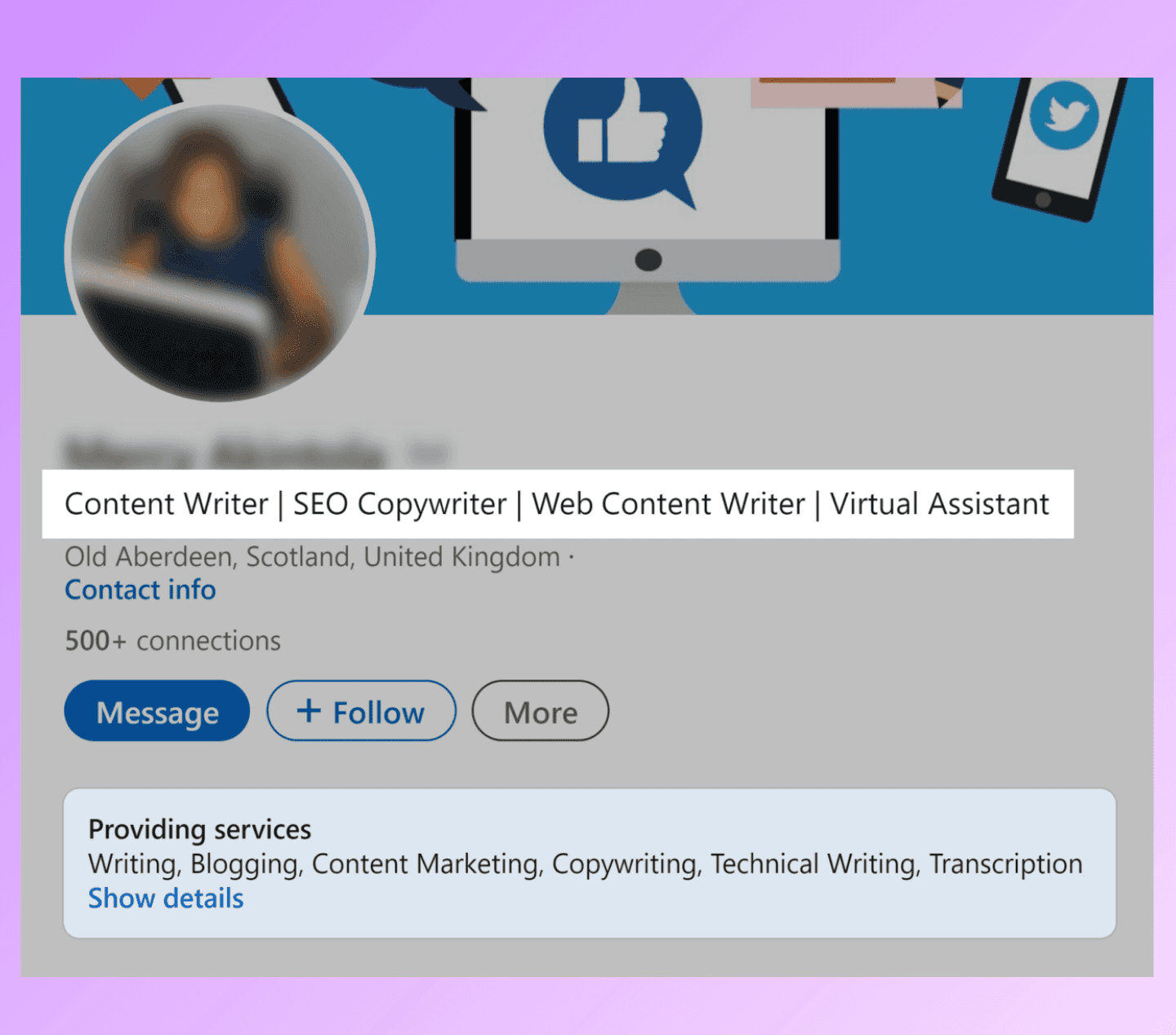
This person has included several keywords to improve their chances of being found by people searching for these terms:
SaaS
Content Writer
SEO Writer
Web Content Writer
Content strategist
Writing
Search engine optimization
Content creation
Copywriting
And also, people searching for the enterprises and clients she worked with.
2. Complete and Update your Profile
LinkedIn is one of the most comprehensive social media platforms, allowing you to share plenty of information about yourself and your work.
However, many people and businesses only add a short description in the “About” section and an image, missing a big opportunity.
Images
When setting up your profile, your profile picture plays a major role in first impressions. LinkedIn prefers:
high-quality PNG or JPG images
at least 400 × 400 pixels and under 8MB,
visible face and background.
Ensure your photo is recent, shows your face clearly, and uses a background that is free of distractions.
The image should also align with your industry standards, as casual selfies can undermine credibility in more traditional or professional fields.
For more tips, read our LinkedIn Profile Picture Guide.
Banner
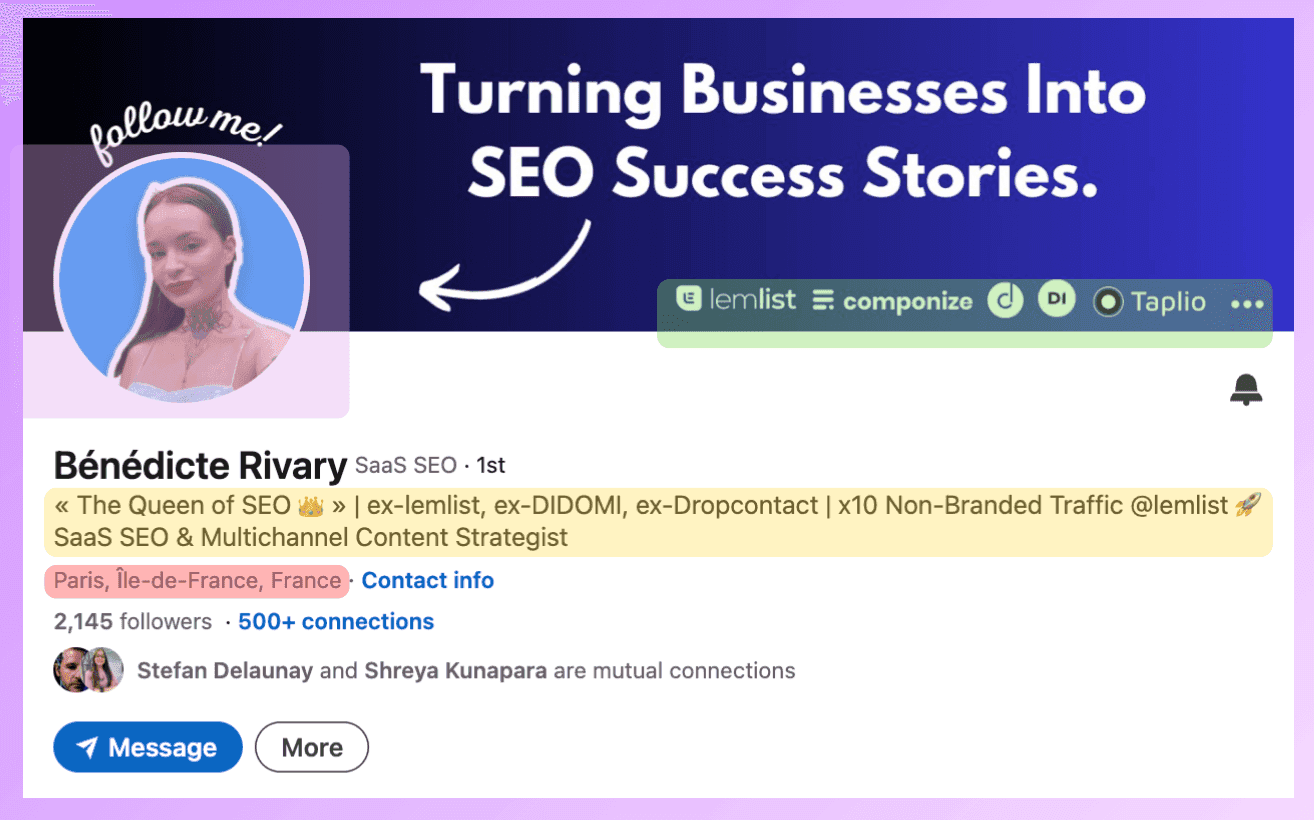
Your background photo works like a personal billboard at the top of your profile. It is an opportunity to instantly communicate what you do, highlight key achievements or awards, and even promote free resources or offerings.
While this space is visually powerful, avoid placing essential information in the bottom-left corner, as your profile picture will partially hide it.
For more tips on creating an effective LinkedIn banner, check out our LinkedIn Banner Guide.
Headline
Use your 220-character limit to communicate your job title, expertise, and the value you offer to viewers.
Your job title, expertise, and value to viewers should be immediately clear. Prioritize clarity.
It should also include your primary keyword along with one or two closely related keywords to improve visibility in LinkedIn search results.
Want to craft a headline that gets noticed? Check out our LinkedIn Headline Guide for expert tips.
About
Use the About section to introduce yourself, explain your background, and describe how you help your target audience. Share concrete examples of your expertise, highlight relevant achievements, and focus on skills or experiences your audience values.
With about 2,600 characters available, structure your About section for readability. Use short paragraphs and clear language to present your most relevant skills. Demonstrate what sets you apart, and tailor your message to your target audience's interests.
Remember, include only details that resonate with your ideal audience. Prioritize clear, relevant information that supports your credibility and encourages users to connect or engage.
Using bullet points, arrows, and short paragraphs is a great way to make your content easier to read. And it subconsciously helps readers process information more easily.
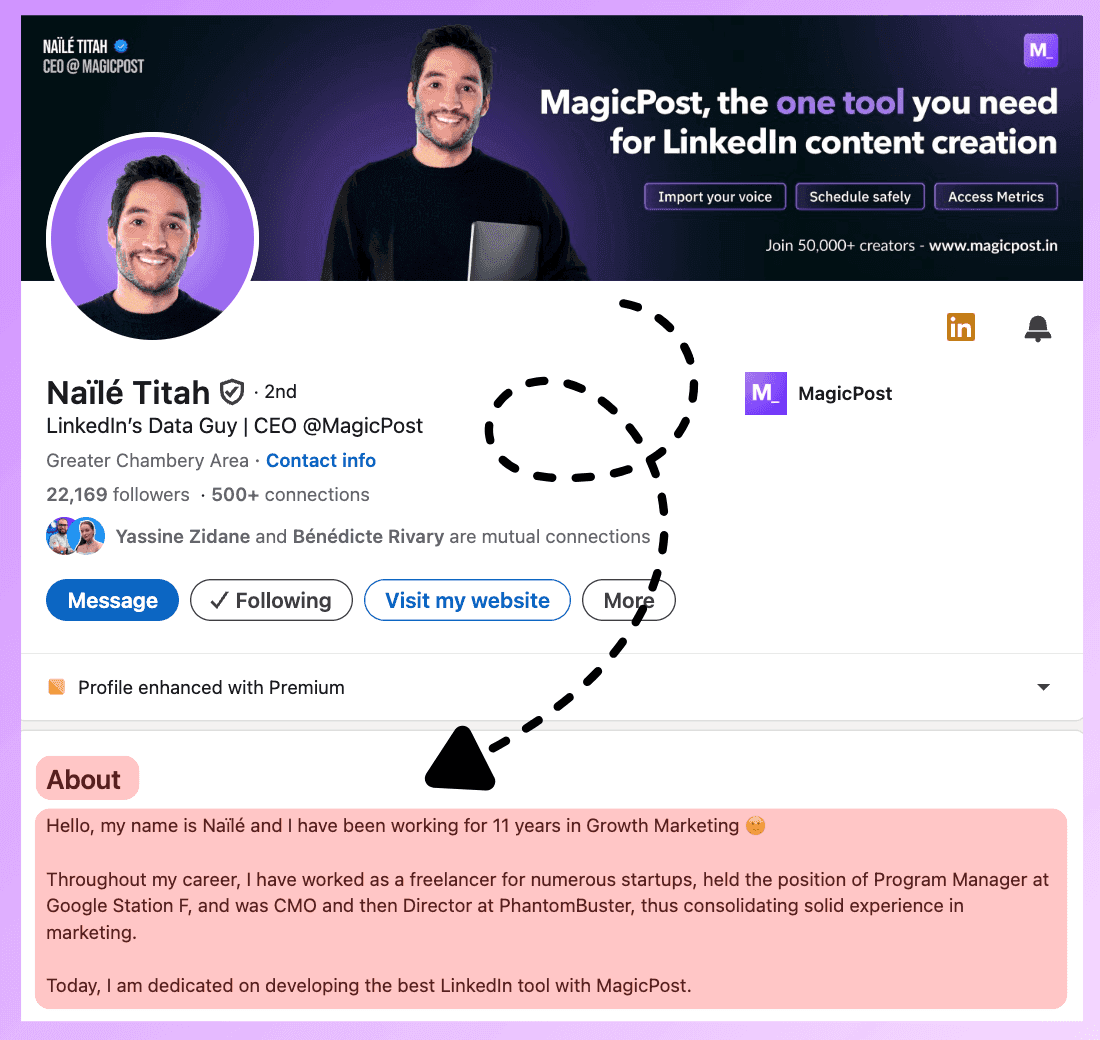
Finally, you need to close off by letting users know how to contact you. You should add some contact details (e.g., a LinkedIn message and an email address).
3. Write Optimized LinkedIn Content
LinkedIn prioritizes quality, relevant content in users’ feeds and search results.
So how do you create high-quality content for LinkedIn that’s also optimized for SEO?
Posts are great for boosting visibility and driving engagement on LinkedIn by providing tips and industry insights.
There are a variety of post formats, all with different benefits:
Text posts: Great for driving engagement by summarizing content and asking questions
Single-image posts: Effective at capturing attention and work well for content such as infographics and static visuals
Multi-image posts: Showcase multiple static images or tell a story in a visually appealing way
Native videos: Create a more personal connection between you and your audience
Documents: Let you easily share resources and information like reports and research as PDFs
Polls: Effective for generating engagement and providing a direct way to gather feedback and opinions from your audience
Newsletters: Let you publish a series of newsletters on the platform, notifying followers and subscribers
Once you’ve decided on your post format, it’s time to create some content.
Take a look at what kinds of content and posts are popular in your niche and see if you can replicate them. Or improve upon it with your own expertise.
MagicPost has a tool to help you with that: Post Ideas.
Use MagicPost for Better LinkedIn SEO
Rather than guessing what to write or if it's SEO approved, this AI tool helps you create clear, searchable content that works perfectly with LinkedIn’s algorithm.
With MagicPost’s Post Ideas tool, you can quickly find topics that already do well in your field.
Just enter a theme or keyword, and you’ll get suggestions and content ideas that match what professionals are searching for.
After you pick an idea, MagicPost creates a complete LinkedIn post for you that fits the platform’s style.
You could also use MagicPost’s headline generator to improve your profile and display your expertise more clearly.
MagicPost brings together idea generation, content creation, and optimization, making LinkedIn SEO easy to repeat. This leads to more regular posting, better search results, and content that keeps working for you over time.
Happy posting!