" height="26.80529977783203px" id="tymKb8bqC" width="128.00300311279295px"/><path d="M 0 2.417 L 0 0 L 12.909 0 L 12.909 2.417 Z" fill="rgb(126, 78, 253)" height="2.417099999999998px" id="aYr4em6zK" transform="translate(128.341 22.325)" width="12.908999999999992px"/></svg>)

"/><stop offset="1" stop-color="rgb(118, 37, 250)"/></linearGradient></defs><g d="M 19.242 21.22 L 19.362 6.204 L 19.272 6.204 L 13.757 21.22 L 10.161 21.22 L 4.796 6.204 L 4.706 6.204 L 4.825 21.22 L 0 21.22 L 0 0 L 7.283 0 L 12.109 13.607 L 12.229 13.607 L 16.844 0 L 24.247 0 L 24.247 21.22 Z M 26.421 26.113 L 26.421 23.445 L 41.407 23.445 L 41.407 26.113 Z" fill="transparent" height="26.112508199679183px" id="DvfaAIHYn" width="41.40731898311435px"><path d="M 19.242 21.22 L 19.362 6.204 L 19.272 6.204 L 13.757 21.22 L 10.161 21.22 L 4.796 6.204 L 4.706 6.204 L 4.825 21.22 L 0 21.22 L 0 0 L 7.283 0 L 12.109 13.607 L 12.229 13.607 L 16.844 0 L 24.247 0 L 24.247 21.22 Z" fill="rgb(46, 46, 46)" height="21.220180016149442px" id="pLsxRCobd" width="24.247352589074694px"/><path d="M 0 2.668 L 0 0 L 14.986 0 L 14.986 2.668 Z" fill="url(%23yD9d4I5GR-3279285344-linear-gradient)" height="2.6675085048549647px" id="yD9d4I5GR" transform="translate(26.421 23.445)" width="14.986002836263765px"/></g></svg>)

Camelia Khadraoui
We understand, being a content creator can be exhausting!
Having to continuously come up with engaging posts, design eye-catching carousels, and generate fresh content ideas is time-consuming and sometimes quite stressful.
That’s where Typegrow comes into play.
This AI-powered LinkedIn tool streamlines content creation, assists you in scheduling posts, generating hooks and calls-to-action, and even offers real-time previews of your content.
In this review, we’ll take a detailed look at Typegrow’s features, explore its advantages and disadvantages, and see if it meets the expectations.
TL;DR
Typegrow is an AI LinkedIn tool that helps you write posts, generate hooks, create carousels, schedule content, preview posts, and browse 1M+ viral examples.
Pricing: Free plan available; Paid plan is $29/month or $20/month (annual billing).
MagicPost is a stronger alternative with more features: unlimited posts, hooks, templates, multi-platform scheduling, analytics, and team options.
Pricing: Starts at $16/month, with a Creator plan around $24/month (annual).
👉 Overall, MagicPost offers more tools and better value for a lower price.
Typegrow क्या है?
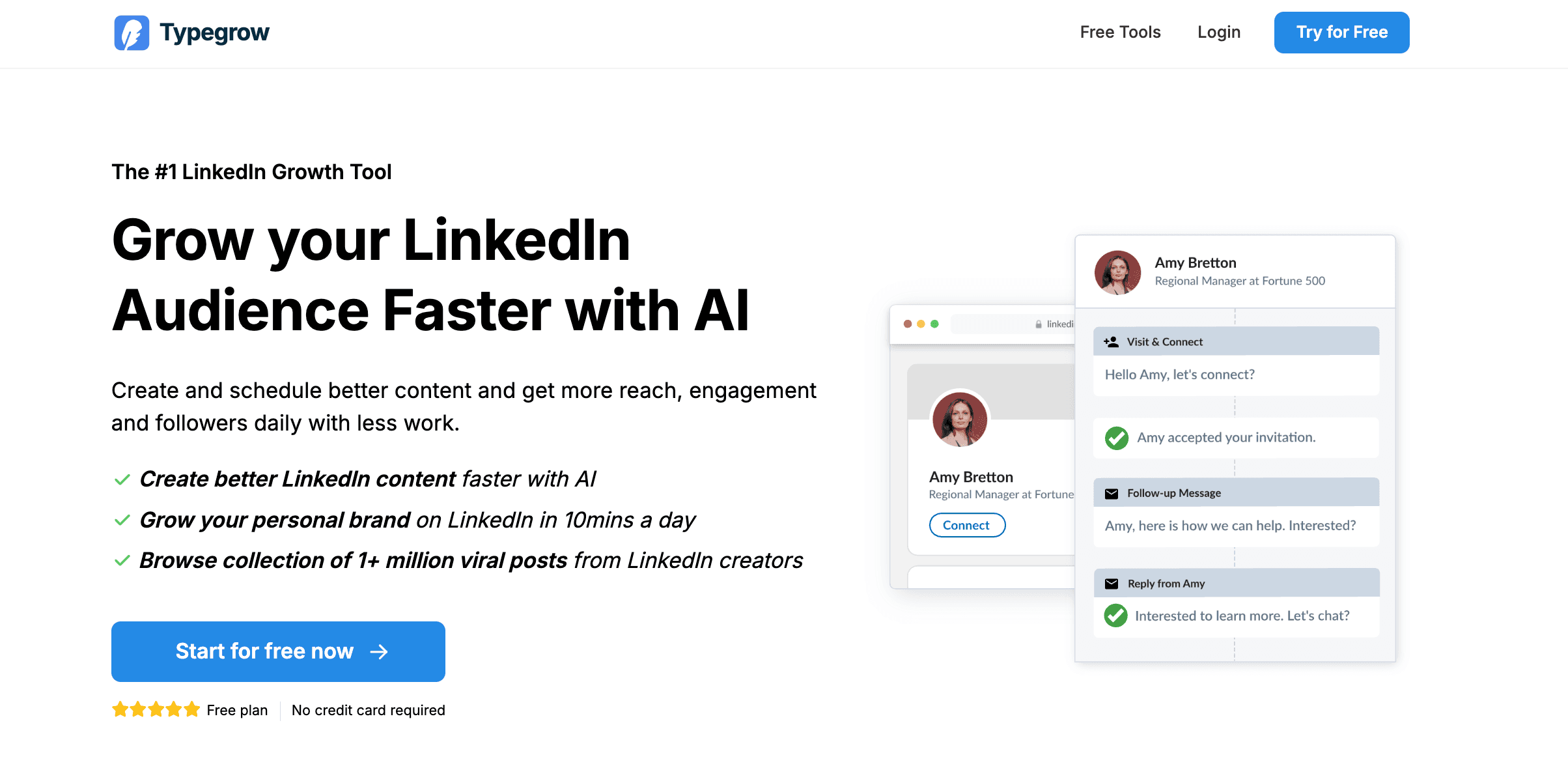
Typegrow एक AI-संचालित उपकरण है जो उपयोगकर्ताओं को LinkedIn ऑडियंस बढ़ाने में मदद करता है, जिससे सामग्री बनाने और शेड्यूल करने में आसानी होती है।
इसमें एक AI सहायक शामिल है जो आपको पोस्ट लिखने में मदद करता है, एक शेड्यूलर, कैरोसेल और हुक बनाने के लिए उपकरण, और आपकी सामग्री रणनीति को प्रेरित करने के लिए वायरल पोस्टों का एक पुस्तकालय है।
Typegrow समय बचाने, आपकी सामग्री की पहुंच औरengagement बढ़ाने और आपको LinkedIn पर अनुसरण बढ़ाने के लिए डिज़ाइन किया गया है (यहां तक कि यदि आपके पास सामाजिक मीडिया विपणन में कोई पृष्ठभूमि नहीं है)।



Typegrow reviews
Crozdesk: Rating⭐⭐⭐⭐ (no ratings available)
✅ Pros
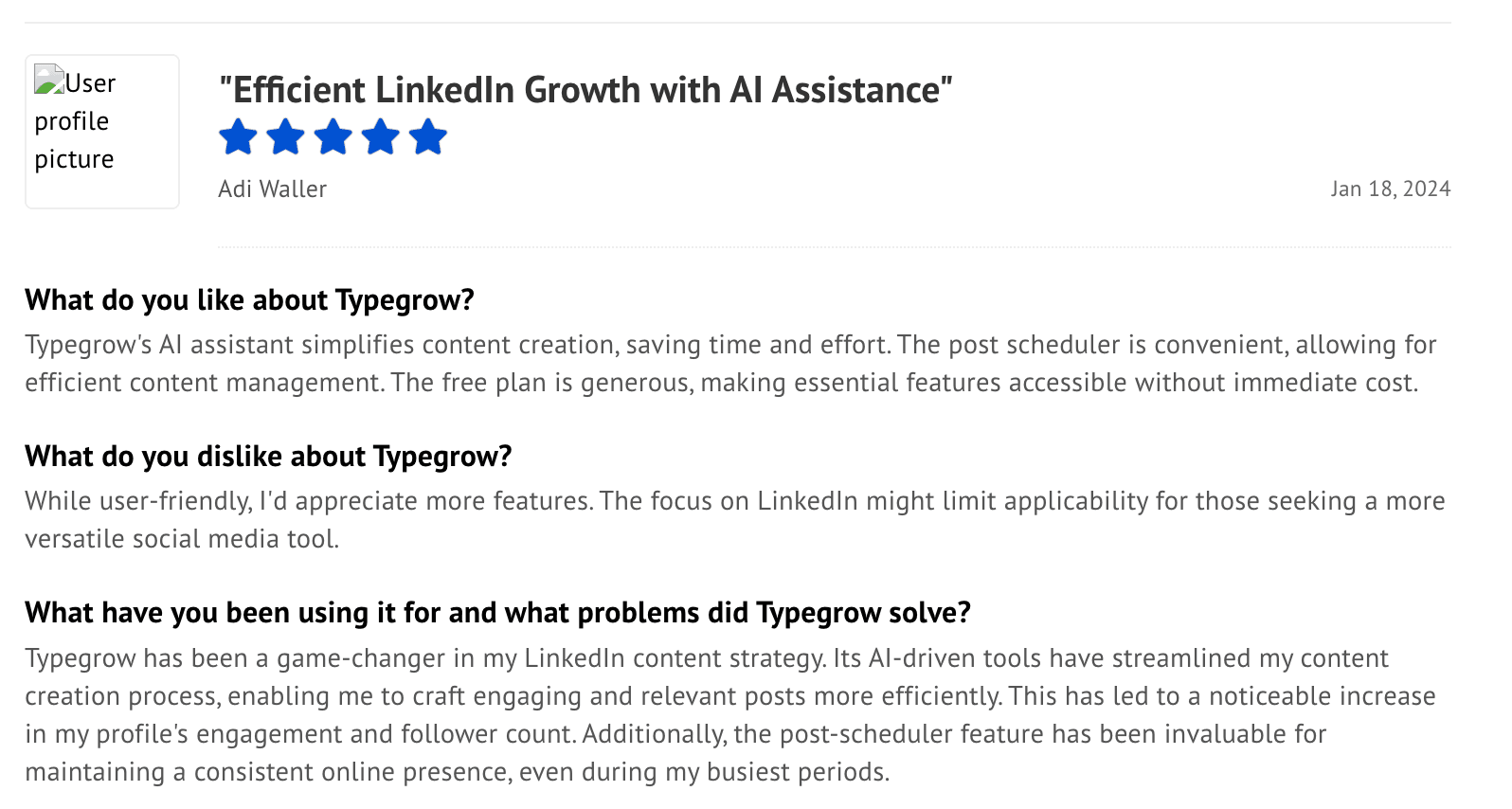
AI Assistant: Helps create and refine content efficiently.
Post Scheduler: Makes it easy to schedule posts and keep your content flowing regularly.
Growth Tools: Carousel creators and hook generators to enhance engagement.
Viral Post Library: Lets you browse over a million viral posts for ideas and insights.
User-Friendly Interface: Easy to use for everyone, and the free plan is quite generous.
❌ Cons
Limited Free Version: The free plan has many restrictions, and you need to pay to unlock the main features.
Customer Reviews: Some users have reported negative experiences or questionable practices, but this is still under review.
Versatility: Since it mainly works with LinkedIn, it may not be the best choice if you want a tool for other social media platforms.
Now, let’s explore the features Typegrow offers.
Typegrow विशेषताएं
हालांकि Typegrow मुख्य रूप से एक LinkedIn निर्माण टूल है, यह विभिन्न आवश्यकताओं के लिए उपयुक्त कई अतिरिक्त सुविधाएं प्रदान करता है, जैसे:
1. एआई के साथ अपने पोस्ट बनाएं
Typegrow आपको लिंक्डइन में लॉग इन किए बिना अपने कंटेंट की योजना बनाने, लिखने और प्रकाशित करने में आसान बनाता है।
सरल डैशबोर्ड के लिए धन्यवाद, आप प्लेटफॉर्म के अंदर सीधे पोस्ट ड्राफ्ट कर सकते हैं, उन्हें AI के साथ पॉलिश कर सकते हैं, और फिर उन्हें दृश्यता के लिए सबसे अच्छे समय पर प्रकाशित करने के लिए शेड्यूल कर सकते हैं।
यह आपको लगातार पोस्टिंग की लय बनाए रखने में मदद करता है और व्यस्त दिनों में भी आपके दर्शकों को बढ़ने में मदद करता है।
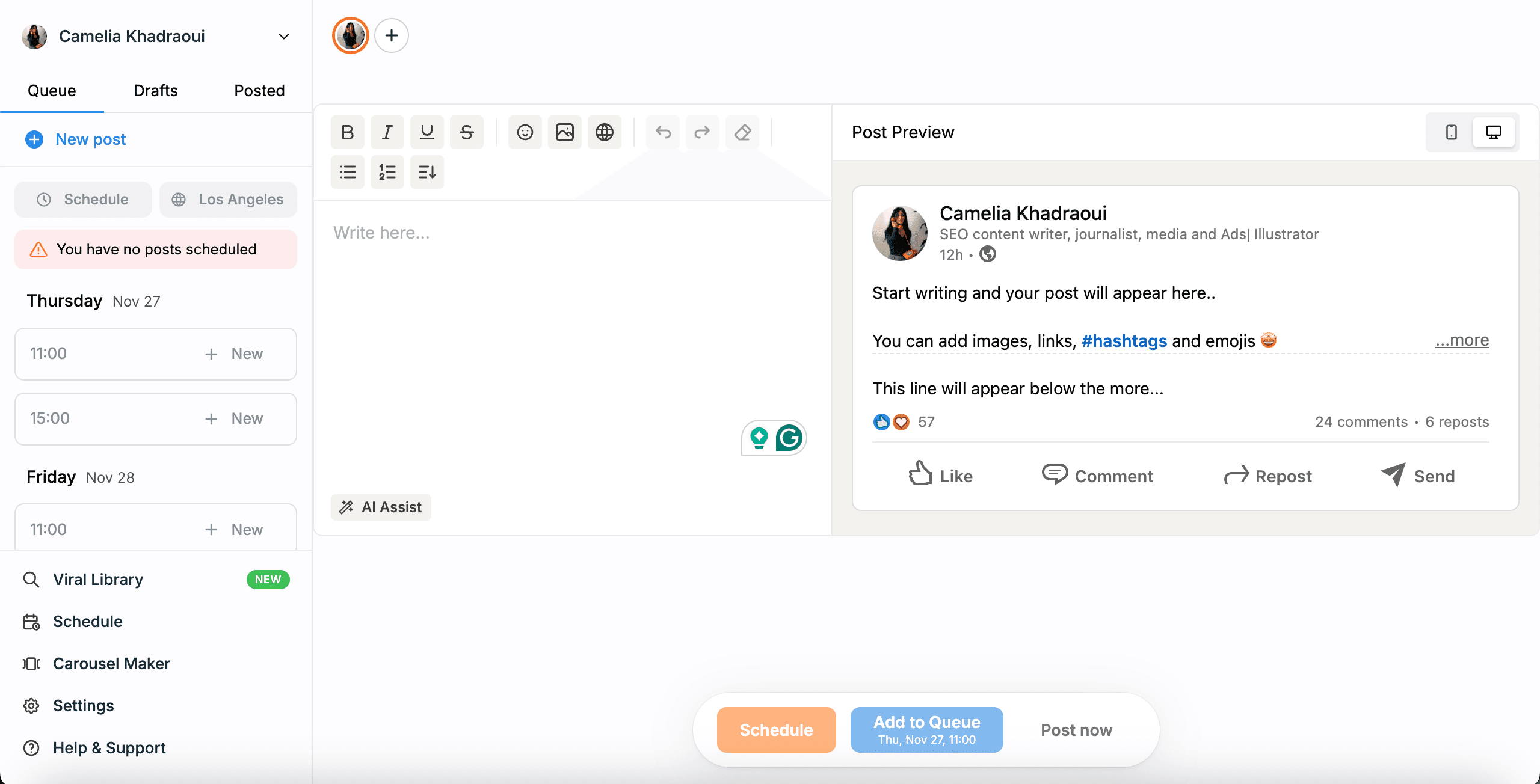
आपके क्षेत्र या विशेषज्ञता का कोई भी मामला हो, Typegrow AI विभिन्न उपयोगों के लिए सामग्री बना सकता है, जिसमें विज्ञापन, सोशल मीडिया पोस्ट, ब्लॉग लेख, ईमेल सामग्री, वीडियो स्क्रिप्ट, और ई-कॉमर्स सामग्री शामिल हैं।
संक्षेप में, यह आपकी जरूरत के किसी भी प्रकार की लिखित सामग्री में मदद कर सकता है।
मैंने जो पहला फीचर आजमाया वह लेख लेखन था, और यह मुझे विशेष रूप से दिलचस्प लगा।
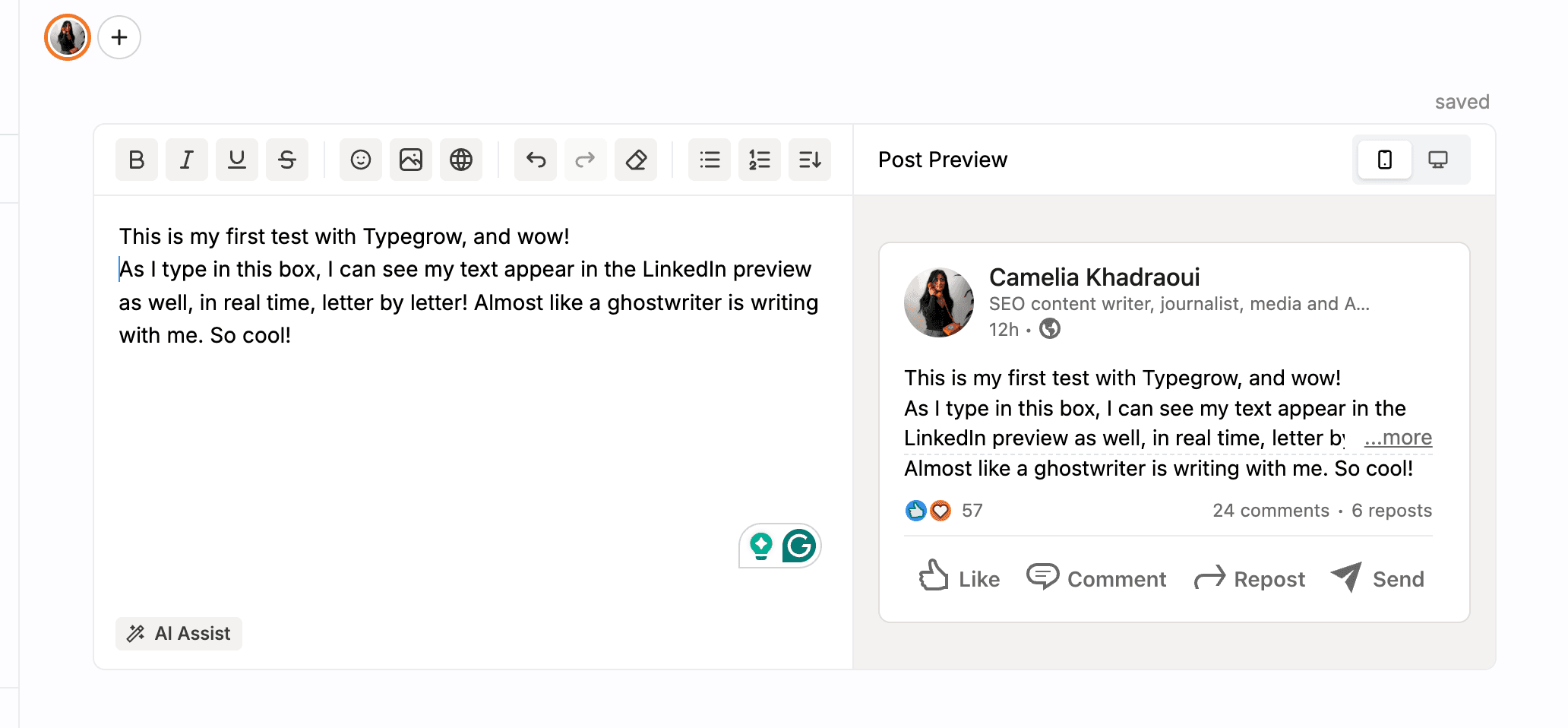
इस स्क्रीनशॉट में, Typegrow क्रियाशील है।
मैंने एक छोटा परीक्षण टाइप किया, और जैसे-जैसे मैं लिखता गया, टेक्स्ट लिंक्डइन पूर्वावलोकन क्षेत्र में, अक्षर दर अक्षर दिखाई दिया।
यह वास्तविक समय में हुआ!
यह फीचर स्वरूपण को समायोजित करना आसान बनाता है और उपयोगकर्ताओं को यह देखने की अनुमति देता है कि उनके पोस्ट प्रकाशित होने पर कैसे दिखेंगे। यह 'प्रकाशित करें' पर क्लिक करने से पहले पठनीयता और प्रवाह की जांच करने में भी मदद करता है।
बहुत बढ़िया!
लेखन सहायक
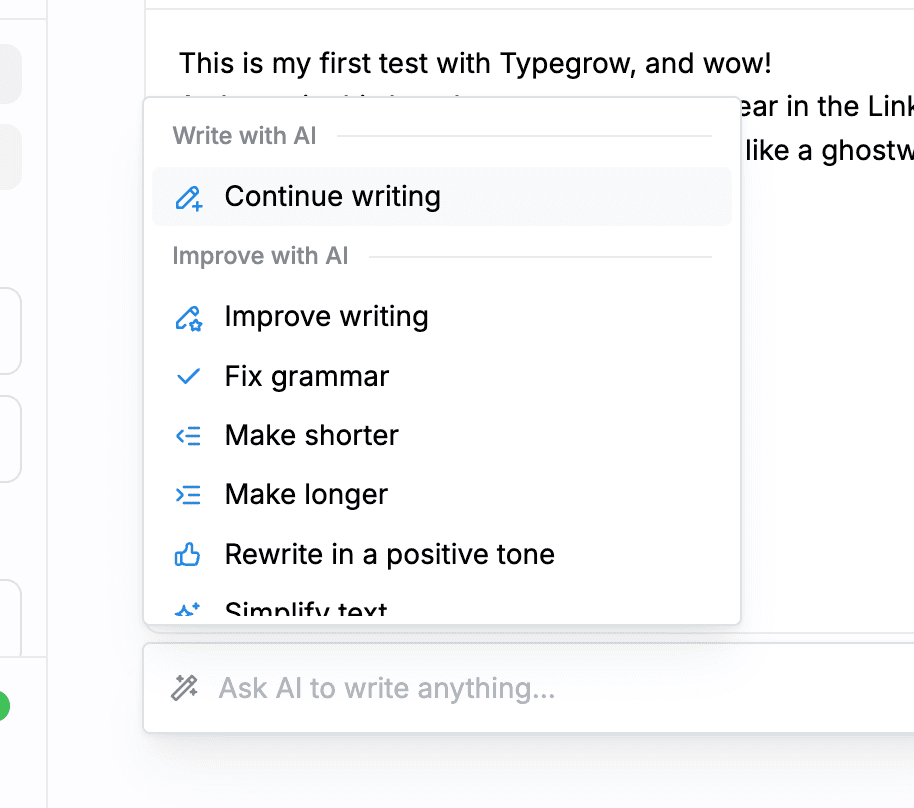
इसके बाद, मैंने AI सहायता बटन पर क्लिक किया, जिससे मेरी पोस्ट को बढ़ाने के लिए कई विकल्प खुले।
मैं लिखना जारी रखने, व्याकरण सुधारने, स्पष्टता बढ़ाने, पाठ को लंबा या छोटा करने, और बहुत कुछ करने का चयन कर सकता हूं।
यह फीचर आपको किसी अन्य AI के लिए डैशबोर्ड छोड़ने के बिना अपने LinkedIn कंटेंट को ठीक करने की अनुमति देता है।

यदि आप अक्सर खाली पन्ने की मानसिकता के साथ संघर्ष करते हैं, तो यह फीचर एक सच्चा जीवन रक्षक हो सकता है, आपको तुरंत प्रेरणा देते हुए और बिना किसी संकोच के लेखन शुरू करने में मदद करता है।
हर निर्माता को कभी-कभी थोड़ी प्रेरणा की आवश्यकता होती है। Typegrow आपको ध्यान आकर्षित करने वाले हुक बनाने और प्रभावी कॉल-टू-एक्शन तैयार करने में भी मदद कर सकता है।
3. अपने LinkedIn पोस्ट का शेड्यूल बनाएं
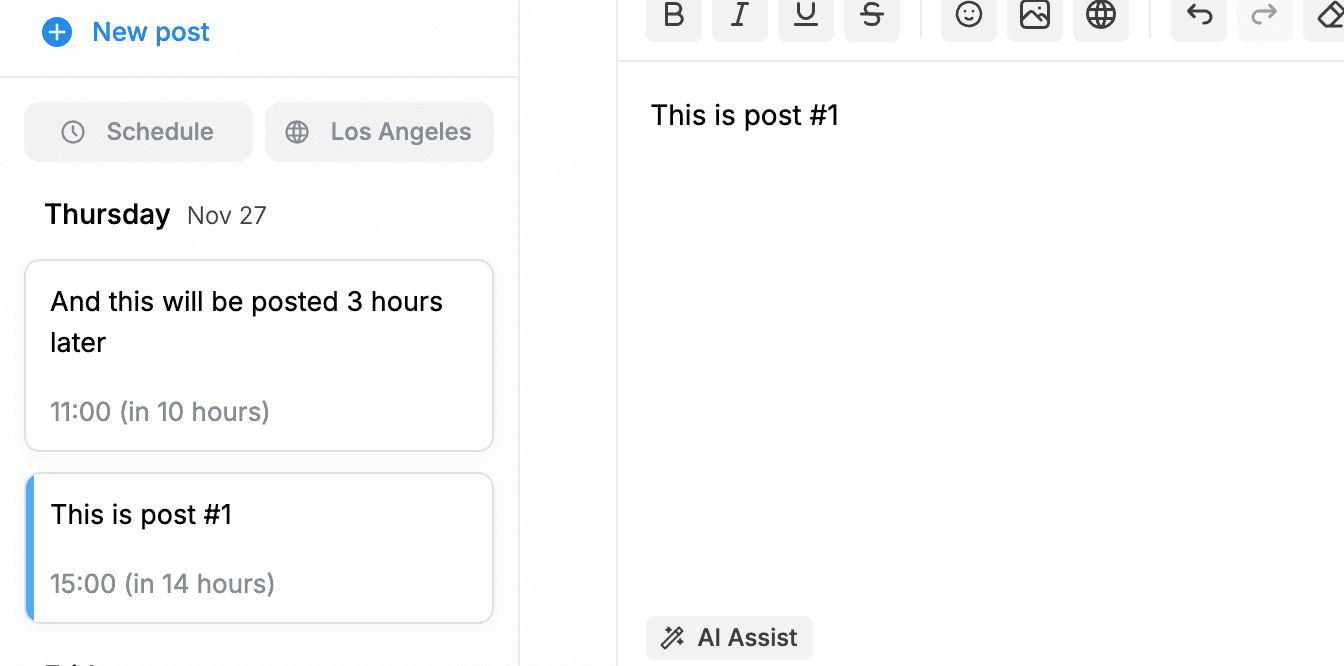
अपनी सामग्री लिखने के अलावा, Typegrow आपको यह भी शेड्यूल करने देता है कि यह कब पोस्ट होगी।
आप डैशबोर्ड में अपने पोस्ट लिख सकते हैं, उन्हें सुधारने के लिए AI सुझावों का उपयोग कर सकते हैं, और उन्हें आपके पसंदीदा समय पर स्वचालित रूप से पोस्ट करने के लिए सेट कर सकते हैं।
यह आपको सुसंगत रहने, समय बचाने, और हर दिन हाथ से पोस्ट किए बिना सक्रिय LinkedIn उपस्थिति बनाए रखने में मदद करता है।
4. कैरोसेल पोस्ट उत्पन्न करें
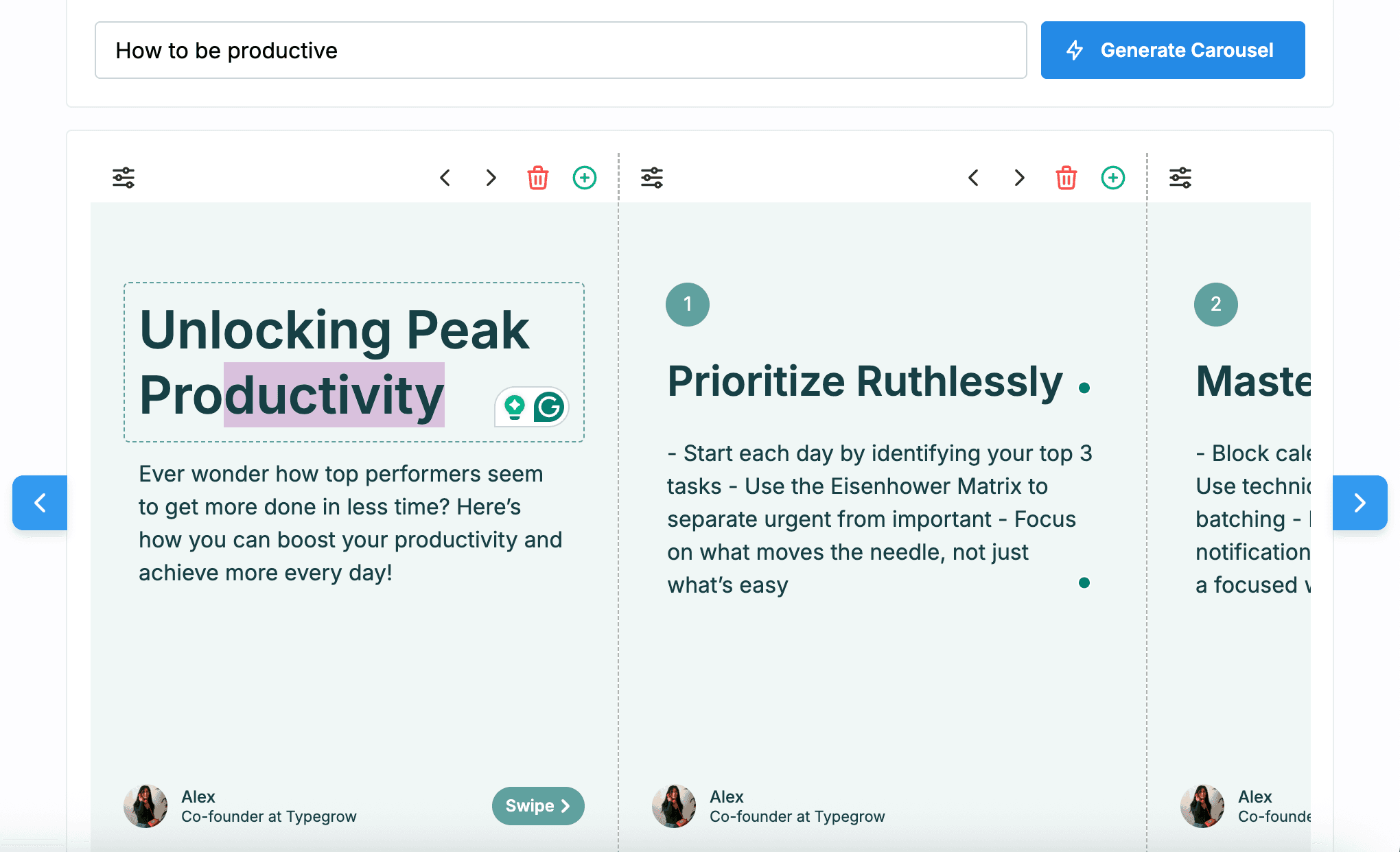
कैरोसेल LinkedIn पर सामग्री साझा करने का एक लोकप्रिय और आकर्षक तरीका है, और Typegrow उनके निर्माण को सरल बनाता है।
कैरोसेल पोस्ट जनरेटर के साथ, आप जल्दी से अपने विचारों को ध्यान खींचने वाले, स्वाइप करने योग्य पोस्ट में बदल सकते हैं।
AI-संचालित डिज़ाइन और टेक्स्ट फ़ॉर्मेटिंग किसी को भी बिना डिज़ाइन अनुभव के भी पेशेवर दिखने वाले कैरोसेल बनाने में मदद करती है।
5. प्रेरणा के लिए सामग्री पुस्तकालय
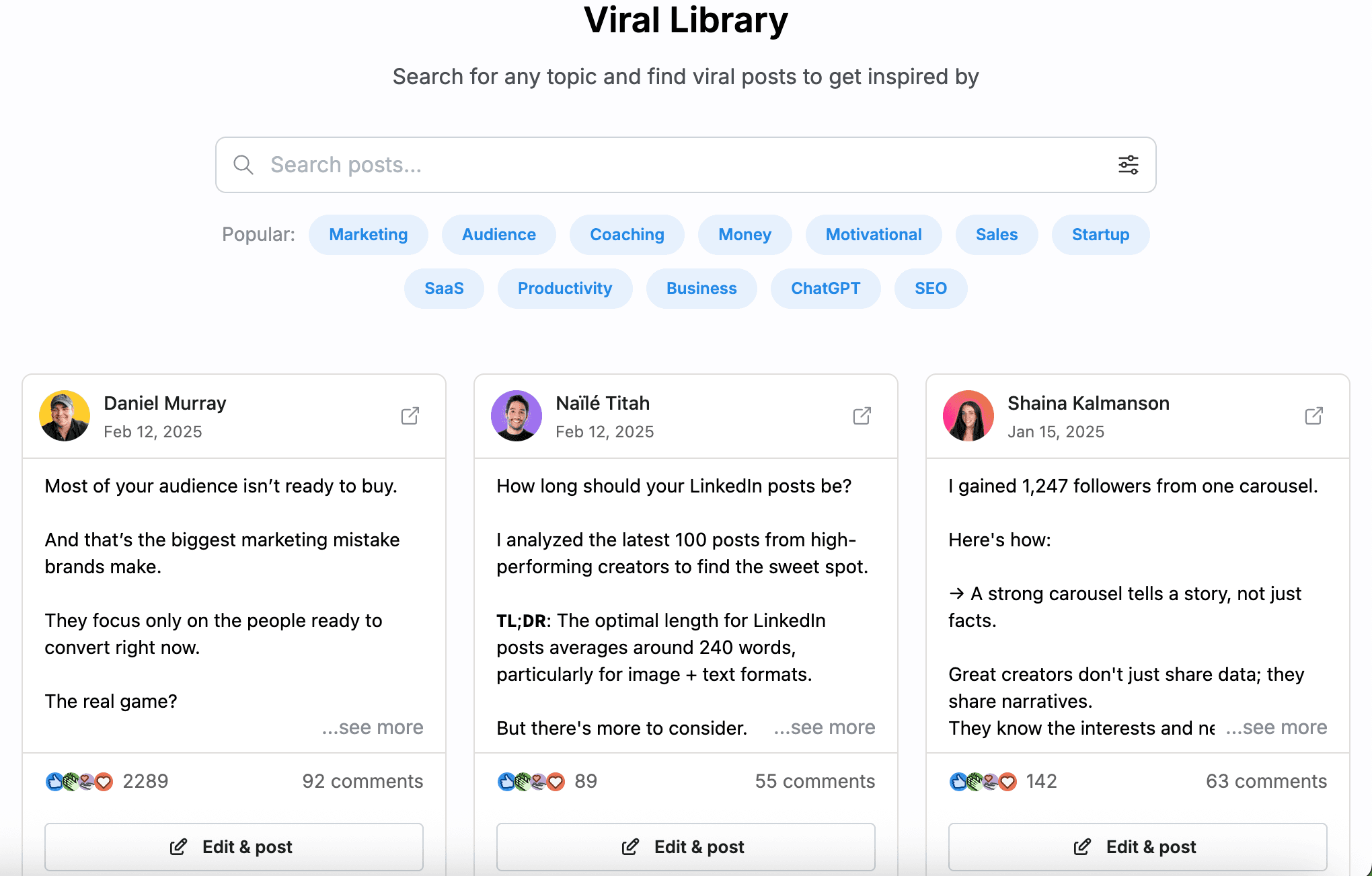
यदि आप कभी ठहराव महसूस करते हैं, तो Typegrow का सामग्री पुस्तकालय नए विचारों को प्रेरित करने में मदद कर सकता है।
यह पुस्तकालय आपको वास्तविक लोगों द्वारा बनाए गए शीर्ष LinkedIn पोस्टों की एक विस्तृत श्रृंखला तक पहुँच प्रदान करता है।
आप लोकप्रिय प्रारूपों को ब्राउज़ कर सकते हैं, देख सकते हैं कि कौन-से पोस्ट संरचनाएं अच्छी काम करती हैं, और अपने दर्शकों के साथ जोड़ने वाली सामग्री बनाने के लिए विचार प्राप्त कर सकते हैं।
Typegrow Tools Overview
Typegrow comes with a suite of free, easy-to-use tools designed to help creators, founders, and marketers save time and publish better content on LinkedIn.
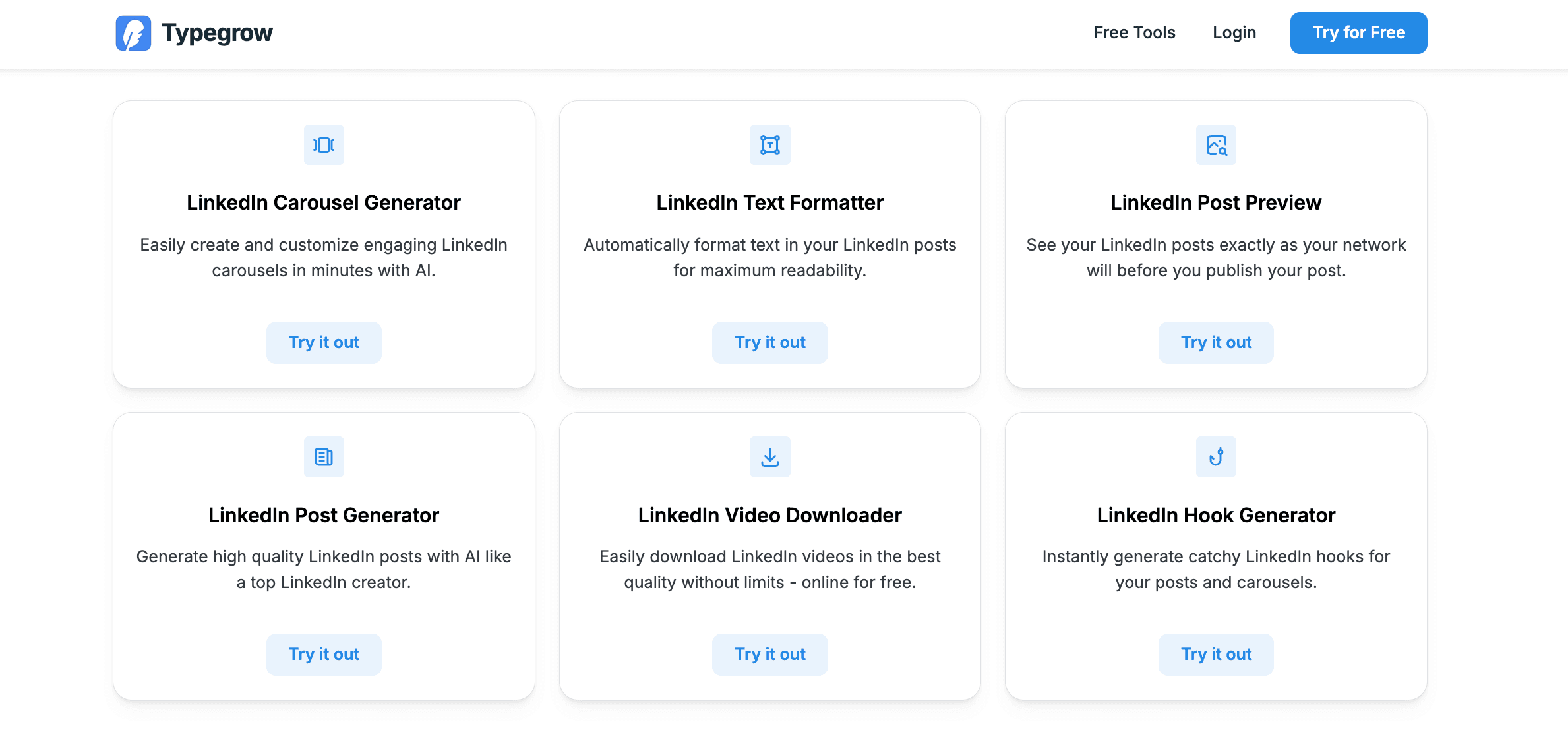
Each tool focuses on improving a different part of your workflow:
Feature | Description |
|---|---|
Carousel Generator | Create engaging, scroll-stopping carousels in minutes with AI-assisted design and customization. |
Text Formatter | Format your post text instantly to improve readability, structure, and overall visual impact. |
Post Preview | See exactly how your content will appear on LinkedIn before you hit publish — making last-minute adjustments effortless. |
Post Generator | Generate high-quality LinkedIn posts inspired by top creators, using AI that understands platform-specific writing styles. |
Video Downloader | Download LinkedIn videos in high quality with no limits — useful for repurposing or saving examples for inspiration. |
Hook Generator | Quickly generate attention-grabbing hooks to boost the performance of your posts and carousels. |
Pricing and Plans
Typegrow offers a Free Plan (no credit card required, as they specify) and a paid plan at $29/month.
However, if you choose annual billing, that price is discounted to $20/month.
The paid plan appears to give access to all features: AI-powered post generator, scheduler (posts + carousels), a large library of viral LinkedIn posts, carousel generator, text formatter, video downloader, hook generator, and other LinkedIn growth & content tools.
Plan / Tier | Monthly Price (per Seat) | Annual Price (per Seat) | What You Get / Notes |
|---|---|---|---|
Free | $0 | ❌ | Free forever: AI content generation, scheduling, viral post library, basic growth tools. |
Paid (Standard) | $29 / month (if billed monthly) | $20 / month (if billed annually) | Full access: AI assistant, post & carousel scheduler, viral post library (1 M+ posts), carousel generator, post preview, post & video generator, hook generator, formatting tools, all core content & LinkedIn growth features. |
Typegrow vs MagicPost Features Overview
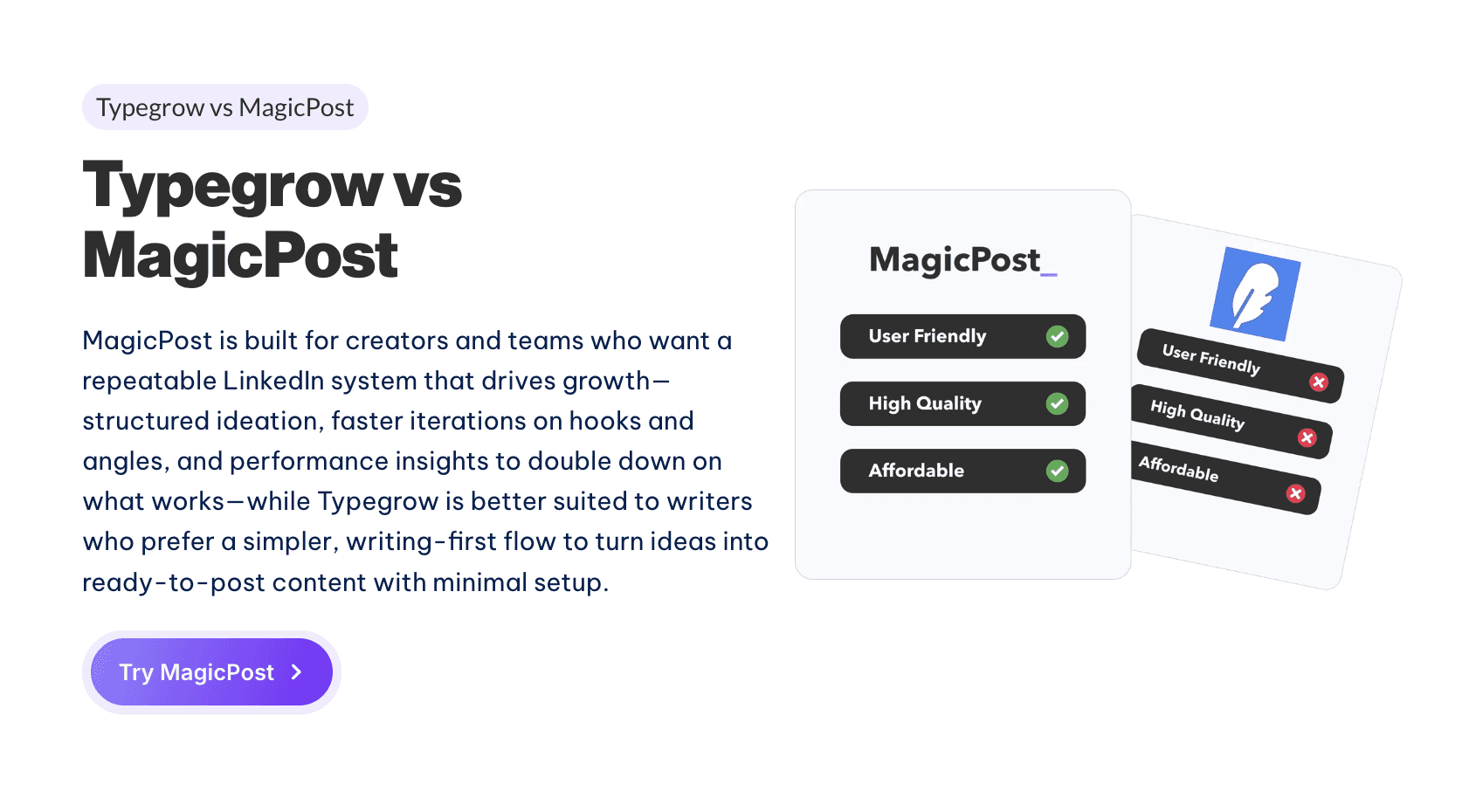
Typegrow helps creators with content creation, voice matching, and basic analysis. MagicPost, on the other hand, offers a wider range of features.
MagicPost is an all-in-one AI content assistant with features that go beyond just writing posts. It includes multi-platform scheduling, content repurposing, hashtag and SEO suggestions, and deeper analytics.
The pricing is different, too. Stanley has a paywall, while MagicPost offers more flexible plans and better free options.
In practice, MagicPost gives users more tools and value right from the start:
Here’s the transcription of the table you provided:
Features | Competitor | MagicPost |
|---|---|---|
Generate unlimited posts | ✅ | ✅ |
Generate post ideas | ✅ | ✅ |
Generate hooks | ❌ | ✅ |
Add and use your own writing style (or someone else's) | ✅ | ✅ |
Duplicate and reuse a post (recycling) | ✅ | ✅ |
Edit your post directly from the tool | ✅ | ✅ |
Schedule your publications or select “publish now” | ✅ | ✅ |
Find inspiration by filtering all posts already published on LinkedIn | ❌ | ✅ |
Bookmark your favorite LinkedIn posts, ideas and hooks | ✅ | ✅ |
Centralized and organized your generated posts | ✅ | ✅ |
Access to dozens of LinkedIn post templates | ❌ | ✅ |
Ask AI with specific instructions | ✅ | ✅ |
Add automatically your own signature and hook | ❌ | ✅ |
Work in a team on the same account | ❌ | ✅ |
Change your dashboard to +5 different languages | ❌ | ✅ |
Get advanced LinkedIn profile metrics and infographics | ❌ | ✅ |
Most Important MagicPost Features
Better Pricing Structure
Instead of a single expensive paywall like Stanley's, MagicPost offers tiered pricing with more affordable options and a generous free plan. This helps creators get started without spending a lot of money up front.
Many More Features
MagicPost includes multi-platform posting, visual scheduling calendars, analytics dashboards, and additional creative tools that Stanley doesn’t offer. These extra capabilities make it more useful for serious content planning and performance tracking.
Free Trials and Several plans
Users can try MagicPost’s main features right away, gaining real hands-on experience before deciding to subscribe.
User-Friendly Dashboard
MagicPost’s dashboard is easier to use and brings all content workflows together in one place, making things simpler for creators.
In short, if you care about cost, flexibility, and more features, MagicPost gives you more tools and free options than Stanley. For many creators, it is the smarter choice.
Why MagicPost is The Best Alternative
MagicPost helps you create LinkedIn posts in seconds using ready-made hooks, an idea generator, a carousel creator, templates, and a simple workflow. It also includes many of the same features as the other tools.
On top of that, one of MagicPost’s main benefits is its lower price, which is excellent for people or creators on a budget.
Pricing-wise, the Starter plan is ₹1340 per month. The Creator plan, billed annually, costs about ₹2010 per month and gives you unlimited post creation, scheduling, and templates.
For creators focused on posting quality content regularly and affordability, MagicPost often offers the best value by providing the most essential content creation tools at a lower price.
Stanley Review (2026): Is This ₹12,500/mo. LinkedIn Tool Worth It?
Stanley is a ₹12,500/mo. LinkedIn AI tool with no free trial. This Stanley review covers what it does, what it doesn’t do, and whether it’s worth it.
CoPost Review: Features, Prices, Pros and Cons
Discover CoPost, and learn why MagicPost is the best alternative for AI-powered LinkedIn content creation, featuring simpler pricing and unlimited post generation.
CoPostly Review: Features, Pricing, and Drawbacks
CoPostly review covering features, pricing, pros and cons, and plan comparison to help you decide if it’s the right LinkedIn content tool for you.

How to Write Great LinkedIn Posts with AI (2026)
Learn how to create excellent LinkedIn posts with AI by developing your writing style, using MagicPost, and trying out methods to enhance engagement.
Heyoo Review: Features, Advantages & Disadvantages
Review of Heyoo: what it does well, where it falls short, how much it costs, and who it actually makes sense for on LinkedIn.