" height="26.80529977783203px" id="tymKb8bqC" width="128.00300311279295px"/><path d="M 0 2.417 L 0 0 L 12.909 0 L 12.909 2.417 Z" fill="rgb(126, 78, 253)" height="2.417099999999998px" id="aYr4em6zK" transform="translate(128.341 22.325)" width="12.908999999999992px"/></svg>)

"/><stop offset="1" stop-color="rgb(118, 37, 250)"/></linearGradient></defs><g d="M 19.242 21.22 L 19.362 6.204 L 19.272 6.204 L 13.757 21.22 L 10.161 21.22 L 4.796 6.204 L 4.706 6.204 L 4.825 21.22 L 0 21.22 L 0 0 L 7.283 0 L 12.109 13.607 L 12.229 13.607 L 16.844 0 L 24.247 0 L 24.247 21.22 Z M 26.421 26.113 L 26.421 23.445 L 41.407 23.445 L 41.407 26.113 Z" fill="transparent" height="26.112508199679183px" id="DvfaAIHYn" width="41.40731898311435px"><path d="M 19.242 21.22 L 19.362 6.204 L 19.272 6.204 L 13.757 21.22 L 10.161 21.22 L 4.796 6.204 L 4.706 6.204 L 4.825 21.22 L 0 21.22 L 0 0 L 7.283 0 L 12.109 13.607 L 12.229 13.607 L 16.844 0 L 24.247 0 L 24.247 21.22 Z" fill="rgb(46, 46, 46)" height="21.220180016149442px" id="pLsxRCobd" width="24.247352589074694px"/><path d="M 0 2.668 L 0 0 L 14.986 0 L 14.986 2.668 Z" fill="url(%23yD9d4I5GR-3279285344-linear-gradient)" height="2.6675085048549647px" id="yD9d4I5GR" transform="translate(26.421 23.445)" width="14.986002836263765px"/></g></svg>)

Naïlé Titah
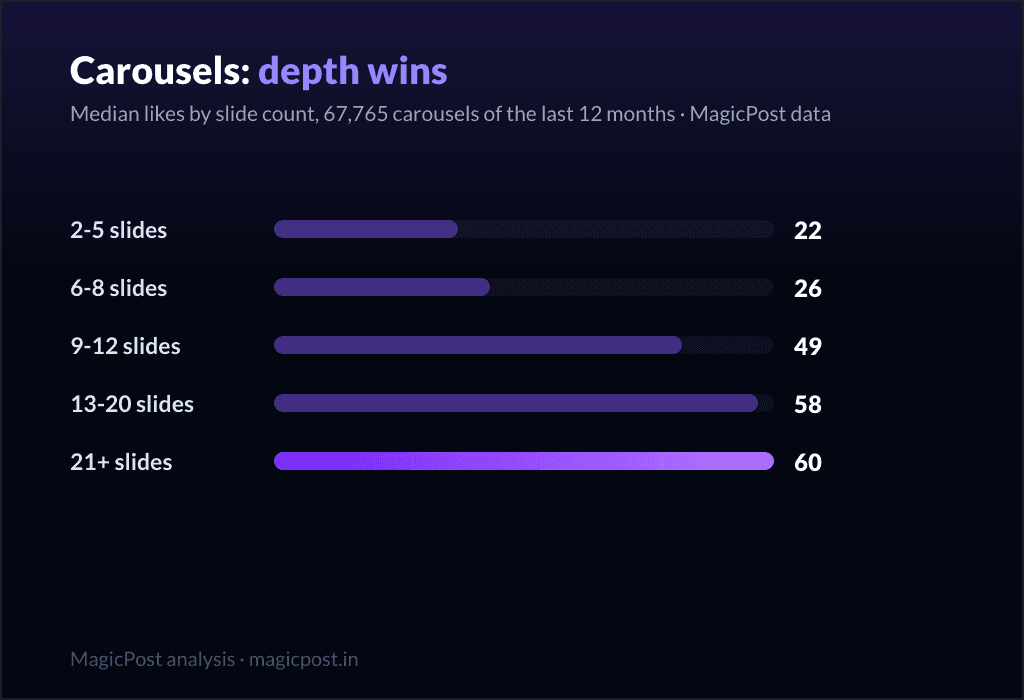
Search "how many slides should a LinkedIn carousel have" and you will get the same number from almost every result: 8 to 12 slides is optimal. It is the advice you will find everywhere, repeated so often it sounds like a measured fact. The problem is that nobody publishing it shows the data. We did: we measured 67,765 carousels from the last 12 months, and the answer is not 8 to 12. Median likes keep rising past it. A 9-to-12-slide carousel earns more than double a short one, and a 21-plus-slide carousel earns the most of all. The consensus number stops exactly where the payoff starts to accelerate.
So the honest answer is: more than you have been told. Aim for at least 9 slides, and do not be afraid of 13 to 20. Here is the curve that proves it.
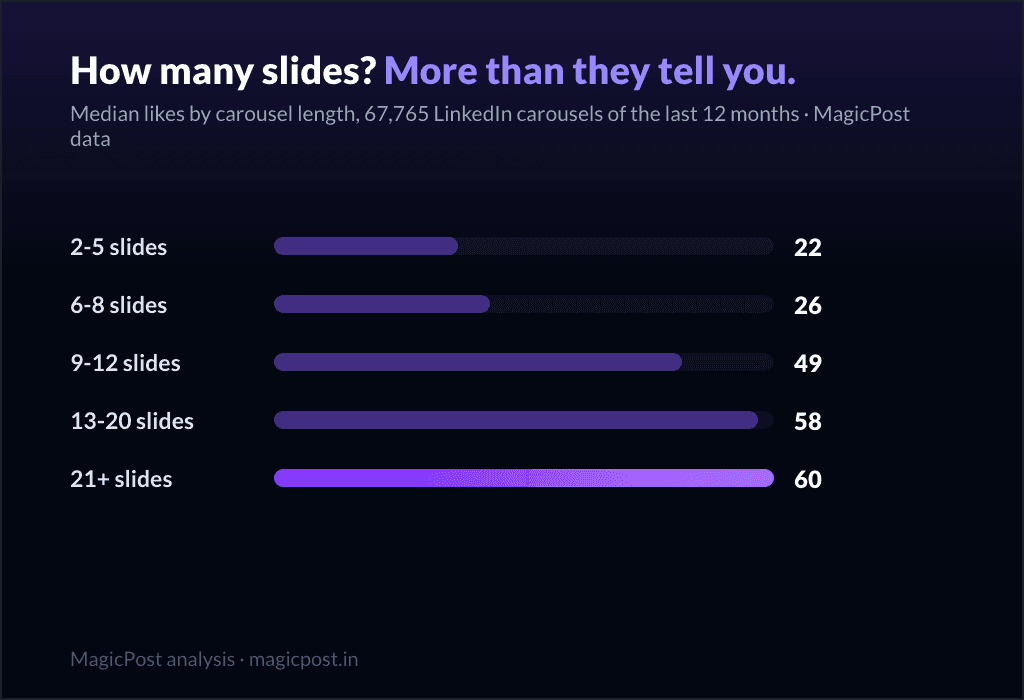
TL;DR: Median likes rise with carousel depth: 22 at 2-5 slides, 49 at 9-12, 58 at 13-20, 60 at 21+ (67,765 carousels). The median carousel is only 8 slides: most creators stop where the payoff starts. Above 50k followers, 9-12 is the peak.
The depth curve: engagement climbs with slide count
Carousel engagement is not flat across length. It rises, and it rises hard. Across the 67,765 carousels in our corpus, grouped by slide count and compared on median likes:
Slides | Carousels measured | Median likes | Median comments |
2 to 5 | 11,865 | 22 | 3 |
6 to 8 | 22,356 | 26 | 6 |
9 to 12 | 21,966 | 49 | 17 |
13 to 20 | 8,265 | 58 | 20 |
21+ | 3,313 | 60 | 13 |
Read the jump in the middle. A carousel goes from 26 median likes at 6 to 8 slides to 49 at 9 to 12, almost double, the moment it crosses into double digits. From there it keeps climbing: 58 at 13 to 20 slides, 60 at 21 or more. A deep carousel earns roughly 2.7 times the likes of a 2-to-5-slide teaser. Comments follow the same arc, peaking at 20 in the 13-to-20 band.
The "8 to 12" advice lands right on the edge of that acceleration. Telling people to cap at 12 slides is telling them to stop one breath before the curve does its best work. (For the full format ranking and where carousels sit overall, see the pillar, the best LinkedIn post format in 2026.)



The gap nobody mentions: almost everyone stops too early
Here is the part the advice leaves out. The median carousel on LinkedIn is only 8 slides, and the top 10% (p90) reach just 15 slides. So the typical creator stops at 8, sitting in the 6-to-8 bucket, exactly one row below where engagement takes off. The deep carousels that win are rare.
That is a clean supply-and-demand story. Long carousels both outperform and are uncommon. The 13-to-20 band holds only 8,265 of the 67,765 carousels we measured, and the 21-plus band just 3,313. The slides that earn the most are the slides almost nobody makes. If you want an edge, it is sitting unclaimed past slide 9.
Not sure what your carousel should even be about? A deep carousel only works if every slide carries a real idea, not padding. MagicPost's post ideas turns a topic into angles and outlines you can build slides from, so you start with 12 slides worth of substance instead of stretching three.
The honest nuance: "8 to 12" is decent advice for big accounts only
The depth effect is real, but it is not identical for everyone, and this is where the popular advice has a sliver of truth. We split the same carousels by the author's follower count to remove audience size from the picture:
Followers | Slides | Carousels measured | Median likes |
Under 5k | 2 to 8 | 14,256 | 13 |
Under 5k | 9 to 12 | 6,977 | 16 |
Under 5k | 13+ | 2,649 | 19 |
5k to 50k | 2 to 8 | 11,384 | 35 |
5k to 50k | 9 to 12 | 8,893 | 53 |
5k to 50k | 13+ | 5,536 | 55 |
50k+ | 2 to 8 | 4,176 | 202 |
50k+ | 9 to 12 | 5,258 | 253 |
50k+ | 13+ | 2,960 | 196 |
For the vast majority of creators, deeper still wins. Under 5,000 followers, likes climb 13 to 16 to 19 as carousels get longer. From 5k to 50k, they climb 35 to 53 to 55. Both bands reward going past 12 slides.
The exception is at the top. Above 50,000 followers, the peak is the 9-to-12 band (253 median likes), and 13-plus dips back to 196. So "8 to 12 is optimal" turns out to be reasonable advice, for big accounts specifically. For everyone else, that ceiling does not apply, and stopping at 12 leaves engagement on the table. The advice generalizes a pattern that only holds for the largest creators and sells it to the people it hurts most.
A caveat worth stating plainly
Creators do not choose slide counts at random. A 20-slide carousel is usually the work of someone more invested: it took longer to build, it signals effort, and effort tends to come from people who already post good content. So part of the climb in these tables is the author behind the slides, not the slide count alone.
The follower-band split above removes one confounder, audience size, by comparing creators of similar reach. It does not remove effort. We are honest about that: depth and effort travel together, and you cannot fully separate them in observational data. But that does not weaken the practical takeaway. Whether the deep carousel wins because it is deep or because deep carousels are made carefully, the move for you is the same: build the longer, more considered carousel.
What to actually do with 9 to 20 slides
The data says go deep. The craft is making depth readable instead of exhausting. A working structure for a 9-to-20-slide carousel:
Cover slide: the hook. Slide one is the only thing the feed shows. Lead with the promise or the tension, not your logo. It earns the swipe or nothing else matters.
One idea per slide. A slide is a beat, not a paragraph. If a slide makes two points, split it into two. This is also how you reach 12 slides honestly: you are not padding, you are giving each idea its own frame.
A recap slide near the end. Once you are past 10 slides, a single "here is everything in one view" slide helps readers consolidate and is the most screenshotted, most saved slide you will make.
A call-to-action slide to close. They swiped to the end; you have their attention and goodwill. Ask for a follow, point to the comments, or link a resource. Do not waste the closer on "thanks for reading."
And when is a short carousel still right? When you have one quick framework to deliver and stretching it would dilute it. A crisp 5-slide carousel that nails a single point beats a 15-slide one padded to hit a number. The lesson is not "always make it longer." It is "do not stop at 8 just because you ran out of steam." If the substance runs to 14 slides, make 14.
For the full mechanics, designing in Canva or Figma, the 4:5 export, the PDF upload, see the companion guide, how to create a LinkedIn carousel post. And if you want to study real winning carousels instead of guessing, browse real winning carousels among 2M+ posts and filter by format to see how the deep ones are built, slide by slide.
Where this data comes from
Everything on this page is MagicPost's own research. We measured 67,765 LinkedIn carousels (PDF document posts) published over the last 12 months, with reshares, excluded posts, and deleted posts filtered out, grouped by slide count and compared on median engagement, never averages, so a handful of viral carousels cannot distort the picture. The per-follower-band tables compare creators of similar audience size to remove reach as a confounder. Slide-count distribution (median 8 slides, p90 of 15) is taken across the same corpus. Honest confounder: creators do not pick slide counts at random, and deeper carousels tend to come from more invested authors, so part of the depth effect reflects effort, not slide count alone; the follower-band split controls for audience size but not for effort. This page measures engagement (likes and comments) only, and makes no reach claims. Figures dated June 2026, refreshed with the data.
FAQ
How many slides should a LinkedIn carousel have?
More than the usual advice says. The popular "8 to 12 slides" stops right where engagement accelerates. Across 67,765 carousels measured over the last 12 months, median likes climb with depth: 2-to-5-slide carousels earn 22, 6-to-8 earn 26, 9-to-12 jump to 49, 13-to-20 reach 58, and 21-plus hit 60. So aim for at least 9 slides, ideally 13 to 20, as long as every slide carries a real idea. A deep carousel earns roughly 2.7 times the engagement of a short one. The catch: the median carousel is only 8 slides, so most creators stop one bucket short of the payoff.
Is 8 to 12 slides really the optimal length?
Only for the largest accounts. When we split carousels by follower count, creators above 50,000 followers peak at the 9-to-12 band (253 median likes) and dip at 13-plus (196), so for them the common advice holds. But for everyone smaller, deeper keeps winning: under 5,000 followers, likes rise 13 to 16 to 19 as carousels get longer, and from 5k to 50k they rise 35 to 53 to 55. For the vast majority of creators, stopping at 12 leaves engagement unclaimed.
Can a LinkedIn carousel have too many slides?
For most creators, no, within reason. Median likes keep climbing through the 21-plus band (60), the highest in our data. The only place returns flatten is among accounts above 50,000 followers, where 13-plus slides dip slightly. The real limit is substance, not slide count: a 20-slide carousel only wins if each slide earns its place. Padding to hit a number does not help; one idea per slide does.
What is the median number of slides in a LinkedIn carousel?
Eight. Across the 67,765 carousels we measured, the median carousel is 8 slides and the top 10% (p90) reach 15. That median sits in the 6-to-8 bucket, one row below where engagement takes off (49 median likes at 9 to 12 slides versus 26 at 6 to 8). In other words, the typical creator stops just short of the payoff, which is exactly why deep carousels are both rare and rewarded.
How do I actually create a longer carousel?
Design it in a tool like Canva, Figma, or Google Slides on a 4:5 portrait canvas, give each idea its own slide, add a recap slide near the end and a call-to-action slide to close, then export as a PDF and upload it through LinkedIn's document feature. The full step-by-step, including dimensions and design rules, lives in our companion guide, how to create a LinkedIn carousel post. And whatever you publish, how the 2026 algorithm weighs your content still sets the ceiling.
> Build deeper carousels in one place. With MagicPost you can write, plan, schedule and analyze all your LinkedIn content from one dashboard, carousels included, so you stop guessing at slide nine and start posting past it.
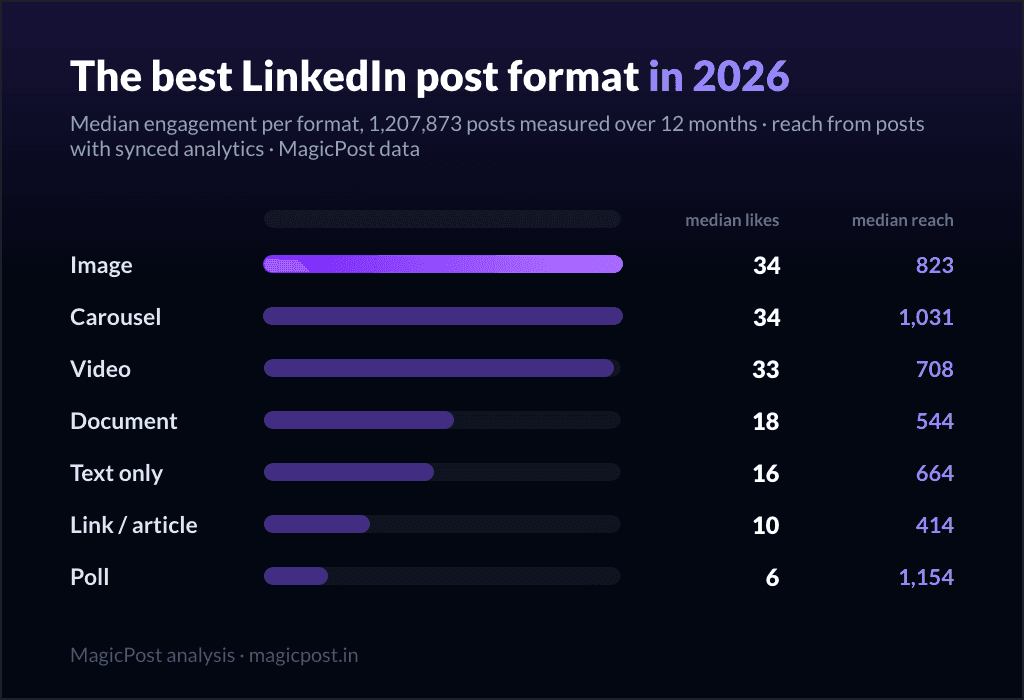
The Best LinkedIn Post Format in 2026 (We Measured 1.2 Million Posts)
The best LinkedIn post format in 2026, measured on 1.2M posts: image and carousel lead at 34 median likes, video is rising, polls are last. Full data.
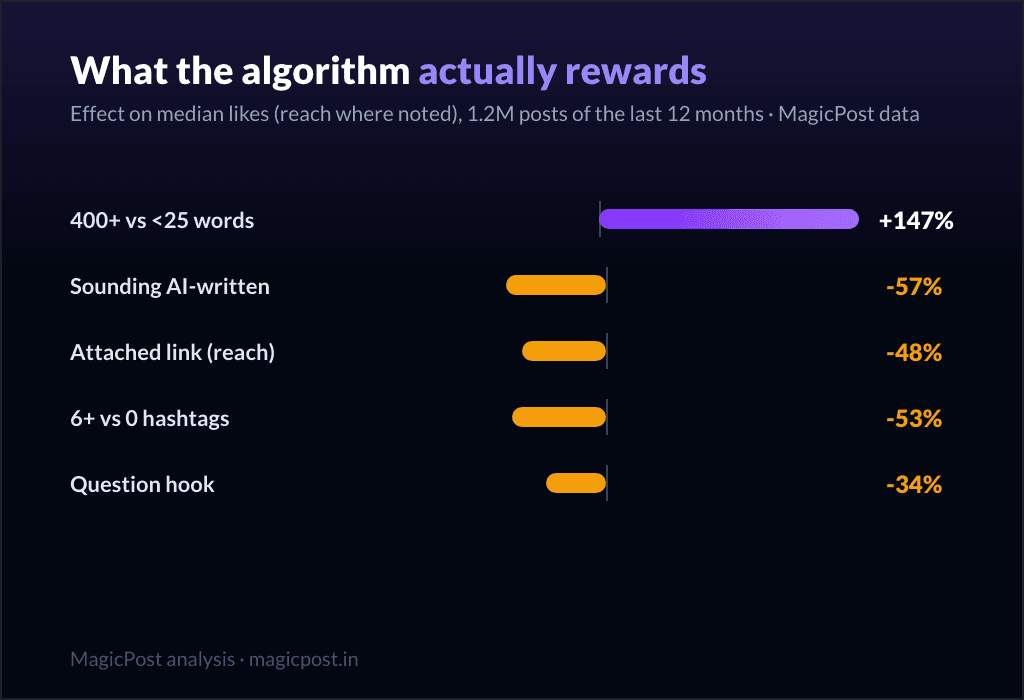
How the LinkedIn Algorithm Works in 2026: What 1.2M Posts Reveal
How the LinkedIn algorithm works in 2026, measured on 1.2M posts: the levers ranked, from post length (+147%) to AI-sounding text (-57%).
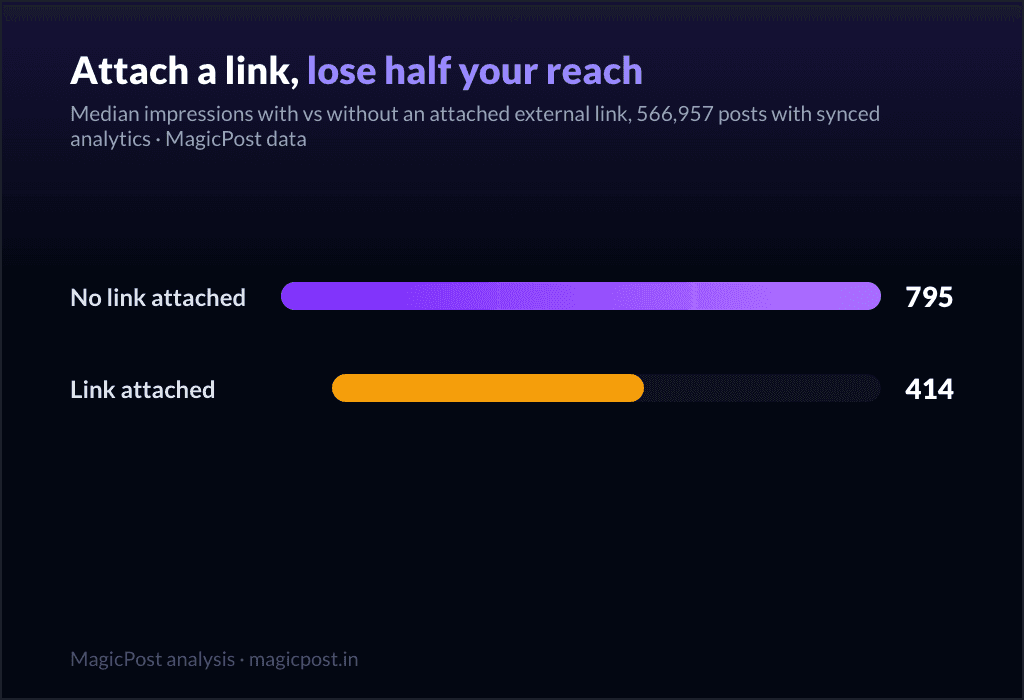
Do External Links Kill Your LinkedIn Reach? We Measured 566,957 Posts
Does linking out kill LinkedIn reach? 566,957 posts measured: attached link cards halve impressions (414 vs 795); in-body URLs cost nothing (858).
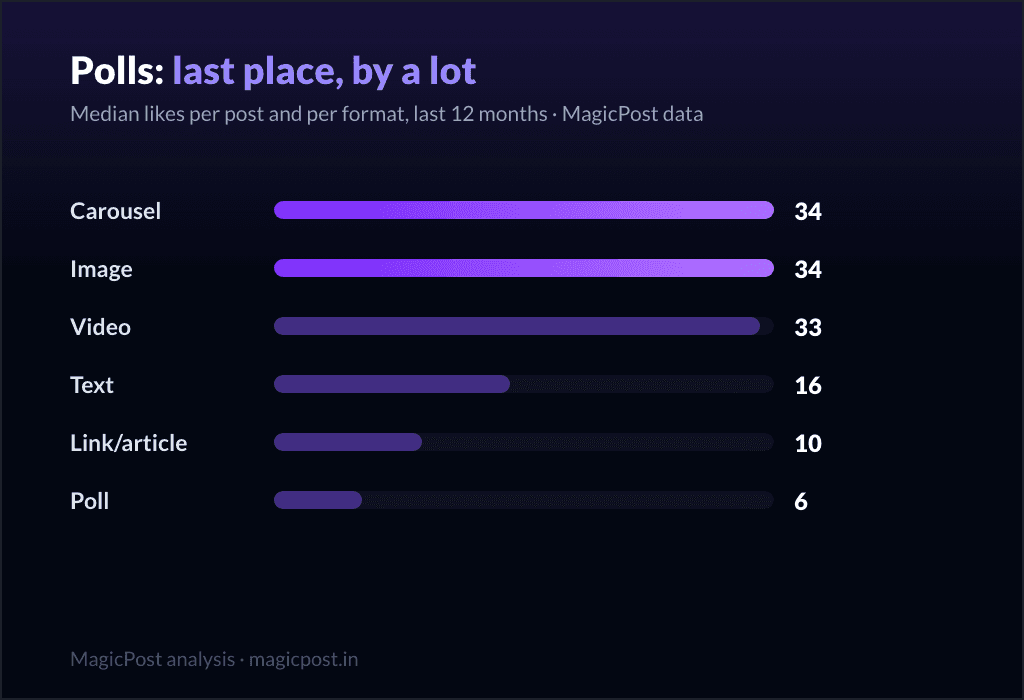
Do LinkedIn Polls Work? 11,000 Polls Say: Not the Way You Think
Do LinkedIn polls work? 11,123 polls measured: 6 median likes vs 34 for images, but 1,154 median impressions. When a poll helps, and when it hurts.
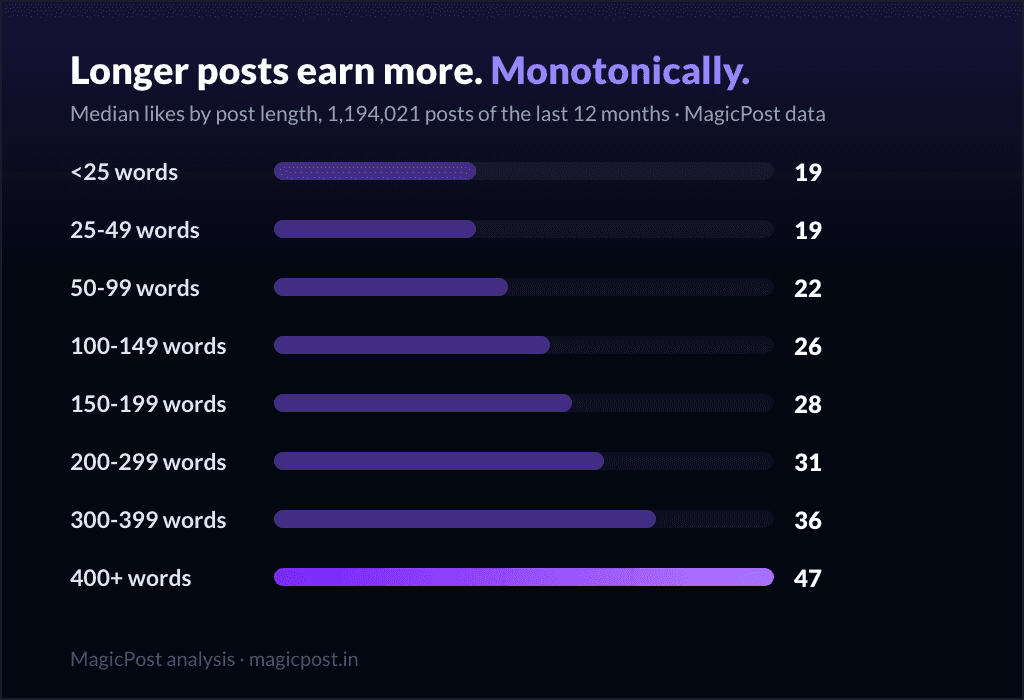
Jak długa powinna być wiadomość na LinkedIn?
Dowiedz się, jaka jest idealna długość posta na LinkedIn, aby uzyskać większą widoczność i impresje. Odkryj wskazówki, jak optymalizować zasięg i zwiększać zaangażowanie.
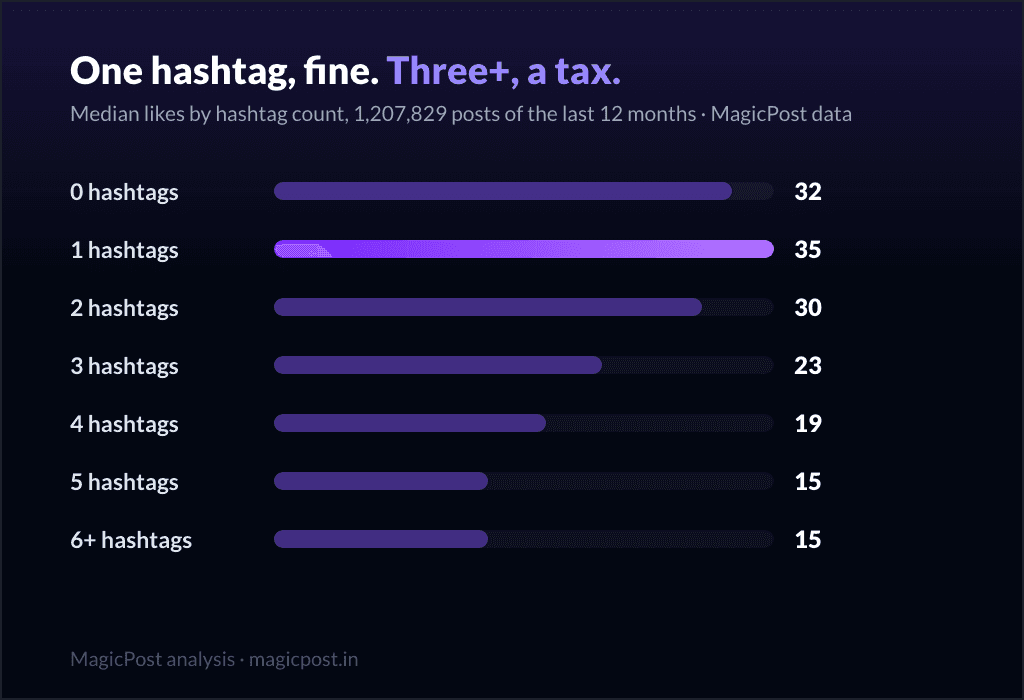
Generator hashtagów LinkedIn: Czy hashtagi wciąż działają? (2026)
Czy hashtagi są wciąż istotne na LinkedIn? Dowiedz się, jak wpływają na twoją strategię treści, jakie mają zalety i wady oraz czy powinieneś je dodawać do swoich postów.
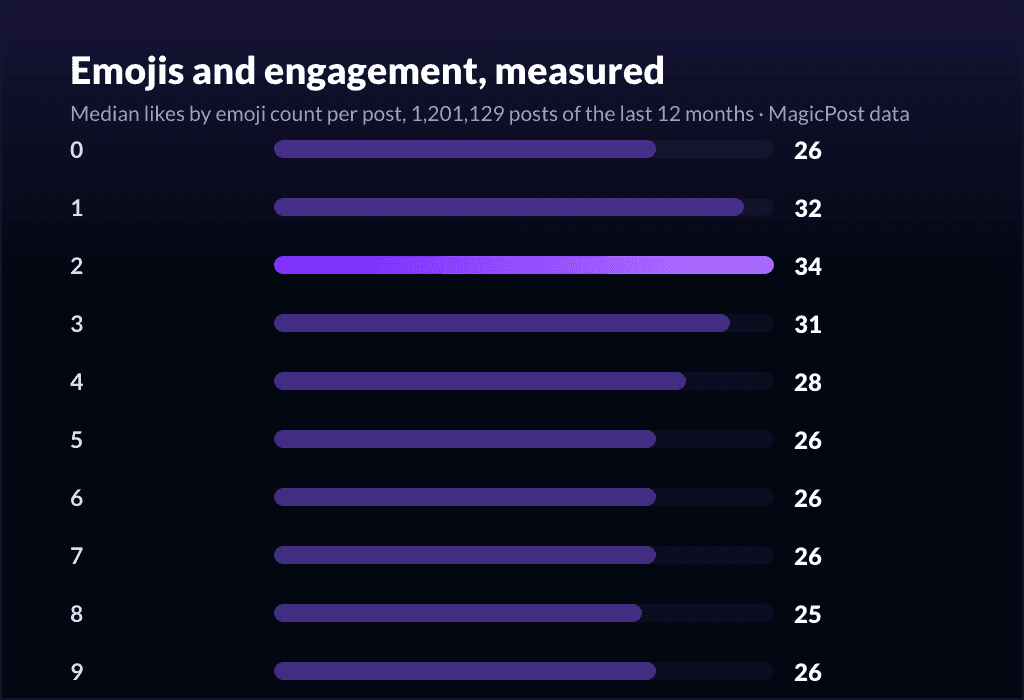
Emotikony LinkedIn: Jak zwiększyć zaangażowanie (+ lista do skopiowania i wklejenia)
Chcesz używać emoji na LinkedIn, aby zwiększyć zaangażowanie? Oto te, które działają, ile ich używać oraz pełna lista do skopiowania i wklejenia.
Ile wyświetleń jest dobre na LinkedIn?
Ile wyświetleń jest dobre na LinkedIn? Oto odpowiedź.
20 Najlepszych Przykładów Hooków na LinkedIn dla Większego Zaangażowania
Odkryj najlepsze haczyki LinkedIn, aby zwiększyć zaangażowanie w swoim poście, oraz darmowe narzędzie, które pomoże Ci pisać mocne haczyki.
Jak tworzyć posty w karuzeli LinkedIn (2026)
Najlepsze praktyki dotyczące tworzenia i publikowania karuzeli na LinkedIn. Aby zwiększyć swoją obecność, skorzystaj z naszej listy rzeczy do zrobienia dotyczącej karuzeli na LinkedIn.