Still looking for a content creation tool? You’re not alone; many people now rely on AI to simplify their processes and boost productivity.
Today, we’re reviewing ContentDrips.
This one promises faster workflows, easier design, and smarter content ideas. In this Contendrips review, we’ll explore how well it performs and whether it’s worth adding to your content workflow.
What is Contentdrips?
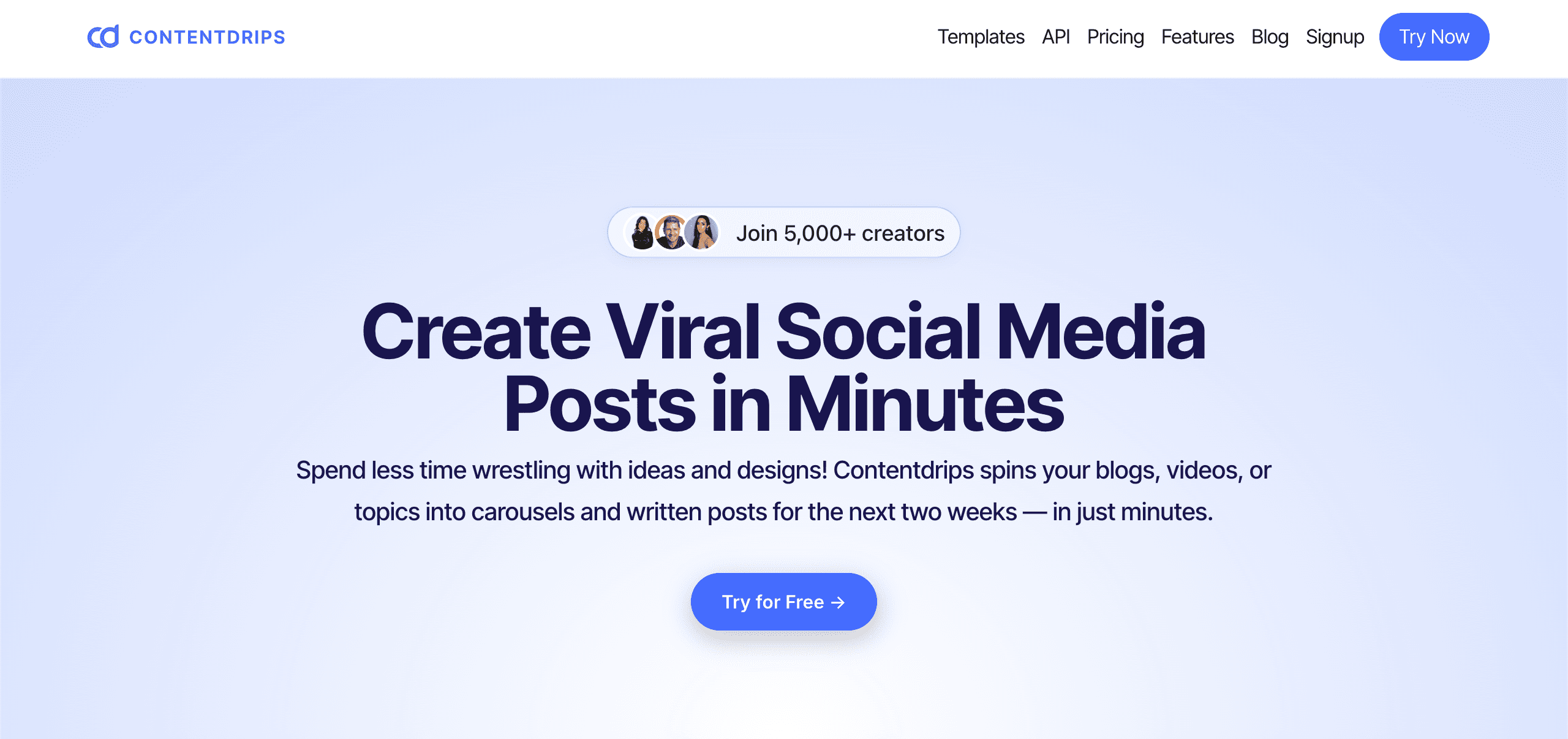
As their landing page says, ContentDrips is an AI-powered platform that helps creators in making viral social media content “in minutes”.
In other words, the platform brings together writing tools, a carousel creator, image generation, and easy design features, all in one dashboard.
The main goal is to save you time on brainstorming, drafting, and formatting posts, so you can focus on your message instead of repetitive manual tasks.
While ContentDrips can be used for various projects, it’s especially popular among creators, freelancers, and small teams who want to streamline the production of high-quality content for LinkedIn, Instagram, and X.
Contentdrips reviews
Producthunt: Rating⭐⭐⭐ 3,5/5 (2)
There isn’t a lot of public feedback on Contentdrips, and the few available reviews are mixed.
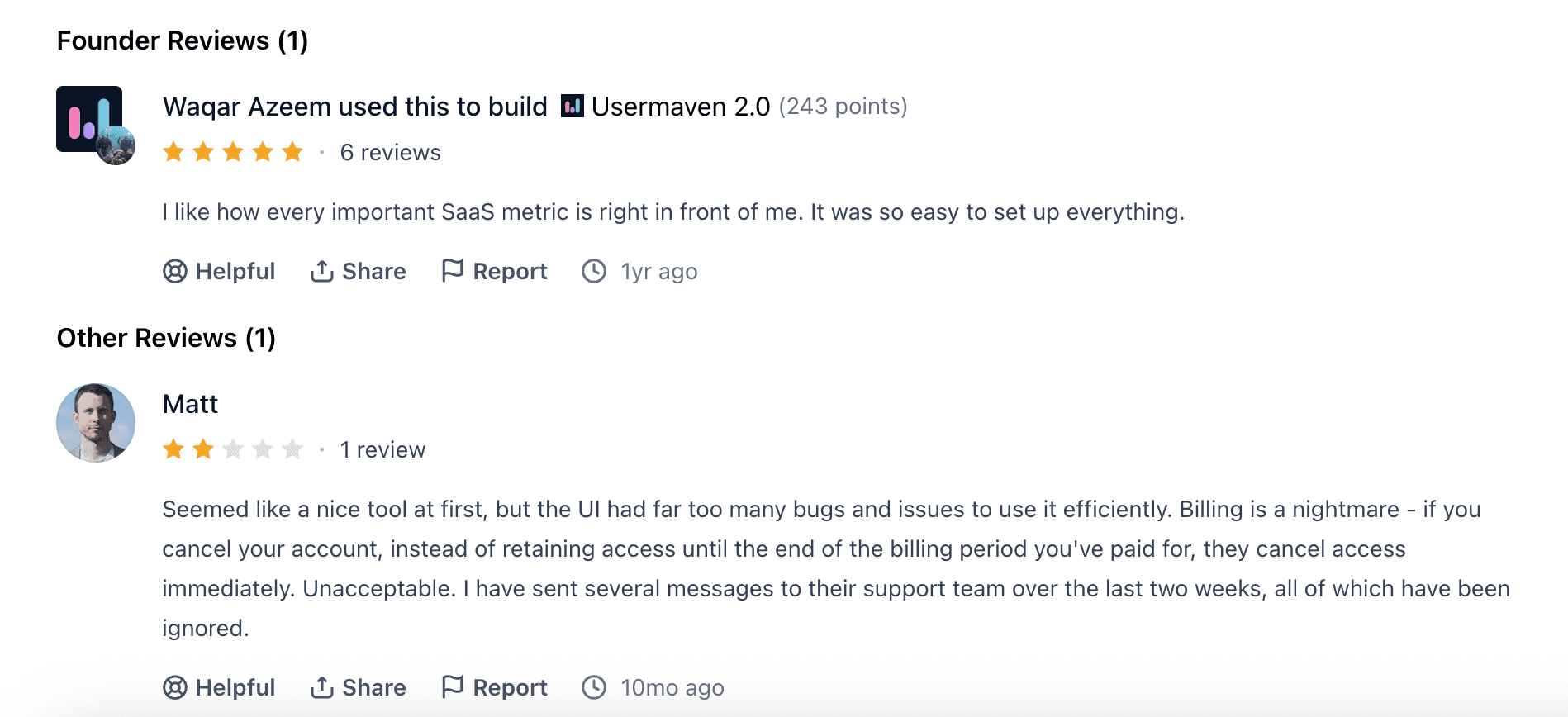
In the screenshot, one founder gives a positive rating and says the tool makes key metrics and setup very simple. This suggests Contentdrips is good for basic, essential tasks.
Meanwhile, a user named Matt leaves a very negative review, mentioning UI bugs, billing problems, and unresponsive support.
Since there are so few reviews, it’s hard to draw a clear conclusion. The current feedback is split between users who like its simplicity and those who are frustrated by technical and support problems.
With that in mind, let’s take a look at it ourselves.
Contentdrips Pros and Cons
✅ Pros
Very easy to use: beginners can create content quickly.
Affordable pricing: great value for solo creators and small teams.
Strong for LinkedIn content: optimized tools for posts and carousels.
Fast content production: AI speeds up writing, design, and repurposing.
Brand consistency: brand profiles and kits keep everything aligned.
❌ Cons
The free plan is very limited.
Not ideal for long-form writing.
Customization is more restricted than professional design tools.
Some AI outputs can feel basic.
Important features require paid plans.
Contentdrips Features
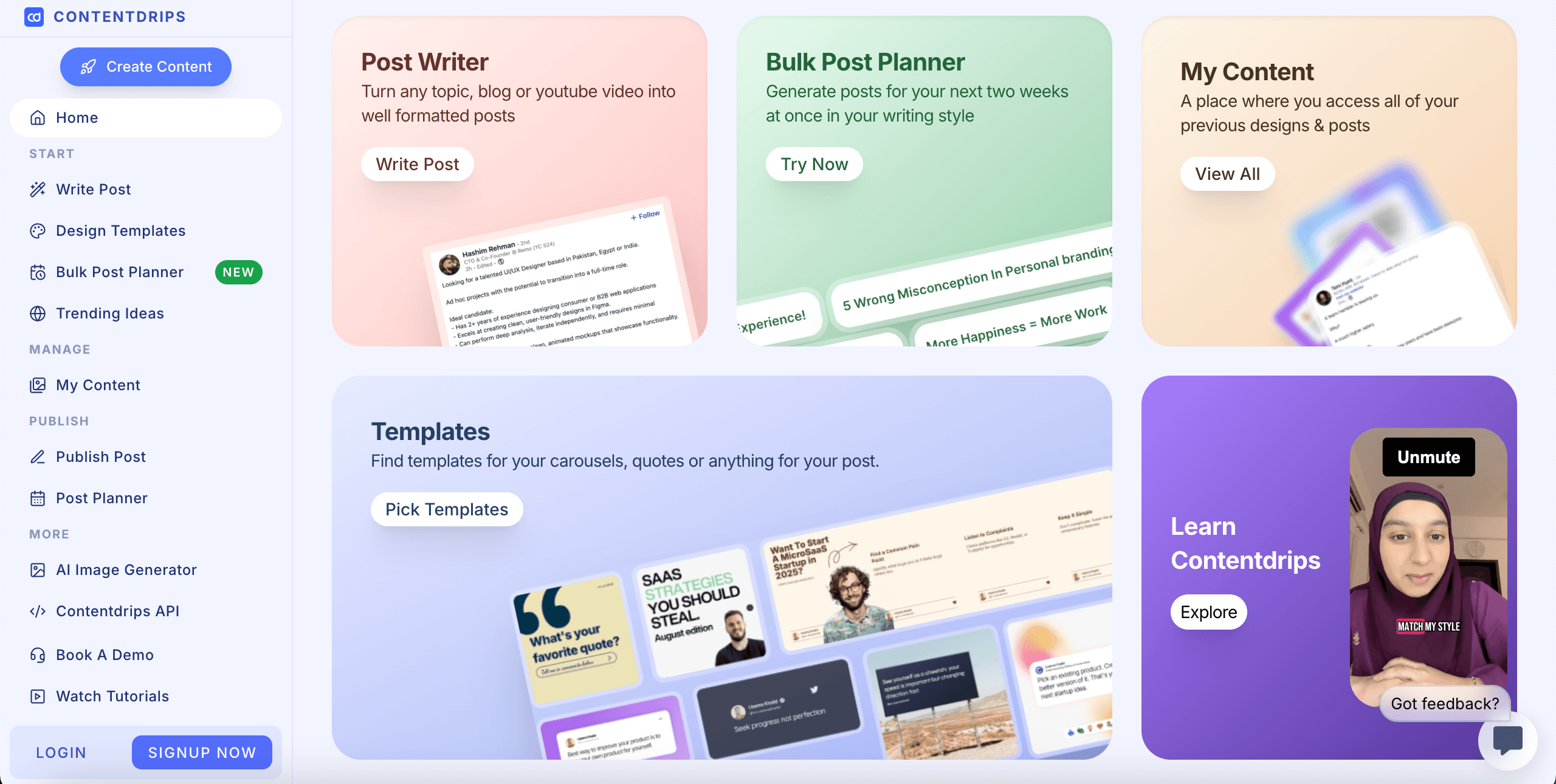
ContentDrips offers a suite of AI tools that accelerate content creation and help creators stay consistent across platforms.
Each feature focuses on a different step in the content process, so you can research, write, design, and polish your posts more easily.
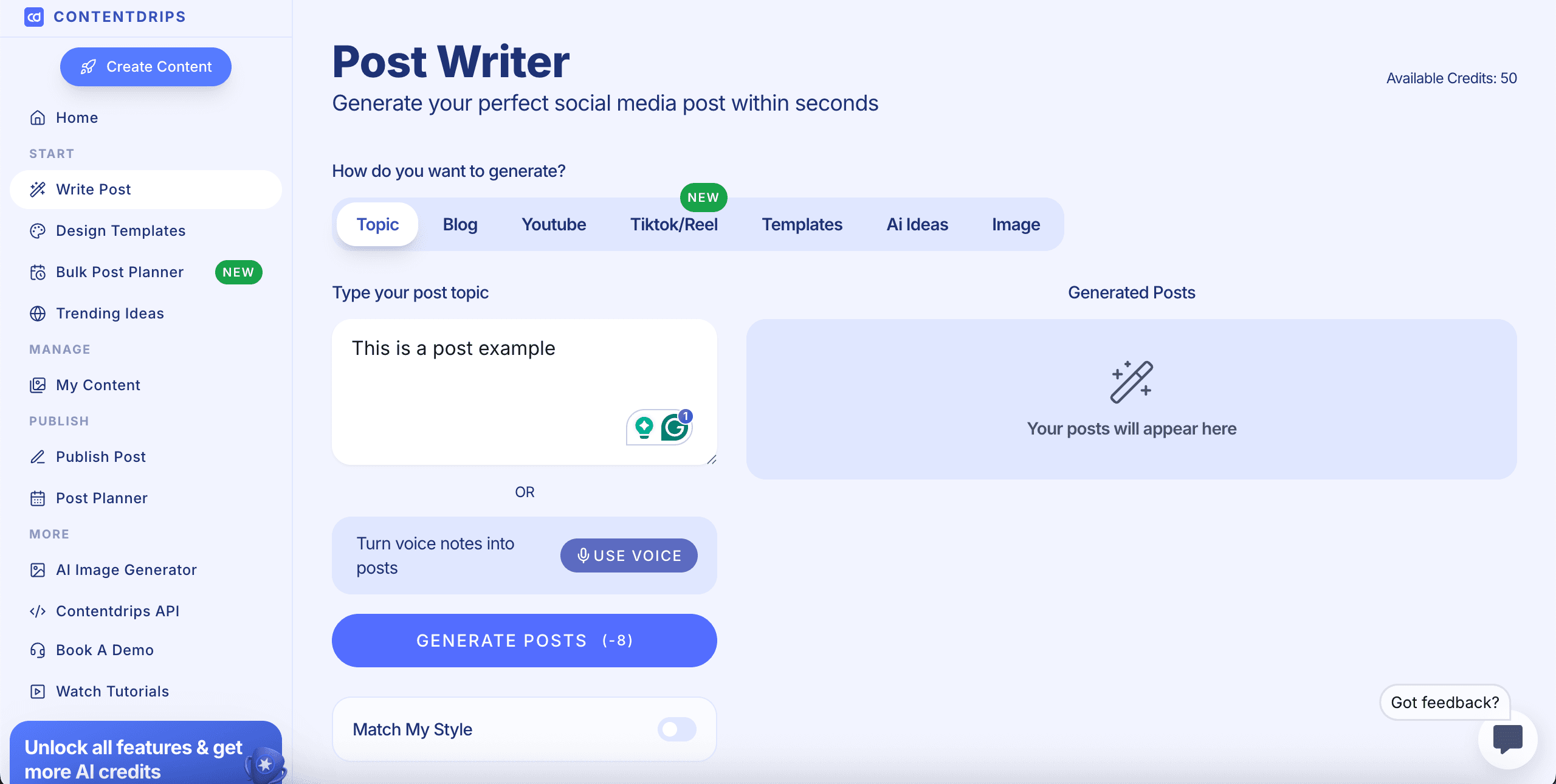
1. Write LinkedIn Posts
The LinkedIn Post Writer helps you make posts that match the style of the platform.
Just pick a template, add your topic, and let the AI write in your voice or use your favorite copywriting style.
It’s especially useful for maintaining a consistent posting schedule without running out of ideas.
2. Create Carousels With AI
This tool researches your topic, finds the important information, and organizes it into a clear, engaging carousel format.
You don’t have to spend hours brainstorming slides, designing layouts, or rewriting text. ContentDrips builds the whole carousel for you, so it’s ready to edit and publish.
It’s perfect if you want fast, high-quality carousels for LinkedIn or Instagram.
And you can do it with very little effort.
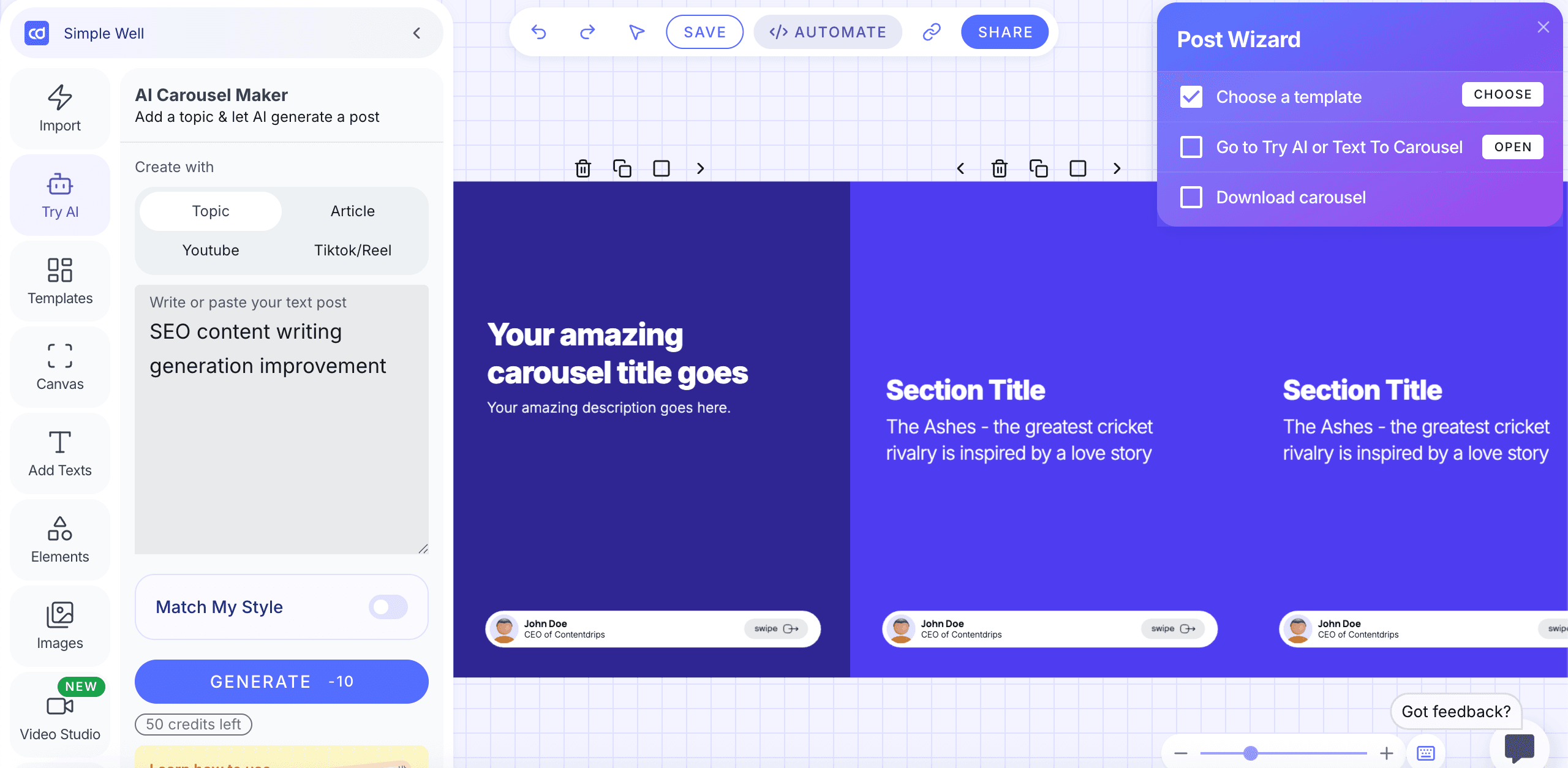
The dashboard is simple and easy to use. You can start by typing a topic, pasting an article, or importing content from YouTube or TikTok.
With just one click, the AI turns your input into a complete carousel with titles, sections, key points, and swipe-friendly formatting.
You can browse templates, change layouts, edit text, adjust colors, add images, and move elements around easily with the built-in canvas editor.
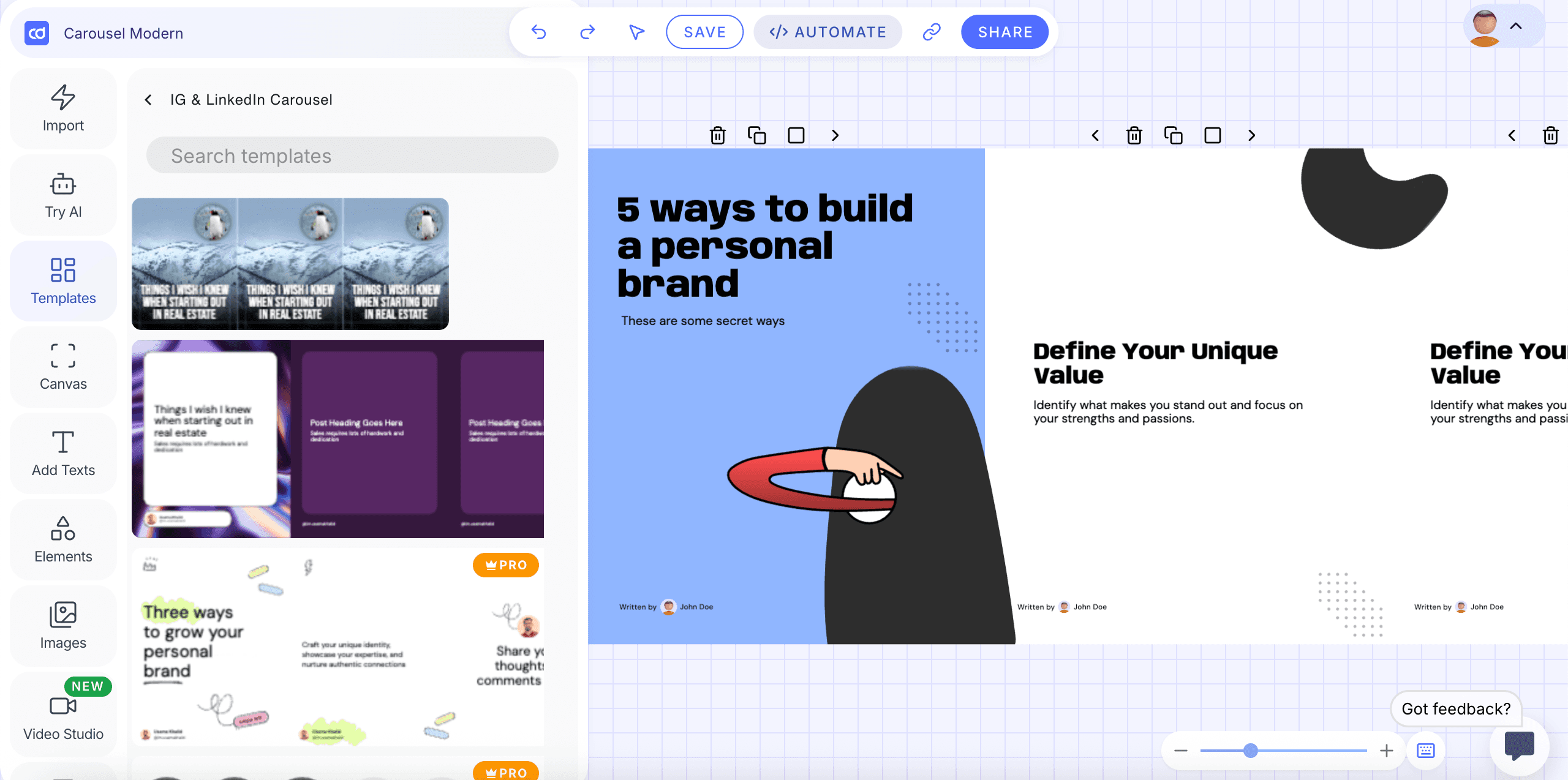
The “Match My Style” feature keeps your branding consistent. The Post Wizard helps you pick a template, create AI content, and download your finished carousel.
With this tool, you can turn your idea into a polished LinkedIn or Instagram carousel in just a few minutes, no advanced design skills needed. Our LinkedIn carousel generator comparison ranks it against PostNitro, Canva and four other tools.
3. Check Content Trends
ContentDrips checks niche topics and shows you which audiences are engaging with them right now.
Instead of guessing what to post, you get real-time insights on trending topics. This helps you make timely, relevant content that performs better.
It’s a smart way to stay ahead of the trends.
Stuck on what to turn into a carousel in the first place? MagicPost’s LinkedIn post ideas generator hands you angles tied to your niche, so you never open the editor on a blank topic.
4. Generate Images Using AI
The AI Image Generator lets you quickly create visuals that match your post’s message without needing design skills.
You can generate images in two ways: either by letting the tool interpret your written content (“Post Topic”) or by writing a direct creative prompt.
Once your text is added, you can choose from different visual styles, such as Realistic, Design, 3D Render, Anime, or keep it on Auto for smart detection.
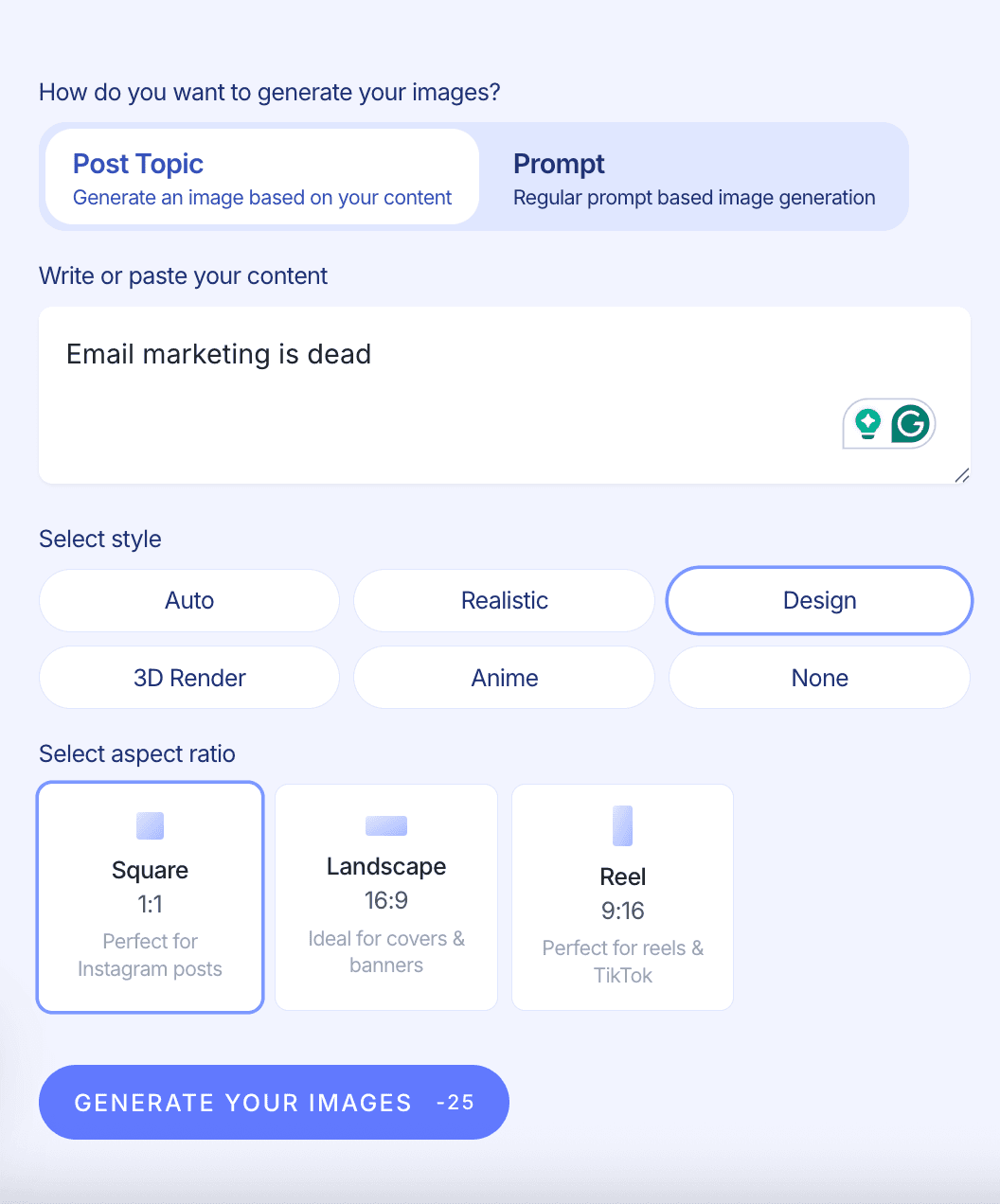
The tool also lets you pick the perfect aspect ratio for your platform: Square for Instagram, Landscape for banners and covers, or Reel format for TikTok and vertical videos.
With one click, it generates ready-to-use images tailored to your content and style, making your posts more eye-catching in seconds.
However, the quality is not the best out there. And since your credits are limited, you’ll want to use them wisely (especially if you're producing visuals frequently).

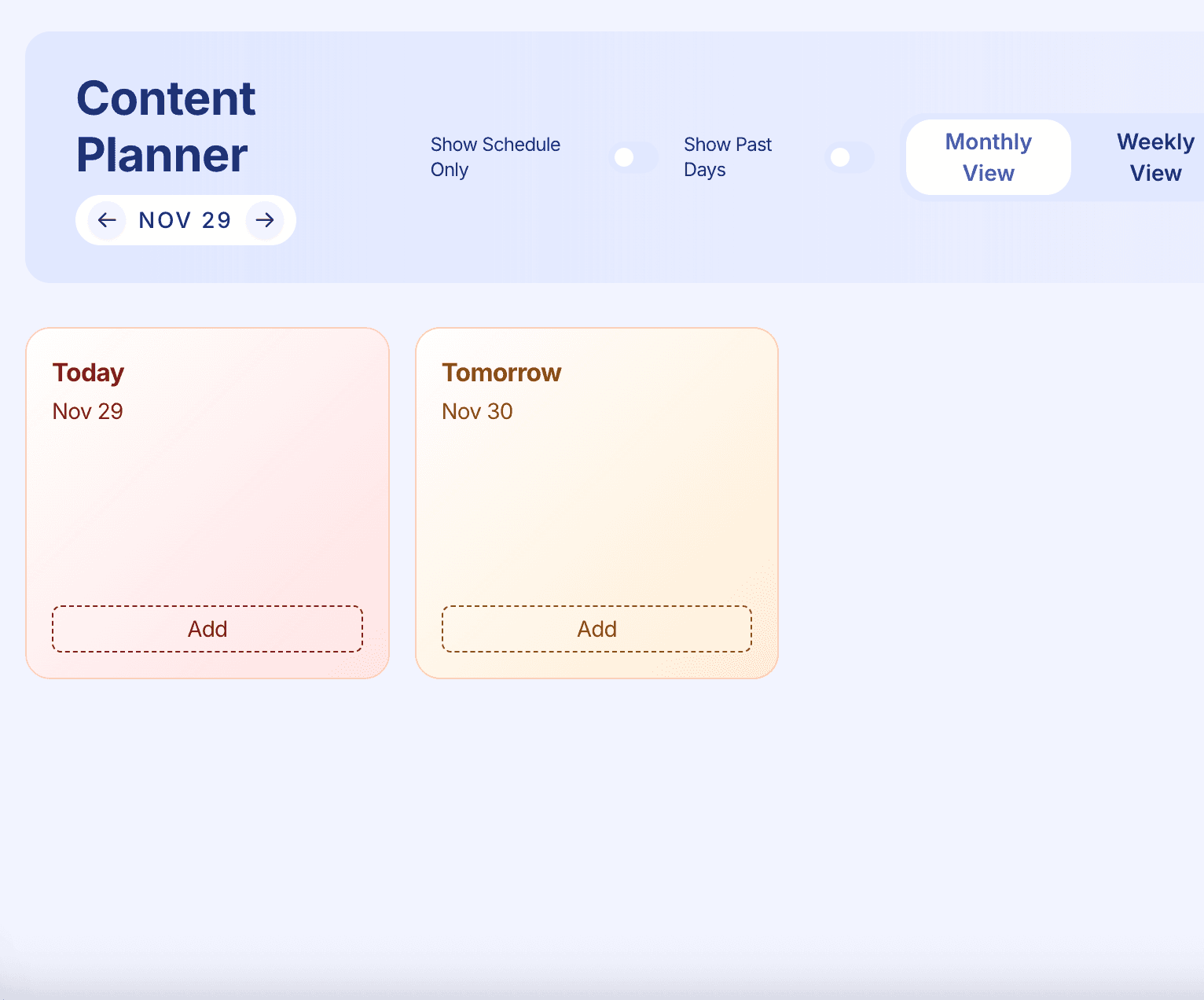
5. Post Planner
The post planner keeps you consistent by putting all your upcoming content together in one spot.
You can schedule posts, plan ideas for the week or month, and see which formats you still need, like carousels, videos, text posts, or images.
It works as a visual calendar, letting you drag and drop your planned content, change publishing dates, and view your whole content pipeline at once.
No matter how often you post, the planner helps you stay on track and avoid feeling overwhelmed.
Pricing and Plans Overview
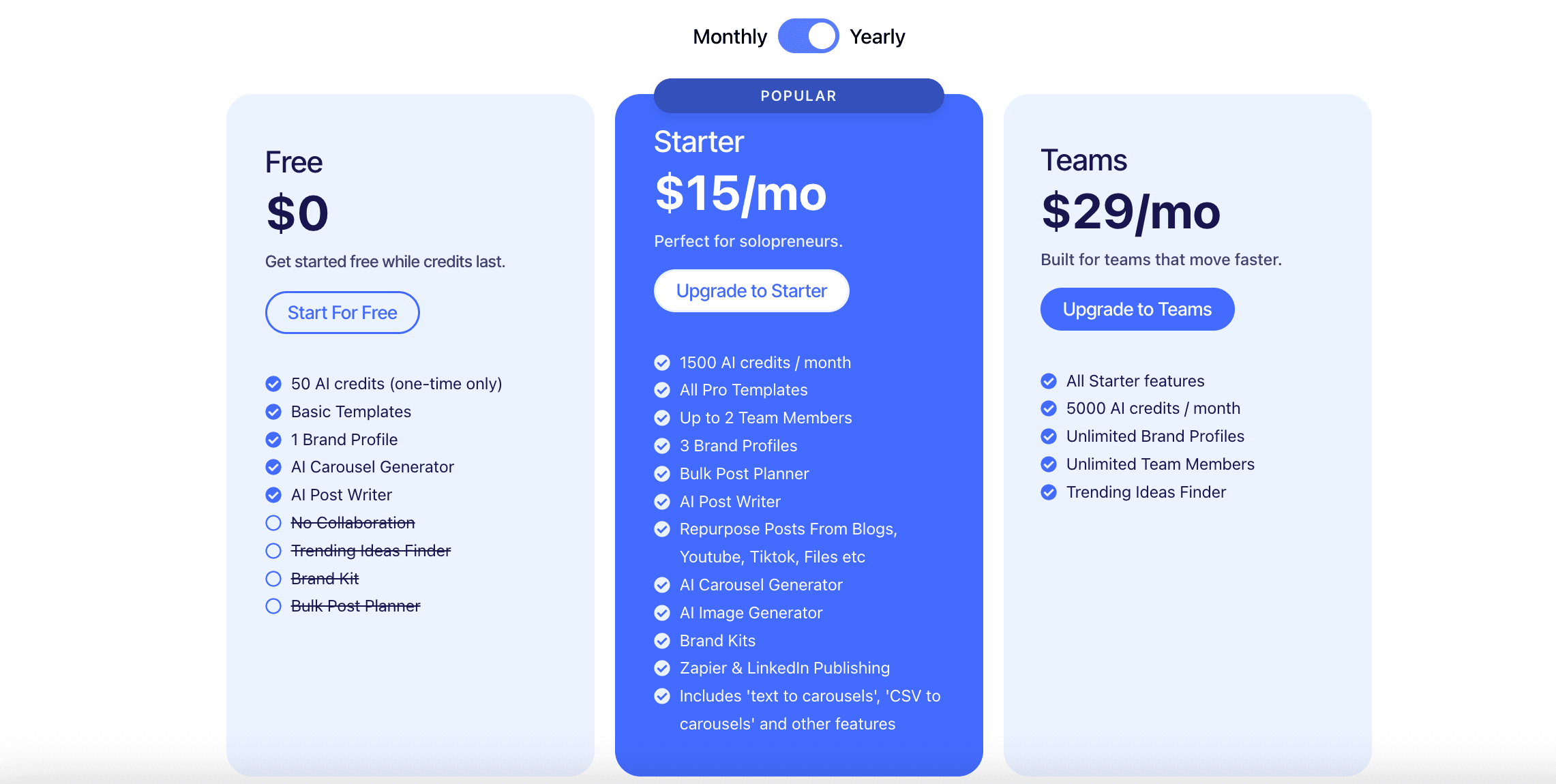
ContentDrips keeps its pricing simple and accessible. The platform starts with a free plan for beginners, while the paid tiers remain affordable for both solo creators and growing teams.
The Starter plan costs $15 per month, offering a low-cost entry point for serious content creators.
For teams that need more power and higher limits, the $ 29-per-month plan stays affordable while raising the limits.
Plan | Price | Key Features | Best For |
Free | $0 | - 50 AI credits (one-time) - Basic templates - 1 brand profile - AI Carousel Generator - AI Post Writer | Beginners testing the platform |
Starter | $15/mo | - 1500 AI credits/month - All Pro templates - Up to 2 team members - 3 brand profiles - Bulk Post Planner - AI Post Writer - Repurpose posts from blogs, YouTube, TikTok, files, etc. - AI Carousel Generator - AI Image Generator - Brand Kits - Zapier & LinkedIn publishing - Includes “text to carousels,” “CSV to carousels,” and other advanced tools | Solopreneurs and individual creators |
Teams | $29/mo | - All Starter features - 5000 AI credits/month - Unlimited brand profiles - Unlimited team members - Trending Ideas Finder | Teams and agencies that create content fast |
How established is Contentdrips?
One honest data point before the alternative. Contentdrips is a niche design tool, and its public footprint matches that: our research corpus of 1.2M LinkedIn posts logged just four mentions of it over the last year, from four different people. Its third-party reviews are few and split between praise for the carousels and frustration with billing and support.
None of that means the carousels are not good (they are). It means there is little independent signal to lean on, so the free plan is the way to judge it for yourself.
MagicPost: The Best Alternative to Contentdrips
Contentdrips is a design tool at heart: carousels, templates, branding kits, quick visuals.
MagicPost is the complete LinkedIn workflow around the content itself. At its core is AI that writes in your voice, with a humanizer built on our published research, so you avoid the generic, interchangeable content that reaches roughly 10-14% fewer people.
Around that sit idea generation, a 2M+ post inspiration library, carousel creation, scheduling and publishing through LinkedIn’s official API as a verified application, analytics with market benchmarks, engagement workflows and lead detection.
Fairness first: if your bottleneck is design output across multiple brands, Contentdrips’ branding kit and template catalogue are its genuine strengths, and it deserves the look. The gap is everything around the visual: writing, publishing path, measurement.
MagicPost plans run from $49/mo (the AI plan from $69/mo), with a 100% free trial, no card.
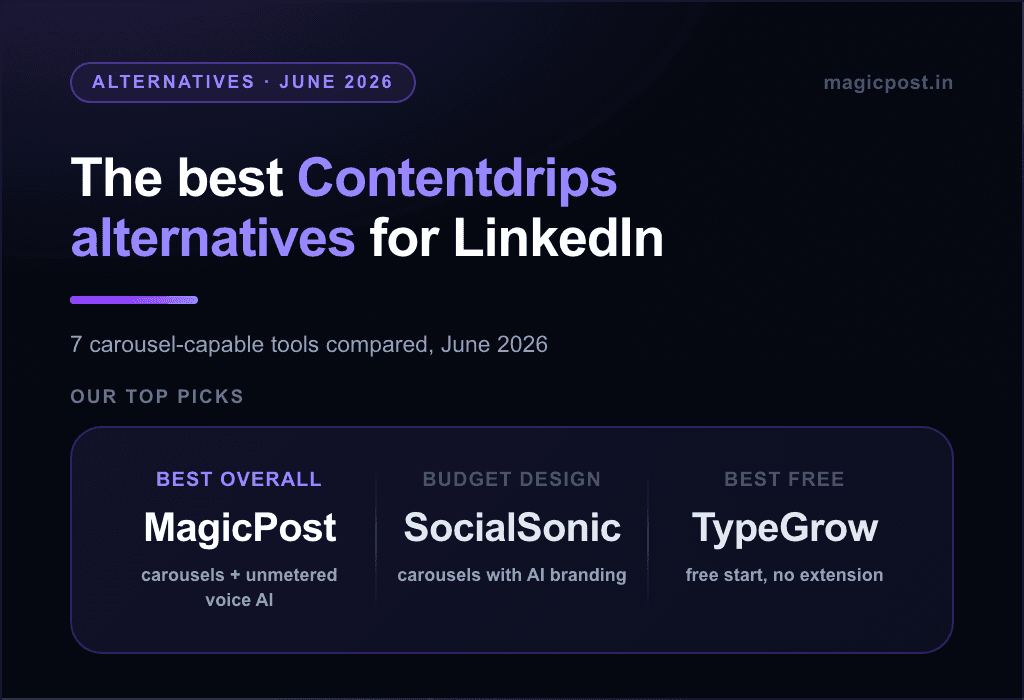
The full carousel-capable field is in our Contentdrips alternatives guide, and the direct comparison in Contentdrips vs MagicPost. Try MagicPost for free ✨
##