Stanley is an AI content advisor built for LinkedIn creators. It’s made by the team behind Stan Store, and the pitch is that instead of just generating posts, it helps you think about what to post, how to write in your own voice, and what’s actually helping you grow.
It’s a different approach to the category, but whether it justifies $97/month with no free trial, only a 30-day refund, is a different question. This Stanley review answers it.
What is Stanley?
Stanley is part of the Stan Store ecosystem, the platform built for creators selling digital products, courses, and memberships. It’s a content strategist and writing coach rolled into one ChatGPT-like conversational interface.
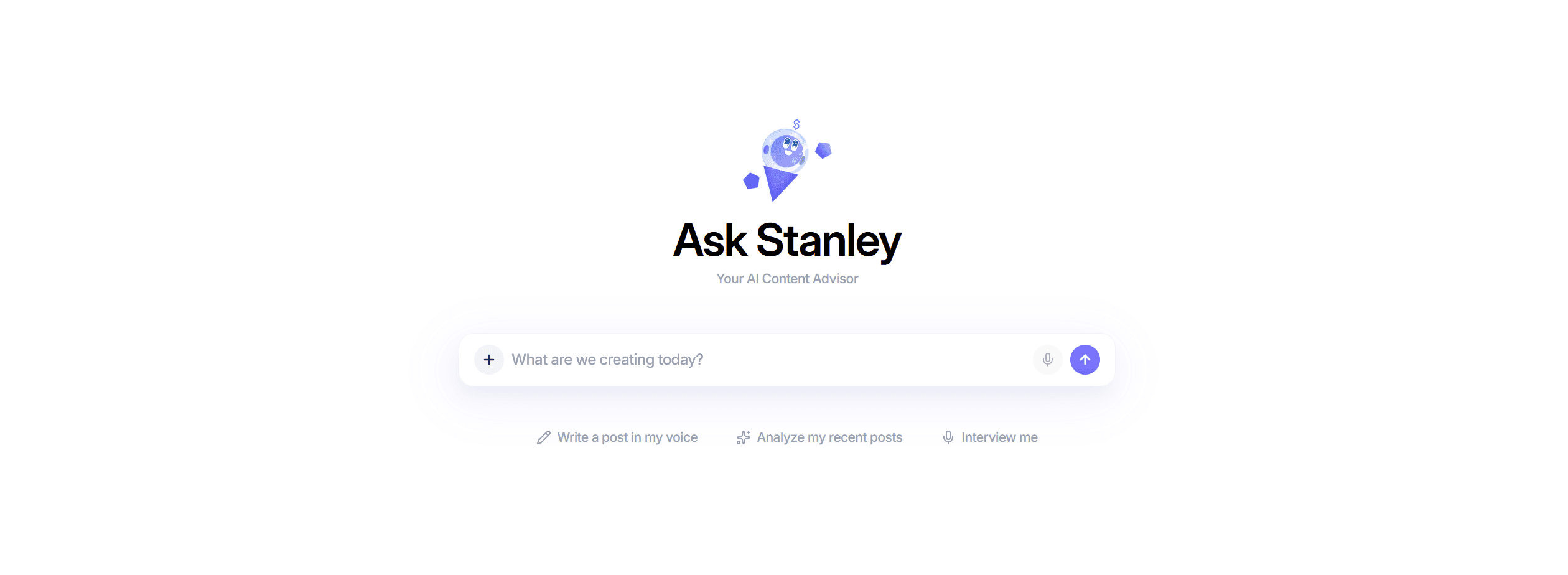
When you open Stanley, you find a chat window with three prompt buttons:
Write a post in my voice,
Analyze my recent posts,
Interview me
When you first sign up, Stanley does a profile analysis. You provide your LinkedIn URL and it scans your recent posts and engagement data.
From there, it identifies what’s working and produces a breakdown of your content strengths and growth opportunities.
It also generates a projected follower growth curve based on your current trajectory, making it the most substantive thing Stanley produces (and the clearest demonstration of what the tool is trying to be).
❌ Stanley is fully paywalled. You can’t test a single prompt without an active $97/mo. subscription. The moment you try, it responds with: “Oh-oh! Looks like you don’t have an active subscription yet.” There’s no free trial, no free tier and no preview: you pay first, and your only way back is the 30-day money-back guarantee.
Stanley’s Features
Stanley offers three main features to its users: writing, analyzing, and interviewing. However, it includes a side panel with a limited analytics dashboard (that shows your projected follower growth) and a draft library, where you can save your LinkedIn posts.
Onboarding Profile Analysis
When you first connect your LinkedIn account, Stanley runs an analysis of your recent posts, engagement patterns, and follower growth.

The output includes:
A projected follower growth curve showing where you could be in 12 months based on current activity.
Your “Superpower,” which is the content theme or angle that’s been generating the most traction.
Your “Opportunity,” which is the positioning gap Stanley identifies for you to own.
A summary of your recent performance highlights and what’s working for your audience.
This gives you a clear starting point and a concrete content direction. The quality of the analysis depends on how active your LinkedIn history is; newer accounts with a thin post history get less useful output.
🪲 The post analysis feature is a bit clunky. On profiles with a large post history, it can get stuck in a permanent loading state. Switching topics or starting a new chat doesn't always resolve it: Stanley loses track of whether the analysis is done and loops back to scanning. We saw this on a 25,000+ follower profile, but not on a smaller account.
Write a Post in My Voice
Stanley doesn’t just spit out a post when you click this. It starts a conversation and asks you about your topic, content type, and goal. It pulls your recent posts and engagement data to tailor the suggestions.
The output is decent. It picks up on themes from your existing content and tries to match your tone. However, the personalization is surface-level compared to tools that build a long-term voice model.
Analyze My Recent Posts
If you ask Stanley to analyze your posts, it structures its response into clear sections. Based on what the feature actually produces, you get:
Recent performance highlights: your highest-performing post named specifically, with its reaction count and engagement multiplier (e.g., 4.4x), plus notable runners-up.
Content themes that work: the recurring subjects and formats that are driving your engagement.
Content strengths: what Stanley identifies as your distinctive writing advantages.
Growth opportunity: one specific content area Stanley flags as underutilized given your audience.
This is more actionable than a raw analytics dashboard for someone making intuitive content decisions.
The limitation is that it’s entirely conversational. There are no charts, no exports, and no persistent history besides the chat itself. Once you open a new chat, that analysis doesn’t carry over.
The Drafts tab in the sidebar saves posts generated in conversation, but the analysis itself isn’t stored anywhere queryable.
Interview Me
Stanley walks you through a structured Q&A (almost like a podcast interview) and transforms your answers into content ideas, post drafts, and brand-aligned messaging.
It’s a clever feature for creators who know their expertise but freeze at a blank page. The quality of what comes out depends on what goes in. Short, vague answers produce generic posts, whereas detailed, specific answers produce drafts that actually sound like you.
Stanley Pricing
What Stanley actually costs in 2026:
Detail | Info |
Monthly Price | $97/month (Stanley plan) |
Lower tier | Stanley Lite, single user, 50 credits/month (price not published) |
Annual option | Not published |
Money-back guarantee | ✅ 30 days |
Free trial | ❌ |
Free version | ❌ |
Preview before paying | ❌ |
Payment methods | Visa, Mastercard, Amex, Amazon Pay, Cash App Pay |
$97/mo. is a premium price point in the LinkedIn content tool space. Below it sits Stanley Lite, a single-user tier whose price Stanley varies between visitors, and there is no way to test either before committing.
For context, most tools in this category offer free trials ranging from 7 to 14 days, and several are priced at a third of Stanley’s monthly fee.
The price isn’t impossible to justify if Stanley’s advisory approach fits your workflow. But the lack of any trial means you commit before you have used the product, with the 30-day refund as your only safety net.
Stanley Pros and Cons
Here’s a breakdown of what makes Stanley attractive and what makes it difficult to justify its price point.
Pros | Cons |
✅ Clean, minimal interface that’s easy to navigate from day one | ❌ $97/mo. with no free trial and no preview, only a 30-day refund |
✅ Onboarding profile analysis gives a concrete content direction immediately | ❌ No post scheduling or automation |
✅ Post analysis feature presents structured, readable feedback | ❌ No persistent memory; each session starts from scratch |
✅ Interview feature is genuinely useful for creators who struggle with blank-page syndrome | ❌ Chat analytics are conversational only; no dashboard, charts, or exports |
✅ Connects to your LinkedIn data to personalize suggestions | ❌ No templates, swipe files, or content frameworks |
✅ Affiliate program: you get paid for referrals | ❌ No image creation or visual tools |
❌ No Chrome extension | |
❌ No multi-platform support | |
❌ No guided onboarding or walkthrough |
How visible is Stanley on LinkedIn?
A quick note from our own data, with one caveat: "Stanley" is a shared name, so we scope the count to mentions that clearly refer to the tool (Stan Store, "Stanley AI," Stanley as a LinkedIn tool).
On that basis, our research corpus of 1.2M posts finds a modest footprint, around 22 posts over the last year from a dozen different people. For a tool from the Stan Store team, that is a small but real presence, mostly creators discussing the advisory angle rather than a broad word-of-mouth wave.
Read it as: visible to its niche, not yet a household name in the category.
Who Is Stanley For?
Stanley works best for the following users:
Creator-entrepreneurs already inside the Stan Store ecosystem who want content strategy aligned with their product sales.
Creators who want strategic guidance and feedback rather than a post generation machine.
Personal brands who post consistently and want a structured way to analyze what’s working.
Users comfortable paying a premium for an advisory experience without needing automation.
However, Stanley might not be the right fit for you if you fall into one of these boxes:
You need a complete workflow from idea to published post.
You want scheduling, automation, or multi-platform support.
You’re budget-conscious or want to try before you buy.
You manage multiple profiles or work in a team.
You need an analytics dashboard you can actually export and report from.
The platform has a clear point of view and gives you a real content direction in minutes. The interview feature is creative, and the conversational format is accessible in ways that SaaS dashboards aren’t.
The problem is scope. You’re paying $97/mo. for a chat interface and three features that are the basis of almost every other reasonably good AI LinkedIn tool.
That’s a hard price to justify when complete workflows cover more ground and let you test everything on a free trial before paying anything.
MagicPost covers what Stanley doesn’t: AI post generation trained on your voice, a hook generator, an idea generator, scheduling through LinkedIn’s official API, and a LinkedIn analytics dashboard you can actually read and export from.
Plans start at $29/mo (the AI plan at $39/mo, billed yearly), the trial is free with no card, and it doesn’t lock you out before you’ve seen a single output. How they compare at a glance:
Feature | Stanley | MagicPost |
AI writing in your voice | ✅ | ✅ |
Post analysis | ⚠️ | ✅ |
Scheduling | ❌ | ✅ |
Free trial | ❌ | ✅ |
Official LinkedIn API | ❌ | ✅ |
Team management | ⚠️ | ✅ |
Agency management | ❌ | ✅ |
Starting price | ❌ $97/mo. (Stanley plan) | ✅ From $49/mo (AI from $69/mo) |
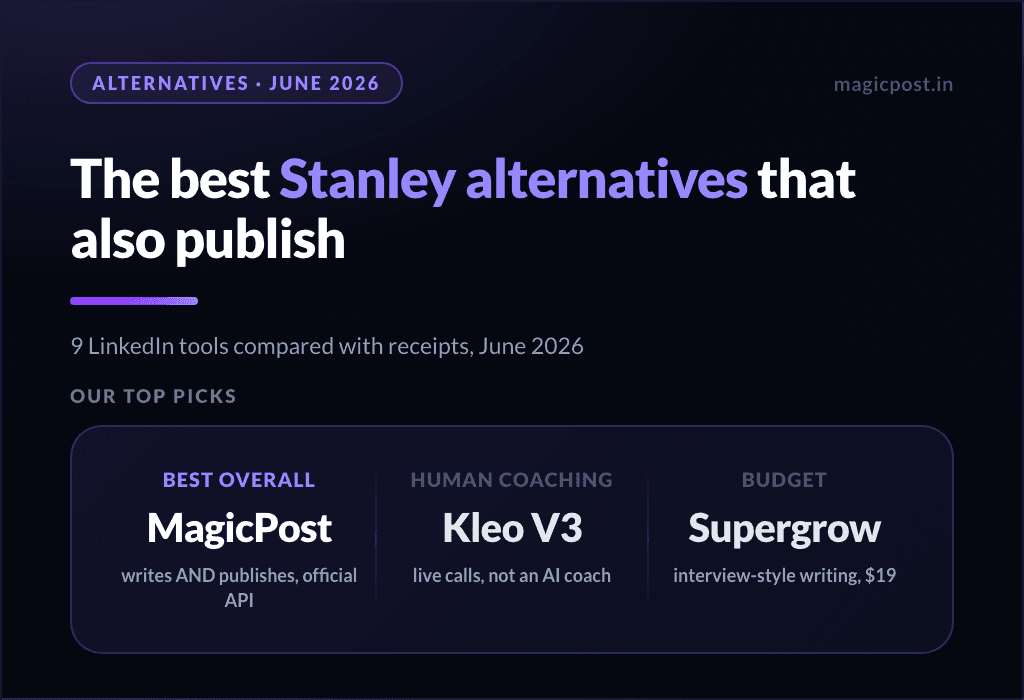
The full field is in our Stanley alternatives guide, and the direct head-to-head in Stanley vs MagicPost.
FAQ
What is Stanley?
Stanley is an AI-powered content and growth advisor for LinkedIn creators, built by the Stan Store team. It helps you decide what to post, write in your voice, and analyze your content performance through a conversational chat interface.
How much does Stanley cost?
Stanley costs $97/month on its main plan, with a cheaper single-user Stanley Lite tier below it whose price Stanley varies between visitors. There is no free trial and no free version, only a 30-day money-back guarantee; the paywall kicks in immediately, and you can’t run a single prompt without an active subscription.
Does Stanley post for you?
No. Stanley generates content and gives strategic advice, but it doesn’t schedule or auto-post. All publishing is manual. You’ll need a separate tool if you want automated scheduling.
Does Stanley learn your voice over time?
Stanley analyzes your past LinkedIn posts to personalize its suggestions, but it doesn’t build a persistent memory across sessions. Each time you open a new chat, it starts fresh from your LinkedIn data. It’s personalization based on your post history, not a long-term voice model.
Is Stanley worth it?
For creators already using Stan Store who want strategic content guidance built into their workflow, it can add value. For everyone else, the price is hard to justify given the limited feature set and the complete absence of a free trial.
Can you use Stanley without a LinkedIn account?
Stanley is designed specifically for LinkedIn creators. Its personalization features depend on connecting your LinkedIn account and pulling your post history. Without that data, its advice becomes generic.