

It's tough to post regularly on LinkedIn, especially if you want your content to be both high-quality and creative.
If you find yourself dealing with writer’s block often or unsure how to connect with your audience, then a LinkedIn post generator tool is for you.
Some of the most viral LinkedIn Posts were created using a viral Post Generator. It automates part of the content creation process, making it easier to generate ideas quickly while keeping your posts professional and interesting.
What Is a LinkedIn Post Generator
A LinkedIn Post Generator is a tool that helps you create post drafts, captions, and content ideas made just for LinkedIn.
Unlike other writing tools, it focuses on a professional tone, proper formatting, and styles that work well on LinkedIn.
The generator can help you create anything from short updates to longer thought leadership posts. It gives professionals a starting point to share ideas without spending too much time writing.
How Does It Work?
Most viral LinkedIn post generators work through a few easy steps.
First, you enter your topic, industry, or main message.
Next, the tool gives you several post options, usually designed to boost engagement, make reading easy, and follow popular trends.
Some advanced generators also suggest hashtags, the best times to post, and ways to adjust your tone.
With these features, you can keep a steady posting schedule and make sure your content stays relevant and easy to share.
Pros of a LinkedIn Post Generator
Before we look at the benefits, remember that a LinkedIn Post Generator is meant to help your content strategy, not take over your ideas. If you use it well, it can help you stay consistent, get noticed, and perform better on LinkedIn.
1. Huge Time saver
Time is a common challenge for many LinkedIn users. Writing a good post often involves brainstorming, editing, and making several changes.
A LinkedIn Post Generator makes things easier by providing ready-made drafts or templates.
You can use these suggestions and adjust them to match your style. This saves time and lets you focus on other important work.
2. Increase Creativity and Idea Generation
Even experienced writers sometimes have trouble thinking of new content ideas.
The post generator can spark creativity by offering new angles, conversation starters, and professional insights. It can suggest ways to present your expertise, highlight your achievements, or discuss trending topics in your industry.
By providing a variety of ideas, it helps keep your LinkedIn presence dynamic and relevant.
3. Customizing Posts for Your Audience
While the tool offers ready-to-use content, it’s important to customize it. You can adjust the tone, structure, and examples to reflect your own perspective.
By tailoring posts to your audience, you make sure your content resonates, creates a stronger impression, and encourages real interactions.
This balance between automation and personalization is what makes a LinkedIn Post Generator effective.
4. Improving Consistency on LinkedIn
Consistency is key to building a professional brand on LinkedIn. Posting only now and then lowers your visibility, and inactive accounts struggle to keep people engaged.
A post generator helps you keep a steady flow of content. By offering ideas and drafts regularly, it helps you stay active, visible, and relevant in your network’s feed.
5. Good for Lead Generation
LinkedIn Post Generators are useful for both individuals and organizations. Professionals can keep a strong personal brand without spending too much time writing.
Businesses can make sure their team members share consistent and engaging content, which helps amplify their brand message. The tool also helps newcomers to LinkedIn feel more confident by offering guidance on post structure, tone, and best practices.
Cons of a LinkedIn Post Generator
Before we talk about the downsides, let’s be clear. These “cons” usually come from how people use the tool, and are often based on myths or misunderstandings, not real problems with the tool itself.
1. “It makes posts sound generic.”
That only happens if you copy and paste without making it your own. A good LinkedIn Post Generator doesn’t take away your voice; it makes it stronger.
Another popular concern: “It’s cheating.”
Yes, in the same way that spellcheck, calendars, or using Google instead of a library are helpful. LinkedIn isn’t a handwritten test. It’s a place to perform, and smart tools help you shine.
2. “If everyone uses it, everyone will sound the same.”
It’s interesting that never stopped people from using Canva, ChatGPT, or iPhones. The same tool can lead to very different results. What matters is still you: your story, your tone, your experience. The generator just helps you share it more clearly and quickly.
3. “I will look suspiciously productive.”
Now you’re posting regularly. Your ideas make sense. Engagement increases. Your boss notices the difference. It’s a tough problem to have.
4. “What if I rely on it too much?”
Don’t worry. You’re not giving up your own ideas. You’re just avoiding the stress of starting from scratch and getting right to the point. The ideas are yours; the structure just helps you deliver them on time.
So yes, people will keep calling these “cons.” While others debate, you’ll be posting, gaining impressions, and finally seeing your LinkedIn work the way it should.
Generate Viral LinkedIn Posts with MagicPost
MagicPost is a simple, effective tool for creating LinkedIn posts and offers key features for LinkedIn growth, including post creation, idea suggestions, a content calendar, and scheduling. All of these tools are available in one easy-to-use dashboard.
Whether you're a solopreneur, founder, or marketer, MagicPost gives you the tools to share engaging content without spending hours on every post.
Plan | MagicPost Features |
Main Features |
|
Pricing Tiers |
|
Ideal For | Solopreneurs, founders, marketers, agencies, and businesses aiming to create, schedule, and optimize LinkedIn posts efficiently |
Getting started with MagicPost is quick and easy.
You just open the tool, create your post, make any changes you want, and publish. This simple process helps you post more often, focus on quality, and get better engagement.
If you want to learn more about MagicPost and see how it compares to other tools, check out the full review here: https://magicpost.in/blog/magicpost-review
On top of that, one of MagicPost’s main benefits is its lower price, which is excellent for people or creators on a budget.
Plans | Price |
Free trial, no card | ✅ Yes |
Growth plan | ✅ $49 / month ($29 billed yearly) |
Creator plan | ✅ $69 / month ($39 billed yearly) |
Team or Agency plan | Agency $59 / month per seat, Team from $129 / month |
Value for budget creators | ✅ High |
For creators focused on posting quality content regularly and affordability, MagicPost often offers the best value by providing the most essential content creation tools at a lower price.
How to Use MagicPost
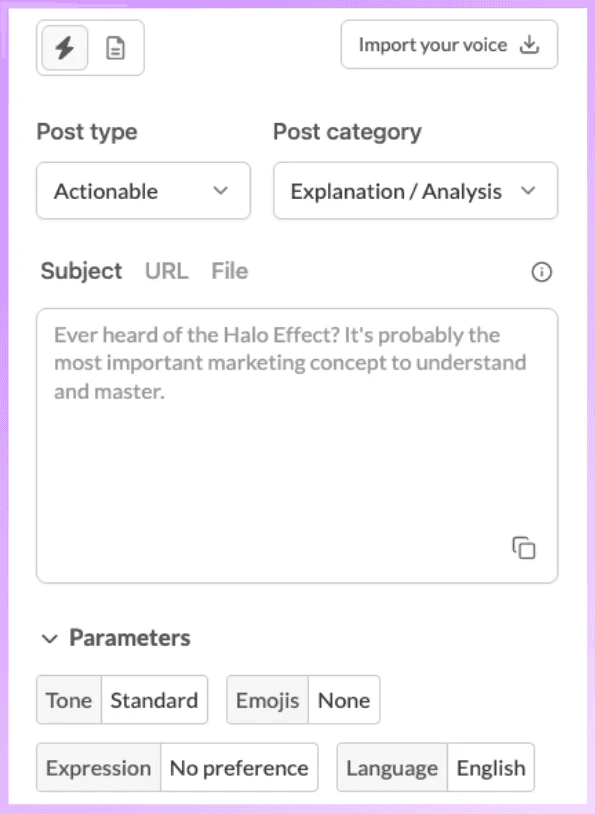
Start by choosing the post type that matches your goal. Use the dropdown to pick from Actionable, Inspiring, Introspective, or Promotional posts.
This helps MagicPost adapt the post's structure and tone to your goal, whether you want to teach, motivate, reflect, or promote.
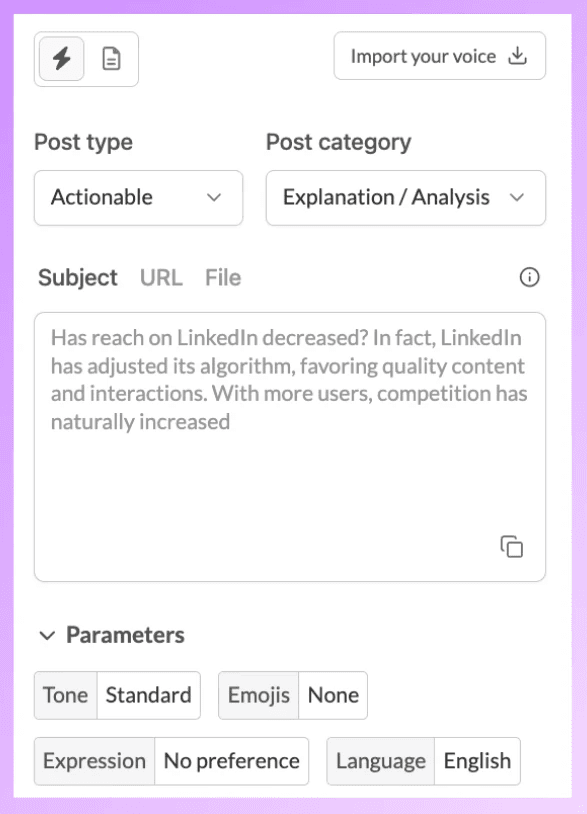
Next, pick a post category. MagicPost gives you clear options like:
Explanation / Analysis,
Best practices,
Striking advice,
Lists of advice or rules,
Useful resources,
Automatic category
If you’re not sure which format to choose, each category has a short description in the interface to help you decide quickly.
After setting the structure, enter your subject. It can be a sentence, an idea, or a strong opinion. MagicPost will use this to create a LinkedIn post that keeps your topic in focus.
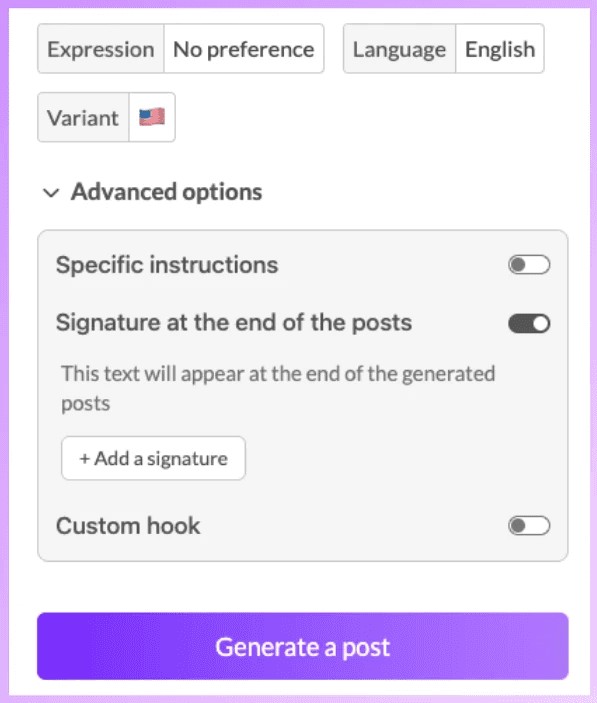
You can fine-tune the post using options like:
Tone
Emoji usage
Expression style
Language
Content variants
These options help you match the post to your personal brand without having to rewrite it yourself.
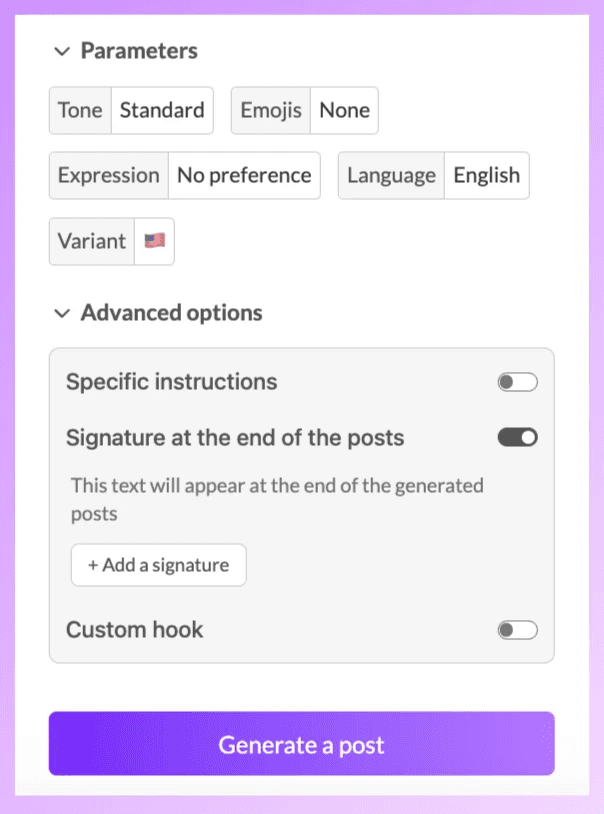
For more control, you can use extra settings like adding your own writing style, a custom hook, special instructions, or an automatic signature at the end of your posts.
When you’re ready, click Generate a post. MagicPost will create a LinkedIn post that’s clear, engaging, and consistent.
This step-by-step process makes content creation easier, so you can focus on sharing quality LinkedIn posts regularly.
To Sum Up
A LinkedIn Post Generator is more than just a convenience; it’s a tool for productivity and engagement.
By saving time, boosting creativity, and optimizing posts for better visibility, it helps professionals and businesses keep a strong LinkedIn presence. When you add personalization and strategic engagement, it becomes a valuable tool for anyone who wants to grow their network, strengthen their brand, and make a bigger impact on the platform.