People who type "schedule LinkedIn posts free" into Google fall into two groups: those who want to queue tomorrow's post without paying for anything, and those who already signed up for a "free" scheduler that turned out to be a seven-day trial.
This page answers both. It sorts the free options into three buckets (native, free plan, free trial), shows what each one can schedule, and says where free stops being enough.
Can you schedule LinkedIn posts for free?
Yes. LinkedIn's native scheduler is free on every account and lives inside the post composer, so the cheapest way to schedule a LinkedIn post costs nothing and needs no signup. Two other routes are also free, each with a catch.
Native scheduler. Free forever, one post at a time, up to three months ahead.
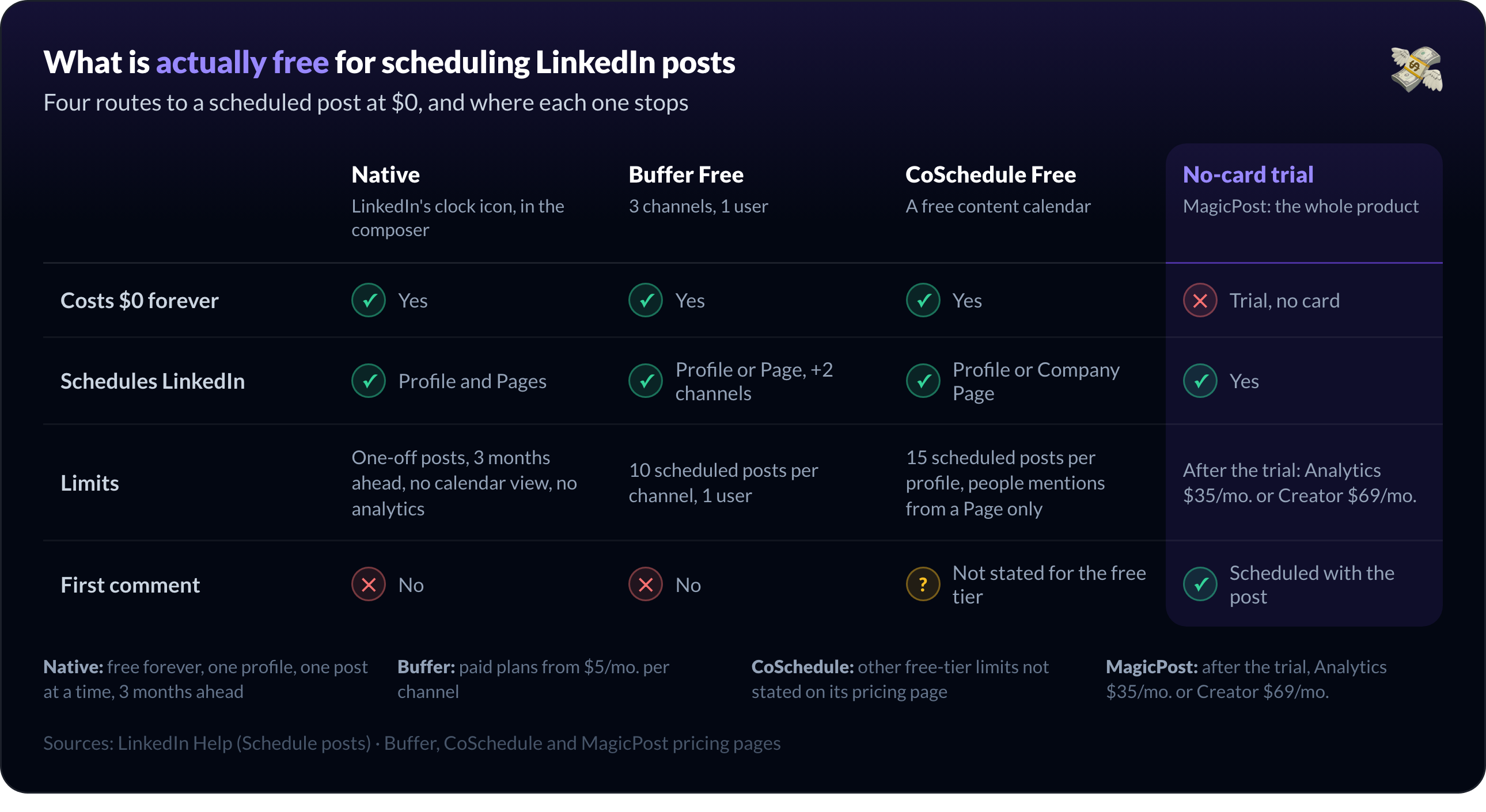
A tool's free plan. Buffer Free holds 10 queued LinkedIn posts at $0; CoSchedule Free, 15 per profile.
A no-card trial. MagicPost opens the whole product, first comment and analytics included, for the trial period.
The trap sits in the middle bucket: several LinkedIn tools say "free" and mean a trial.
TypeGrow runs a free trial rather than a free plan, and costs $29/mo. after it; Supergrow and Taplio keep no $0 tier at all; Metricool's free plan excludes LinkedIn by name. The table further down sorts every one of them.
How to schedule a LinkedIn post free with the native scheduler
LinkedIn's native scheduler is the clock icon in the post composer, on desktop and in the mobile app, for personal profiles and company Pages alike. Four steps:
Open the composer. Click Start a post on desktop, or tap Post in the app.
Write the post. Text, image and video all schedule; the help center excludes neither PDFs nor polls on a profile.
Click the clock icon. Lower-right of the composer on desktop, upper-right on mobile.
Pick a time, then Next, then Schedule. LinkedIn accepts any slot between 10 minutes and 3 months from now.
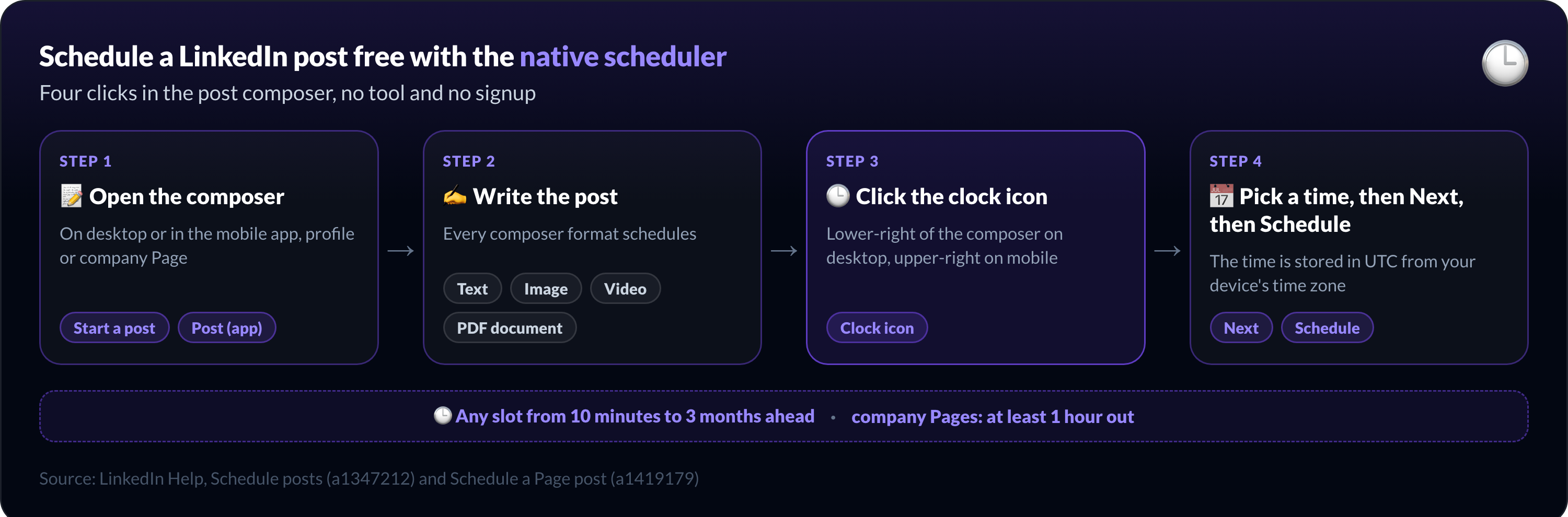
Two details from LinkedIn's help center trip people up. The scheduled time follows your device's time zone, so a laptop still set to your last trip schedules the post an hour off.
Pages are stricter than profiles: a scheduled Page post must sit at least one hour out, and Pages cannot schedule polls, multi-photo posts or reshares.
To find what you queued: clock icon, then View all scheduled posts. From that list, the More menu lets you modify the schedule, edit the post or delete it. On a company Page, only a super admin or a content admin can do this.
For the long version with screenshots, mobile steps and Page steps, read how to schedule a post on LinkedIn.
Free LinkedIn scheduling tools: what is actually free
A free LinkedIn scheduling tool is one you can keep using at $0 after any trial ends. By that definition the list is short, and every price below comes from each vendor's pricing page.
Option | Free forever? | What you can schedule | Limits | Best for |
LinkedIn native scheduler | Yes | Text, image, video; PDF document and poll not excluded by the help center (profile only) | One-off posts, 3 months ahead, no calendar view, no analytics | One profile, a few posts a week |
Buffer Free | Yes | LinkedIn profile or Page, plus 2 other channels | 10 scheduled posts per channel, 1 user | A small multi-network queue |
CoSchedule Free | Yes | LinkedIn profile or Company Page | 15 scheduled posts per profile; people mentions from a Page only | A free content calendar |
MagicPost trial | No: trial, no card | Text, image, video, PDF, first comment | After the trial, Analytics $35/mo. or Creator $69/mo. | Testing a full LinkedIn workflow |
Metricool Free | Yes, but not for LinkedIn | Other networks only | LinkedIn excluded from the free plan | Not LinkedIn |
TypeGrow | No | Nothing: the free tier is a trial | $29/mo. after the trial | Budget paid option |
Supergrow | No | 7-day trial | $19/mo. after the trial | Paid LinkedIn tool |
Taplio | No | 7-day trial | $39/mo. after the trial | Paid LinkedIn tool |
Buffer and CoSchedule: the real free LinkedIn schedulers
Buffer's Free plan connects up to 3 channels, holds 10 scheduled posts per channel, and LinkedIn counts as a channel. One user, one short queue, publishing through Buffer's API partnership with LinkedIn.
If your whole ambition is "queue next week's three posts", that is enough. Paid Buffer plans start at $6/mo. per channel billed monthly, $5/mo. per channel billed annually, with unlimited scheduled posts. If LinkedIn is the network you care about, the Buffer alternatives for LinkedIn page compares the specialists.
CoSchedule's free calendar is the other permanent $0 tier that includes LinkedIn: up to 15 scheduled posts per profile, with personal profiles and Company Pages both connectable.
Two limits to know before you count on it: people mentions work only from a Company Page, under six conditions CoSchedule documents itself, and the other free-tier limits are not stated on its pricing page.
Metricool, TypeGrow, Supergrow, Taplio: free on the landing page, not on LinkedIn
Metricool has a permanent free plan, and its pricing page states that the plan covers every network except LinkedIn and Twitter.
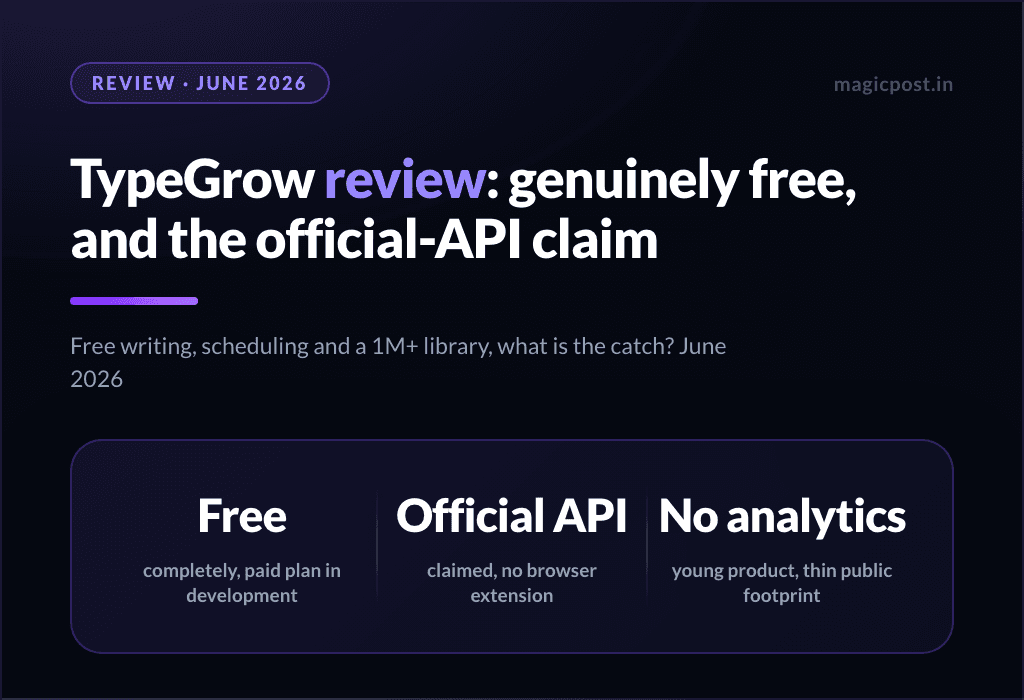
TypeGrow runs a free trial rather than a free plan, and costs $29/mo. after it, so treat it as a budget paid tool rather than a free scheduler (our TypeGrow review goes through the tool in detail).
Supergrow ($19/mo.) and Taplio ($39/mo.) run 7-day trials: Supergrow pauses the account afterwards, Taplio starts billing, with a 30-day refund window. Neither keeps a $0 tier.
MagicPost's no-card trial: the full scheduler free for the trial period
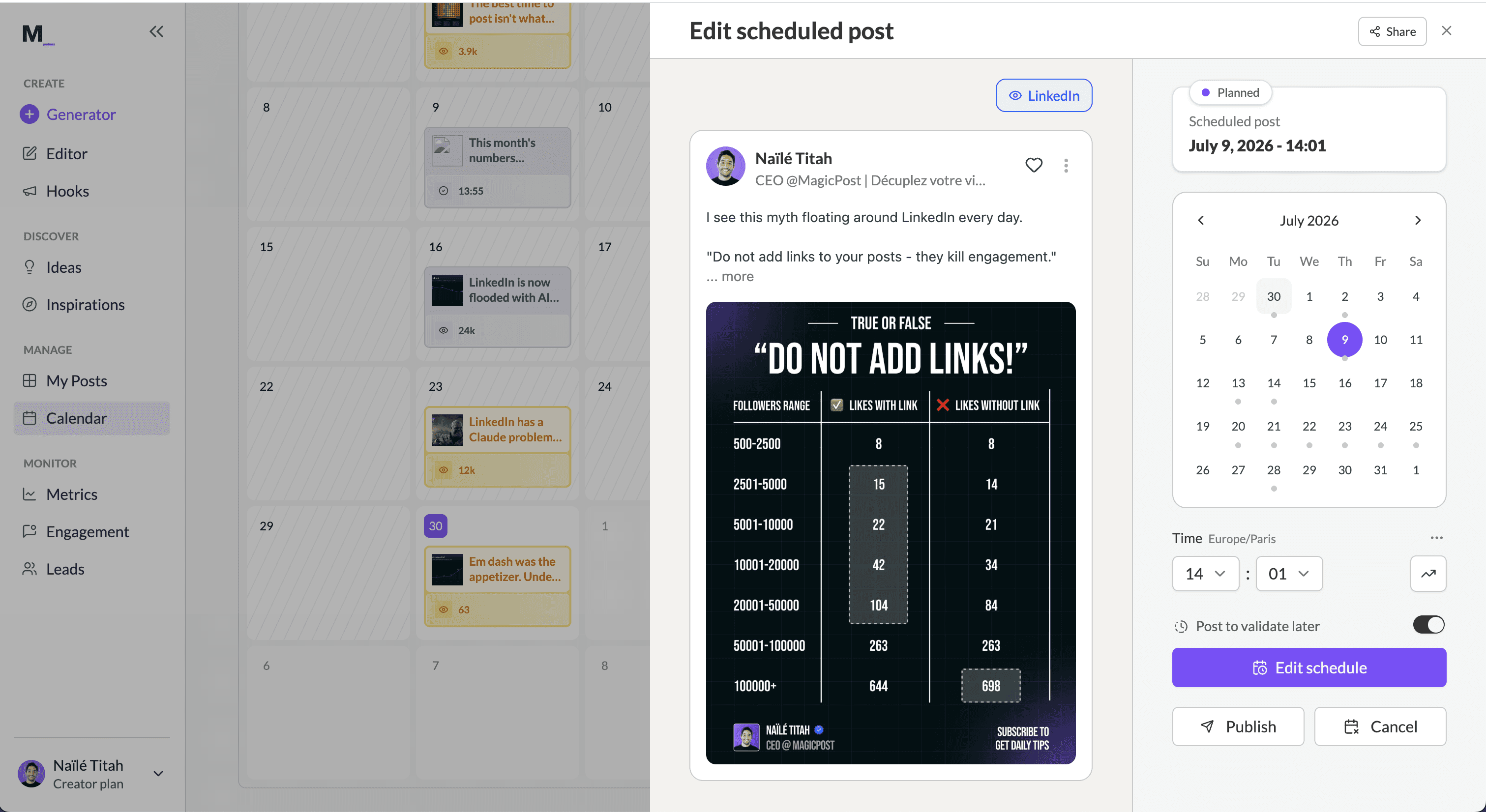
MagicPost's trial asks for no credit card and opens the full product: the calendar, the first-comment scheduler, mentions that publish as real tags, and analytics. After the trial, the Analytics plan costs $35/mo. and Creator costs $69/mo.
It is a trial, not a free plan. The difference from the tools above is that you run a real week of scheduled posts, first comments included, before any payment question comes up.
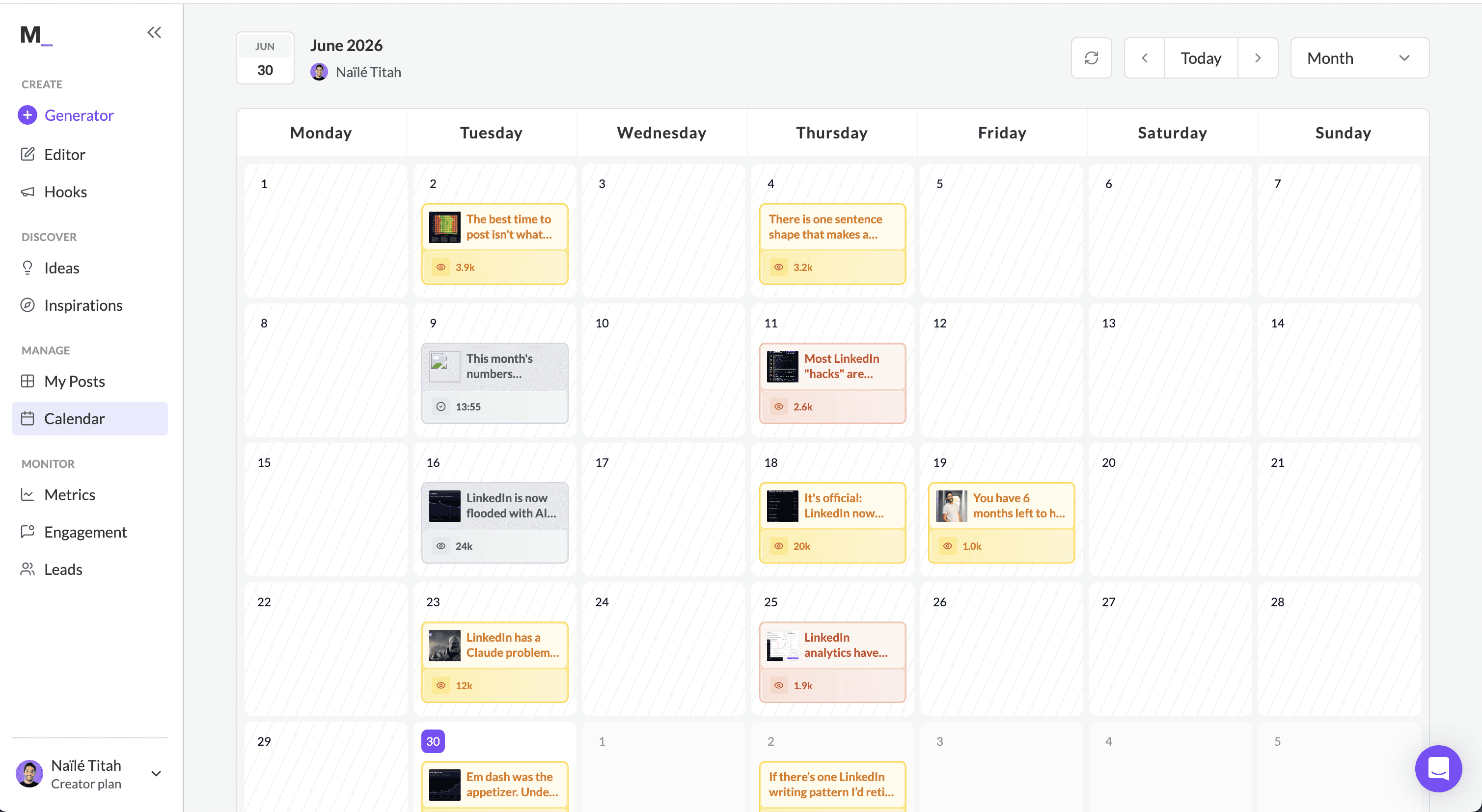
Want to test a LinkedIn post scheduler free, no card? MagicPost's LinkedIn post scheduler queues a month in one sitting, schedules the first comment with the post, and publishes through LinkedIn's official API as a verified application.
What free LinkedIn schedulers cannot do
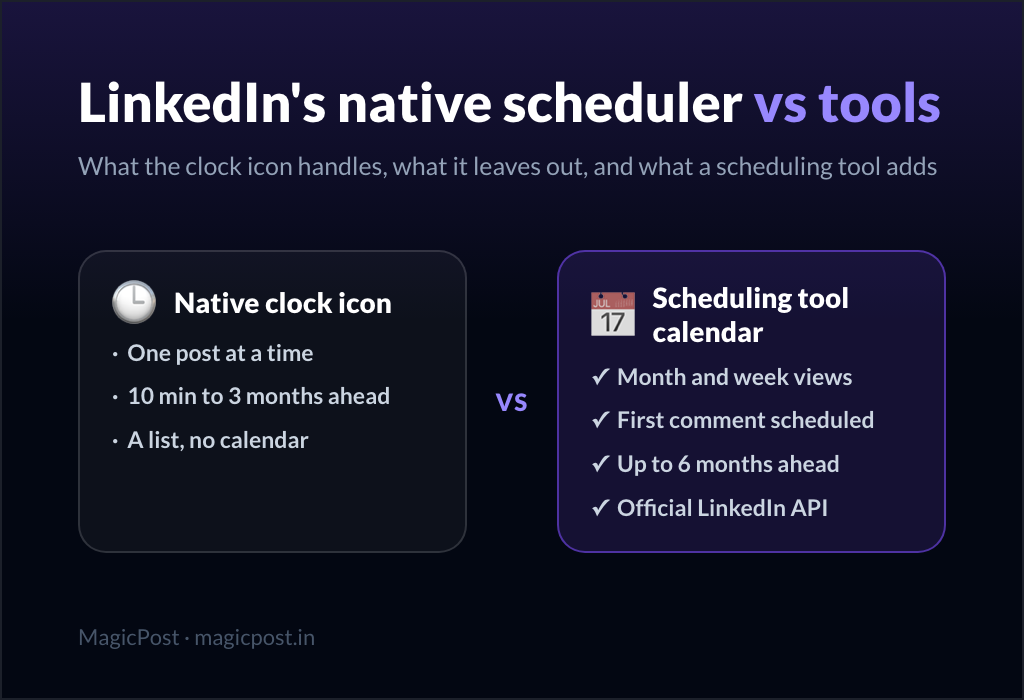
Free LinkedIn schedulers, native included, share one ceiling: they send a post at a time and stop there. The specifics, each from LinkedIn's own documentation or the vendor's:
No recurring posts. Native schedules each post by hand; there is no "every Tuesday at 9am".
No calendar of drafts. LinkedIn stores drafts and scheduled posts as two separate lists, with no month view.
No first comment. The native composer cannot queue a comment with the post, so link-in-first-comment stays manual; the tool route is in how to schedule a LinkedIn first comment.
No analytics loop. Native publishes and forgets; nothing ties the slot you chose to the reach you got.
One login. Native covers your profile and your Pages; Buffer Free caps you at 3 channels, 10 posts each.
Three months out. Native refuses any slot beyond 3 months ahead.
Which post formats can you schedule on LinkedIn for free?
Format | LinkedIn native scheduler | Scheduling tool (MagicPost) |
Text post | Yes | Yes |
Image | Yes (Pages: single photo only) | Yes |
Video | Yes | Yes |
PDF document (carousel) | Not excluded by the help center on a profile | Yes, upload the PDF |
Poll | Profile: not excluded by the help center; Page no | Yes, 140-character question, 2 to 4 options |
First comment | No | Yes, scheduled with the post |
Event, job, service post | No | No |
When a free LinkedIn scheduler is enough, and when it is not
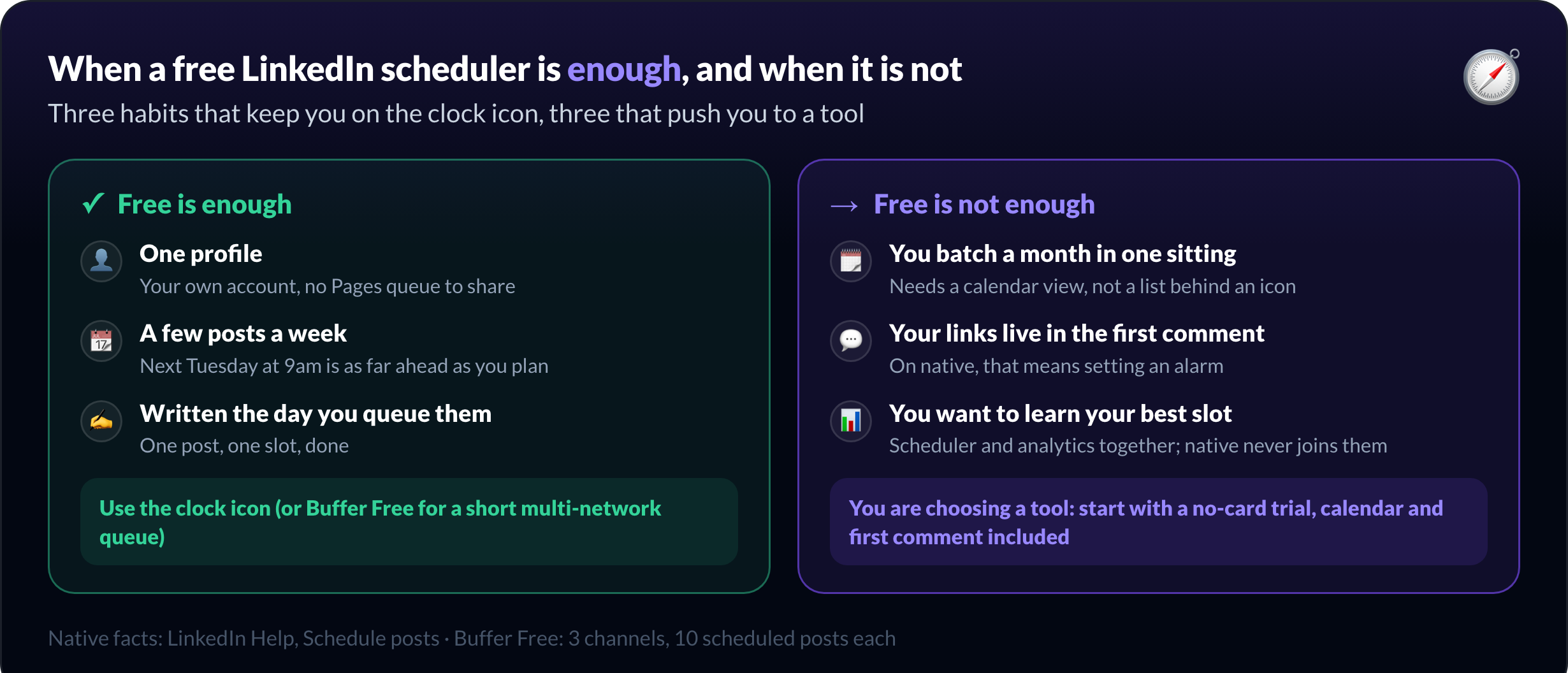
A free LinkedIn scheduler is enough when you post from one profile, a few times a week, and each post is written the day you queue it. The clock icon does exactly that job with zero setup, and Buffer Free adds a short queue if you also post elsewhere.
Free stops being enough at three recognizable moments:
You batch. A month written in one sitting needs a calendar view, not a list behind an icon.
You rely on the first comment. Links in the first comment mean setting an alarm on native.
You want to know what worked. Learning your best slot needs scheduler and analytics together; native never joins them.
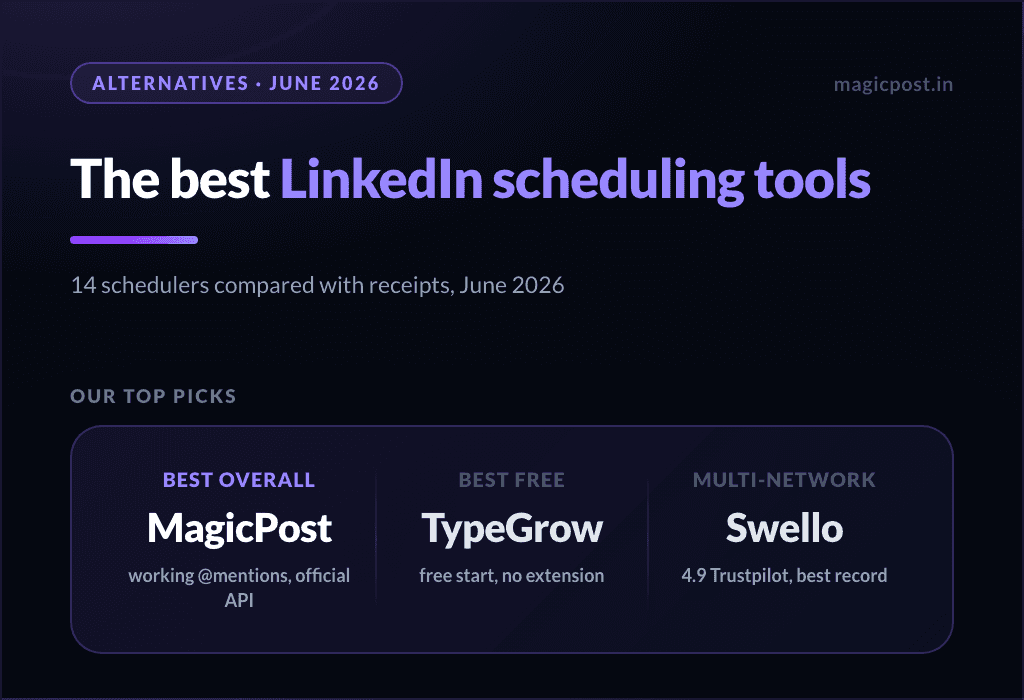
At that point you are choosing a tool. The best LinkedIn scheduling tools page tests fourteen of them on mentions, connection method and price, and LinkedIn native scheduler vs tools goes deeper on the native ceiling.
Schedule LinkedIn posts free today, then decide
Start with the clock icon: it costs nothing and covers a post a day.
When you hit the first-comment wall, or want a month laid out in front of you, try MagicPost free: no card, the whole calendar, first comments and analytics on LinkedIn's official API, and the paid-plan question comes after the trial, not before.
FAQ
Is it free to schedule posts on LinkedIn?
Yes: you can schedule LinkedIn posts free in three ways, LinkedIn's native scheduler (built into the composer, no tool needed), Buffer's free plan (3 channels, 10 scheduled posts each), or a no-card trial of a LinkedIn tool such as MagicPost.
How do you schedule LinkedIn posts for free without a tool?
LinkedIn's native scheduler works from the post composer: write the post, click the clock icon, pick a slot between 10 minutes and 3 months out, then click Next and Schedule. The same clock icon opens View all scheduled posts, where you edit, reschedule or delete.
What is the best free LinkedIn scheduling tool?
Buffer's Free plan and CoSchedule's free calendar are the two schedulers on this page with a permanent $0 tier that includes LinkedIn: Buffer at 3 channels, 10 scheduled posts per channel, one user; CoSchedule at 15 scheduled posts per profile. A scheduled first comment needs a LinkedIn tool, where the free route is a no-card trial such as MagicPost's.
Is Buffer free for LinkedIn?
Yes. Buffer's Free plan includes LinkedIn as one of up to 3 channels, with 10 scheduled posts per channel and one user. Paid plans start at $6/mo. per channel billed monthly, $5/mo. per channel billed annually, with unlimited scheduled posts.
Is TypeGrow free?
No. TypeGrow is a paid LinkedIn scheduler at $29/mo. with a free trial, not a free plan, so it does not belong on a shortlist of free LinkedIn schedulers.
Is Metricool free for LinkedIn?
No. Metricool's free plan is permanent, but its pricing page excludes LinkedIn and Twitter from it, so LinkedIn scheduling in Metricool starts on a paid plan.
Does MagicPost have a free plan?
MagicPost offers a trial with no credit card rather than a permanent free plan: the trial opens scheduling, first comments, mentions and analytics, and the paid plans afterwards are Analytics at $35/mo. and Creator at $69/mo.