Scheduling for one account is a calendar problem. Scheduling for eight clients is an identity problem, and the wrong post under the wrong name is the kind of mistake you have to phone a client about.
A LinkedIn scheduler for agencies has to solve three things at once: each client's account stays theirs, the work happens in one place, and nothing goes live before the person whose name is on it has agreed.
This guide covers how to set that up, and what breaks when you do not.
If you are still shortlisting products rather than setting one up, the best LinkedIn tools for agencies ranks the wider stack and the best LinkedIn scheduling tools narrows it to scheduling.
What does an agency need from a LinkedIn scheduler?
Five requirements separate an agency setup from a solo one.
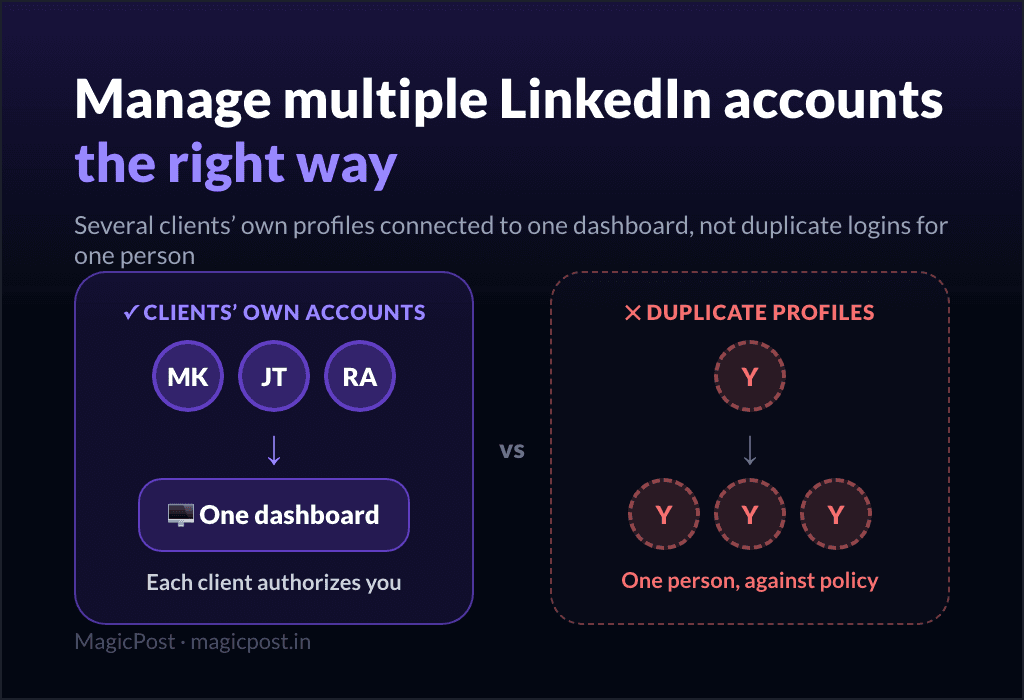
Separate identities. One workspace, one account per client.
Authorised access. No shared passwords, no borrowed sessions.
One calendar view. The whole roster, one week ahead.
A review step. The client sees the post first.
Named responsibility. Someone owns each publication.
The first two are non-negotiable and they are where cheap setups fail. Sharing a client's LinkedIn login puts you outside LinkedIn's own rules and inside their account, which is a liability you cannot insure against. A tool that connects through LinkedIn's official authorisation flow keeps the credential with its owner.
The last three are organisational. A tool can make them possible; it cannot make them happen. That distinction runs through the rest of this page: what the software does, and what your agency has to decide.
How to set up LinkedIn scheduling for multiple clients
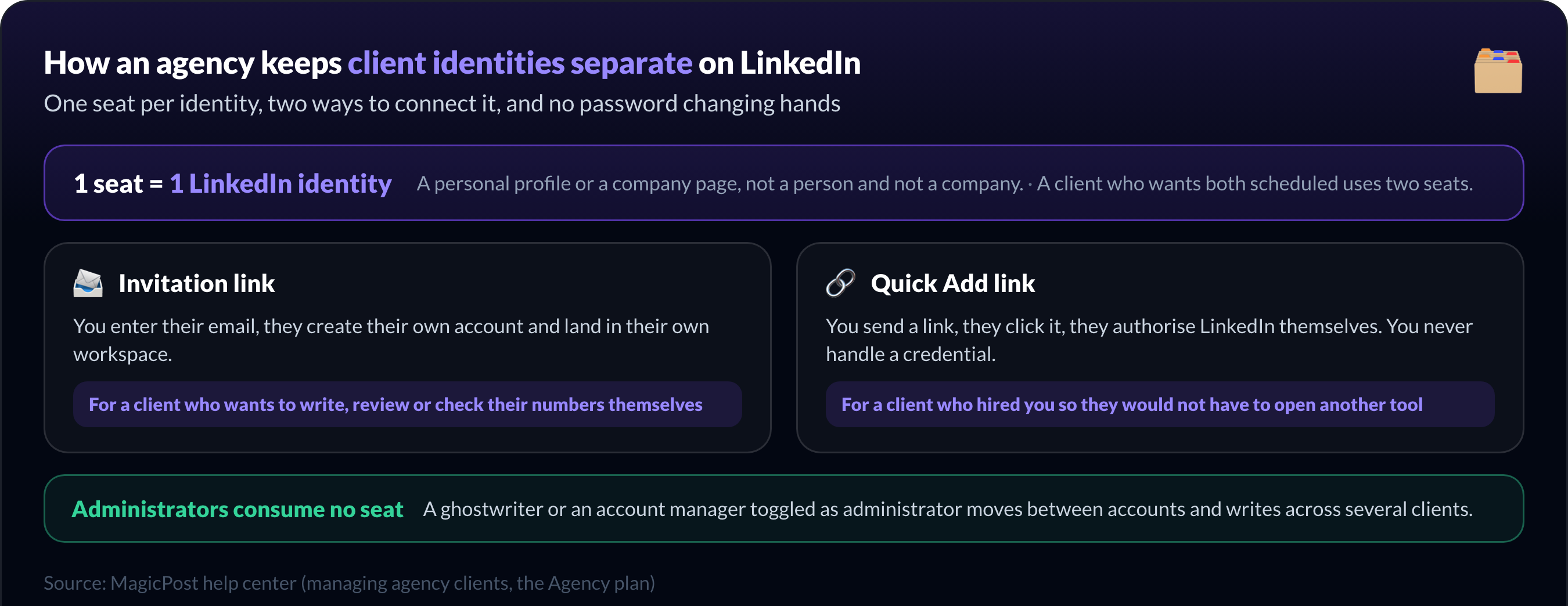
The unit to think in is the seat. In MagicPost, a seat is one LinkedIn identity: a personal profile or a company page, not a person and not a company. A client who wants their profile and their page scheduled uses two.
There are two ways to bring a client in, and the choice depends on whether they ever want to see the tool.
Invitation link. You enter their email, they get an invite, and they create their own account. They land in a full MagicPost account with their own workspace. Use this for a client who wants to write, review or check their numbers themselves.
Quick Add link. You send a link, they click it, they authorise LinkedIn, and that is the end of their involvement. You never handle their credentials and they never see a login screen. Use this for a client who hired you precisely so they would not have to open another tool.
Onboarding a ghostwriter or a colleague rather than a client is a third case: toggle Administrator on, and they can move between accounts and write across several clients. Administrators consume no seat.
Then set the calendar up so the roster is legible:
Check which account you are in before writing anything. Every client is one click away in the top-left menu.
Set the time zone against the client's audience, not your office: 9am in Paris is 3am in Chicago.
Fill each client's calendar from their own view, so the slot you see is the slot they get.
Use the cross-client overview to see what goes out across the roster in one place.
For the account-level view of the same problem, how to manage multiple LinkedIn accounts covers what changes when the roster grows, and the LinkedIn post scheduler page covers what the calendar itself does.
How should agencies handle LinkedIn post approvals?
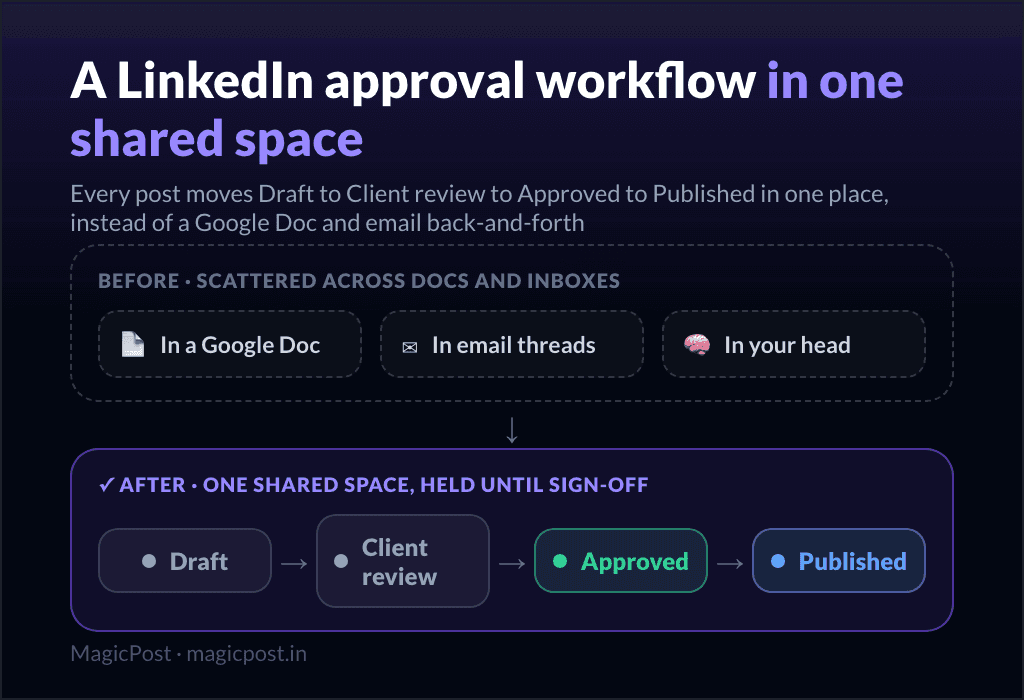
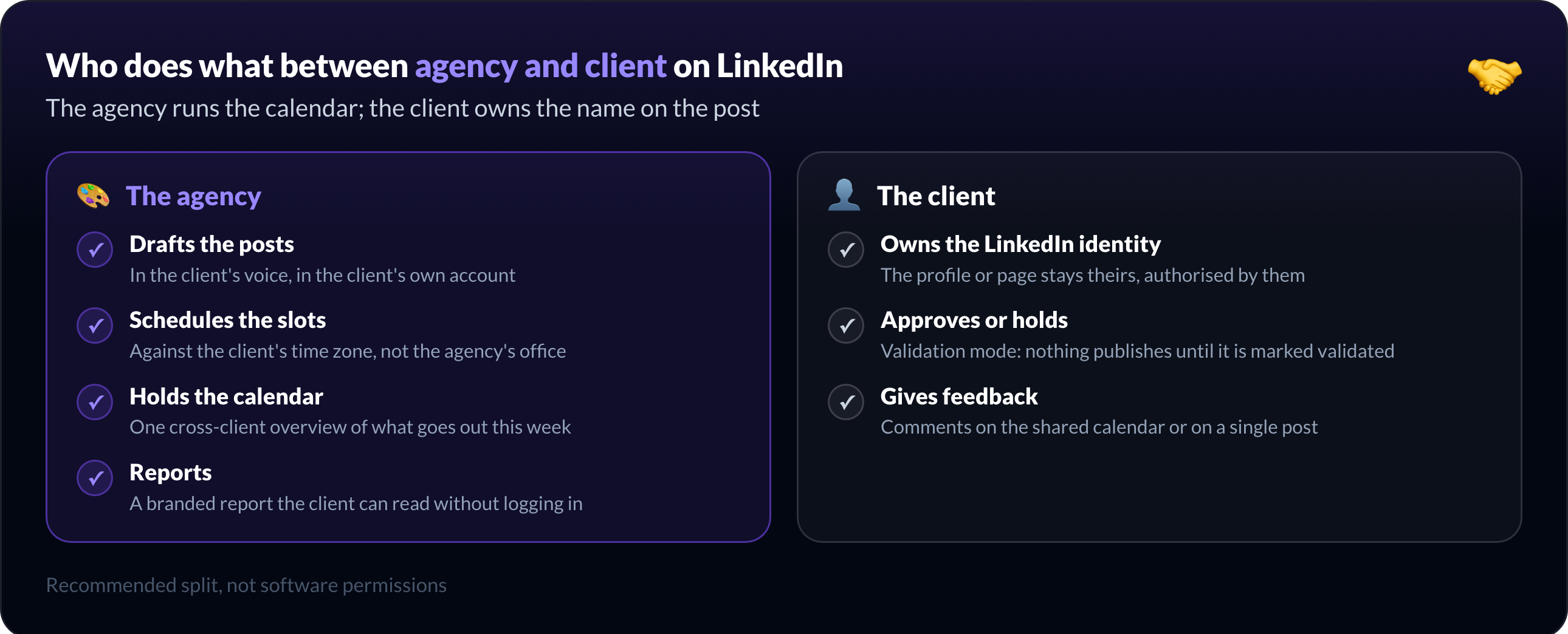
The path is short: draft, client review, approval, scheduled slot. What makes it work is that approval is a gate, not a courtesy.
With validation mode on, a post does not publish until it has been marked as validated. For an organisation set up as an agency, it is enabled by default on every new client, so approval is the starting state rather than something you remember to switch on.
Before sharing anything, you pick what the client can do:
Access level | What the client can do | When to use it |
Simple | View the calendar only | Showing the plan to someone not in the review loop |
Validation | View, approve or hold, discuss | The default for a client who signs off |
Edition | Everything above, plus edit the post text | A very autonomous client, or a co-writer |
Validation is the balance most agencies want: the client has a real say, you keep control of the text.
You then share either the whole calendar, for a monthly review, or a single post when you want one answer quickly. The client opens a link in their browser. No account, no password, and your name and logo throughout rather than the tool's.
The mechanics of running that loop, including what to do with a client who never answers, are in the LinkedIn content approval workflow.
How to prevent multi-client LinkedIn scheduling mistakes
Four failures account for most of the damage, and none of them is a software bug.
Wrong account. The account switcher is one click, and so is the mistake. The habit that prevents it: read the account name in the top-left before you type, not after you schedule.
Wrong time zone. The client's audience sets the hour, not your office. Check it once per client, at onboarding, and write it down where the calendar lives.
Late approval. A post approved after its slot has passed is a post that did not go out. Set the review deadline a working day before the earliest slot in the batch, and treat silence as a hold rather than a yes.
Revoked access. A client who changes their LinkedIn password or removes the authorisation stops publishing, quietly. Nothing in your calendar looks different. Check the connection when a client's posts stop performing for no reason.
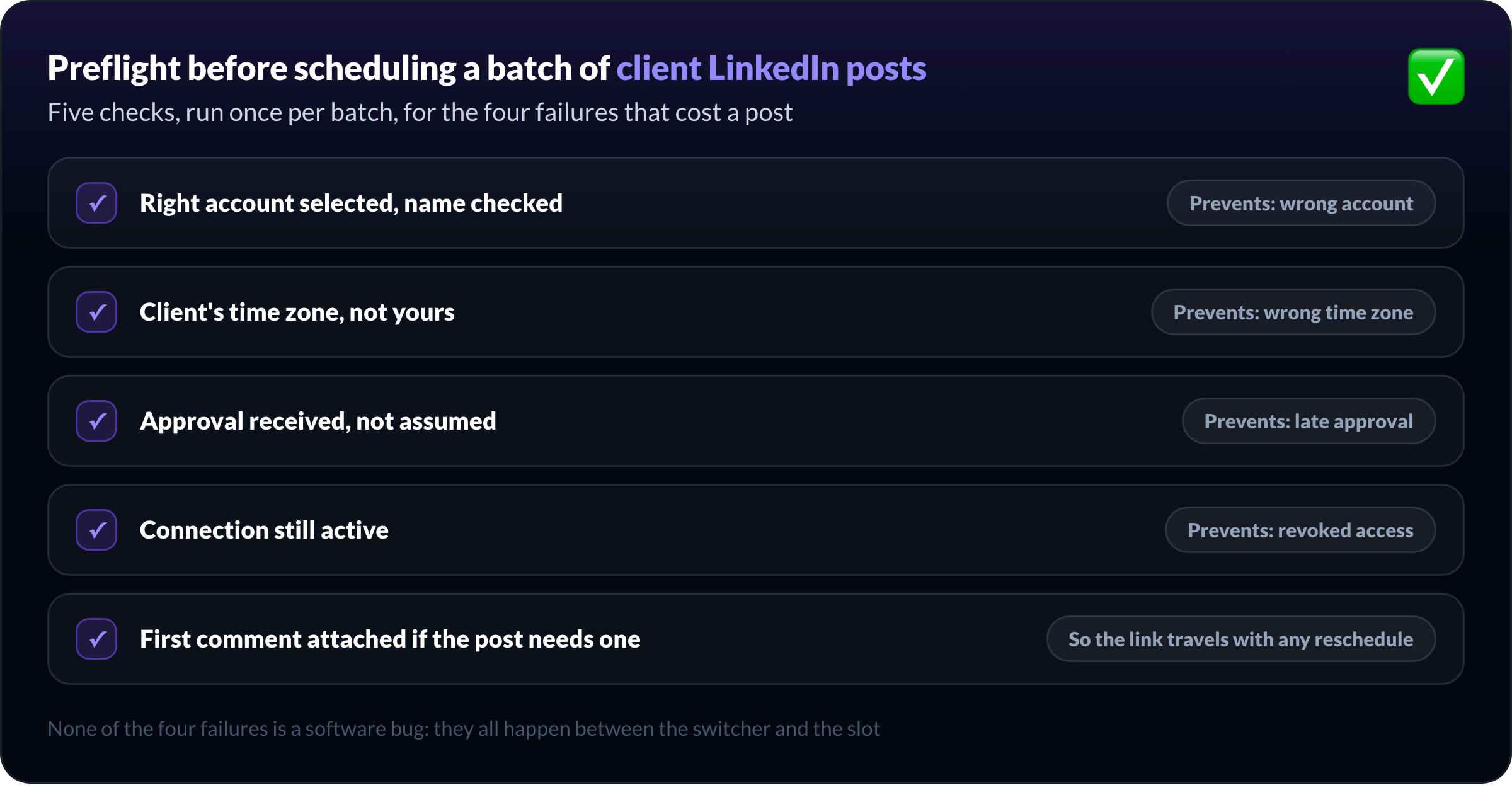
A short preflight run before each batch catches all four:
Right account selected, name checked
Client's time zone, not yours
Approval received, not assumed
Connection still active
First comment attached if the post needs one
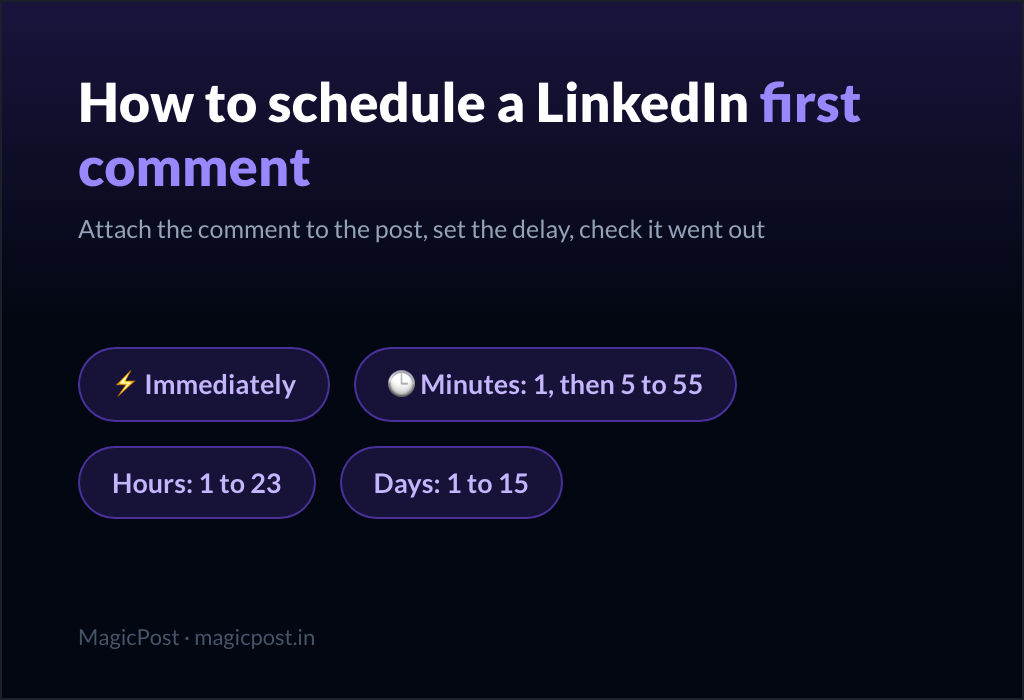
Batches with a link belong to the scheduled first comment routine, which attaches the comment to the post so it travels with any reschedule.
How to compare LinkedIn scheduler costs for an agency
Headline prices are not comparable across agency tools, because the billing unit differs. Four questions make them comparable.
What is billed? A seat, a connected account, a user, or a workspace. In MagicPost a seat is one LinkedIn identity, so a client with a profile and a page counts twice.
Ask every other vendor what their own unit covers: whether one "user" can hold several LinkedIn accounts, and what the tenth account costs next to the first.
Do internal people cost anything? Ghostwriters and account managers who write across clients without their own LinkedIn connection should not carry the price of a client. In MagicPost, administrators are free and consume no seat, and a seat can be marked unassigned so you are not billed for a connection nobody uses.
Is approval included or an upgrade? Client validation is the feature agencies actually need, so ask which plan carries it rather than assuming it comes with the scheduling. The answer often decides the tier you end up on.
Is client reporting included? A branded report is part of the deliverable for most retainers, so a tool that charges separately for it is more expensive than its landing page suggests.
MagicPost's Agency plan is priced per seat with a two-seat minimum, on request rather than from a public grid. For what the rest of the market charges and on which unit, the best LinkedIn tools for agencies runs through the products one by one.
Run your agency's LinkedIn scheduling with MagicPost
What the Agency plan does: a seat per client identity, connection through a link the client clicks themselves, validation mode on by default, calendar sharing under your brand, and client reports with your logo.
What it does not do: publish without approval once validation is on, or bill you for administrators.
Teams publishing under their own employees' names have a different set of constraints; that setup is covered in LinkedIn scheduler for teams.
Run every client's LinkedIn from one calendar. MagicPost gives each client their own seat and workspace, connects their LinkedIn without a shared password, and holds every post until they approve it from a page carrying your brand. Per seat, two seats minimum, priced on request. Free trial, no credit card.
Preguntas frecuentes
Can an agency schedule LinkedIn posts without the client's password?
Yes, an agency schedules LinkedIn posts without ever holding the client's password, and it is the only setup worth using. MagicPost sends the client a link, the client clicks it and authorises LinkedIn themselves, so the agency never handles a credential.
Sharing a LinkedIn password puts you inside someone else's account against LinkedIn's own rules, and no scheduling convenience is worth that exposure.
Does the client need their own MagicPost account?
No, a client does not need their own MagicPost account. With a Quick Add link the client connects their LinkedIn and never sees the interface again.
If they do want to write or review inside the tool, an invitation link gives them a full account with their own workspace instead. The choice is per client, and you can start with one and move to the other.
Is client approval mandatory before a post publishes?
Client approval is mandatory when validation mode is on, and for an organisation set up as an agency in MagicPost it is on by default for each new client. A post then waits until it is marked validated. Turning it off is possible per client, for the ones who trust you to publish directly.
Can an agency schedule for LinkedIn company pages as well as profiles?
Yes, an agency schedules company pages and personal profiles side by side. A seat connects one LinkedIn identity, and that identity can be a personal profile or a company page you administer. A client who wants both scheduled uses two seats, which is worth knowing before you count your roster in clients rather than in accounts.
What is the difference between an internal user and a managed LinkedIn account?
In MagicPost, a managed account is a client's LinkedIn identity and it occupies a seat. An internal user is someone at your agency who writes across several clients; toggled as an administrator, they consume no seat and cost nothing. Counting your team as seats is the most common way agencies overestimate the price of a tool.