" height="26.80529977783203px" id="tymKb8bqC" width="128.00300311279295px"/><path d="M 0 2.417 L 0 0 L 12.909 0 L 12.909 2.417 Z" fill="rgb(126, 78, 253)" height="2.417099999999998px" id="aYr4em6zK" transform="translate(128.341 22.325)" width="12.908999999999992px"/></svg>)

"/><stop offset="1" stop-color="rgb(118, 37, 250)"/></linearGradient></defs><g d="M 19.242 21.22 L 19.362 6.204 L 19.272 6.204 L 13.757 21.22 L 10.161 21.22 L 4.796 6.204 L 4.706 6.204 L 4.825 21.22 L 0 21.22 L 0 0 L 7.283 0 L 12.109 13.607 L 12.229 13.607 L 16.844 0 L 24.247 0 L 24.247 21.22 Z M 26.421 26.113 L 26.421 23.445 L 41.407 23.445 L 41.407 26.113 Z" fill="transparent" height="26.112508199679183px" id="DvfaAIHYn" width="41.40731898311435px"><path d="M 19.242 21.22 L 19.362 6.204 L 19.272 6.204 L 13.757 21.22 L 10.161 21.22 L 4.796 6.204 L 4.706 6.204 L 4.825 21.22 L 0 21.22 L 0 0 L 7.283 0 L 12.109 13.607 L 12.229 13.607 L 16.844 0 L 24.247 0 L 24.247 21.22 Z" fill="rgb(46, 46, 46)" height="21.220180016149442px" id="pLsxRCobd" width="24.247352589074694px"/><path d="M 0 2.668 L 0 0 L 14.986 0 L 14.986 2.668 Z" fill="url(%23yD9d4I5GR-3279285344-linear-gradient)" height="2.6675085048549647px" id="yD9d4I5GR" transform="translate(26.421 23.445)" width="14.986002836263765px"/></g></svg>)

Yasmina Akni Ebourki
क्या आप सामग्री निर्माण और आउटरीच पर घंटे बिताए बिना अपना LinkedIn नेटवर्क बढ़ा सकते हैं?
LinkedIn स्वचालन उपकरण मदद कर सकते हैं आपको आकर्षक सामग्री बनाने और सही लोगों से जुड़ने में।
चाहे आप अपनी व्यक्तिगत ब्रांड बना रहे हों या LinkedIn पर अपने व्यवसाय को बढ़ा रहे हों, लगातार बने रहना चुनौतीपूर्ण होता है।
ये स्वचालन उपकरण आपकी दृश्यता बनाए रखने और अपने दर्शकों के साथ संलग्न रहने को आसान बनाते हैं।
इस गाइड में, हम शीर्ष 10 LinkedIn स्वचालन उपकरण साझा करेंगे जो आपकी पहुंच को बढ़ाने, संलग्नता में सुधार करने और एक मजबूत पेशेवर नेटवर्क बनाने में आपकी मदद करेंगे।
What Are the Risks of Using LinkedIn Automation Tools?
LinkedIn has clear rules against automated behavior. Sending too many connection requests or messages in a short period can lead to your account being restricted or banned.
Additionally, LinkedIn AI tools that aren't secure might compromise your data or violate LinkedIn's terms of service.
To keep your account safe, use trusted tools, consider LinkedIn's limits, and personalize your content and outreach.
What about your reputation?
Besides technical risks, these tools could damage your reputation.
LinkedIn members might stop engaging with your content or ignore your connection requests if they seem too generic or robotic.



Should You Use Automation Tools for LinkedIn?
Yes. LinkedIn automation tools help you save time, improve consistency, and grow your network efficiently. Use these tools to support your efforts, not replace genuine interactions.
As you start using AI tools on LinkedIn, keep focusing on building relationships, providing value, and being authentic.
The key is to avoid over-automation so LinkedIn doesn't flag your account for suspicious activity.
So, what are the best LinkedIn automation tools you should try?
1. MagicPost
Rating: 4.7 (Trustpilot)
MagicPost is an AI tool for LinkedIn designed to turn your ideas into engaging posts effortlessly.
It helps you streamline content creation, schedule your post, and track its performance.
So, how can you use MagicPost to stand out on LinkedIn?
MagicPost Pros and Cons
✅It's easy to use due to its intuitive interface.
✅Creates personalized content that aligns with your audience's values, helping you create an authentic brand.
✅Allows you to schedule posts directly from the platform without needing extra tools.
❌Advanced features are only available in the higher-priced plans, which limits the first tier.
❌Setting up the post templates and learning how to use them effectively might take some time.
Content Generator
Do you have an idea about what you want to post on LinkedIn?
In this case, MagicPost's content generator has got you covered.
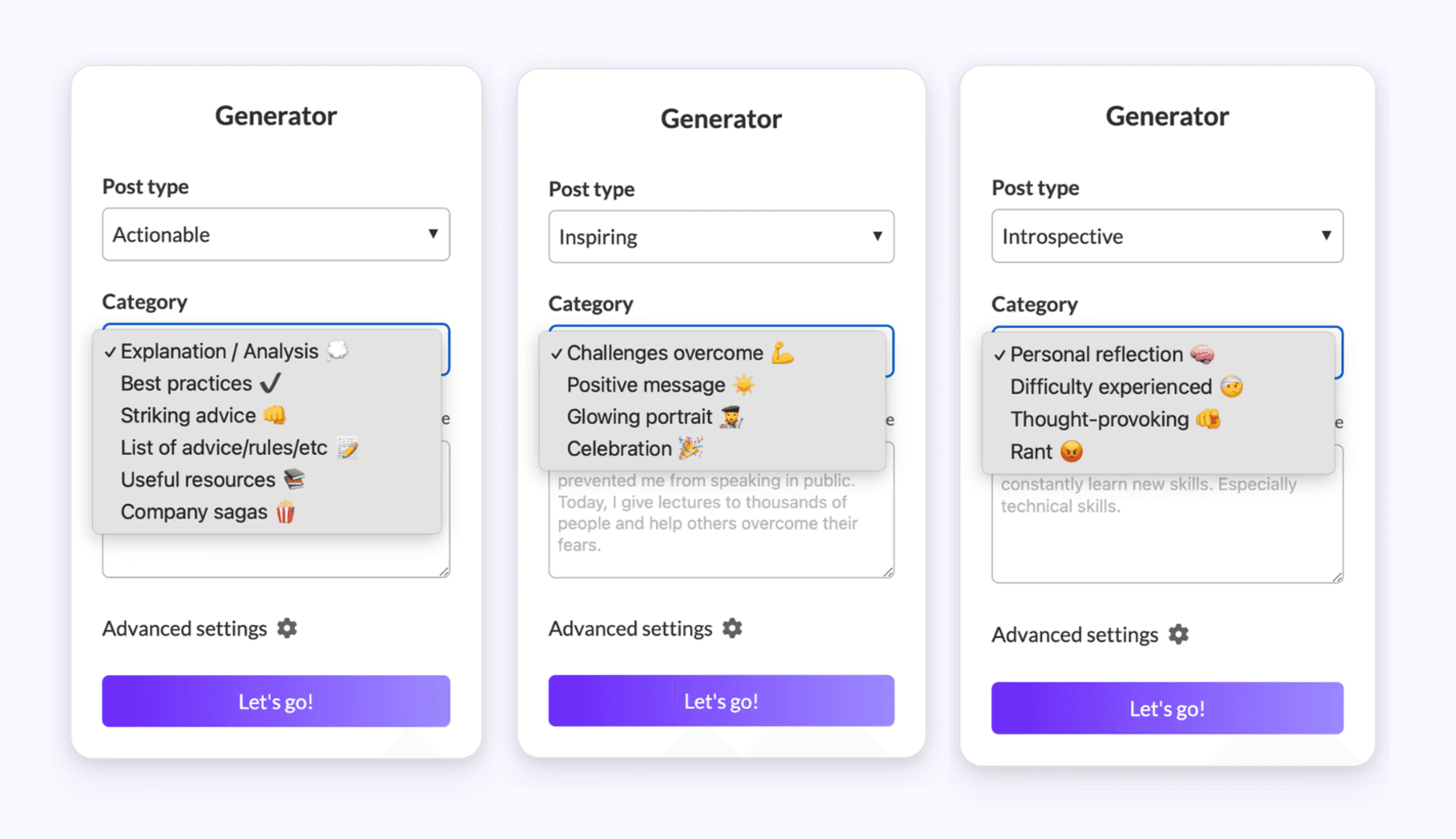
Provide it with an idea, select the post type, and pick the category that fits your audience.
MagicPost's AI will turn your quick prompt into an engaging post personalized for your network.
Hook Generator
Convince your audience to click the "See more" button with a scroll-stopping hook.
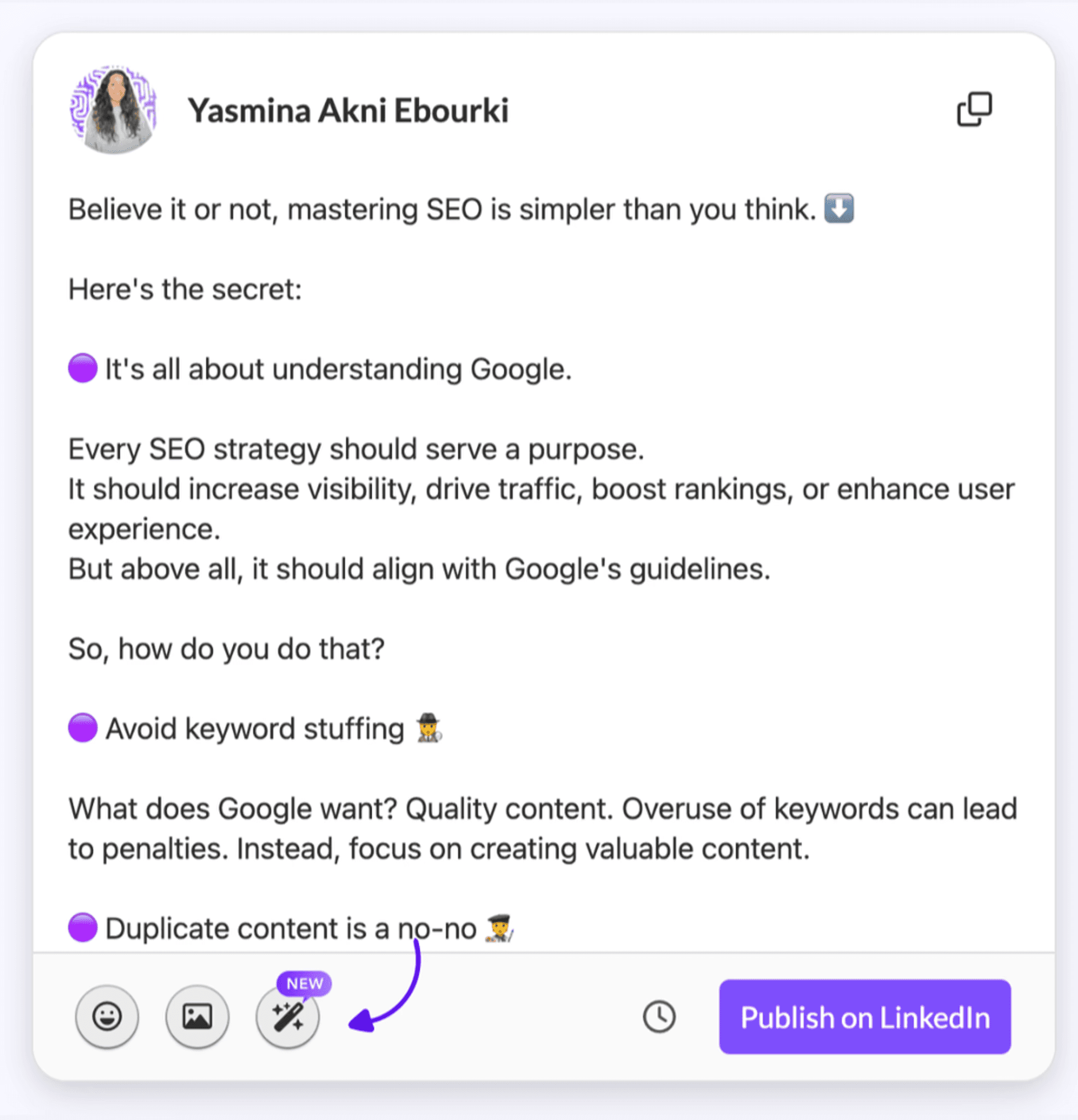
You also don't have to worry about the best length for your LinkedIn hooks. MagicPost's hook generator writes attention-grabbing lines that
won't get cut off by the "See more" button.
Idea Generator
MagicPost ensures you don't run out of content for LinkedIn with its idea generator.
All you have to do is give it a topic, and it will give you 6 ideas.
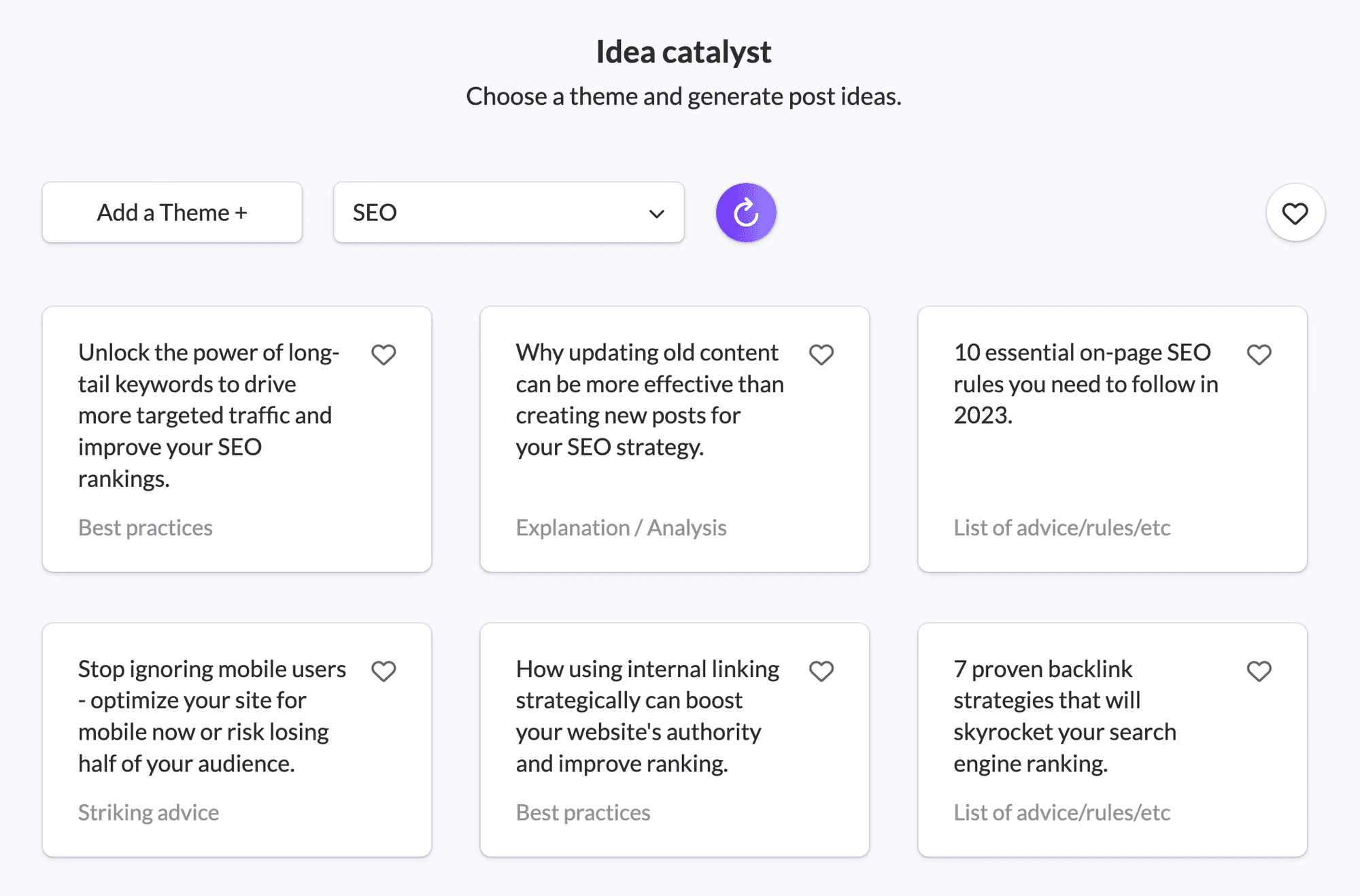
Once you find something interesting, use the content generator to write your next LinkedIn post.
Post Templates
Did you find out what makes your audience tick?
You can maintain a consistent style with post templates. Save your favorite format and style, give it a name, and use it whenever you want.

You can stay on-brand and save time whether you want to share a list, story, or weekly update. Whether it's a list, weekly update, or a storytelling post.
Post Scheduling
Sync your content with your LinkedIn events. You can schedule it directly from MagicPost and have a clear view of your upcoming posts.
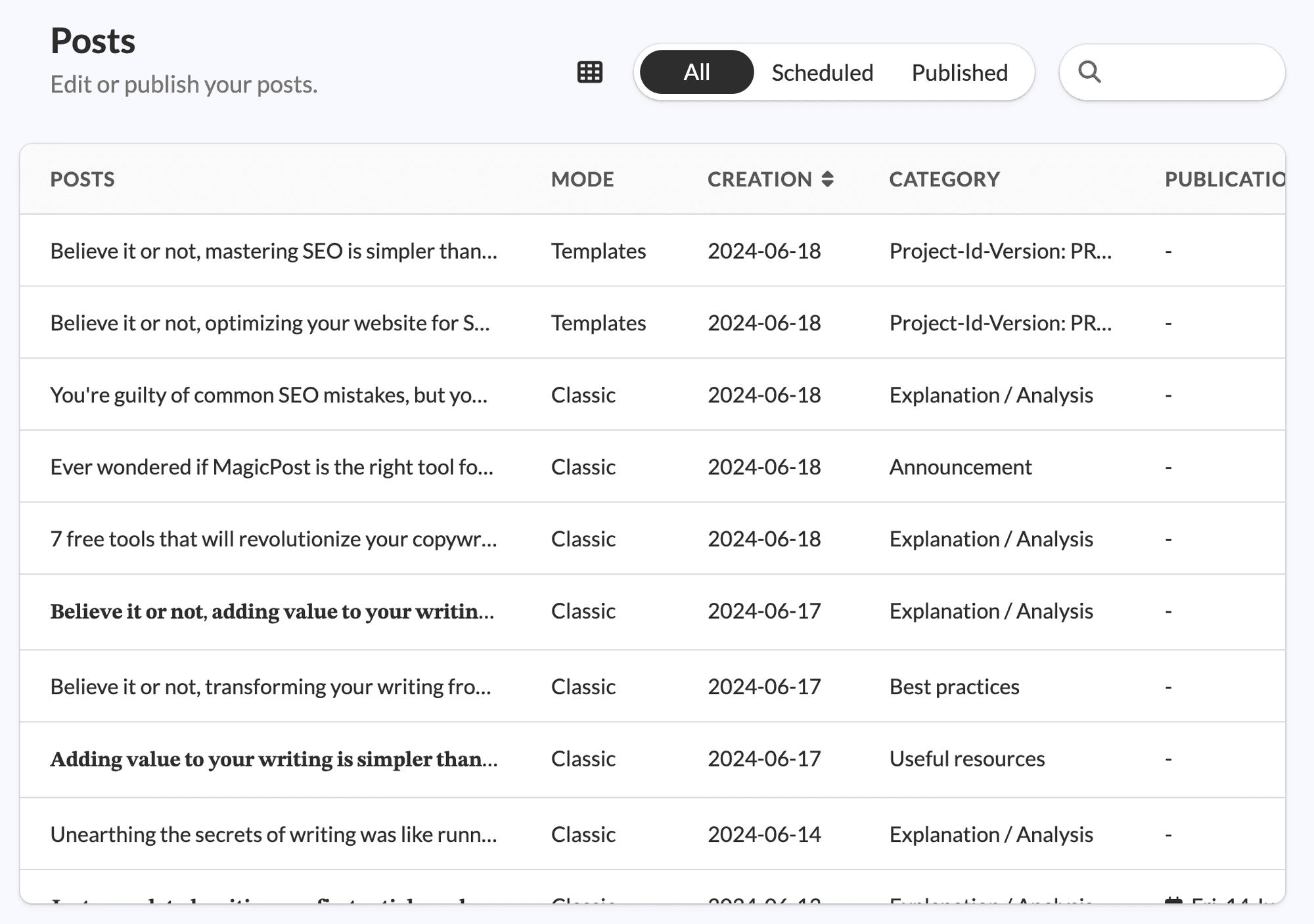
Changed your mind? You can quickly edit your posts and change the hook, add more text, or correct the information before it goes live.
MagicPost Pricing
Currently, MagicPost offers 3 different pricing plans.
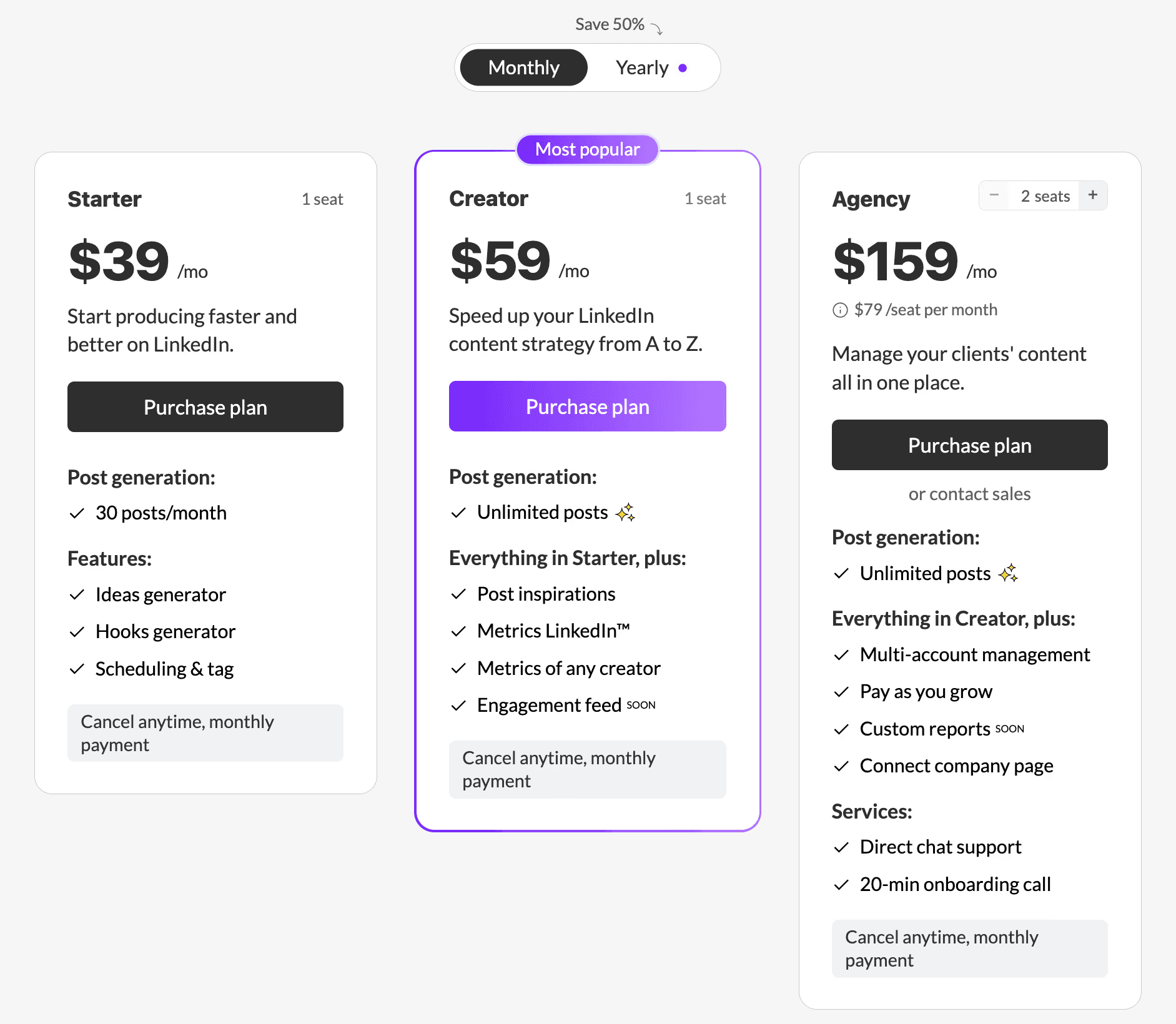
The Starter plan costs $19/month (annual payment), and it's a good choice if you're new to LinkedIn and want to explore its benefits and gain traction without spending too much time on content creation. You can generate 30 posts/month and optimize them with the editor, ideas, and hooks generator.
The Creator plan costs $29/month (annual payment) and gives you access to the content generator, post scheduling, and predefined templates for maintaining an editorial calendar. Also, you get access to 500K viral posts for inspiration and advanced metrics to track your progress.
The Agency plan is a good choice for agencies looking for an all-in-one solution to manage their LinkedIn clients' presence.
2. AuthoredUp
Rating: 3.2 (Trustpilot)
AuthoredUp is a LinkedIn tool that helps you improve your content. While it lacks a content generator, it can enhance your content with formatting options, post previews, and text metrics.
So, is AuthoredUp good enough as a LinkedIn automation tool?
AuthoredUp Pros and Cons
✅Includes a 14-day free trial.
✅Its preview generator ensures your content looks perfect before publishing it.
✅The 300+ hooks and post endings help you engage with your network.
❌Without a post generator, you have to manually write every post.
❌The AuthoredUp's browser extension only works with Google Chrome.
❌Using AuthoredUp's browser extension could lead to issues with your LinkedIn account.
Post Editor
Make your content stand out with AuthoredUp's post editor. You can add bold text, lists, emojis, and more.
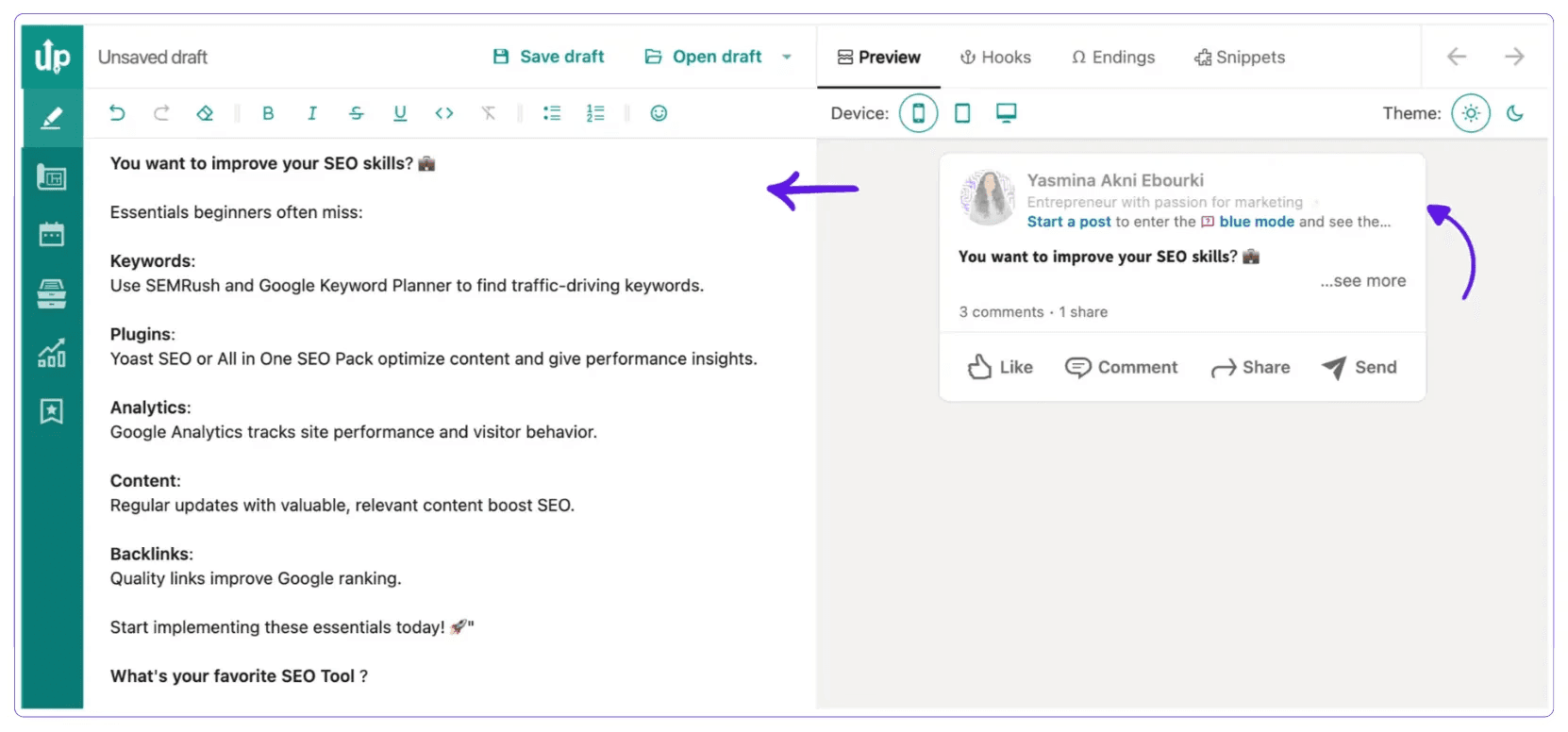
Also, it shows you how your post will look on mobile and desktop with a real-time LinkedIn preview. This way, you can see exactly where the "See more" button cuts off your text.
Hooks and CTA Library
Your network might scan your content, but they'll read the first and last parts.
You can grab your network's attention right from the start with AuthoredUp's hooks library. Additionally, it helps you include a relevant CTA, whether it's asking for feedback, encouraging profile visits, or starting a conversation.
Content Management
Not the right time to share your post on LinkedIn?
Similar to other automation tools for LinkedIn, AuthoredUp allows you to save your drafts and schedule them for publishing.
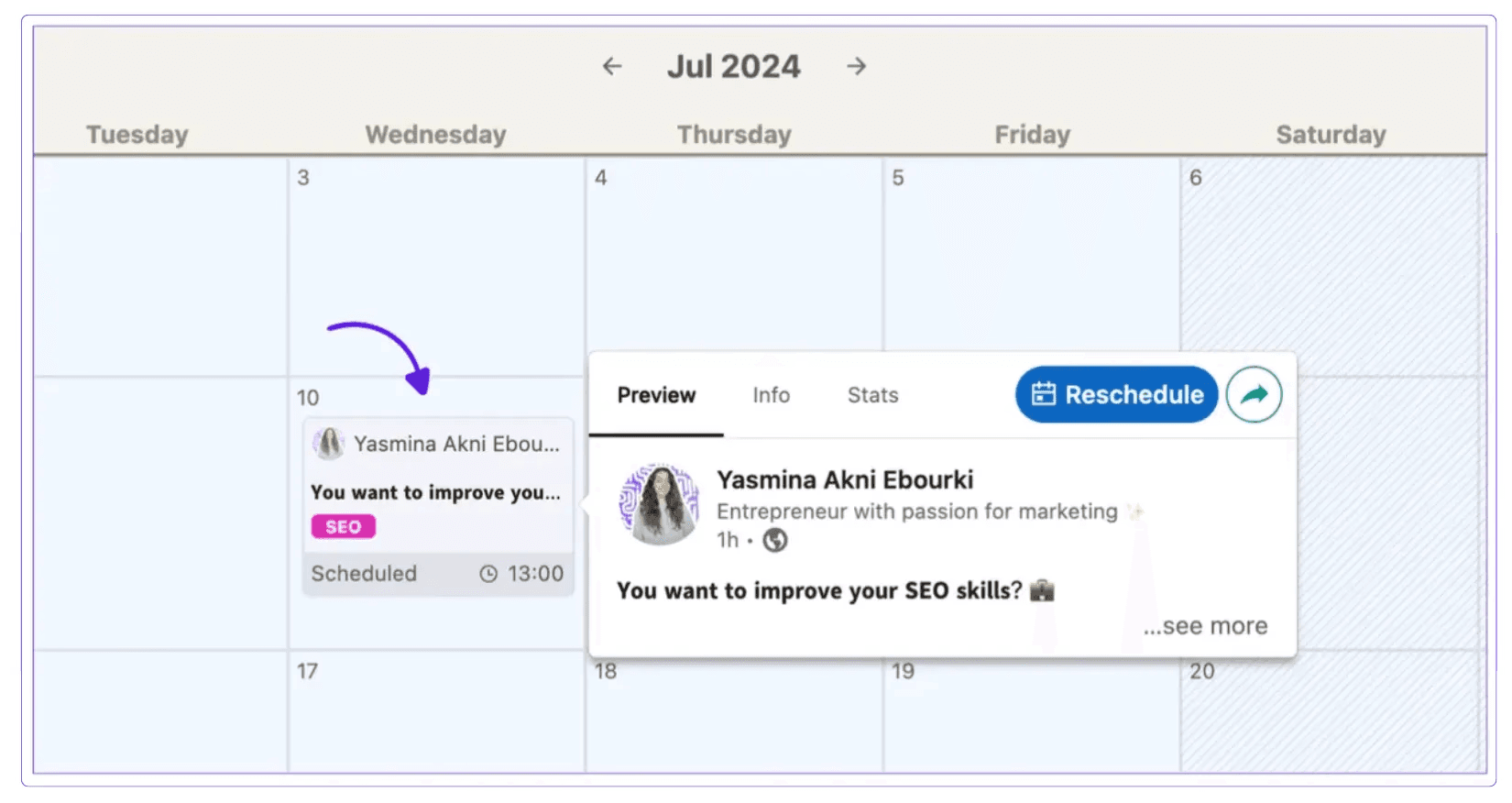
Once your content goes live, you can access detailed statistics such as impressions and reactions so you can figure out what works best for you.
AuthoredUp Pricing
AuthoredUp has 2 pricing plans. The Individual plan costs $19.95/month and includes unlimited drafts, snippets, and the 300+ hooks and post-endings library.
The Business plan costs $14.95/month per user and comes with draft collaboration and team analytics.
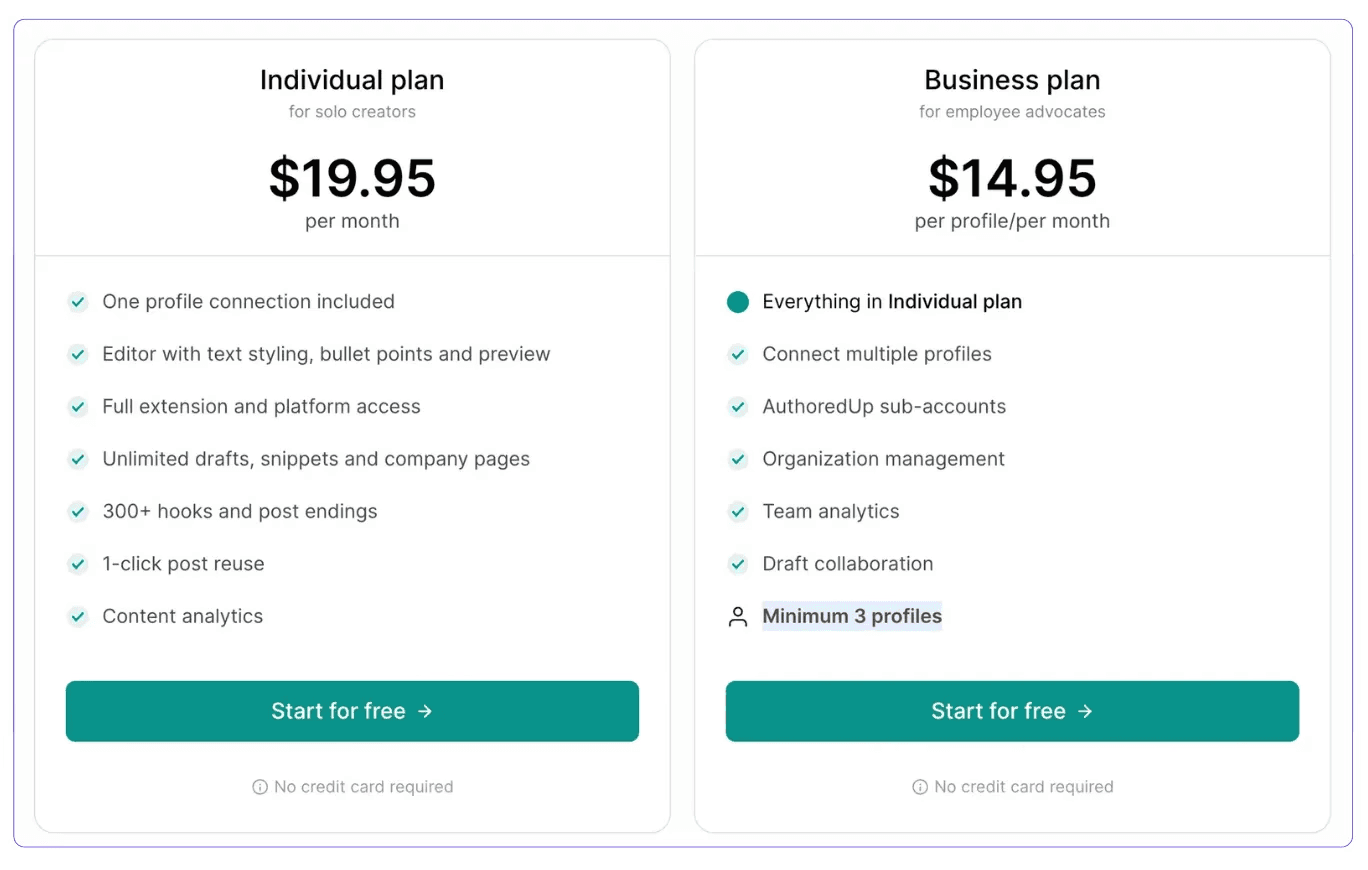
AuthoredUp offers a 14-day free trial for each of its plans.
3. Taplio
Rating: 2.6 (Trustpilot)
Taplio is a LinkedIn automation tool that is filled with features for content creation, scheduling, analytics, and network growth. Despite its advanced tool kit, it may be a bit too complicated for LinkedIn, hence it has a modest rating of 2.6.
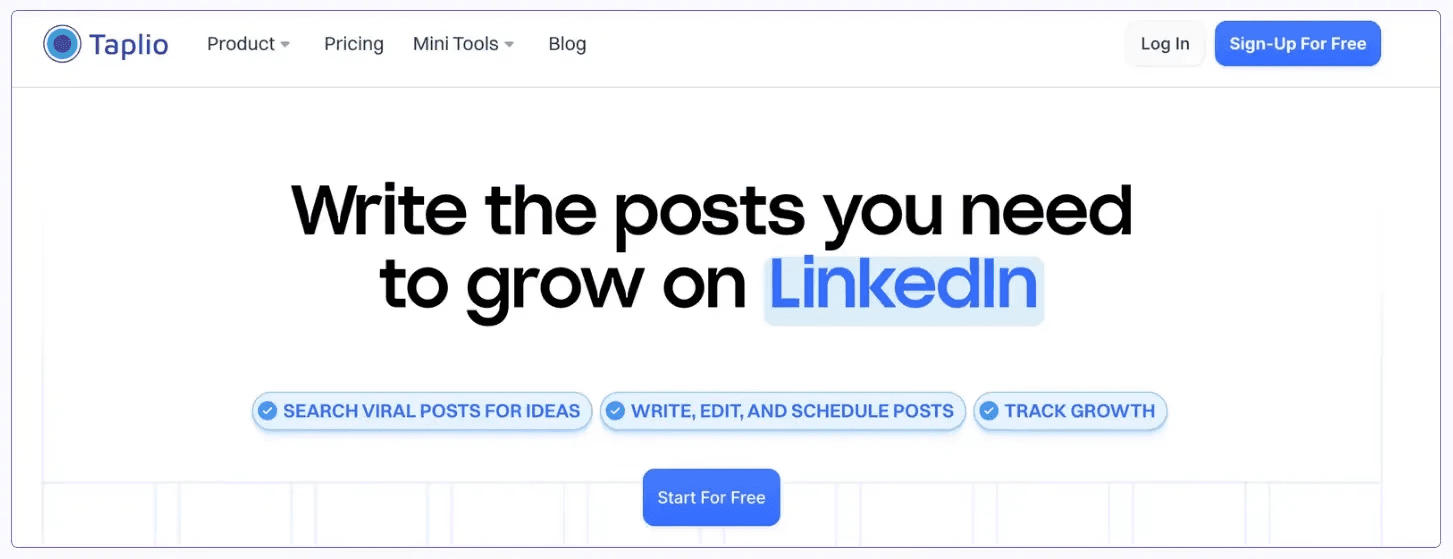
So, is Taplio the right LinkedIn AI tool for you?
Taplio Pros and Cons
✅It simplifies content creation.
✅Helps you identify the best-performing topics and post formats with advanced analytics.
✅Allows you to list relevant LinkedIn members so you can consistently engage with the right people and grow your network.
❌Posts created with Taplio may sound similar due to its generic AI writer.
❌With its pricing plans starting at $39, Taplio is one of the costliest LinkedIn tools.
❌The best features are available on the more expensive plan.
Content Creation
Taplio provides numerous ways to assist you in coming up with new posts. Its features help you draft new posts, create hooks and CTAs, design LinkedIn carousels, or convert blog pages into new content.
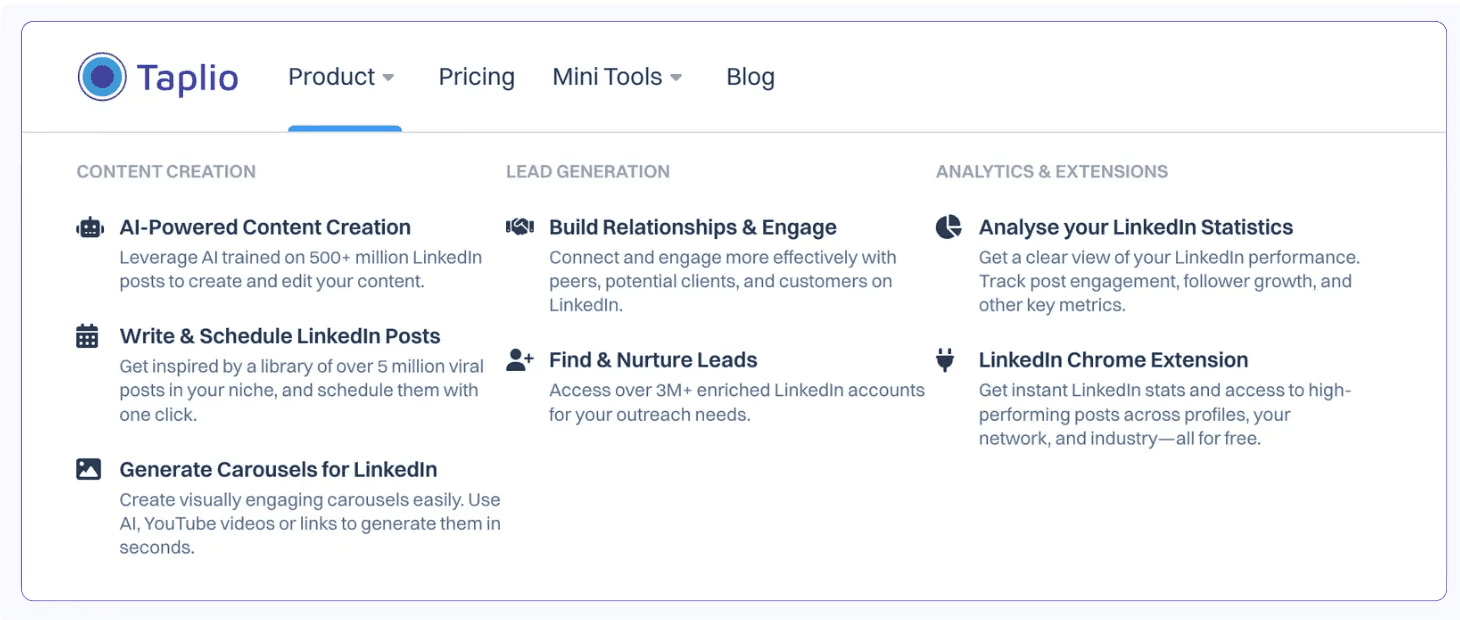
However, Taplio's AI writer may be somewhat too repetitive to make your posts sound authentic.
Lead Database
Taplio aids you in finding new clients or partners through its 3M+ lead database. You can filter it by country, job title, or company.
However, the lead database is accessible on the Pro plan, which costs $199/month.
Now, if you intend to use LinkedIn for lead generation, there are more cost-effective options that you could consider. For instance, LinkedIn Sales Navigator provides advanced search filters, lead recommendations, and CRM integration at a lower price point.
Engagement Management
Taplio facilitates staying active and responsive by highlighting unanswered comments. It also suggests AI-generated replies so you can engage with your audience swiftly.
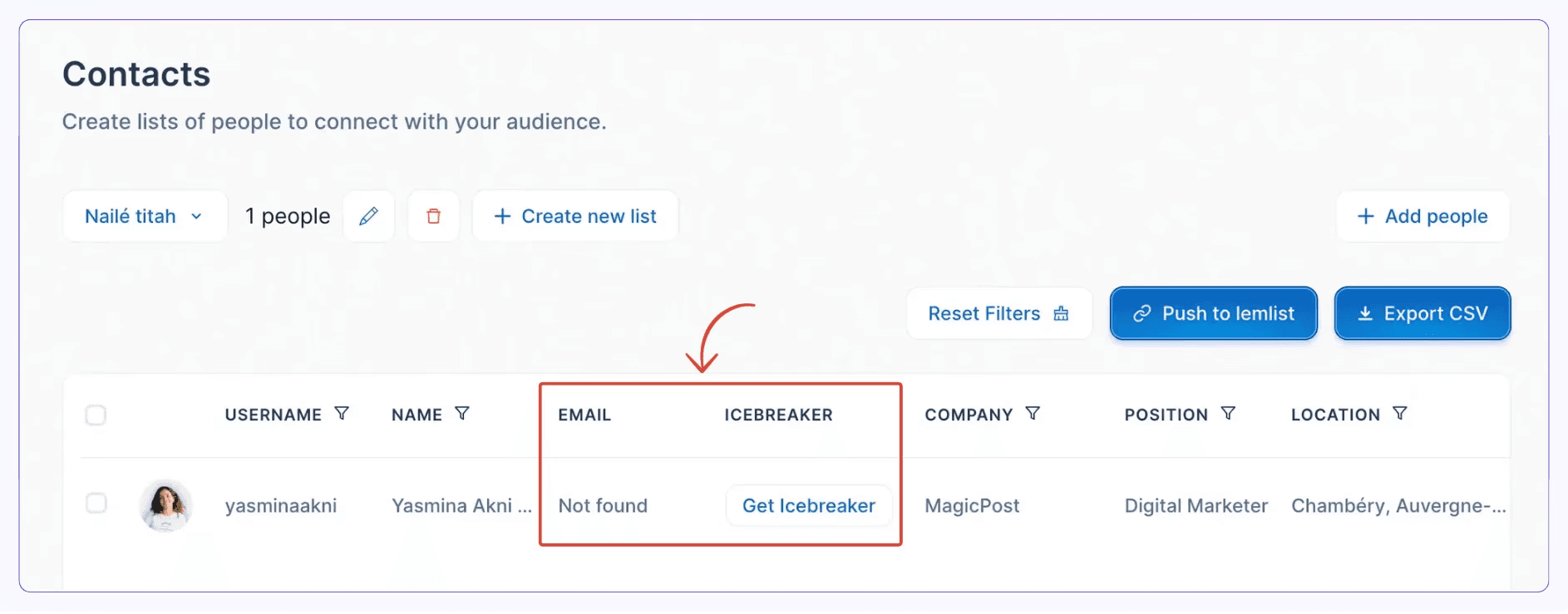
You can compile a list of LinkedIn profiles that you wish to interact with and send them personalized, AI-written DMs.
Taplio Pricing
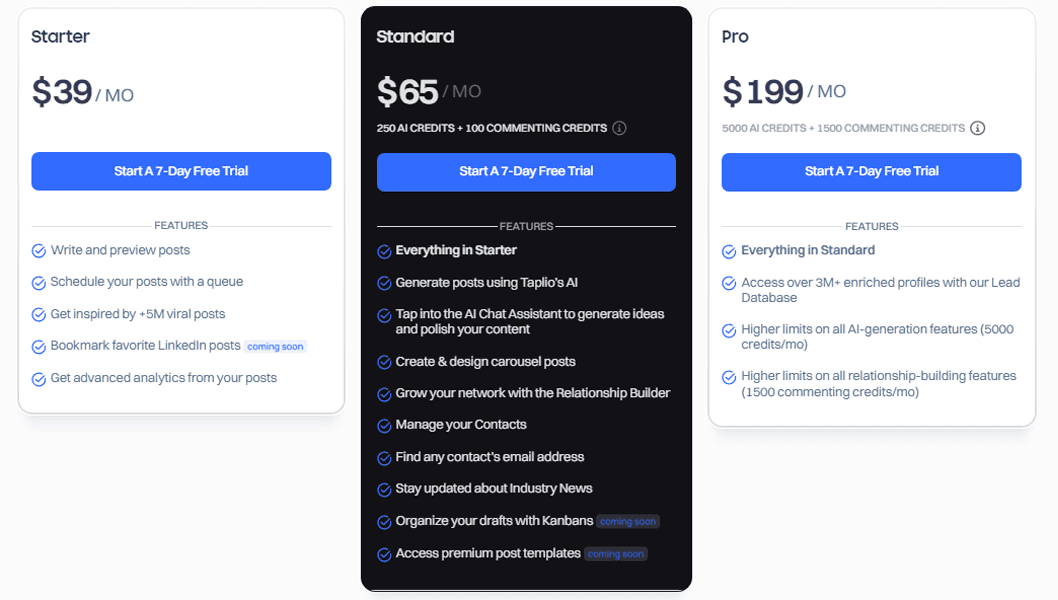
Taplio's Starter plan is priced at $39/month and grants you access to advanced analytics, a posts library, and content scheduling.
If you wish to use Taplio's AI to draft your posts, you need to subscribe to the Standard plan, which is $65/month.
The lead database is available on the Pro plan, which comes with a steep price of $199/month.
4. Hootsuite
Rating: 1.9 (Trustpilot)
Hootsuite is a social media management tool that goes beyond managing your LinkedIn presence.
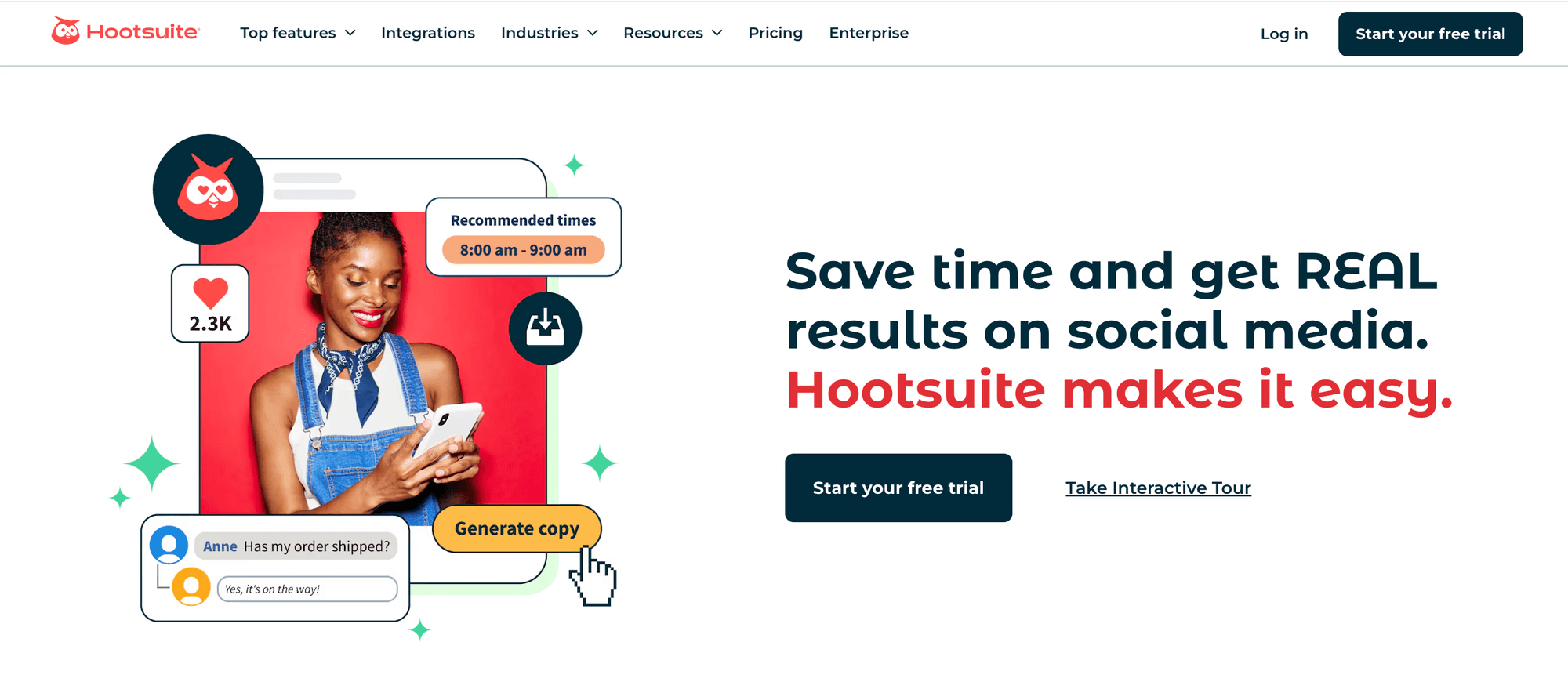
Let's analyze how effective Hootsuite is as an AI tool for LinkedIn.
Hootsuite Pros and Cons
✅It helps you build your brand across multiple platforms.
✅Offers a generous 30-day free trial.
✅Integrates with Canva, Dropbox, and Google Drive.
❌As a multi-platform social media management tool, Hootsuite might lack features optimized for LinkedIn.
❌With its plans starting at ₹7,500, Hootsuite is one of the most expensive AI tools.
❌Its advanced features might come with a steep learning curve.
Content Creation
Similar to other LinkedIn automation tools from our list, Hootsuite's features include an AI writer.
You can use it to write your content from scratch, get inspired, or turn web content into new posts.
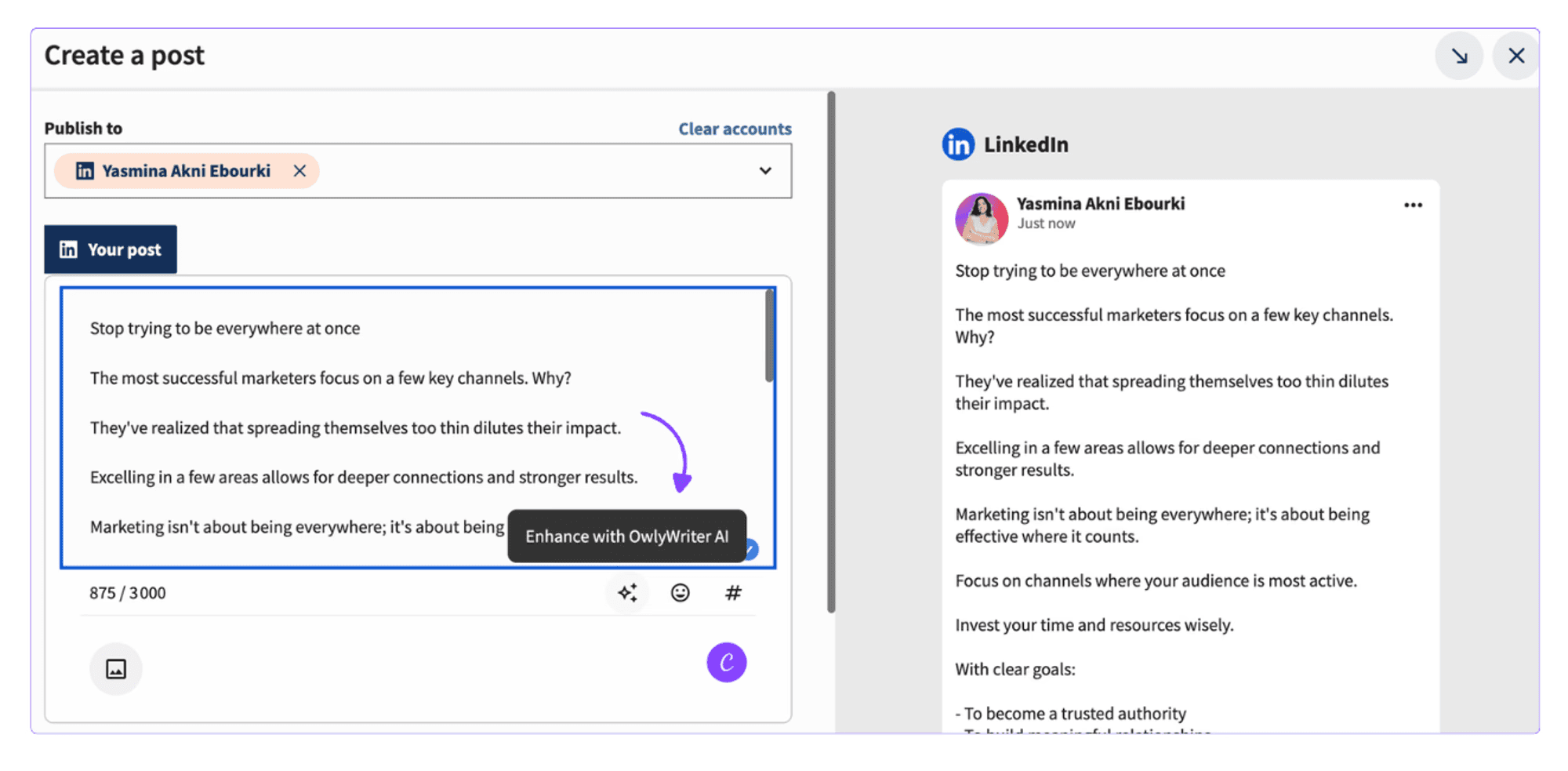
Additionally, the AI assistant corrects your grammar, optimizes your post's length, and adjusts the tone.
Social Listening
What are people thinking about your brand or business?
Hootsuite helps you monitor online conversations around your brand and understand how people perceive it.
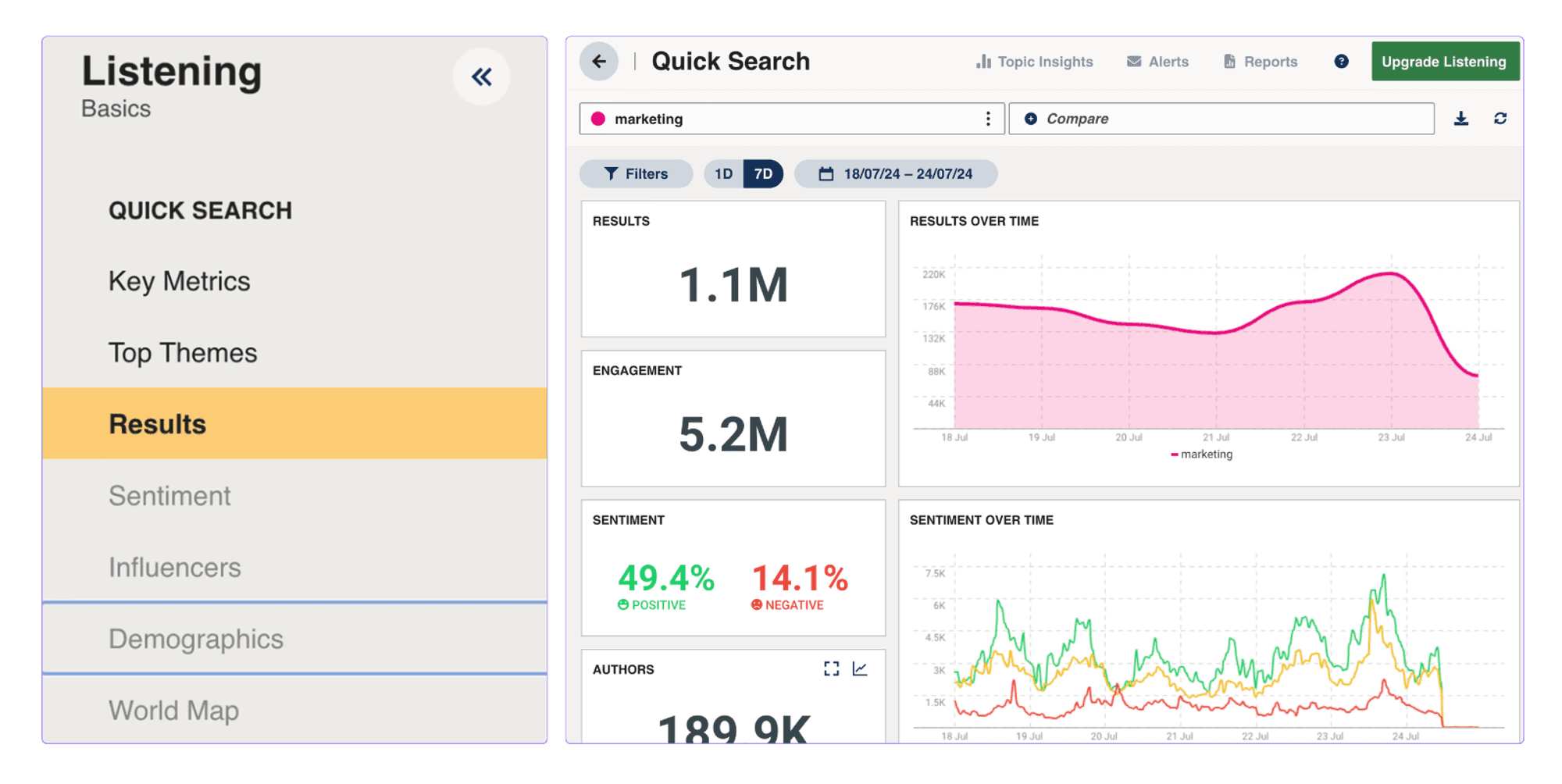
You can use Hootsuite to track mentions, engagement levels, and sentiment.
Competitor Analysis
If you can't find a winning strategy, Hootsuite helps you copy it from your competitors.
You can track and analyze your competitors' activity across multiple platforms to identify trends, top-performing content, or engagement patterns.
Hootsuite Pricing
Hootsuite Professional plan costs ₹7,500/month. It allows you to manage up to 10 social accounts with unlimited post scheduling and custom analytics.
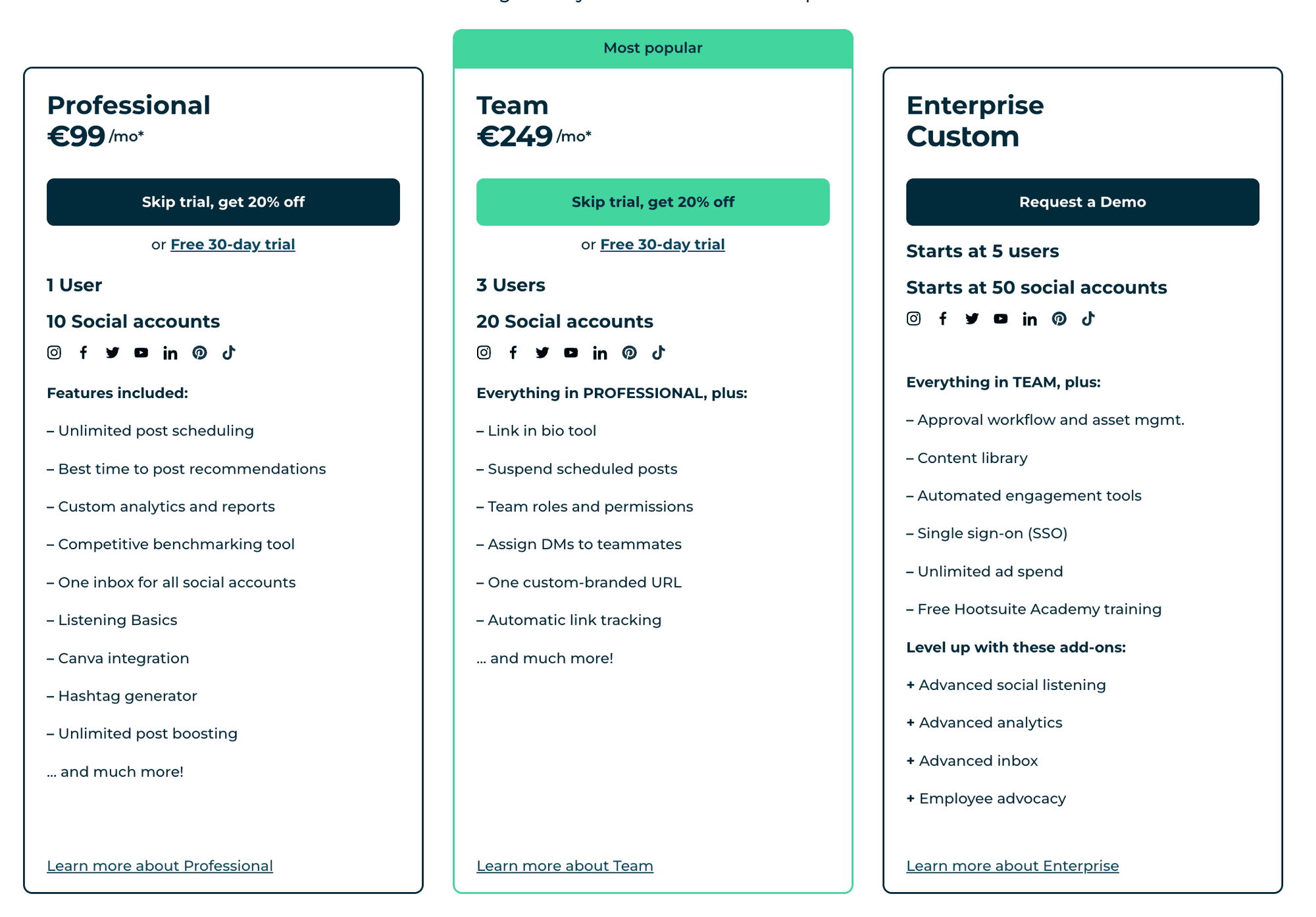
The Team plan costs ₹18,500/month and helps you manage up to 20 social accounts with team roles and automated link tracking.
For the Enterprise plan, you have to contact Hootsuite's sales team.
5. Kleo
While it may not be as complex as the other LinkedIn automation tools, Kleo is worth a try.
Kleo works as a browser extension designed to help you identify industry trends, find popular topics, and monitor your competitors' strategies.
Let's take a closer look at how Kleo works and how it can improve your LinkedIn visibility.
Kleo Pros and Cons
✅Kleo has an intuitive interface, so there's almost no learning curve.
✅It's completely free.
❌It only works with Google Chrome.
❌Its features are limited, so you have to use an additional LinkedIn tool for efficient growth.
Post Formatting
You can improve the appearance of your posts with Kleo's post formatter.
Highlight the important aspects or adjust the structure with bold text or lists.
Post Previewer
Check how your posts look on desktop and mobile before they go live with Kleo's post previewer. This way, you can ensure that the "See more" button doesn't cut off your text's hook.
Kleo Pricing
Kleo is 100% free.
6. RedactAI
RedactAI is a LinkedIn tool designed to streamline content creation.
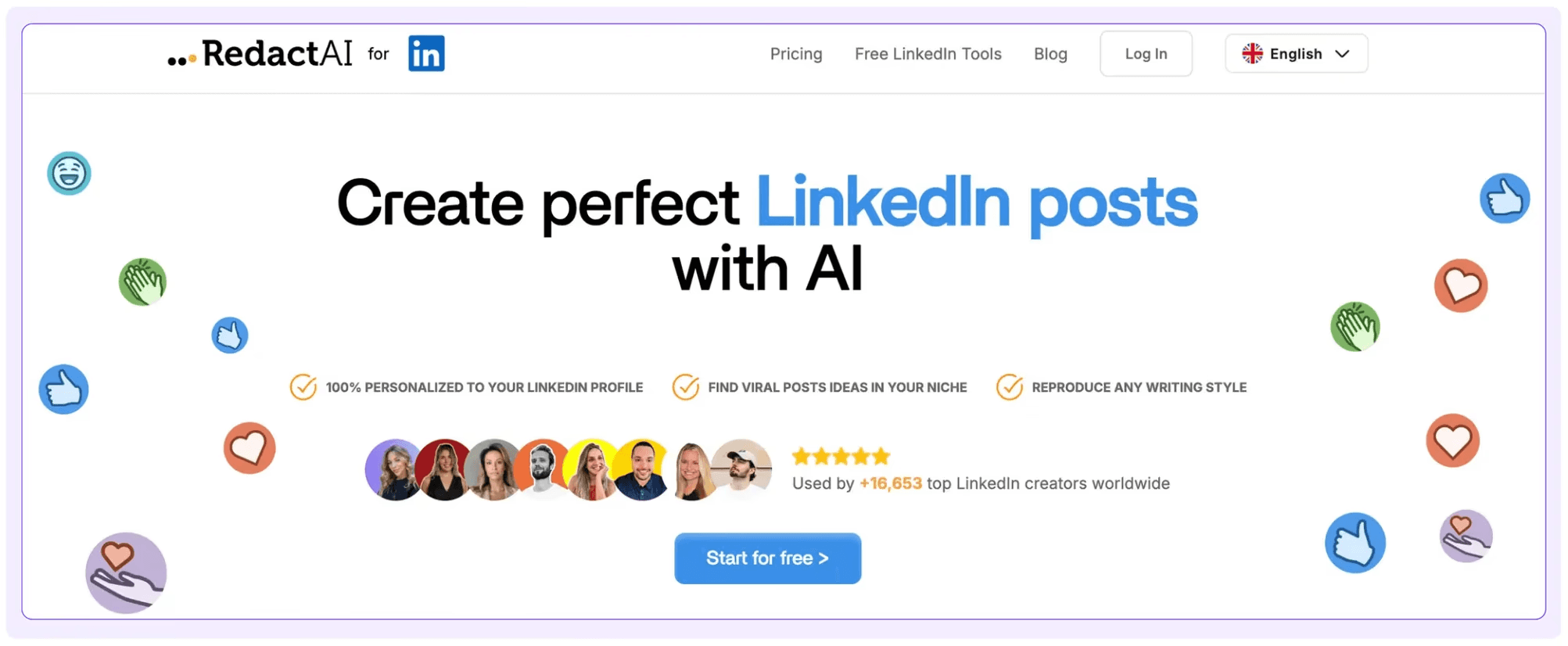
So, are RedactAI features good enough to make it your new LinkedIn secret weapon?
RedactAI Pros and Cons
✅Gives you 3 variations for the same topic so you can choose the one that fits your brand voice.
✅You can use templates from LinkedIn top voices to write your own posts.
✅Includes an idea generator.
❌You can't track your content performance.
❌The cheapest plan only allows you to generate 8 posts per month.
❌It lacks a post-scheduling feature.
Post Editor
RedactAi's post editor goes beyond the classic text formatter and post previewer.
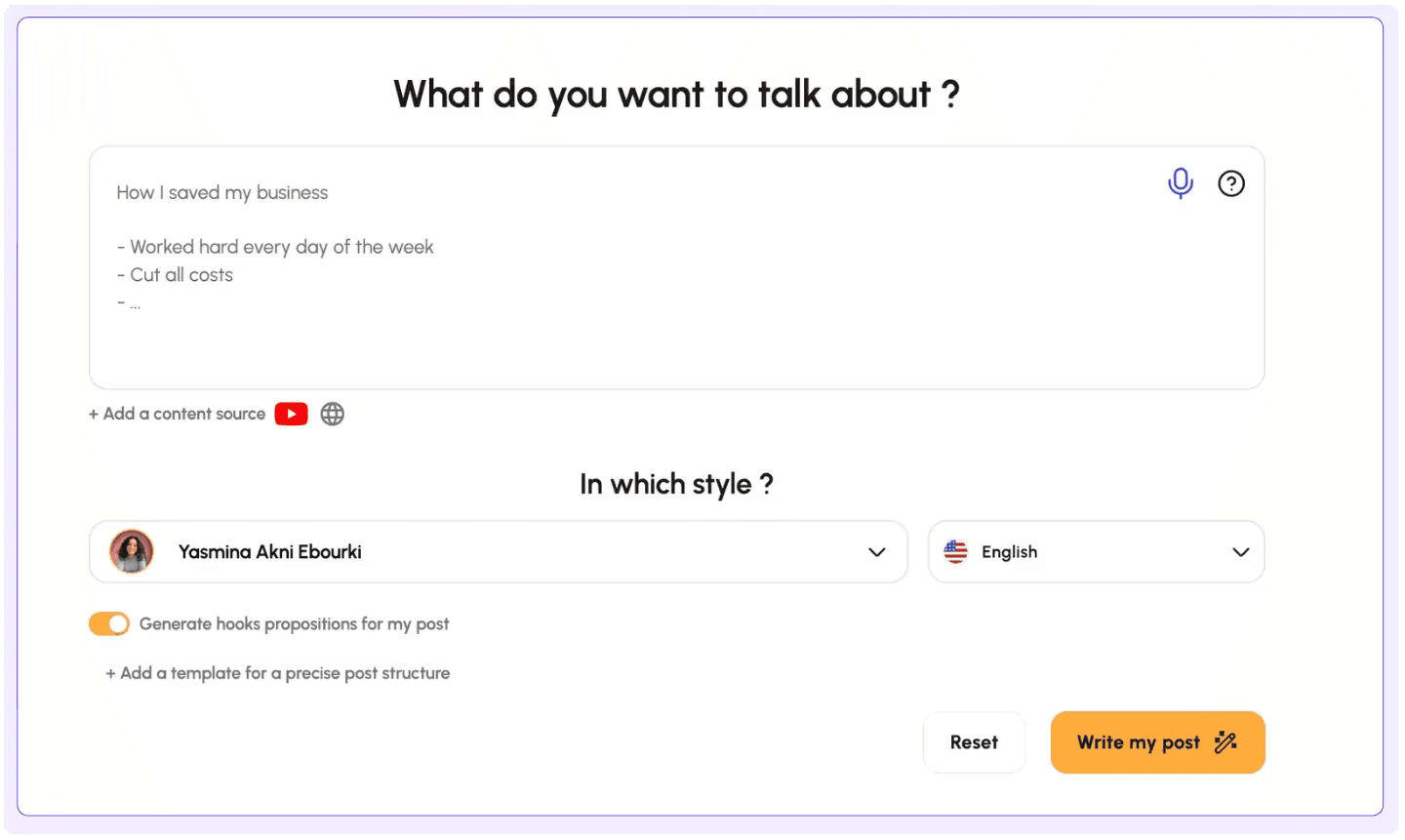
It helps you make your content more engaging by adding images, carousels, videos, and more.
Content Ideas Finder
Struggling to stay consistent on LinkedIn? RedactAI helps you find new ideas for your next post.
Provide it with a topic, and RedactAI will generate 3 post ideas that you can use.
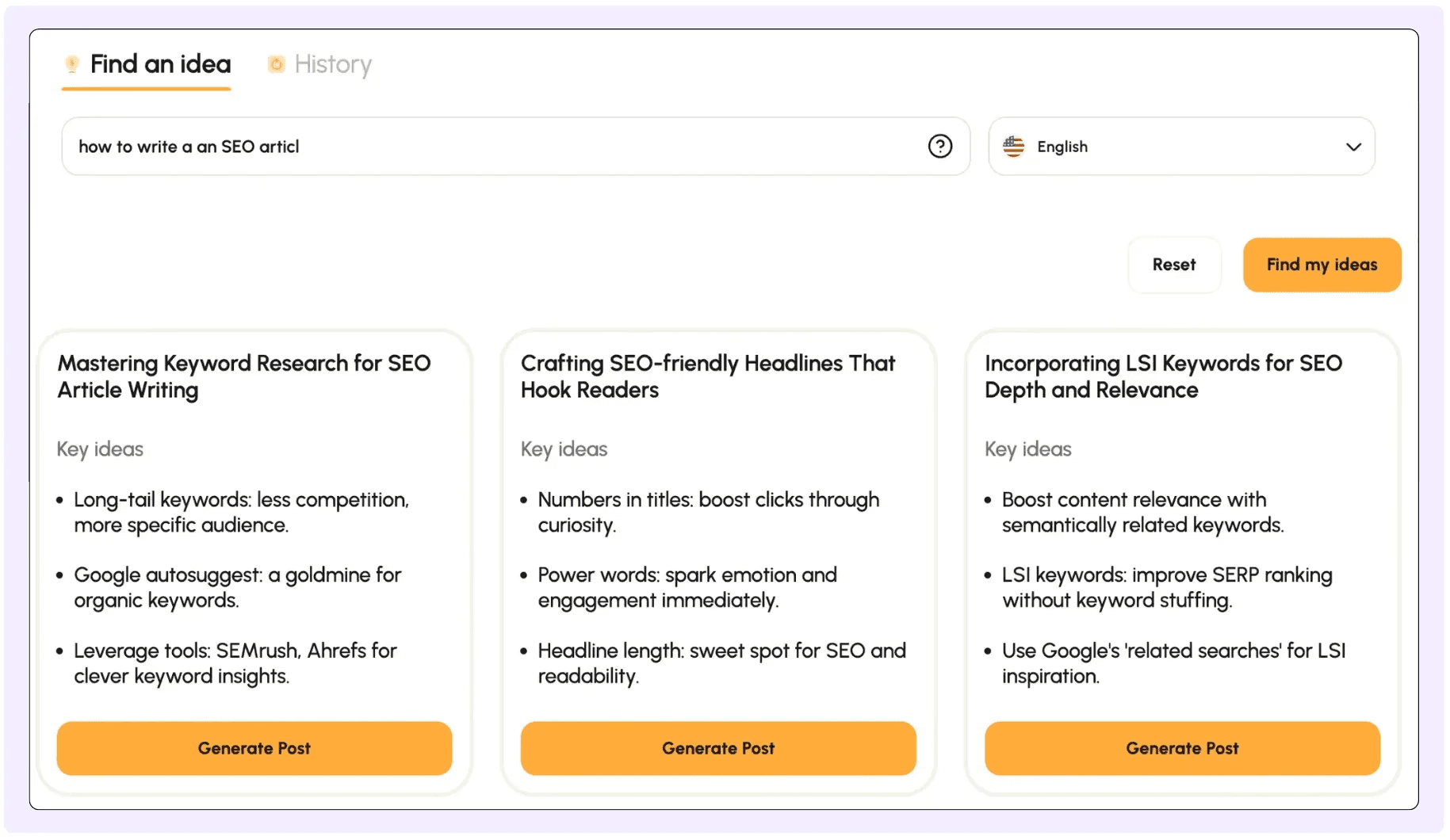
While the suggestions might be helpful, the idea generator may not be enough to keep a steady presence on LinkedIn. The generated ideas sometimes feel too repetitive so your content may sound all the same.
RedactAI Pricing
The Essential plan costs ₹49.90. If you want to create a lot of content, it may not be a good fit.
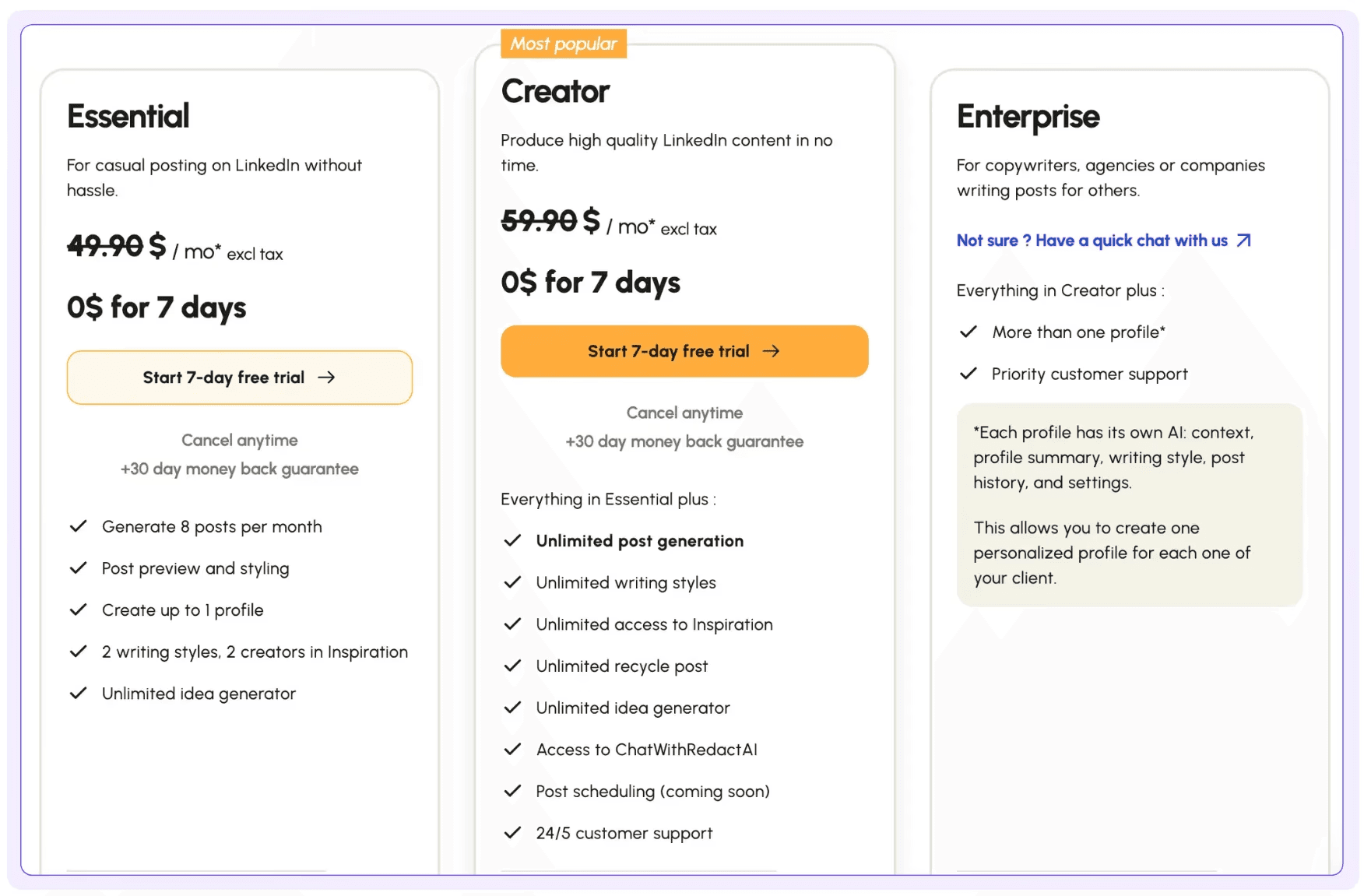
To keep a solid LinkedIn presence, you have to subscribe to the Creator plan, which costs ₹59.90/month. Its features also include unlimited writing styles and unlimited generated ideas.
7. Supergrow
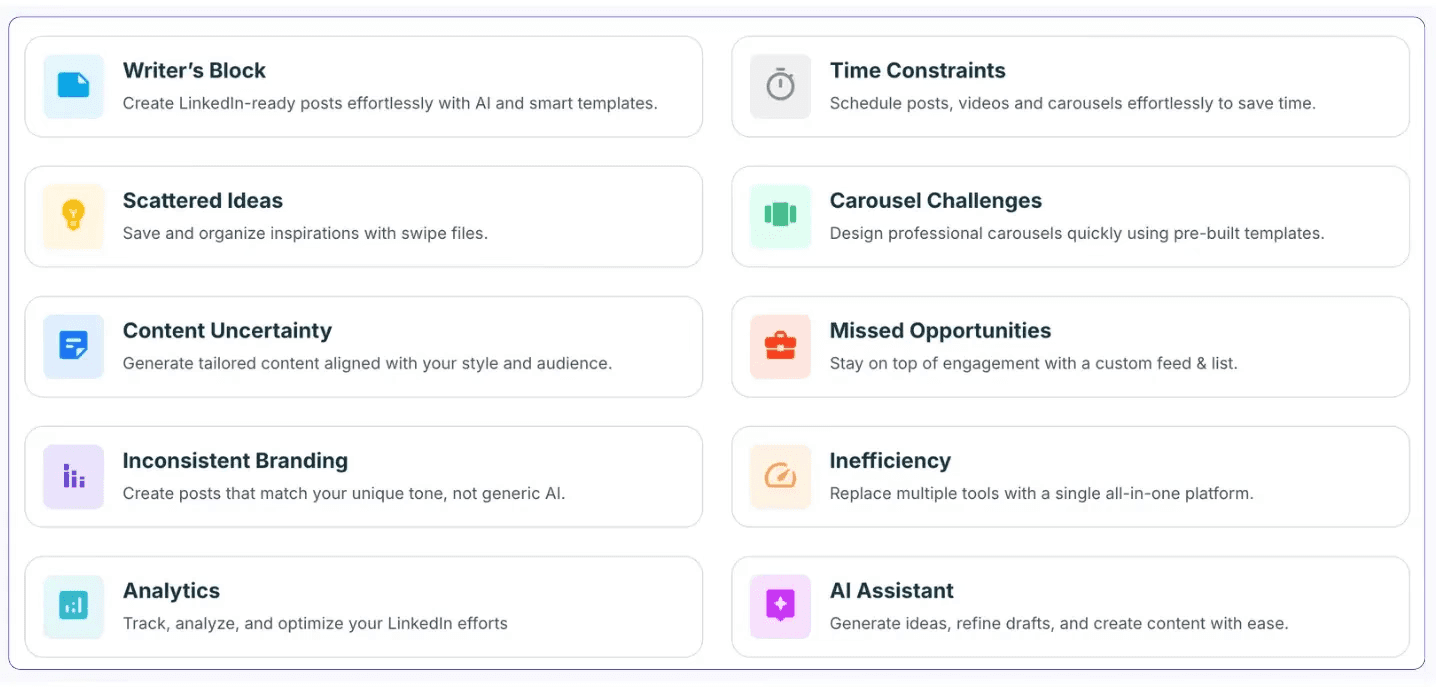
Supergrow is a tool for LinkedIn that helps you gain more visibility through AI-generated content, smart comments, and carousel templates.
Supergrow Pros and Cons
✅Supergrow offers 20+ carousel templates and 100+ post formats.
✅It helps you convert web content and YouTube videos into LinkedIn posts.
✅The user-friendly interface makes it easy to navigate its features.
Supergrow Cons
❌You must rely on LinkedIn's built-in analytics to determine how your content is performing.
❌You're limited to 50,000 AI-generated words per month on the Starter plan, even if you do not publish them.
❌The AI-generated content may require some extra editing to align with your brand voice.
Carousel Generator
Supergrow has more than 20 LinkedIn carousel templates that you can use to transform ideas into engaging visuals.
Content Creation
Supergrow provides many ways to help you produce new content. You can convert YouTube videos, articles, or PDFs into LinkedIn posts. You can even transform voice notes into new content.
AI-Assisted Engagement
Unsure how to respond to a comment?
Supergrow's AI assists you in writing thoughtful comments to foster even more engagement. Additionally, it lists your top commenters so you can develop a relationship with individuals who engage with your content.
Supergrow Pricing
The plans start with the Starter at $19 per month, followed by the Pro at $29, and the Agency at $99.
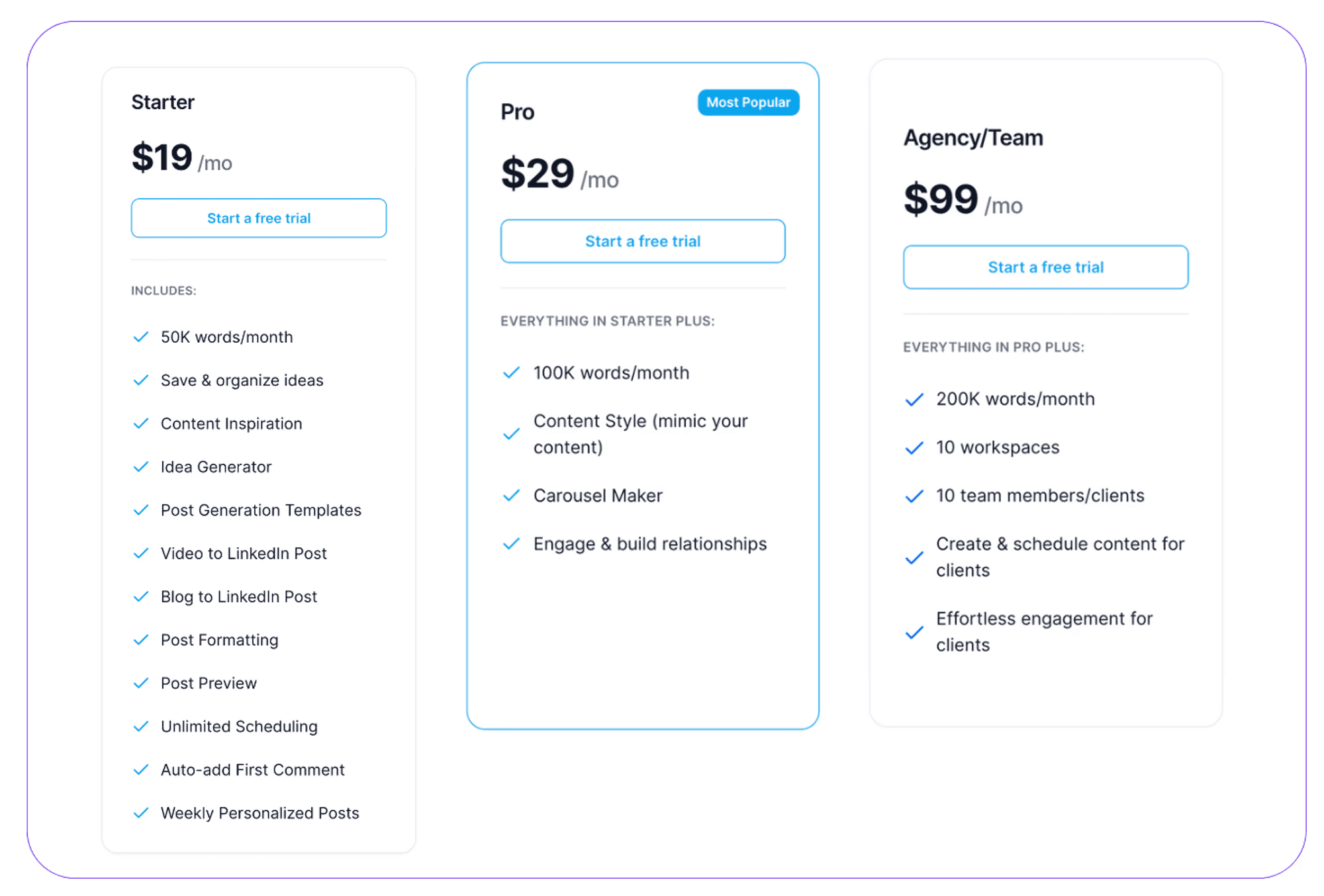
These plans differ in the number of words allowed per month, ranging from 50K words for the Starter to 200K words for the Agency plan.
8. Easygen
Rating: 3.7 (Trustpilot)
Easygen is an AI-powered Google Chrome extension that writes your LinkedIn posts for you.
Some editing may be necessary, but all you have to do is give it a topic and Easygen will write a complete post for you.
Easygen Pros and Cons
✅Helps you improve your LinkedIn profile.
✅Generates content that fits your industry and tone.
✅The Easygen Chrome extension has a clean interface that makes it easy to use.
❌Easygen has a limited free trial that allows you to generate 3 posts.
❌Lacks LinkedIn analytics features, so you won't be able to track performance and engagement.
❌Limited personalization features.
LinkedIn Top Voice
Easygen features help you establish yourself as a thought leader within your industry.
The LinkedIn instant top voice is designed to generate insightful content around trending topics and industry questions.
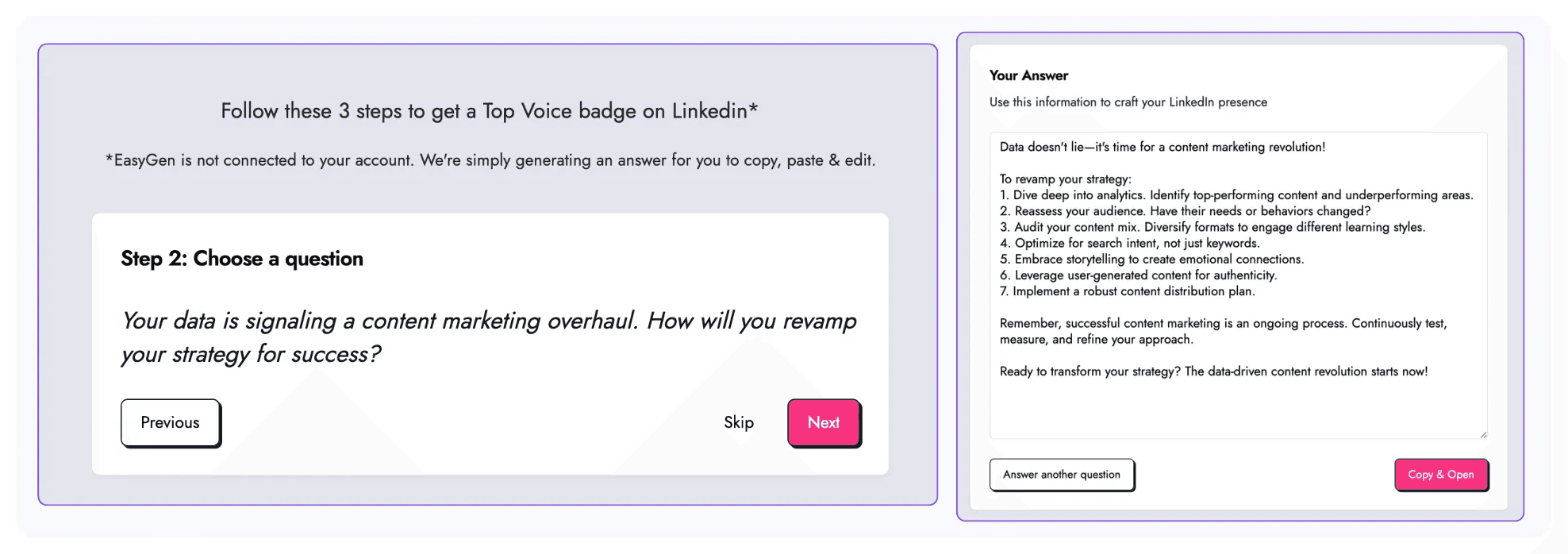
However, this feature doesn't make you an expert with just a few clicks. You still have to post consistently, engage with LinkedIn members, and maintain an active presence.
LinkedIn Profile Generator
Easygen helps you create an optimized LinkedIn profile. It asks you several questions about your audience, niche, and goals. Then, it generates a well-structured summary that highlights your unique value and expertise.
LinkedIn Post Generator
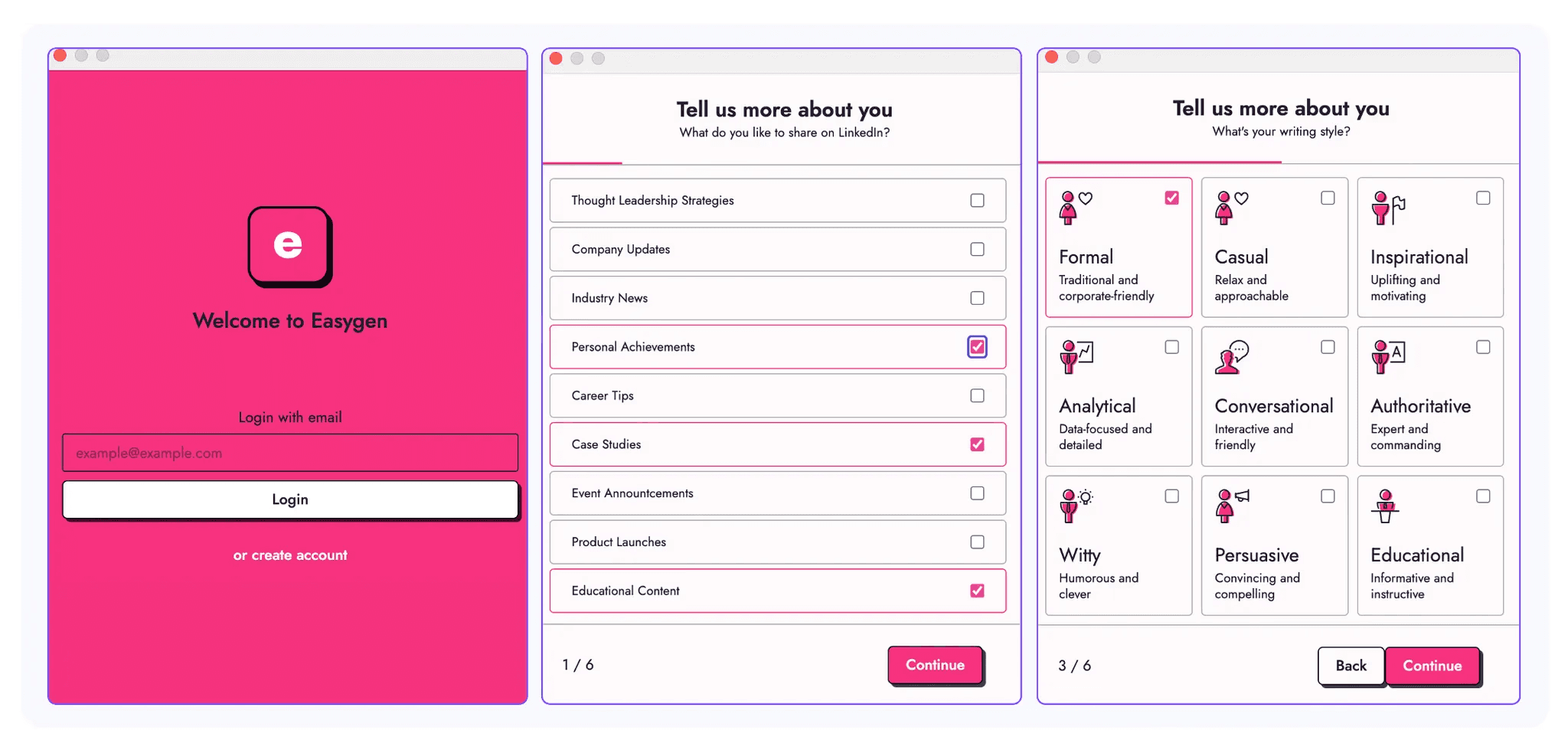
Easygen's post generator helps you write content that fits your brand voice and industry.
Similar to the profile optimization tool, you'll have to answer questions about your niche, tone, and goals.
Easygen Pricing
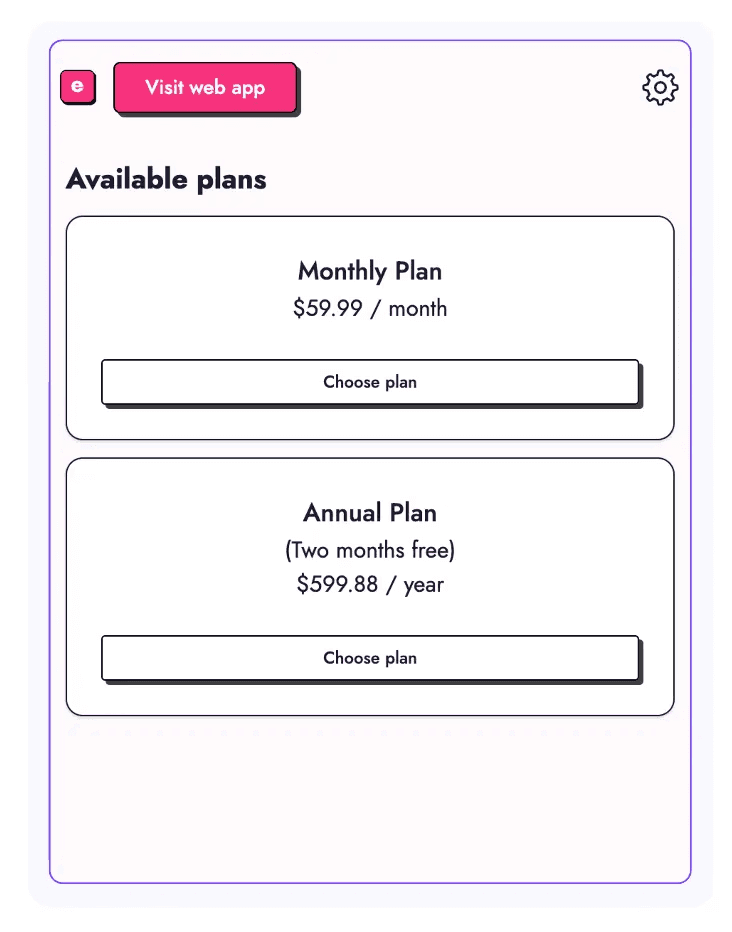
Easygen's price is on the higher side. You can either sign up for a monthly plan at $59.99/month or an annual plan at $599.88/year.
9. SocialPilot
Rating: 2.0 (Trustpilot)
If you're looking for an AI automation tool to manage more than your LinkedIn account, SocialPilot might be the right tool for you.

It supports multiple platforms, including Facebook, X, Instagram, TikTok, and more.
SocialPilot Pros and Cons
✅Makes it easy to create media-rich content due to integrations with Canva and Dropbox.
✅Allows you to schedule your content across multiple platforms.
✅You can test all of its plans through a 14-day free trial.
❌The AI-writer doesn't create effective LinkedIn hooks and CTAs.
❌Limited engagement features.
AI Writer
SocialPilot's AI helps you create posts for LinkedIn, Instagram, or Facebook. You can choose the post length, audience, or emojis so your content fits each platform.
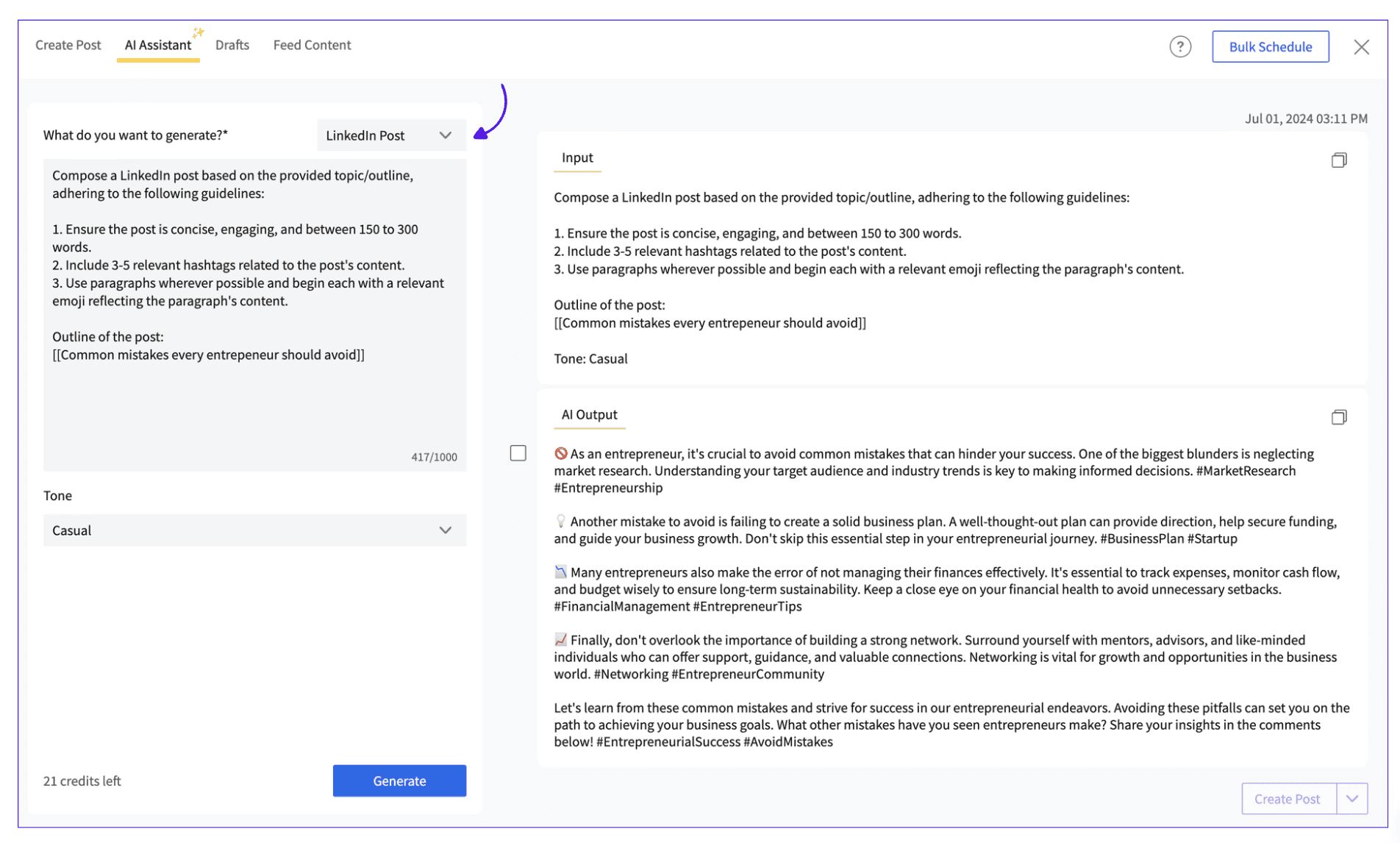
For LinkedIn, SocialPilot's AI writer may not be the best tool. The hooks or CTAs are quite generic and the hashtags seem a bit outdated. However, SocialPilot has more tools to help you improve your content.
Content Publishing
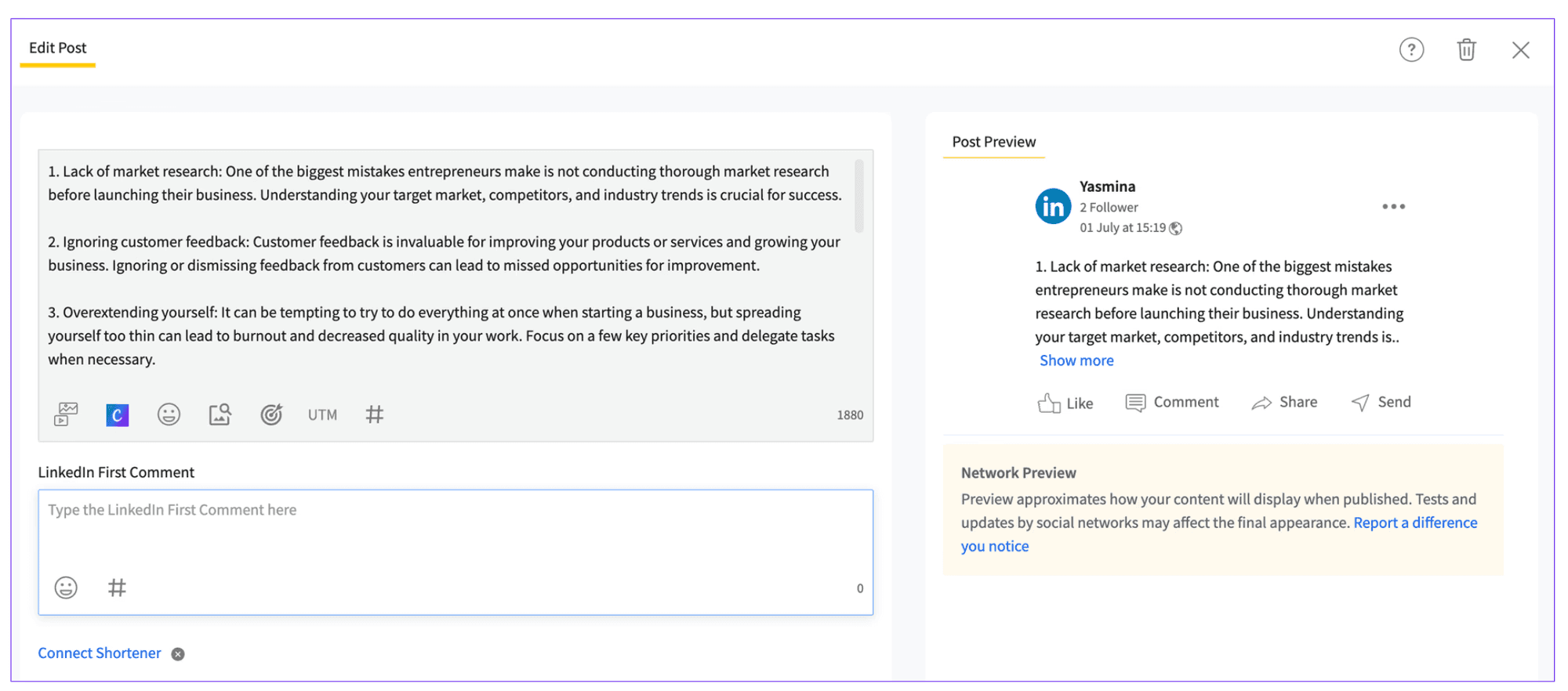
You can schedule your content for all of your accounts with SocialPilot. Also, you can add the first comment to encourage more engagement.
Integrated Tools
SocialPilot makes it easy to add media to your posts as it integrates with Canva and Dropbox.
Once you connect them to your SocialPilot account, you can easily access them from the toolbar.
SocialPilot Pricing
SocialPilot has multiple pricing plans available, starting from ₹30/month.
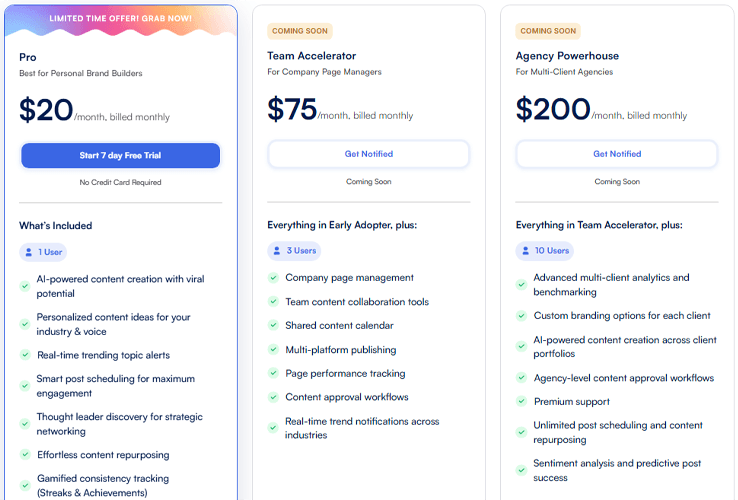
When looking for the right plan for you, consider how many social media accounts you want to manage and how large your team is.
10. WriteSonic
Rating: 4.7 (Trustpilot)
Looking for more than just writing LinkedIn content?

Writesonic is an AI-powered tool that you can use to write LinkedIn posts, blog articles, and product descriptions.
WriteSonic Pros and Cons
✅Writesonic is more than just a LinkedIn content generator tool. You can use it to grow your business across multiple platforms.
✅It allows you to personalize the AI's writing style so it fits your personality or brand voice.
❌Due to its complex pricing structure, you may pay for features you don't need.
❌Lacks LinkedIn-dedicated features such as analytics or the ability to generate content in multiple formats.
AI-Content Writer
Writesonic is a great automation tool to manage your business's LinkedIn page, website, email list, and more.
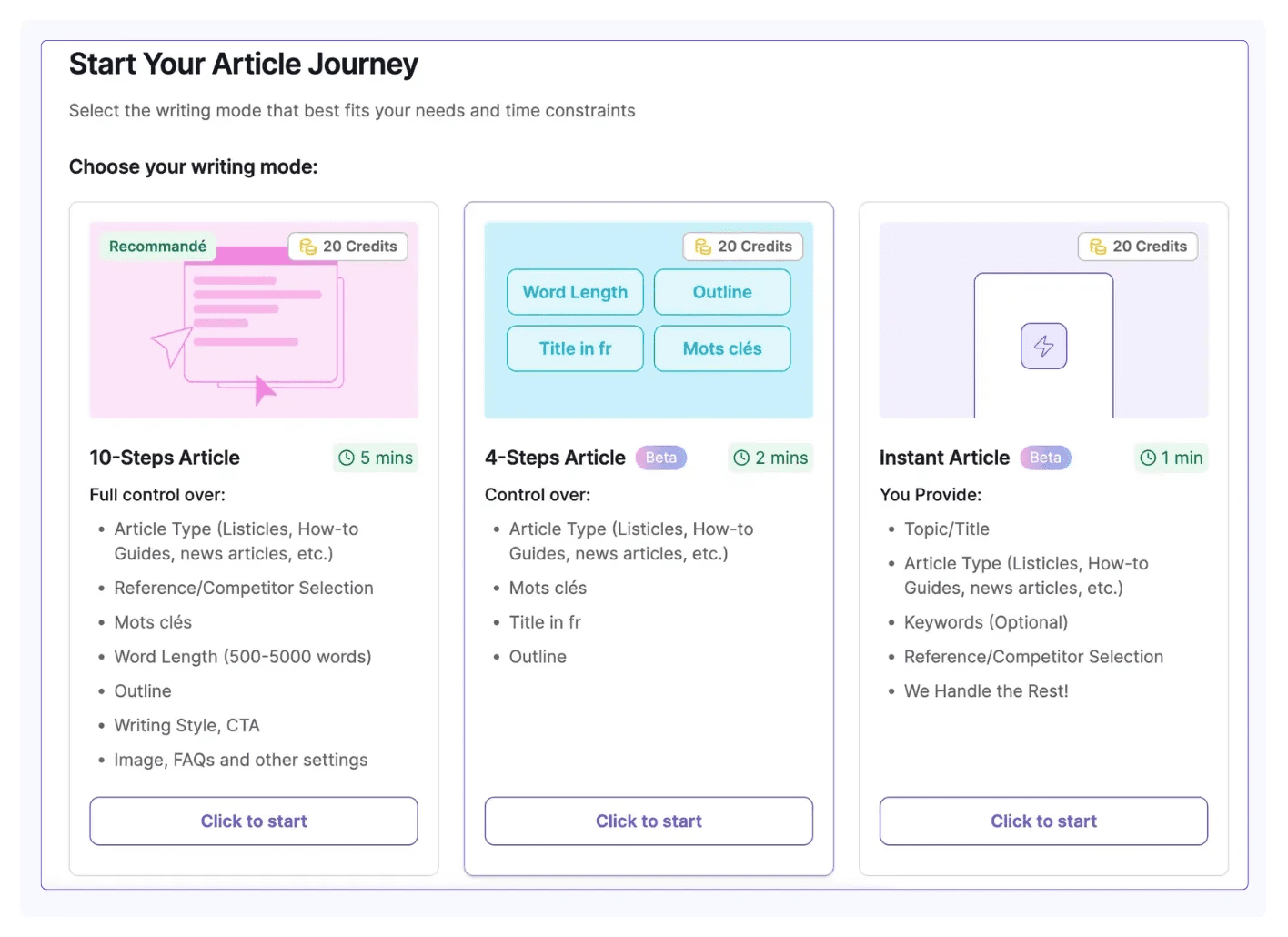
When creating content with Writesonic, it analyzes your competitor's content, checks for relevant keywords, and makes sure the content is SEO optimized.
Content Templates
Writesonic does things a bit differently than other AI automation tools.
It provides you with templates so you can write anything you need, from social media posts to blog posts and ads.
WriteSonic Pricing
WriteSonic's Basic plan costs ₹20/month and gives you access to 10 AI generations/month. This may not be enough if you plan to keep an active presence on LinkedIn.
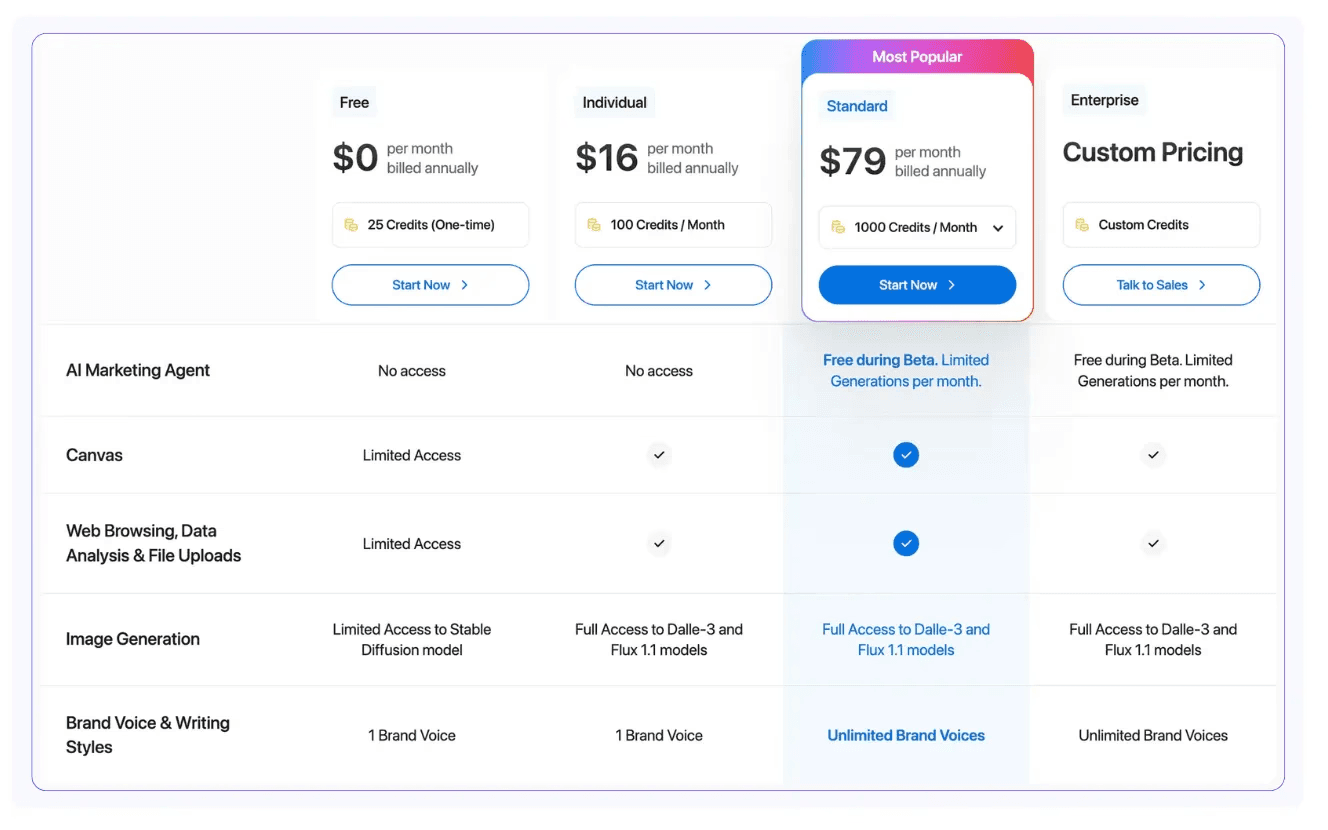
Higher price plans allow you to create more content, audit your website, and include more writing styles.