LinkedIn’s algorithm keeps changing. Engagement feels harder to get. And now, everyone’s talking about EasyGen, the AI tool from creator Ruben Hassid that promises to make writing LinkedIn posts faster and easier than ever.
We put EasyGen to the test to see if it’s the advantage your competitors might already be using, and whether it’s worth adding to your LinkedIn toolkit.
What is EasyGen?
EasyGen is a Chrome extension designed to make creating LinkedIn posts quicker, easier, and more effective.
Its primary goal is to help creators craft professional, high-performing posts without the hassle of manual drafting.
Using EasyGen is simple: input your topic, and the AI does the rest.
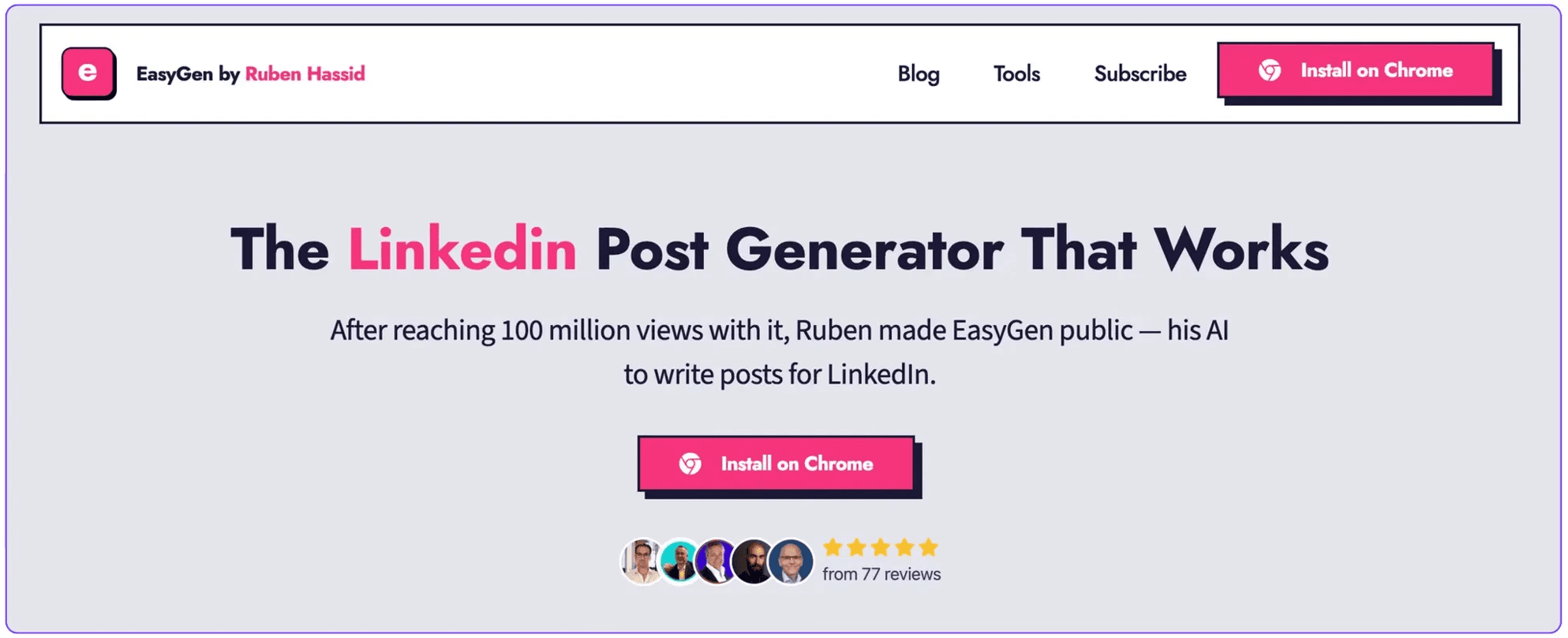
It generates LinkedIn-optimized content with the ideal tone, structure, and formatting for maximum engagement.
From polished sentences to compelling bullet points, the tool ensures your posts are tailored to stand out and connect with your audience
Category | Details |
Main Features | - AI LinkedIn post generator - LinkedIn profile optimizer - Instant Top Voice content creator |
Starting Price | Not published on EasyGen's site; third-party reviews report ~$59.99/mo |
Ideal For | LinkedIn creators, freelancers, and professionals looking for quick content generation with minimal setup |
Limitations | No analytics; no auto-posting (manual by design); limited text customization; pricing not published on its site |
Easygen Ratings, Pros and Cons
Ratings ⭐️⭐️⭐️
Trustpilot: 3 / 5 stars
EasyGen gets mixed feedback on platforms like Trustpilot.
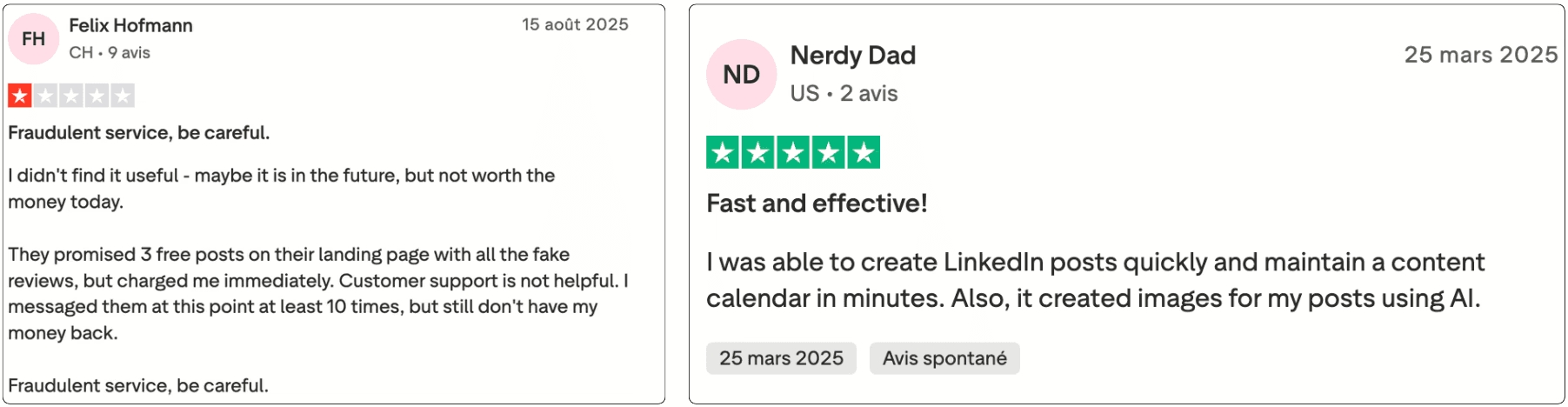
Some users love how fast and easy it makes creating LinkedIn posts and even generating AI-powered visuals.
Others point out concerns around pricing, free trial transparency, and customer support, raising questions about reliability.
Overall, the reviews suggest that EasyGen has real potential for streamlining content creation, but might need more polish and trust-building before it becomes a go-to tool for everyone.
✅ Pros:
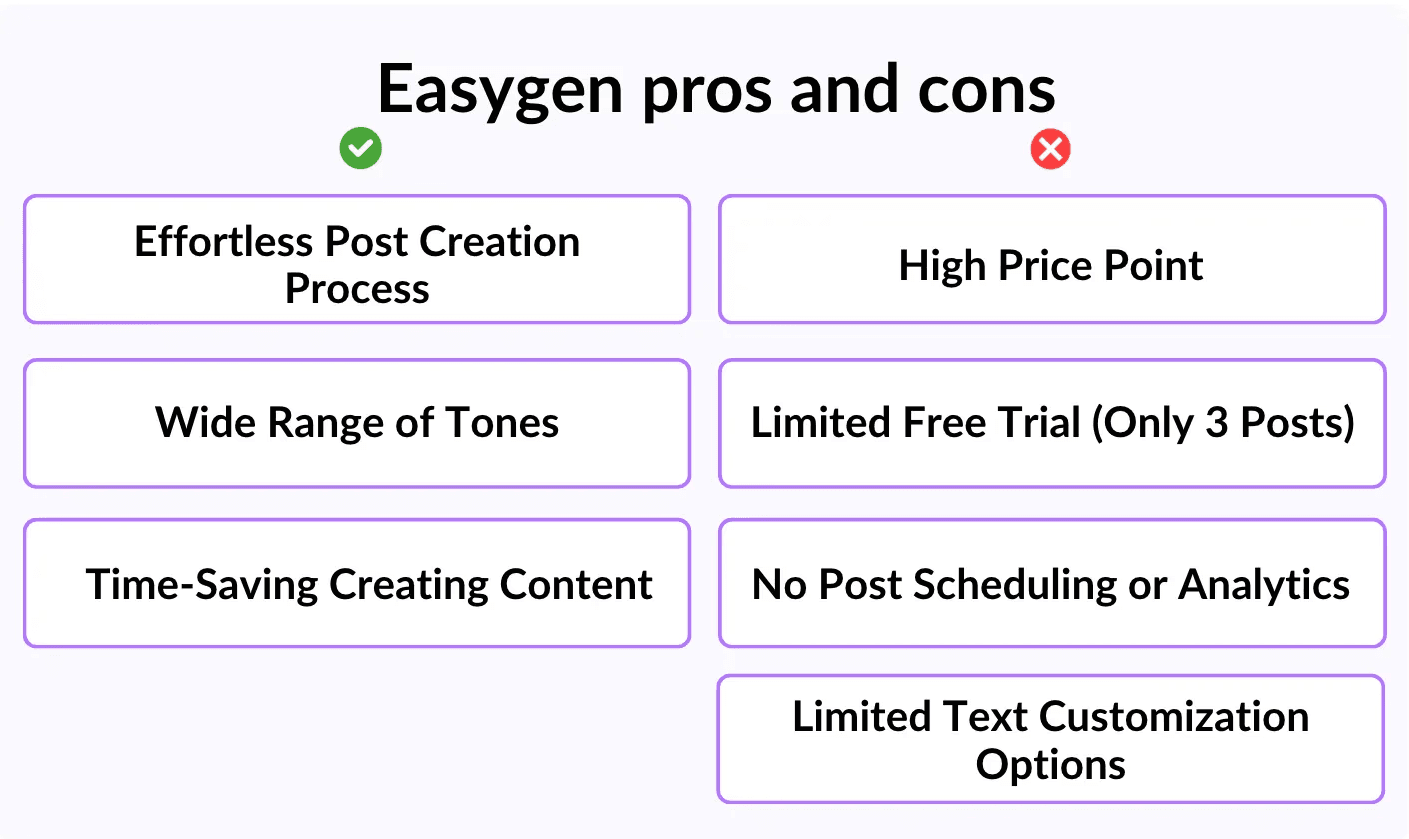
AI Post generator: EasyGen generates structured, LinkedIn-optimized posts in seconds, making it incredibly fast and efficient.
Wide range of tones: With a variety of tones to choose from, it allows you to match the style of your posts to your personal brand, whether you're aiming for formal, casual, or inspirational.
Time-saving: It streamlines the post creation process, saving you time and effort while still delivering high-quality content.
❌ Cons:
Expensive plans: At $59.99 per month, the subscription is relatively expensive, given the features offered.
No auto-posting, no analytics: EasyGen has a content calendar but deliberately does not auto-post (its stated reasoning: posting directly helps reach), so publishing stays manual, and it offers no analytics, limiting its usefulness for content strategy and performance tracking.
Limited text customization options: There's a lack of customization features, such as bold or italic text, which could help make posts more personalized and impactful.
Easygen Features
Let’s look at the key features of EasyGen so you can better understand what it offers.
While the platform provides various tools, its functionality can be summed up in three main pillars, each designed to enhance your LinkedIn content creation.
The first, and most important, feature is content generation, which is at the core of EasyGen’s mission.
LinkedIn Post Generator
At the heart of EasyGen is its LinkedIn Post Generator, a tool that creates professional, well-structured LinkedIn posts from a simple topic.
Whether you provide your own idea or select from suggested topics, EasyGen aims to deliver content formatted specifically for LinkedIn’s style, complete with structure, tone, and even a call to action.
After subscribing, EasyGen walks you through an initial setup process, asking you a series of questions to personalize the posts to your preferences.
These include:
Topics of Interest: What subject do you want to write about?
LinkedIn Identity: Key information that defines your LinkedIn presence.
Call-to-Action (CTA): Whether to include one, and what it should say.
Tone of Voice: Options such as formal, casual, or inspirational.
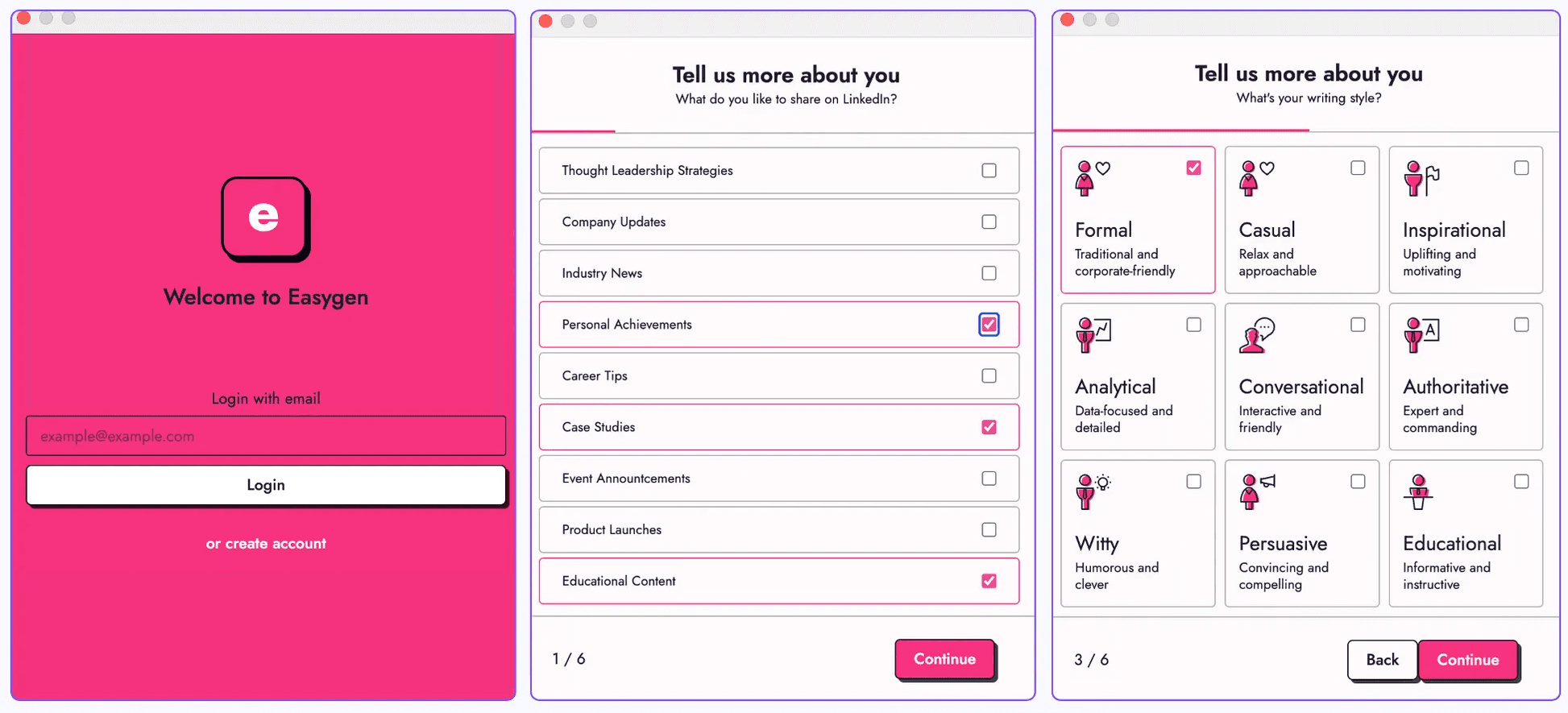
While these questions help generate highly tailored posts, there’s a downside: this setup needs to be repeated for each new post.
Despite the tool’s speed in creating content, filling out the same detailed information can feel repetitive.
For beginners or users lacking a clear topic or extra details, this step might become a bottleneck.
The entire process occurs through EasyGen’s Chrome extension, which integrates directly into your LinkedIn page.
Working inside the page, you can generate posts without leaving the platform.
However, despite its intuitive design, the repeated input requirement may slow down the process for those looking for quick results.
The generator runs two ways: from a suggested topic, or from your own custom input.
The output was polished and well-structured, though it tended to be somewhat generic.
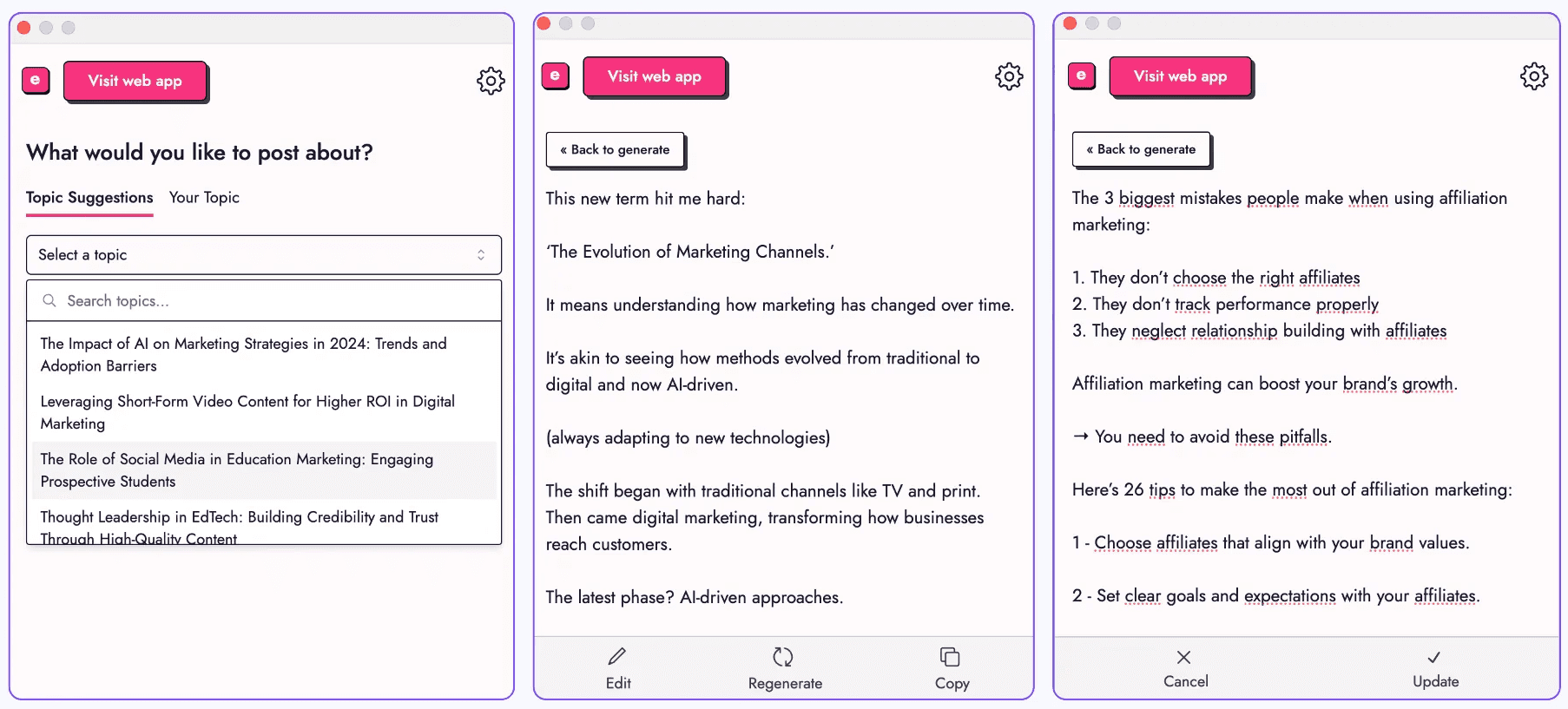
The generated posts felt professional but lacked the personal touch that sets apart high-impact LinkedIn content.
While the tool can certainly save time, significant manual editing might still be required to make your posts stand out and reflect your unique voice.
Overall, EasyGen’s post generator delivers professional results, but users seeking a truly personalized and engaging LinkedIn presence may need to invest additional effort to refine the output.
LinkedIn Profile Generator
The second major feature EasyGen offers is the LinkedIn Profile Generator.
This tool helps users create a well-optimized LinkedIn profile to boost visibility and attract the right audience.
Similar to the post generator, this feature starts by asking a series of detailed questions to personalize your profile. These include:
Target Audience: The audience you want to engage with.
Your Niche: The industry or focus area.
Audience Pain Points: The challenges your audience faces, so the profile can highlight solutions.
While these prompts tailor the profile to your goals, the downside is the large number of mandatory questions.
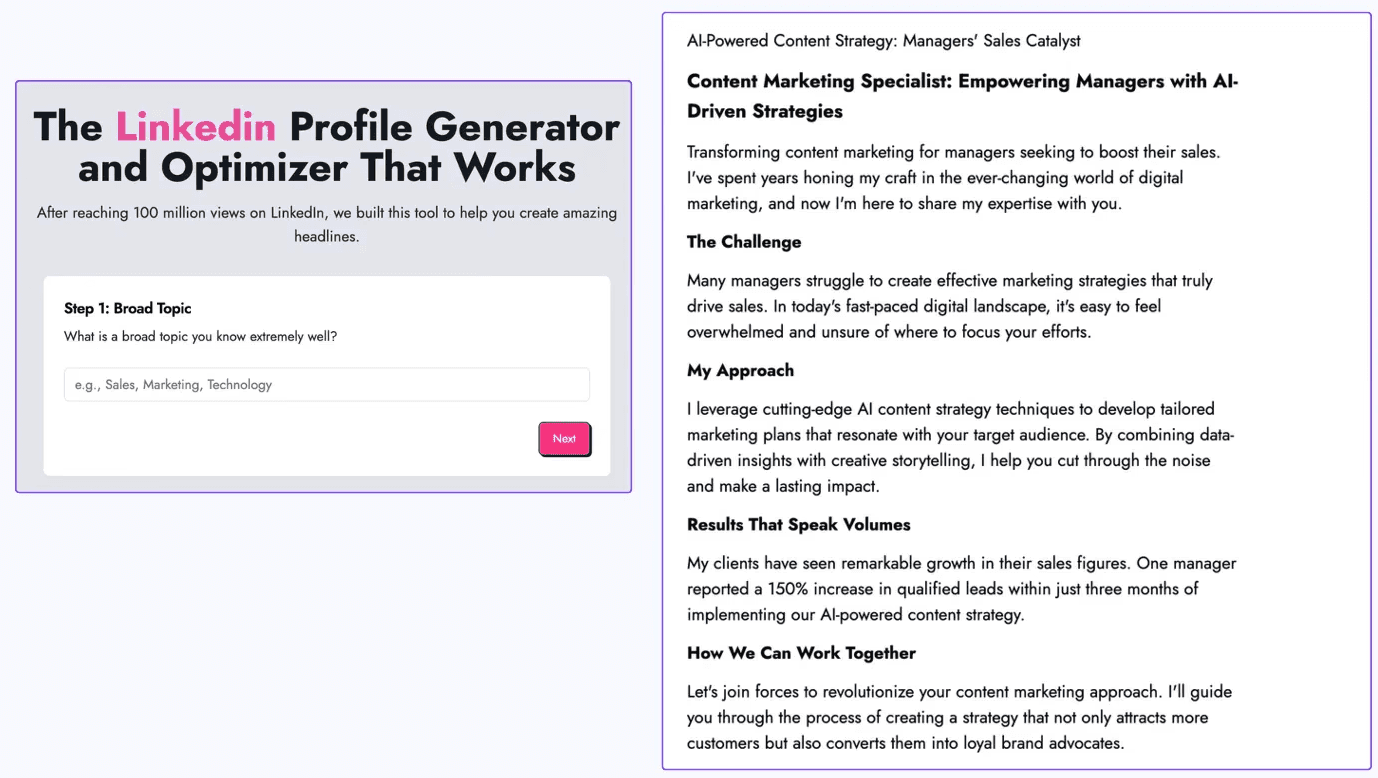
For beginners, this can be overwhelming, especially if they’re unclear about their niche or how to position themselves.
A limitation of this feature is that it doesn’t allow users to start with an existing profile.
Instead of creating a profile from scratch, EasyGen could benefit from a feature that refines an existing profile.
This would save time and make the process less intimidating for newcomers to LinkedIn optimization.
Once you complete the questionnaire, EasyGen generates a polished “About Me” section for your profile. The result is comprehensive and structured, featuring:
A clear problem statement tailored to your audience's challenges.
Specific results your audience seeks.
Your unique value proposition and how you deliver it differently.
The generated content includes engaging headlines and actionable language, offering a strong foundation for a standout profile.
While this tool delivers excellent results, its success depends on how well users answer the initial questions.
Beginners or those unclear about their positioning might need extra guidance to make the most of this feature.
For users with clear goals, the LinkedIn Profile Generator is a valuable asset for creating a professional LinkedIn presence.
LinkedIn Instant Top Voice
The third feature EasyGen offers is the LinkedIn Instant Top Voice tool.
This tool helps users position themselves as thought leaders on LinkedIn by creating content that boosts engagement and credibility.
On LinkedIn, the “Top Voice” badge is awarded to users who consistently contribute valuable insights, foster discussions, and generate significant engagement with their posts or comments.
EasyGen’s feature is designed to simplify this process by generating thoughtful LinkedIn articles and responses aligned with trending topics or relevant industry questions.
To use this feature, you select a category or area of expertise, and EasyGen provides a suggested question or topic to address.
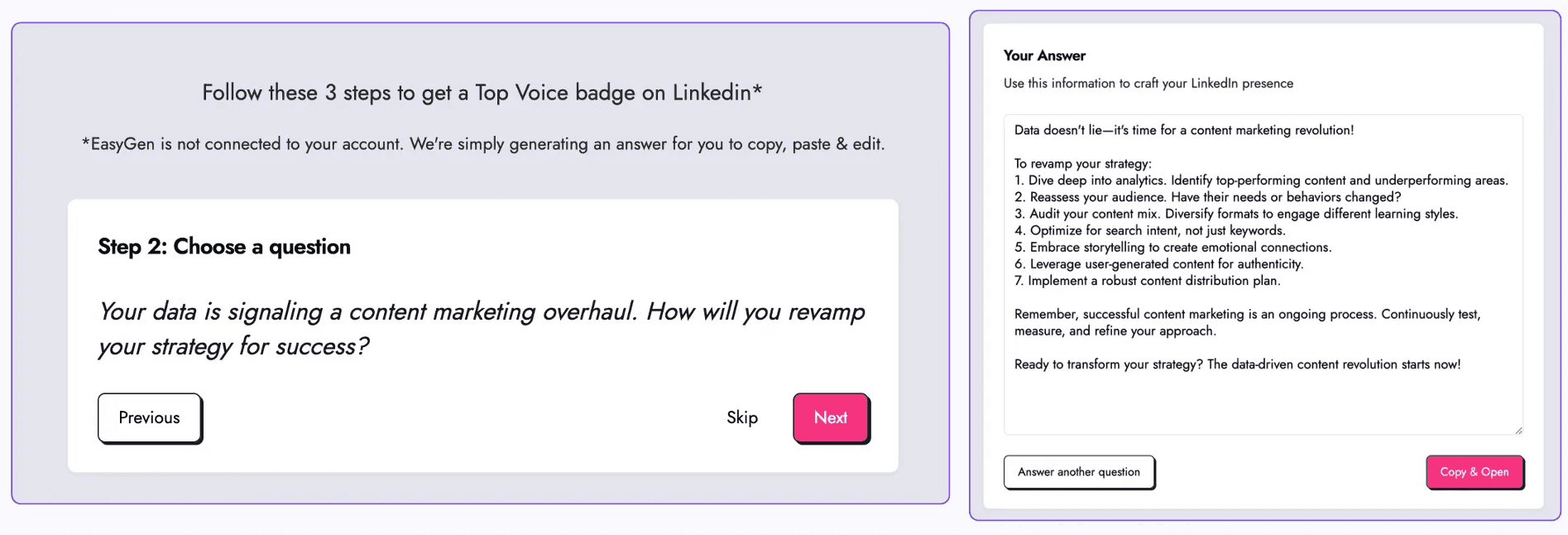
Once you select the prompt, the AI generates a well-structured response or article designed to resonate with LinkedIn’s audience.
One limitation is the lack of flexibility in choosing your own prompts.
The tool offers pre-selected questions, which may not always align perfectly with your expertise or interests.
There’s no option to input a custom query or topic to further tailor the output.
While the content is strong, earning the coveted Top Voice badge still requires active participation on LinkedIn, replying to comments, engaging in discussions, and maintaining consistent quality over time.
Pricing
Now let’s talk about one of the most critical factors, pricing.
EasyGen advertises a 7-day free trial on its site (older reviews also mention a few free posts).
However, three posts might not be enough for users still exploring its capabilities.
By the time you understand how to fully use the tool, you’re likely out of credits and required to select a paid plan.
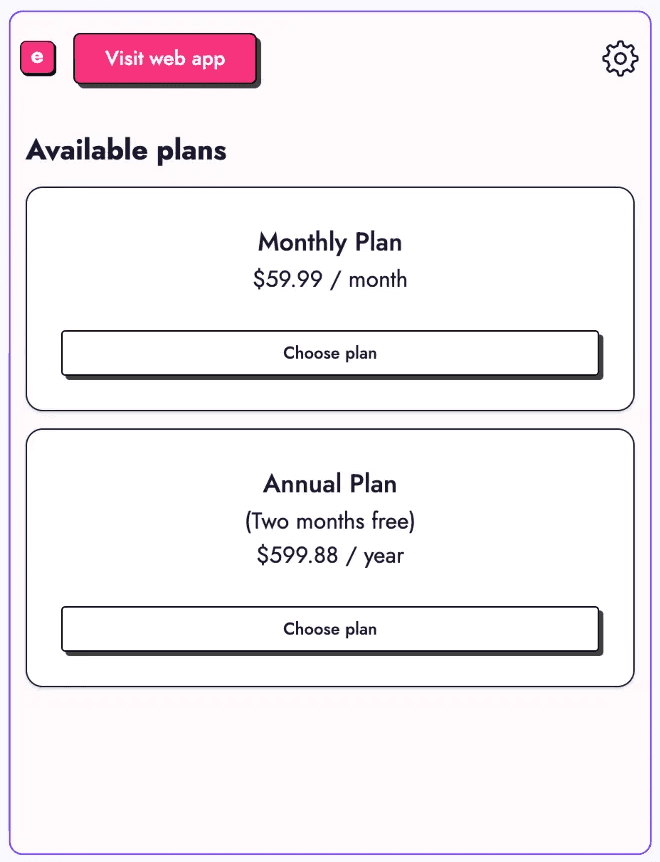
EasyGen does not publish pricing on its own site (as of June 2026); third-party reviews report it on the higher side, with two reported options:
Monthly: around $59.99 per month (third-party figure). Steep, especially for individual users or those just starting out with content creation.
Annual: around $599.88 per year (third-party figure), roughly two months free, but still a significant investment for a single-purpose tool.
How visible is EasyGen on LinkedIn?
EasyGen has something most tools in this review do not: a genuine creator footprint. It was built by Ruben Hassid, a LinkedIn creator with over 100 million views, and it shows in the data.
Our research corpus of 1.2M posts logged 74 mentions of EasyGen over the last year from 32 different people, a real, distributed word-of-mouth rather than a single founder's megaphone.
That credibility is a fair part of why people try it. The caveats above (price not published, no analytics, manual posting by design) are what to weigh once you do.
Want the posts to actually go out? Where EasyGen stops at a draft, MagicPost can queue and auto-publish your posts on schedule through the official LinkedIn API, so the calendar runs without you copy-pasting each one.
Final Verdict: Should You Choose EasyGen?
EasyGen delivers on its promise of fast, professional LinkedIn post creation.
The AI-generated content is accurate and polished, making it a solid choice if your main goal is to save time.
There is a trade-off, though. EasyGen’s limited customization and extension-based setup mean you’ll likely spend extra time tweaking posts to match your unique tone and style.
For many users, personalization, editing flexibility, and analytics are key factors in a long-term LinkedIn strategy, areas where EasyGen currently feels a bit restrictive.
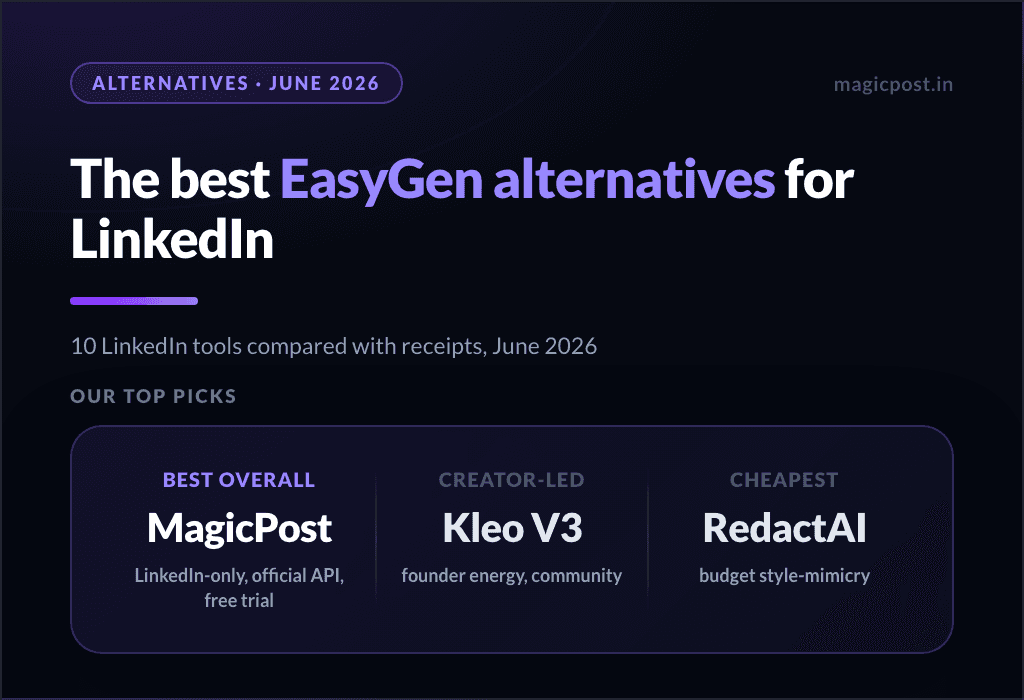
If you’re exploring options, there are alternatives to EasyGen that combine speed with more advanced features like scheduling, content personalization, and deeper analytics, and the EasyGen vs MagicPost comparison shows the gap directly.
The right choice depends on your priorities: speed and simplicity or a more complete tool set for growing your LinkedIn presence.
If you want one place to write, schedule, and track your LinkedIn content, MagicPost handles the whole workflow.
FAQ
Is EasyGen worth it?
Yes, EasyGen is definitely a solid choice, especially if you're looking for a quick and reliable way to create engaging LinkedIn posts.
That said, there are other tools on the market that offer even more value for some users. For example, MagicPost is an excellent alternative with deeper personalization features and emotion-based prompts, making it a favorite for those focused on personal branding.
How much does EasyGen cost?
EasyGen does not list pricing on its site; third-party reviews report a premium subscription around $59.99 per month (as of June 2026).
That tier reportedly unlocks full access to the platform’s AI-driven features, including unlimited post generation, advanced tone settings, content templates, and priority support.
How to get EasyGen for free?
After the 7-day free trial ends, you continue by subscribing; third-party reviews put the price around $59.99 per month (EasyGen does not publish it on its site).
However, if you're exploring options, other tools like MagicPost also offer free trials; MagicPost’s is verbatim "100% free trial. No credit card, No commitment", which makes comparing features easy before you pay for anything.
What is the best AI post generator for LinkedIn?
Here are 10 of the best AI-powered tools for creating engaging, high-performing LinkedIn posts:
MagicPost
AuthoredUp
Taplio
Supergrow
SocialPilot
Blabigo
Kleo
Copy.ai
Postwise
PerfectPost