

Whether you’re a recruiter searching for talent, a professional thinking about a new career, or a leader wanting to share your ideas, speaking up on LinkedIn helps you get noticed.
Posting regularly and sharing interesting content can boost your visibility and build your reputation, but that’s easier said than done.
Knowing that you should post is easy. Knowing what to post, how to say it, and how to make people stop scrolling is the hard part.
This guide is here will walk you through, step by step, how to create LinkedIn posts that get noticed, start real conversations, and turn your visibility into real opportunities.
Why Post Engaging Content on LinkedIn
Sharing engaging content on LinkedIn helps you get noticed, build your personal brand, form real relationships, and open up new professional opportunities.
It shows value to both the algorithm and your network, leading to conversations that go beyond likes and shares and help you build genuine connections and authority in your field.
Increased Visibility & Reach: LinkedIn’s algorithm rewards posts that get comments, shares, and likes by showing them to more people in your network and beyond. This helps you reach a wider audience.
Brand Building & Authority: When you share valuable insights and join discussions, you show your expertise and build trust and credibility in your field.
Building Relationships: Having honest conversations, not just leaving quick comments, helps you build stronger connections and turn followers into a supportive professional community.
Networking Opportunities: When you engage with others, more professionals visit your profile and send connection requests, which can lead to new collaborations and business opportunities.
Growth: By interacting with other people’s content, you discover new ideas, trends, and perspectives, which helps you stay up to date.
Design a Compelling LinkedIn Profile
Your content gets noticed when your profile stands out. A clear headline, strong banner, and engaging “About” section quickly show who you are and why people should pay attention.
Treat your profile like a landing page. Make it easy for people to understand what you do, who you help, and the value you bring.
When your profile is well set up, new visitors are more likely to follow you, engage with your posts, and trust what you share.
Every part of your profile should help visitors get to know you, trust you, and want to connect or work with you. Starting with your profile picture:
Optimize Your LinkedIn Profile Picture
Your LinkedIn profile picture creates an instant first impression, just like a photo on a dating app. If you look trustworthy and professional, people will want to connect with you.
If it doesn’t, people will scroll past without a second thought. That’s why your photo is so important for your personal brand, especially if you’re a freelancer or creator.
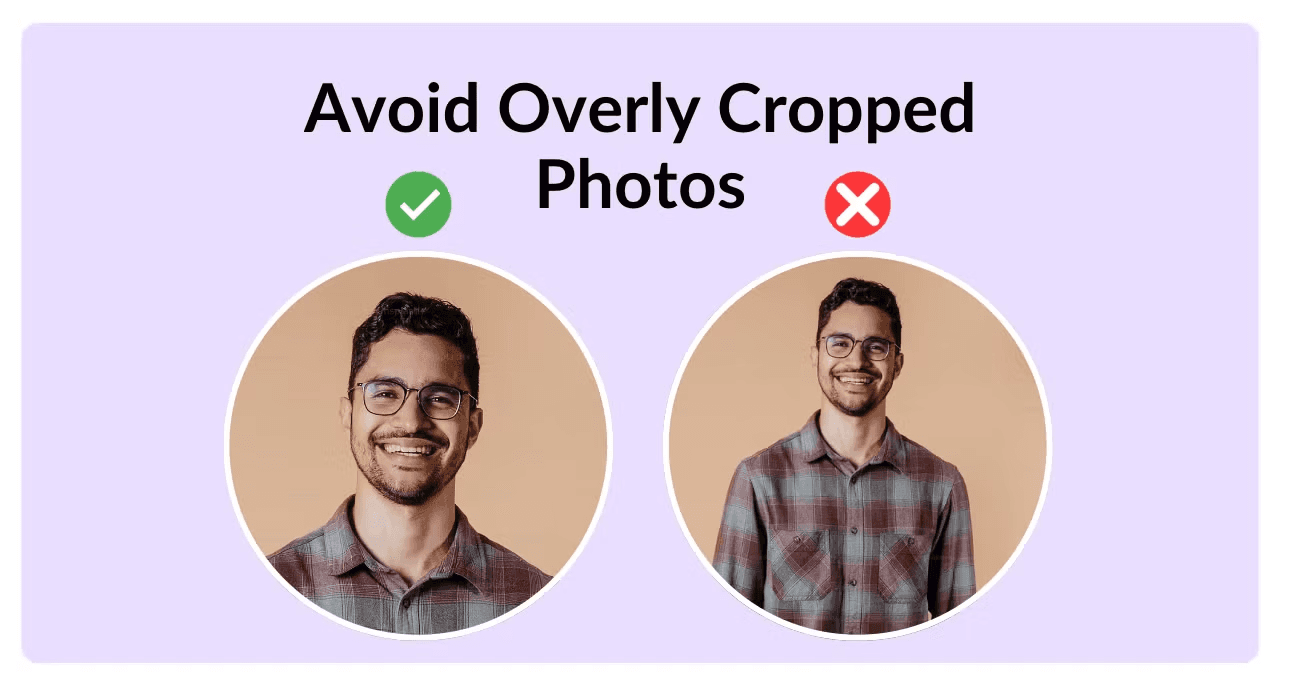
✅ Do’s for a Great Profile Photo:
Use a high-quality image: Clear, sharp, and focused on your face.
Choose a simple background: Keep it clean and non-distracting.
Smile and look approachable: A friendly expression builds trust.
❌ Don’ts for Your Profile Photo:
Avoid group photos: People should instantly know who you are.
No logos or filters: LinkedIn prioritizes real faces, not business pages or edited images.
Don’t crop too tightly: Leave space around your head and shoulders.
Don’t ignore lighting: Natural, front-facing light makes the biggest difference.
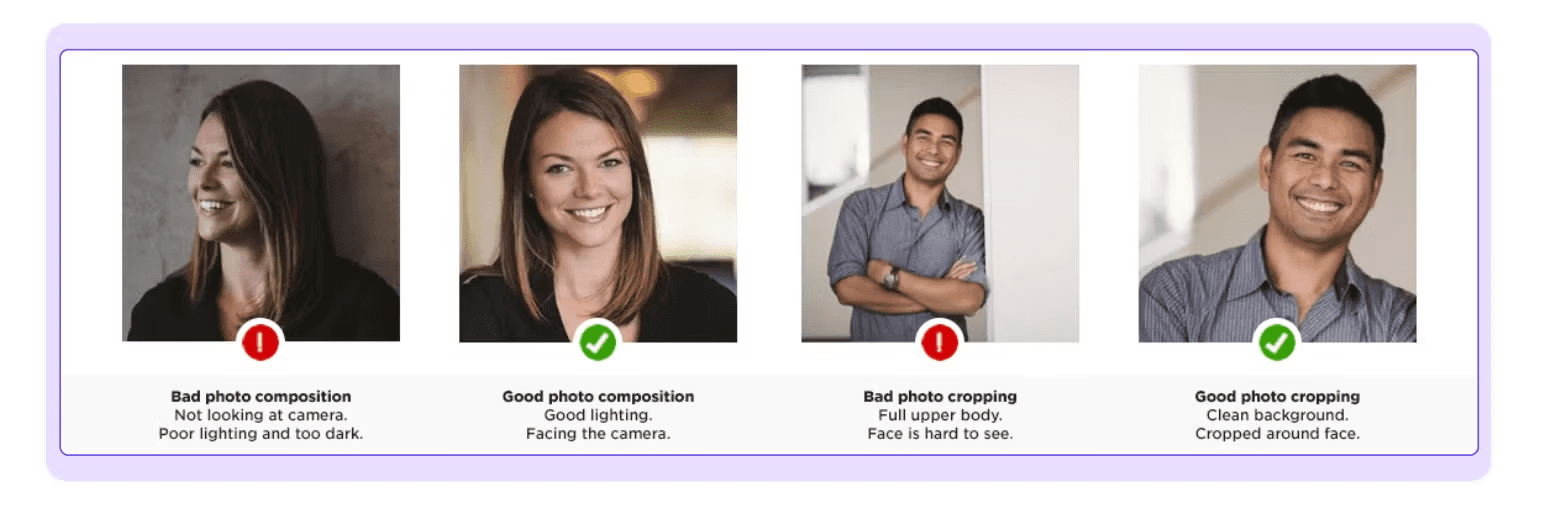
A strong profile photo shows confidence and authenticity. You don’t need a professional shoot; just a clear, well-lit picture that looks like you.
Update your photo as you grow, and let it help people connect with you before they read your content.
💡 To read more about how to create a perfect LinkedIn profile Picture, read LinkedIn Profile Picture: Do’s and Don’ts
Write a Personal LinkedIn Banner
Your LinkedIn banner is like a digital billboard; it’s the first thing people see on your profile. It sets the tone, shows professionalism, and tells people what you do. A clean and intentional banner helps you look credible and on-brand.
A great banner should be:
High-quality and sized correctly (1584×384)
Simple and clear, with one short message or tagline
Visually aligned with your industry and brand colors
Optional CTA like your website or email
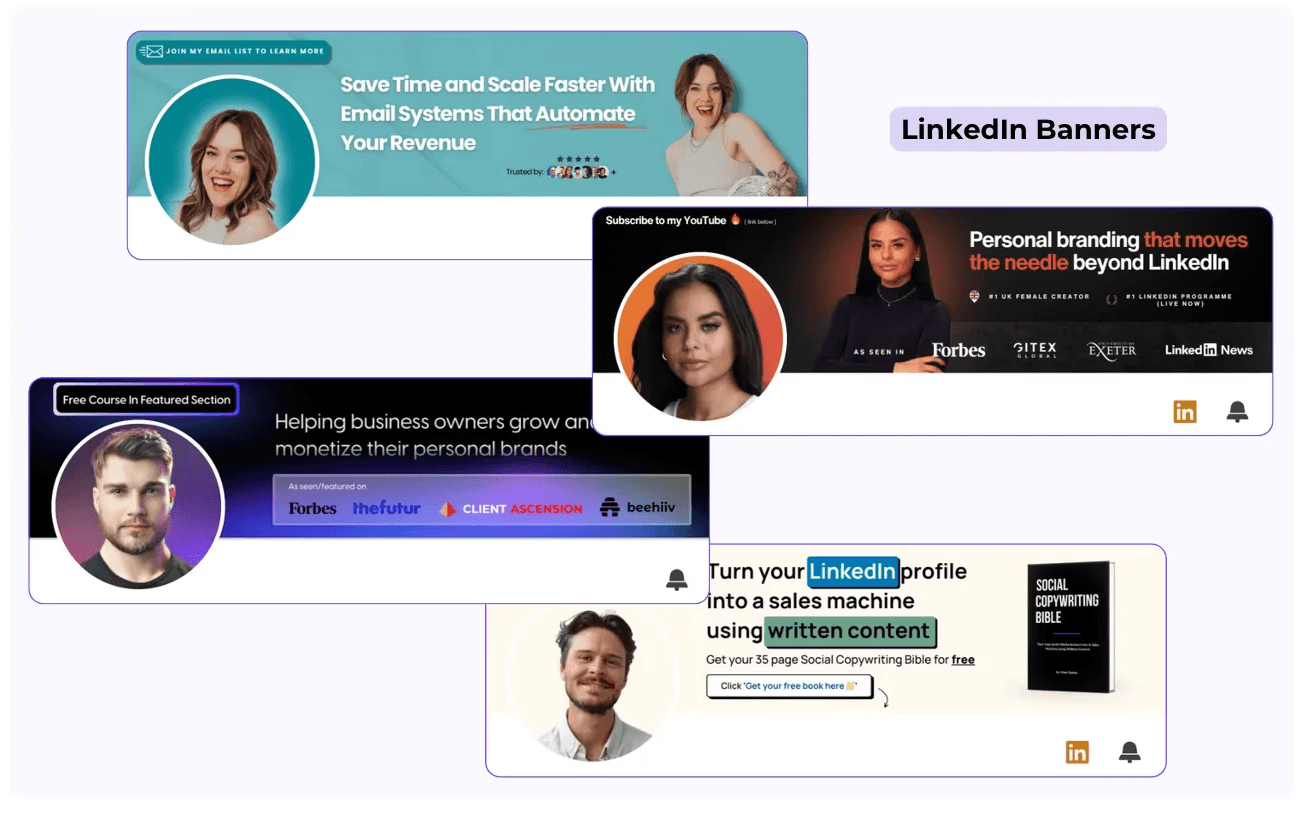
Avoid clutter, too much text, blurry images, or designs that don’t match your profile photo.
Creating one is easy. Use a LinkedIn banner template in Canva, customize the colors and text, then download and upload it. You can update it anytime on your phone or computer.
A polished, professional banner instantly makes your profile look trustworthy and ready to attract the right connections.
💡 For more information, check our article about How to Create the Perfect LinkedIn Banner
Write a Summary That Gets You Noticed
Your LinkedIn About section is one of the most powerful parts of your profile, but it’s often overlooked.
It’s often the first thing people read after your headline, and it plays a key role in shaping first impressions.
Your summary is more than a career recap. It’s where you share your value, highlight your expertise, and show what makes you unique.
A strong About section can boost your visibility in LinkedIn and Google searches, strengthen your personal brand, and help people decide if they want to connect, message you, or work with you.
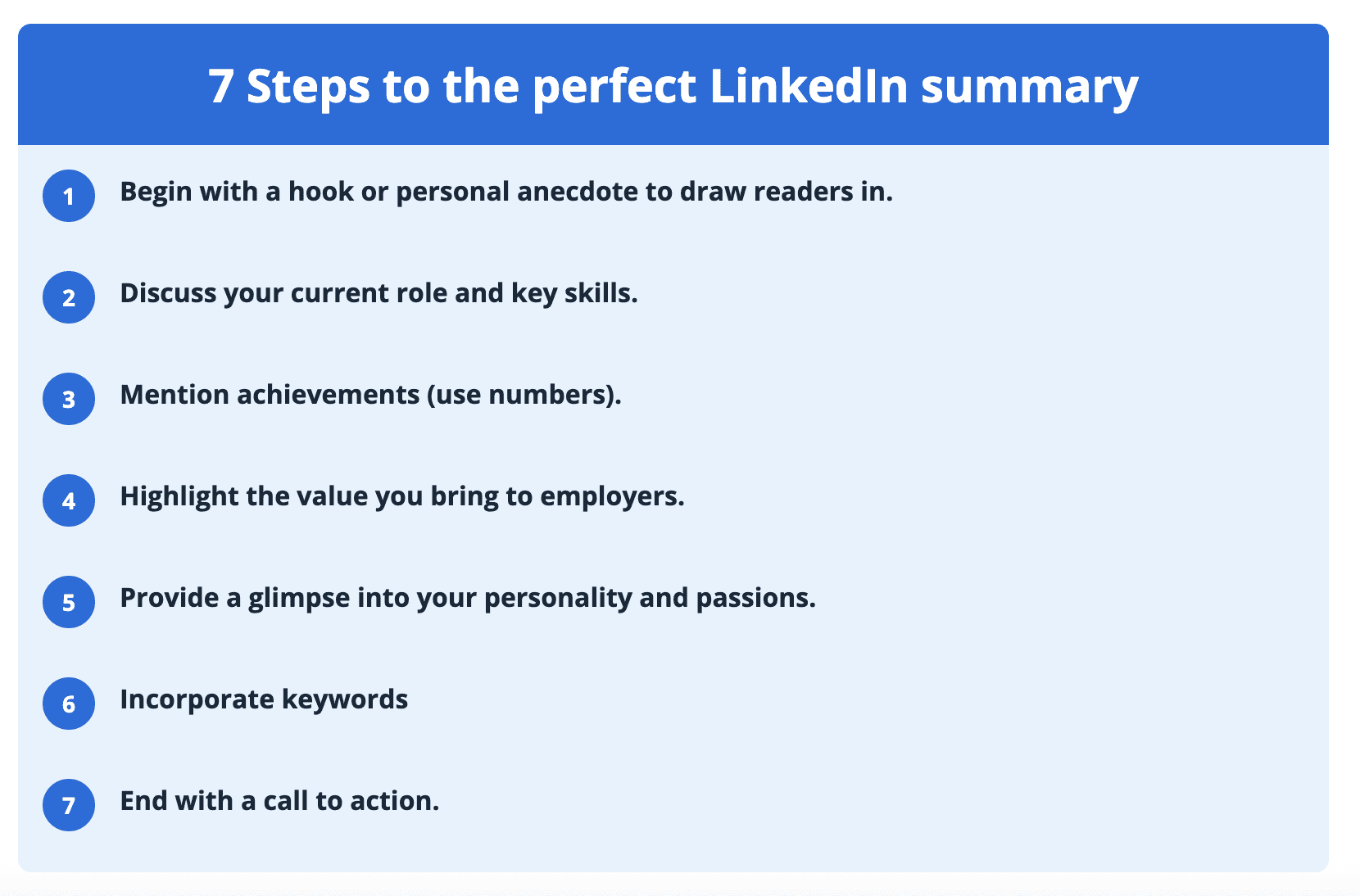
To write an effective LinkedIn summary, focus on:
A strong hook that encourages readers to click “See more.”
A clear introduction that explains who you are and what drives you
Specific expertise and measurable results that prove your impact
A touch of personality to keep it human and memorable
A clear call to action that guides the next step
Relevant keywords to improve discoverability
No matter if you’re a student, freelancer, sales professional, or leader, your About section should grow as your career does.
Updating it regularly keeps your profile relevant, interesting, and in line with your goals.
Top 5 Proven Post Formats That Increase Engagement on LinkedIn
Before creating content, you must know who you're speaking to. Your ICP determines everything: your tone, your topics, your offers.
Once that’s clear, you can build what I call the Three-Page Personal Brand Document — a system that outlines:
Your audience
Your content pillars
Your story
Your expertise
Your evergreen post ideas
Here are a few post examples you can take inspiration from:
The Awareness Post:
Awareness posts are light, relatable, and easy to share. They are meant to be easy to read, spark emotion, and connect quickly with a wide audience. This makes them great for reaching more people.
These posts are often short insights, quotes, quick opinions, observations, or timeless ideas that people already find interesting.
The Personal Post:
Personal posts show the person behind the profile. People connect more easily when they see the real human side.
These posts share personal stories, failures, behind-the-scenes moments, challenges, and honest reflections. This keeps your content warm and personal, making your personality stand out.
The Educational Post:
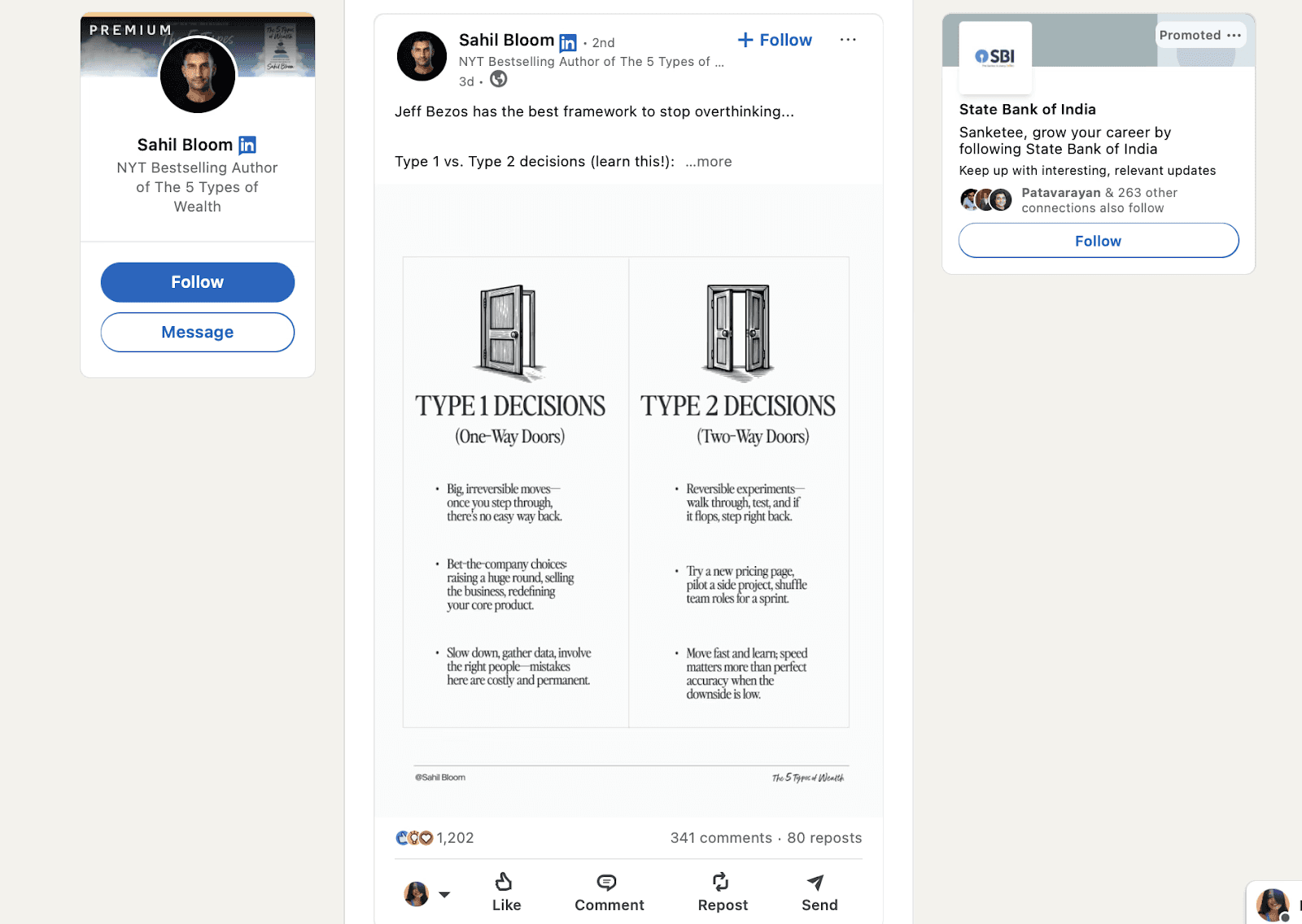
Educational posts are one of the most powerful yet most overlooked formats on LinkedIn.
Their main goal is to teach something practical.
When you share frameworks, step-by-step guides, processes, how-to tips, or templates, you show that you really know your field.
These posts help you build authority, trust, and long-term credibility. Educational carousels that guide people through a specific problem often get the most engagement because they offer clear value in a simple format.
The “How We Do It”:
This type of post highlights your unique way of solving your ideal client’s problem. It could be a framework, a signature method, a special process, or your main business philosophy.
Sharing your unique approach creates demand for your services, not for generic options.
Many brands are known for one strong method. For example, my agency stood out because of our unique framework for luxury demand generation, which helped us succeed in a crowded market.
The Conversion Post:
Conversion posts are when you directly ask your audience to take action, like joining a waitlist, booking a call, buying a product, enrolling in a program, or subscribing to a newsletter.
Many people rely solely on these posts, which is why they often don’t work.
Conversion posts work best when you also use the other four types that build awareness, trust, authority, and connection. This way, your audience feels ready to take the next step.
How To Create Engaging Content
To create engaging content on LinkedIn, begin with a clear plan.
In order to increase your content’s reach, there are several things you should take into consideration, such as interacting on other people’s content, commenting on your connections' posts, sharing, reposting other’s publications, recommend your friend’s for job postings, and repurposing your own content.
No matter what type of content you post, there are three key rules you should always follow:
Share your own ideas and avoid copying others. Practice writing your own content.
Post on the best time, because Linkedin is a work oriented platform, and posting on the weekends is not the smartest move.
After you post, check your analytics or use tools like MagicPosts to see how your content is performing.
Write Content That Sounds Like You
To get more engagement on LinkedIn, focus on sharing original content that your audience relates to. LinkedIn still supports organic growth, but where do you find ideas for your posts?
You already have lots of ideas. Here are some examples you can use for your posts.
Think about your daily experiences, such as receiving great customer service or having a tough day at work.
Share your opinions on topics that interest you. For example, you might discuss how recruiters behave when selecting job candidates.
Offer your ideas for solving problems, such as ways to fix traffic issues or address climate change.
Talk about your interactions with others, like meeting a customer or something your boss mentioned in a meeting.
Share what you read that relates to your field, such as an industry report or a white paper.
You have plenty of ideas. Write them down to keep track. Here are some ways to do that.
Use a note-taking app on your phone to jot down ideas. Later, you can share them as text or screenshots.
You can also record your ideas and experiences as audio notes. Edit them and share on different social platforms.
Try recording short or long videos with your phone. Edit the best clips and share them on your platforms to drive traffic to your website.
Post at the Right Time for Maximum Reach
On LinkedIn, what you say is important, but timing matters too. If you share great content at the wrong time, it might not reach anyone.
Most LinkedIn users check their feed during work breaks, such as mid-morning, lunchtime, and late afternoon. This is why timing affects your reach and engagement.
Posting when your audience is active helps you:
Increase reach and impressions
Get more engagement before your post is buried
Turn content into real opportunities (leads, connections, visibility)
According to 2025 data studies, LinkedIn performs best during weekday working hours:
Best window: 8 AM to 4 PM
Peak engagement: 10 AM to 1 PM
Best day: Wednesday
Avoid: Evenings, nights, and weekends (lower engagement)
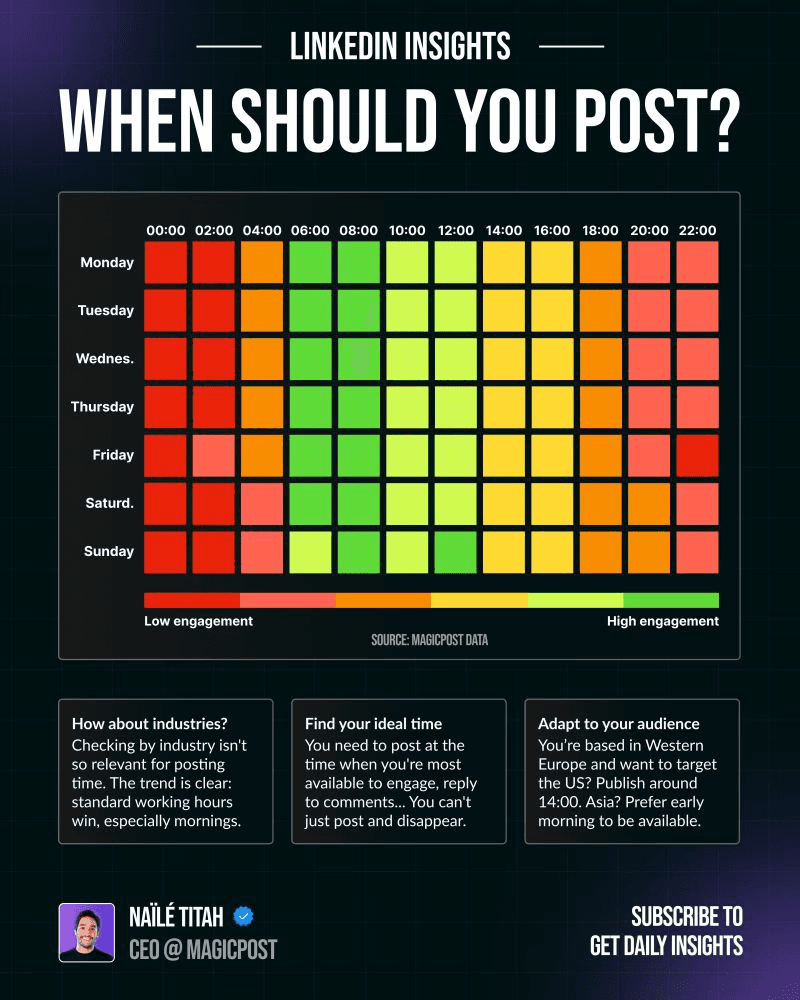
There isn’t one perfect time to post. If everyone posts at the same time, competition increases. Keep testing and adjusting your timing to see what works best.
Timing also depends on your situation. Consider your audience’s time zone, how quickly you can respond, and how often you post. Posting when you can reply to comments is just as important as the time you post.
💡 For more details on peak hours, days to avoid, and timing by industry, read the full article on the best time to post on LinkedIn to maximize your reach.
3. Use Analytics to Improve Your LinkedIn Performance
After posting, review what works and what doesn’t. Adjust your content to improve its quality.
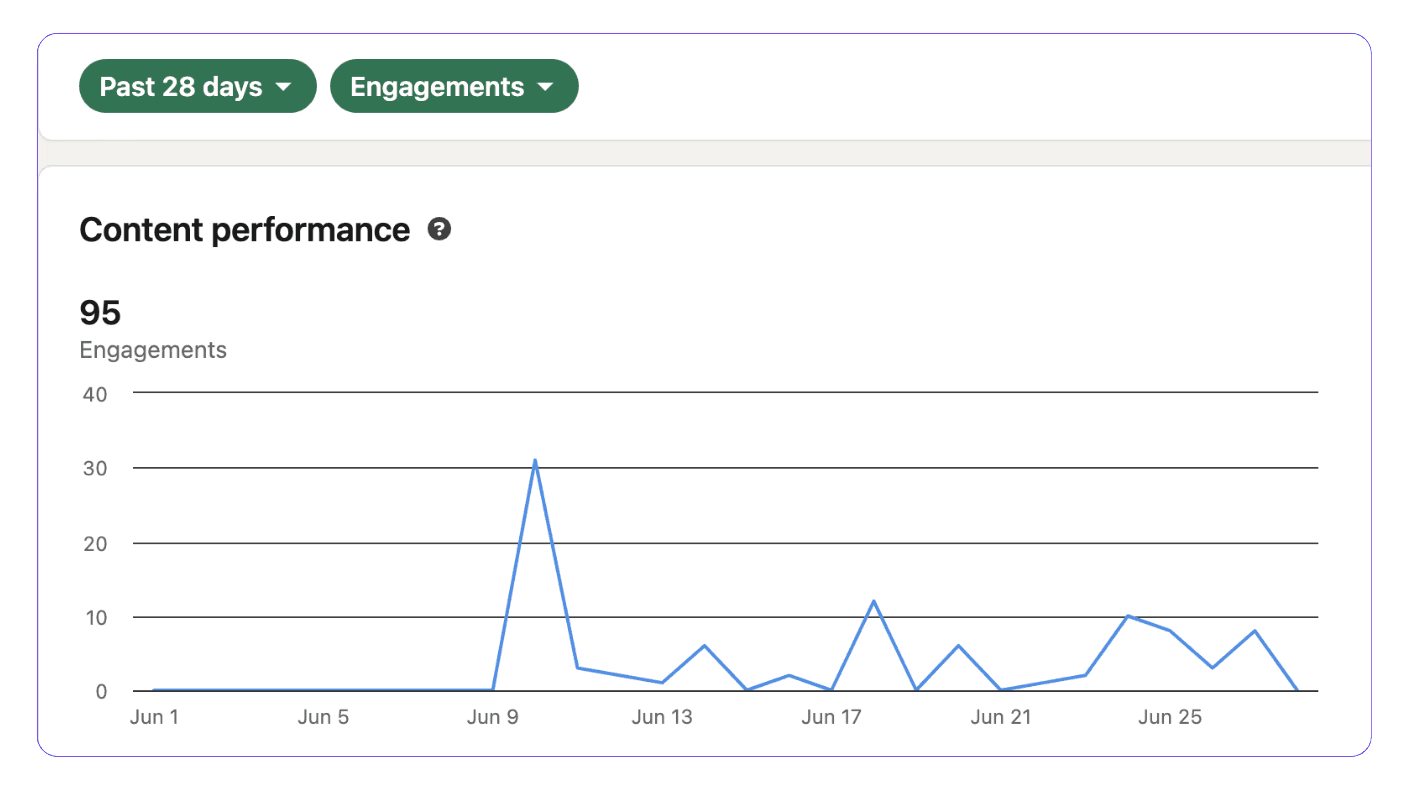
LinkedIn analytics shows you how your content performs and how your audience reacts to it. It reveals who interacts with your posts, which formats work best, and what topics get people talking.
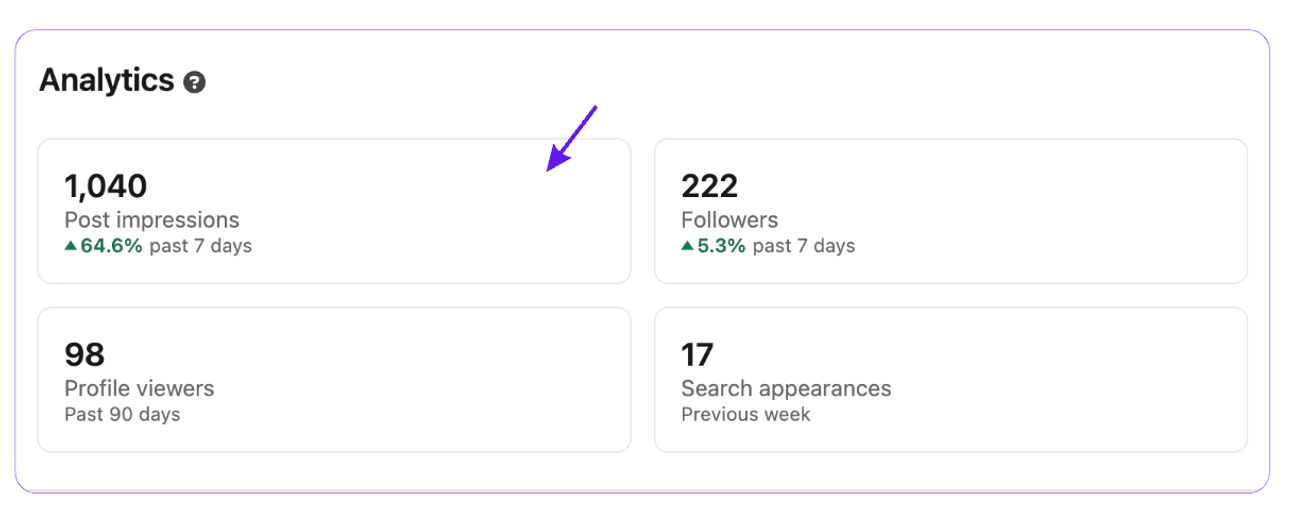
This behind-the-scenes look helps you see not just how many people view your content, but also how they interact with it.
Analytics matter because they help you measure success, improve your message, and match your content to your goals, such as visibility, growing your network, building a community, or getting leads.
💡 For more details on LinkedIn Post Analytics, check out this Step-by-Step Guide to Better Engagement
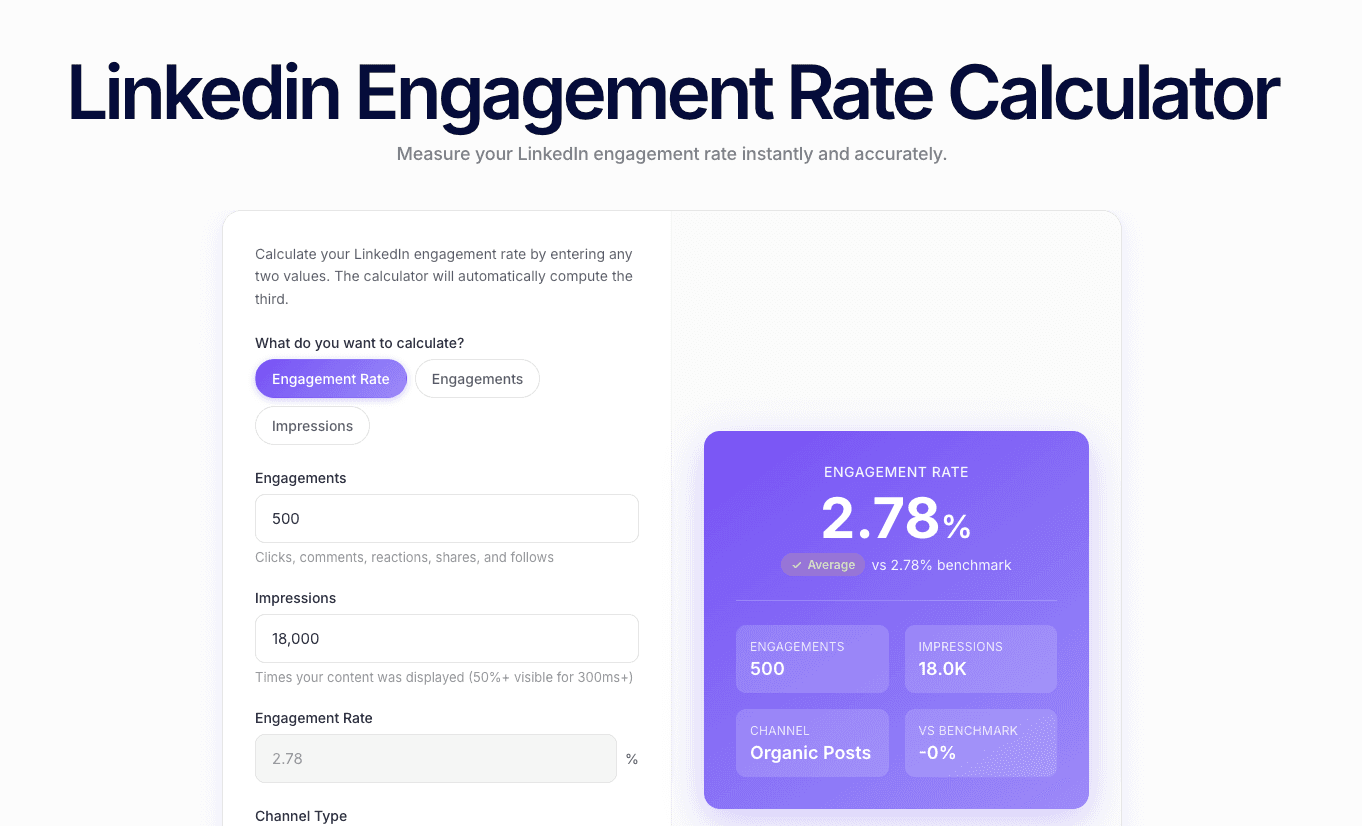
Use MagicPost to Track Your Engagement Rate
One of the most important metrics to track is engagement rate.
Unlike vanity metrics, engagement rate shows how much people interact with your content, not just how many people see it.
A high engagement rate means your posts do more than appear in the feed they connect with people.
If you want more than what LinkedIn’s analytics has to offer, use MagicPost analytics.
MagicPost helps you write original content, generate ideas, fight writer's block, repurpose your content, and anylise what works and what doesn't, and schedual your posts at the best times according to your industry.
💡 To calculate your engagement rate, check out MagicPost's free tool LinkedIn Engagement Rate Calculator