" height="26.80529977783203px" id="tymKb8bqC" width="128.00300311279295px"/><path d="M 0 2.417 L 0 0 L 12.909 0 L 12.909 2.417 Z" fill="rgb(126, 78, 253)" height="2.417099999999998px" id="aYr4em6zK" transform="translate(128.341 22.325)" width="12.908999999999992px"/></svg>)

"/><stop offset="1" stop-color="rgb(118, 37, 250)"/></linearGradient></defs><g d="M 19.242 21.22 L 19.362 6.204 L 19.272 6.204 L 13.757 21.22 L 10.161 21.22 L 4.796 6.204 L 4.706 6.204 L 4.825 21.22 L 0 21.22 L 0 0 L 7.283 0 L 12.109 13.607 L 12.229 13.607 L 16.844 0 L 24.247 0 L 24.247 21.22 Z M 26.421 26.113 L 26.421 23.445 L 41.407 23.445 L 41.407 26.113 Z" fill="transparent" height="26.112508199679183px" id="DvfaAIHYn" width="41.40731898311435px"><path d="M 19.242 21.22 L 19.362 6.204 L 19.272 6.204 L 13.757 21.22 L 10.161 21.22 L 4.796 6.204 L 4.706 6.204 L 4.825 21.22 L 0 21.22 L 0 0 L 7.283 0 L 12.109 13.607 L 12.229 13.607 L 16.844 0 L 24.247 0 L 24.247 21.22 Z" fill="rgb(46, 46, 46)" height="21.220180016149442px" id="pLsxRCobd" width="24.247352589074694px"/><path d="M 0 2.668 L 0 0 L 14.986 0 L 14.986 2.668 Z" fill="url(%23yD9d4I5GR-3279285344-linear-gradient)" height="2.6675085048549647px" id="yD9d4I5GR" transform="translate(26.421 23.445)" width="14.986002836263765px"/></g></svg>)

Bénédicte Rivory
You’re not struggling on LinkedIn because you have nothing to say; you’re struggling because nobody taught you how to say it.
LinkedIn’s format is different from every other platform. The algorithm rewards specific behaviors, yet most people write LinkedIn posts the same way they’d write an email or a blog post.
This guide shows you how to write a LinkedIn post that actually works. Learn the structure, the writing principles, the mistakes to avoid, and what to do in the hour after you publish.
Short Answer: A strong LinkedIn post has three parts: a hook that earns the “See more” click in the first two lines, a body that delivers one clear idea with short paragraphs and white space, and a CTA that invites a specific response. Most posts fail at the hook. If the first line doesn't stop the scroll, nothing else matters.
What Is the Structure of a LinkedIn Post?
Almost every LinkedIn post that earns real engagement follows the same three-part structure. It's not a rigid template at all; it's the natural shape of content that works on this platform.
Part 1: The Hook
LinkedIn truncates your post after two or three lines with a "See more" prompt. Your hook (everything before that cutoff) is the only part most people will read. If it doesn't earn the click, the rest of your post is invisible.
A strong hook does one of three things:
Makes a specific, counterintuitive claim;
Asks a question the reader is already asking themselves; or
Opens with a specific situation that creates immediate tension.
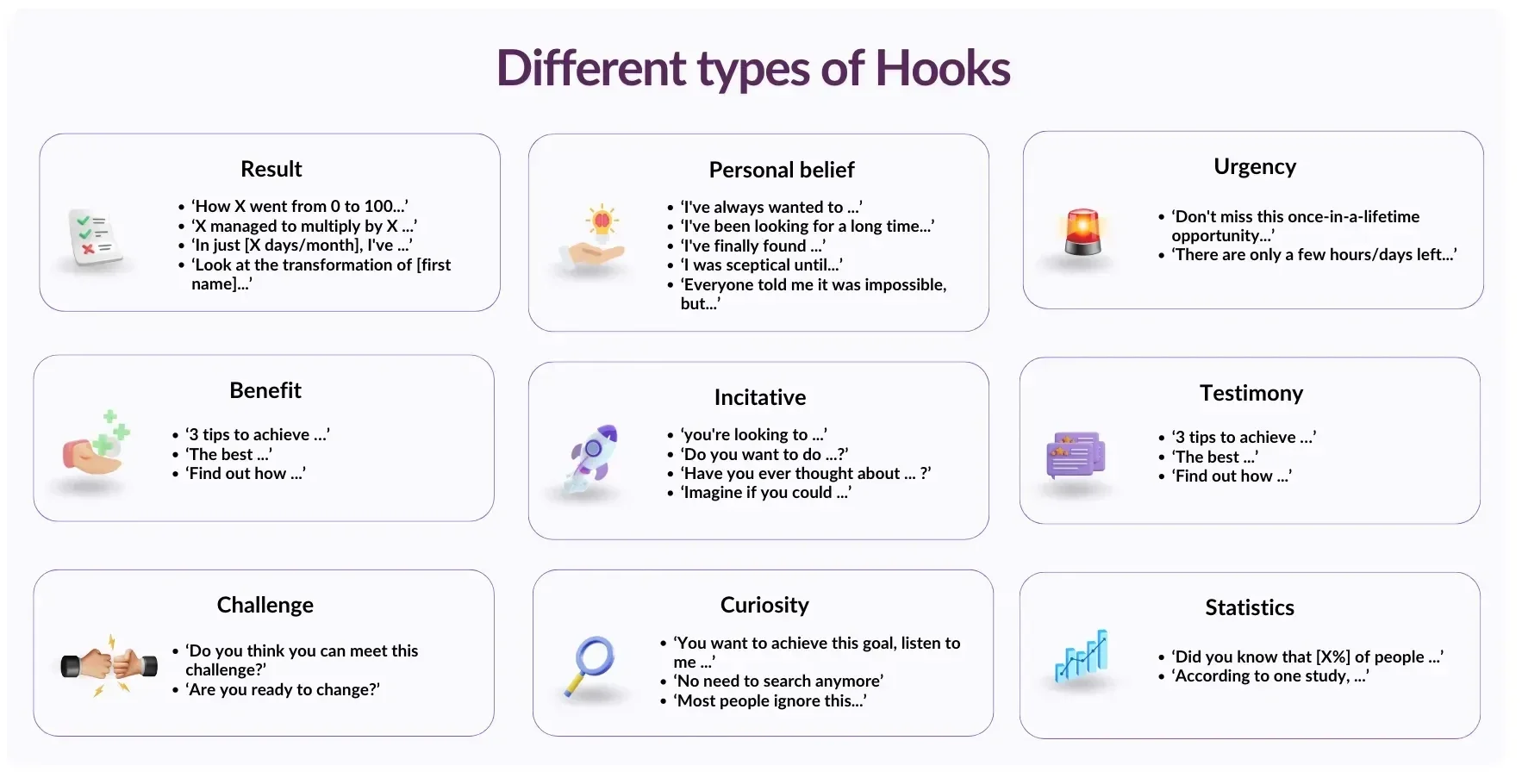
What it never does is open with context, preamble, or a vague setup. For example:
❌ Weak Hook: “I’ve been thinking a lot about content strategy lately and wanted to share some thoughts.”
✅ Strong Hook: “I posted every day for 30 days on LinkedIn. Here’s the one thing I’d do differently.”
For a deeper breakdown of every hook type and when to use it, this guide on LinkedIn hooks covers the structures that consistently earn the "See more" click.
Part 2: The Body
The body delivers on the promise your hook made. It should be one clear idea, developed with enough depth to be genuinely useful, that’s not padded or rushed.
Formatting matters as much as the writing itself. LinkedIn is read mostly on mobile devices, and a paragraph that looks fine on desktop becomes a wall of text on a phone. The rules are simple:
One idea per paragraph, two to three lines maximum;
An empty line between every paragraph. That white space isn’t wasted; it's what makes each idea land separately.
Short sentences, plain language, maintaining a 4th-grade reading level as the target.
No more than one bolded phrase per paragraph. Bold loses its function when it's everywhere.
Research shows that posts above a 10th-grade reading level get 35% less reach. Simplicity isn't dumbing down; it's clarity, and clarity is what keeps people reading.
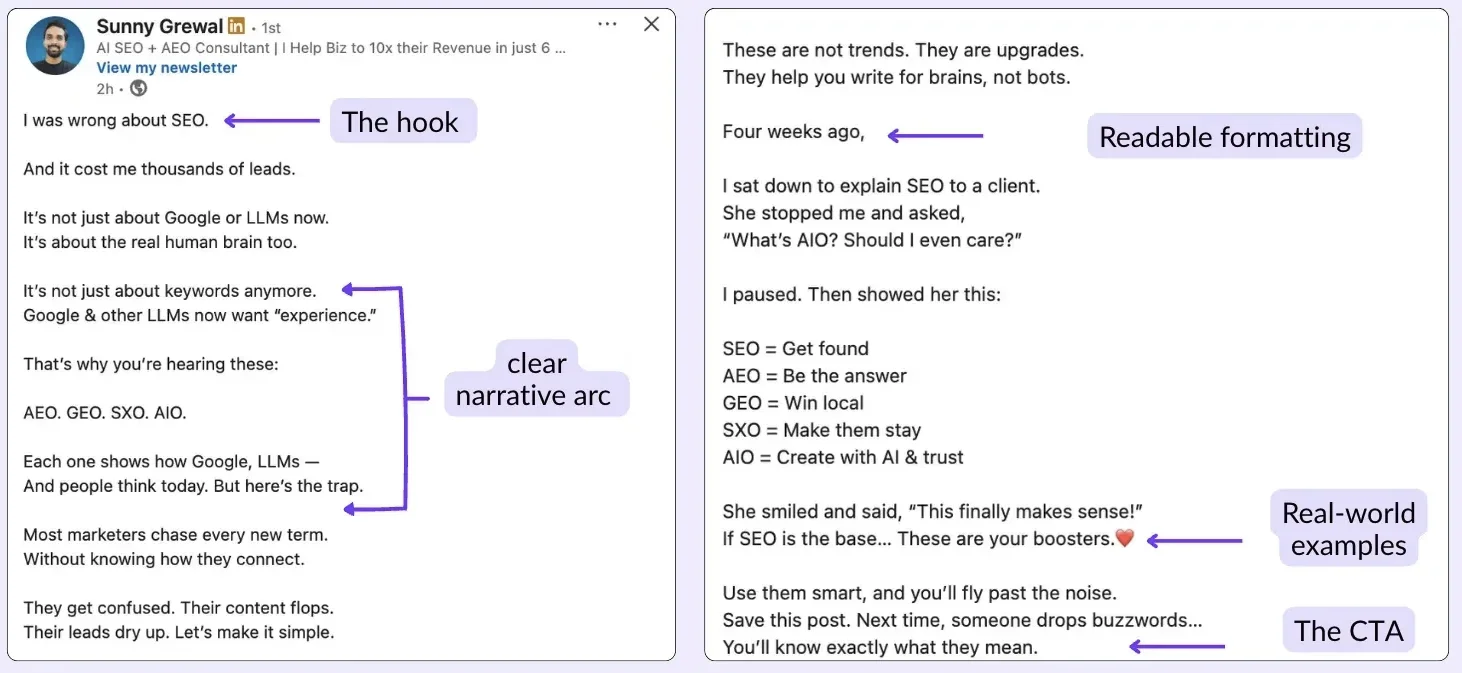
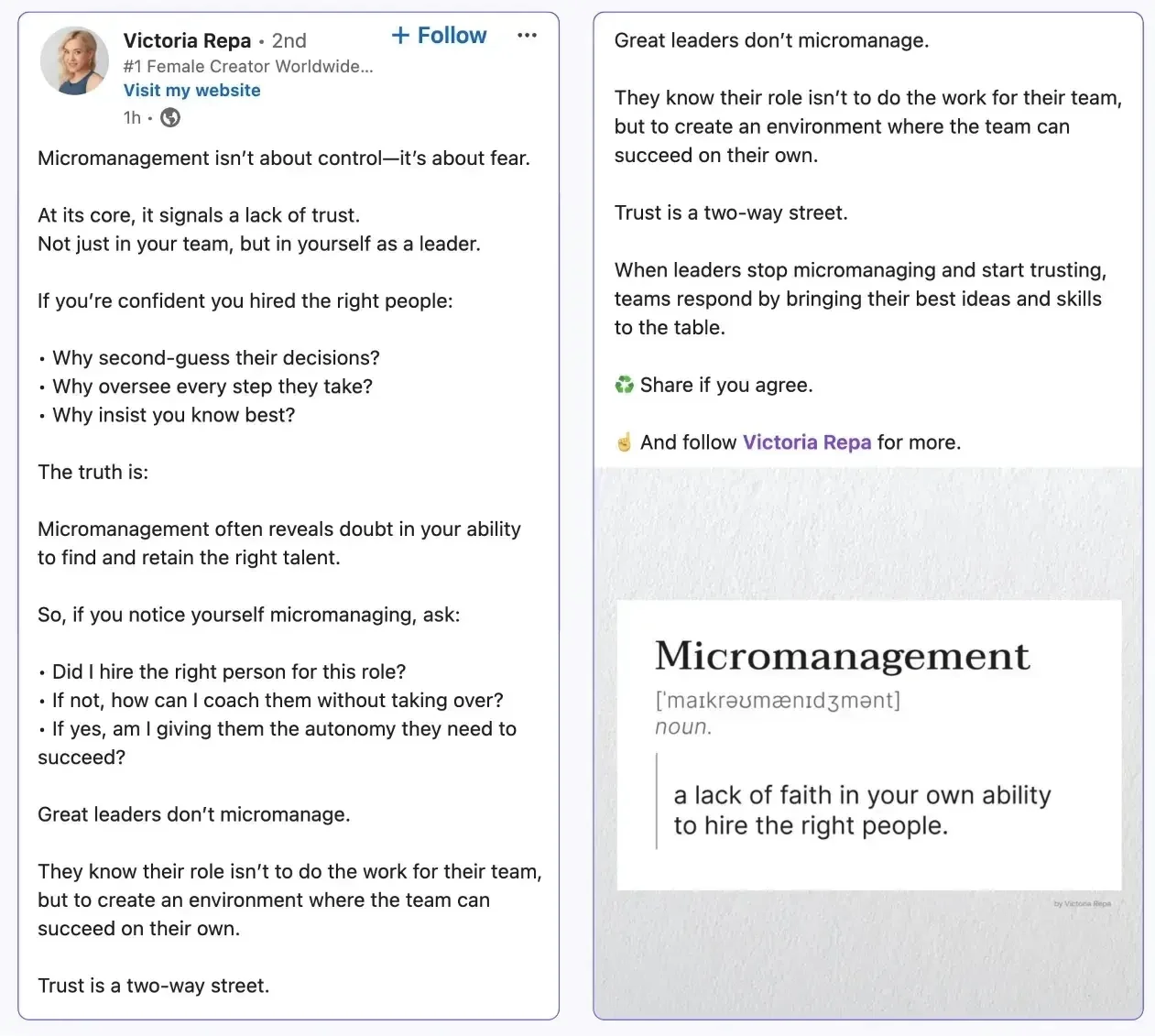
What makes the example above work is:
It opens with a specific admission rather than a generic setup.
It uses plain language throughout.
It gives readers something concrete to take away.
Notice the short paragraphs and the rhythm; it reads fast because it’s written to be read quickly.
Part 3: The CTA
End with a specific invitation, not "let me know your thoughts.” A CTA that works asks a specific question, proposes a specific action, or offers something concrete.
"What's the one thing you'd add to this list?" invites a specific type of comment.
"Save this for the next time you're staring at a blank draft" invites a save, which is worth 5 times the reach of a like.
"Tag someone who needs to see this" extends reach without asking for a like.
You can also leave your own comment right after publishing with an additional insight or a resource link. This seeds the discussion thread and gives early commenters something to respond to.



What to Post on LinkedIn
The format you choose is as important as the writing within it:
Carousels achieve engagement rates 3.7x higher than text-only posts.
Polls have the highest reach multiplier for personal profiles.
Short native video consistently outperforms external links.
For the complete breakdown of which format to use and when, this guide on the best LinkedIn post types covers every format with performance data.
What holds true across all formats is one clear idea per post, a strong hook regardless of format, and content designed for the reader's benefit rather than your own promotional agenda.
The posts that get saved (which drive 130% more follower growth than posts that just get likes) teach, clarify, or resolve a specific problem.
LinkedIn Post Writing Principles for Good Posts
The following habits separate bad, forgettable LinkedIn posts from the more impactful and memorable ones.
Write for One Person, Not an Audience
The posts that feel most broadly relatable are usually written as if the author is speaking to one specific person with one specific problem. When you write "for everyone," you end up connecting with no one.
→ Pick a specific reader (a former version of yourself, a client you know well, or a specific role) and write directly to them.
Lead With the Payoff
Most people bury the insight. They set up the context, explain the background, walk through the situation, and finally deliver the point three paragraphs in. LinkedIn readers aren’t patient readers.
→ State your conclusion or your most interesting idea in the first line, then support it. Use the inverted pyramid structure, not essay structure.
Use Specificity as a Proxy for Credibility
"I helped a client grow their audience" is forgettable. "I helped a SaaS founder go from 400 to 4,200 followers in 90 days by switching from daily text posts to three carousels per week" is specific enough to be credible and interesting.
→ Numbers, names, timeframes, and outcomes make everything more believable.
Write Your Voice, Not a LinkedIn Voice
There is a recognizable LinkedIn writing style: motivational, vague, full of line breaks and bullet points. It's everywhere and it's invisible.
→ Your best posts will sound like you: your phrasing, your sense of humor, your particular way of making a point. Authenticity isn't a content strategy; it's what makes someone a person rather than a content machine.
Preview Before You Publish
What looks clean in a doc or text editor can render as broken formatting in the LinkedIn feed, including missing line breaks, lost spacing, truncated hooks.
→ MagicPost's free LinkedIn post previewer shows you desktop and mobile views before you publish, including exactly where the "See more" cutoff falls. One minute of checking saves you from publishing a broken post.
13 Mistakes That Kill LinkedIn Posts (And How to Fix Them)
The mistakes below will kill your LinkedIn engagement. Here’s how to fix each one.
1. A Hook That Plays It Safe
If your opening line could have been written by anyone, it will be ignored by everyone.
A hook needs to provoke curiosity, tension, or a strong reaction. Generic openers, like "I've been reflecting on..." or "Here are some thoughts on..." signal that nothing interesting follows.
2. Dense Blocks of Text
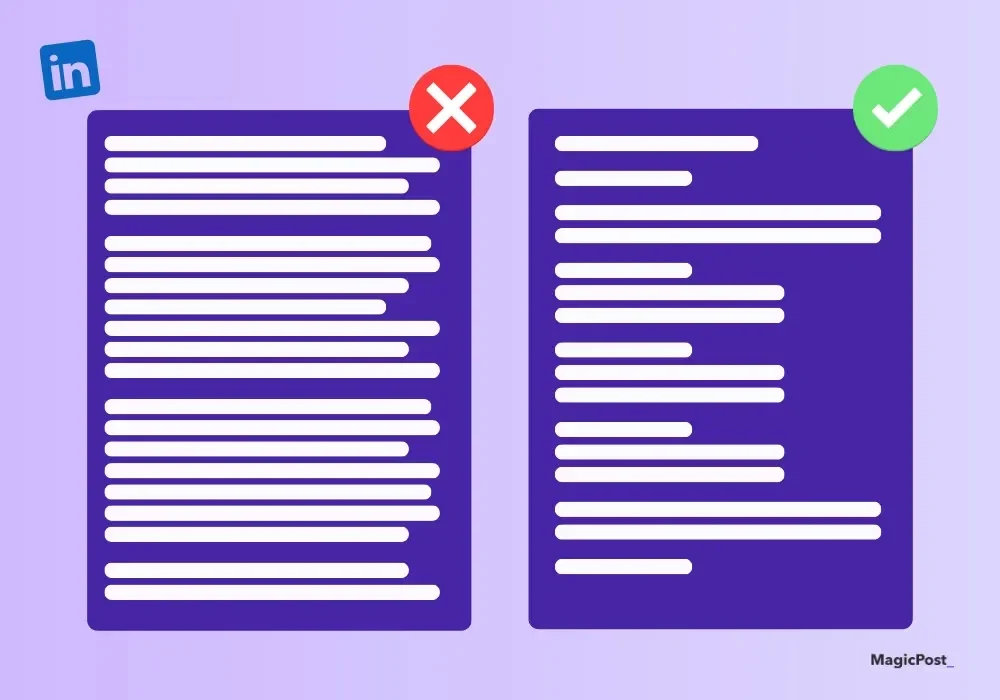
LinkedIn is read on mobile. A paragraph that looks reasonable on a desktop becomes a wall of text on a phone. Break every idea into its own short paragraph.
If you can't see white space between your ideas, neither can your reader.
3. No CTA
Without a clear invitation at the end, readers will finish your post and move on. They didn’t save it, didn’t comment, and didn’t follow you.
A specific CTA (a question, a save prompt, or a tag invitation) gives people somewhere to go and something to do.
4. Writing for Everyone
Broad, universal content competes with everything else in the feed and stands out from nothing.
The more specific your audience and the more precise your topic, the more strongly the right people will respond.
5. Inconsistent Publishing
LinkedIn's algorithm rewards consistent creators. Posting once in a while and expecting results is the same as going to the gym once a month.
Three posts a week is a sustainable starting point. Consistency over six to eight weeks builds more momentum than a burst of daily posting followed by silence.
For more details, check out our guide on the Best Frequency to Post on LinkedIn
6. Posting and Disappearing
The first 30 to 60 minutes after publishing are when LinkedIn decides whether your post enters extended distribution or gets buried.
Responding to early comments, asking follow-up questions to spark discussion threads, and engaging with other posts in your niche right after publishing all signal to the algorithm that your content is generating real conversation.
If you can't be present after posting, schedule your posts for a time when you can.
7. No Visual Support
Text-only posts have the weakest reach multiplier of any format (0.88x). Carousels, images, and short videos all outperform plain text.
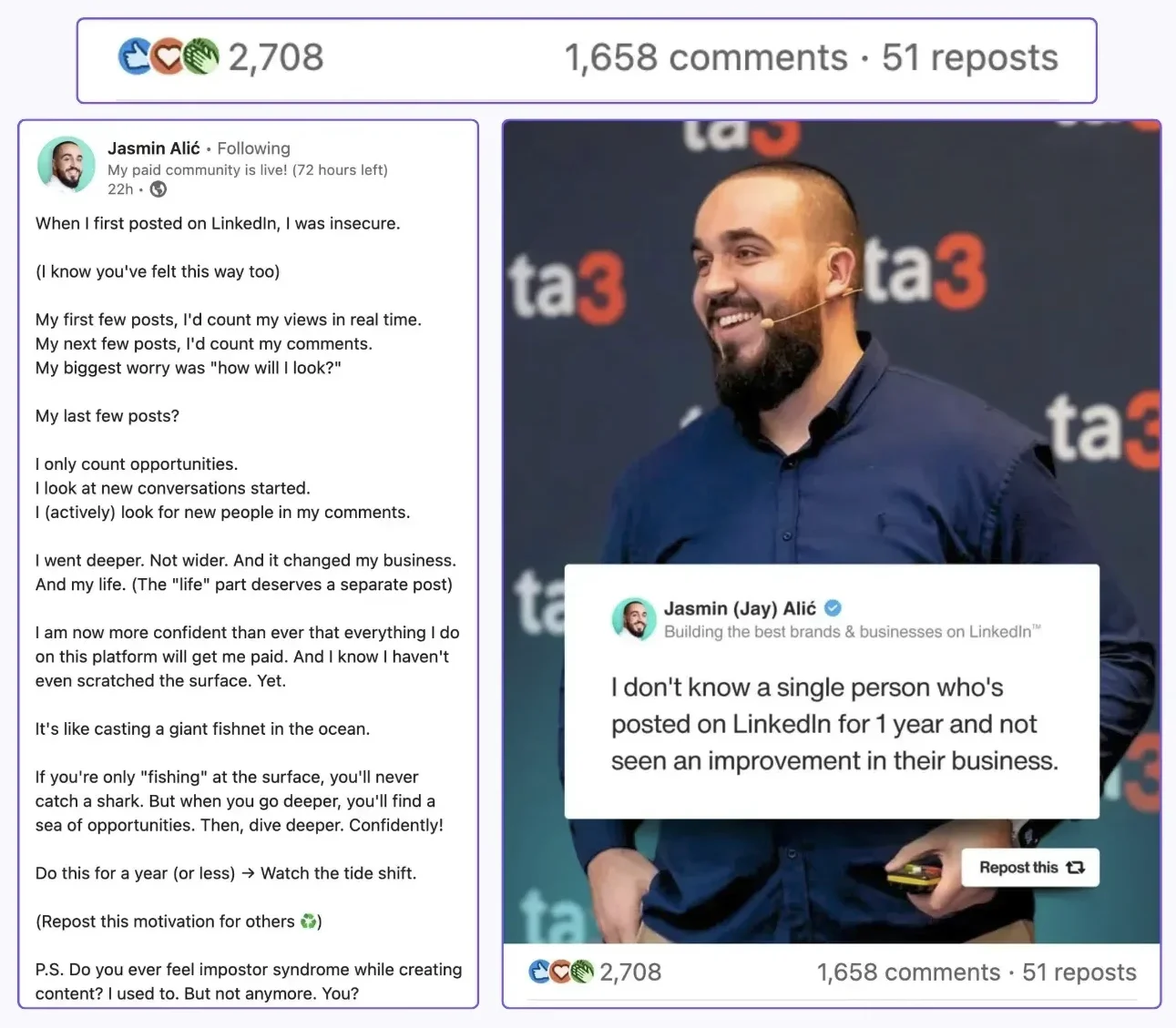
Even a single well-chosen image moves your post out of the bottom of the format performance hierarchy.
8. Too Much Jargon
Industry language makes you feel credible to yourself and invisible to your audience. Posts above a 10th-grade reading level get 35% less reach on LinkedIn. If your audience has to work to understand you, they’ll stop trying.
💡 Pro Tip: Use the Hemingway Editor to assess your writing’s readability level!
9. Overusing Inspirational Content
Motivational posts can earn a lot of likes from people who agree with you in the moment and forget you by tomorrow.
They rarely drive profile visits, saves, or follows. Balance inspiration with practical value: frameworks, specific lessons, industry insights. Credibility is built on substance, not sentiment.
10. Copying Other People’s Content
Using someone else's post as a reference is fine, but replicating it word-for-word destroys your credibility when someone recognizes it (and someone always does).
Take the insight, reframe it through your own experience and voice, and cite the source if relevant.
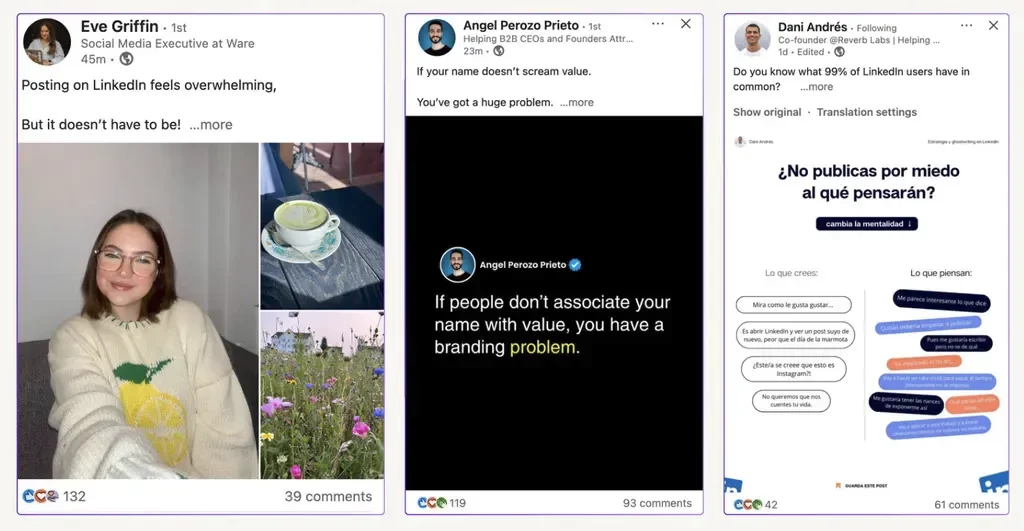
Some LinkedIn voices’ writing styles are more recognizable than others because they know how to write the perfect post. Learn how to write like Matt Barker, Gary Vaynerchuk, and Victoria Repa.
11. Only Posting from Your Company Page
LinkedIn's algorithm gives personal profiles significantly more organic reach than company pages; company posts receive around 2% of total feed exposure without employee amplification.
If you're posting exclusively from the company page, you're fighting against the algorithm. Post from your personal profile and amplify through the page, not the other way around.
12. Publishing Without Reviewing
Typos, broken formatting, and grammatical errors undermine the credibility you're trying to build. Read your post out loud before publishing; it catches awkward phrasing that spellcheck misses. Then preview it to check formatting renders correctly.
13. Skipping the Engagement Window
Leaving a comment on your own post right after publishing (adding a resource, asking a follow-up question, or sharing a related thought) seeds the discussion and gives early readers something to respond to.
Posts with active indirect comment threads (where people reply to other comments) get up to 2.4x more reach than posts with only direct comments.
What to Do After You Publish on LinkedIn
Publishing is the starting point, not the finish line. Here’s what you need to do in the 60 minutes after your post goes live:
Reply to every comment within the first hour. Ask a follow-up question to each commenter to extend the discussion thread.
Engage with five other posts in your niche. This signals to LinkedIn that you're an active participant in your topic area, not just a broadcaster, and it’s a great way to expand your network.
Leave your own comment. Add a resource, a contrarian take, or a follow-up point that gives readers another reason to engage.
Don't leave too many of your own comments. A post where most comments are from the author signals low external interest and can trigger a reach penalty.
For a full breakdown of how the algorithm distributes posts and what signals matter most, this guide on how to increase LinkedIn impressions covers every stage of the distribution process.
Write Better LinkedIn Posts Faster With MagicPost
The framework is learnable, but the harder part is consistency: showing up with something worth saying three or four times a week, week after week, without burning out.
MagicPost helps you write posts in your own voice using AI that adapts to your style, preview how they look before publishing, and schedule everything in advance so you're not scrambling every time you open LinkedIn.
Create weeks' worth of content that hooks readers in minutes today. Try MagicPost for free; no credit card is required.
Frequently Asked Questions
How do I write a good LinkedIn post?
Start with a hook that earns the "See more" click: a specific claim, a counterintuitive point, or an opening situation that creates tension. Deliver one clear idea in the body using short paragraphs and plain language. End with a specific CTA that invites a comment, a save, or a share. Preview before publishing to check formatting renders correctly on mobile.
How long should a LinkedIn post be?
For most posts, 800 to 1,300 characters is the sweet spot. It’s long enough to deliver real value but short enough to hold attention. Longer posts (16 to 20 sentences) can perform well in extended distribution if they sustain engagement throughout. Short posts under 300 characters rarely get saved or generate discussion.
The right length is whatever it takes to make your point fully, without padding.
What is the best structure for a LinkedIn post?
Hook → Body → CTA. The hook stops the scroll and earns the click. The body develops one clear idea with short paragraphs, white space, and plain language. The CTA gives readers a specific action: comment, save, tag, or share.
Almost every high-performing LinkedIn post follows this structure regardless of format.
What is the 4-1-1 rule on LinkedIn?
The 4-1-1 rule suggests a content ratio of four value-based or educational posts, one soft promotional post, and one direct promotional post. It's a useful framework for keeping your content helpful and audience-focused rather than purely self-promotional.
The exact ratio matters less than the principle: lead with value and earn the right to promote.
How do I get more engagement on my LinkedIn posts?
Engagement begins with the format: carousels and documents generate 3.7x more engagement than text-only posts. Beyond format, the first hour after publishing is crucial: reply to early comments, ask follow-up questions to extend discussion threads, and engage with five other posts in your niche immediately after publishing.
Posts that receive saves drive 130% more follower growth than posts that only receive likes, so create content worth bookmarking. See the full guide on increasing LinkedIn impressions for the complete breakdown.
How to Write Great LinkedIn Posts with AI (2026)
Learn how to create excellent LinkedIn posts with AI by developing your writing style, using MagicPost, and trying out methods to enhance engagement.
Contentdrips Review: Features, Advantages and Disadvantages (2026)
In this Contentdrips review, we will discuss the features, advantages, and disadvantages of this tool. We will also examine the pricing and how it compares to Magicpost.
How to Create a LinkedIn Content Calendar That Works
Learn how to create a LinkedIn content calendar to plan, schedule, and grow your professional presence with consistent, engaging posts.

Taplio vs Hypefury: Which LinkedIn Tool is Better?
Let's compare Taplio and Hypefury: find out which platform suits your content, workflow, and audience growth goals best.
Supergrow Vs Taplio: Which LinkedIn Tool is the Winner?
Compare Supergrow and Taplio in a clear side-by-side breakdown to find out which LinkedIn growth tool best fits your content, networking, and analytics requirements.