

Not all LinkedIn post types perform the same, and the gap between them is bigger than most people realize. The difference between a carousel and a plain text post is a 3.7x difference in average engagement rate, backed by data from over 600,000 posts.
This guide covers the 10 best LinkedIn post types in 2026: what each one does well, when to use it, and the performance data behind it.
If you want to understand how format choice affects your LinkedIn impressions or engagement broadly, that’s worth reading alongside this.
LinkedIn Post Format Performance in 2026
Before the breakdown, here’s the full format hierarchy, combining engagement rate and reach multiplier data.
Format | Avg. Engagement Rate | vs. Text | Reach Multiplier |
|---|---|---|---|
Carousels/Documents | 24.42% | 3.7x | 1.45x |
Multi-image posts | 6.60% | 1.6x | 1.18x |
Video | 6.47% | 1.6x | 1.10x |
Image | 6.05% | 1.5x | 1.18x |
Polls | 4.40% | 1.1x | 1.64x |
Text only | 4.10% | — | 0.88x |
Keep this table in mind as you read through each post type. The best format for your goal isn’t always the one with the highest engagement rate; polls have a higher reach multiplier than video despite a lower engagement rate, for example. Context matters.
The 10 Best LinkedIn Post Types
Here are the ten best LinkedIn post types to boost your engagement.
1. Educational Carousel Posts
Carousels are the single highest-performing format on LinkedIn. At a 24.42% average engagement rate (3.7x higher than text-only posts), they consistently outperform every other format for both engagement and saves.
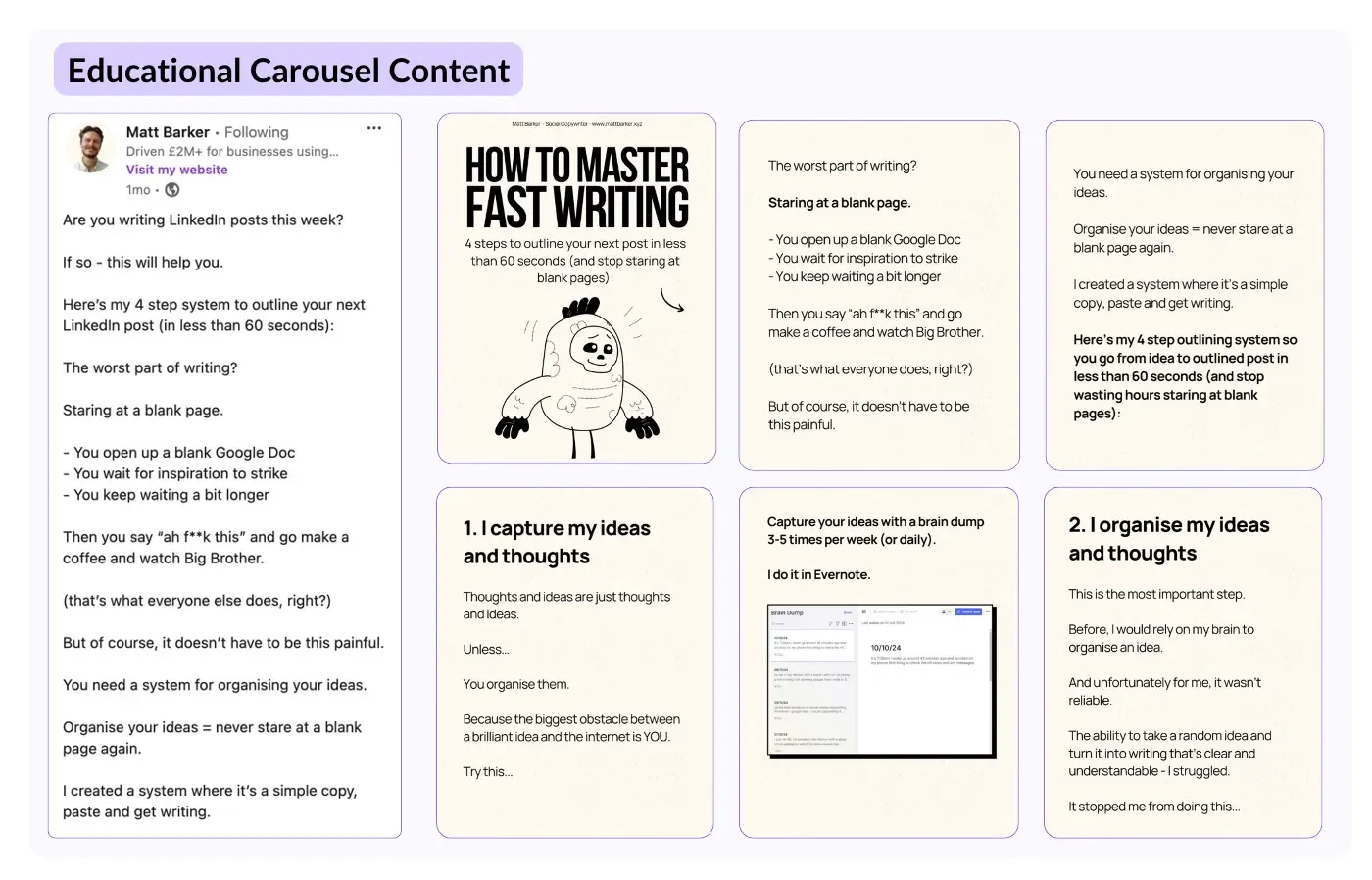
The reason is mechanical:
Each swipe counts as an engagement signal in LinkedIn's algorithm.
Users spend 15 to 20 seconds on a carousel versus 8 to 10 seconds on a text post
Dwell time is one of the algorithm's key ranking signals.
Carousels also generate 2.5x more shares than standard document posts. They work best for educational content, including frameworks, step-by-step guides, data breakdowns, and checklists. The optimal structure is a bold cover slide followed by numbered points, with one idea per slide.
💡 Pro Tip: Design your carousel PDF with swiping in mind, not downloading. One idea per slide, bold text, generous white space, and a CTA on the final slide. 5 to 10 slides is the sweet spot.
2. Short Native Video
Video averages a 6.47% engagement rate and a 1.10x reach multiplier. Those are strong numbers, but the format specifics matter enormously. Short native video (under 60 seconds) achieves 53% more engagement than longer formats. Videos under 30 seconds are optimal.
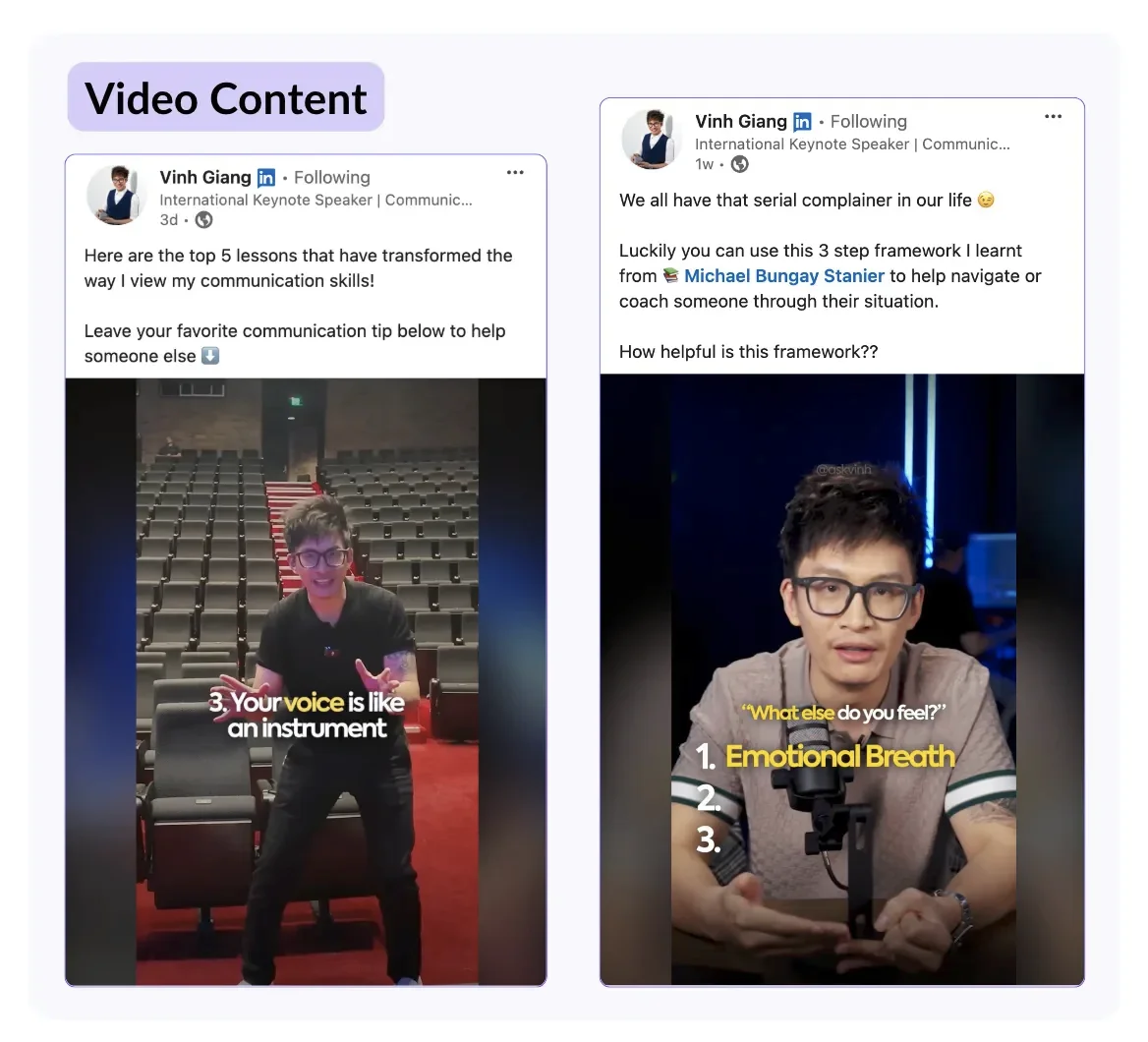
Vertical format performs 2.1x better on mobile feeds, and 73% of LinkedIn video views happen on mobile. The first three seconds determine up to 65% of viewer retention, and the hook matters as much in video as it does in text.
What makes LinkedIn videos work is authenticity. Personal-style videos featuring real people outperform polished corporate motion graphics by 44% in reactions. You don't need production value; you need a clear point and a strong opening.
💡 Pro Tip: Always add captions. LinkedIn videos autoplay without sound. Videos with captions get 29% higher engagement and 32% longer viewer retention than those without. LinkedIn’s built-in captioning tool handles this automatically.
3. Personal Branding Posts
Personal branding posts share something meaningful about who you are, be it your values, your perspective, or your professional journey. They’re not about your product or company; they’re about you as a person.
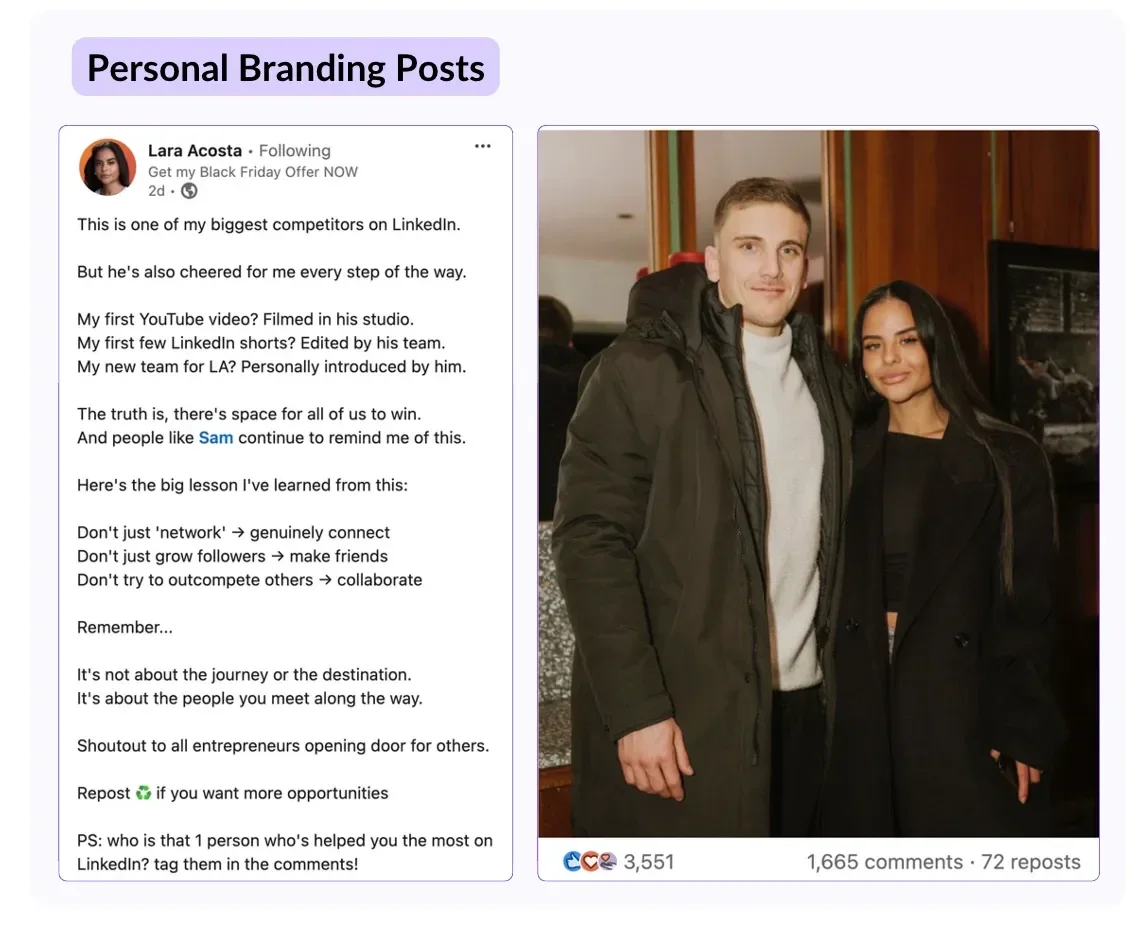
These posts work because people engage with people more readily than with brands. A personal post that lands generates comments from your network that a company update never would. They build the trust that makes everything else you post more effective.
The secret is specificity. “I learned something important this year” isn’t a personal branding post. “I turned down a significant offer because it conflicted with how I want to spend my time—here’s what happened next” is.
4. Storytelling Posts
Storytelling is the most reliably high-comment format on LinkedIn. A well-constructed narrative keeps readers engaged from the hook to the final line, and engaged readers comment, which is the signal that drives extended distribution.
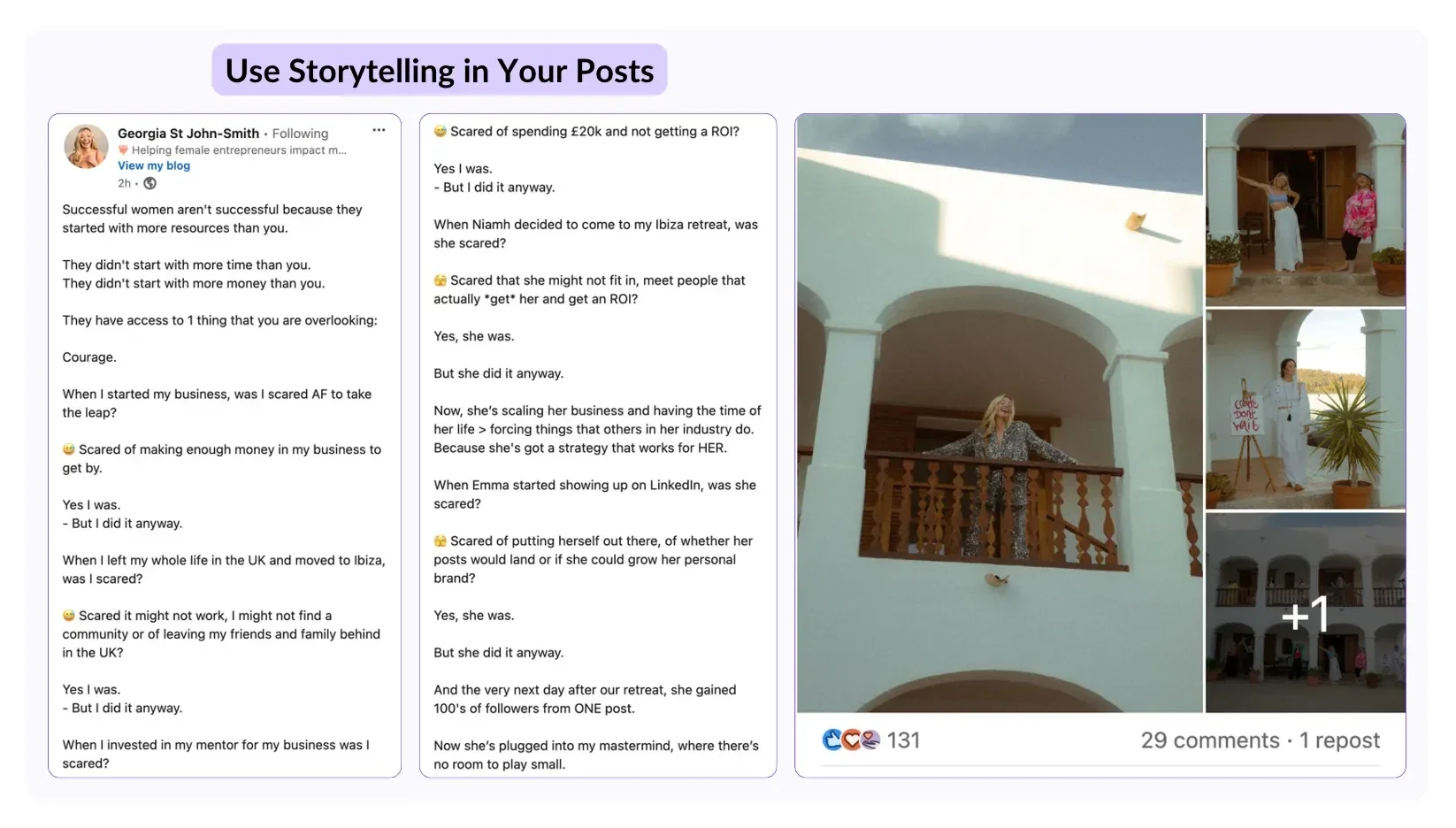
The setup that works is fairly simple:
Open with a specific moment or situation (not a broad setup)
Build on a problem or tension
Close with a clear takeaway or lesson
The emotion and specificity are what make readers stop scrolling. Story posts pair well with hook frameworks (use your hook generator!), as the opening line carries most of the weight.
5. Tips and Advice Posts
Practical, actionable advice is one of the highest-saved post types on LinkedIn. A post that gives someone a framework they can use immediately earns saves, and saves are worth 5x more reach than a like.
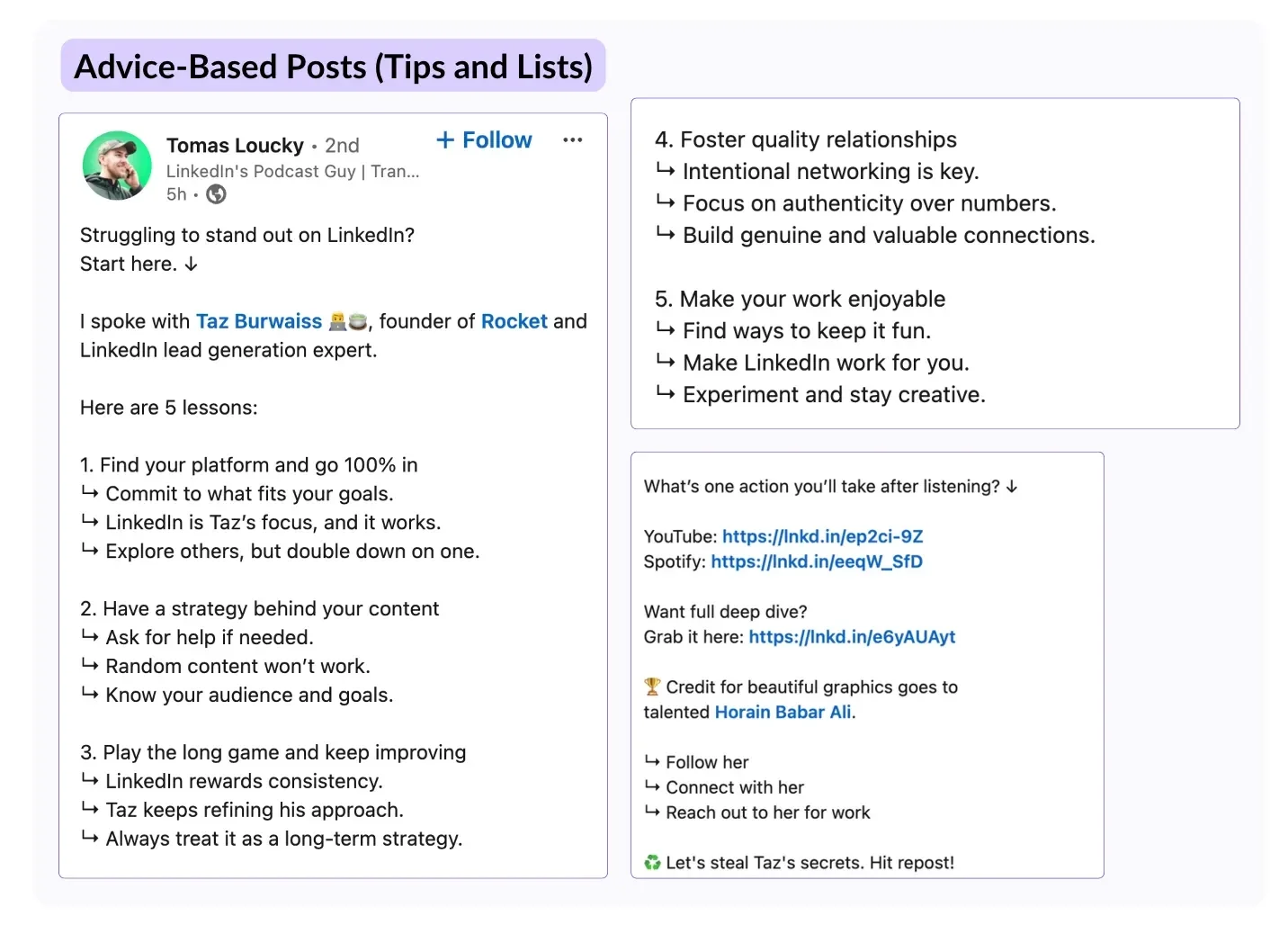
These posts work as text (a numbered list of specific, immediately applicable tips) or as carousels (one tip per slide with supporting context). Text works best for quick, sharp points, whereas carousels work best when each tip needs some explanation.
As is the case for personal branding posts, the difference between a strong tips post and a weak one is specificity. "Be consistent" is not a tip, but "Post at the same time three days a week for 8 weeks, then review your analytics to find your top-performing day" is.
6. Mistakes and Learning Posts
Posts that share failures, setbacks, or things you got wrong consistently outperform success posts in comments. Vulnerability is more relatable, and relatable content drives discussion.
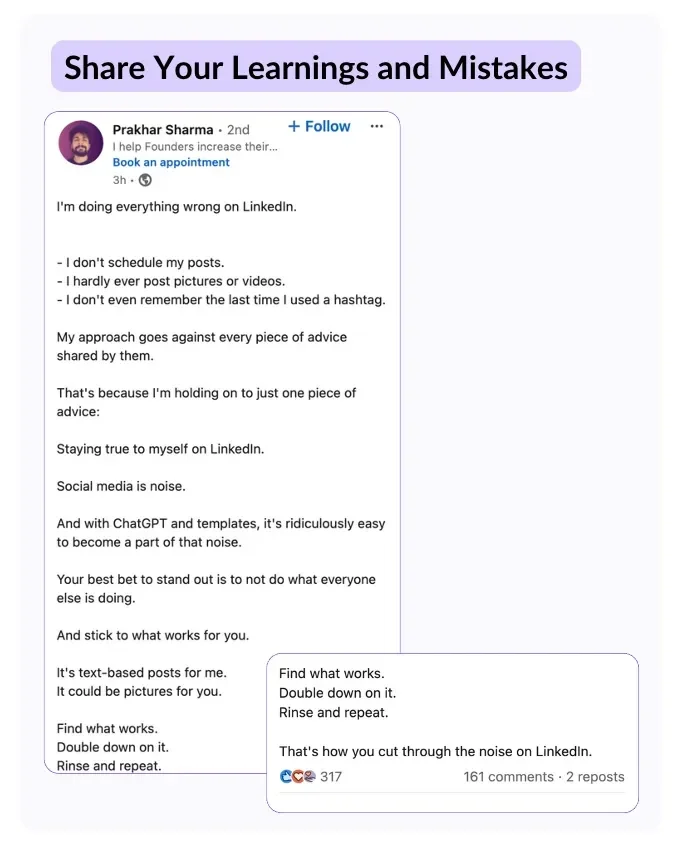
Here’s the format most LinkedIn users stick to:
Describe the mistake specifically.
Explain the thinking that led to it.
Share what you learned.
Offer the takeaway for your audience.
The mistake itself is the hook, and the lesson is the reason to share it.
These posts also build long-term trust. An audience that has seen you be honest about failure is far more likely to trust your expertise claims later.
7. LinkedIn Polls
LinkedIn polls have the highest reach multiplier of any format for personal profiles at 1.64x (above carousels, video, and images). Their engagement rate has doubled since 2023. Despite this, they remain one of the most underused formats on the platform.
Here’s the framework you should follow when creating polls:
Find a timely, specific question your audience genuinely has an opinion on
Create 2 to 4 options that represent real positions rather than obvious decoys
Add an “Other” option or question in the post copy that prompts comments from people who want to elaborate.
Use them selectively (once every two to three weeks at most). Overuse makes them feel like filler and the reach benefit disappears.
8. Thought Leadership and Industry Analysis
Thought leadership posts take a position on something happening in your industry. They're not recaps of news; they're your interpretation of what the news means, why a trend matters, or where things are heading.
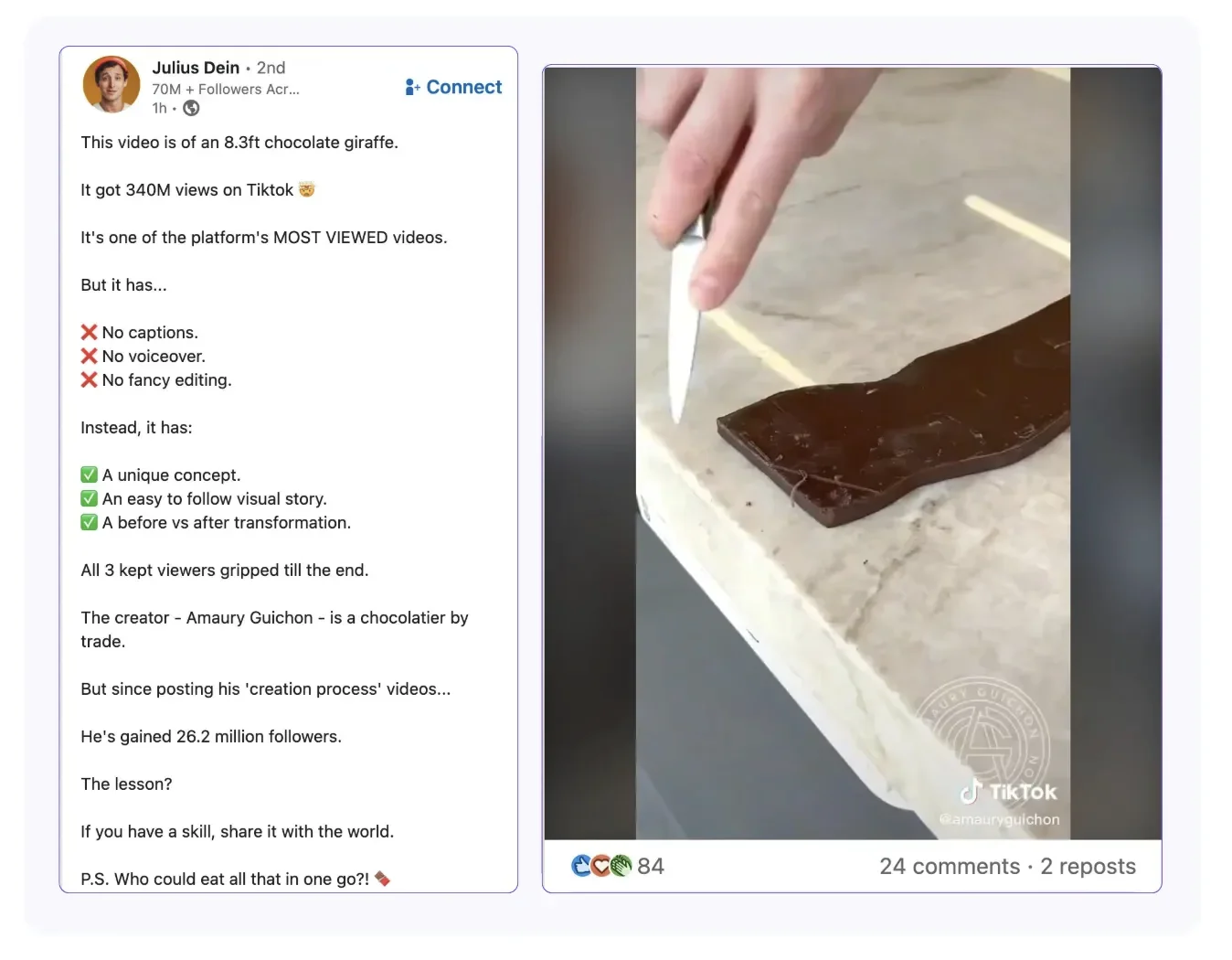
These posts perform well because they invite disagreement, which drives comments. A post that says "here's what I think is happening and why" gives readers something to respond to, but a post that just reports facts gives them nothing to push back on.
This format works best when you have a clear, defensible point of view, not a hedged, both-sides take. The more specific and confident your position, the more engagement it tends to generate.
9. Before-and-After and Case Study Posts
Before-and-after posts showing a client result, a project transformation, or a measurable outcome are among the highest-converting post types for lead generation. They work because they demonstrate rather than claim.
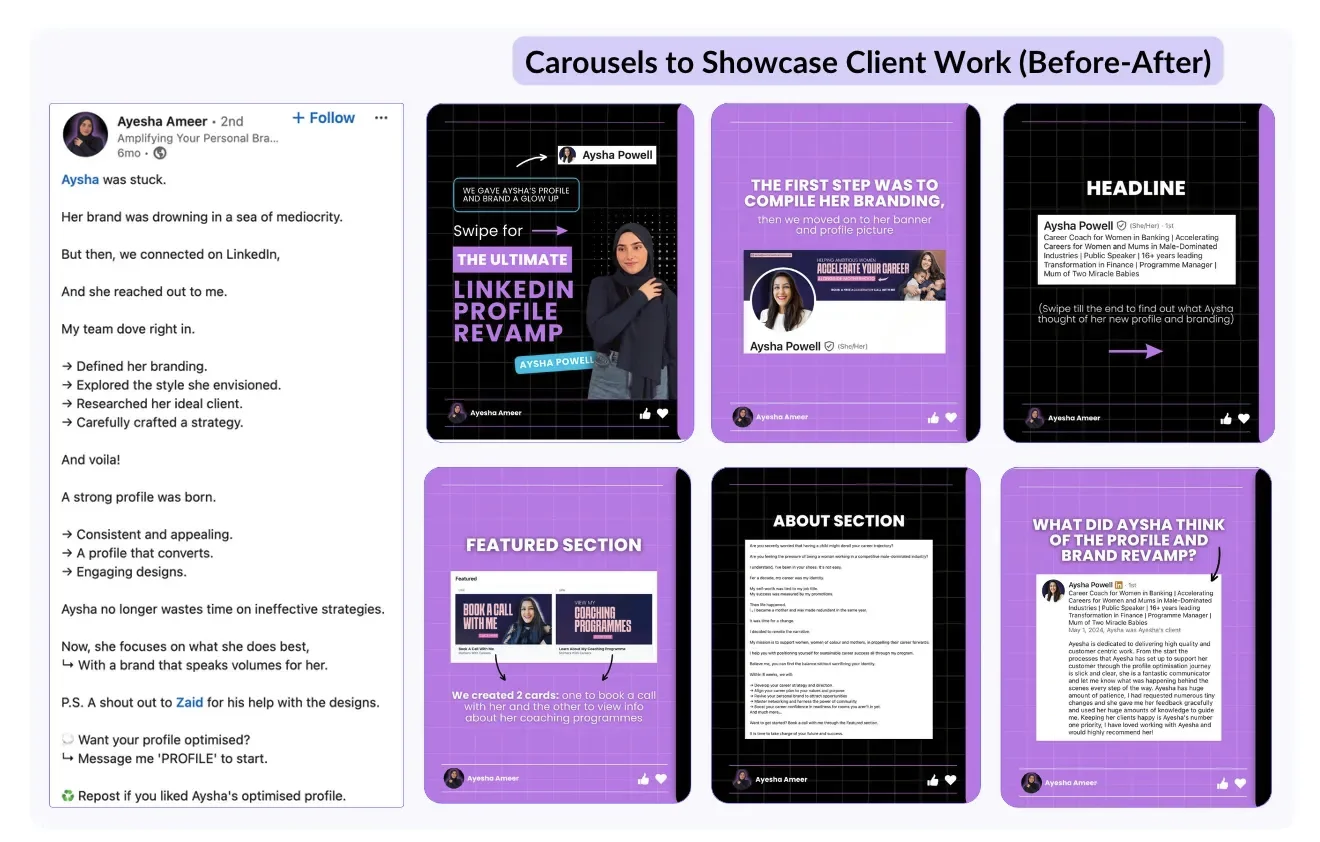
As a carousel, this format is particularly effective:
The first slide establishes the starting point.
Subsequent slides show the process.
The final slide reveals the result with a clear CTA.
As a text post, it works when the contrast is sharp enough to carry the narrative on its own.
As always, specificity is everything. "Helped a client grow their audience" is weak, whereas "Client went from 400 to 4,200 followers in 90 days by switching from daily text posts to three carousels per week" is a post worth saving.
10. Multi-Image Posts
Multi-image posts (attaching 2 to 20 images in a single post) achieve a 6.60% average engagement rate, second only to carousels. They sustain dwell time better than single images while requiring less design effort than a full carousel.
They work well for:
Behind-the-scenes sequences
Event coverage
Product comparisons
Step-by-step visual demonstrations.
The best multi-image posts tell a story across the images rather than just presenting a gallery.
💡 Pro Tip: Use a 1:1 square ratio (1080 x 1080 px) for multi-image posts. Square images display consistently across desktop and mobile and take up more feed real estate than landscape crops.
How to Choose the Right LinkedIn Post Type for Your Goal
The best format depends on what you’re trying to achieve. Here’s what we recommend:
Goal | Best Formats | Why |
|---|---|---|
Build authority | Carousels, educational text posts | High dwell time, saveable content signals expertise |
Drive engagement | Polls, storytelling posts | Polls have 1.64x reach multiplier; stories generate comments |
Grow reach fast | Carousels, short video | Highest engagement rates; each swipe/view = algorithm signal |
Build trust and relatability | Personal branding, mistakes/learnings | Authenticity drives comments and saves |
Generate leads | Tips/advice posts, case study carousels | High save rate attracts inbound from the right audience |
Increase visibility on company page | Documents, images | Best reach multipliers for pages; polls and video have declined |
This is important to remember: Accounts that rotate between formats achieve 37% more follower growth and 28% more consistent visibility than those that repeat the same format.
Once you find two or three types that work for you, vary them rather than defaulting to the same one every time.
Create Every Post Without Starting From Scratch
The formats are only as good as the content inside them. Writing a strong carousel hook, finding the right angle for a storytelling post, or generating a poll question that sparks real discussion all take time and practice.
MagicPost helps you write posts in your own voice across all these formats, with AI that adapts to your style, a built-in previewer, and a scheduler so you're always consistent. Try it for free today; no credit card is required.
FAQ
What is the best LinkedIn post type for engagement?
Carousels and document posts generate the highest average engagement rate at 24.42%, which is 3.7x higher than text-only posts. Polls have the highest reach multiplier for personal profiles at 1.64x. For comments specifically, storytelling and mistakes/learning posts consistently outperform other formats.
Do images help LinkedIn posts perform better?
Yes, but format matters more than simply adding an image. Multi-image posts achieve a 6.60% engagement rate versus 4.10% for text-only posts. Single images perform at 6.05%. The bigger gains come from carousels (24.42%), which are uploaded as PDFs rather than images.
How often should I use each LinkedIn post type?
Research shows that accounts rotating between formats grow 37% faster than those repeating the same format. We recommend using carousels once or twice a week, a text-based storytelling or tips post once or twice a week, a poll every two to three weeks, and a short video when you have something worth saying on camera.
What LinkedIn post types work best for company pages?
Documents and images perform best for company pages, with 1.40x and 1.21x reach multipliers respectively.
Polls have declined significantly for pages (down to 1.19x from 1.64x for personal profiles). Video has also lost ground. Organic company page posts get around 2% of total feed exposure without employee amplification, so getting employees to engage with and share company content matters more than format alone.
What are the best times to post on LinkedIn?
There's no universally optimal time. LinkedIn's algorithm prioritizes relevance over recency; a strong post from three days ago can outperform a weak post published five minutes ago.
The only posting time that reliably matters is when your specific audience is active and when you can respond to early comments. Use LinkedIn Analytics to find when your posts get the most early engagement. See our full guide on LinkedIn post timing for more detail.
What types of content should I post on my LinkedIn company page?
Content that builds trust and demonstrates expertise performs best. That’s industry insights, team updates, customer success stories, helpful resources, and behind-the-scenes content.
Keep the focus on what your audience finds useful rather than what promotes your product directly. Document posts and images currently have the strongest reach multipliers for pages.