The safest LinkedIn automation tools connect through LinkedIn's official API, the access LinkedIn grants app by app after review.
Tools that act inside your browser session, or from a server holding your login, fall under what LinkedIn's rules prohibit: section 8.2 of the User Agreement bars "bots or other unauthorized automated methods", and LinkedIn's prohibited-software page names extensions that "automate activity".
This guide sorts 14 LinkedIn automation tools by that one question, how each tool reaches your account, with a source for every verdict and the monthly price.
Is LinkedIn automation allowed?
LinkedIn allows automation that runs through its official API and prohibits bots, unauthorized automated methods and browser extensions that automate activity in your account. Two LinkedIn texts draw the line:
User Agreement, section 8.2: no "bots or other unauthorized automated methods" to add contacts, message, post, comment or like.
Prohibited software and extensions: no "browser extensions that scrape, modify the appearance of, or automate activity", on pain of restriction.
Section 8.2 also bars scraping software "such as crawlers, browser plugins and add-ons". LinkedIn adds that prohibited tools may stop working without notice.
The sanctioned route is the API. An app applies for each LinkedIn API product, starts on a development tier with call limits, applies again for the standard tier, and each member grants it permission on LinkedIn's own login screen (LinkedIn API access tiers).
The Community Management API is the LinkedIn product for posting and commenting on a member's behalf: its development tier allows 500 calls a day per app, and only the standard tier, granted on a second application, lifts the limits.
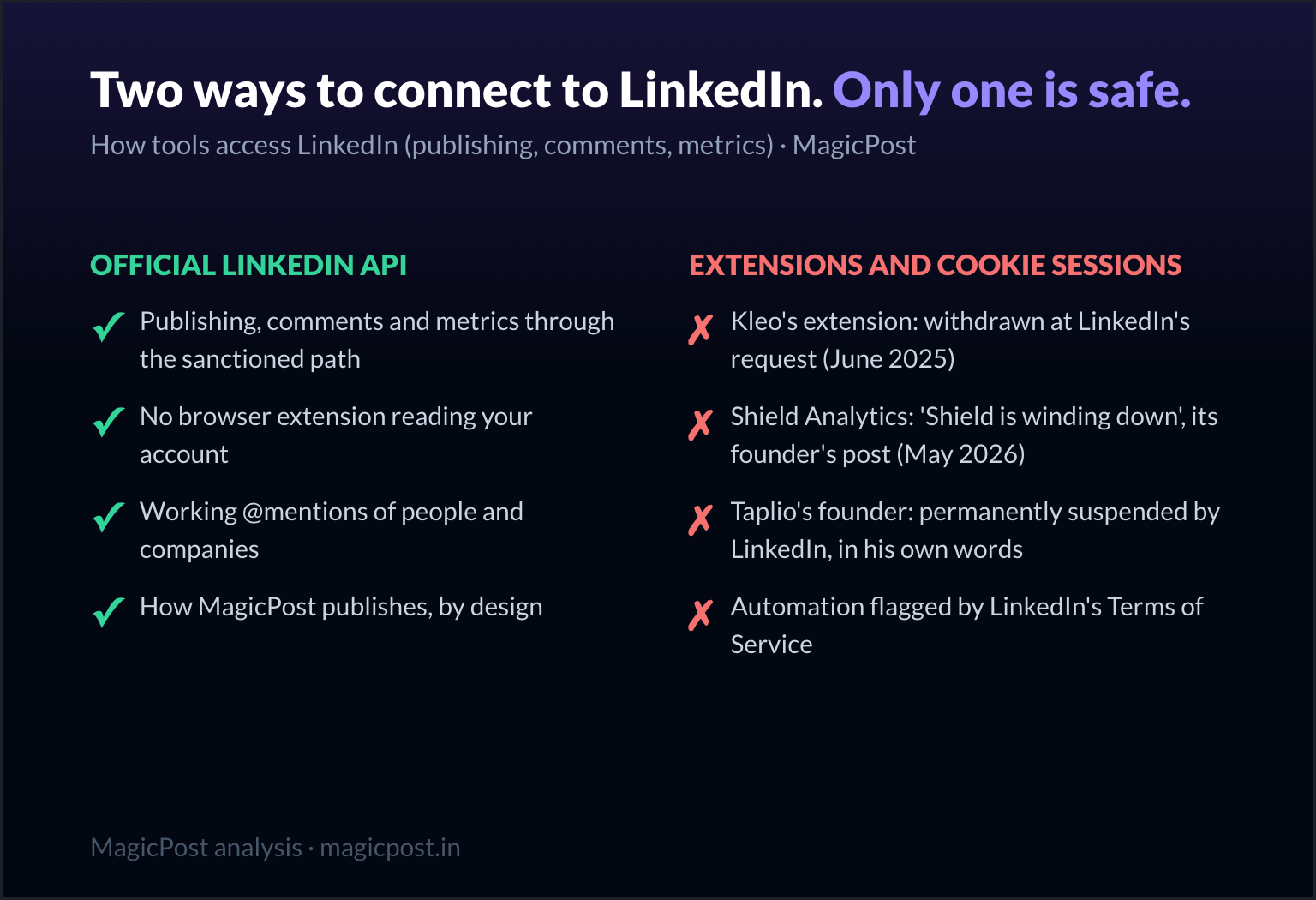
The enforcement record matches the texts. Kleo's in-LinkedIn extension was withdrawn on June 20, 2025 after LinkedIn required its removal.
Shield Analytics wound down in May 2026, its founders writing that Google and LinkedIn had made its setup untenable. Taplio's own support manual says LinkedIn treats its extension as an automation tool.
What that record means for a single account, from warning to appeal, is in why LinkedIn restricts accounts.
LinkedIn automation tools ranked by connection method
The ranking puts the official-API tools first, then browser extensions, then the tools that act from your account through a session they hold. Inside each group, the more a tool does from your account without you, the lower it sits.
# | Tool | What it automates | Connection method | Under LinkedIn's rules | Price per month |
1 | MagicPost | Posts, first comments, comments, lead detection | Official API, Community Management API access | Sanctioned API route | Growth $49/mo. |
2 | Kliver Analytics | Analytics history and reports, no posting | Official API, read-only (vendor page) | Sanctioned API route | $19/mo. per seat |
3 | Buffer | Multi-network post queue | API integration (vendor page) | Sanctioned API route | Free plan; $6/mo. per channel |
4 | Hootsuite | Multi-network calendar, approvals, listening | API integration (vendor page) | Sanctioned API route | From $99/mo. per user, billed annually |
5 | SocialPilot | Bulk scheduling for many accounts | API integration (vendor page) | Sanctioned API route | From $30/mo. |
6 | Supergrow | Scheduling, first comment, comment drafts | Official API (pricing FAQ statement) | API claim, product not named | From $39/mo. |
7 | AuthoredUp | Formatting and scheduling | Browser extension, your session | Extension class named by LinkedIn | From $19.95/mo. |
8 | Engage AI | Comment suggestions you send | Browser extension, your session | Extension class named by LinkedIn | Free extension tier; community $50/mo. |
9 | Commentify | Comments posted without a click | Browser extension | Extension that automates activity | From $39/mo. |
10 | Extrovert | Prospect comments and DMs, review mode first | Extension session, or password session from its servers | Automated actions, barred by section 8.2 | From $29/mo. per seat |
11 | Taplio | Scheduling, engagement, auto-DMs on Pro | Stored session (third-party report), plus a flagged extension | Auto-DMs on Pro, barred by section 8.2 | $39 to $199/mo. |
12 | PhantomBuster | Scraping, auto-comments, auto-likes | Session cookie, run from its cloud | Automated actions, barred by section 8.2 | Free plan; from $69/mo. |
13 | LeadShark | Comment-to-DM sequences | Not documented by the vendor | Automated DMs from your account | From $39/mo. |
14 | Podawaa | Engagement pod reactions and comments | Extension, or its cloud engine | Pods, which LinkedIn says break its terms | From €29/mo. |
Prices are monthly billing unless the cell says otherwise; EUR kept for Podawaa, which prices in euros.
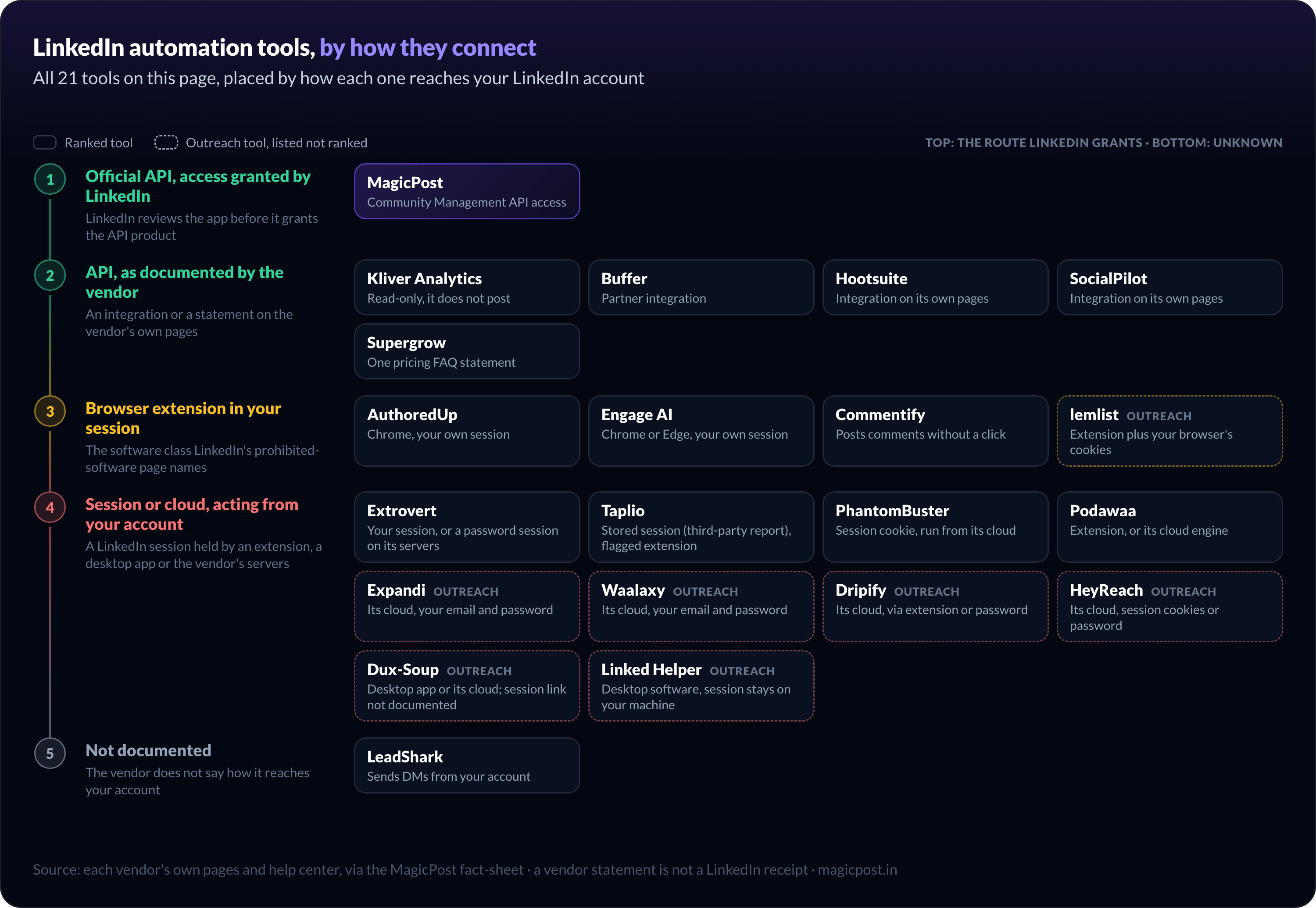
Official API: the LinkedIn automation tools LinkedIn sanctions
These six reach LinkedIn through its API. MagicPost holds Community Management API access; Kliver Analytics, Buffer, Hootsuite and SocialPilot document their integration on their own pages; Supergrow states it in one pricing-FAQ answer, which is why it closes the group.
1. MagicPost: Best for safe LinkedIn publishing, engagement and leads
MagicPost automates the LinkedIn work its official-API connection allows: scheduled posts and first comments, scheduled comments, and lead detection among the people who engage with you.
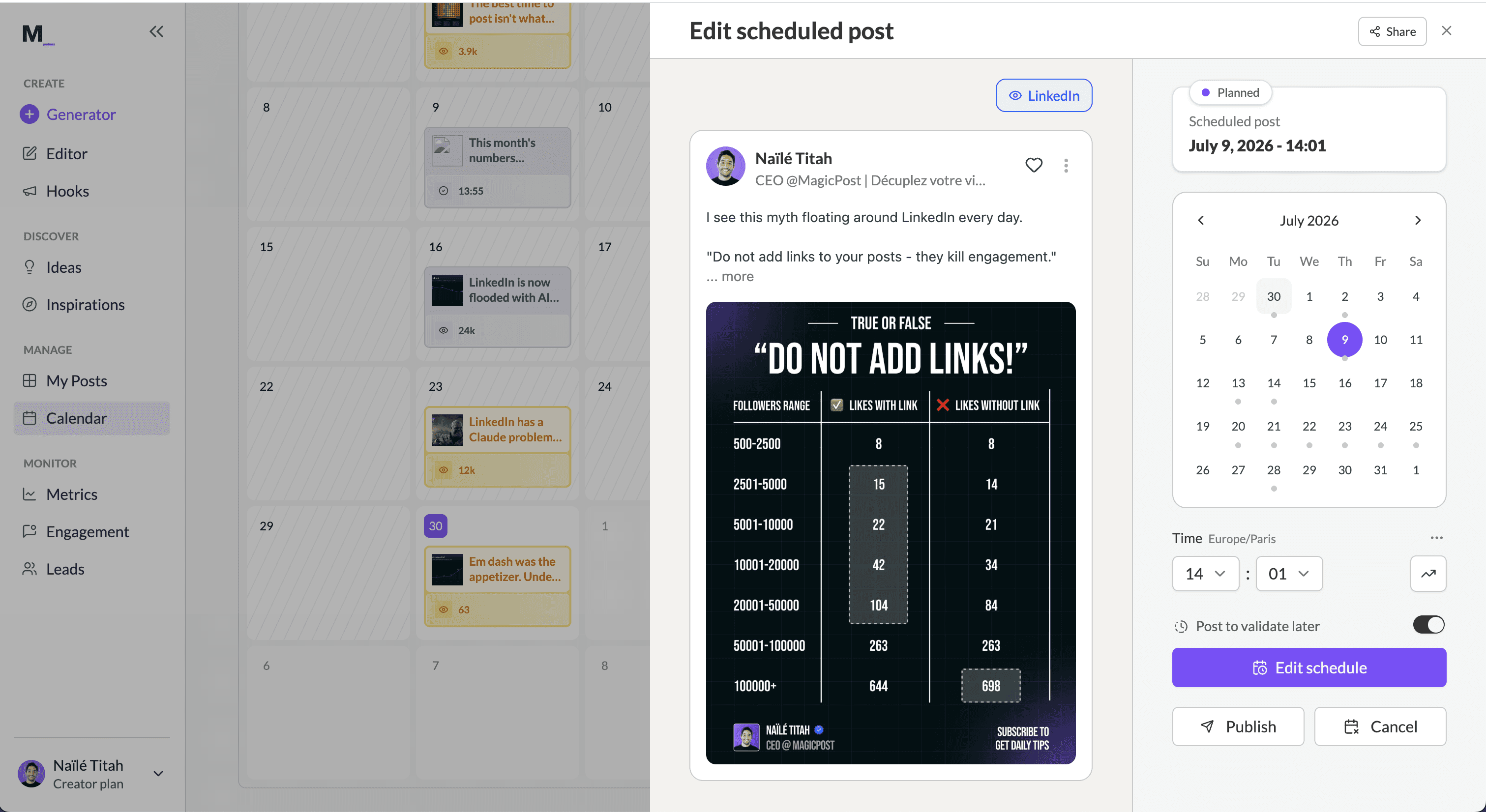
How it connects. MagicPost publishes through LinkedIn's Community Management API, which LinkedIn grants to an app only after it applies. Its pricing page describes it as a LinkedIn-verified application with access to premium APIs.
OAuth, no extension, no password, no cookie; the safe LinkedIn connection page shows the flow.
What it automates. Post scheduling with PDF, video and polls, first comments and scheduled comments. The engagement module adds a feed of the profiles you follow and saved comments, and lead detection syncs to a CRM through Zapier, Lemlist, Pipedrive or HubSpot.
Price. Growth $49/mo. for scheduling, engagement and lead detection; Creator $69/mo. adds AI writing and scheduled comments. Free trial, no card.
2. Kliver Analytics: Best for read-only LinkedIn analytics
LinkedIn reporting is the whole job of Kliver Analytics, and it runs without any write access to your account, so there is nothing it can post, like or send in your name.
How it connects. Read-only access through LinkedIn's official API with OAuth; no browser extension, no session cookie (Kliver Analytics).
What it automates. A kept history of post performance, audience analysis, benchmarks, creator tracking, report export and an MCP connector.
Price. $19/mo. per seat; from 2 seats the account becomes an organisation. Free trial, no card.
3. Buffer: Best for a free multi-network queue
Buffer runs a posting queue across LinkedIn and other networks, and it is the only tool in the API group with a permanent free plan.
How it connects. An integration with each network's API, set up from its dashboard, with no extension to install (Buffer).
What it automates. A queue per channel, first comments on paid plans, and an AI writing assistant.
Price. Free for 3 channels and 10 queued posts per channel; Essentials $6/mo. per channel; Team $10/mo. per channel. 14-day trial on paid plans.
4. Hootsuite: Best for enterprise LinkedIn Pages
For teams that run LinkedIn Pages next to other networks, Hootsuite automates publishing and moderation, with approval routing built in.
How it connects. LinkedIn profiles and Pages connect to its dashboard and publish from its calendar (Hootsuite for LinkedIn).
What it automates. Calendar scheduling across networks, bulk scheduling, approval routing, AI writing and social listening.
Price. Standard $99/mo., Professional $199/mo. and Advanced $399/mo. per user, billed annually; monthly billing is not published. 14-day trial, no card.
5. SocialPilot: Best for bulk scheduling across many accounts
Volume is what SocialPilot automates: up to 50 accounts on its top plan and bulk scheduling of 500-plus posts at once.
How it connects. LinkedIn profiles and Pages connect to its dashboard and publish from its content calendar (SocialPilot).
What it automates. Calendar and bulk scheduling, LinkedIn document (PDF) posts on every paid plan, AI captions.
Price. Essentials $30/mo. (7 accounts) up to Ultimate $200/mo. (50 accounts, unlimited users). 14-day trial, no card.
6. Supergrow: Best for voice-first AI writing with a scheduler
Supergrow automates LinkedIn writing and scheduling around voice AI: Content DNA, AI interviews and voice-to-post feed a calendar with an automatic first comment.
How it connects. Its pricing FAQ states that "Supergrow connects through LinkedIn's official API" (Supergrow pricing). The answer does not name the LinkedIn API product, and the site documents the integration no further, which is why it ranks last in this group.
What it automates. A posting calendar with first comment, repurposing of videos, blog posts and PDFs, and AI comment suggestions in Engage that you edit and send.
Price. Pro $39/mo., Teams $199/mo. for 5 accounts. 7-day trial.
Browser extensions: LinkedIn automation tools that work inside your session
AuthoredUp, Engage AI and Commentify run in Chrome, inside the LinkedIn session you are logged into. That is the software class LinkedIn's prohibited-software page names, whatever the extension does with it.
7. AuthoredUp: Best for formatting and scheduling without AI
Of the three extensions, AuthoredUp automates the least: it formats, previews and schedules posts, with no AI writing by design.
How it connects. A Chrome extension inside your own LinkedIn session; its pricing FAQ says scheduling runs through the extension, and it states it collects no cookies (AuthoredUp pricing).
What it automates. Post formatting, fold-accurate previews, hook and CTA templates, scheduling, and post analytics with CSV export.
Price. Individual $19.95/mo.; Business $14.95/mo. per profile with a 3-profile minimum. Free trial, no card.
8. Engage AI: Best for comment drafts you send yourself
Engage AI drafts comments on LinkedIn posts in several tones; a comment goes out only when you click to insert it.
How it connects. A browser extension for Chrome and Edge that runs in your logged-in LinkedIn session, with no official API mentioned anywhere on its pages (Engage AI).
What it automates. AI comment suggestions, prospect monitoring alerts, and a separate community where members are assigned each other's posts to engage with by hand.
Price. Free extension tier, paid extension tiers not published on its pricing page; community Individual $50/mo., Group $250/mo.; no trial, a conditional 30-day money-back guarantee.
9. Commentify: Best for hands-off commenting
Where the other two leave the click to you, Commentify hands it to an AI agent that picks posts and publishes comments in your voice.
How it connects. A browser extension, installed in one click, then one click to connect your LinkedIn account; comments go out at randomized intervals, and no official API is mentioned (Commentify).
LinkedIn's Chief Product Officer, Hari Srinivasan, told Fortune in July 2026 that LinkedIn blocks "hundreds of thousands of automated slop comment attempts every day".
What it automates. Post discovery by topic, hashtag or profile, comments posted on a natural cadence, and a second agent for weekly carousels.
Price. Starter $39/mo. (up to 900 comments a month), Pro $59/mo., Power Bundle $99/mo. 5-day trial, no card.
Session automation: the riskiest LinkedIn automation tools
These five act from your account while you are elsewhere: four through a LinkedIn session they hold, in an extension or on their servers, and LeadShark through a method it does not document. Among the creator tools, this is where auto-DMs, auto-connections and auto-comments live; dedicated outreach suites have their own section below.
10. Extrovert: Best for sales commenting with an approval step
Extrovert tracks your prospects' LinkedIn posts and drafts comments and DMs for them, starting every campaign in review mode.
How it connects. Two methods, per its help center: a Chrome extension that uses your existing session, or your email and password, with which Extrovert creates a new session from a country you pick (Extrovert account safety). No official API.
What it automates. Comment and DM suggestions you approve, with an option to hand commenting over to Extrovert; actions run within daily limits, with random delays.
Price. Light $29/mo. per seat, Business $49/mo., Pro $75/mo. 10-day trial, no card.
11. Taplio: Best for all-in-one with outreach
Taplio automates the most of any all-in-one here, from scheduling to lead outreach with auto-DMs and auto-connections on Pro.
How it connects. Basic posting runs through a stored login session, according to a third-party review by Kondo; Taplio does not state its mechanism.
Tagging people, posting from a company page and view counts need the Taplio X Chrome extension, which Taplio's own manual says LinkedIn treats as an automation tool. The full evidence is in is Taplio safe.
What it automates. Scheduling, AI writing from a viral post library, engagement lists, and automated outreach on Pro.
Price. Starter $39/mo., Growth $69/mo., Pro $199/mo. 7-day trial.
12. PhantomBuster: Best for scraping and cloud workflows
From its cloud, PhantomBuster automates LinkedIn with "Phantoms", including an auto-commenter, an auto-liker and exports of the people who engaged with a post.
How it connects. Each Phantom authenticates with your LinkedIn session cookie and runs from PhantomBuster's servers, so actions leave your account while you are away (PhantomBuster). La Growth Machine's review of PhantomBuster reports users across G2, Capterra and Reddit describing account restrictions.
What it automates. Comments posted from a spreadsheet under the posts you list, likes from a list of URLs, AI replies, and commenter exports synced to HubSpot, Salesforce or Pipedrive.
Price. Free plan (30 minutes of execution a month); Start $69/mo., Grow $159/mo., Scale $439/mo. 14-day trial, no card.
13. LeadShark: Best for comment-to-DM lead magnets
LeadShark sends your lead magnet by DM to everyone who comments on your post, then follows up, from your own account.
How it connects. Not documented on its site beyond a mention of automated pacing (LeadShark). A third-party directory lists a removed "LeadShark Connect" Chrome extension; the vendor has not confirmed it.
What it automates. DMs to commenters, optionally only those who use a trigger keyword, auto-replies, email capture, follow-ups and CRM sync.
Price. Pro $39/mo., Pro+ $59/mo., Apex $119/mo. 7-day trial on Pro and Pro+.
14. Podawaa: Best for automated engagement pods
Podawaa automates an engagement pod: other members' accounts react to and comment on your posts, and yours does the same for theirs.
How it connects. Community mode installs a Chrome extension that engages from your logged-in session; private mode runs on Podawaa's cloud engine (Podawaa pricing).
What it automates. Reactions and comments delivered to your posts by accounts that did not choose to read them. LinkedIn stated in 2026 that pods violate its terms, as ConnectSafely reports, and Commentify's Lempod page records that Lempod's extension was removed from the Chrome Web Store in 2025.
Price. Community mode from €29/mo., private mode from €59/mo.
LinkedIn outreach automation tools, sorted by connection method
Prospecting tools automate connection requests, messages and follow-ups, the actions section 8.2 lists when it bars bots that "add or download contacts, send or redirect messages". None of them connects through LinkedIn's official API, so this section lists them by method without ranking them.
Tool | Connection method | Entry price per month | Free plan or trial |
Its cloud, with your LinkedIn email and password and a dedicated country IP | $99/mo. per seat | 7-day trial | |
Its cloud, with your LinkedIn email and password; installed as a Chrome extension | Monthly price not readable on its page; €19/mo. per user billed yearly | 14-day trial, no free plan listed | |
Its cloud, connected through its Chrome extension or your LinkedIn email and password | $59/mo. per user | 7-day trial, no card | |
Its cloud, one proxy per sender; session cookies or your email and password | $79/mo. per sender | 14-day trial, no card, 3 accounts | |
Desktop app on your machine, or Dux-Soup's cloud; session connection not documented | $55/mo. per seat (desktop), $99/mo. (cloud) | Trial terms not stated | |
Desktop software on your computer or your own server; the session stays on that machine | $15/mo. per license | 14-day trial, no card | |
Chrome extension plus your browser's LinkedIn session cookies | $109/mo. per user (Multichannel, the plan with LinkedIn steps) | Trial, length not stated |
Prices are monthly billing unless the cell says otherwise; EUR kept for Waalaxy, which prices in euros.
LinkedIn Sales Navigator is LinkedIn's own prospecting product: lead search, lead lists, InMail and alerts, with nothing sent on your behalf.
Core costs $119.99/mo. per license on monthly billing, with a free trial for eligible members (Sales Navigator plans). Outreach tools are often run on top of it, so its price adds to theirs.
What happened to Kleo and the other LinkedIn automation tools from older lists?
Kleo is out of this ranking because it no longer automates anything inside LinkedIn. Its in-LinkedIn Chrome extension was withdrawn on June 20, 2025, after LinkedIn required its removal.
Kleo V3 is a paid writing app at $99/mo. whose remaining extension only saves content from the web; its FAQ states it uses LinkedIn's official API "where appropriate". The Kleo review covers the rebuild.
RedactAI and Easygen publish nothing to LinkedIn: RedactAI hands you a post to copy, and Easygen chose not to post on your behalf. They are writing tools, and the writing picks sit in the best LinkedIn tools, ranked by job.
What can you automate on LinkedIn without risking your account?
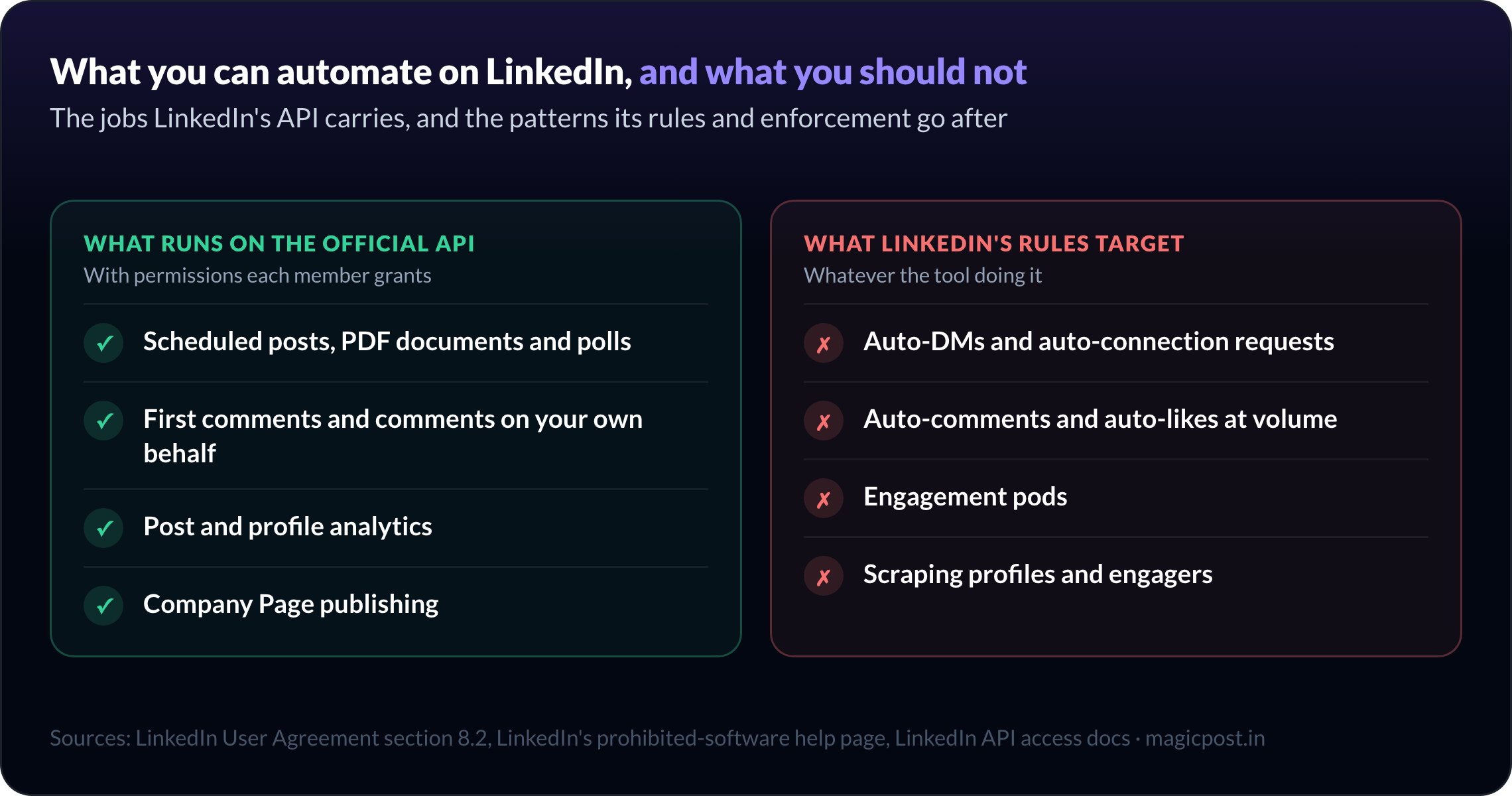
Through the official API, these jobs run on the route LinkedIn sanctions, with permissions each member grants:
Scheduled posts, PDF documents and polls
First comments and comments on your own behalf
Post and profile analytics
Company Page publishing
These are the patterns LinkedIn's rules and enforcement target, whatever the tool:
Auto-DMs and auto-connection requests
Auto-comments and auto-likes at volume
Engagement pods
Scraping profiles and engagers
For publishing alone, the best LinkedIn scheduling tools compares 18 schedulers on the same connection test, plus a mention test, and the setup for your own posts is in how to automate LinkedIn posts.
How to choose a safe LinkedIn automation tool
Before you connect any tool to your LinkedIn account, run these five checks:
Find the connection method on the vendor's own pages. API statement, extension, password request: an unstated method counts against it.
Look for a LinkedIn-side receipt. A partner integration or verified application outweighs a sentence on a pricing page.
List what acts without you. Scheduling your own posts is a different job from timed DMs to strangers.
Read the vendor's own safety pages. Taplio's manual and Extrovert's account-safety article say more than their homepages.
Keep volume human. The daily caps are in LinkedIn limits.
MagicPost, the LinkedIn automation tool on the official API
Stop Asking Clients for Their LinkedIn Password (Do This Instead)
Automate the LinkedIn work the API allows. MagicPost schedules posts, first comments and comments through LinkedIn's official API, with no extension and no shared password, then turns the people who engage into leads. Try MagicPost for free →
FAQ
Is LinkedIn automation allowed?
LinkedIn allows automation that runs through its official API and bans the rest: section 8.2 of its User Agreement prohibits "bots or other unauthorized automated methods" that add contacts, send messages, or create, comment on, like or share posts.
Scheduling your own posts through an approved app is the sanctioned route; a tool that acts inside your session is not, whatever it automates.
Which LinkedIn automation tools use the official API?
MagicPost publishes through LinkedIn's Community Management API, which LinkedIn grants only on application, and Kliver Analytics reads analytics through the official API without write access.
Buffer, Hootsuite and SocialPilot document an API integration on their own pages. Supergrow states an official-API connection in its pricing FAQ, without naming the API product.
Can LinkedIn detect automation tools?
Yes, LinkedIn detects automation at scale: its Chief Product Officer, Hari Srinivasan, told Fortune in July 2026 that LinkedIn blocks "hundreds of thousands of automated slop comment attempts every day".
Its help page also warns that prohibited tools may stop working without notice, which is what happened to Kleo's original extension in June 2025.
Is Taplio safe for your LinkedIn account?
Taplio is not banned, but its Taplio X Chrome extension is the kind of software LinkedIn's policy prohibits, and Taplio's own manual says LinkedIn treats it as an automation tool.
Scheduling without the extension runs through a stored login session, according to a third-party review by Kondo, not through the official API.
Is PhantomBuster safe for LinkedIn?
PhantomBuster runs its LinkedIn automations from its cloud with your session cookie, the session-automation pattern LinkedIn's prohibited-software policy covers.
La Growth Machine, an outreach-automation vendor, reports that users across G2, Capterra and Reddit describe account restrictions.
For publishing and comments, an official-API tool keeps your account out of that risk.
Does Kleo still have a LinkedIn extension?
No, Kleo's in-LinkedIn Chrome extension was withdrawn on June 20, 2025 after LinkedIn required its removal. Kleo V3 is a web writing app at $99/mo.; its remaining extension only saves content from the web and performs no actions on your LinkedIn account.
Are LinkedIn engagement pods allowed?
No, LinkedIn stated in 2026 that engagement pods violate its terms and announced measures to make them ineffective, according to ConnectSafely's report on the crackdown.
Pod tools such as Podawaa run through an extension or a cloud engine, and Lempod's extension was removed from the Chrome Web Store in 2025, per Commentify's page on Lempod.
What is the best LinkedIn automation tool?
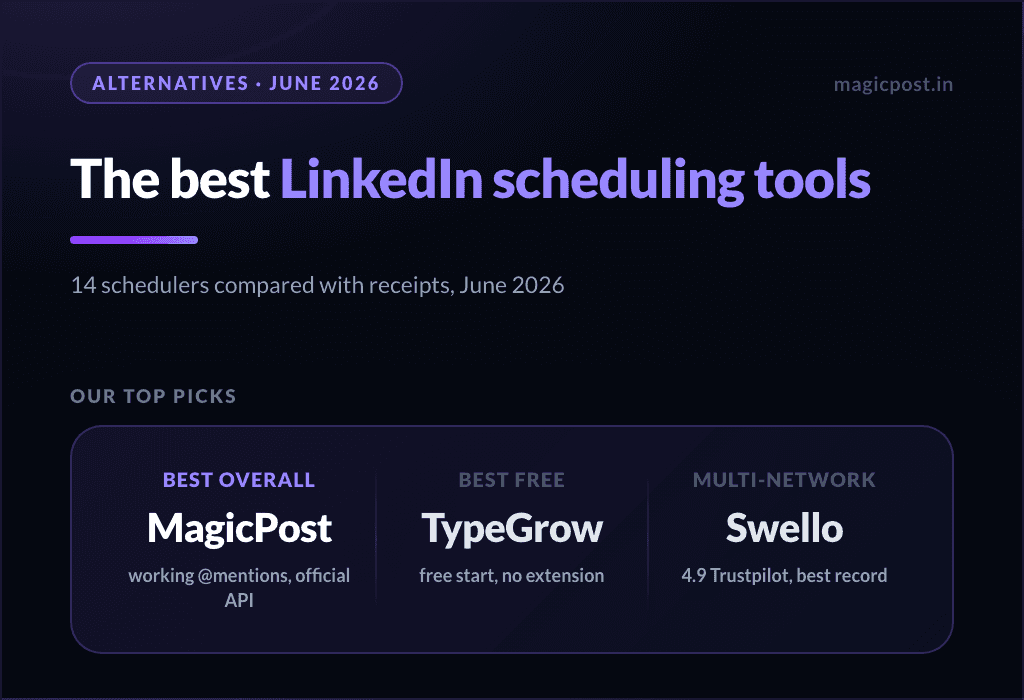
MagicPost is the best LinkedIn automation tool in 2026 for publishing, comments and lead detection: it automates them through LinkedIn's Community Management API, which LinkedIn grants only on application, with no extension and no cookie.
Kliver Analytics fits read-only reporting. Outreach tools such as Expandi, Waalaxy and HeyReach run on your LinkedIn login or session cookies, the automated activity section 8.2 of the User Agreement bars.
What is a LinkedIn automation tool?
A LinkedIn automation tool is software that performs LinkedIn actions for you on a schedule or a trigger: publishing posts, commenting, liking, sending connection requests and messages, or exporting data.
How it connects decides the risk: through LinkedIn's official API, through a browser extension in your session, or from a server holding your login.
Can you automate likes on LinkedIn?
Auto-liking sits on the prohibited side: section 8.2 of LinkedIn's User Agreement bars using "bots or other unauthorized automated methods" to like posts.
Tools that do it, such as PhantomBuster's auto-liker or pod tools like Podawaa, run on your session cookie, an extension or a cloud engine, not on the official API.