A LinkedIn employee advocacy tool helps a team post on LinkedIn under their own names: it drafts in each person's voice, routes approvals and shows who is active.
This guide ranks the 10 best employee advocacy tools for LinkedIn that fit a team of 2 to 50 people, with the monthly price each vendor publishes.
Enterprise suites such as Sociabble (now Poppulo) and DSMN8 are a different purchase: quote-only pricing and programs sized for hundreds of employees. They are compared in the employee advocacy software guide.
The 10 best LinkedIn employee advocacy tools at a glance
The ranking weighs three things: how much of the product is built for employees posting on LinkedIn, whether a published monthly price covers a team of 2 to 50, and whether the team plan is available today.
# | Tool | Best for | Team price/mo. | Trial |
1 | Employees who write their own posts | $59 per seat, from 2 seats | Free, no card | |
2 | Vulse | Company posts rewritten per employee | $24 per seat, 1 to 10 seats | On request, after a demo |
3 | Heyoo | Advocacy campaigns with automatic nudges | $349 for up to 10 users | Free trial, length not published |
4 | Authira | Team challenges and Earned Media Value | €299 for 5 seats, then €49 per seat | None, 90-day guarantee |
5 | PostBeam | Turning team engagement into warm leads | $39 per seat, from 2 seats (list price $99) | 7 days |
6 | Scripe | Collecting expert input over WhatsApp | €99, plus €45 per extra posting profile | Free trial, card required |
7 | Supergrow | AI voice interviews and per-member style profiles | $199 for 5 accounts | 7 days |
8 | Taplio | Pairing advocacy with lead outreach | $69 per account on Growth | 7 days |
9 | AuthoredUp | Formatting and previews, no AI writing | $14.95 per profile, from 3 profiles | Free, no card |
10 | SocialSonic | Trend alerts and posting streaks | $20 for 1 user, team plan not yet available | 7 days, no card |
Monthly billing, in US dollars. Authira and Scripe publish in euros only, shown unconverted.
1. MagicPost: Best for employees who write their own LinkedIn posts
MagicPost is the LinkedIn employee advocacy tool for teams whose employees write and publish their own posts, with AI trained on each member's voice.
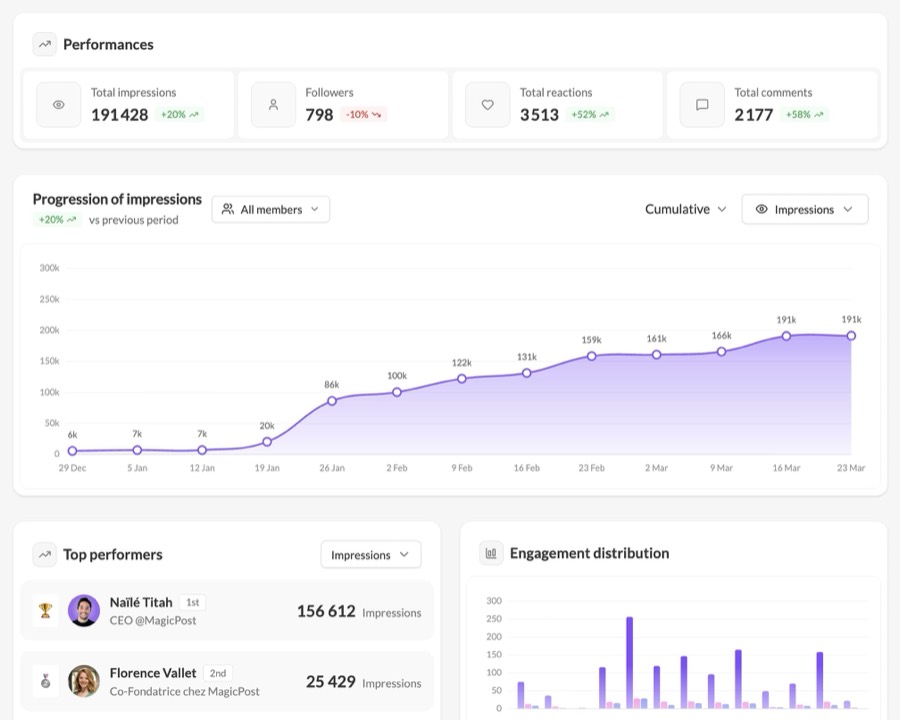
Each member gets a personal space: their calendar, their post history and AI trained on their own voice. The admin writes brand guidelines once and MagicPost applies them to every member's drafts.
A team calendar shows every scheduled post, and an activity board shows who publishes and who has dropped off. Approval mode is turned on member by member.
Team dashboards add impressions, followers gained and top performers. Each member is benchmarked against LinkedIn creators in their follower range, and a team brand kit sets the default style of everyone's carousels and visuals.
Posts go out through LinkedIn's official API, with MagicPost connected as a verified application: no shared password and no browser extension on anyone's computer.
Key features
AI trained on each member's voice
Brand guidelines applied to every draft
Approval mode, turned on member by member
Team calendar and activity board for admins
Team dashboards: impressions, followers gained, top performers
Benchmarks against creators in each member's follower range
Team brand kit for carousels and visuals
MCP server to run the workspace from an AI assistant
Pros | Cons |
✅ Approval mode turned on member by member | ❌ LinkedIn only: no other social networks |
✅ Each member benchmarked against creators in their follower range | ❌ 2-seat minimum |
✅ Team brand kit for every member's carousels and visuals |
Plan | Price/mo. | Included |
Team, per seat | $59 | One member's LinkedIn account, admin seats free |
Team, 2 seats | $118 | 2 members (minimum) |
Team, 5 seats | $295 | 5 members |
Team, 10 seats | $590 | 10 members |
Billed yearly, a seat costs $47/mo. The trial is free, with no credit card. The employee advocacy platform page shows the member and admin views, and the Team plan guide lists what each seat includes.
Employee Advocacy Software for LinkedIn: Full Walkthrough
2. Vulse: Best for company posts rewritten in each employee's voice
Vulse is a LinkedIn-only employee advocacy platform that turns one company post into a version for each employee, priced per seat with no seat minimum.
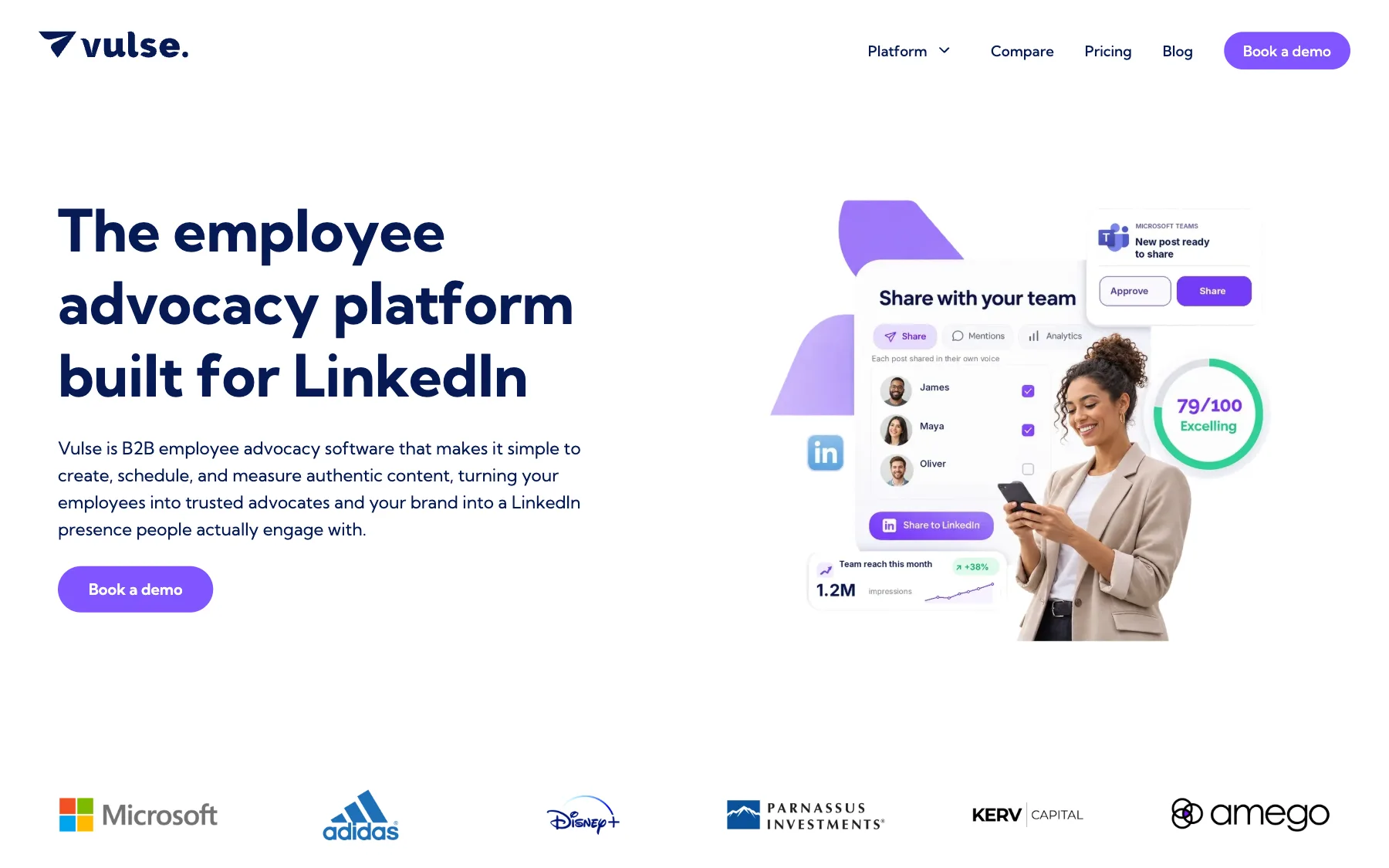
Marketing writes a post once and Amplify rewrites it for each person. Tone Match drafts original posts in each person's voice. A Content Score rates each draft, and a scheduler with approvals controls what goes live.
Team leaderboards and per-person analytics show who takes part. A community management view gathers comments and mentions across profiles and company pages.
Vulse is ISO 27001 certified and connects through LinkedIn's Community Management API.
The per-seat price drops in bands. When the team reaches 11, 50 or 100 seats, every seat moves to the lower rate. Getting started takes a demo, then a pilot on monthly terms.
Key features
Amplify: company posts rewritten per person
Tone-of-voice matching and Content Score
Scheduler with approvals
Team leaderboards
Per-person analytics
Multiple profiles and company pages in one dashboard
Pros | Cons |
✅ One company post becomes a version per employee | ❌ LinkedIn only: no other social networks |
✅ No seat minimum: a pilot can start with one seat | ❌ Starts with a demo, trial on request |
✅ ISO 27001 certification |
Seats | Price per seat/mo. | Included |
1 to 10 | $24 | Every feature, onboarding and training |
11 to 49 | $19 | Every seat moves to this rate |
50 to 99 | $13 | Same features |
100 and more | $8 | Same features |
Source: Vulse pricing. The first band costs $18/mo. per seat on yearly billing.
3. Heyoo: Best for advocacy campaigns with automatic nudges
Heyoo, a LinkedIn-only advocacy tool, sends each employee post suggestions in their own tone of voice and nudges them to take part in campaigns.
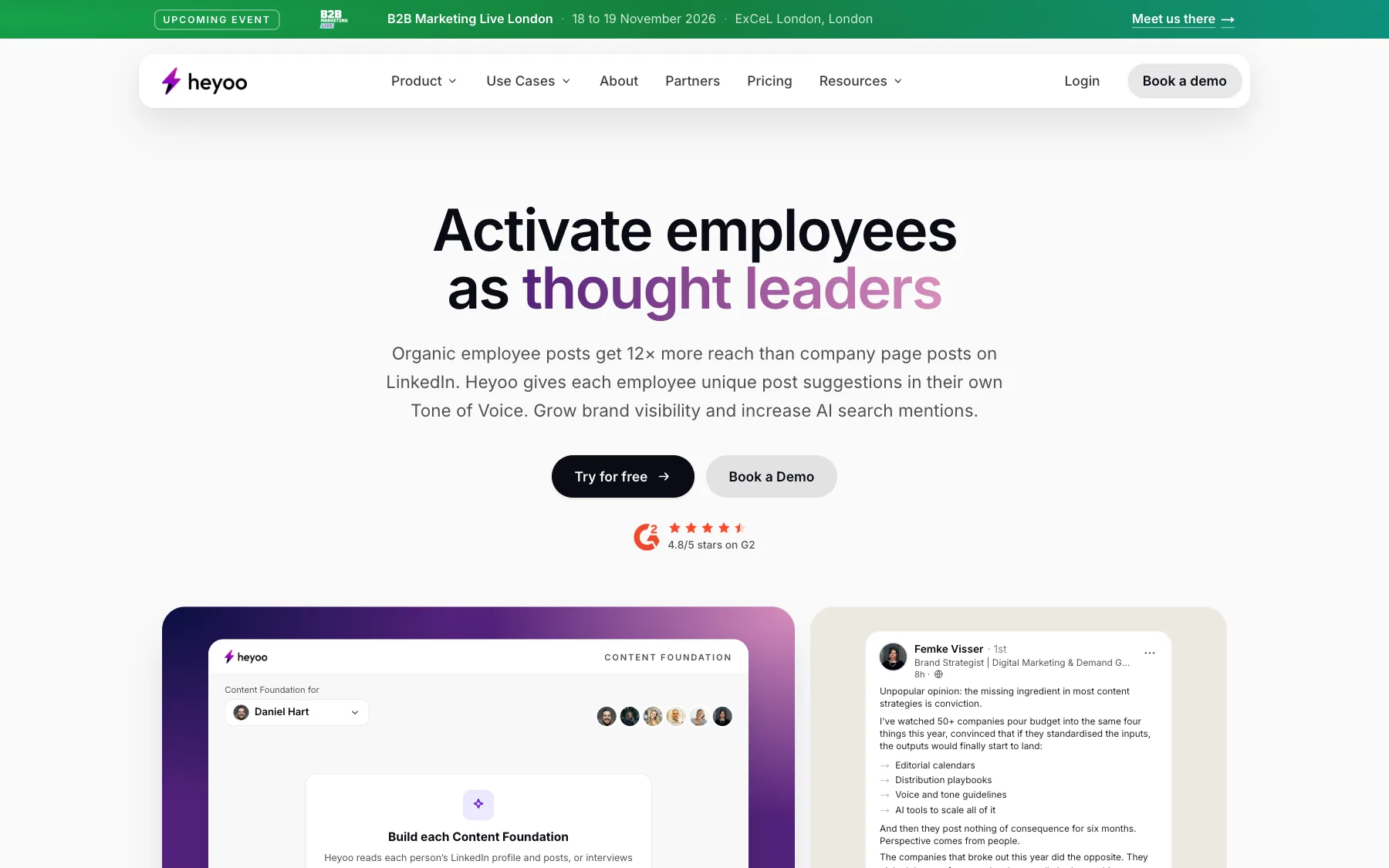
Once marketing launches an advocacy campaign, each employee receives suggested posts written in their tone. Automatic nudges remind people to take part, and an employee leaderboard ranks participation.
Heyoo prices by workspace. The Team plan costs a flat $349/mo. for up to 10 users, so three people pay the same as ten. Slack and Microsoft Teams integration, rewards and budgets start on Growth.
A separate per-user plan, Managed Posting, covers marketers who post on behalf of a few leaders. It shares content interviews and the approval workflow with the workspace plans, and leaves out campaigns and the leaderboard.
Key features
Post suggestions in each employee's tone of voice
Advocacy campaigns
Approval workflow and content interviews on every plan
Automatic nudges and employee leaderboard
Team calendar and post scheduling
Company page posting and analytics
Slack and Microsoft Teams integration (Growth)
Pros | Cons |
✅ Campaigns, nudges and a leaderboard on the entry team plan | ❌ $349/mo. floor for a team plan |
✅ One flat fee covers up to 10 users | ❌ Trial length and card terms not published |
✅ SSO, API and white-labeling on Professional | ❌ Slack and Teams integration starts at $469/mo. |
Plan | Price/mo. | Included |
Managed Posting | $45 per user | From 1 user, posting on behalf of leaders |
Team | $349 | Up to 10 users |
Growth | $469 | Up to 20 users |
Professional | $799 | Up to 50 users |
Enterprise | Custom | More than 50 users |
Source: Heyoo pricing. Read the Heyoo review or the Heyoo vs MagicPost comparison.
4. Authira: Best for team challenges and Earned Media Value reporting
Authira is a LinkedIn employee advocacy platform for self-managed B2B teams of 3 to 30, sold as one flat monthly plan for five people.
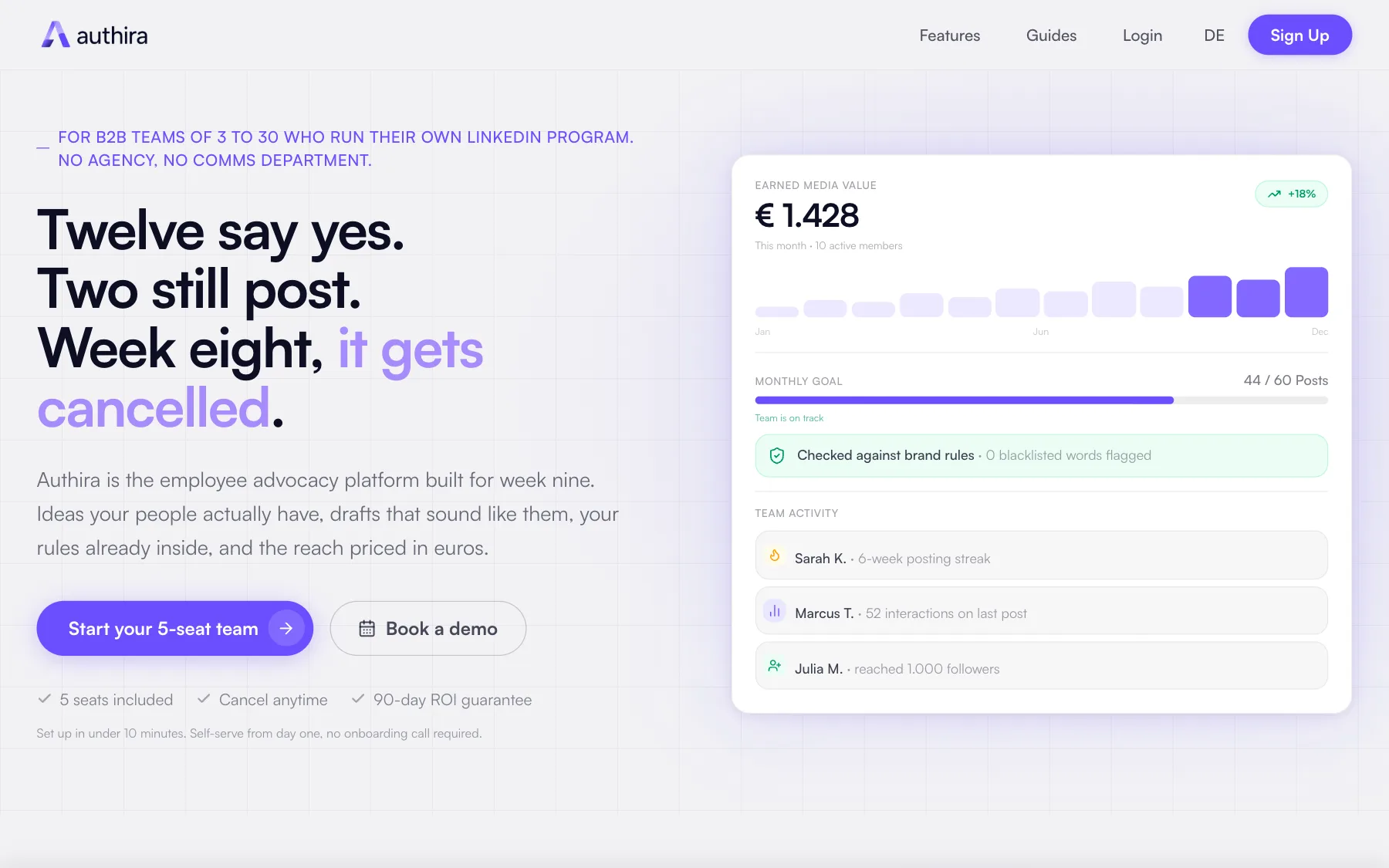
An idea generator works from each person's expertise, and an onboarding interview supplies the anecdotes the AI drafts from. Brand adjectives and blacklisted words are set once and checked on every draft. There is no approval step, by design.
A shared team streak, a monthly challenge and a board of the month's top five posts keep people posting. The Team Health Check shows who has gone quiet, and results are reported as Earned Media Value in euros.
Authira never connects to a LinkedIn account. Employees copy the draft into their own profile and post it themselves, so nothing is scheduled or published from the tool. The analytics come from an export each person uploads.
Key features
Idea generator built on each person's expertise
AI drafts in each person's voice
Brand guardrails and blacklist checks on every draft
Shared team streak and monthly challenge
Team Health Check
Earned Media Value reporting in euros
Pros | Cons |
✅ Streaks, challenges and a top-posts board built for small teams | ❌ Prices in euros only |
✅ Results expressed as Earned Media Value | ❌ No scheduling or publishing: employees paste and post |
✅ Brand rules checked on every draft, with no approval queue | ❌ No trial |
Plan | Price/mo. | Included |
Team | €299 | 5 seats, billed monthly |
Extra seat | €49 | From the 6th seat |
Source: Authira pricing.
In place of a trial, Authira offers a 90-day guarantee: with four or more active members, if Earned Media Value does not beat the fee, the founder audits the team's strategy at no extra charge. The guarantee is an audit, with no refund.
5. PostBeam: Best for turning team engagement into warm leads
PostBeam is a LinkedIn tool for B2B teams that pairs team posting with a ranked list of the people who engaged, ready for sales follow-up.
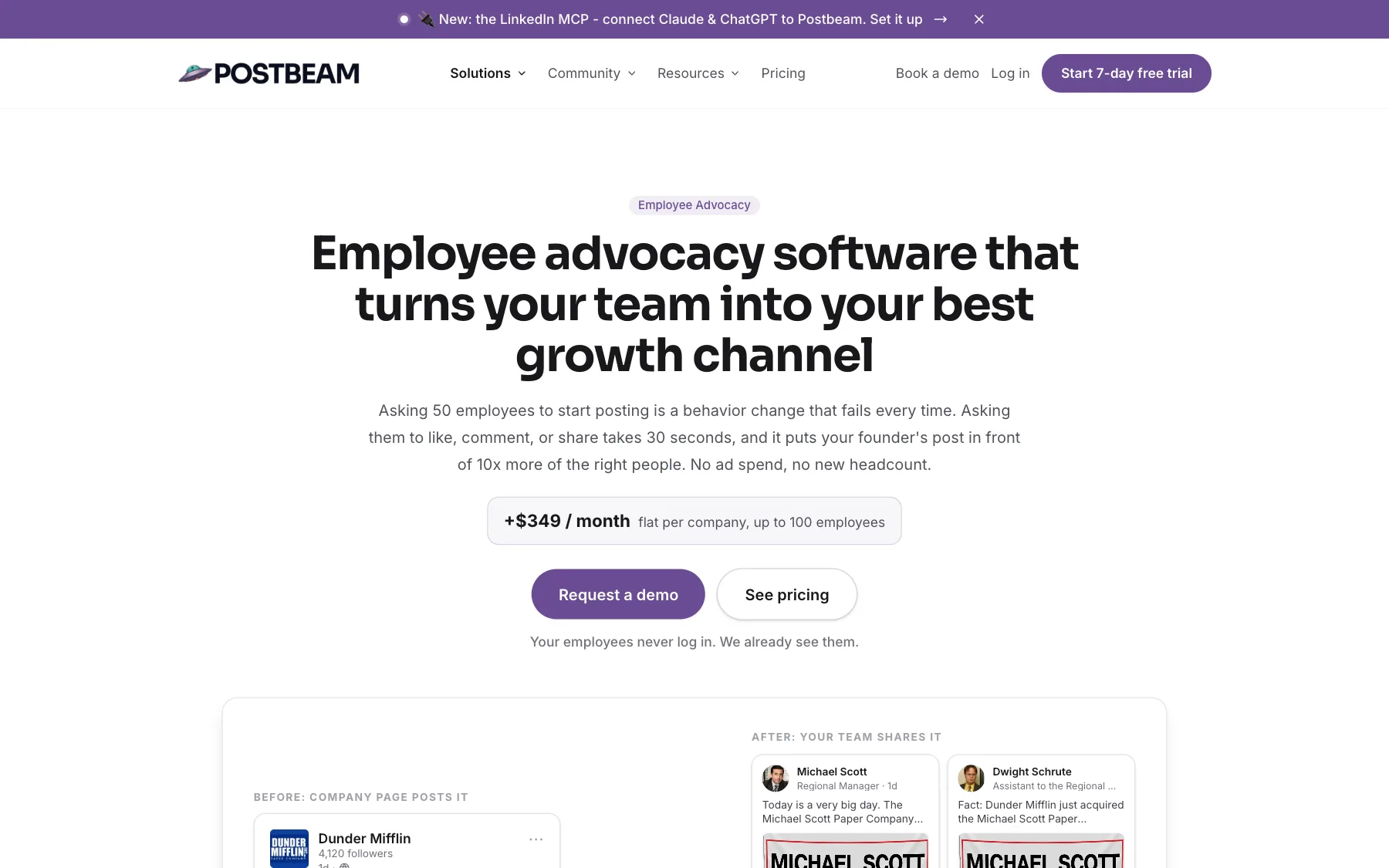
Each seat is one LinkedIn account that posts, with its own voice training, 30 content generations and 500 warm leads a month. The Team plan adds a shared content workspace, approval workflows and insights across accounts. Teammates who only manage content don't use a seat.
The Employee Advocacy add-on takes another route: employees like, comment and share instead of writing. A leaderboard ranks who engages most with company content, and Slack alerts the team when a colleague posts. Employees need no login.
Key features
Voice training per seat
Approval workflows and team content workspace
Warm leads ranked from post engagement
Engagement leaderboard (add-on)
Slack alerts when a teammate posts (add-on)
Claude and ChatGPT integrations on every plan
Pros | Cons |
✅ Post engagement becomes a daily follow-up list | ❌ $39 seat is a promotional price, list price $99 |
✅ Content managers and editors don't use a seat | ❌ Leaderboard and Slack alerts cost $349/mo. extra |
✅ Advocacy add-on works without employee logins | ❌ 30 content generations per seat per month |
Plan | Price/mo. | Included |
Solo | $49 | 1 seat (list price $99) |
Team | $39 per seat | From 2 seats (list price $99 per seat) |
Employee Advocacy add-on | $349 | Flat per company, up to 100 employees |
Source: PostBeam pricing. The $39 seat is a promotional price shown against a $99 list price. The add-on costs a flat $349/mo. per company for up to 100 employees, on top of the plan. Every plan starts with a 7-day trial.
6. Scripe: Best for collecting expert input over WhatsApp
Scripe, a LinkedIn content tool for B2B teams, lets marketing gather input from busy experts by WhatsApp or voice note and turn it into approved posts.
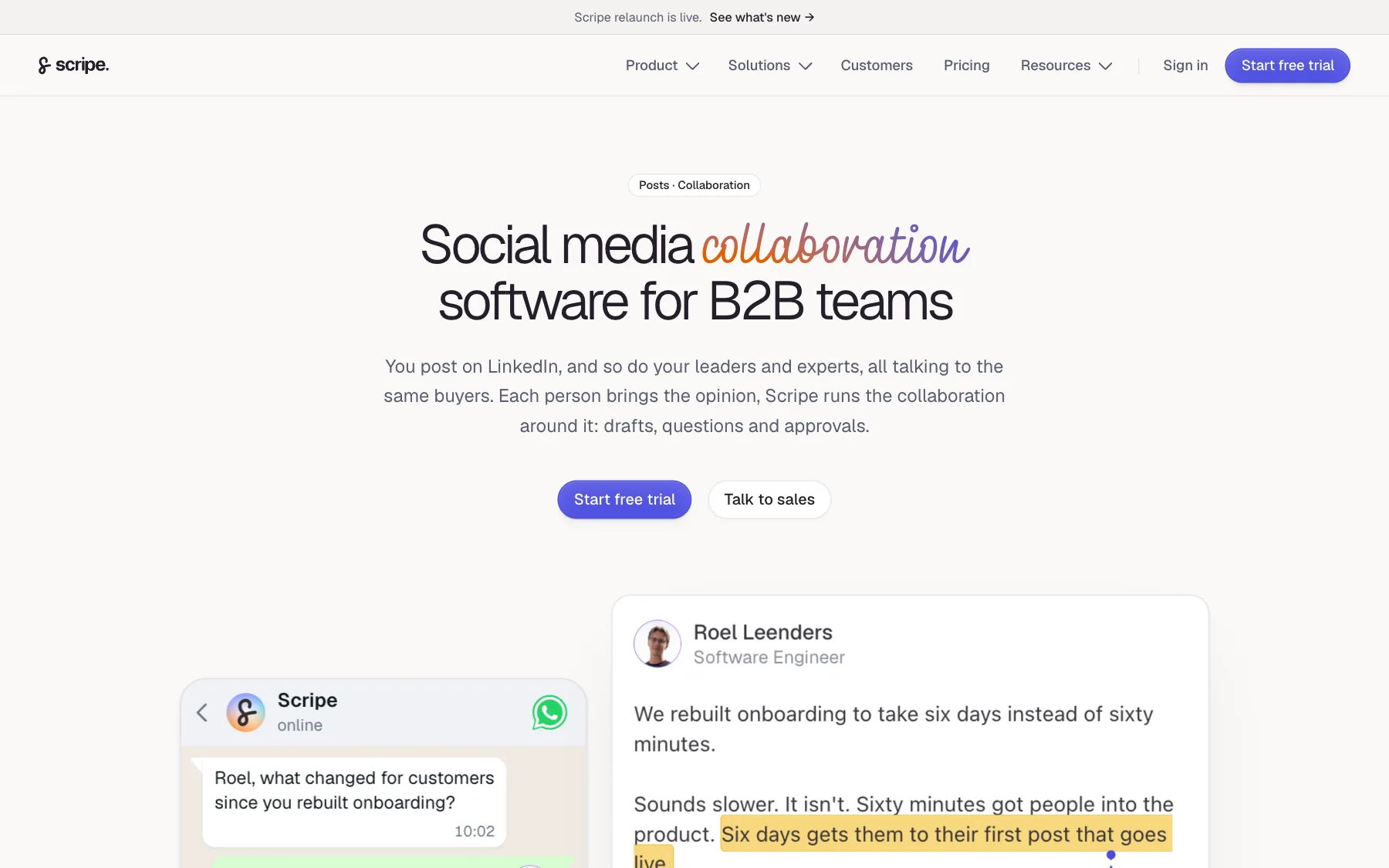
Marketing sends a content question by WhatsApp, email or in the app. The expert answers by voice or text without logging in, and the answer becomes a draft. Each profile keeps its own voice and knowledge base.
Every post goes through an approval workflow with a named reviewer, and feedback stays on the draft. An executive approves and the post publishes on their own profile, with no shared login. A shared calendar covers personal profiles and the company page.
Advanced includes one posting profile and unlimited users. Each additional posting profile is a Full seat at €45/mo., so the bill grows with the number of people who publish. Scripe prices in euros only.
Key features
Content questions by WhatsApp, email or voice
Approval workflow with a named reviewer
Separate voice and knowledge base per profile
Shared calendar for profiles and the company page
Team analytics
Slack, Notion, Google Drive and Claude integrations
Pros | Cons |
✅ Experts contribute by voice note, without logging in | ❌ Prices in euros only |
✅ A named reviewer on every post | ❌ Free trial requires a credit card |
✅ Unlimited non-posting users on Advanced | ❌ Each extra posting profile adds €45/mo. |
Plan | Price/mo. | Included |
Solo | €69 | 1 posting profile, 1 user |
Advanced | €99 | 1 posting profile, unlimited users, approvals |
Business | €149 | Multiple workspaces, roles and permissions |
Extra Full seat | €45 | One more posting profile |
Source: Scripe pricing. Billed yearly, the three plans cost €55, €79 and €119/mo. The Scripe alternatives guide compares it with other team tools. The Scripe review covers the whole product, and Scripe vs MagicPost sets the two side by side.
7. Supergrow: Best for AI voice interviews and per-member style profiles
Supergrow is a LinkedIn content tool with a Teams plan, built around interviewing each person before the AI writes.
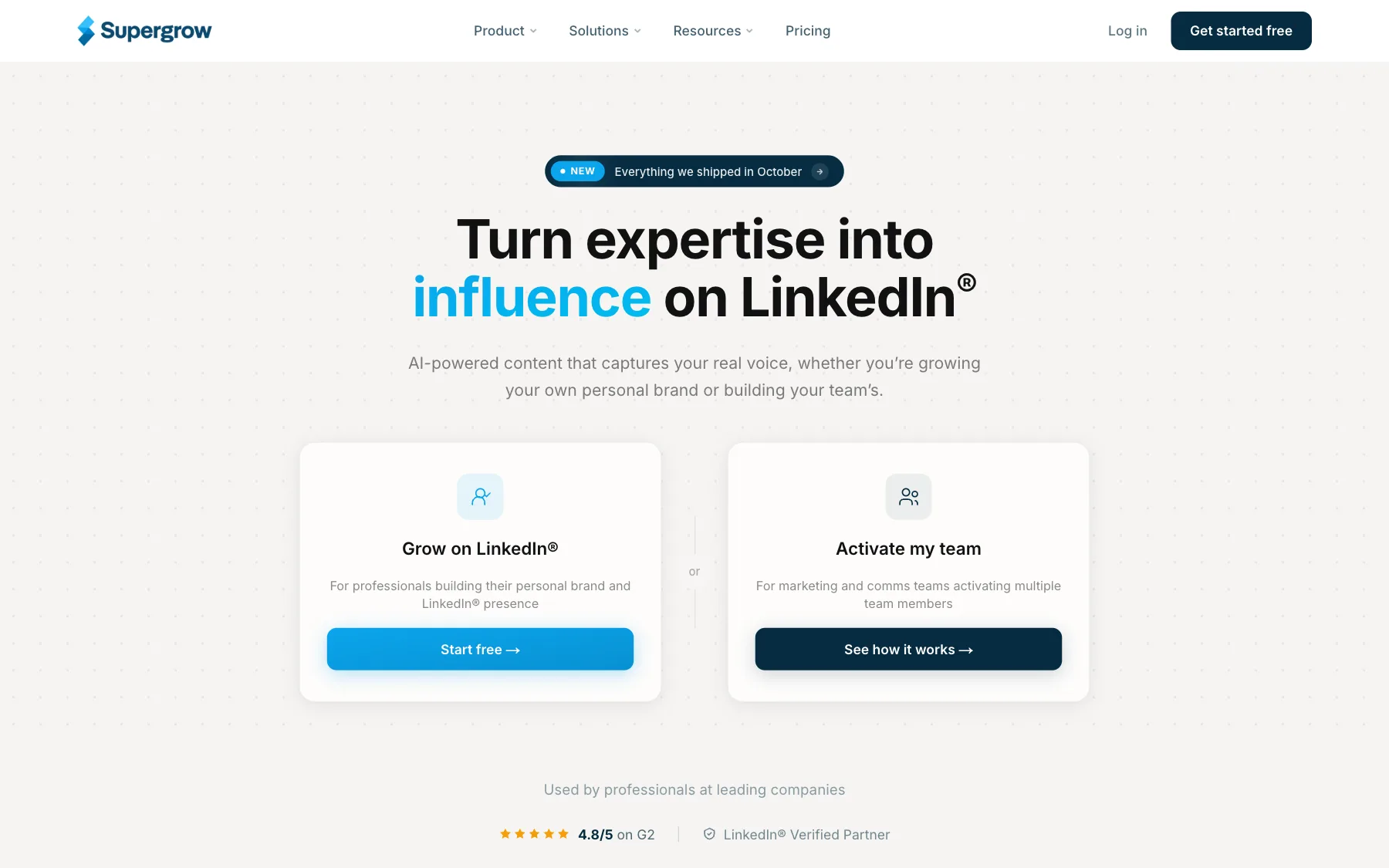
AI interviews and voice-to-post turn what someone says into a draft, and Content DNA keeps a profile of each member's style. Posts can also be repurposed from YouTube videos, blog posts and PDFs.
Every plan includes scheduling with a calendar and a Kanban view, automatic first comments, a carousel maker and profile analytics with a weekly report. An MCP server drafts and schedules posts from Claude or ChatGPT.
The Teams plan adds feedback and approval workflows, an organisation dashboard, a content calendar across all members and publishing on behalf of a member. Team analytics come with weekly reports per member, and the plan also includes challenges with a leaderboard and Slack notifications.
Teams covers five LinkedIn accounts, and the admin dashboard is free. Above five accounts, Supergrow quotes an Enterprise plan. Supergrow connects through LinkedIn's official API.
Key features
AI interviews and voice-to-post
Content DNA style profile per member
Repurposing from YouTube videos, blog posts and PDFs
Feedback and approval workflows
Organisation dashboard and team analytics
Challenges, leaderboard and Slack notifications
MCP server for Claude and ChatGPT
Pros | Cons |
✅ Voice interviews as the starting point for posts | ❌ Flat price: 2 people pay the same $199/mo. as 5 |
✅ A Content DNA profile for each member's style | |
✅ Challenges and a leaderboard on Teams |
Plan | Price/mo. | Included |
Pro | $39 | 1 account |
Teams | $199 | 5 accounts |
Enterprise | Custom | More than 5 accounts |
Source: Supergrow pricing. Teams costs $189/mo. on yearly billing, and every plan starts with a 7-day trial. The Supergrow review looks at its voice AI in detail. See Supergrow vs MagicPost for the feature-level comparison, or the Supergrow alternatives guide.
8. Taplio: Best for pairing employee advocacy with lead outreach
Taplio is an all-in-one LinkedIn tool whose team workspaces add employee advocacy to post writing, engagement and automated outreach.
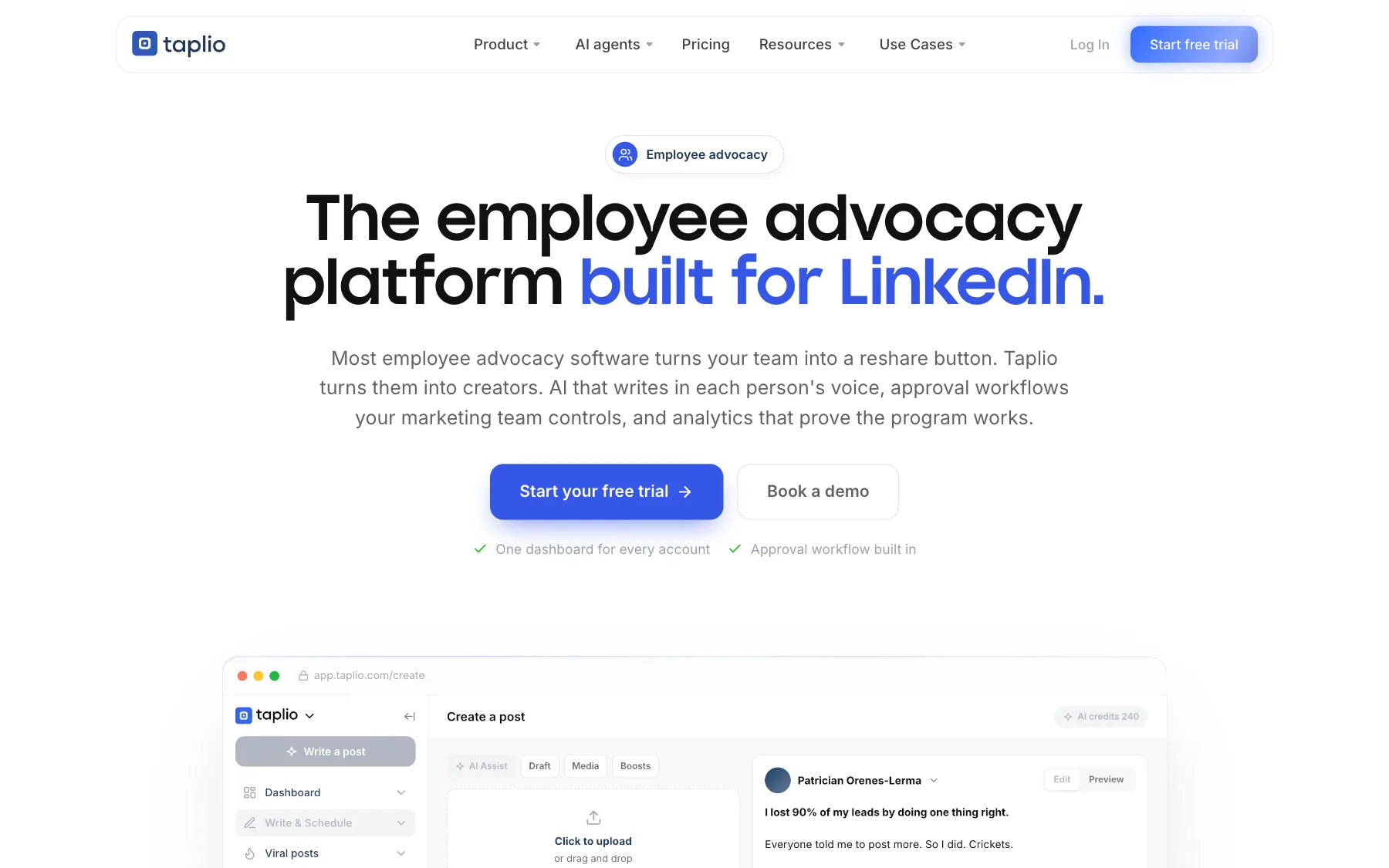
For a team, Taplio offers multi-account workspaces with admin, writer and client roles, an approval workflow from draft to schedule, a shared content calendar and dashboards per person and for the whole program. Its AI drafts from each employee's past posts.
Automated direct messages and connection requests come with the Pro plan, which suits a sales team that wants outreach alongside posting.
Taplio's extension manual stated that LinkedIn treats its Chrome extension as an automation tool, against LinkedIn's Terms of Service. In a program, that applies to every account that installs it.
Key features
AI voice per employee, trained on past posts
Multi-account workspaces with roles
Approval workflow from draft to schedule
Shared content calendar
Per-person and program dashboards
API and MCP server on every plan
Automated messages and connection requests (Pro)
Pros | Cons |
✅ Advocacy, engagement and outreach in one tool | ❌ Chrome extension treated as automation by LinkedIn |
✅ Automated messages and connection requests on Pro | ❌ AI writing starts on Growth, $69/mo. |
✅ API and MCP server on every plan | ❌ No published price for the team discount |
Plan | Price/mo. | Included |
Starter | $39 | Scheduling and analytics, limited AI |
Growth | $69 | AI writing, 500 comments a month, team collaboration |
Pro | $199 | 10 times Growth's AI usage, automated outreach |
Source: Taplio pricing. Prices are per account, with a multi-seat discount of up to 30% for teams. The Taplio alternatives guide covers the rest of the product. For more detail, see the Taplio review and the Taplio vs MagicPost comparison.
9. AuthoredUp: Best for LinkedIn post formatting and previews
AuthoredUp is a LinkedIn editor and analytics tool with no AI writing, for teams whose people already write their own posts.
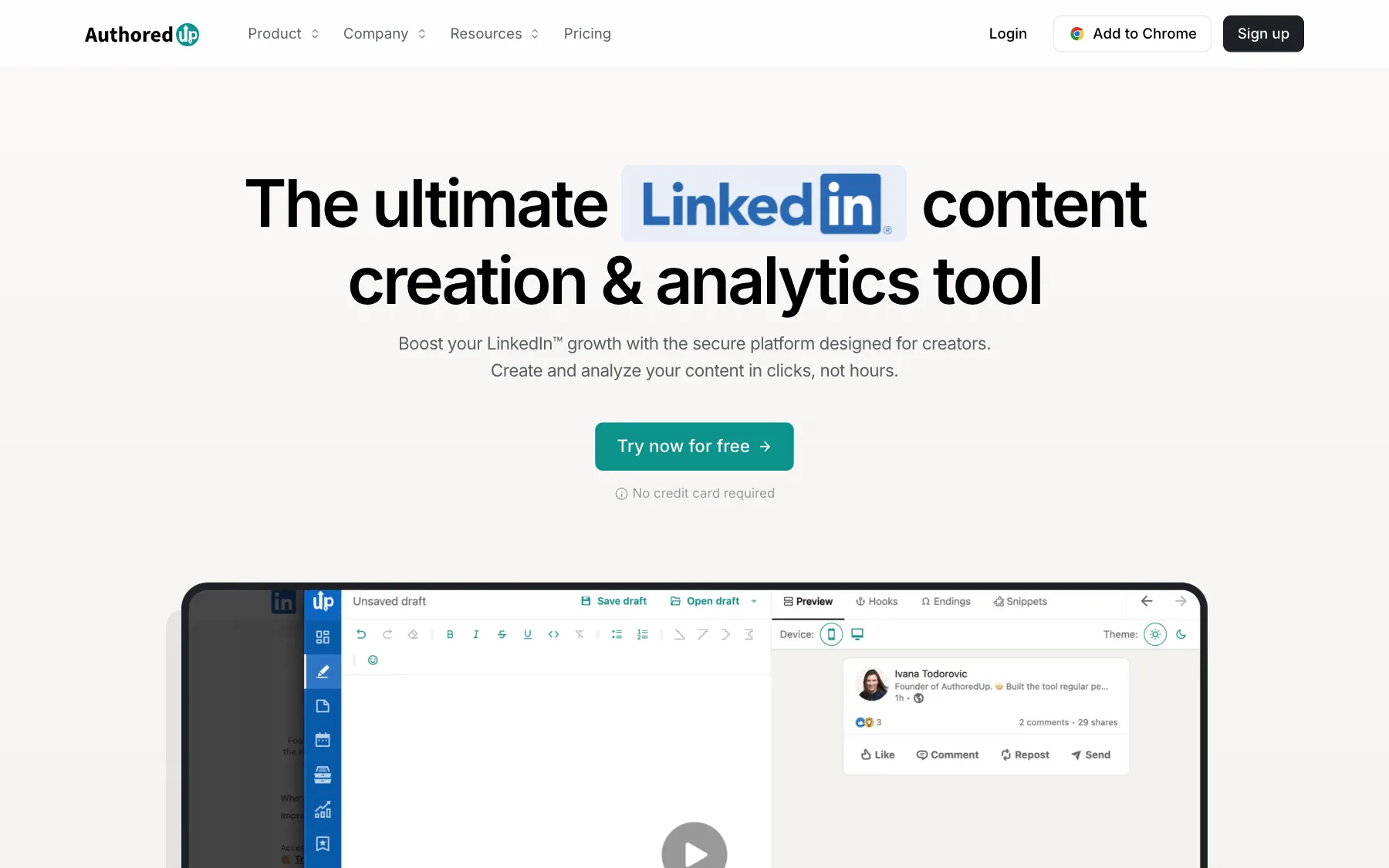
The editor adds text styling, bullet points and a preview of the post on mobile and desktop, with more than 300 hooks and endings to start from.
That editor runs as a Chrome extension inside LinkedIn, and a web platform handles drafts, calendar and analytics.
The Business plan connects several profiles under one organization, with sub-accounts, team analytics and draft collaboration. Company pages are included at no extra cost.
Key features
Editor with text styling and device previews
300+ hooks and post endings
Drafts, snippets and one-click post reuse
Content analytics per profile
Team analytics and draft collaboration (Business)
Unlimited company pages
Pros | Cons |
✅ Text styling with mobile and desktop previews | ❌ No AI writing or voice training |
✅ $14.95 per profile, lowest per-seat price here under 50 seats | ❌ Works through a Chrome extension |
✅ Company pages included on every plan | ❌ 3-profile minimum on Business |
Plan | Price/mo. | Included |
Individual | $19.95 | 1 profile |
Business | $14.95 per profile | From 3 profiles, team analytics |
Custom Growth | Custom | From 10 profiles, billed annually |
Source: AuthoredUp pricing. The trial needs no credit card. For tools that add AI writing, see the AuthoredUp alternatives guide. The AuthoredUp review covers the editor and analytics. AuthoredUp vs MagicPost is the feature-by-feature comparison.
10. SocialSonic: Best for trend alerts and posting streaks
SocialSonic is an AI LinkedIn tool for individual posters, with team and agency plans announced but not yet available.
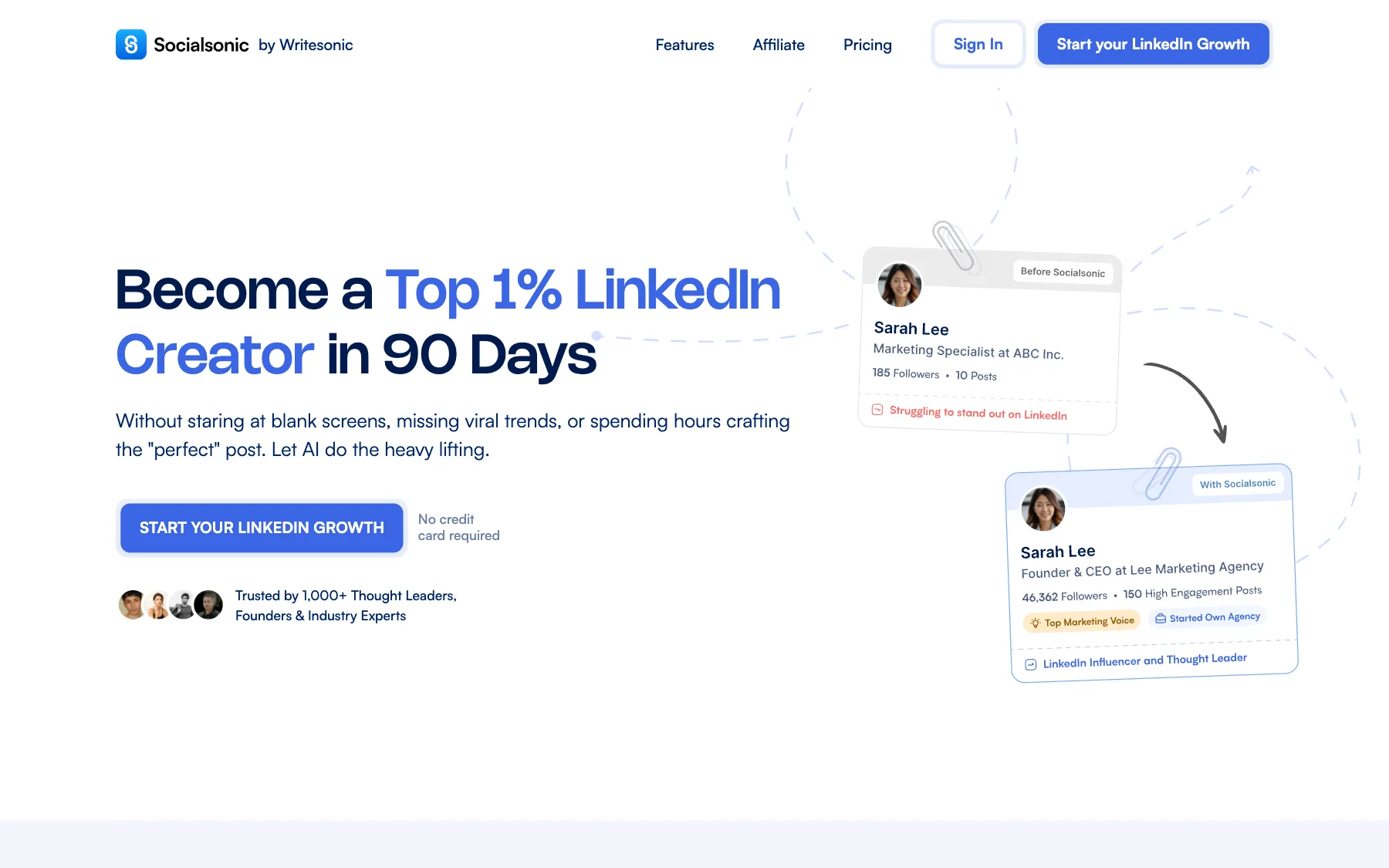
The Pro plan covers one user: AI post creation, content ideas matched to their industry and voice, real-time alerts on trending topics, scheduling, analytics and an AI image and carousel maker. Streaks and achievements reward regular posting.
For advocacy, the plans that matter are Team Accelerator (3 users, shared calendar, approval workflows, company page management) and Agency Powerhouse (10 users). Both are marked Coming Soon with a waitlist. Until they ship, a team buys one Pro plan per person.
Key features
AI post creation and personalized ideas
Real-time trending topic alerts
Streaks and achievements for consistency
AI image and carousel maker
Performance analytics
Shared calendar and approvals (Team plan, announced)
Pros | Cons |
✅ Trend alerts built into the writing flow | ❌ Team and agency plans not yet available |
✅ Streaks and achievements that reward regular posting | ❌ No shared calendar or approvals on Pro |
✅ AI image and carousel maker on Pro | ❌ Some engagement features still marked Coming Soon |
Plan | Price/mo. | Included |
Pro | $20 | 1 user |
Team Accelerator | $75 | 3 users, Coming Soon |
Agency Powerhouse | $200 | 10 users, Coming Soon |
Source: SocialSonic pricing. The trial lasts 7 days with no credit card. The SocialSonic alternatives guide lists tools whose team plans are already available. The SocialSonic review details the Pro plan, and SocialSonic vs MagicPost compares the two tools.
What does a LinkedIn employee advocacy tool cost for 5, 10 or 20 people?
The table uses published monthly prices only. "Custom" means the vendor publishes no figure for that team size.
Tool | 5 people | 10 people | 20 people |
MagicPost | $295 | $590 | $1,180 |
Vulse | $120 | $240 | $380 |
Heyoo | $349 | $349 | $469 |
PostBeam (promotional price) | $195 | $390 | $780 |
Supergrow | $199 | Custom | Custom |
Taplio (Growth, before team discount) | $345 | $690 | $1,380 |
AuthoredUp (no AI writing) | $74.75 | $149.50 | $299 |
Authira and Scripe publish in euros only, so they stay out of the dollar table. Authira costs €299/mo. for 5 seats, €544/mo. for 10 and €1,034/mo. for 20: €49 per seat above five.
Scripe costs €279/mo. for 5 posting profiles, €504/mo. for 10 and €954/mo. for 20: €99/mo. plus €45 per extra profile. SocialSonic sells no team plan yet.
Each tool counts people differently. MagicPost, PostBeam and AuthoredUp bill only the LinkedIn accounts that post: admins and content managers are free. Vulse prices per seat, and Heyoo charges one flat fee per workspace, up to a user cap.
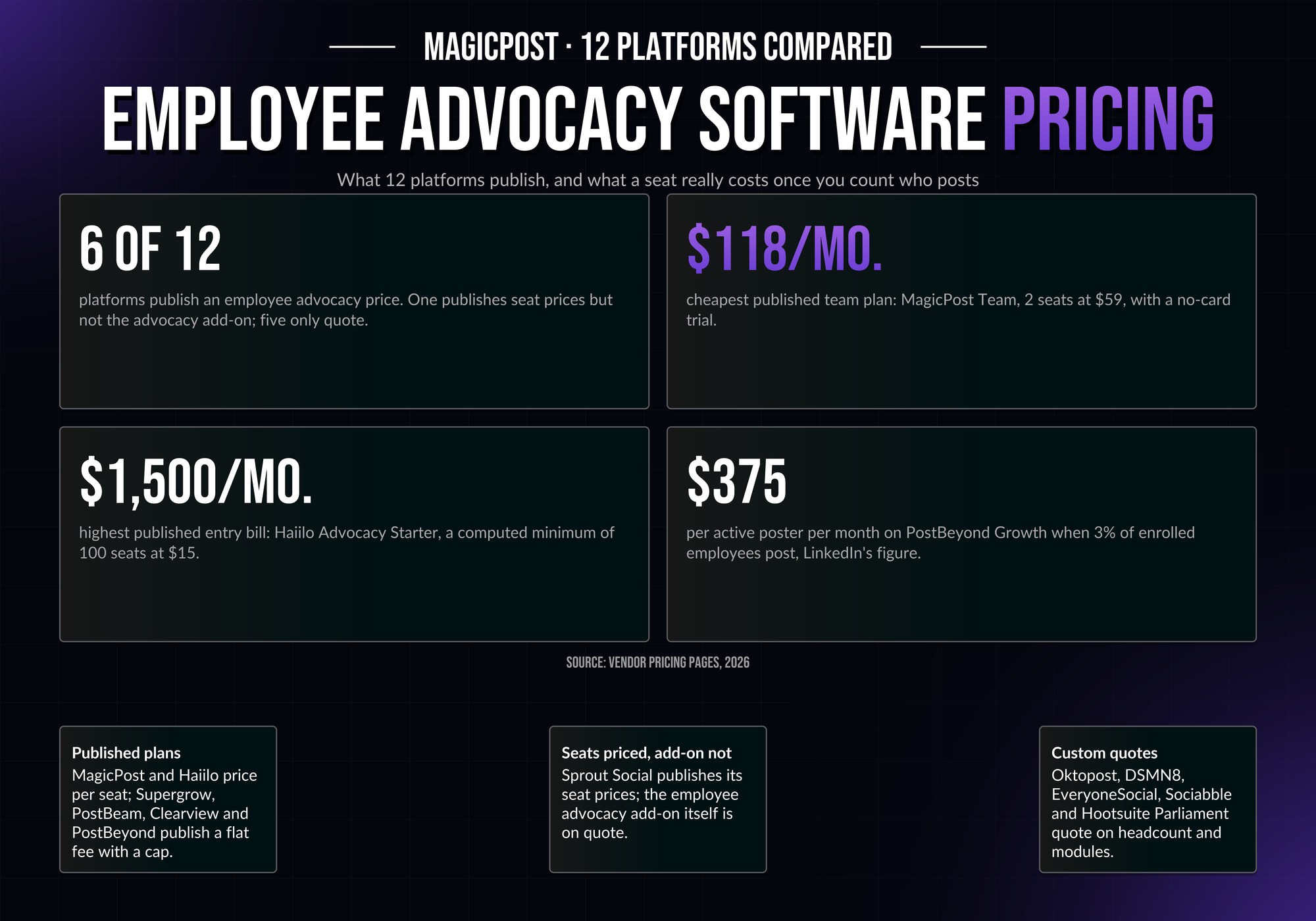
Pay only for the people who post. MagicPost Team counts publishing members only, at $59/mo. per seat from 2 seats, billed monthly. Every price is on the MagicPost pricing page.
How to choose the best LinkedIn employee advocacy tool
The best LinkedIn employee advocacy tool for a team depends on who writes the posts, how many people will post, whether posts need sign-off and how the tool connects to LinkedIn.
Who writes the posts? When employees write their own, pick a tool with per-person voice AI: MagicPost, Authira, Supergrow or Scripe. When marketing writes and employees publish a version, Vulse and Heyoo fit. When employees only react and comment, PostBeam's add-on is enough.
How many people will post? Per-seat tools (MagicPost, Vulse, PostBeam) scale with headcount. Flat plans (Heyoo up to 10 users, Supergrow for 5 accounts) cost the same below their cap and jump above it. Price the tool at the number of people who will publish.
Do posts need sign-off? MagicPost turns approval on member by member, so senior people publish freely while new joiners get a review. Scripe names a reviewer per post. Vulse, Heyoo, Supergrow, Taplio and PostBeam include approval workflows. Authira checks drafts against brand rules, with no approval step.
How does the tool connect to LinkedIn? MagicPost, Vulse, PostBeam, Scripe and Supergrow publish through LinkedIn's official API. Taplio and AuthoredUp rely on a Chrome extension for part of their features. Authira connects to no account: employees paste and post.
In a program, the connection method applies to every enrolled account.
Size the plan for the people who will post. In MagicPost's employee advocacy study of 1,333,072 LinkedIn posts from 39,729 professionals, one person produces 70% to 96% of company advocacy reach at ColdIQ, Capgemini, SAP, IBM, Oracle, Schneider Electric and Gong.
The employee advocacy examples guide shows companies where reach is spread across many employees, and the employee advocacy program guide covers the rollout in five steps.
The free employee advocacy reach simulator estimates what a given number of active posters adds before you pick a plan.
Try the LinkedIn advocacy tool for employees who write their own posts
MagicPost gives each employee a space with AI trained on their voice, publishes through LinkedIn's official API and shows the team's results in one dashboard. Team costs $59/mo. per seat, from 2 seats, and admin seats are free.
Try MagicPost for free → with no credit card.
FAQ
What is the best LinkedIn employee advocacy tool?
MagicPost is the best LinkedIn employee advocacy tool for teams of 2 to 50 whose employees write their own posts: AI trained on each member's voice, approval per member and team dashboards, at $59/mo. per seat from 2 seats.
Vulse fits teams that share company-written posts in each person's voice, at $24/mo. per seat for up to 10 seats. Heyoo fits campaign-led programs at a flat $349/mo. for up to 10 users.
What is a LinkedIn employee advocacy tool?
A LinkedIn employee advocacy tool is software that helps employees publish on their personal LinkedIn profiles in support of their company. It combines AI drafting in each person's voice, scheduling, approvals and team analytics, and it connects each employee's own LinkedIn account.
The practice itself is covered in what employee advocacy is.
Does LinkedIn have its own employee advocacy tool?
LinkedIn no longer has its own employee advocacy tool: the My Company tab and the Employee Advocacy tab of company pages were gradually discontinued beginning in November 2024.
A page admin can still reshare employees' posts and notify employees of important page posts. For anything beyond that, LinkedIn's help page points companies to external partners. Third-party tools like the ten ranked here cover that need.
How much do employee advocacy tools for LinkedIn cost?
Employee advocacy tools for LinkedIn cost $14.95 to $69/mo. per seat on per-seat plans: AuthoredUp at $14.95 with no AI writing, Vulse at $24, PostBeam at $39 on a promotional price, MagicPost at $59 with free admin seats and Taplio at $69 per account on Growth.
On flat plans, Supergrow costs $199/mo. for 5 accounts and Heyoo $349/mo. for up to 10 users.
Authira publishes in euros only: €299/mo. for 5 seats. Scripe does too: €99/mo., plus €45 per extra posting profile.
Is there a free LinkedIn advocacy tool for employees?
No LinkedIn employee advocacy tool compared here has a free plan; MagicPost and AuthoredUp offer a free trial with no credit card.
SocialSonic, Supergrow, Taplio and PostBeam run 7-day trials, SocialSonic's with no card. Scripe's free trial requires a credit card, Heyoo's has no published length, and Vulse grants one on request after a demo. Authira has no trial.
LinkedIn's own My Company tab and Employee Advocacy tab were gradually discontinued beginning in November 2024.
Which LinkedIn employee advocacy tool is best for a small team?
MagicPost is the best fit for a team of 2 to 10 whose employees write their own posts: $118/mo. for two seats, free admin seats and a trial with no credit card.
Vulse costs $24/mo. per seat with no seat minimum. Heyoo's flat $349/mo. plan works out to $34.90 per person at its 10-user cap. Supergrow's $199/mo. plan covers 5 accounts.
Authira's flat plan is €299/mo. for 5 seats, priced in euros only.
Which LinkedIn employee advocacy tool has a team dashboard?
MagicPost has a team dashboard for LinkedIn employee advocacy: total impressions, followers gained and top performers, plus an activity board that shows who publishes and who has dropped off.
Supergrow's Teams plan includes an organisation dashboard and team analytics. Taplio has dashboards per person and for the whole program. Vulse manages multiple profiles and company pages in one dashboard, with team leaderboards. Authira's team dashboard reports Earned Media Value and a monthly posting goal.
Is a LinkedIn employee advocacy tool safe for employee accounts?
LinkedIn employee advocacy tools are safest for employee accounts when they connect through LinkedIn's official API with OAuth sign-in, rather than through a browser extension or session cookies.
MagicPost publishes through LinkedIn's official API as a verified application, and each employee authorizes their own account. Vulse, PostBeam, Scripe and Supergrow also publish through the official API.
Taplio's archived extension manual stated that LinkedIn treats its Chrome extension as an automation tool, against LinkedIn's Terms of Service.
Do employees have to share their LinkedIn password with an advocacy tool?
Employees do not share their LinkedIn password with MagicPost: each one connects their own account through LinkedIn's sign-in, and MagicPost publishes through the official API as a verified application. Nothing is installed in the browser.
Tools that depend on a Chrome extension, such as Taplio and AuthoredUp, run part of their features inside the employee's LinkedIn session.
How is a LinkedIn employee advocacy tool different from employee advocacy software?
LinkedIn employee advocacy tools focus on employees creating and publishing posts on LinkedIn, and are sold by the seat or in small flat plans with a published price.
Enterprise employee advocacy software such as Sociabble (now Poppulo), DSMN8 or EveryoneSocial distributes approved content across several networks and is sold by quote.
Teams leaving one of them can read the Sociabble alternatives, DSMN8 alternatives and Oktopost alternatives guides.