Todas las páginas de "plantillas para publicaciones de LinkedIn" que puedes encontrar en internet tienen el mismo formato: un número enorme en el titular (50 plantillas, 100, 160), un muro de esqueletos para rellenar espacios en blanco y ni una sola cifra que te diga cuáles funcionan realmente. Obtienes cantidad y cero pruebas.
Así que nosotros hicimos la parte que faltaba. Analizamos 1.141.932 publicaciones de LinkedIn, clasificamos cada una en su familia de plantillas y medimos lo que genera cada familia: la tasa de interacción mediana respecto a los seguidores y la mediana de «me gusta», en muestras lo suficientemente grandes como para ser fiables.
El resultado es una lista clasificada de plantillas. No es un "aquí tienes 100 plantillas", sino un "esto es lo que vale cada familia, y aquí tienes 15 que puedes rellenar esta misma noche, ordenadas por esa cifra".
El hallazgo principal es sencillo y un poco incómodo: las plantillas que ofrecen algo gratis (un logro que compartes, un momento difícil, una lección) superan sistemáticamente a las que piden algo (un lanzamiento, una venta, un registro).
La publicación mediana de todo el corpus obtiene una tasa de interacción del 0,39 %. Las plantillas de ofrecer están muy por encima de esa cifra; las de pedir están por debajo. Empieza con la tabla de clasificación y luego quédate con los esqueletos.
La tabla completa: 22 familias de plantillas, clasificadas
Cada una de las familias que los creadores de LinkedIn realmente utilizan, clasificadas por la tasa de interacción mediana (me gusta más comentarios divididos por seguidores). Medianas, nunca promedios, para que un puñado de publicaciones virales no altere la mediana de un tipo.
Familia de plantilla | Publicaciones medidas | Mediana de ER | Mediana de me gusta |
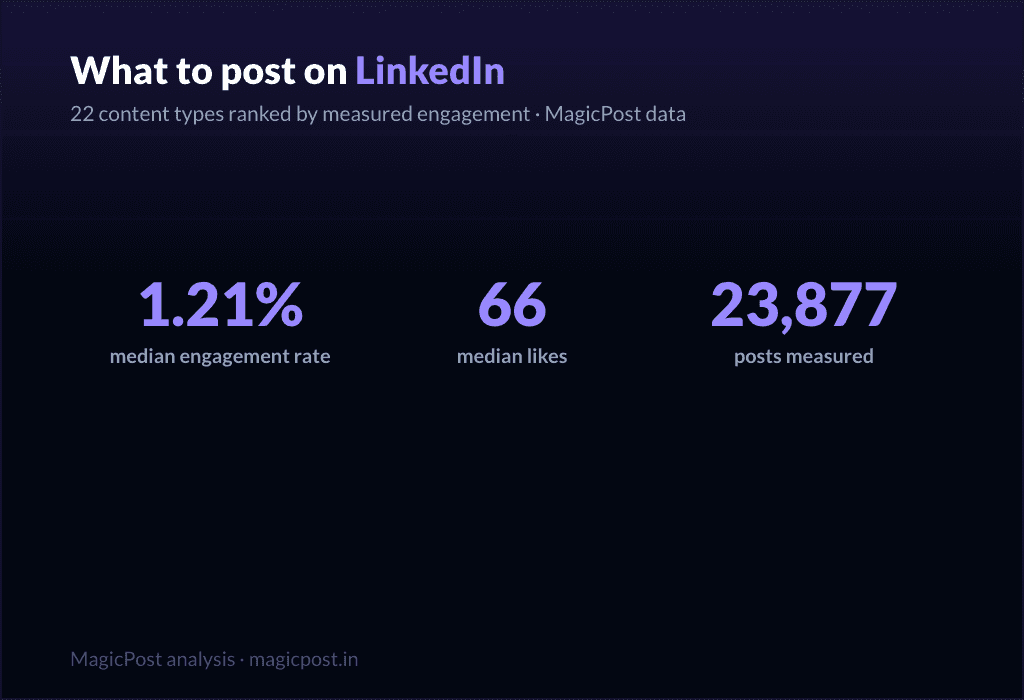
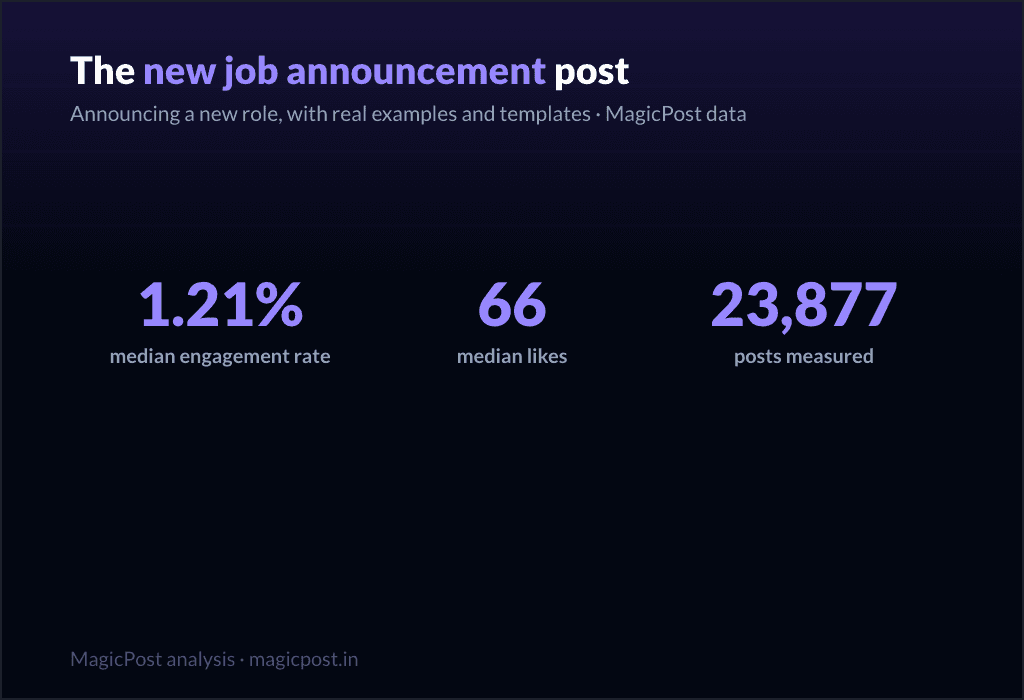
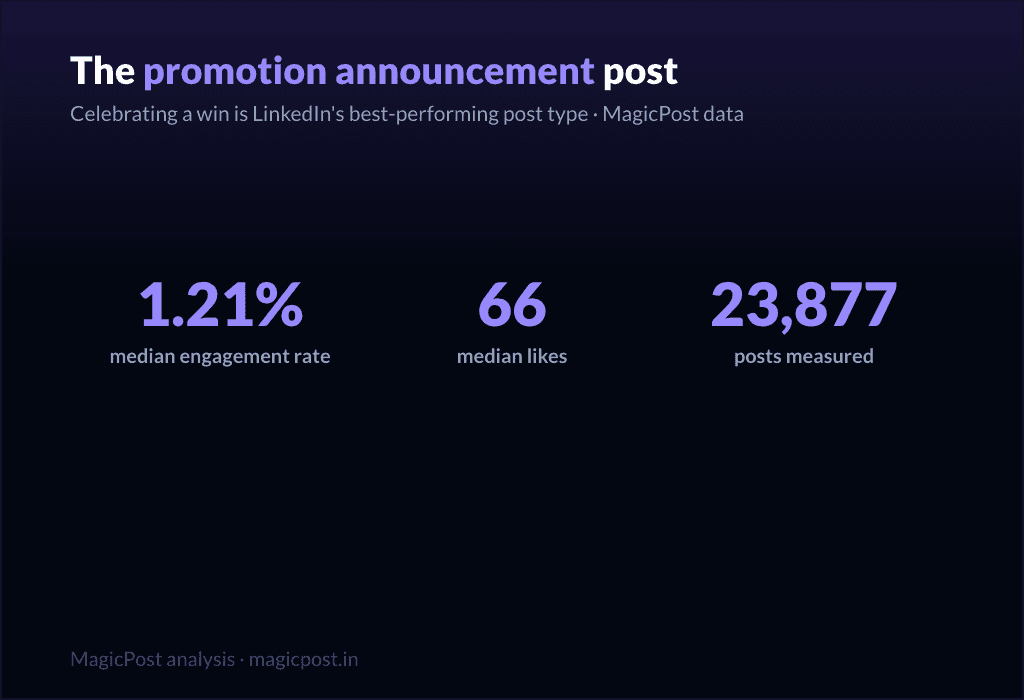
Celebrar una victoria | 23.877 | 1,21% | 66 |
Superación de desafíos | 16.823 | 1,03% | 51 |
Momento difícil | 3.234 | 0,80% | 47 |
Lecciones aprendidas | 24.803 | 0,70% | 32 |
Resumen de la situación | 11.729 | 0,68% | 45 |
Retrato inspirador | 17.198 | 0,65% | 53 |
Informe de campo | 6.496 | 0,63% | 38 |
Mensaje positivo | 32.047 | 0,61% | 43 |
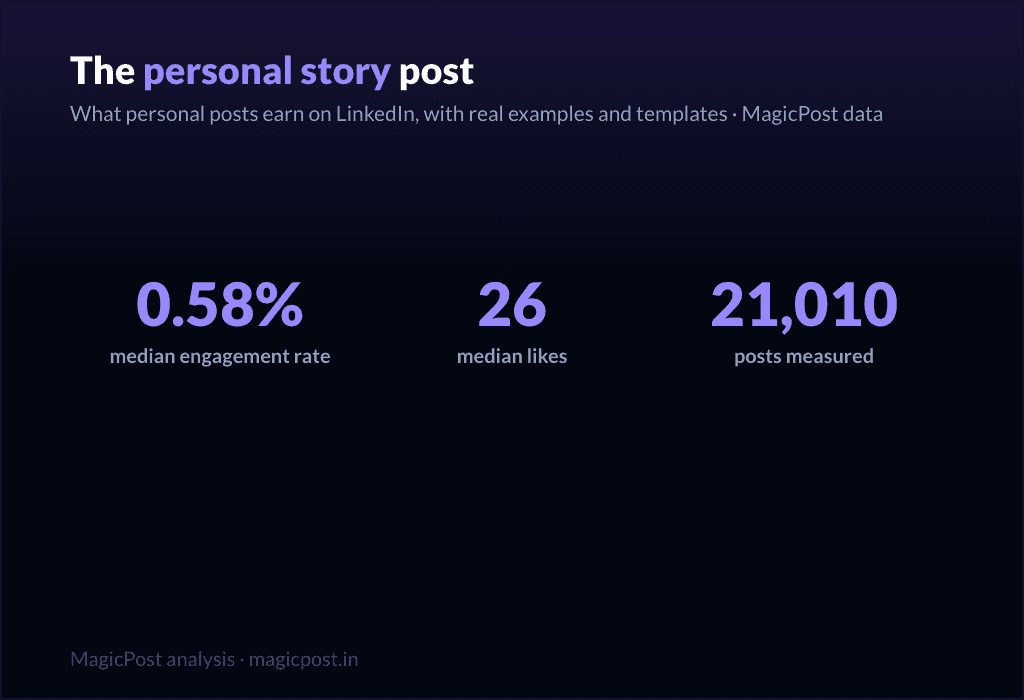
Reflexión personal | 21.010 | 0,58% | 26 |
Buenas prácticas | 26.006 | 0,52% | 28 |
Lista de consejos / reglas | 9.520 | 0,49% | 57 |
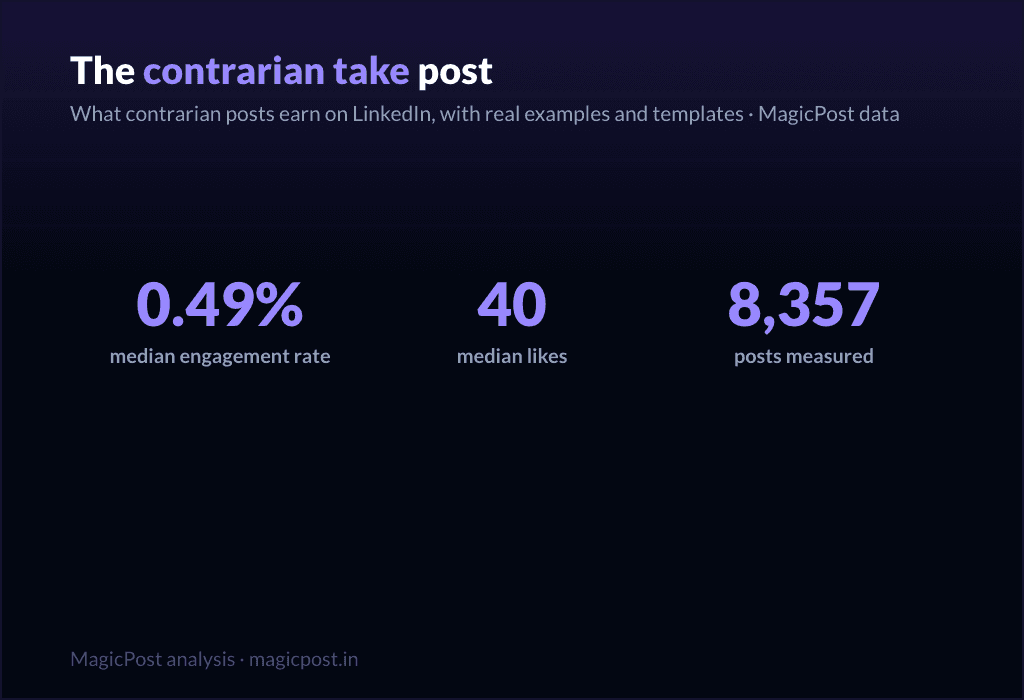
Opinión contraria | 8.357 | 0,49% | 40 |
Consejo rápido | 3.684 | 0,46% | 29 |
Consejo contundente | 142.301 | 0,44% | 28 |
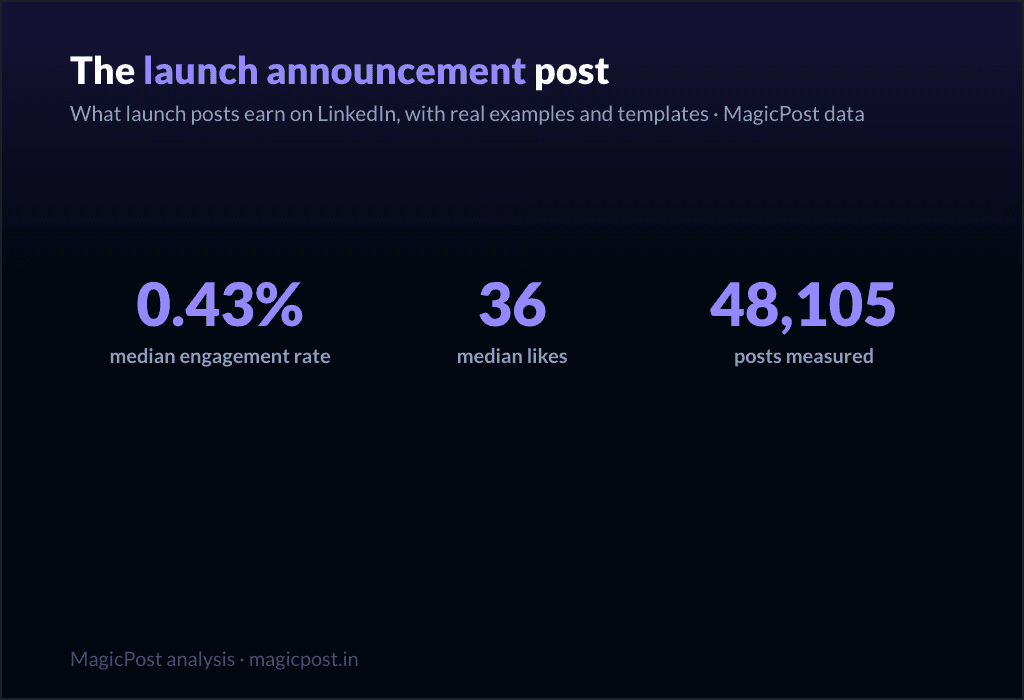
Anuncio de lanzamiento | 48.105 | 0,43% | 36 |
Recursos útiles | 8.331 | 0,42% | 51 |
Saga de la empresa | 3.379 | 0,42% | 35 |
Explicativo / análisis | 83.180 | 0,40% | 21 |
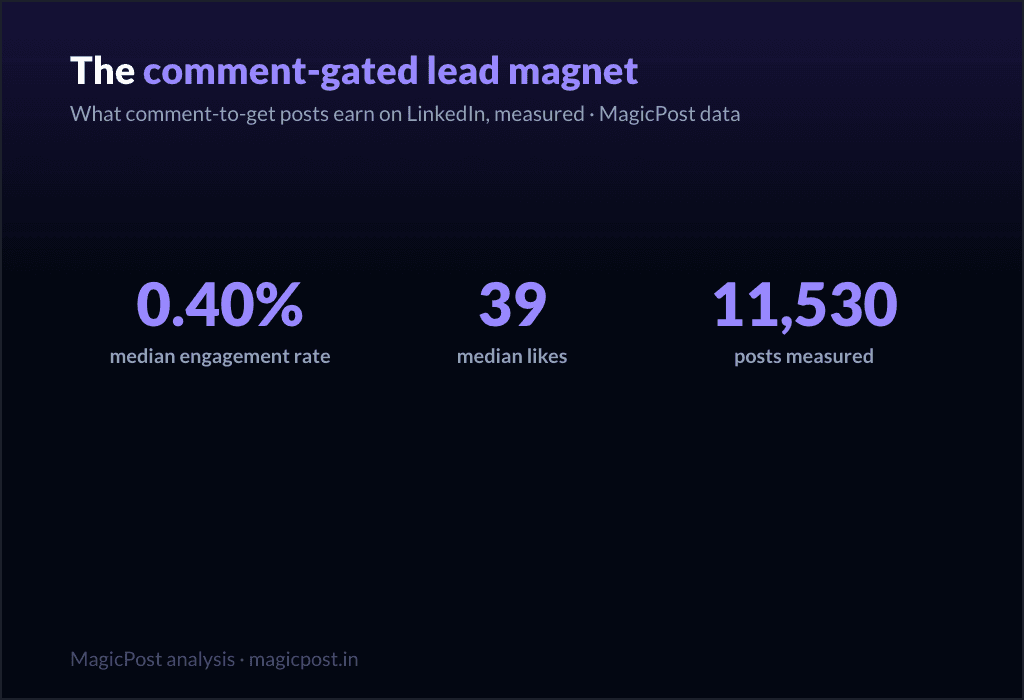
Lead magnet a cambio de un comentario | 11.530 | 0,40% | 39 |
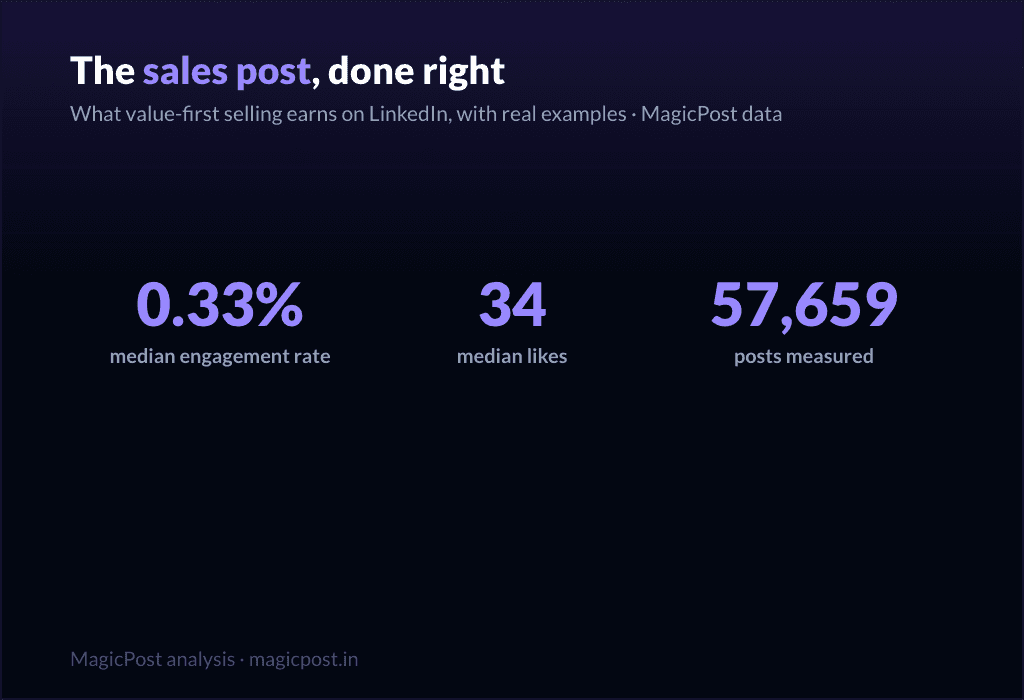
Vender aportando valor primero | 57.659 | 0,33% | 34 |
Impulso de registro a webinar | 51.864 | 0,31% | 32 |
Compartir podcast / vídeo | 32.031 | 0,29% | 36 |
La mediana general de las 1.141.932 publicaciones es una tasa de interacción del 0,39%. Traza una línea ahí y la tabla se divide claramente: las familias de narración por encima y las familias promocionales por debajo.
La versión más detallada de este estudio se encuentra en el desglose de la interacción por tipos de publicaciones; el resto de esta página convierte la clasificación en plantillas que puedes utilizar.
Tres cosas que vale la pena mencionar antes de los esquemas:
Las categorías más grandes no son las mejores. Consejo contundente (142.301 publicaciones) y explicativo / análisis (83.180 publicaciones) son las dos familias más utilizadas en LinkedIn, y ambas se sitúan en la mediana o por debajo de esta (0,44% y 0,40%). La multitud escribe lo que es fácil, no lo que funciona bien.
Los comentarios cuentan una historia diferente a los me gusta. La lista de consejos / reglas obtiene un ER intermedio del 0,49%, pero la mediana de comentarios más alta de cualquier familia (23). Algunas plantillas cambian alcance por conversación; a esas les ponemos una señal.
Dar supera a pedir, siempre. Ni una sola familia promocional supera la mediana del 0,39%.
Las 15 plantillas para rellenar, en 3 niveles de rendimiento
Cada plantilla a continuación es un esqueleto: cópiala, rellena los corchetes y publícala. Bajo cada una encontrarás la situación específica para la que está pensada y la métrica registrada de su familia. Los niveles están ordenados por esa métrica, de mayor a menor.
¿No tienes claro cuál elegir en un día determinado? Qué publicar en LinkedIn es la guía de decisión, y si prefieres la chispa creativa original en lugar de un esqueleto, explora ideas para publicaciones de LinkedIn.
Nivel 1: las plantillas que dan (úsalas más que ninguna)
Estas cinco familias superan la mediana con comodidad. Comparten una mecánica: le das algo al lector (un triunfo para celebrar contigo, una dificultad que reconozcan, una lección que puedan aprovechar) antes de pedirle algo. Este es el nivel en el que deberías vivir.
1. El anuncio de un logro
Familia: Celebrar un logro. 1,21% de mediana de ER, 66 mediana de me gusta, en 23.877 publicaciones. La familia de plantillas con mejor rendimiento de todo el conjunto de datos. (¿Vas a anunciar un nuevo puesto? La guía específica: cómo anunciar un nuevo trabajo en LinkedIn.)
[El hito, espresso con sencillez: "Acabamos de superar los [número]." / "Hoy he [logro]."]
[Una frase sobre por qué era importante, la versión de ti antes de que esto sucediera.]
[La parte poco glamurosa del proceso: lo que realmente costó. Nombra la parte difícil.]
[Menciona a las personas que te ayudaron a llegar aquí, por su nombre.]
[Una mirada hacia el futuro: lo que esto permite a partir de ahora.]
Cuándo usarlo: cualquier hito genuino, personal o de la empresa. Un nuevo puesto, financiación, una cifra alcanzada, un aniversario, una graduación. Plantillas muy similares se encuentran en la guía para publicaciones de aniversario de trabajo, la guía para publicaciones de graduación y, para la versión de celebración de una salida, la guía para publicaciones del último día.
2. El desafío superado
Familia: Desafíos superados. 1,03 % de mediana de ER, 51 de mediana de «me gusta» en 16.823 publicaciones. La segunda mejor familia, y el motor de la mayoría de las grandes historias de LinkedIn.
[Abrir dentro del problema, tiempo presente: «Hace [Número] meses, [lo que estaba roto]»].
[Subir la apuesta: lo que habría costado fracasar].
[El giro: la decisión, revelación o persona que lo cambió].
[Qué hiciste, concretamente. Los pasos, no las vibras].
[Dónde aterrizó, con un número].
[La lección transferible, una línea, para el lector que se enfrenta a la misma pared].
Cuándo usarlo: siempre que un resultado provenga de una dificultad y la dificultad sea la parte interesante. Este es el pilar fundamental de la publicación de historia personal, el formato que más te aporta en la plataforma.
3. El momento difícil
Familia: Momento difícil. Mediana de tasa de interacción (ER) de 0,80 %, mediana de 47 me gusta, en 3.234 publicaciones. Menos utilizada que las demás (solo 3.234 publicaciones), lo que explica en parte por qué sigue funcionando. La honestidad no está saturada.
[Nombra lo difícil, sin adornos: "[Lo que ocurrió]. Todavía duele."]
[Resiste la tentación de resolverlo demasiado rápido. Quédate en ese momento un instante más de lo que resulte cómodo.]
[Lo que estás aprendiendo de ello, con prudencia, no como si fuera una charla TED.]
[Una pregunta abierta al público, invitando a participar a quienes hayan pasado por lo mismo.]
Cuándo usarlo: un despido, un lanzamiento fallido, una pérdida, un contratiempo en el que aún te encuentras. Úsalo con honestidad o no lo uses en absoluto; la familia premia la vulnerabilidad real, no la fingida. Para el caso específico de la pérdida de empleo, la guía para el distintivo "Open to Work" explica cómo enfocarlo.
4. Las lecciones aprendidas
Familia: Lecciones aprendidas. 0,70% de mediana de ER, 32 de mediana de likes, en 24.803 publicaciones. Una familia muy utilizada (24.803 publicaciones) que aun así supera la mediana: prueba de que el formato funciona en cualquier parte.
[La estructura: "[Período de tiempo] haciendo [cosa] me enseñó [número] cosas."]
[Lección 1: la que sea contraria a la intuición primero. En negrita la conclusión clave, luego una línea de por qué.]
[Lección 2.]
[Lección 3. Mantén cada una en un máximo de dos líneas; la lista es lo valioso.]
[Cierra con la lección que te habría gustado aprender antes.]
Cuándo usarlo: al final de un proyecto, un año, un rol, un capítulo. Cualquier cosa de la que puedas hacer balance. Repositorio completo de estructuras en la guía de publicaciones de lecciones aprendidas.
Rellena esto con tu propia voz, de forma automática. Este es exactamente el trabajo para el que se creó el generador de publicaciones de LinkedIn con IA de MagicPost: eliges una plantilla, introduces tu situación tal cual, y escribe la publicación como tú lo harías, con la longitud y estructura adecuadas para la familia, sin el temor a la página en blanco.
Una estructura te da la forma; el generador se encarga de las palabras.
5. El resumen de la situación
Familia: Resumen de la situación. Mediana de ER del 0,68%, mediana de 45 me gusta, en 11.729 publicaciones. Una publicación de "así están las cosas": estado del proyecto, el mercado, el camino recorrido.
[Enmarca el momento: "A las [número] semanas de [proyecto/suceso], este es el estado real de las cosas."]
[Qué está funcionando, brevemente. Uno o dos logros.]
[Qué no está funcionando, con mayor honestidad. Esta es la parte que la gente busca leer.]
[Qué vas a cambiar debido a esto.]
[Dónde esperas estar para el [fecha]. Invita a la gente a volver para comprobarlo.]
Cuándo usarlo: al construir en público, en un ritmo de actualización recurrente, o como una reflexión a mitad de camino. La transparencia es la que impulsa el compromiso: la gente sigue trayectorias, no fotos fijas.
Nivel 2: las plantillas que enseñan (tu término medio fiable)
Estas cinco se sitúan en torno a la mediana: fiables, útiles, los caballos de batalla cotidianos. Enseñan en lugar de confesar, lo que limita su techo pero las hace replicables. Mézclalas con el nivel de dar para no estar confesando siempre.
6. El explicativo
Familia: Explicativo / análisis. 0,40% de mediana de ER, 21 de mediana de "me gusta", en 83.180 publicaciones. La segunda familia más utilizada en LinkedIn y, no por casualidad, una de las que tiene menor número de "me gusta" (21). Útil, saturada, difícil de destacar.
[La pregunta, tal como la formularía tu lector: "¿Por qué [sucede] en realidad [esto]?"]
[La respuesta corta, en una frase, arriba del todo. No la escondas.]
[El mecanismo: detalla cómo funciona en 3 o 4 pasos.]
[El "y qué": qué debería hacer el lector de manera diferente sabiendo esto.]
Cuándo usarlo: para desglosar un concepto, una tendencia o el funcionamiento de algo en tu campo. Es fuerte para generar autoridad, pero débil para conseguir interacción pura, así que resérvalo para cuando el objetivo sea enseñar.
7. La lista de consejos
Familia: Lista de consejos / reglas. Mediana de ER del 0,49%, mediana de 57 me gusta, en 9.520 publicaciones. Fíjate en el desglose: un ER mediano pero una mediana de 57 me gusta y la mediana de comentarios más alta de cualquier familia (23). Esta plantilla cambia eficiencia por conversación. La gente discute con las listas.
[La promesa: "[Número] reglas para [resultado], aprendidas por las malas."]
[Regla 1, como un imperativo. "Haz X." Luego una línea del coste de ignorarlo.]
[Reglas de la 2 a la N, misma estructura, concisas.]
[La regla de bonificación, ligeramente contraria, para atraer comentarios.]
[Pregunta: "¿Qué añadirías?" El formato de lista se gana sus comentarios invitando a participar.]
Cuándo usarlo: cuando tienes reglas obtenidas con esfuerzo y quieres un debate, no solo aplausos. El recuento de comentarios es el verdadero premio aquí.
8. El consejo rápido
Familia: Consejo rápido. Tasa de interacción (ER) mediana del 0,46%, mediana de 29 me gusta, en 3.684 publicaciones. La unidad de valor más pequeña: una sola acción concreta, rápido.
[El consejo en la primera línea, sin rodeos: "[Haz esto en específico] para [obtener este resultado]."]
[Por qué funciona, en una frase.]
[Cómo hacerlo, en dos o tres líneas. Lo suficientemente concreto como para ponerlo en práctica hoy mismo.]
[Opcional: el error que reemplaza.]
Cuándo usarlo: entre publicaciones más grandes, para mantener la presencia sin un gran esfuerzo. Económico de producir, con un retorno modesto pero confiable.
9. La opinión a contracorriente
Familia: Enfoque inconformista. 0,49% de ER mediana, 40 me gusta de mediana, en 8.357 publicaciones. Interacción por encima de la mediana y la segunda mediana de comentarios más alta fuera de la lista de consejos (14): el desacuerdo impulsa las respuestas.
[La afirmación impopular, enunciada de forma rotunda: "[La creencia común] es errónea"].
[Reconozca por qué la gente lo cree. Sea justo con la otra parte primero].
[Su evidencia: la experiencia o los datos que le hicieron cambiar de opinión].
[El replanteamiento: qué creer en su lugar y qué cambia].
[Invite explícitamente a la discrepancia. El desacuerdo es el motor].
Cuándo usarlo: cuando tengas una postura a contracorriente real y defendible, no una opinión provocativa por el mero hecho de polemizar. Guía completa en la guía sobre publicaciones inconformistas. Úselo con moderación; una cuenta que se muestra contraria a todo resulta agotadora.
10. La reflexión personal
Familia: Reflexión personal. Tasa de interacción (ER) mediana del 0,58 %, mediana de 26 me gusta, en 21.010 publicaciones. Por encima de la mediana en ER, por debajo en me gusta brutos (26): consigue una alta cuota de una audiencia más pequeña. Silencioso, pero construye la relación.
[Una pequeña y específica observación de tu semana: "[Un pequeño momento que te hizo pensar]."]
[Alejar el zoom: lo que te hizo darte cuenta sobre [el trabajo / las personas / ti mismo].]
[Mantén el pensamiento con ligereza. Esto es una reflexión, no una tesis].
[Una línea abierta que permite a la gente quedarse pensando en ello también].
Cuándo usarlo: los días de transición, para seguir siendo humano y no solo útil, incluidos los periodos estacionales más ligeros que se cubren en la guía de publicaciones navideñas. Combina bien con el nivel de donación como elemento conector.
Nivel 3: las plantillas que piden (úsalas con moderación)
Aquí está la parte que la mayoría de las páginas de plantillas ocultan. Cada familia promocional se sitúa por debajo de la mediana del 0,39 %. Estas plantillas le piden algo al lector (un clic, un registro, una venta) y el feed te lo cobra.
Son necesarias (hay que vender en algún momento), pero son un impuesto, no un regalo. Gánate el derecho con los niveles anteriores y luego úsalas aquí, de forma excepcional.
11. El anuncio de lanzamiento
Familia: Anuncio de lanzamiento. Mediana de ER del 0,43 %, mediana de 36 me gusta, en 48.105 publicaciones. La menos mala de las plantillas de petición, ligeramente por encima de la mediana en ER pero escasa en comentarios (5). Aun así, no bases todo tu canal de noticias en los lanzamientos.
[La noticia, pero enfocada como un beneficio para el lector, no como una nota de prensa: "Si tienes [problema del lector], esto es para ti"].
[El problema que resuelve, en palabras del lector].
[Qué es, en una línea clara. Luego, un argumento de prueba].
[El siguiente paso único. Una sola llamada a la acción (CTA), no cinco].
Cuándo usarlo: un lanzamiento real, utilizado una o dos veces por lanzamiento, no como una rutina diaria. Versión detallada en la guía de publicaciones de lanzamiento de producto.
12. La venta con el valor por delante
Familia: venta con el valor por delante. 0,33 % de mediana de ER, 34 de mediana de «me gusta», en 57.659 publicaciones. Por debajo de la mediana (0,33 %), que es el precio honesto de vender, incluso cuando lo envuelves en valor.
[Abre con una idea gratuita y de verdad útil. Da antes de pedir.]
[Haz que la idea se sostenga sola. Tiene que funcionar sin el argumento de venta.]
[El puente suave: «Esto es exactamente lo que [tu oferta] hace por ti».]
[Una invitación sin presión, no un cierre a presión.]
Cuándo usarlo: cuando necesitas vender pero quieres proteger la relación. Es la plantilla de petición más suave y aun así queda por debajo de la mediana, lo que ya dice algo. Más patrones en los ejemplos de publicaciones de venta y en los ejemplos de publicaciones promocionales.
13. El lead magnet a cambio de un comentario
Familia: Lead magnet bloqueado por comentarios. Mediana de ER del 0,40 %, mediana de 39 me gusta, en 11.530 publicaciones. Justo en la mediana del ER, pero fíjate en los comentarios: mediana de 17 comentarios, solo por detrás de la lista de consejos. La mecánica de "comenta X y te lo enviaré" genera comentarios por diseño.
[Lo valioso que está regalando: "[Recurso] que [resultado específico]."]
[Prueba de que vale la pena quererlo: una línea sobre lo que hay dentro.]
[El bloqueo: "Comenta '[palabra]' y te lo enviaré". Deja la palabra corta.]
[Una razón para actuar ahora, de forma ligera.]
Cuándo usarlo: cuando tengas un recurso real y quieras a la vez distribución y un pico de comentarios. Ten en cuenta que los comentarios son en parte mecánicos, no puro entusiasmo. Detalles completos de la mecánica en la guía de publicaciones de lead magnets.
14. La invitación al webinar
Familia: Promoción de registro a webinar. Ratio de interacción mediana del 0,31 %, 32 me gusta de mediana, en 51.864 publicaciones. Una de las dos familias más bajas de toda la tabla (0,31 %). Las publicaciones de eventos piden un compromiso en el calendario, y el feed lo sabe.
[Primero, el resultado de asistir: "Sal sabiendo cómo [resultado específico]."]
[Para quién es, en una línea. Descalifica a las personas equivocadas a propósito.]
[La logística, comprimida: fecha, hora, formato. Una línea.]
[El enlace único de registro. Haz que la acción sea trivial.]
Cuándo usarlo: un evento real, publicado no más de dos o tres veces en el período previo, espaciado. Lidera con el nivel de donación de por medio. Conjunto de plantillas completo en la guía de publicaciones para webinars.
15. Compartir podcast / vídeo
Familia: Compartir podcast / vídeo. 0,29% de ER mediana, 36 me gusta de mediana, en 32.031 publicaciones. La familia con peor rendimiento de todo el conjunto de datos (0,29%). Compartir contenido que has creado en otro lugar pide a la gente que salga del feed, y la mayoría de las veces no lo hacen.
[La mejor idea del episodio, planteada como una idea independiente por sí misma.]
[Una más: una cita o momento sorprendente, parafraseado.]
[Haz que la publicación sea valiosa aunque nadie haga clic. Ese es todo el truco.]
[Luego, casi como algo secundario: "Conversación completa en los comentarios / enlace".]
Cuándo usarlo: cuando realmente quieras conseguir escuchas o reproducciones, sabiendo que es la plantilla más débil de esta lista. La solución es siempre la misma: haz que la publicación merezca la pena leerse por sí misma y tómate el clic como un extra.
El patrón, en una frase: da cuatro veces por cada vez que pidas. Los datos son inequívocos, y también lo es la estrategia. MagicPost se encarga de la redacción, el calendario y las cifras de rendimiento de las publicaciones de forma conjunta, para que planifiques tu semana desde el nivel de dar y gastes el nivel de pedir solo cuando te lo hayas ganado.
De dónde proceden estos datos
Todo lo que aparece en esta página es investigación propia de MagicPost. Clasificamos 1.141.932 publicaciones de LinkedIn en la familia de plantillas a la que pertenece cada una, y luego clasificamos las familias por la mediana de la tasa de interacción: me gusta más comentarios divididos por el número de seguidores del autor, expresado como porcentaje.
La mediana global de todo el corpus es una tasa de interacción del 0,39%, la línea que utilizamos para separar "por encima de la mediana" de "por debajo de la mediana" en todo momento.
Cada familia también indica su mediana de me gusta y su tamaño de muestra (n), que se muestran en la tabla y al lado de cada plantilla. Utilizamos medianas, nunca promedios, para que los valores atípicos virales no puedan mover una fila. Las cifras de la tasa de interacción están agregadas y anonimizadas.
Preguntas frecuentes
¿Cuál es la mejor plantilla de post para LinkedIn?
Según la interacción medida en 1.141.932 publicaciones, la mejor familia de plantillas es la de anuncio de victoria (celebrar un triunfo): un porcentaje de interacción mediana del 1,21 % y 66 me gusta medianos, la más alta de todas las familias.
En términos más generales, el nivel superior es lo que llamamos las «plantillas que dan», las que le dan algo al lector antes de pedirle nada: celebrar un triunfo (1,21 %), desafíos superados (1,03 %, 51 me gusta medianos), el momento difícil (0,80 %, 47 me gusta medianos), lecciones aprendidas (0,70 %, 32 me gusta medianos) y el resumen de la situación (0,68 %, 45 me gusta medianos).
Las cinco superan cómodamente la mediana general del 0,39 %. Las peores plantillas son las promocionales, todas las cuales se sitúan por debajo de esa mediana.
¿Cuántas plantillas de posts de LinkedIn hay?
Hay tantas redacciones como herramientas, pero se reducen a un número menor de familias reales. Medimos 22 de ellas, desde la celebración de un éxito (tasa de interacción mediana del 1,21 %) hasta la difusión de podcasts/vídeos (0,29 %). Las 15 plantillas para rellenar de esta página cubren las familias que merece la pena utilizar, clasificadas en tres niveles de rendimiento.
¿Las plantillas de posts promocionales funcionan en LinkedIn?
Funcionan, pero te cuestan caro. Cada familia promocional se sitúa por debajo de la mediana general del 0,39%: anuncio de lanzamiento (0,43% ER, la menos mala), venta directa basada en el valor (0,33%, 34 me gusta de mediana), lead magnet a cambio de un comentario (0,40%), impulso de registro a webinars (0,31%) y compartir podcast / vídeo (0,29%, la más baja de las 22 familias).
Úsalas cuando haga falta, con moderación, y gánate el derecho usando primero las plantillas que aportan valor.
¿Qué plantilla de LinkedIn consigue más comentarios?
La lista de consejos/normas, con una mediana de 23 comentarios, es la más alta de todas las familias, a pesar de tener una tasa de interacción media del 0,49 % y una mediana de 57 me gusta.
El lead magnet a cambio de un comentario es el siguiente, con una mediana de 17 comentarios, aunque estos son generados en parte por la mecánica de "comenta para recibir". Si tu objetivo es la conversación y no los me gusta, la lista de normas es la plantilla que debes elegir.
¿Las plantillas de storytelling son de verdad mejores que las de tipo how-to?
Sí, claramente. Los desafíos superados (1,03% ER), los momentos difíciles (0,80%) y las lecciones aprendidas (0,70%) superan todos a las familias de enseñanza como explicativo / análisis (0,40%, mediana de 21 me gusta) y los consejos contundentes (0,44%, mediana de 28 me gusta), a pesar de que esas familias de enseñanza se utilizan de manera mucho más frecuente (solo explicativo / análisis abarca 83.180 publicaciones). La multitud escribe guías prácticas; los datos premian las historias.
¿Dónde puedo ver ejemplos reales de estas plantillas?
Más allá de las plantillas básicas aquí presentadas, los ejemplos de publicaciones de LinkedIn recopilan publicaciones reales para cada familia, y las guías específicas de cada familia vinculadas a lo largo del texto (la publicación de historia personal, la publicación de lecciones aprendidas, la publicación de opinión contraria y otras) profundizan en cada una de ellas con múltiples ejemplos prácticos.