Reposting on LinkedIn takes one second. You see something good, you tap the share icon, and it lands in your followers' feeds with your name on it. It feels like content. It even looks like content. We measured what it actually earns, and the number is the kind of thing nobody publishes because nobody wants to.
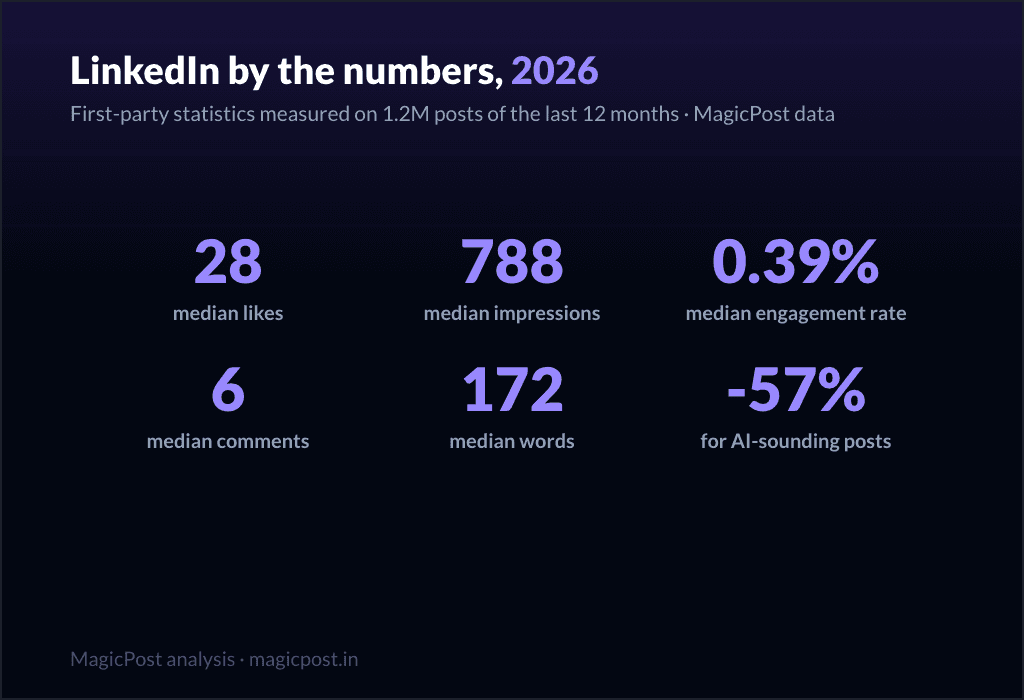
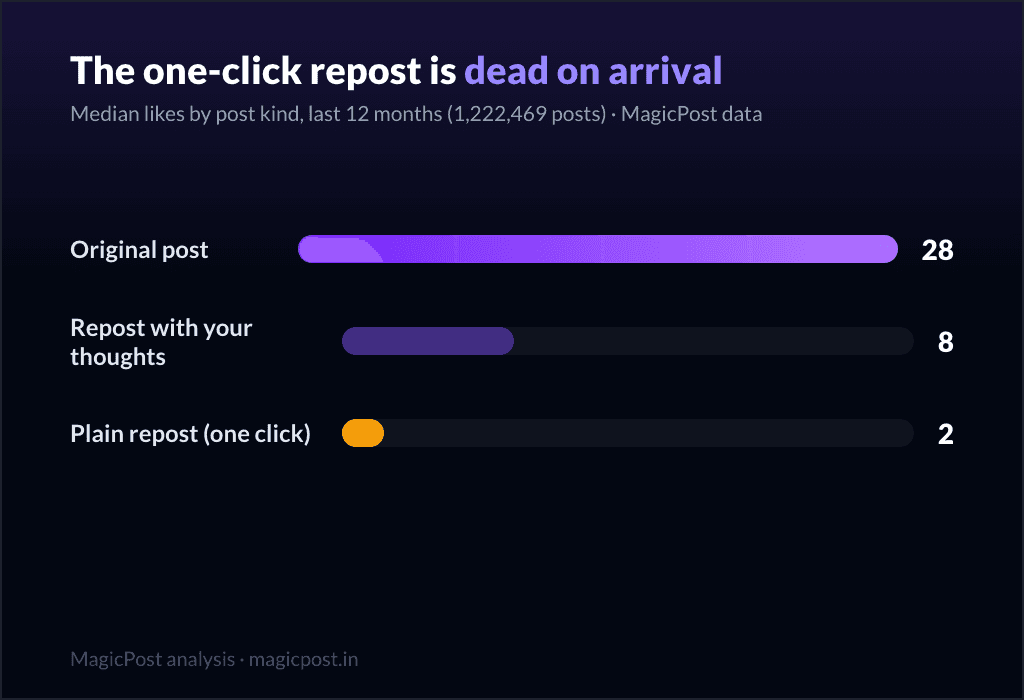
Here is the whole answer up front. Across our corpus, an original post earns a median of 28 likes. A repost with your own thoughts added earns 8. A one-click repost with nothing added earns 2.
The classic advice you have heard a hundred times ("never plain-repost, always add your take") turns out to be exactly right, and now you can see the size of it: adding two sentences quadruples the bare repost. But even your best repost, the one with real commentary, earns less than a third of what an original post would have earned in the same slot.
This guide still covers the mechanics, because reposting has a place and there is a right way to do it. But the mechanics come second now. The first thing to understand is why the feed prices a repost the way it does, because once you see it, you will repost less and post more.
The three kinds, measured
We split every post in the corpus into three buckets and compared them on median likes and comments, never averages, so a single viral share cannot lift a row:
Post kind | Posts measured | Median likes | Median comments |
Original post | 1,208,224 | 28 | 6 |
Repost with your thoughts | 13,778 | 8 | 0 |
One-click repost (no text) | 467 | 2 | 0 |
The table is a ladder, and the rungs are far apart. The original post is the baseline of LinkedIn, the thing every other row is measured against. The quote repost, where you add your own commentary on top of someone else's post, lands a third of the way down.
The bare one-click repost sits at the very bottom, and the drop from quote to bare is its own warning. Notice too that both repost rows flatline at zero median comments: a forward rarely starts a conversation.
A caveat on that bottom row. Our corpus under-captures one-click reposts, because they rarely surface as standalone posts the way originals and quote reposts do, so this figure rests on only 467 of them; treat the 2 median likes as directional.
The quote-repost row, at 13,778 posts, is solid and is the one to anchor on. Even read conservatively, the shape holds: a repost, whatever flavour, lives in single digits while the original lives at 28.
Why the feed prices it this way
The reason is not mysterious. A repost is a shortcut, and the feed prices it like one.
When you publish an original post, you have done the work: you decided what to say, you put your judgment on the line, you gave a reader a reason to stop scrolling.
When you one-click repost, you have done none of that. You have forwarded someone else's work with a stamp that says "this exists," and the credit, quite reasonably, mostly flows back to the original author. You are a megaphone, not a voice, and the feed treats megaphones as background noise.
The quote repost sits in between for a reason. By adding your own two sentences you have done a sliver of the work, and the feed pays you a sliver more for it. The rule underneath the whole ladder is simple: the more of your own judgment a post carries, the more the feed rewards it.
Reposting is the lowest-judgment thing you can publish, which is why it sits at the bottom. (For the full picture of what the feed weighs, see how the LinkedIn algorithm works in 2026.)
The reframe that changes behaviour: if something is worth resharing, it is worth two sentences of your own at minimum, and usually worth a full original post that cites it. The thing that made you want to hit repost (a stat, a claim, a take you disagree with) is the seed of an original post.
The repost button buries that seed; an original post plants it. You can find posts worth adding your take to, among 2M+ when your own feed runs dry.
The repost sits in a family of feed shortcuts that look like reach and measure like noise. The clearest cousin is AI-written content, which earns less engagement on LinkedIn once you measure it: another one-second move that the feed quietly prices below real work.
The repost urge is a content idea in disguise. Every time you feel the pull to reshare, you have just identified a topic your audience cares about. MagicPost's LinkedIn post ideas turns that urge into an original take worth publishing, so the 28-like version goes out instead of the 2-like one.
How to repost on LinkedIn (both ways)
When you do decide a repost is the right call, here is the mechanic. It is identical on desktop and mobile.
Find the post in your feed, or open the profile that published it.
Tap the share icon (the back-and-forth arrows) below the post.
Choose one of two options: Repost or Repost with your thoughts.
If you chose Repost with your thoughts, write your commentary in the field that appears. This is the version that earns 8 instead of 2, so it is almost always the one to use.
Tap Post.
To delete a repost later, tap the three dots in the top corner of your repost and choose Delete post. That removes your repost without touching the original.
If the share icon is missing or greyed out, one of three things is true: the post is set to connections-only (private posts cannot be reshared), the post is from a LinkedIn group (group content is sealed by design), or the author has switched off resharing on that specific post. In the last case, your only option is to screenshot and share manually, with clear credit.
What is actually worth reposting
Most of your feed does not deserve a share. The reposts that justify the haircut tend to fall into a few categories, and for almost all of them, the quote repost (add your thoughts) is the version to use:
Industry news and research. A genuine report or development in your field. Add one sentence on why it matters to your audience, and you have turned a 2-like forward into an 8-like contribution.
Insights from people you respect. A take that resonated or challenged you. Say what it changed in your thinking; that line is the whole value.
Client wins and user-generated content. When a customer or partner posts about your work, amplifying it is the most credible content you can put out, and it costs you nothing to add a thank-you with context.
Event takeaways. Skip the bare announcement; repost your own notes after attending. That version carries original perspective and reliably beats the relay.
Relevant job openings. Goodwill that compounds, as long as you keep it to roles your audience actually cares about.
What to avoid
Reposting as your main act. If your feed is mostly reposts, your audience learns to scroll past you. The 2-like median is the receipt: a wall of forwards trains people to ignore the name on top.
Adding empty commentary. "Great post, worth a read" is not commentary. It earns the quote-repost penalty without the quote-repost benefit. If you have nothing real to say, you have nothing worth resharing; write an original post on the underlying idea instead.
Resharing what you have not read. Amplifying something you skimmed is a reputational bet you do not need to make.
Reposting private or group content. It will not work, and the share option simply will not appear.
Should you repost your own posts?
Yes, with discipline. Resharing your own strong post 24 to 48 hours after publishing is a legitimate way to catch a second wave from followers in other time zones or who missed it the first time. Wait until the original's engagement curve flattens before you do it, and only do it for posts that performed the first time.
The best version is not a bare reshare at all but a quote repost of your own work, where you add what changed since: a new data point, a lesson, an outcome. That is an original take wearing a repost's clothes, and it earns like one.
Timing matters here too, so it is worth knowing how often you should post on LinkedIn before you stack a reshare on top of a fresh post.
Should you repost as a company page?
You can repost as a page rather than as yourself, with the same mechanic (share icon, then choose the page as the author). It is a reasonable way to keep a company page active using strong content from your team's personal profiles.
Set expectations accordingly. Organic company-page reach is already thin, and the repost logic does not change: a page that only forwards other people's posts earns like a forwarder. The page's own original posts, and its employees' original posts, are what move the numbers.
If reposting is not the cheap reach hack it looks like, the better low-effort tactic is engaging in other people's comments, where the work is small and the visibility is real. We measured that one too, in how to comment effectively for better reach on LinkedIn.
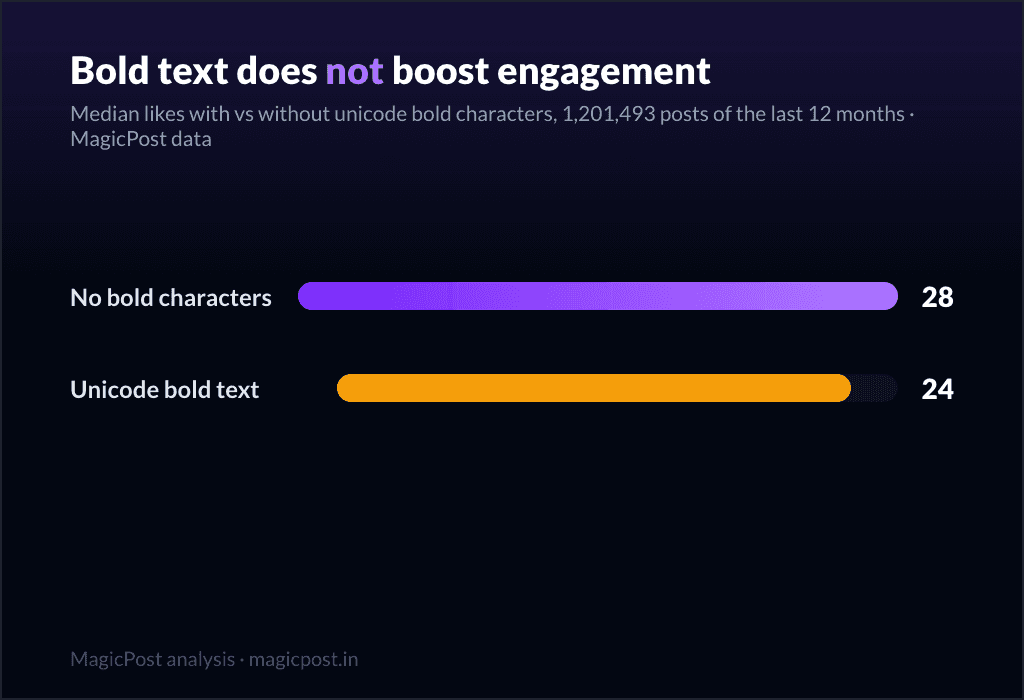
Bold text is another measured myth from the same corpus: a formatting shortcut that, once you check the numbers, does not lift a post either. And if you want the format question settled, our pillar study covers the best LinkedIn post format in 2026.
Where this data comes from
These figures come straight out of MagicPost's post corpus. We removed deleted posts, then sorted what was left into three kinds: original posts, reposts with added commentary (quote reposts), and one-click reposts with no text. Each row reports the median of its group rather than the mean, so a few viral shares cannot pull a number up. Engagement figures cover 1,208,224 original posts, 13,778 quote reposts, and 467 one-click reposts. That last sample is small by design: bare reposts rarely surface as standalone posts the way originals and quote reposts do, so our corpus under-captures them, and the 2-median-likes figure should be read as directional. The quote-repost row, at 13,778 posts, is solid. History covers 2022 to mid-2026, with the repost share computed within each year; because the corpus grows over time and 2026 is a partial year on a thinner sample, the year-to-year share figures are directional by construction.
The gap also has a confounder worth naming. Nobody reposts at random, and a lot of reposts go out precisely on the days an author had nothing of their own to say, so some of the distance from 2 to 28 is the low effort behind a typical forward, not the mechanic alone. The corpus was last pulled in June 2026.
FAQ
Should you repost on LinkedIn?
Sparingly, and almost always with your own thoughts added. Measured across our corpus, an original LinkedIn post earns a median of 28 likes. A repost with your own commentary added earns 8. A one-click repost with no text added earns 2 (a directional figure, from a smaller sample of 467). So the old advice holds: adding your take quadruples the bare repost, but even your best repost earns less than a third of what an original post earns. Reposting is a shortcut, and the feed prices it like one. If something is worth resharing, it is worth two sentences of your own at minimum, and usually worth a full original post that cites it.
Is it better to repost with or without commentary?
With commentary, clearly. A repost with your thoughts earns a median of 8 likes against 2 for a bare one-click repost. Adding your own perspective quadruples the engagement, because the feed rewards the sliver of judgment you put in. The only catch is that the commentary has to be real. "Great post, worth a read" earns the penalty without the benefit, because it adds no judgment for the algorithm or your audience to reward.
How much engagement does a LinkedIn repost get?
A repost with added commentary earns a median of 8 likes and 0 comments, measured across 13,778 of them. A one-click repost with no text earns a median of 2 likes and 0 comments, though that rests on a smaller sample of 467 and is directional. For comparison, an original post earns 28 median likes and 6 median comments across 1,208,224 posts. Whichever way you repost, the engagement lives in single digits while the original lives at 28.
Why can't I repost a LinkedIn post?
Three common reasons: the post is private (connections-only), the post is from a LinkedIn group (group content cannot be reshared outside the group), or the author has switched off resharing on that specific post. Only public posts with sharing enabled can be reposted. If sharing is disabled, your only option is to screenshot and share manually with clear credit.
Can I repost my own LinkedIn post?
Yes, and it is a legitimate reach-extension tactic. Reshare a strong post 24 to 48 hours after publishing, once its engagement curve has flattened, to catch followers who missed it the first time. The strongest version is not a bare reshare but a quote repost of your own work where you add what has changed since: a new data point, a lesson, or an outcome. That turns the reshare into an original take, which is what earns like one.
> Stop forwarding other people's posts for 2 likes. MagicPost keeps drafting, scheduling, and post-performance in one workspace, so the next time you feel the repost urge you turn it into the 28-like original instead of the 2-like forward.