RedactAI is a LinkedIn content tool built specifically for post creation. It learns your writing style from your post history, generates three variations per prompt, and includes scheduling, content recycling, and an inspiration feed.
It’s one of the more affordable AI writing tools in this space. This RedactAI review covers what it actually does, what the pricing buys you at each tier, and where the limitations show up in practice.
What Is RedactAI?
RedactAI is a French-built LinkedIn AI writing tool focused on generating posts that sound like you.
The onboarding pulls your LinkedIn profile (name, headline, description, and your last 100 posts) and builds a personalized AI model from that data. Every draft it generates draws from this profile rather than generic training data.
The platform is LinkedIn-only. There’s no multi-platform scheduling or content repurposing for other channels. If LinkedIn is where you’re focused, that’s not a problem. But if you manage content across platforms, you’ll need a separate tool.
⚠️ Account Safety: RedactAI generates content but doesn’t automate actions on your LinkedIn account. Scheduling is handled through their own integration, not LinkedIn’s official API, so there’s a low risk for standard use.
RedactAI Features
RedactAI is content-generation heavy, and its most noteworthy feature is voice learning/style replication.
Voice Learning and Style Model
The foundation of RedactAI is the personalized AI it builds from your LinkedIn profile.
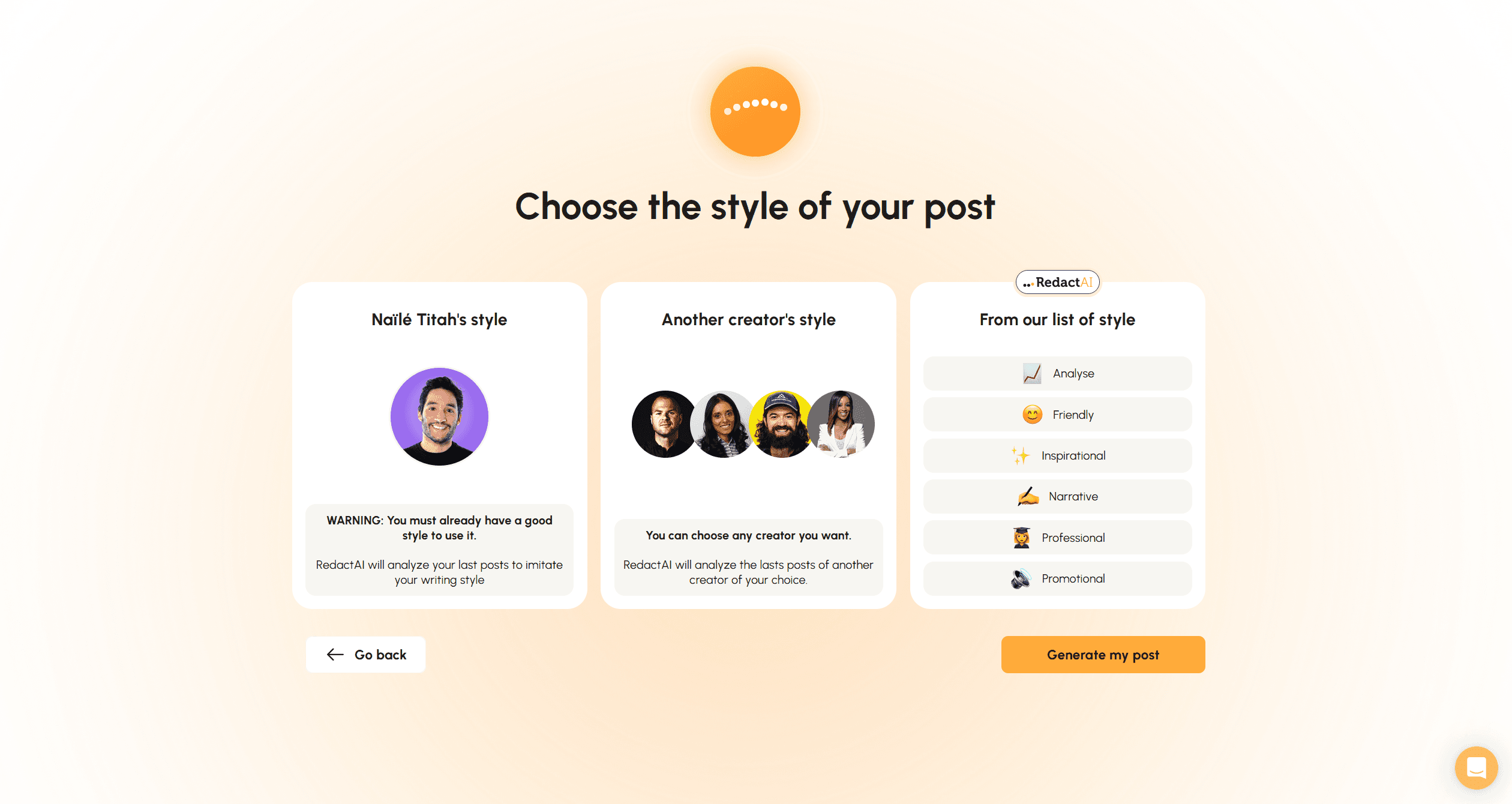
During onboarding (which takes less than 10 minutes to complete properly), it ingests your post history, writing patterns, and profile details. The result is a style model that RedactAI uses as the baseline for every draft it generates.
If you’re just starting on LinkedIn and don’t have 100 posts to draw from, you can also model your writing style after an established creator from RedactAI’s curated list. This is useful for new accounts that need a starting point before developing their own voice.
Post Generator
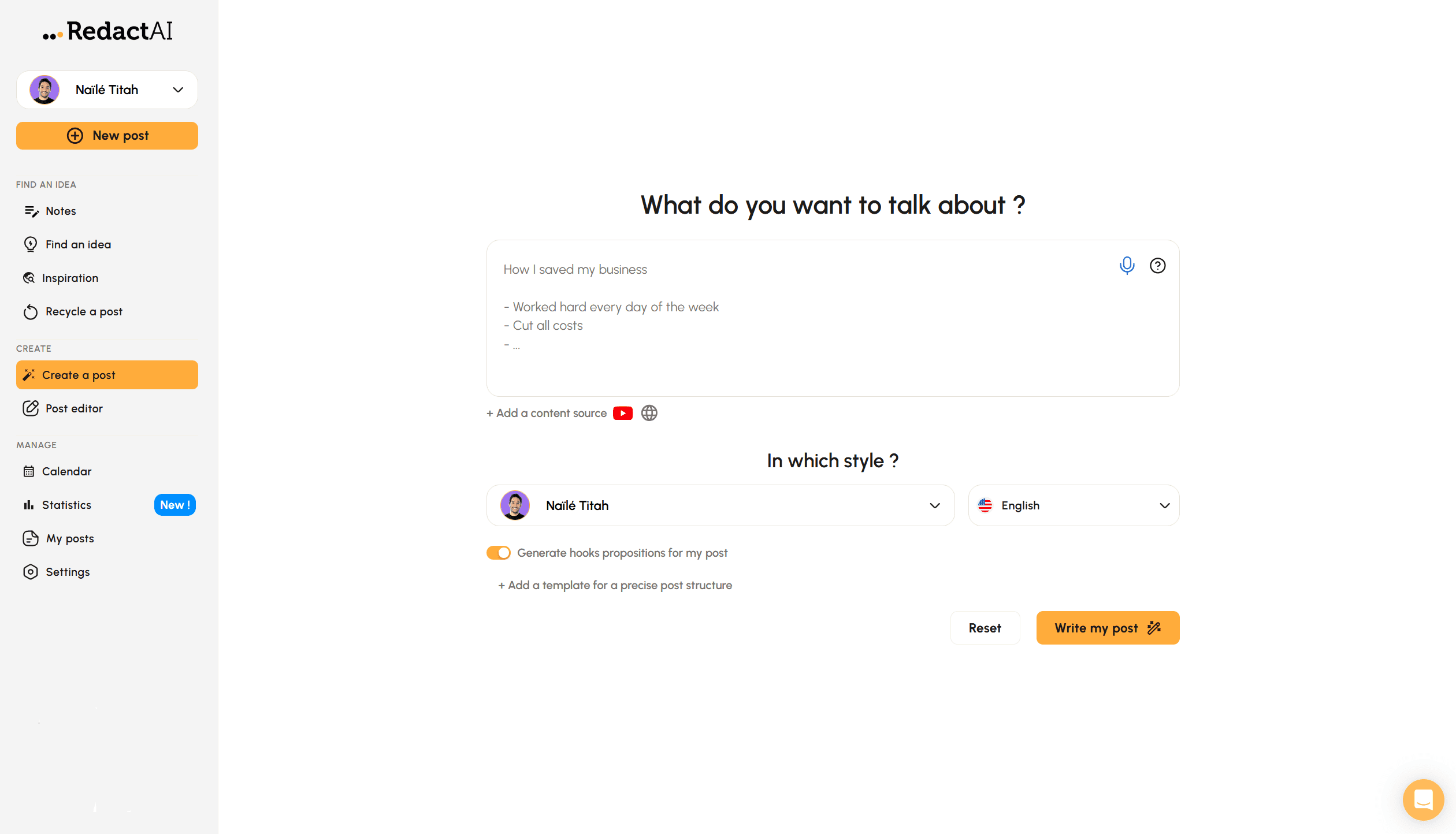
Give RedactAI a topic, keyword, or a few lines of context, and it generates three post variations to choose from.
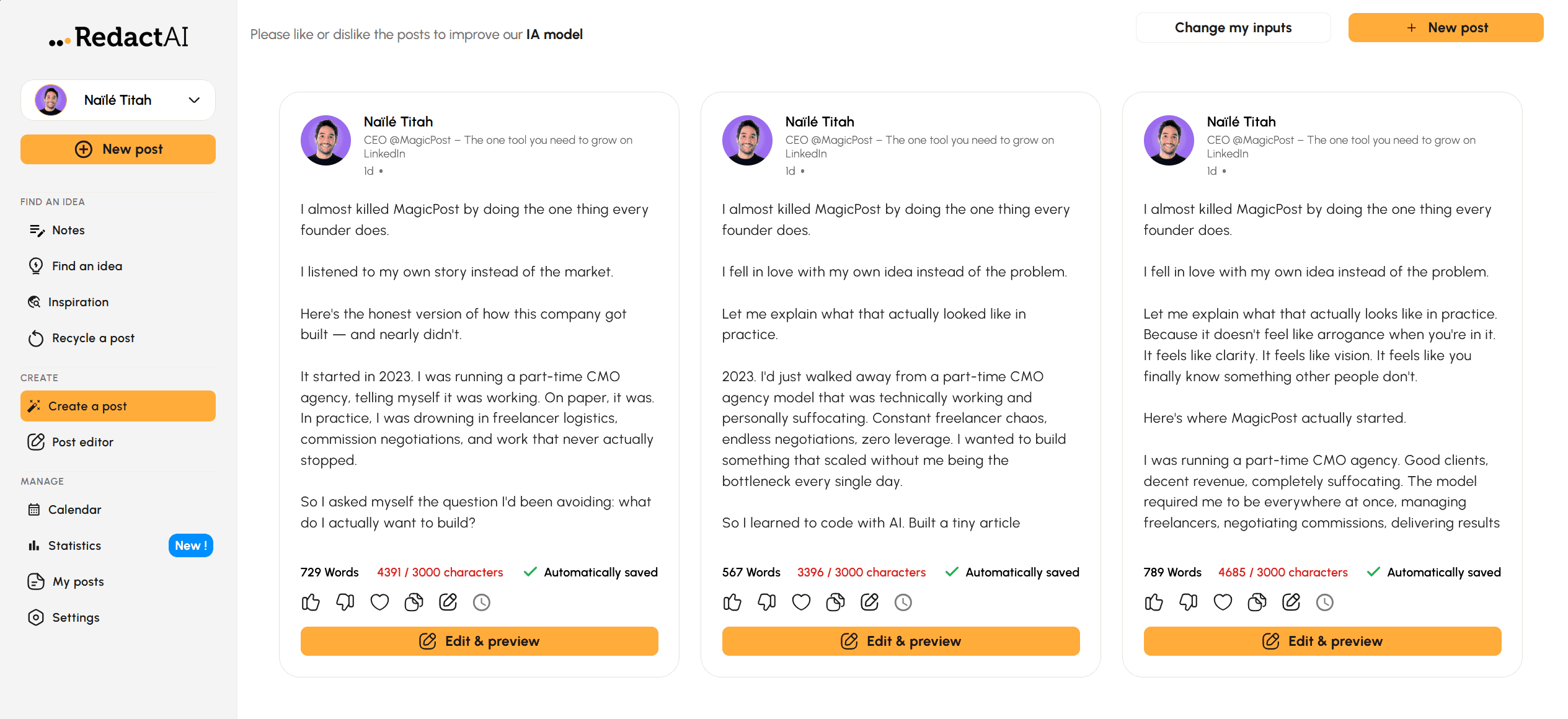
Each draft follows a LinkedIn-native format: structured, readable, with a hook and CTA. The word and character count is shown for each option and drafts save automatically.
The three-variation approach is one of the better design decisions in this category. Rather than iterating on a single draft, you get three distinct angles to compare.
The limitation is that the hooks can feel templated if you’re generating posts at volume; they don’t always map tightly to the specific topic.
Content Sources
Beyond typing a topic, RedactAI can generate posts from external sources: YouTube video links, blog post URLs, and content you’ve added to your notes inside the platform.
This makes content repurposing fast; paste in a video or article and it extracts the key ideas and frames them as a LinkedIn post in your voice.
Inspiration Feed
The Inspiration tab gives you access to viral LinkedIn posts in real time, filterable by engagement and time period.
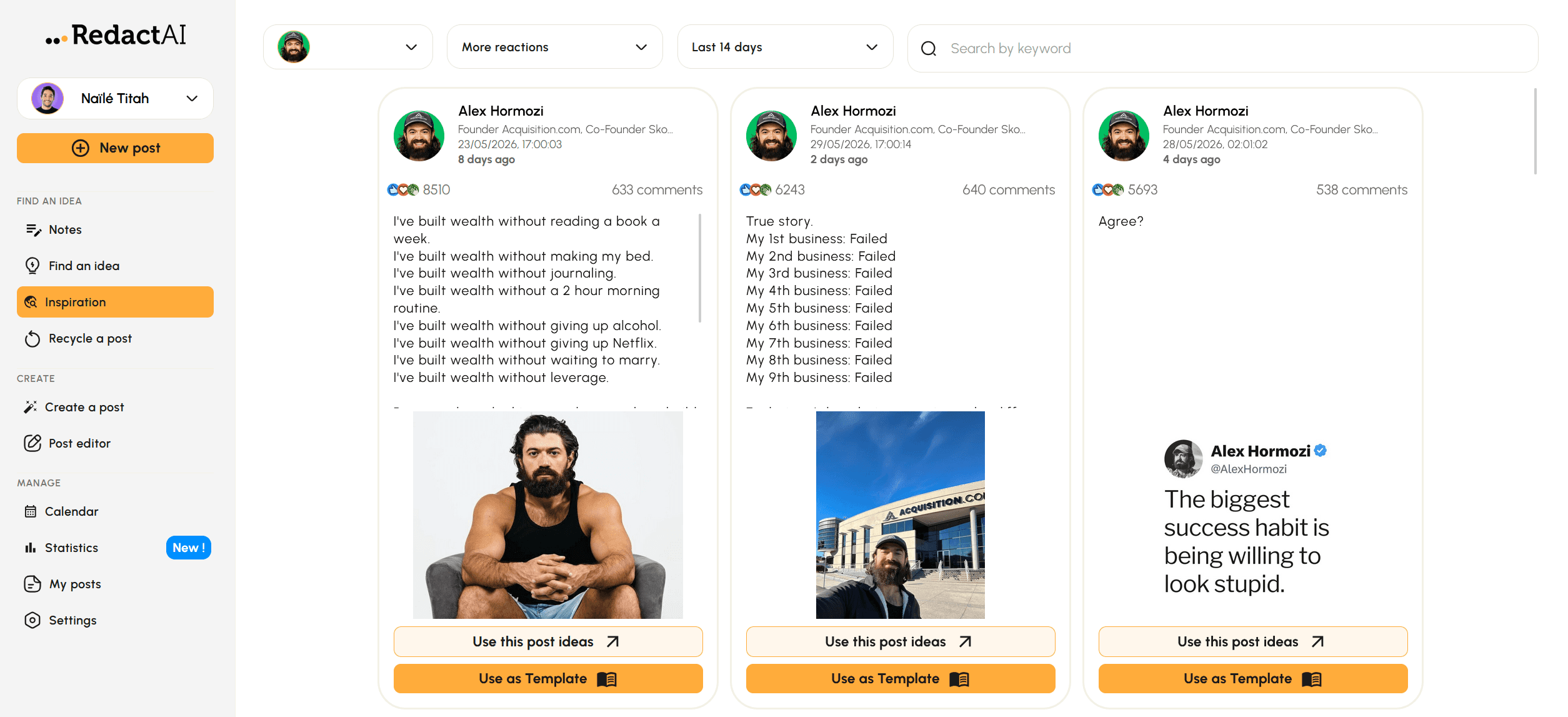
On the Essential plan, you get 2 creators to follow for inspiration. The Creator plan unlocks unlimited access. You can save posts you like and use them as structural references when generating your own content.
Content Recycling
RedactAI identifies your best-performing past posts based on statistics and lets you repurpose them into new drafts.
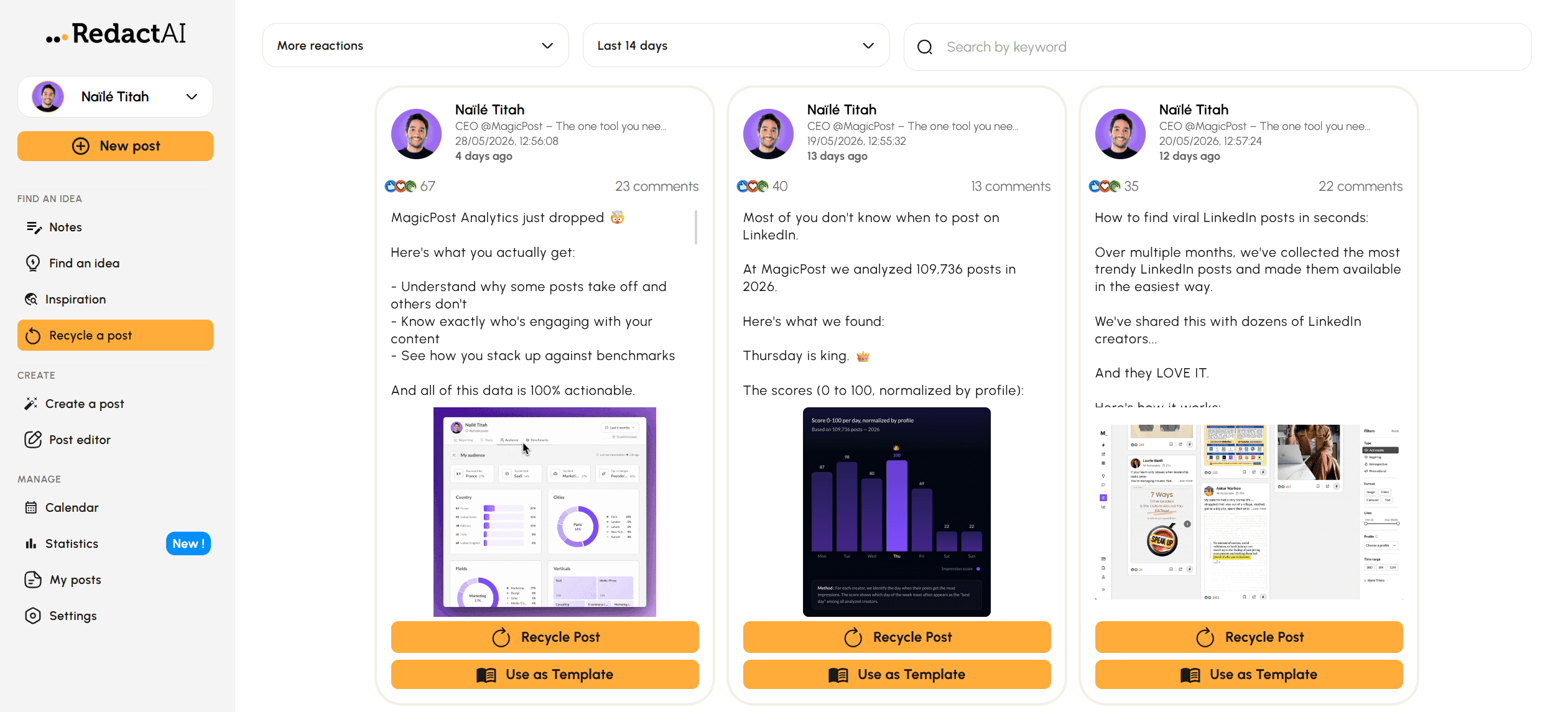
The recycling feature is available from the Creator plan. It’s useful for creators who have a backlog of high-performing content that could be updated or reframed for a new audience.
Scheduling and Calendar
The post calendar gives you a monthly, weekly, and daily view of your content schedule.
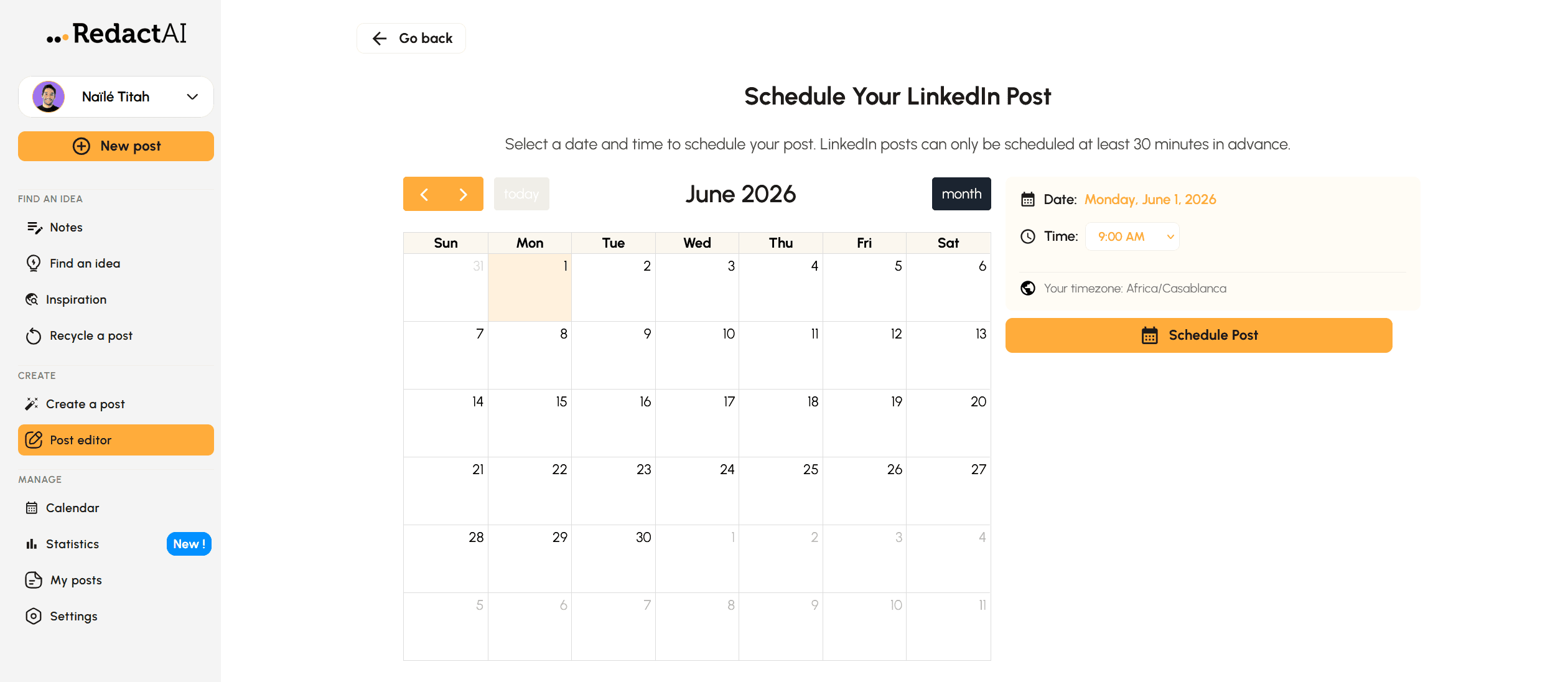
You can schedule both posts you’ve created using RedactAI’s post generator and posts you’ve written manually. RedactAI also comes with a post editor feature that lets you create content from scratch and preview it on the web and mobile app.
Post Editor
Once you’ve selected a draft, the editor lets you format text (bold, italic, bullet points), add media (images, carousels, or videos), and preview the post on desktop, tablet, and mobile before publishing.
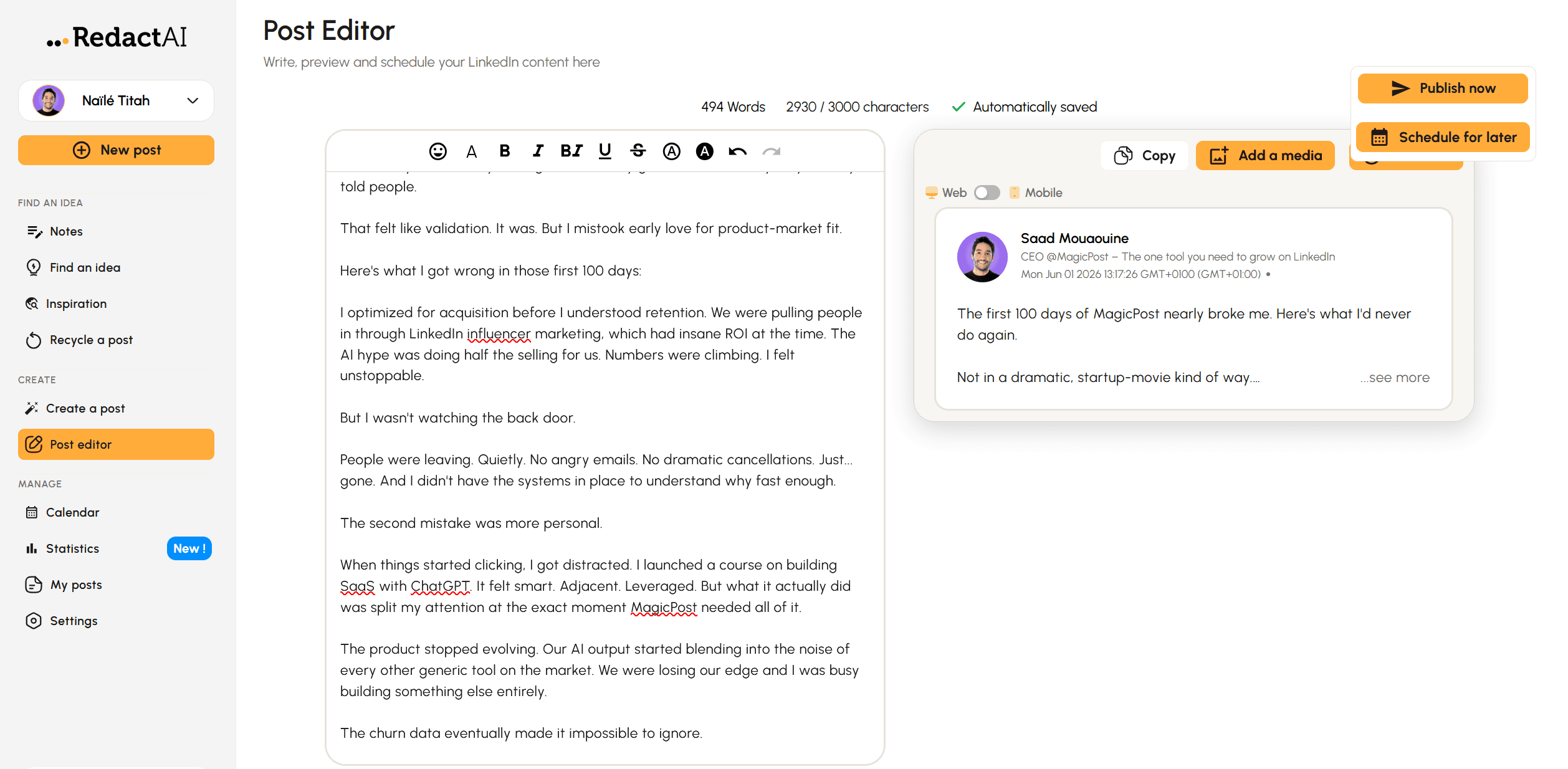
The preview is useful for checking where the “see more” cut-off lands. It also lets you edit your post on-the-go.
Idea Generator
Enter a topic and RedactAI gives you three content ideas to develop. You can take those ideas straight into the post generator or save them for later.
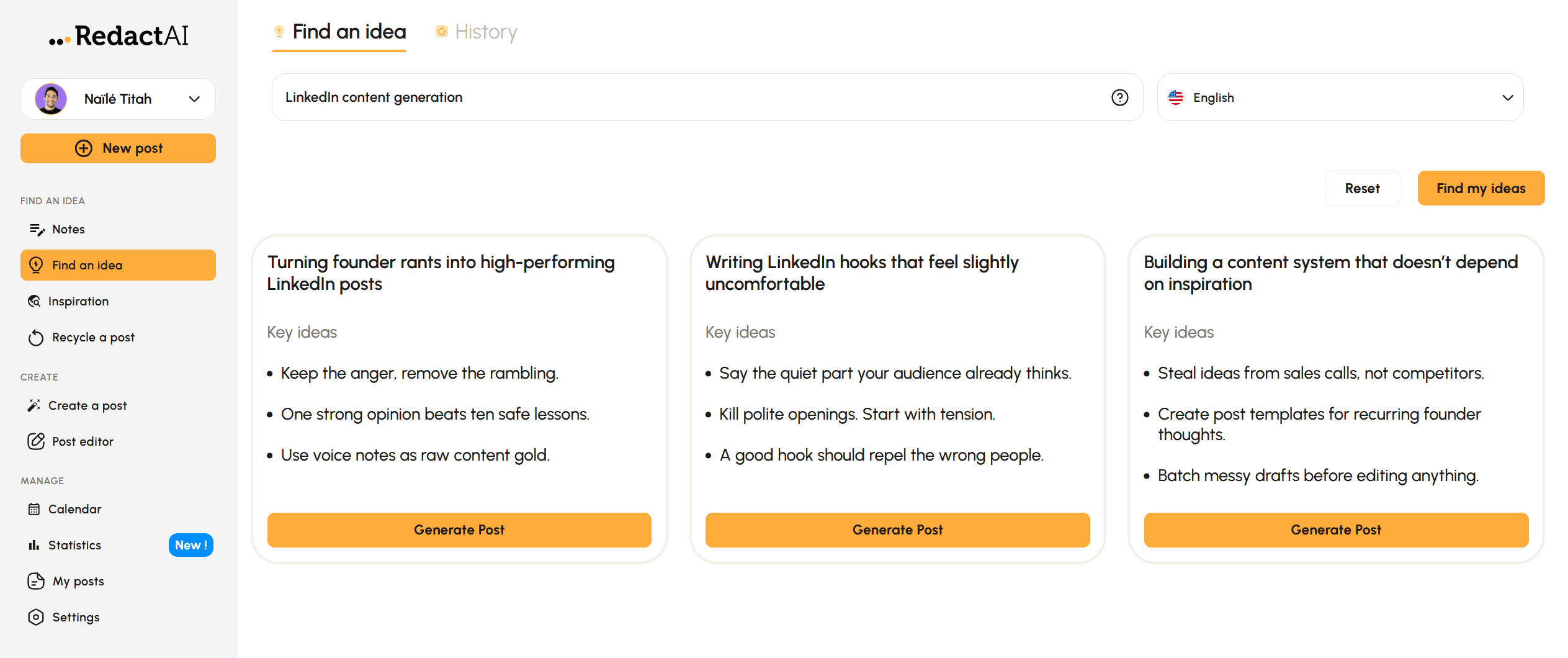
The ideas are decent for breaking through writer’s block, though variety is limited if you generate multiple batches on the same topic.
ChatWithRedactAI
This is an AI assistant for refining drafts, asking questions about your content strategy, and working through specific writing challenges conversationally. It’s available on the Creator plan and above.
Statistics
RedactAI tracks post performance with real-time statistics, including post impressions, likes, comments, posting activity, and your estimated savings. You need to connect your LinkedIn account to get a full picture of your posts’ performance.
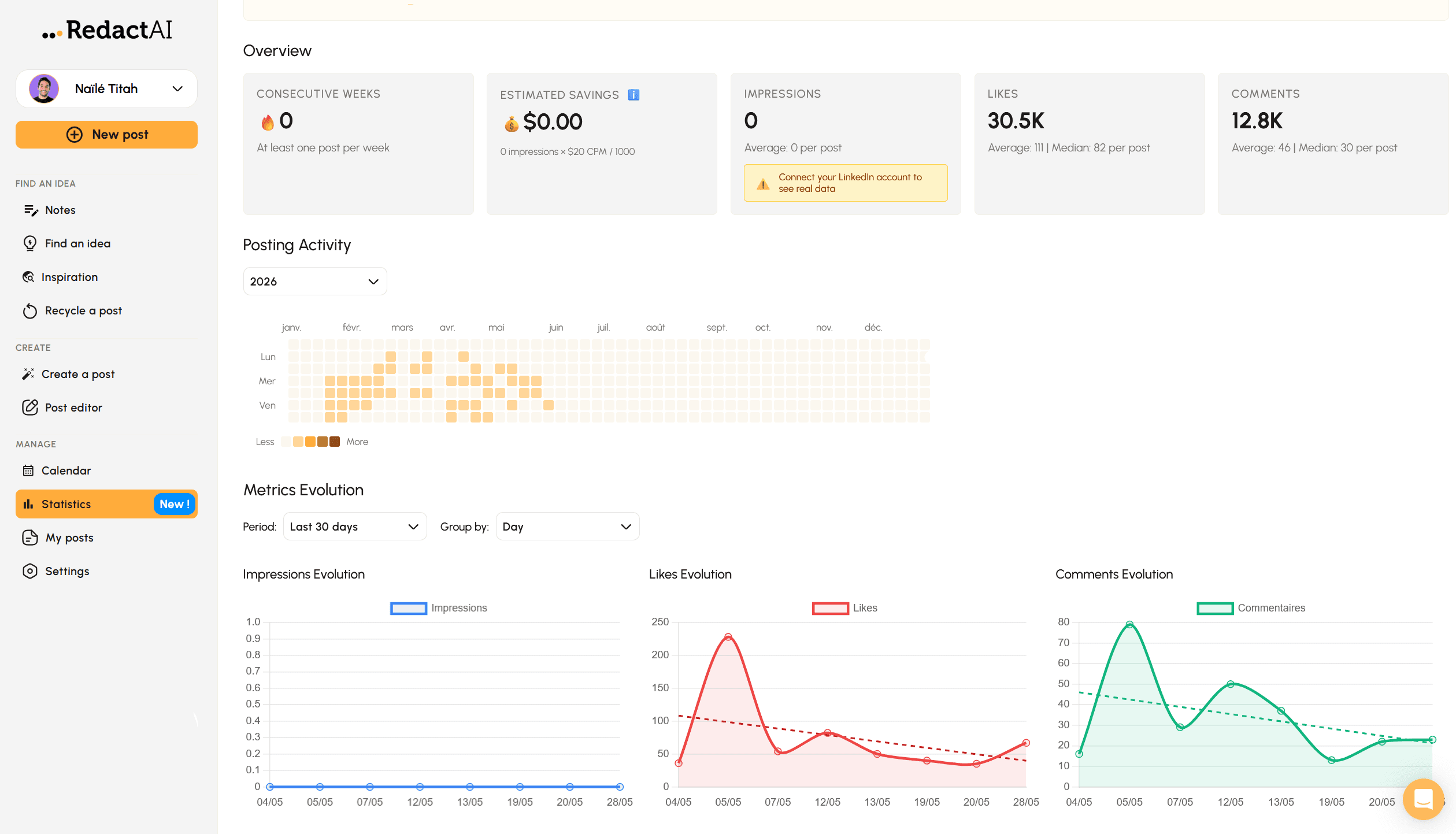
The Essential plan includes basic stats. The Creator plan adds deeper insights and the ability to identify your top-performing posts for recycling.
It’s not a replacement for a dedicated analytics tool, but it’s functional for understanding what’s working.
Notes
RedactAI includes an in-platform note-taking feature that lets you quickly capture ideas when inspiration strikes but you don’t have time to write a full post.
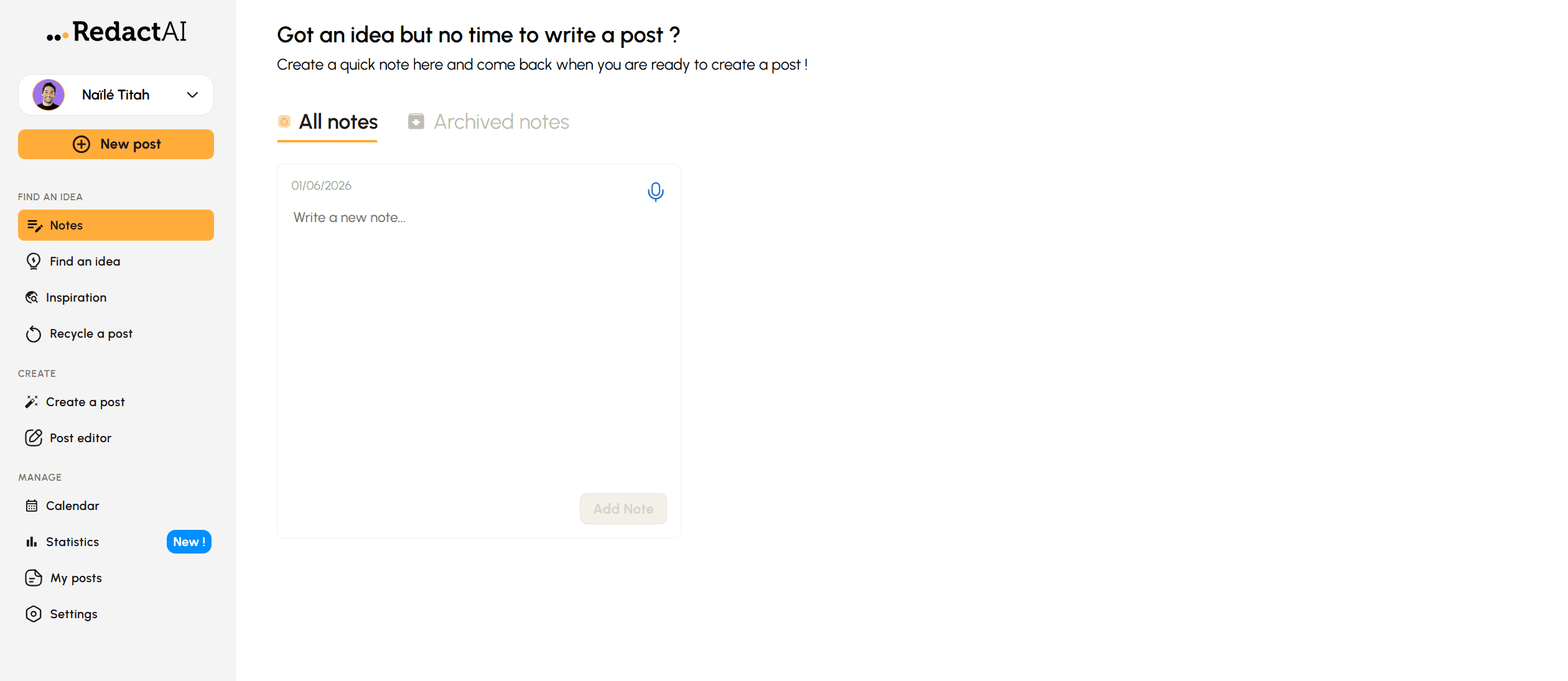
You can record either typed or voice notes, which are automatically transcribed and saved for later use. It’s a small but practical tool that will likely appeal most to heavy LinkedIn users who post frequently.
RedactAI Pricing
What RedactAI costs in 2026:
Plan | Price | What’s Included |
Essential | $19.90/mo. | 15 posts/mo, scheduling, post preview, 1 profile, 2 writing styles, 2 creators in Inspiration, unlimited idea generator, statistics |
Creator | $39.90/mo. | Everything in Essential + unlimited posts, unlimited Inspiration, unlimited content recycling, ChatWithRedactAI, 24/5 support |
Copywriter | $109.90/mo. | Everything in Creator + multiple profiles, priority suppor |
❓ Free Trial: RedactAI offers 4 free posts with no credit card required. It’s enough to test the voice matching and post generator before committing to a plan.
RedactAI Pros and Cons
RedactAI is a capable platform, but its generated content can still feel somewhat templated and AI-heavy despite its voice-matching features.
Pros | Cons |
✅ Voice replication from your last 100 posts is genuinely good | ❌ No carousel maker |
✅ Three variations per prompt gives you options | ❌ Posts sound AI-heavy and formulaic despite the variations and voice matching features |
✅ Content repurposing from YouTube and blog URLs | ❌ Multiple profiles require the $109.90/mo. Copywriter plan |
✅ Affordable entry price at $19.90/mo. | ❌ No LinkedIn official API verification |
✅ Free trial with 4 posts, no credit card required | ❌ Inspiration and recycling locked behind Creator plan ($39.90/mo.) |
✅ Idea generator and inspiration feed included | ❌ Posts often require editing, as the generator exceeds the 3,000 character limit |
❌ Hooks can feel templated at volume |
Who Is RedactAI For?
RedactAI’s features are great for users who are very active on LinkedIn and struggle with writer’s block. The platform targets the following:
Solo creators who want AI writing that actually sounds like them without paying $60+ per month.
Professionals with an existing post history who want to build on their established voice rather than start from scratch.
Anyone who regularly repurposes YouTube videos, blog posts, or articles into LinkedIn content.
New LinkedIn users who want to model their writing after established creators while developing their own style.
However, RedactAI might not be the right fit for the following users:
You manage multiple LinkedIn profiles; that requires the $109.90/mo. Copywriter plan.
You write a lot of your own content and need flexible, automated scheduling.
You want deep analytics beyond basic post performance.
You need a carousel maker or multi-platform publishing.
If any of those describe you, our roundup of the best RedactAI alternatives covers tools that pair the same voice-matching with scheduling, carousels, and deeper analytics.
How much is RedactAI talked about?
One number is worth knowing before you commit your LinkedIn presence to any tool: how many real people actually use and recommend it. RedactAI's answer is unusually quiet.
Across the last twelve months, our research corpus of 1.2M LinkedIn posts logged 45 that mention RedactAI. Of those, 38 came from a single account, leaving only seven other people who mentioned it even once.
There are no reviews on Trustpilot, G2 or Capterra either, as of June 2026. By contrast, the bigger names in this category saturate our measurement cap within a quarter.
None of that proves the product is bad: its site claims 44,160+ users and its blog publishes near-daily. It does mean the independent, third-party footprint is thin, and that the free start (four posts, no card) is the only real evidence you can gather before paying. Use it.
Need More Than Just Writing?
RedactAI handles writing well, but it stops short of a full workflow.
MagicPost adds scheduling and publishing through LinkedIn’s official API as a verified application, full analytics with market benchmarks, dedicated hook generation, employee advocacy features, and a 2M+ post inspiration library.
It also includes a humanizer built on our published research. Generic, interchangeable content reaches roughly 10-14% fewer people, and that cost used to stop there: AI phrasing itself barely moved reach.
MagicPost's study of 287,000 posts found that changed in 2026. The most templated posts now lose up to about 13% of their reach in French and about 3% in English versus the author's own normal, an effect that was statistically absent before.
The penalty traces back to a handful of recycled openers and ready-made contrast templates. The humanizer rewrites those specific turns while keeping the human habits that actually help, so your posts stay yours instead of reading like every other tool's output. RedactAI replicates your voice; the AI LinkedIn post generator applies these reach patterns on top of it.
Pricing starts from $49/mo (the AI plan from $69/mo) with a free trial, no card.
FAQ
Is RedactAI free?
RedactAI offers a free trial with 4 posts and no credit card required. After that, paid plans start at $19.90/mo. for the Essential plan. There’s no permanent free plan.
How does RedactAI learn your writing style?
During onboarding, RedactAI pulls your LinkedIn profile and your last 100 posts and builds a personalized AI model from that data.
The onboarding takes less than 10 minutes to complete properly. If you don’t have 100 posts yet, you can model your style after an established creator from RedactAI’s curated list.
Can you schedule posts on RedactAI?
Yes, but the platform uses its own integration, not LinkedIn’s official API. You also have to go through the post editor first, which is a little bit clunky.
Is RedactAI safe for LinkedIn?
RedactAI generates content and handles scheduling through its own integration. It doesn’t automate actions on your LinkedIn account, so there’s no meaningful account ban risk for standard use.
What is the difference between the Creator and Copywriter plans?
The Creator plan at $39.90/mo. is for individual creators and unlocks unlimited posts, unlimited inspiration access, content recycling, and ChatWithRedactAI.
The Copywriter plan at $109.90/mo. adds multiple profile management and priority support; it’s built for agencies or ghostwriters managing several LinkedIn accounts.
How does RedactAI compare to MagicPost?
Both tools do voice-matched AI writing for LinkedIn. RedactAI’s three-variations-per-prompt approach and $19.90/mo. entry prices are genuine advantages.
MagicPost publishes through LinkedIn’s official API, includes a full analytics dashboard from the base plan, and has a hook generator and a 2M+ post library. For a full comparison, check out RedactAI vs MagicPost.