On LinkedIn, thousands of posts go live every day, but only a few get the reach, engagement, and visibility everyone is chasing. The difference often comes down to the content and the tools behind it.
This AuthoredUp review explores a tool that promises to help creators write better posts, schedule them at the right time, and analyze what actually works, all in one place.
Before you hit publish on your next post, see what the tool can and can’t do.
What Is AuthoredUp?
AuthoredUp is a Chrome extension and web platform for LinkedIn content creation, scheduling, and analytics.
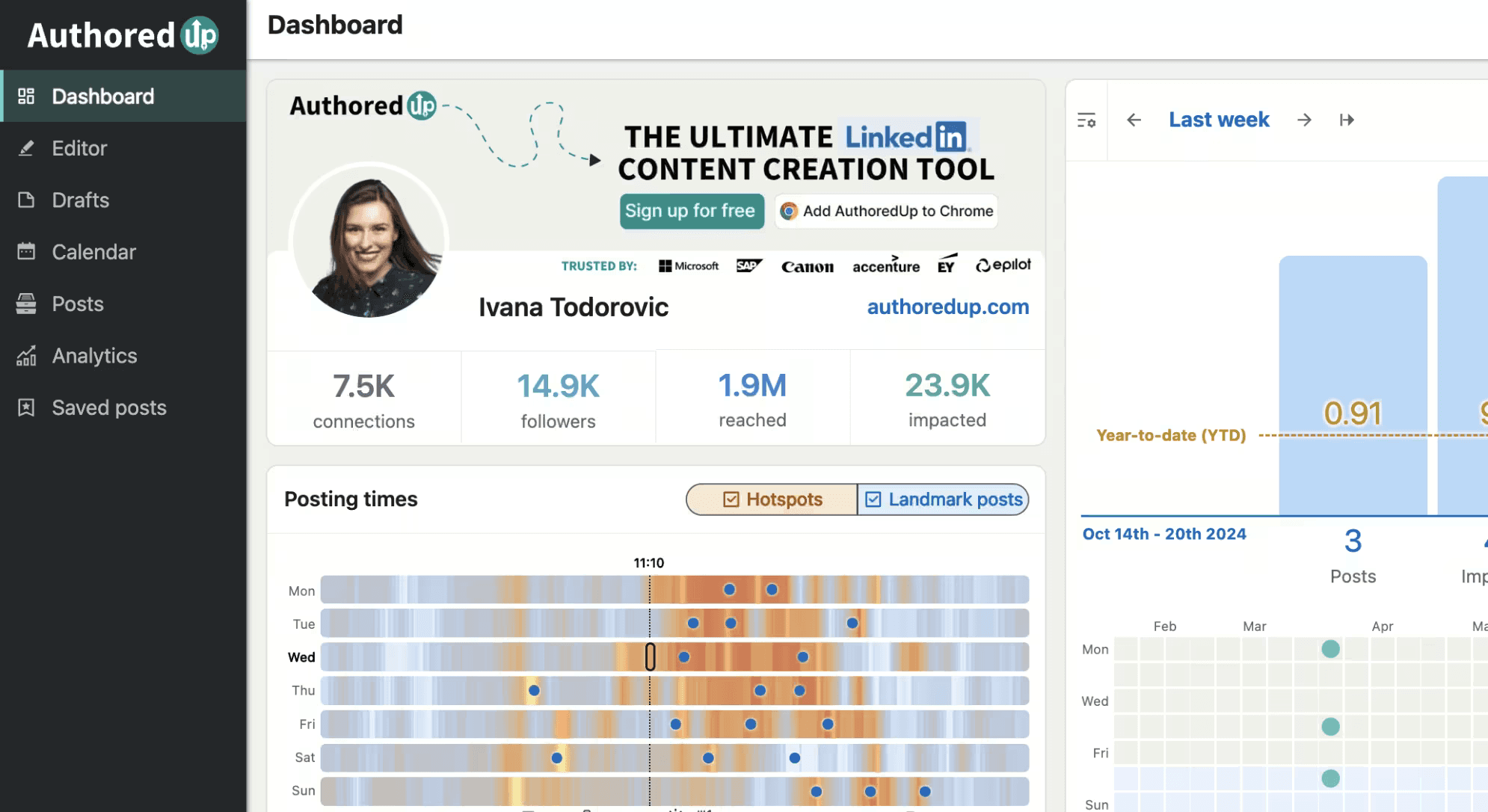
It sits inside your browser and augments LinkedIn’s native editor rather than replacing it. You get additional formatting options, a multi-device preview, scheduling that earns it a spot among the best LinkedIn scheduling tools, and a full analytics dashboard without leaving LinkedIn.
It’s LinkedIn- and Chromium-browsers-only. There’s also no mobile app for creating content.
⚠️ Account Safety: AuthoredUp runs as a Chrome extension, which means it operates outside of LinkedIn’s official API. It doesn’t automate actions on your behalf, so the risk is low for normal use, but it’s worth knowing it’s not officially API-verified.
AuthoredUp Features
AuthoredUp’s focus is on bringing your LinkedIn post formatting to the next level with its built-in editor. What it offers:
Editor
The editor is where most users spend their time. It enhances LinkedIn’s native composer with rich formatting (bold, italic, bullet points, numbered lists, and emoji palettes) and adds a readability score and word count alongside the post.
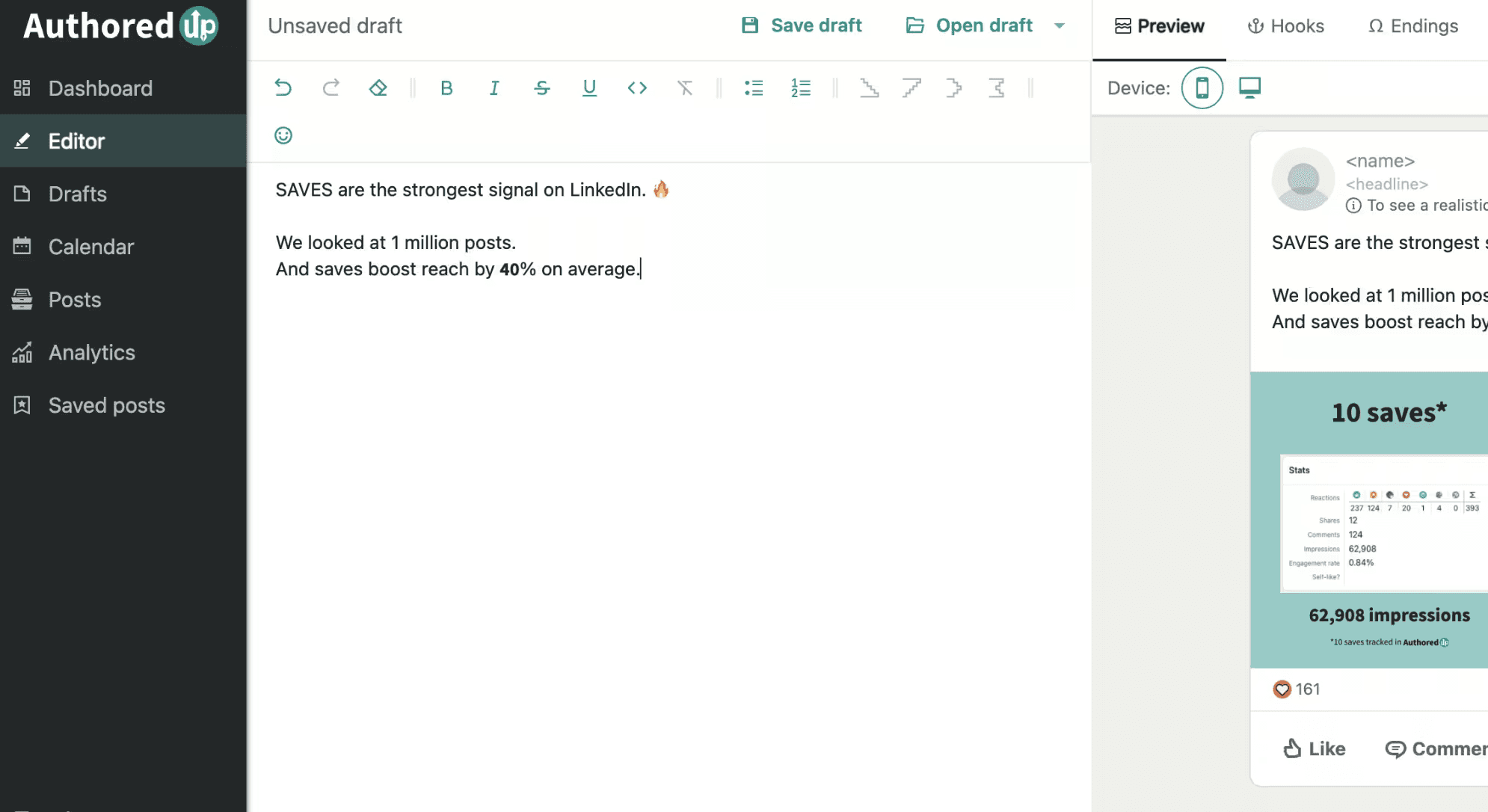
A real-time preview shows exactly how the post will appear on desktop, tablet, and mobile, including where the “see more” cut-off lands. This last feature is important, as a hook that gets cut off at the wrong moment loses the reader before they engage.
Snippets let you save reusable blocks, such as CTAs, signatures, and special characters, and insert them with one click. It’s useful for creators who use a consistent sign-off or regularly link to the same resources.
Post Analytics
AuthoredUp’s analytics go well beyond what LinkedIn’s native dashboard shows.
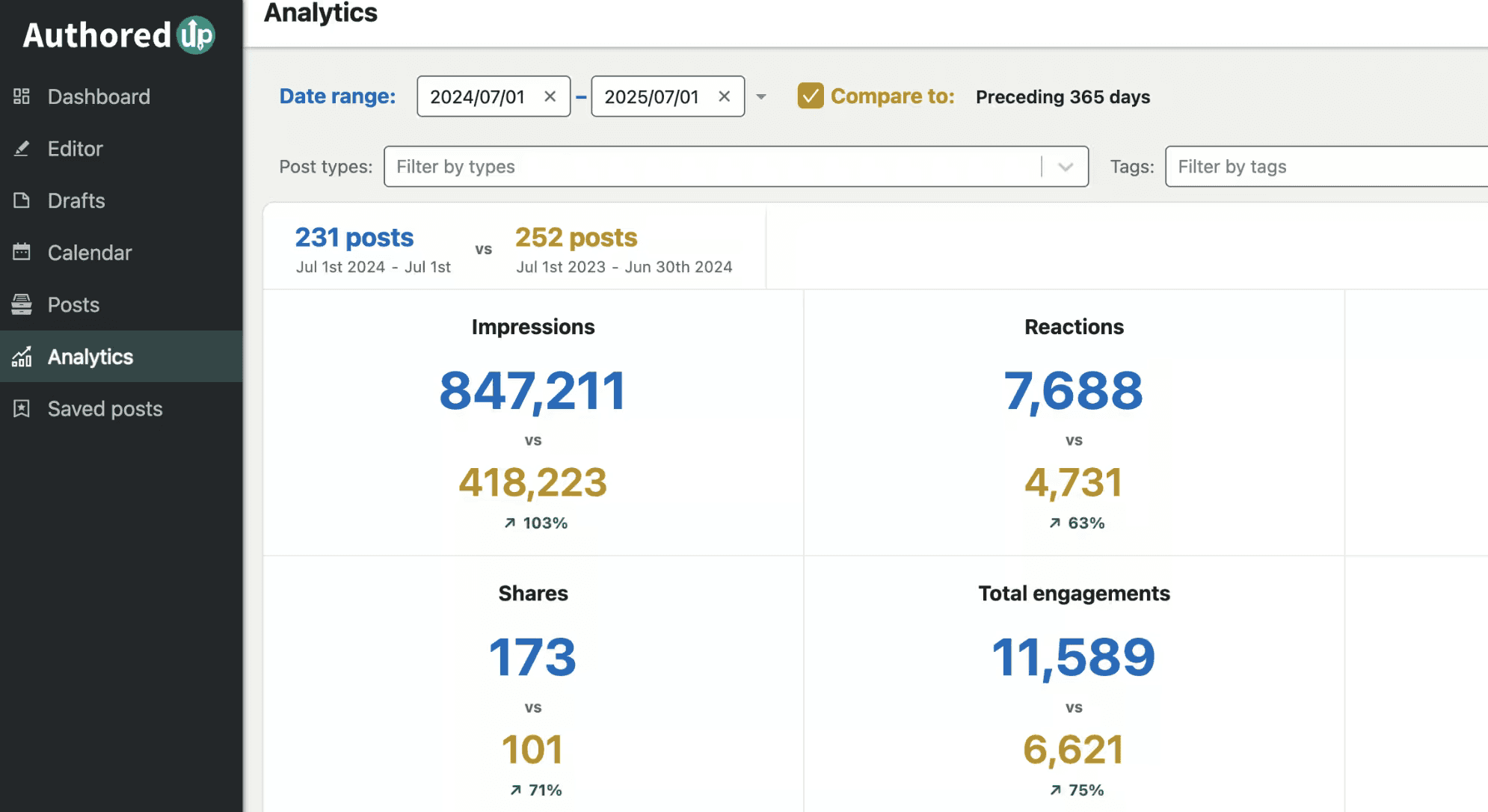
These are the metrics that it covers:
Total, median, and average impressions, engagement, and reactions across all your posts.
Saves, shares, and reports tracked per post. These are metrics LinkedIn surfaces but most tools don’t collect.
Posting heatmaps showing when your audience is most active by day and hour.
Trend graphs showing which posts contributed most to your overall reach.
Winning format analysis (images, documents, videos, and text) so you can see what actually works for your audience.
Period comparison for measuring any two time ranges against each other.
Audience insights for the most frequent themes and keywords in your content.
The team analytics on the Business plan add unified metrics across all connected profiles. This is useful for agencies or marketing teams tracking employee advocacy performance.
Hook and Post Ending Templates
AuthoredUp ships with over 300 hook and post ending templates accessible directly from the editor.
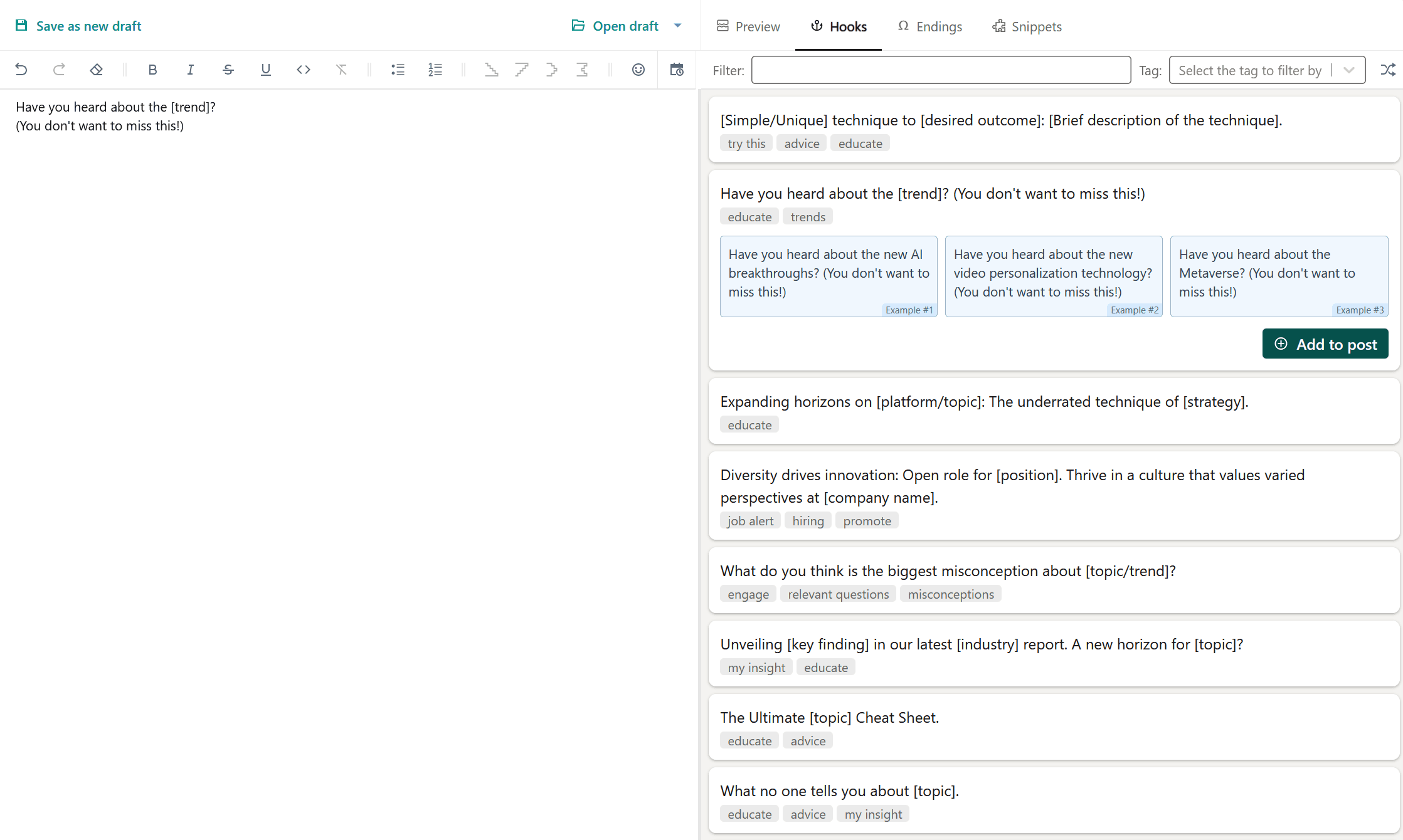
These aren’t AI-generated suggestions; they’re curated structural templates for opening lines and closing CTAs.
For creators who write their own content but sometimes struggle with how to start or finish, this is a practical shortcut.
Drafts
The drafts system is more capable than it looks. You can create drafts from the LinkedIn feed, from the extension directly, or on mobile.
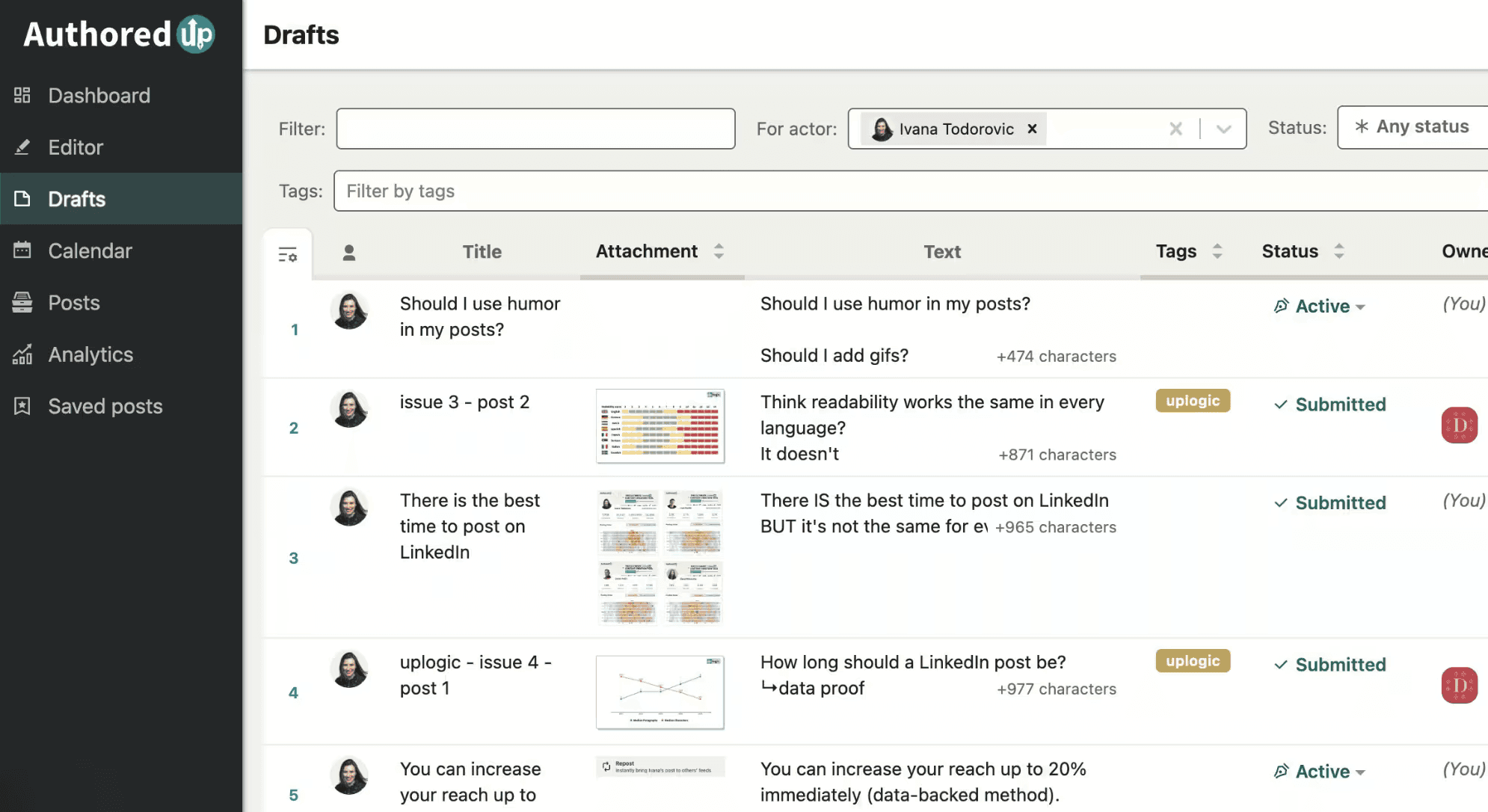
Each draft can have tags, a status, and attached assets (images, PDFs, and links) so everything relevant stays in one place. The search and filter system means you can find any draft by keyword, tag, profile, status, or date without scrolling through a list.
Drafts feed directly into the calendar and publishing workflow. There’s no exporting or reformatting; write once and schedule when ready.
Content Calendar
Schedule posts for your LinkedIn profile, company page, and groups up to three months in advance.
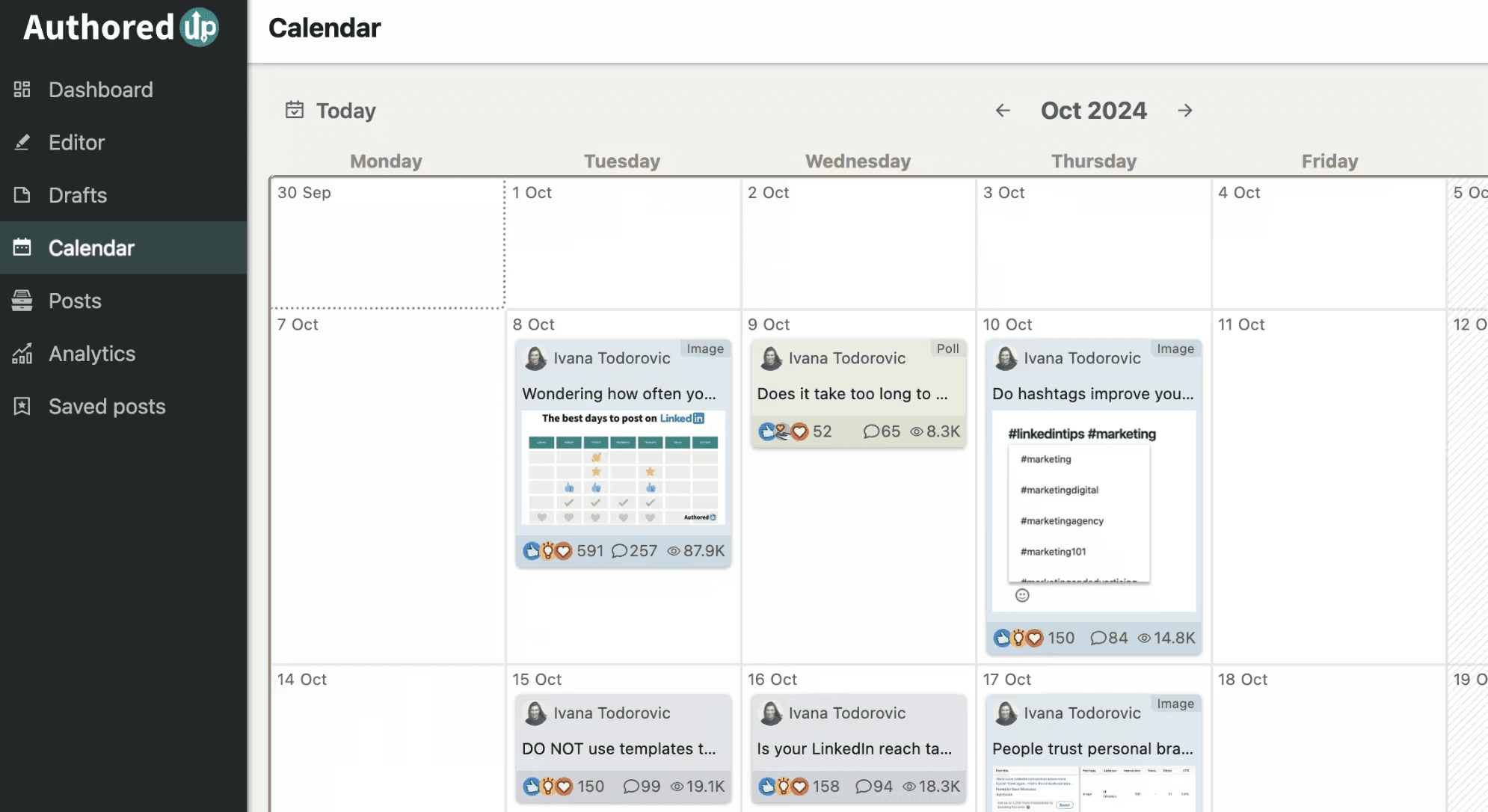
The calendar gives you a full view of your content plan, and you can reschedule by adjusting dates directly without going back to the editor.
For published posts, clicking on any calendar entry shows the content, stats, and engagement. This is useful for reviewing what went live and how it performed without leaving the calendar view.
Saved Posts Library
When you install AuthoredUp, it imports your full LinkedIn saved post history, not just future saves.
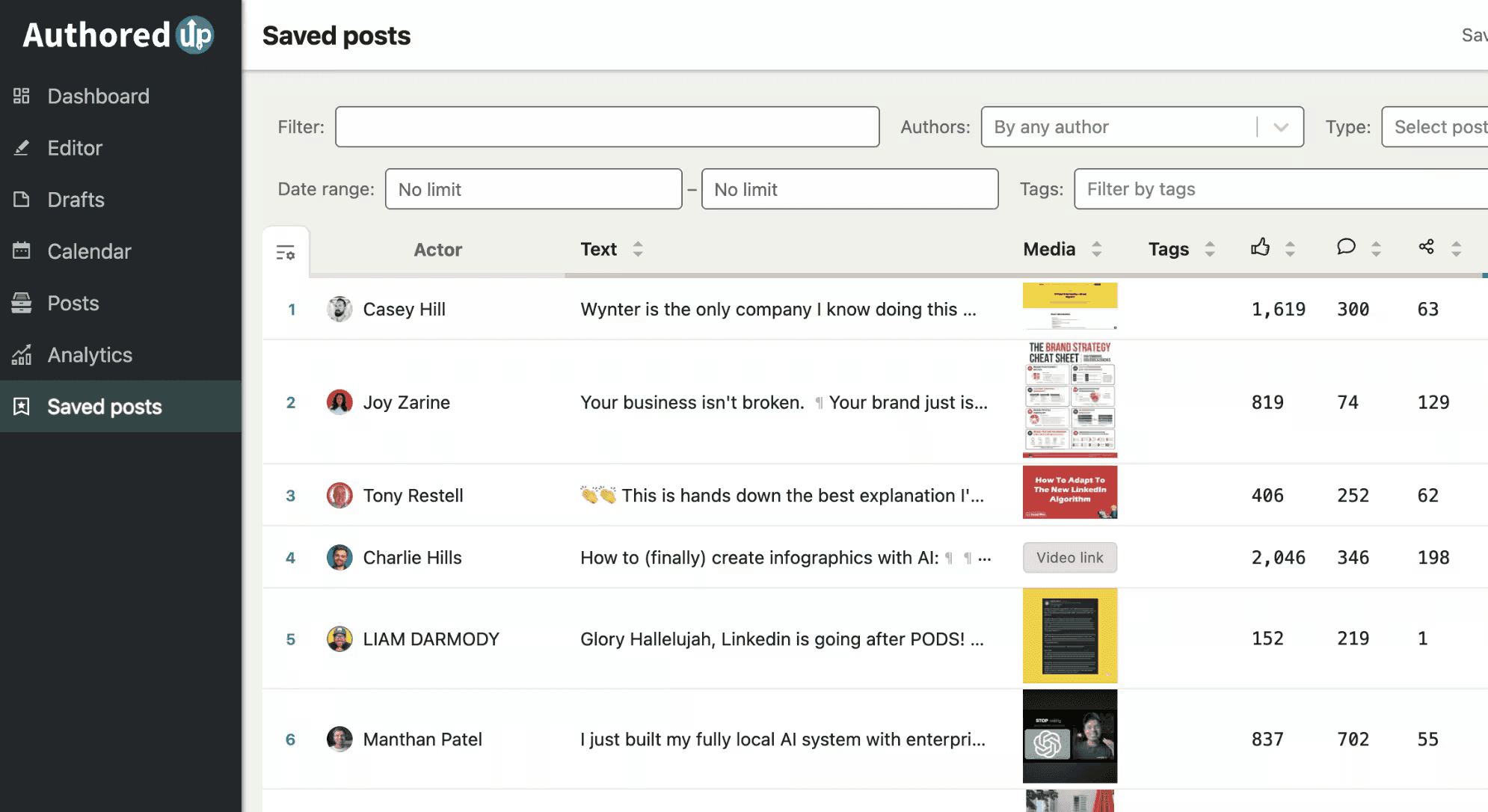
The library is searchable by keyword or author and filterable by post type and date. For creators who habitually save good posts for inspiration, this turns a scattered bookmark list into an organized swipe file.
Text Metrics
Character count, word count, estimated reading time, and readability score are displayed in the editor for every post.
Although this sounds like a minor feature, it’s very useful for creators who care about post length optimization or readability consistency across their content.
1-Click Post Reuse
Any published post can be pulled back into the editor for reuse with AuthoredUp.
This is great for recycling evergreen content, refreshing a high-performing post, or repurposing it with a different angle.
AuthoredUp Pricing
What AuthoredUp costs in 2026:
Plan | Price | What’s Included |
Individual | $19.95/mo. | 1 profile, full editor, multi-device preview, unlimited drafts, snippets, 300+ hooks and endings, 1-click reuse, scheduling (up to 3 months), content analytics, company page management, 14-day free trial |
Business | $14.95/profile/mo. | Everything in Individual + multiple profiles (minimum 3), sub-accounts, organization management, team analytics, draft collaboration |
Custom Growth | Contact sales | Everything in Business + personalized onboarding, dedicated training, invoicing, custom offer, minimum 10 profiles, billed annually |
AuthoredUp Pros and Cons
AuthoredUp gets a lot right for the price. What makes it great (and why you might hesitate investing in it):
Pros | Cons |
✅ Best-in-class formatting for LinkedIn | ❌ No AI content generation |
✅ Multi-device preview shows exactly where “see more” lands | ❌ Chromium browsers only (no Firefox or Safari support) |
✅ Analytics depth above average, including saves, sends, reports, and heatmaps | ❌ Not LinkedIn API-verified |
✅ Full saved post history imported on install | ❌ Business plan requires minimum 3 profiles |
✅ 300+ hook and post ending templates | ❌ No mobile app for creating or scheduling posts |
✅ GDPR-compliant, data hosted in Germany | ❌ LinkedIn-only (no multi-platform publishing) |
✅ 4.7 rating on Chrome Web Store | |
✅ 14-day free trial, no credit card required |
According to users on the Chrome Web Store, the multi-device preview and analytics depth are the platform’s standout features.
However, one March 2026 reviewer flagged sync issues with LinkedIn that caused posts to disappear from the calendar and carousel/poll content to not show correctly.
A small number of users also report the extension occasionally failing to connect. The RTL language support gap (Arabic, Hebrew, etc.) is a known limitation the team is aware of.
Who Is AuthoredUp For?
AuthoredUp is fantastic for LinkedIn users who fit into any of the following categories:
Writers who produce their own LinkedIn content and want better tools around the editing, formatting, and scheduling process.
Creators who track performance seriously and need analytics beyond what LinkedIn’s native dashboard provides.
Teams and agencies managing multiple LinkedIn profiles who need shared drafts, collaboration, and unified analytics.
Anyone frustrated by LinkedIn’s native editor limitations, such as formatting, previewing, or organizing drafts.
However, unlike MagicPost, AuthoredUp is strictly an editor/analytics platform. It may disappoint the following users:
You want AI to help draft your posts; AuthoredUp doesn’t generate content.
You need a carousel maker or visual content tools.
You publish across multiple social platforms.
You’re on a browser that doesn’t use the Chromium codebase.
What AuthoredUp’s reputation actually looks like
Most tools in this category are talked about by their founders. AuthoredUp is the opposite, and that is the strongest signal in its favor.
In our research corpus, AuthoredUp was mentioned in 89 LinkedIn posts over the last twelve months by 57 different people, and not one of them was from the company. After measuring tools where two-thirds of the buzz is the CEO’s own posts, a footprint that is almost entirely real users recommending it unprompted is the kind of reputation money cannot buy.
AuthoredUp also reports 2,000+ companies as customers, naming Microsoft, SAP, Canon and EY, and its Chrome Web Store rating is among the highest in the category.
The most useful single piece of customer feedback is a four-star review that loves the tool and names the one thing it lacks. The reviewer drafts, schedules months ahead and tracks performance in AuthoredUp, and says it “feels like a natural extension of the platform.”
Then comes the ask for the next step: “suggestions on what type of content to post based on what’s worked for me in the past. That would take it to the next level.”
That wish is the seam between what AuthoredUp is and what it is not. AuthoredUp measures what happened; it does not tell you what to write next. Closing that gap means either pairing it with a second tool, or using one that does both.
Need AI Writing on Top of Great Analytics?
That four-star wish, content recommendations based on what has worked, is the line where MagicPost begins. AuthoredUp’s analytics and formatting are excellent, and if measuring and formatting your own writing is the whole job, it is a superb pick.
But maybe you also want AI post generation in your voice, with a humanizer built on our published research. Generic, interchangeable content reaches roughly 10-14% fewer people.
In 2026, AI phrasing started costing reach too. MagicPost's study of 287,000 posts found the most templated posts now lose up to about 13% of their reach in French and 3% in English versus the author's own normal, an effect that was statistically absent before 2026.
The cost sits in a handful of templated turns, the canned formatting opener and the artificial-contrast close, which is exactly what the humanizer rewrites while keeping the human habits that help.
Add a hook generator, advice backed by research on 1.2M posts, and publishing through LinkedIn’s official API as a verified application. MagicPost covers the full workflow from $29/mo, with the AI plan from $39/mo (billed yearly), a free trial, and no card.
The honest framing: AuthoredUp plus an AI writer is a real two-tool stack; MagicPost is the one-tool version of the same outcome. If you would rather keep shopping, the best AuthoredUp alternatives for LinkedIn line up the closest options side by side.
FAQ
Does AuthoredUp generate LinkedIn posts?
No. AuthoredUp is a formatting, scheduling, and analytics tool. It includes 300+ hook and post ending templates to help structure your writing, but it doesn’t use AI to generate post drafts.
If AI content generation is a priority, you’ll need a different tool.
Is AuthoredUp safe for LinkedIn?
AuthoredUp runs as a Chrome extension rather than through LinkedIn’s official API. It doesn’t automate actions on your account, so the risk for standard use is low.
That said, it’s worth knowing it’s not officially API-verified the way some other tools are.
What is the difference between the Individual and Business plans?
The Individual plan at $19.95/mo. covers one LinkedIn profile with access to all core features. The Business plan at $14.95/profile/mo. requires a minimum of 3 profiles and adds multi-profile management, sub-accounts, team analytics, and draft collaboration.
For agencies or teams with 3+ profiles, the Business plan is cheaper per profile than Individual.
Does AuthoredUp have a free trial?
Yes. AuthoredUp offers a 14-day free trial with no credit card required. All features are accessible during the trial.
What analytics does AuthoredUp provide?
AuthoredUp tracks impressions, engagement, reactions, saves, sends, and reports per post. It includes posting heatmaps by day and hour, trend graphs, winning format analysis, period comparisons, and audience keyword insights.
The Business plan adds unified team analytics across all connected profiles.
How does AuthoredUp compare to MagicPost?
AuthoredUp is built for writers who want better formatting, deeper analytics, and cleaner scheduling. MagicPost adds AI post generation in your voice, a hook generator, scheduling through LinkedIn’s official API, and a 500,000+ post inspiration library.
If writing is already handled and you want analytics depth, AuthoredUp is strong at a lower price. If you want a full content workflow including generation, MagicPost covers more ground. See the full comparison at AuthoredUp vs. MagicPost.