LinkedIn caps almost everything: how many connection requests you can send, how many profiles you can view, how many InMails you get, and more. If you hit the wrong limit the wrong way, you’ll be looking at a restriction or a shadowban.
Here are the LinkedIn limits that matter in 2026, the correct numbers, and what actually happens when you cross them.
LinkedIn Limits at a Glance (2026)
Here are the LinkedIn limits that you should be keeping an eye on in 2026:
Limit Type | Free Account | Premium/Sales Navigator | Notes |
|---|---|---|---|
Connection requests | ~100/week | Up to 200 to 250/week (Sales Nav, high SSI) | Reputation-based, not subscription-based |
Connection note | 200 characters | 300 characters | Omitting the note can actually improve acceptance rates |
Messages to connections | ~100/week (safe) | ~150/week (safe) | No official hard cap, but spam detection kicks in |
Message requests (non-connections) | 10/week | 10/week | Via groups or events only |
InMail credits | 5/month | 25/mo. (Premium) / 50/mo. (Sales Nav) | Credits refund if recipient replies within 90 days |
InMail subject line | 200 characters | 200 characters | — |
InMail message body | 1,900 characters | 1,900 characters | — |
Profile views | 500/day | 2,000/day (Sales Nav) | Stay under 250/day free, 1,000/day paid to be safe |
Monthly search limit | ~300 searches | Up to 6,000 (Premium) | Resets on the 1st of each month |
Total connections | 30,000 max | 30,000 max | Switch to Follow mode around 15k to scale beyond limit |
Easy Apply applications | 50/day | 50/day | All account types |
Post length | 3,000 characters | 3,000 characters | Optimal: 200-500 characters for engagement |
Article length | 125,000 characters | 125,000 characters | — |
Comment length | 1,250 characters | 1,250 characters | — |
Message attachment | 20 MB | 20 MB | — |
Message length | 8,000 characters | 8,000 characters | — |
LinkedIn Connection Request Limits
The standard cap is 100 requests per week, but the actual number your account can send is reputation-based, not subscription-based.
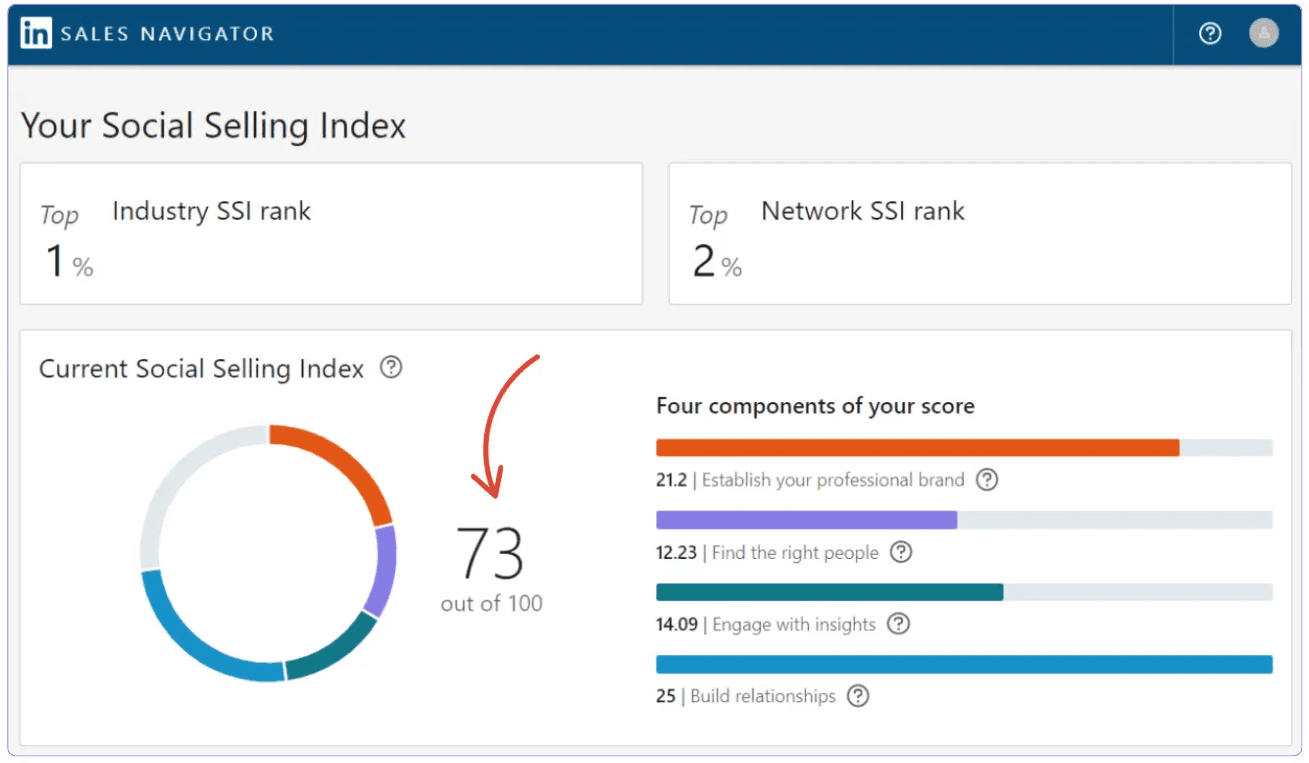
SSI score 70+: up to 200 requests per week.
SSI score below 50: often capped at 80 or fewer.
Sales Navigator accounts with high SSI: up to 200 to 250/week.
New accounts: These start low, as LinkedIn watches new profiles closely.
A few things that will shrink your limit fast include the following:
Acceptance rate dropping below 30%.
People clicking “I don’t know this person” on your requests.
Sending all your requests in one burst instead of spreading them across the week.
Using automation tools LinkedIn detects as botlike behavior.
The limit reset is a rolling 7-day window, not a Monday-to-Sunday reset. If you sent your first request on Thursday at 2 p.m., your limit refreshes the following Thursday at 2 p.m. LinkedIn Support can’t speed this up.
✅ Pro Tip: Spread requests evenly at 15 to 20/day, and check your LinkedIn SSI score; it’s free and directly affects how many requests you can send.
LinkedIn Message and InMail Limits
Limits vary depending on whether they’re targeting connections or non-connections.
Messages to Your Connections
There’s no official hard daily cap for messages to 1st-degree connections. In practice, safe thresholds are around 100/week for free accounts and 150/week for paid.
What LinkedIn actually monitors is quality signals: reply rates, engagement, and whether people mark your messages as spam.
⚠️ Low reply rates + high volume = restriction risk, even if you haven’t hit a number-based cap.
Message Requests to Non-Connections
You get 10 message requests per week to people you’re not connected with, via shared groups or events. After that, you need InMail credits.
InMail Limits by Plan
Here’s how many InMails you can send based on your plan.
Plan | InMail Credits/Month | Notes |
|---|---|---|
Free | 5 | Credits refund if recipient replies within 90 days |
Premium Career / Business | 25 | Same refund policy |
Sales Navigator Core | 50 | Open Profiles can be messaged free; no credits are used |
Recruiter | Up to 150 | Higher volume for hiring use cases |
✅ Open Profiles Tip: Around 5% to 10% of LinkedIn profiles are Open Profiles, i.e., Premium users who’ve enabled free messaging. Messages to them don’t consume InMail credits. Filter them in Sales Navigator before spending credits on a list.
Profile View Limits
LinkedIn caps daily profile views based on your account type.
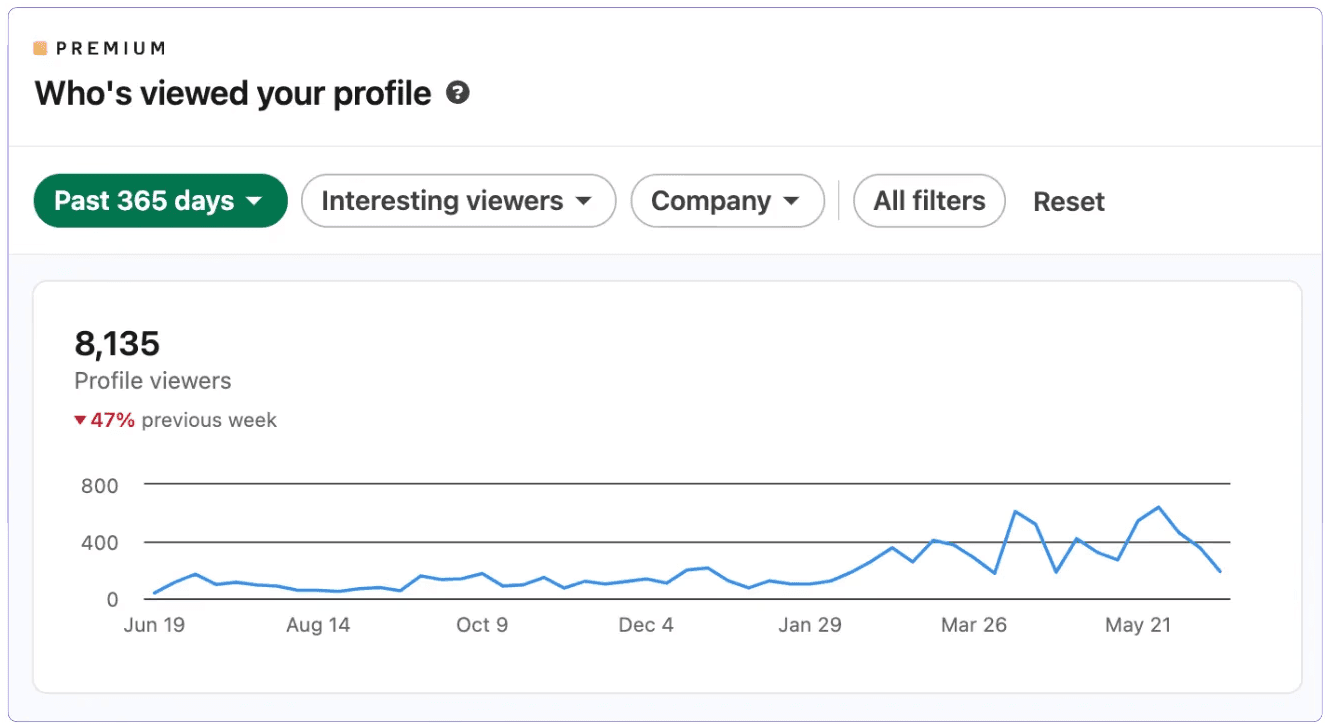
Here are the correct 2026 figures.
Account Type | Daily Profile View Cap | Safe Operating Range |
|---|---|---|
Free | 500/day | Stay under 250/day |
Premium | 500 to 1,000/day | Stay under 500/day |
Sales Navigator | Up to 2,000/day (within Sales Nav interface) | Stay under 1,000/day |
Profile view violations are treated more harshly than connection request violations because they signal scraping. A first-time block typically lasts a few days to a week. A second block requires contacting LinkedIn Support.
Search Limits
Free accounts hit a monthly search limit that LinkedIn calls the “commercial use limit.” It doesn’t publish the exact number, but it’s generally around 300 profile searches/month. It resets on the 1st of each month.
What triggers it faster is the following:
Viewing lots of profiles outside your 1st-degree network.
Searching for employees at specific companies.
Searching outside your network repeatedly.
Once you hit it, LinkedIn limits you to 3 results per search query until the reset. Upgrading to Premium, Sales Navigator, or Recruiter removes the cap. Premium Business allows up to 6,000 searches/month.
Total Connection Limit
Every account type (free, Premium, Sales Navigator, and Recruiter) has a hard cap of 30,000 first-degree connections.
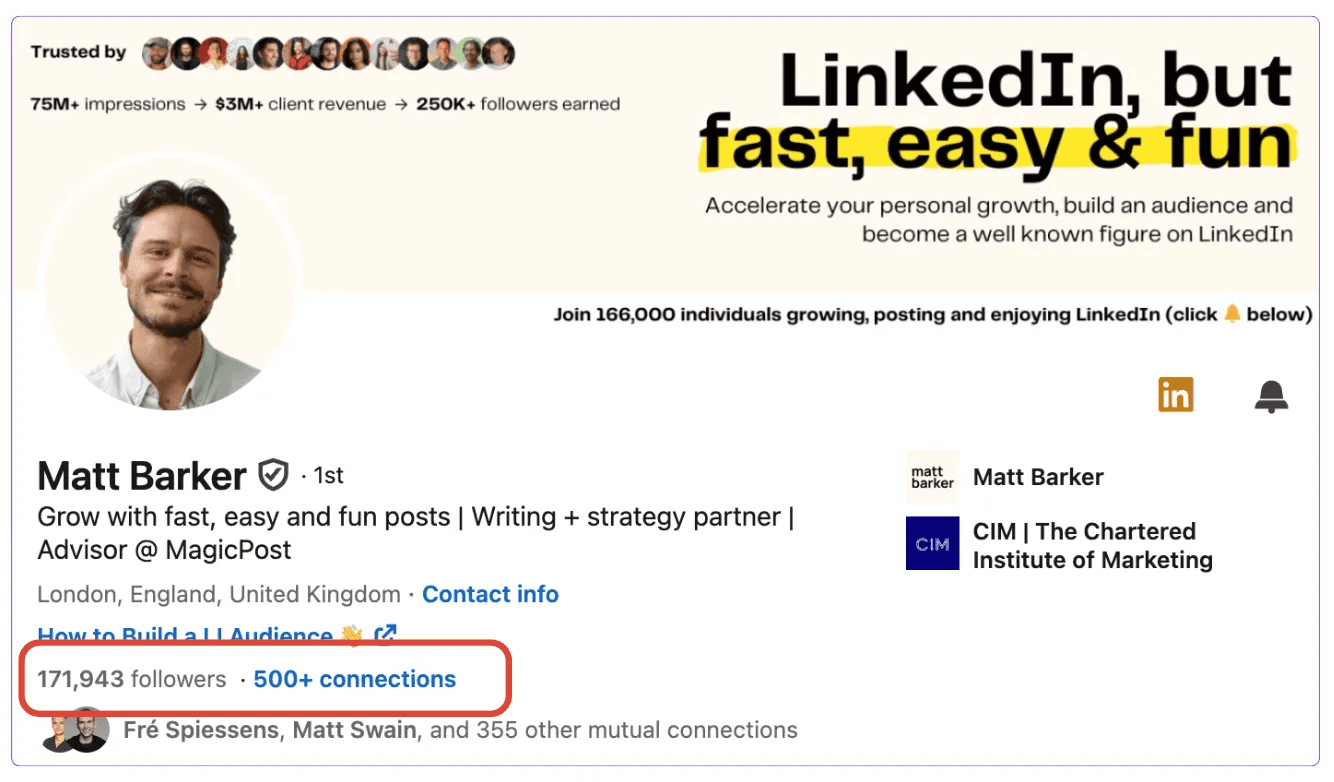
Once you hit it, the Connect button disappears from your profile, and you can only be followed, not connected with.
✅ Pro Tip: Around 15,000 connections, switch your profile to Follow mode. This lets you build an audience beyond the 30,000 cap without wasting connection slots on people who’d follow anyway.
LinkedIn Content Limits
Here are the limits LinkedIn imposes on your content.
Content Type | Limit |
|---|---|
Post | 3,000 characters |
Article | 125,000 characters |
Comment | 1,250 characters |
Message | 8,000 characters |
Message attachment | 20 MB |
InMail subject line | 200 characters |
InMail body | 1,900 characters |
Connection note (free) | 200 characters |
Connection note (Premium) | 300 characters |
Easy Apply | 50 applications per 24 hours |
LinkedIn Profile Character Limits
When optimizing your LinkedIn profile, pay attention to these limits:
Profile Section | Limit |
|---|---|
First name | 20 characters |
Last name | 40 characters |
Headline | 220 characters (desktop) / 240 (mobile) |
About section | 2,600 characters |
Job title (Experience) | 100 characters |
Job description (Experience) | 2,000 characters per position |
What Happens When You Exceed LinkedIn Limits?
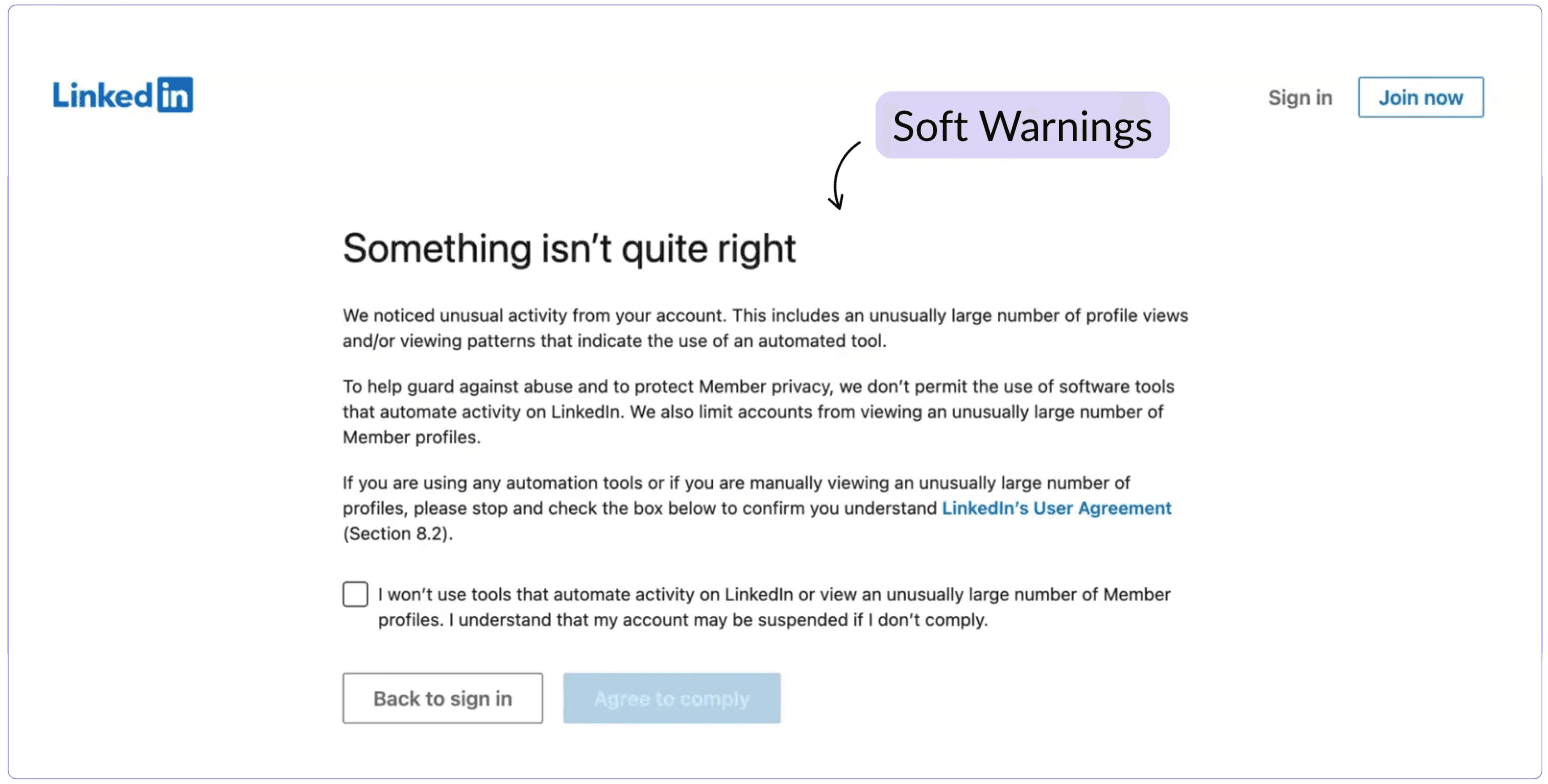
LinkedIn uses a tiered system, not an immediate ban hammer.
Restriction Type | What Happens | How Long |
|---|---|---|
Soft warning | Notification asking you to slow down. Account still fully functional. | No duration — just a heads up |
Temporary restriction | Specific feature blocked: connection requests, messages, or profile views. | Hours to several weeks depending on severity |
Account lock | Can browse but can’t interact or publish. Identity verification required. | 24 hours to several weeks |
Shadowban | No notification. Posts get fewer views and your profile becomes harder to find in search. | Indefinite — often unnoticed |
Permanent ban | Profile, network, and content removed permanently. | No recovery in most cases |
A first restriction is rarely permanent. The pattern that leads to a ban is ignoring warnings and continuing the same behavior.
Does LinkedIn Block Automation Tools?
Most account restrictions in 2026 are triggered by automation tools, not manual activity. LinkedIn actively scans for browser extensions and bot-like behavior. Before you connect a new tool, check how it reaches your account: our roundup of the best LinkedIn tools lists the connection method of each pick.
If you’re using a tool that isn’t connected through LinkedIn’s official API, you’re taking on account risk. For more on what this means for your content tools, see our guide to LinkedIn account restrictions.
If you get restricted while using automation, here’s what to do:
Stop all automated activity immediately.
Don’t create a new account, as LinkedIn links accounts by IP and device.
Wait out the restriction before resuming any outreach.
Go to Settings > Data Privacy > Permitted Services and remove any third-party tools.
❓ Safe Scheduling: Tools that publish through LinkedIn’s official OAuth API carry no suspension risk. Chrome extensions and browser automation tools do. The difference matters for your account’s long-term health.
How to Stay Within LinkedIn Limits
Here’s how to prevent your account from getting flagged or worse, banned.
Spread connection requests across the week. 15 to 20/day, not 100 on a Monday morning.
Keep your acceptance rate above 30% by targeting relevant people.
Withdraw pending requests older than 30 days to keep your pending count clean.
Personalize messages, as generic outreach gets flagged faster in 2026.
Stay under 50% of your profile view limit (250/day free, 1,000/day paid).
Use Open Profiles to save InMail credits on the people you can message for free.
Check your SSI score regularly, as a higher SSI translates to higher connection limits.
How to Recover a Restricted LinkedIn Account
If you’ve already been restricted, the full recovery process is covered in our guide to LinkedIn account restrictions and our dedicated video.
But, in short, do the following:
Check your email for LinkedIn’s notification explaining the restriction.
Upload ID if prompted (passport, driver’s license, or government ID).
Remove all third-party tools via Settings > Data Privacy > Permitted Services.
Contact LinkedIn Support through the Help Center if the restriction doesn’t lift automatically.
Once access is restored, start slowly, e.g., 5 to 10 manual actions/day before ramping back up.
Post Consistently Without Putting Your Account at Risk
MagicPost schedules and publishes through LinkedIn’s official API. It doesn’t use a browser extension, so there’s no automation risk. Write, schedule, and track performance today without worrying about restrictions.
FAQ
How many connection requests can I send per week on LinkedIn?
Around 100/week for most accounts. High-SSI accounts (70+) can reach 200/week. Sales Navigator users with strong account history can reach 200 to 250/week. The limit is reputation-based, not subscription-based. Premium alone doesn’t raise it.
How many messages can I send on LinkedIn per day?
There’s no published hard cap for messages to your 1st-degree connections. Safe thresholds based on platform behavior are around 100/week for free accounts and 150/week for paid.
What actually triggers restrictions is low reply rates combined with high volume. For InMails, limits depend on your plan. For more on outreach, see our guide to LinkedIn outreach.
How many profiles can I view on LinkedIn per day?
500/day on free accounts, up to 2,000/day with Sales Navigator. Stay under half those limits (250/day for free and 1,000/day for paid) to avoid being flagged. Profile view violations are treated more harshly than connection request violations.
What is the LinkedIn weekly connection limit reset?
It’s a rolling 7-day window, not a calendar week. If you sent your first request on Wednesday at 10 a.m., it resets the following Wednesday at 10 a.m. LinkedIn Support can’t speed it up.
How many LinkedIn connections can I have?
30,000 first-degree connections, regardless of account type. After that, people can follow you but not connect. Start switching to Follow mode around 15,000 to scale your audience beyond the cap.
What is the Easy Apply limit on LinkedIn?
50 applications per 24 hours on all account types. Once you hit it, you have to wait a full 24-hour cycle before Easy Apply becomes available again.
How long does a LinkedIn restriction last?
Temporary restrictions: hours to several weeks depending on severity. Account locks requiring identity verification: 24 hours to several weeks. Permanent bans are rarely reversed. We cover more on our guide to LinkedIn account restrictions.
What is the maximum message length on LinkedIn?
8,000 characters for regular messages. InMail subject lines are capped at 200 characters and the body at 1,900 characters. Attachments can be up to 20 MB.