You wrote the post in Claude. Now you want it out on Tuesday at 9am, not this second, and not after you copy-paste it into yet another tab. That last step is where most LinkedIn AI setups break.
In one line: yes, you can schedule LinkedIn posts without leaving Claude or Cursor. The catch is that LinkedIn's official API only publishes immediately, so MagicPost holds your post and fires it at the slot you pick, with a warning if the timing is off. This guide is about your own posts; doing it across a team or clients is its own guide.
Why can't most LinkedIn MCPs schedule posts?
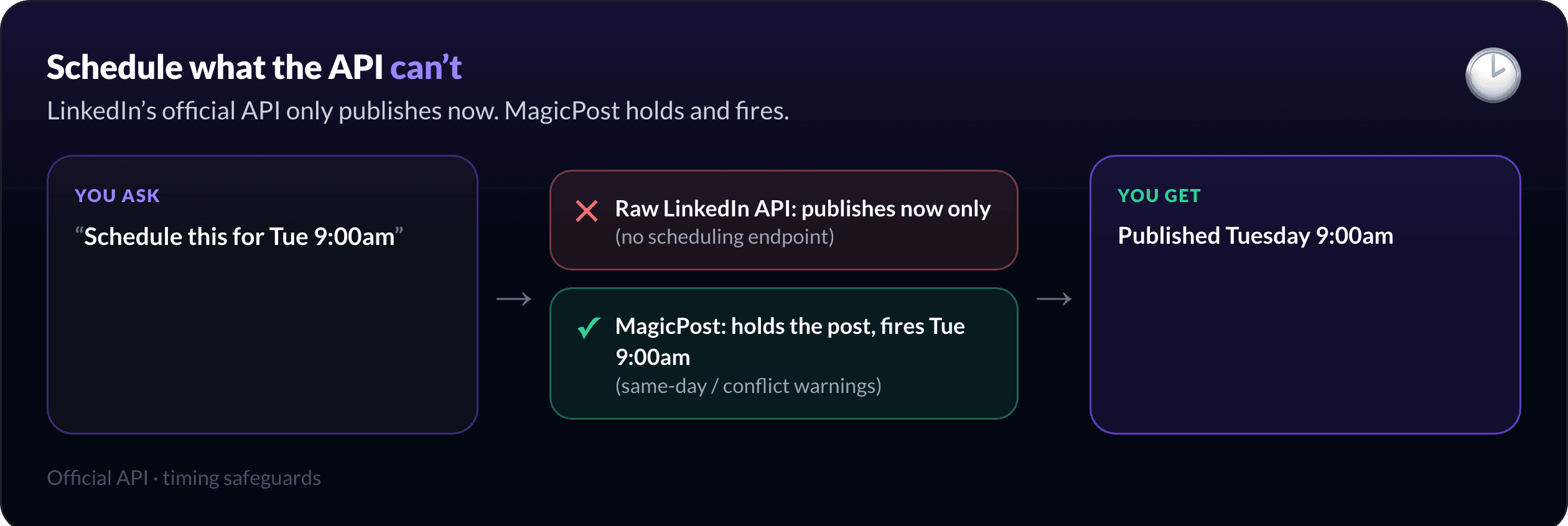
Because LinkedIn's official API has no scheduling endpoint. It publishes now, full stop. So a LinkedIn MCP that calls the API directly can only post the moment you ask, never at 9am on Tuesday.
That is the quiet limitation behind most of the LinkedIn MCP servers you will find: they connect, they draft, they can post, but "schedule" means "you run it at the right time yourself".
MagicPost closes that gap. Your post is held on MagicPost's side and published at your chosen slot through the official API. So scheduling actually means scheduling.
How do you schedule a LinkedIn post from Claude?
Connect the MagicPost MCP, write or paste your post, and ask in plain language.
"Schedule this for Tuesday at 9:00 am."
`schedule_post` queues it and confirms the time. Want it live right now instead? `publish_post_now`. Changed your mind before it goes out? `cancel_scheduled_post` pulls it back. No browser tab, no native scheduler, no copy-paste.
Because publishing runs through LinkedIn's official API as a verified app, the post that goes out is the one you approved, from your own account.
How do you queue a whole week at once?
Scheduling one post is handy. Queuing a week is the real time-saver, and it is the same tool, repeated.
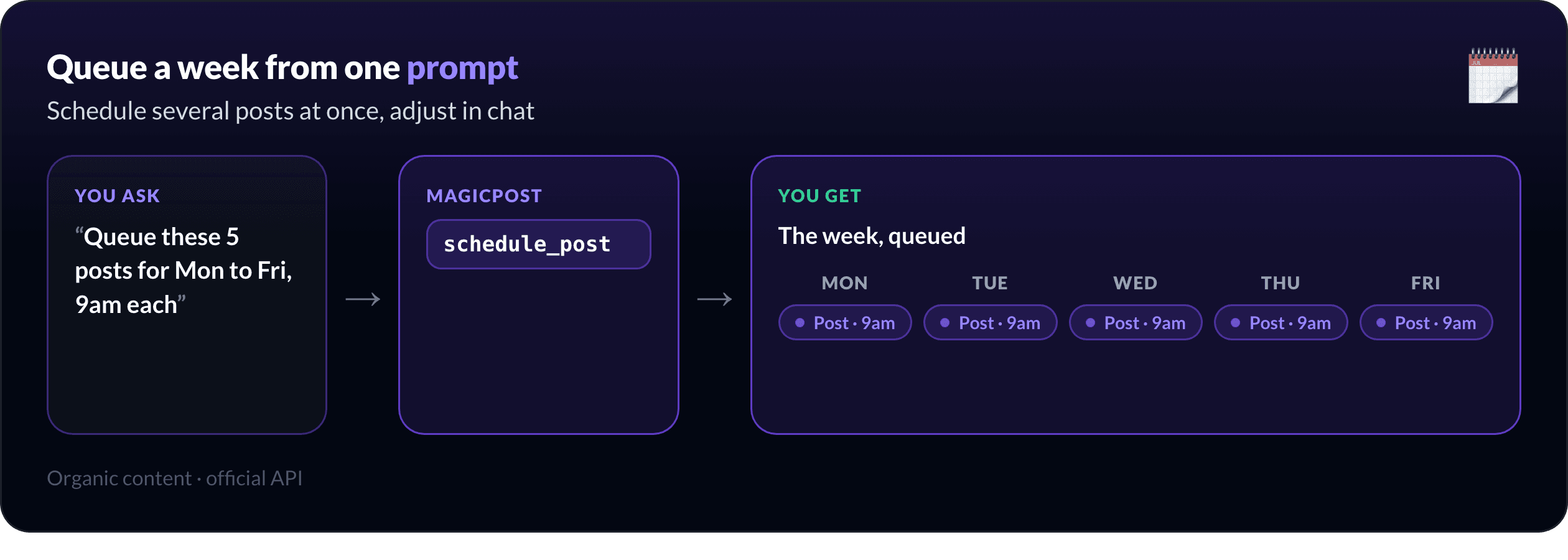
"Queue these five posts for Monday to Friday, 9am each, and show me the week."
`schedule_post` places each one, and you get the week back as a list you can adjust in the same chat. Move Thursday to 8am, drop Friday, swap two slots, all without leaving the conversation.
What if you pick a bad slot?
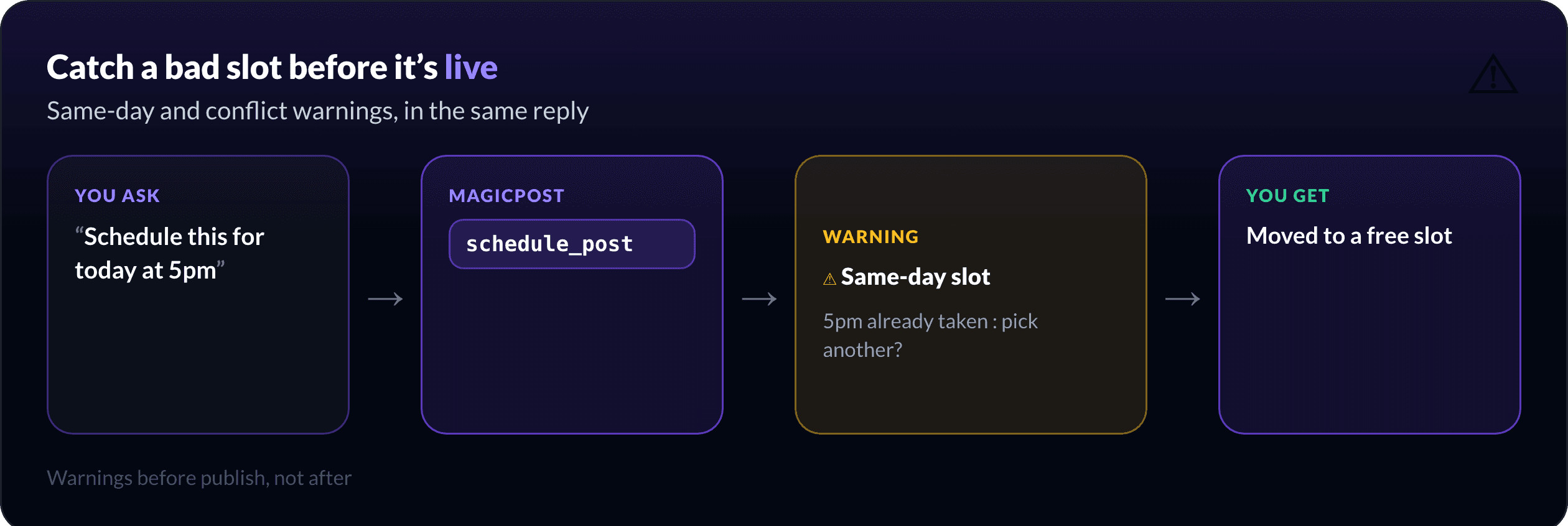
Scheduling from chat is fast, which makes it easy to stack two posts on the same slot or queue something for ten minutes from now by accident. MagicPost catches that before it happens.
When you schedule, it warns you in the same reply if the slot is same-day (often too soon to matter) or already taken by another post, so you can move it before it is live rather than after.
Want the product view? MagicPost's LinkedIn post scheduler covers the calendar, best-time slots, and the official-API foundation behind all of this.
Can you schedule for a team or clients?
Yes, but that is a different job with its own tools (`schedule_member_post`, the org roster, a calendar of every account's queue). If you manage many profiles, read managing multiple LinkedIn accounts via MCP instead; this guide stays on your own posts.
For the full picture of what the MCP does end to end, see the LinkedIn MCP overview, and to measure what you published, LinkedIn analytics in Claude. If you would rather schedule from a dashboard than from chat, compare the best LinkedIn scheduling tools.
How do you set up scheduling from Claude?
The MCP works in Claude Desktop, claude.ai, and Cursor. Connect once with your MagicPost token and the scheduling tools (`schedule_post`, `publish_post_now`, `cancel_scheduled_post`) appear alongside drafting and analytics. Prefer to script it? The same actions are on the REST API at `api.magicpost.in/api/v1/*` with Bearer auth.
Everything stays scoped to your own account, with no cross-account access. Full reference: the developer docs and the MCP tools list.
Schedule your next two weeks from chat. Set up the MagicPost MCP, queue a week of posts in one prompt, and let them go out at the right time on the official API.
FAQ
Can you schedule LinkedIn posts from Claude?
Yes. With the MagicPost MCP connected, `schedule_post` queues a post for a future time and publishes it through LinkedIn's official API at that slot, all from a chat prompt in Claude or Cursor.
Why can't a normal LinkedIn MCP schedule posts?
LinkedIn's official API has no scheduling endpoint, so an MCP that calls it directly can only publish immediately. MagicPost adds true scheduling by holding the post and firing it at your chosen time.
Can I schedule a whole week of posts at once?
Yes. Ask Claude to queue several posts at their times and `schedule_post` places each one; you get the week back in chat to move, swap, or cancel slots with `cancel_scheduled_post`.
What happens if I schedule two posts for the same time?
MagicPost warns you in the same reply when a slot is already taken or is same-day, so you can move the post before it goes out instead of finding the clash afterward.
Does scheduling work for LinkedIn Ads?
No. This is for your organic posts. It does not schedule ad campaigns or touch ad accounts.