Running one LinkedIn profile is a workflow. Running ten, for a team or a roster of clients, is a different job: you switch accounts all day, you stitch reports together by hand, and nobody can see the whole picture at once.
In one line: MagicPost is the LinkedIn MCP built for many accounts, not one. You read every account's performance, schedule on its behalf, and pull the same data into your own dashboard through the API, all from where you already work. This is for organic content, your team's and your clients' posts, not LinkedIn Ads.
Most individual-first tools stop at a single profile. The org layer below is the part they do not have.
What does managing multiple LinkedIn accounts via MCP look like?
Connect MagicPost to Claude or Cursor, and the org tools let you act across the whole roster in plain English instead of logging into each account.
"Show me every client's scheduled posts for the coming week in one view."
Four tools carry this:
`list_org_members` returns the roster of accounts you manage.
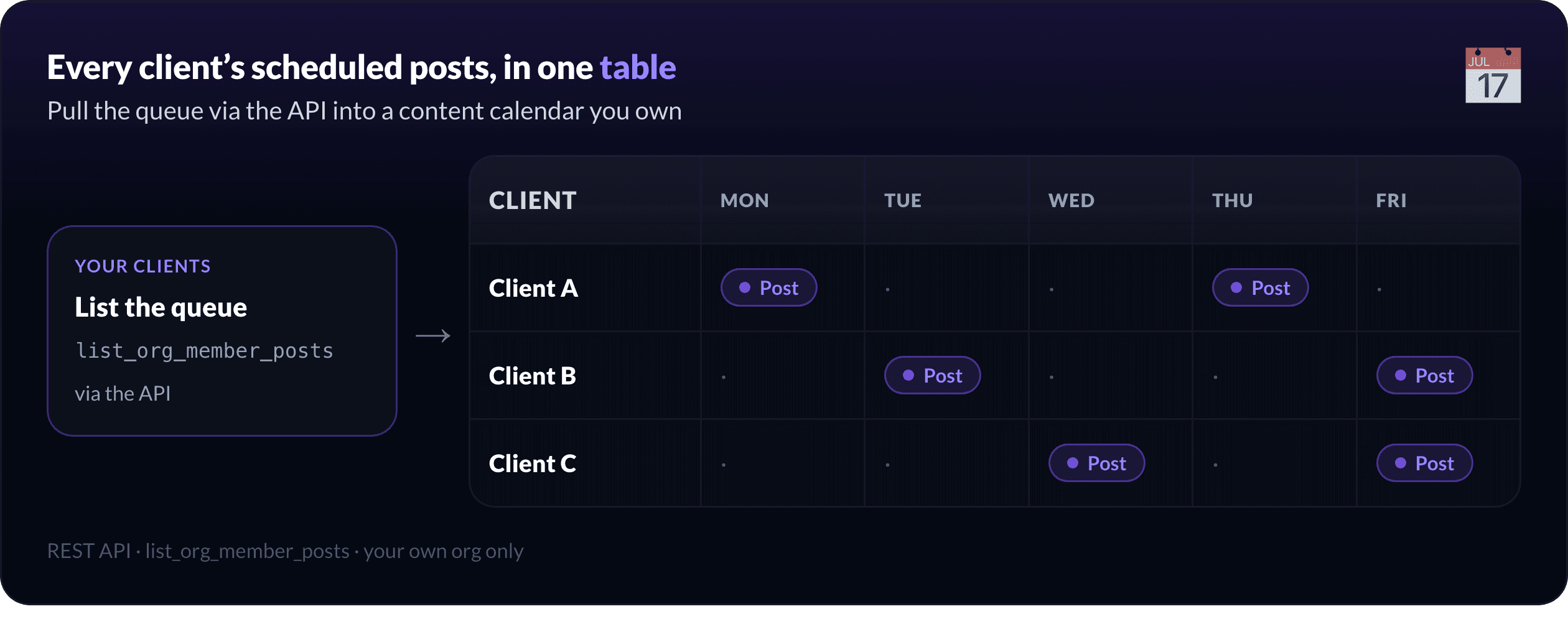
`list_org_member_posts` pulls each client's queue, so the scheduled posts are all in one place.
`get_org_metrics_summary` gives the performance numbers when you want them (full reporting is the next section).
`schedule_member_post` is there when an admin needs to queue a post on a client's behalf.
Before scheduling from chat, most agencies want one thing here: seeing what is already scheduled.
Pull every client's queue through the API and render it as a content calendar you own. A Monday that used to mean ten logins becomes one table of who is posting what, and when.
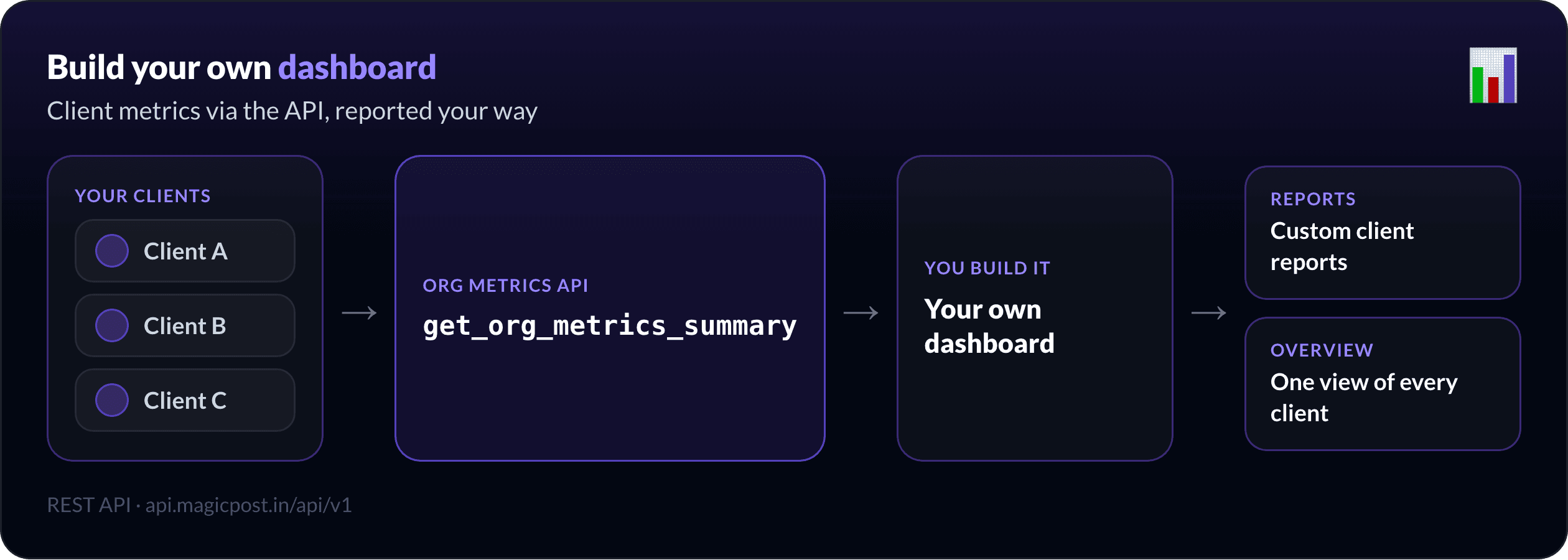
Build your own dashboard: a use case agencies reach for
For a lot of agencies, the real job here is not a chat at all. It is a dashboard you own.
The same org metrics behind `get_org_metrics_summary` are exposed on the REST API (`api.magicpost.in/api/v1/*`, Bearer auth), so you are not stuck inside one tool's screens. You pull each client's performance into your own internal tools and present it your way.
Two things that unlocks:
Custom client reports. Build the report on your own template, with your branding and the metrics your clients actually care about, generated from live data instead of monthly copy-paste.
One source of truth. Centralise every client's activity in a single view, so account managers stop hopping between logins to answer "how are we doing".
The exact endpoints are in the developer docs; the pattern is simple, your dashboard calls the API, the API returns each client's totals and top posts, you render the rest.
Running LinkedIn for clients? MagicPost for agencies is built around client approval, multi-account management, and reporting you can hand a client without reformatting it.
How do you run an employee advocacy program your team competes in?
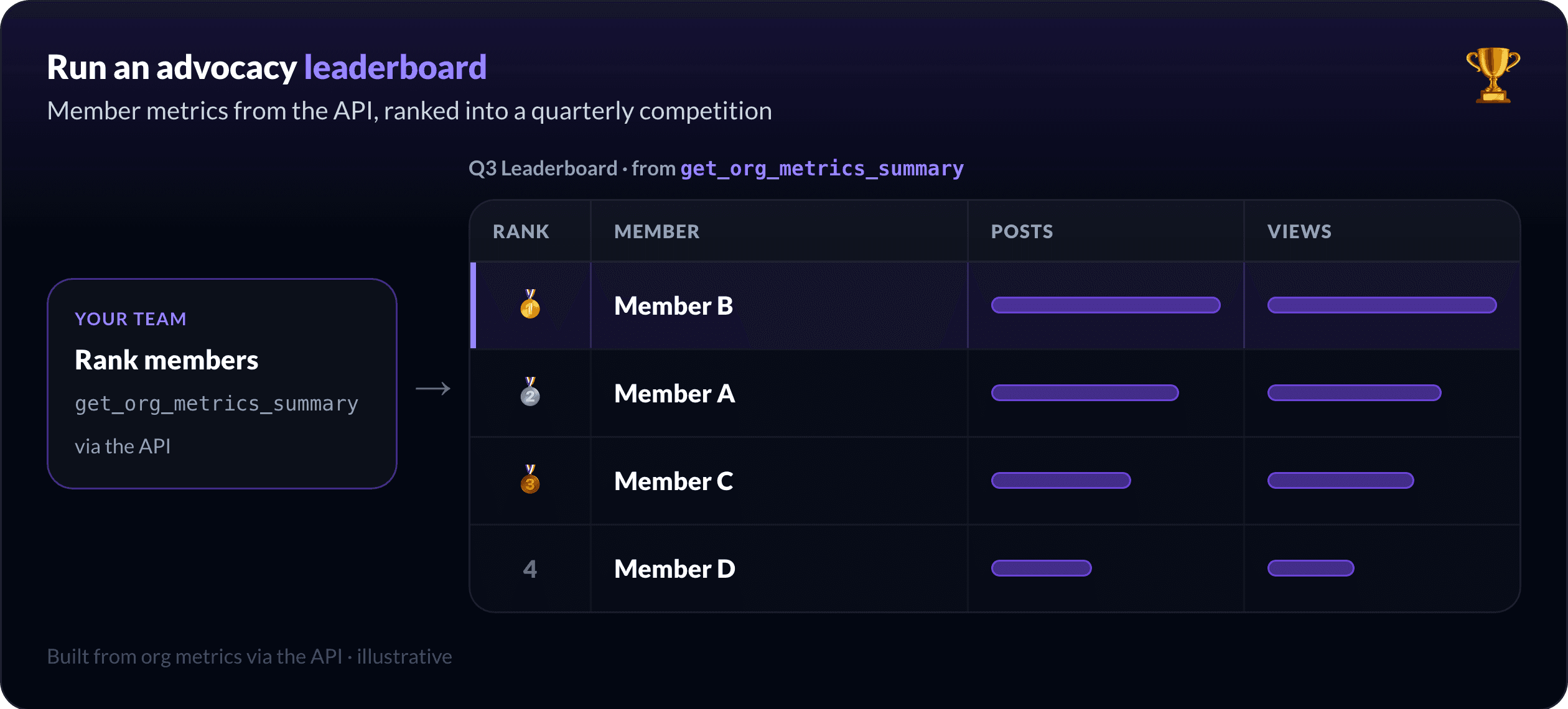
For an internal team, the same data powers the thing that actually gets people posting: a little competition.
Pull each member's activity and performance through the API, rank it, and stand up a live leaderboard. Run it as a quarterly challenge, most posts shipped, best engagement lift, top reach, and the program stops being a reminder nobody reads and starts being a game people check.
The plumbing is the org metrics endpoint plus `schedule_member_post` for the members who want help getting their posts out the door. The motivation is the leaderboard you build on top.
Rolling this out across a company? MagicPost for teams gives admins member spaces, scheduling on behalf of members, and the org metrics to measure adoption.
How is this different from other LinkedIn MCPs?
Most LinkedIn MCP servers are built for one person: connect your profile, draft, maybe schedule. That is the individual job, and the pillar overview covers it, including the scheduling guide and analytics guide.
The multi-account layer is where they stop and MagicPost keeps going: a roster, per-account metrics, scheduling on someone else's behalf, and an API to feed your own systems. If you manage a team or clients, that org layer is the whole point.
How do you set up team access?
The MCP works in Claude Desktop, claude.ai, and Cursor; connect once with your MagicPost token and the org tools (`list_org_members`, `get_org_metrics_summary`, `list_org_member_posts`, `schedule_member_post`) appear alongside the rest. For dashboards and internal tools, the same actions are on the REST API at `api.magicpost.in/api/v1/*` with Bearer auth.
Admin scope controls who can read account metrics and schedule on an account's behalf, and everything stays inside your own organisation, with no cross-account access. Full reference: the developer docs and the MCP tools list.
Run your whole roster from one place. Connect your team to MagicPost, read everyone's numbers in one prompt, and wire the metrics into the dashboard you already use.
FAQ
Can you manage multiple LinkedIn accounts from Claude?
Yes. With the MagicPost MCP connected, `list_org_members`, `get_org_metrics_summary`, `list_org_member_posts`, and `schedule_member_post` let you read performance and schedule across an entire team or client roster from one conversation.
Is this for an agency or an internal team?
Both. Agencies use it to manage client accounts, build custom reports, and centralise activity; internal teams use it to run advocacy programs and measure adoption. The same org tools serve each, with admin scope deciding who can do what.
Can I build my own LinkedIn dashboard with it?
Yes, and it is a use case agencies reach for often. The org metrics are on the REST API (`api.magicpost.in/api/v1/*`), so you can pull each client's performance into your own internal tools and report it on your own template. See the developer docs for the endpoint reference.
Does it work for LinkedIn Ads accounts?
No. This is for organic content, your team's and clients' posts and their performance. It does not manage ad accounts, campaigns, or spend.
How is this different from a single-profile LinkedIn MCP?
Individual-first MCPs handle one connected profile. MagicPost adds the org layer on top: a roster, per-account analytics, scheduling on an account's behalf, and an API to feed dashboards, which is what managing many accounts actually requires.