Nicole Ramirez did not plan to run a ghostwriting business. After fifteen years in marketing and a corporate layoff, she started posting on LinkedIn under her own name. It worked. Founders and executives noticed, and they started asking her to write for them too.
The demand was the easy part. The problem was that she had no system to handle it.
The short version: Nicole hit a wall at three clients, where every account ran on a different improvised workaround. Moving all of it into one place, MagicPost, is what let her go from 3 to 10 clients without hiring an army or working nights.
She has used it for about eight months and now runs the roster with a two-person team.
Who is Nicole Ramirez?
Nicole is a personal brand strategist and ghostwriter on the East Coast. Her fifteen years in marketing span finance, healthcare, construction, and even pet food, which is part of why she can write for founders in industries she has never worked in.
When she rebuilt her own LinkedIn presence after being laid off, it grew fast. That visibility turned into inbound ghostwriting work, and the work turned into a business before she had any tooling to run it.
What breaks when you ghostwrite for three clients at once?
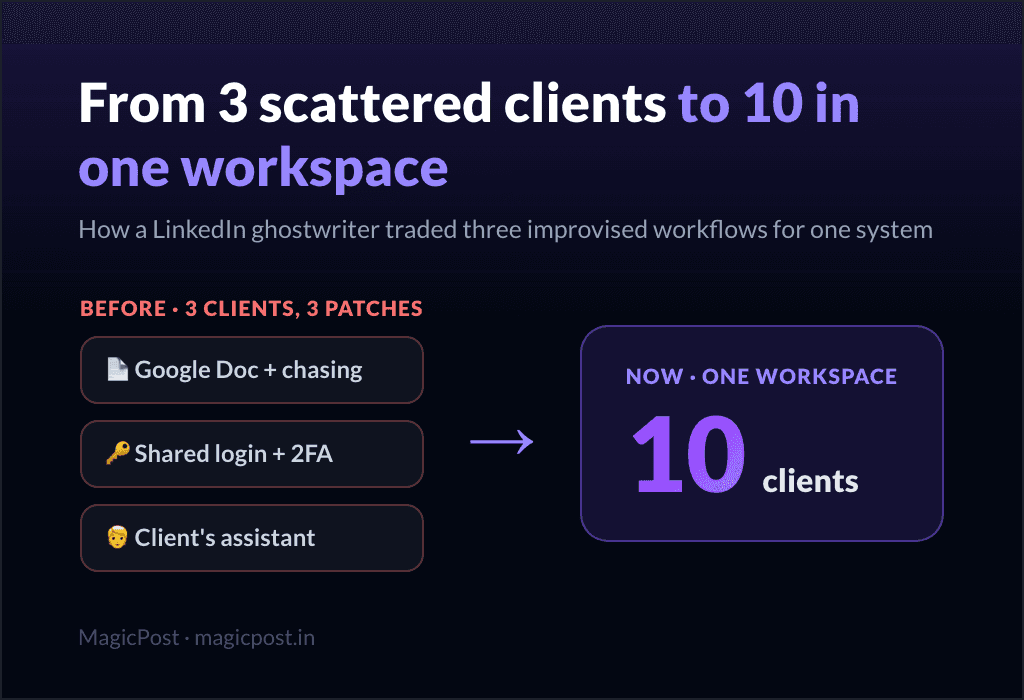
Nicole's first three clients each ran on a different patch. None of them scaled.
Client | The workaround | Why it broke |
Client 1 | Posts written in a Google Doc, sent over for the client to publish | She had to chase them. "Hey, it's Wednesday, time to post." "I didn't have time, can I post at 2am Thursday?" No control over timing. |
Client 2 | The client handed over their LinkedIn login | She logged out of her own account, logged into theirs, and waited on 2FA codes that landed on the client's phone every time. |
Client 3 | Everything routed through the client's assistant | An extra person in the loop meant more friction, more delays, less control. |
By the third client, the pattern was obvious: no visibility, no consistency, and no way to add a fourth without inventing a fourth workaround. Something had to change.
This is the wall most ghostwriters hit when they try to scale a LinkedIn ghostwriting business. The writing is not the bottleneck. Juggling accounts, approvals, and publishing is.
How does Nicole run ten clients today?
The fix was to put every client into one workspace and standardize the parts that used to be improvised. Her day now runs on a fixed set of moves instead of a different patch per client.
One dashboard for the whole roster
Nicole opens the activity counter every morning to see what is going out that day across all ten clients. One view, everything accounted for. No spreadsheet, no mental list of who posts when.
Client LinkedIn access without passwords
She sends each client a link. They connect their own LinkedIn, and she gets access without ever seeing a password or touching a 2FA code. The login-sharing nightmare from Client 2 is simply gone.
This runs on LinkedIn's official connection, not a browser extension, which keeps the client's account out of the gray zone.
A calendar she can actually see
All posts are planned, drafted, and scheduled in one place. She drags and drops, spots gaps, flags upcoming events, and sees the full picture for every client at once. The "did they post yet?" chase is over because she controls the schedule.
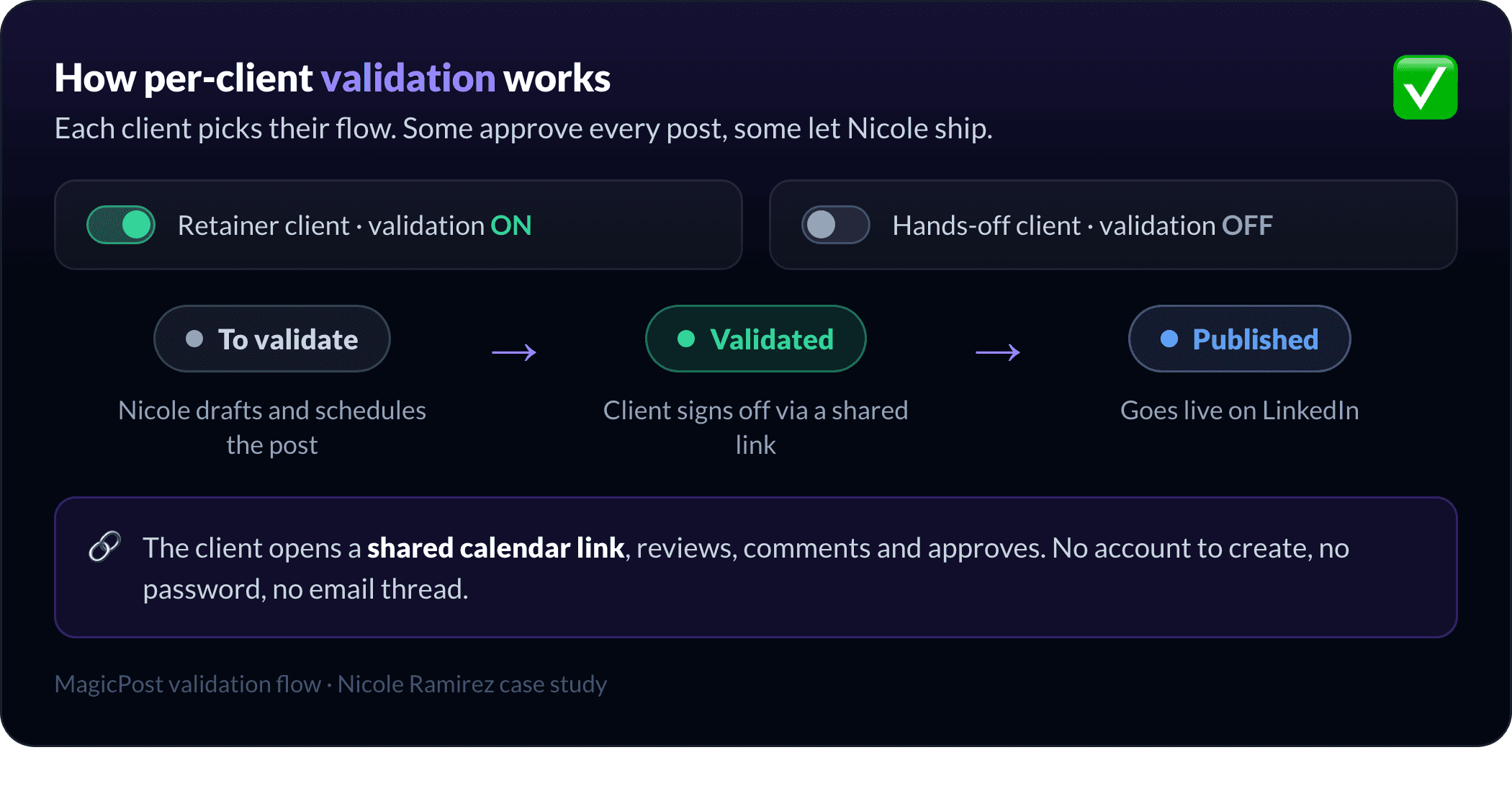
Validation turned on per client
Clients want different things. Some approve every post before it goes live. Others just want Nicole to handle it. So she toggles validation on or off for each one.
When it is on, the post is held until the client approves it. The client gets a shareable calendar link, reviews, comments, and signs off, with no account to create and no email thread. When it is off, Nicole ships.
AI for brainstorming, not for writing
Nicole does not use the AI to write posts. She uses it to think. When a client sends an article or a half-formed idea, she feeds it in to whiteboard angles before she writes a word.
That is most useful for the industries she knows least, where she needs to get oriented fast.
The writing still comes from her. The blank page is what she hands off.
Inspiration and engagement in one tab
She tracks key creators and her clients' competitors inside the same tool, and she can comment and engage without leaving it. For clients who want engagement as part of the package, she builds curated lists to work from.
White-label reporting in minutes
Reporting used to mean pulling numbers out of LinkedIn by hand, asking clients to screenshot their stats, and rebuilding a report from scratch. Now she filters by date range, finds the top-performing posts, and either sends the white-label report as is or exports a CSV into her Canva template.
The data also drives the content. She once went back seven months in a client's history, found their best post, rewrote it for the moment, and it performed again.
A system she can hand to a team
Nicole has a content strategist and a client operations assistant, and both work inside the same tool. Hailey from the MagicPost team trained them. There are no Slack threads explaining which client lives in which doc, because there are no docs. That trainability is what made hiring possible at all.
What changed for her business?
The workflow changes added up to a different kind of business.
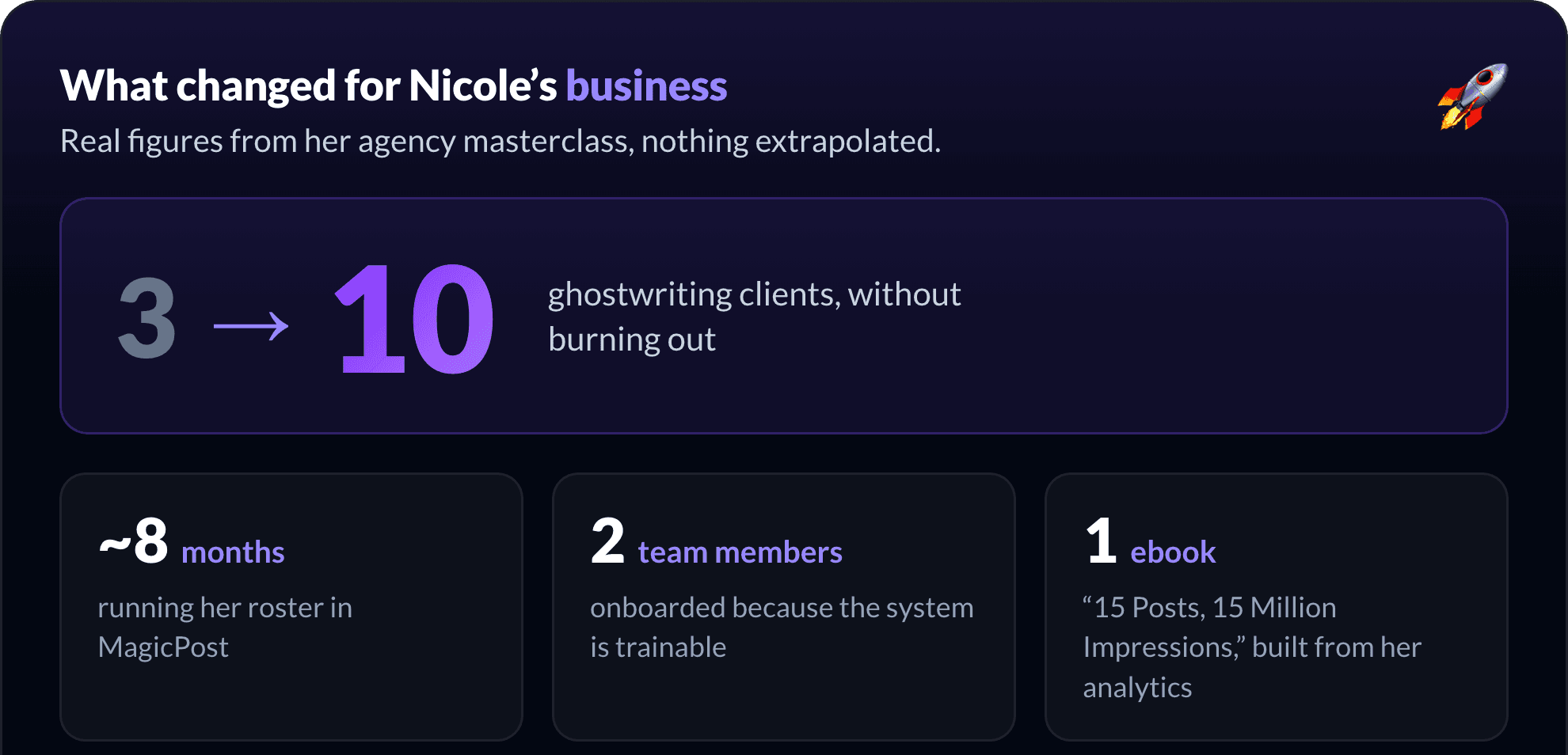
3 to 10 clients, without burning out.
Hours saved per day compared to the Google-Doc-and-chase era.
Two hires onboarded, because the system is actually trainable.
An ebook, "15 Posts, 15 Million Impressions," built by pulling her top posts straight from analytics.
Time moved from admin to the work that retains clients: content quality, strategy, and relationships.
In her own words:
"I'm able to scale because of MagicPost. I can't imagine having brought on my content strategist or my client operations manager with the system I had before. No one would have worked for me."
She is candid about why she talks about it at all:
"I don't have brand partnerships with tools I don't use and believe in. That's why you've seen me post about MagicPost. It solved real problems for me."
Could this work for your agency?
Nicole's story is not about writing faster. It is about removing the three things that cap a ghostwriting roster: scattered approvals, unsafe account access, and reporting that eats the day. Fix those and the ceiling moves.
If you are stuck at three or four clients and every new one means a new workaround, that is the same wall she hit. It is worth seeing how MagicPost compares with the other agency-grade LinkedIn tools before you commit.
MagicPost's agency mode is built for exactly this: per-client workspaces, password-free LinkedIn access, validation flows your clients can use without an account, and white-label reports.
FAQ
What does Nicole Ramirez use MagicPost for?
She runs her entire ghostwriting roster from it: one dashboard for all ten clients, password-free LinkedIn connections, a shared content calendar, per-client approval flows, white-label reporting, and team access for her two staff. She uses the AI for brainstorming, not for writing.
How did Nicole go from 3 to 10 clients?
She replaced three improvised per-client workflows (a Google Doc she had to chase, a shared login with 2FA, and a client's assistant) with one workspace where every client is set up the same way.
Standardizing setup, approvals, and reporting is what removed the ceiling, not writing faster.
Does she use AI to write the LinkedIn posts?
No. Nicole uses the AI to whiteboard angles when a client sends an article or a rough idea, especially in industries she knows less well. The actual writing stays hers.
How do her clients approve posts without a LinkedIn login?
She turns on validation per client and shares a calendar link. The client reviews, comments, and approves from that link with no account to create, and the post is held until they sign off. Clients who prefer a hands-off setup have validation switched off.