Capturing a client's voice is where LinkedIn ghostwriting succeeds or fails. Get it right and the client forgets you wrote the post. Get it wrong and every draft comes back covered in edits, the relationship feels like a chore, and the retainer is at risk.
The trap is thinking voice means word choice. It does not. A post can copy a client's sentence length and favorite phrases and still say nothing only that client could say. That is the part readers feel, and it is the part that is hard.
Short answer: to capture a client's voice, audit their existing writing, run a structured onboarding that pulls out what they actually think, and write it all into a living style reference.
The first draft is never the finish line. The voice gets sharper as you feed real approval edits back in, which is what keeps month-three drafts from going generic.
Why is capturing a client's voice so hard?
Two failure modes account for most of it.
The first is the thinking-translation problem. You reproduce how the client writes, the rhythm, the vocabulary, the em-dash habit, but you miss the operational insight underneath. The post sounds like them and says nothing. Readers cannot always name why it falls flat, but they scroll past it.
The second is drift. Most ghostwriters capture voice once, at onboarding, and never again.
The drafts that felt accurate in month one start feeling generic by month three, because the client's thinking moved on and your reference did not. Voice is not a one-time setup. It is something you maintain.
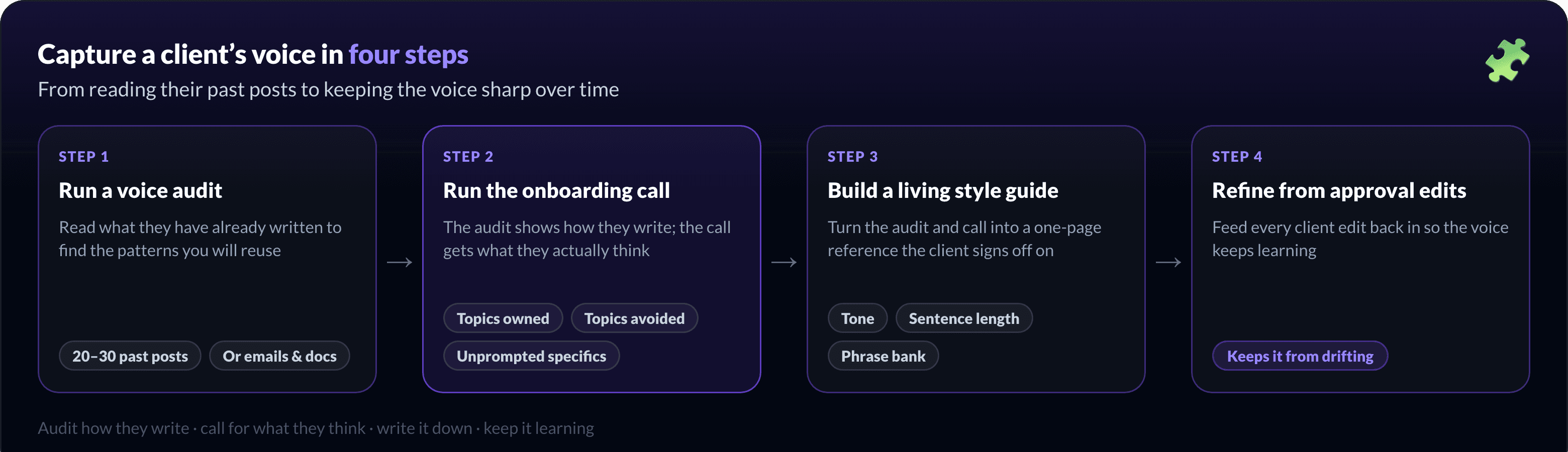
Step 1: Run a voice audit
Before you write anything, read what the client has already written. The goal is to find the patterns you will reuse, not to grade their grammar.
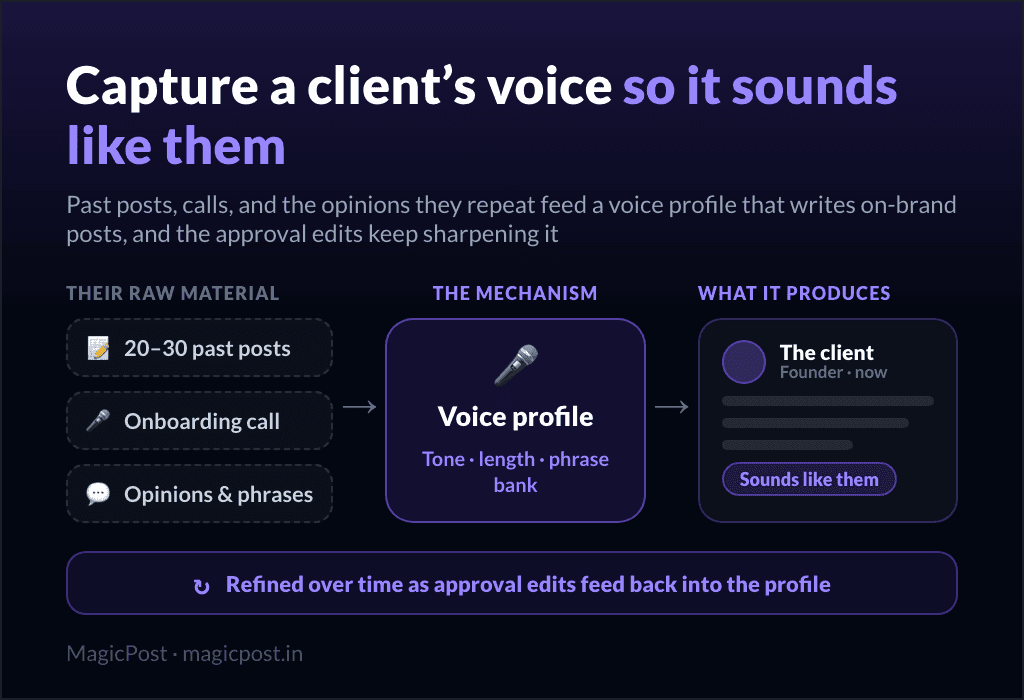
Pull 20 to 30 of their existing posts. Look for recurring themes, the opinions they repeat, the phrases they reach for, their typical sentence length, and how they open and close.
No post history? Use other writing. Their emails, presentations, and internal docs carry the same voice, often with less polish than a public post.
Note what they avoid. The topics they never touch and the words they never use are as much a part of the voice as the ones they do.
Write the patterns down as you go. This audit becomes the backbone of the style guide in step 3.
Step 2: Run the onboarding call
The audit shows you how the client writes. The onboarding call gets you what they think, which is the harder half.
A 30 to 60 minute strategy call should cover:
The business goals. What the content is actually for: pipeline, hiring, authority, a launch.
The audience. Who they want to reach, and who they do not.
Topics they own. The few subjects where they have a real, specific point of view.
Topics they avoid. Anything off-limits, legally or personally.
Then get them talking unprompted. Ask about a recent decision, a deal that went sideways, a thing in their industry that annoys them. The specifics that come up without prompting are the voice. That is the operational insight a generic draft is missing.
If you can, record the call and go back through it line by line. The phrases you want are usually said out loud before they are ever written.
Step 3: Build a living style guide
Turn the audit and the call into a short reference you write from, and the client signs off on, so you are not guessing.
Element | What to capture |
Tone | Blunt or warm, formal or casual, contrarian or measured |
Sentence length | Short and punchy, or longer and considered |
Vocabulary | Words they use, and words to never use |
Phrase bank | The specific expressions they say naturally |
Topics | What they own, and what is off-limits |
Keep it to a page. A style guide nobody reads is worse than none, because it gives false confidence.
Step 4: Keep the voice from drifting
This is the step almost everyone skips, and it is the one that decides whether month-three drafts still sound right.
Every approval round is voice data. When the client edits "let's unpack this" into "here's the deal," that is the voice correcting itself in real time. Capture those edits and feed them back into your reference, instead of letting them evaporate in an email thread.
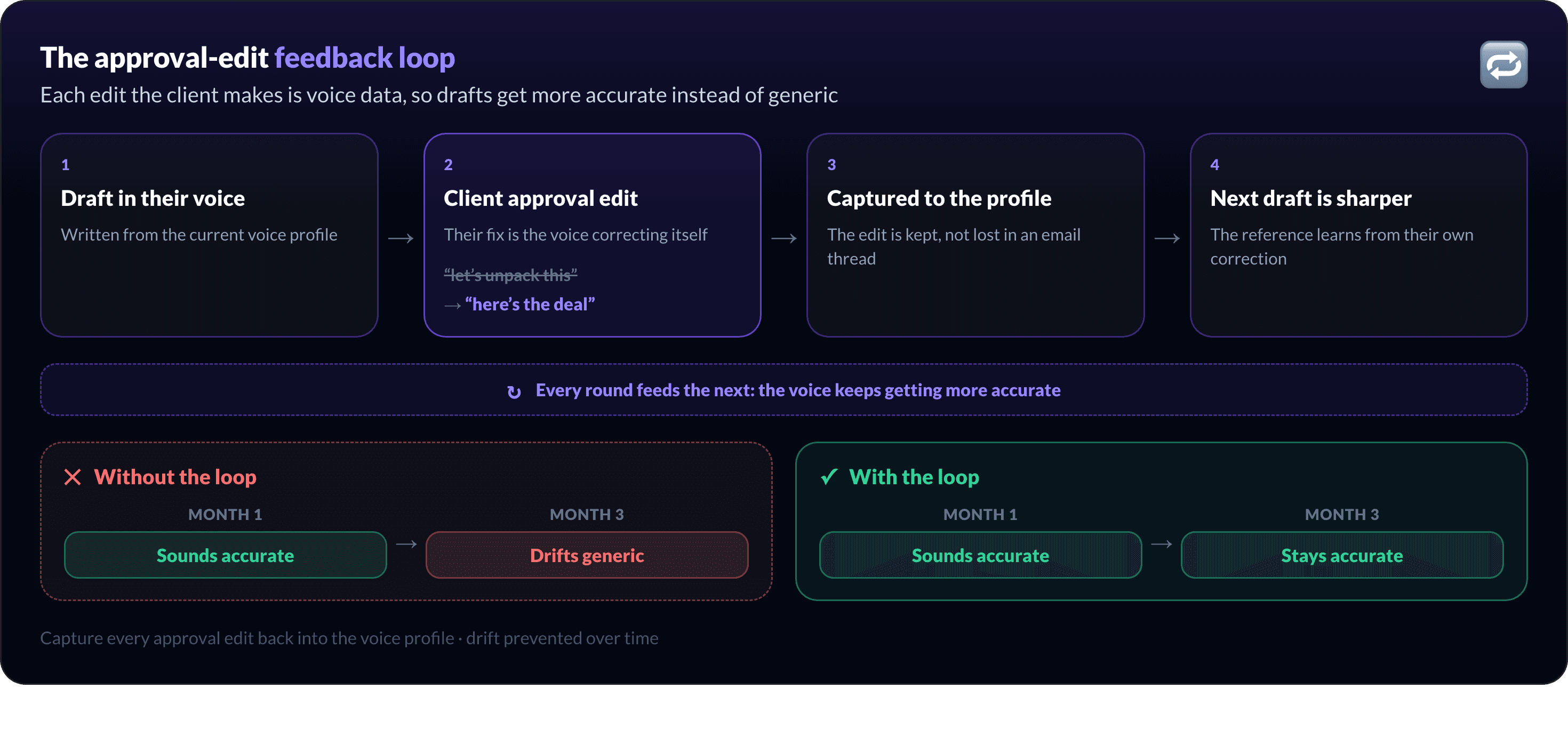
Done consistently, the intervention rate drops over time: you rewrite less because the voice reference keeps learning from the client's own corrections. Done not at all, you are recapturing the voice from scratch every few months.
Doing this across multiple clients
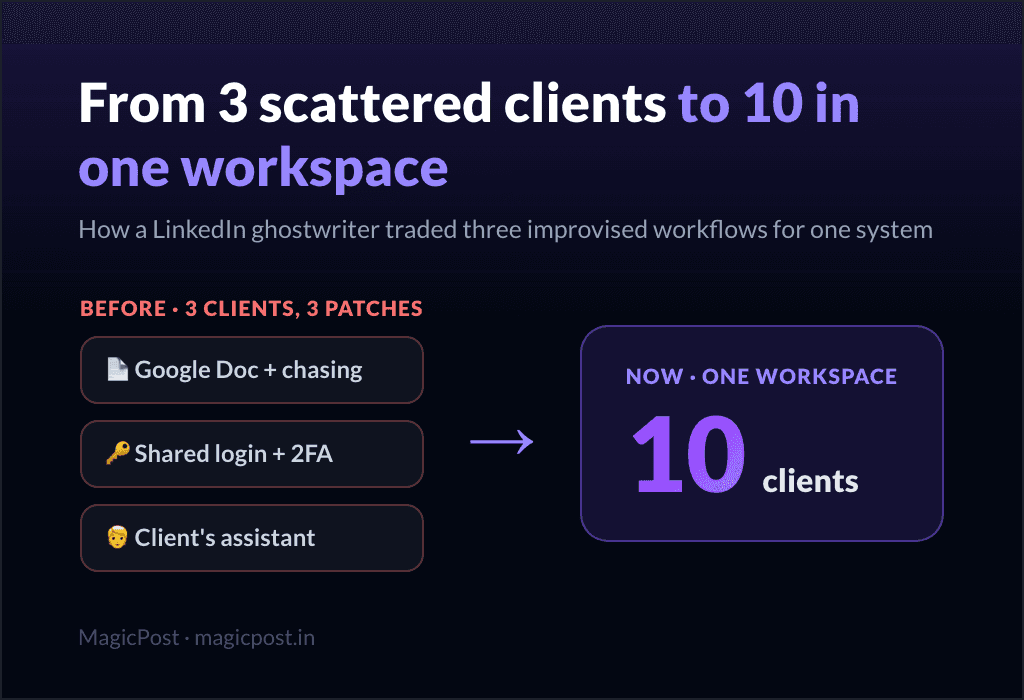
One voice is a discipline. Ten voices, in a day, is a system problem. The risk is blur: write for enough people and they start sounding alike.
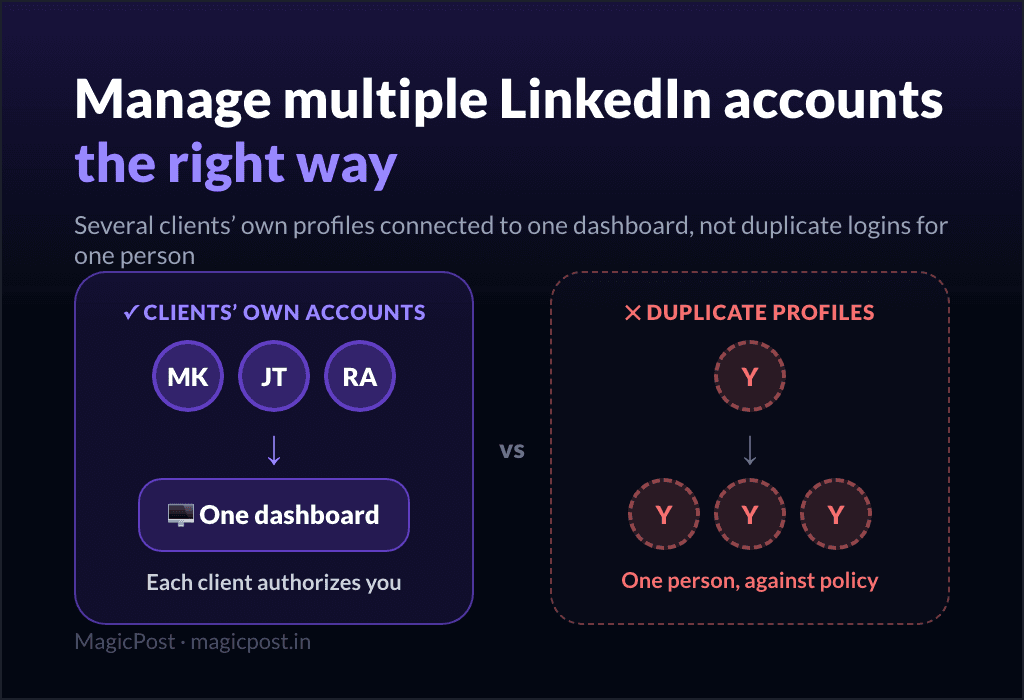
Keep each client's voice isolated. A separate space per client, with its own voice reference and post history, is what stops a turn of phrase from one founder leaking into another's post.
It is the same isolation that lets you manage multiple LinkedIn accounts without mixing anyone up, and it is worth checking which agency-grade tools actually keep voices separate at scale.
This is also where importing a client's writing style helps: instead of describing the voice to a tool, you feed it the client's own past posts. The help center covers importing a writing style per client.
How does MagicPost help capture and keep client voice?
Capturing voice is human work. A tool's job is to store it, apply it per client, and stop it from drifting.
MagicPost gives each client their own space with its own voice settings, lets you import the client's past posts so drafts start from their real style, and keeps their post history in one place (handy when a seven-month-old top post is worth rewriting).
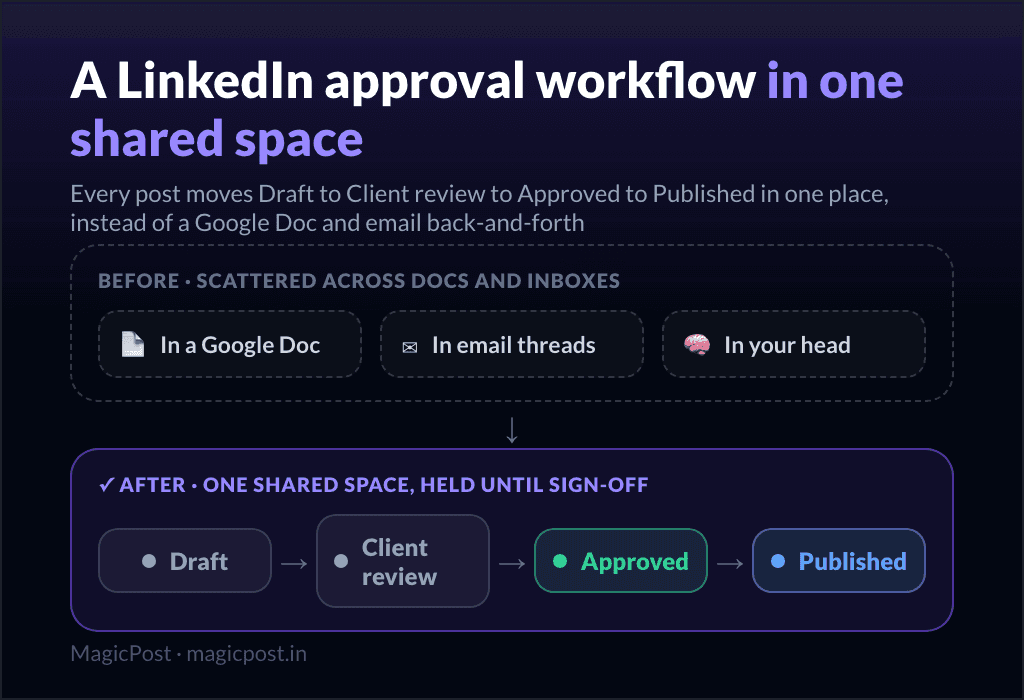
Because client approval happens in the same tool, the edits the client makes stay attached to their content instead of scattering across email, so the voice reference has somewhere to grow.
It will not do the thinking for you. It makes sure the thinking you captured is not lost, and that it is applied to the right client every time. That is what lets a roster scale without the drafts going generic.
FAQ
How many posts do you need for a voice audit?
Around 20 to 30 of the client's existing posts is enough to spot the patterns: recurring themes, sentence length, the phrases they reach for. Quality matters more than volume, so favor posts they wrote themselves over reshared content.
What if the client has no LinkedIn post history?
Use their other writing. Emails, presentations, internal memos, and recorded calls carry the same voice, often with less polish than a public post. The onboarding call matters even more in this case.
Can AI capture a client's voice on its own?
No. AI can mimic style if you feed it the client's real writing, but the operational insight (what only that client would say) comes from the client. Use AI to apply a voice you captured, not to invent one.
Why do ghostwritten drafts start sounding generic after a few months?
Because the voice was captured once and never updated. The fix is to treat every approval edit as voice data and feed it back into your reference, so drafts get more accurate over time instead of less.