When you run LinkedIn for clients, the hard part is rarely the writing. It is getting the post approved before it goes out.
You send a Google Doc with the month's posts, the client replies by email ("good for the first two, redo the third"), you fix it, you chase the final yes, and you hope nothing publishes without sign-off.
That back-and-forth is where time and goodwill leak. A real LinkedIn content approval workflow replaces it with one place where the client reviews, comments, and approves.
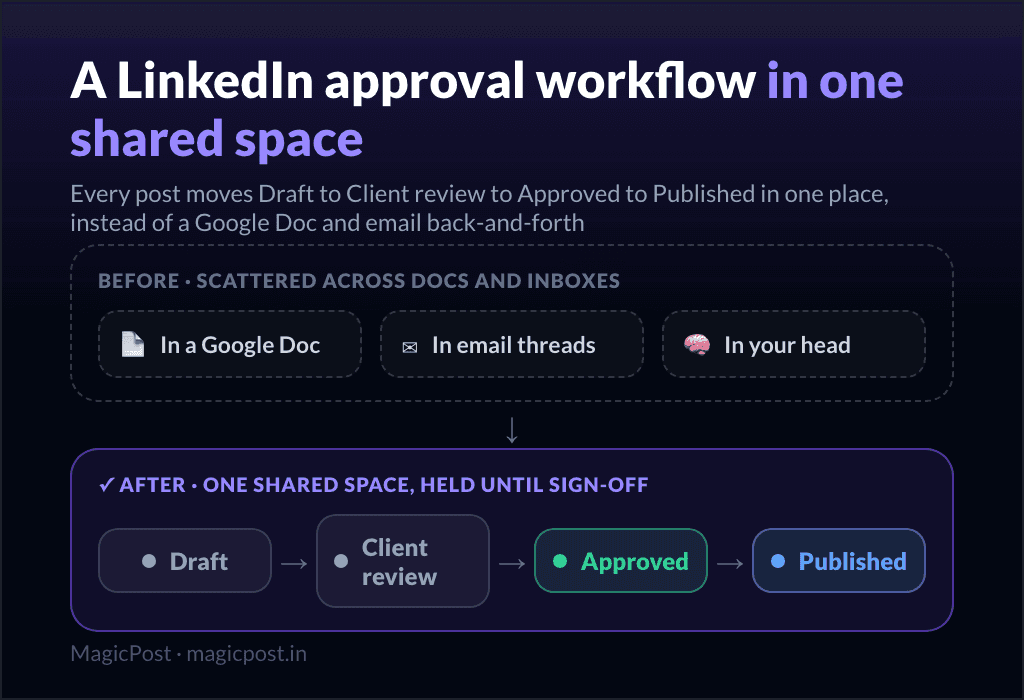
Short answer: a good approval workflow moves every post through clear stages (drafted, waiting for the client, approved, published) in one shared space, instead of across docs and inboxes.
The client reviews and approves from a simple link with no account to create, comments stay attached to the post instead of buried in email, and nothing publishes until it is signed off. Reminders nudge the approver so a forgotten yes never becomes a missed publication.
Why does the LinkedIn approval process break down?
The usual setup is a patchwork, and each piece adds friction.
The content lives in a Google Doc. The client reads it out of context, with no idea how the post will actually look on LinkedIn.
The feedback lives in email. Comments arrive across three threads, and you lose track of which note belonged to which post.
The approval lives in your head. You remember the client said yes to two of three, but there is no record, so a wrong post can slip out.
The deadline lives nowhere. Nobody is nudged, so a post sits unapproved until its scheduled time passes.
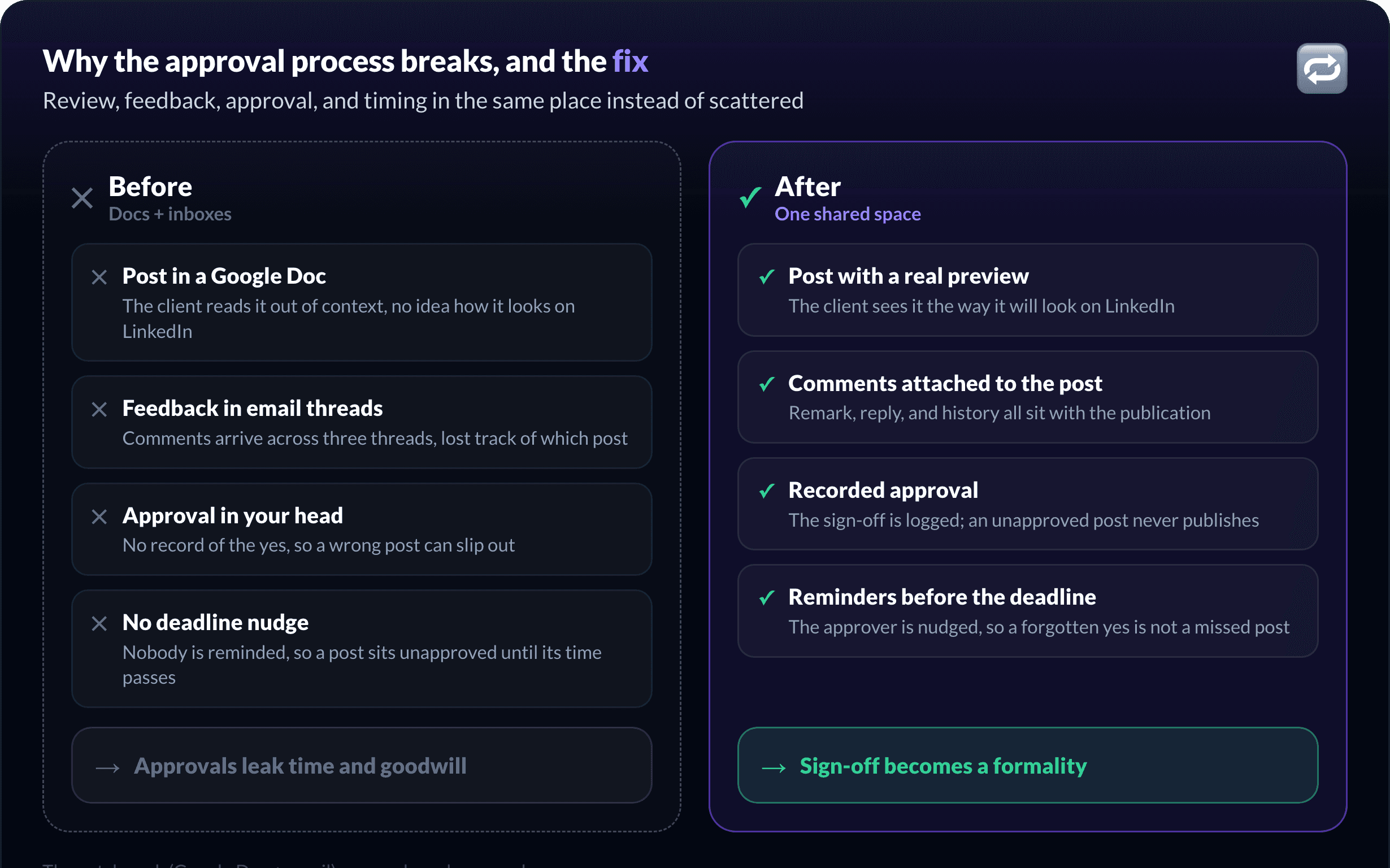
None of this scales. At three or four clients it is annoying; at ten it is a second job, and the approval bottleneck is one of the main reasons ghostwriters stall when they try to scale a LinkedIn ghostwriting business.
The fix is to put review, feedback, approval, and timing in the same place, which is what the better LinkedIn tools for agencies are built to do.
What does a good LinkedIn content approval workflow look like?
Every post should move through stages that everyone can read at a glance. The roles are simple: you create, the client approves.
Stage | Who acts | What happens |
Draft | You (and your team) | The post is written and refined internally before the client sees it |
Waiting for approval | The client | The post is scheduled but held; the client reviews, comments, or approves |
Approved | The client | The client signed off; the post will publish on its own at the scheduled time |
Published | The system | The post is live on LinkedIn |
The rule that makes it safe: a post that is not approved never publishes. You cannot accidentally send something live without sign-off.
How to set up client approval on LinkedIn, step by step
The workflow looks like this once review and approval happen in one shared space instead of across docs and inboxes.
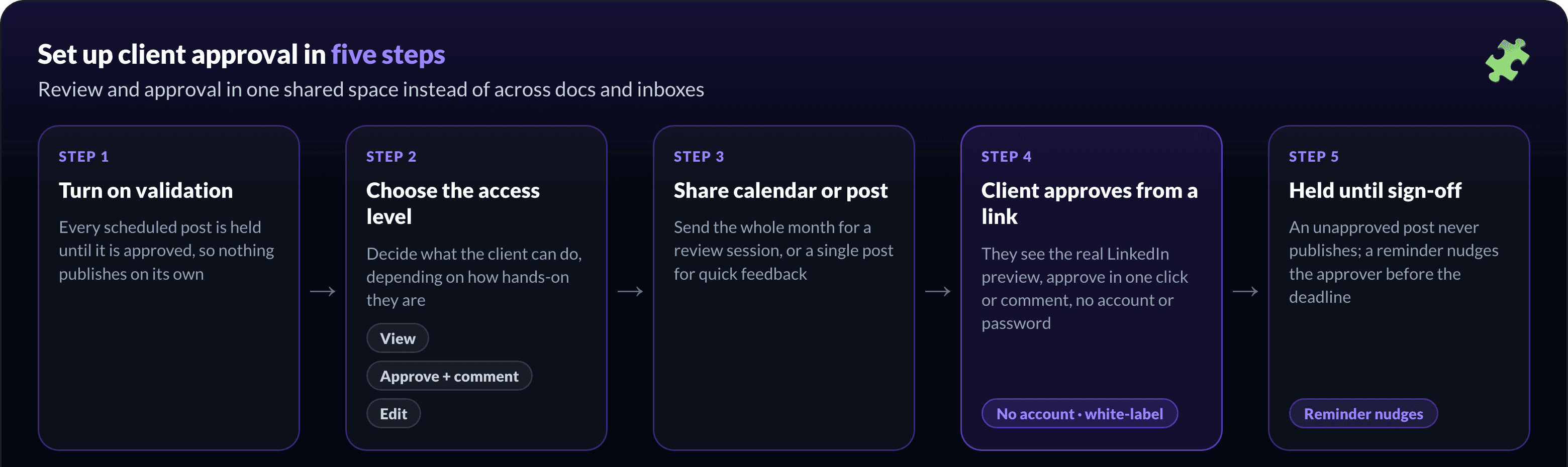
Turn on validation for the client. This holds every scheduled post until it is approved, so nothing publishes on its own without sign-off.
Choose what the client can do. Give them view-only, the ability to approve and comment, or full edit access, depending on how hands-on they are.
Share the calendar or a single post. Send the whole month for a review session, or one post when you want quick feedback on a single publication.
Let the client approve from a link. They open it, see the post the way it will look on LinkedIn, approve in one click or leave a comment, all without creating an account or a password. On your side, it is under your brand, not the tool's.
Let reminders chase the deadline. If a post is still waiting as its scheduled time approaches, the approver is nudged automatically, so a forgotten yes never becomes a missed post.
For the full client-side detail, the help center covers letting clients validate posts before publishing.
Keep the feedback attached to the post
The reason email kills approvals is that the comment and the post live apart. "Change the hook" means nothing three threads later.
A discussion thread under each post fixes that. The client leaves a remark on the post itself, you reply in the same place, and the whole history sits with the publication it is about.
Feedback rounds get shorter because nobody is reconstructing context, and a new comment shows up as something waiting for you, so you know which posts need attention.
Notifications so nothing slips through
An approval workflow only works if the right person knows it is their turn.
Your side gets told when a post is approved or a client leaves a comment, so you can act on feedback fast.
The client side gets told when a post is waiting for them, and those emails go out under your brand, not the tool's.
A reminder nudges the approver before a waiting post is due, which is what prevents the missed publication.
You never have to refresh a calendar to know where things stand.
Best practices for a smooth approval process
The workflow handles the mechanics. A few agreements handle the rest, and they are worth setting during onboarding.
Name one approver per client. Feedback from three people who disagree is how a post stalls. Decide who gives the final yes.
Set a turnaround expectation. Agree how long the client has to approve, so your calendar is not hostage to a slow inbox.
Cap the revision rounds. Two rounds keeps quality high without inviting endless tweaks.
Review in batches. A monthly calendar review beats approving one post at a time, for you and the client.
How does MagicPost run client approval?
If your approvals live in Google Docs and email today, the upgrade is to put the whole loop in one place, under your brand.
MagicPost holds each post until the client approves it, and the client reviews and signs off from a shared link with no account to create. Comments stay attached to the post in a discussion thread, reminders nudge the approver before the deadline, and your client sees your name and logo throughout, not MagicPost's.
It is the same place you draft, schedule, and report, and it works the same across every client you manage from one dashboard, so approval is one step in the workflow rather than a separate tool. That is what turns sign-off from the bottleneck into a formality.
FAQ
How do clients approve LinkedIn posts without an account?
You share a link to the calendar or a single post. The client opens it, reviews the post as it will appear on LinkedIn, and approves or comments, with no account to create and no password. The experience is under your brand, not the tool's.
Can I approve LinkedIn posts before they publish?
Yes. With validation turned on, every scheduled post is held until it is approved. A post that has not been signed off does not go out, so nothing publishes by accident.
What is the difference between previewing and approving a post?
A preview shows you how a post will look before it goes live. Approval is the client's recorded sign-off that it can publish. A good workflow combines both: the client sees the real preview and approves it in the same place.
Where does client feedback go?
Into a discussion thread attached to the post, not your inbox. The comment, your reply, and the decision all stay with the publication they are about, so nothing is lost across email threads.
What happens if a post is not approved in time?
It does not publish. A reminder nudges the approver before the scheduled time to prevent that, so a forgotten approval does not turn into a missed post.