MagicPost is a LinkedIn verified partnerOfficial LinkedIn API, not a browser extensionMagicPost runs through LinkedIn's developer program and secure OAuth login, within LinkedIn-approved limits. No extension, no cookie tricks, no risk for your account.
CONNECTED TO YOUR LINKEDIN
A chat that knows your LinkedIn account.
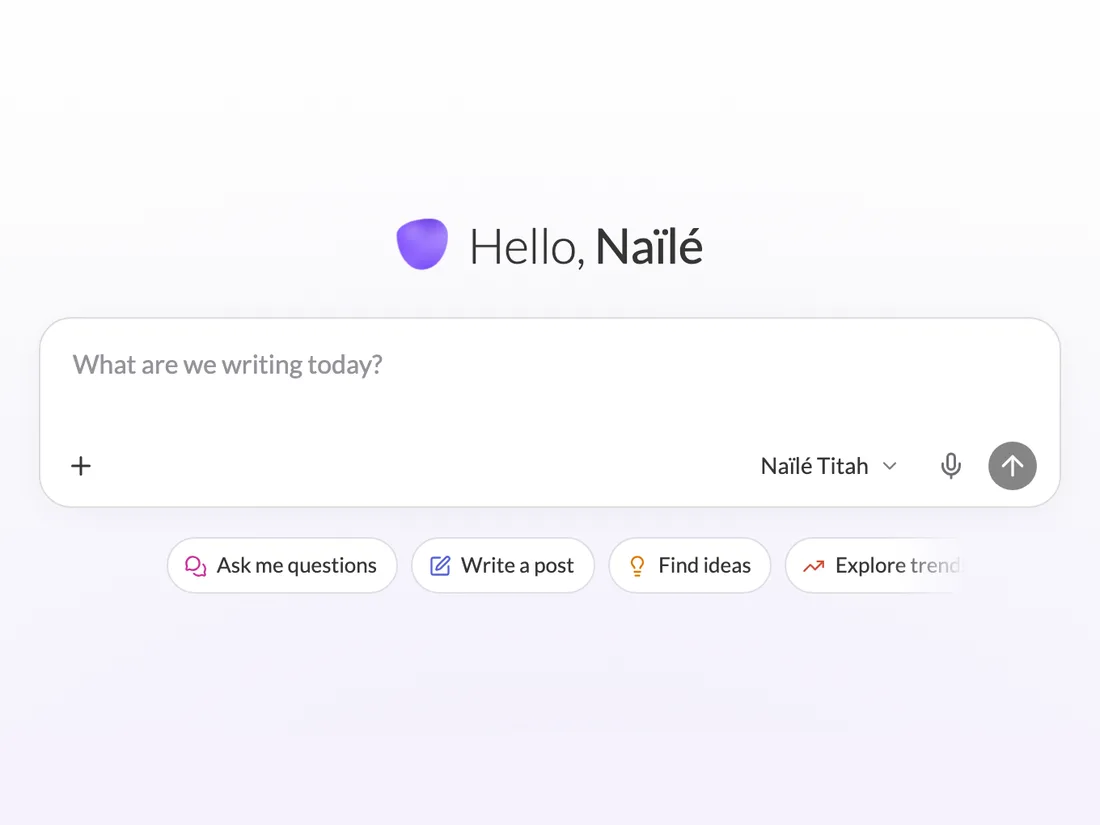
The MagicPost Chat reads your posts and their numbers, writes from them, then acts on your account: it schedules your posts and finds your leads.
Prefer to work in Claude or ChatGPT? Connect them to your account with the LinkedIn MCP server.
A generic AI chat
The MagicPost Chat
Your style
Asks you to paste a few of your posts
Writes from your published posts
Your numbers
Asks you to paste your stats
Reads the stats of each of your posts
Scheduling
You copy the text into LinkedIn
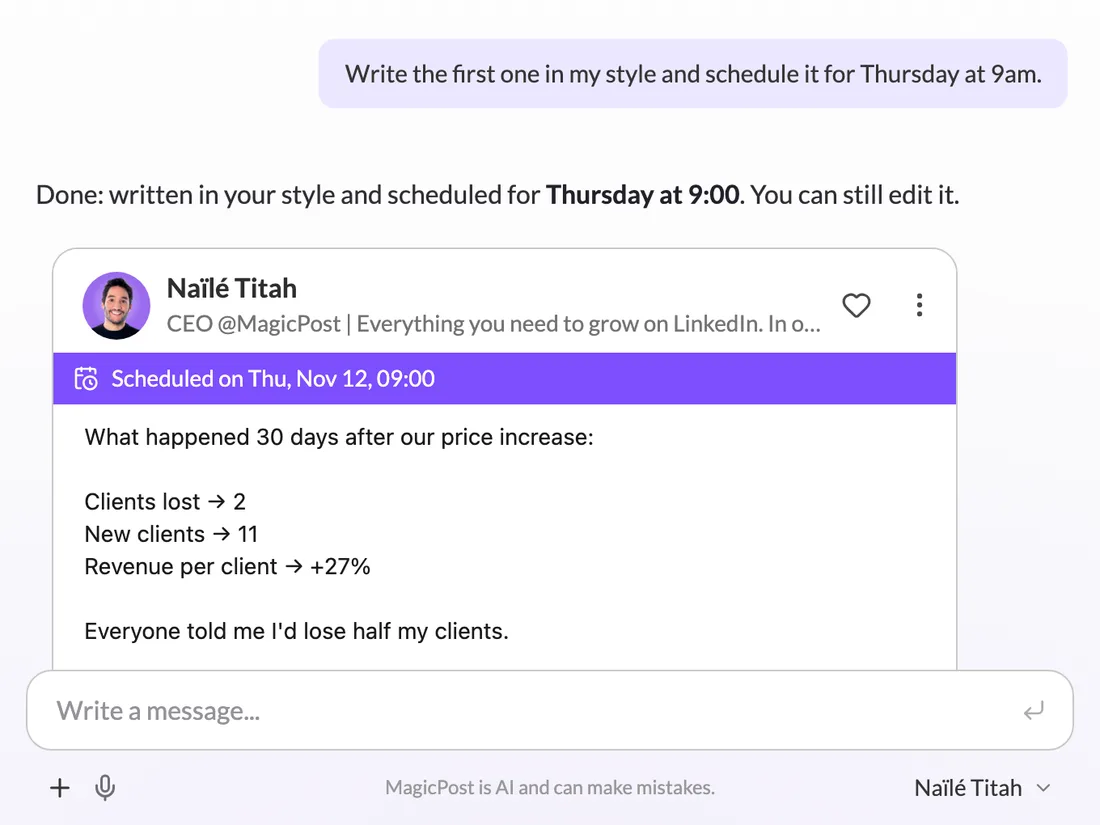
Schedules the post at the time you give
Leads
Can’t see who engaged with your posts
Finds leads among the people who engaged (Leads module)
WHAT YOU CAN ASK
Ask the way you would say it.
Write a post about our price increase, in my style
Make it shorter and add a question at the end
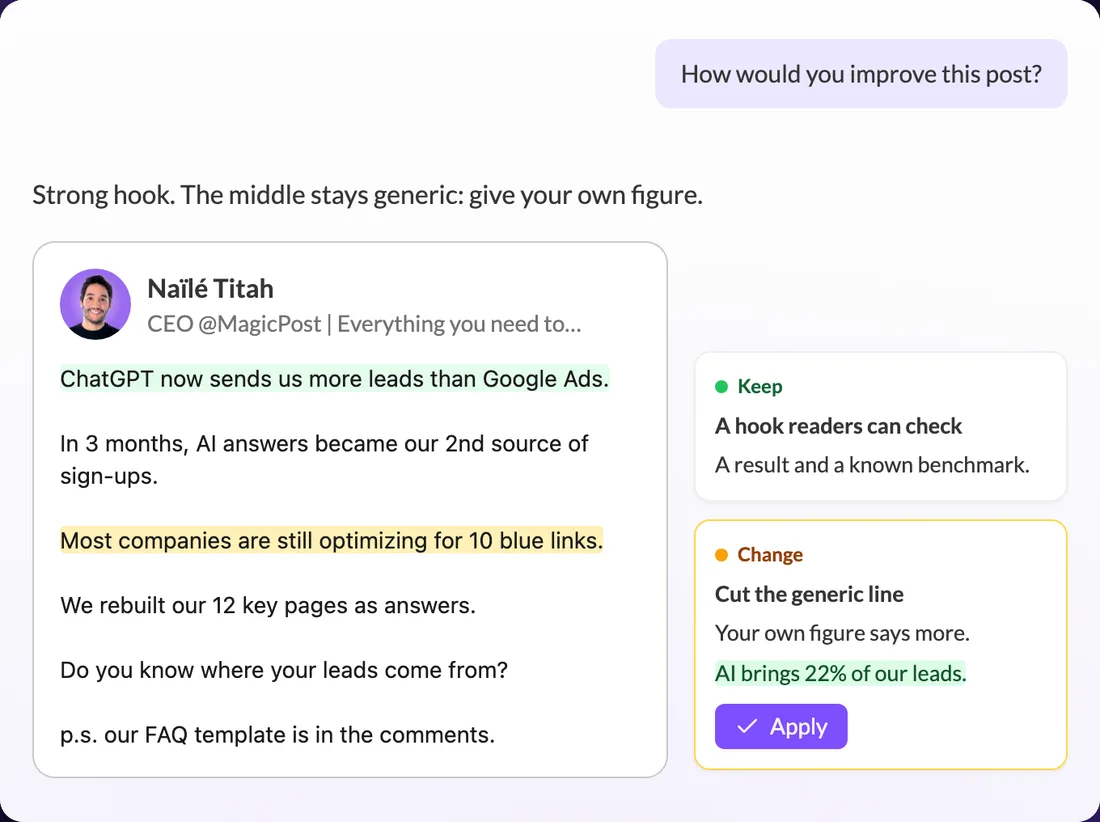
How would you improve this post?
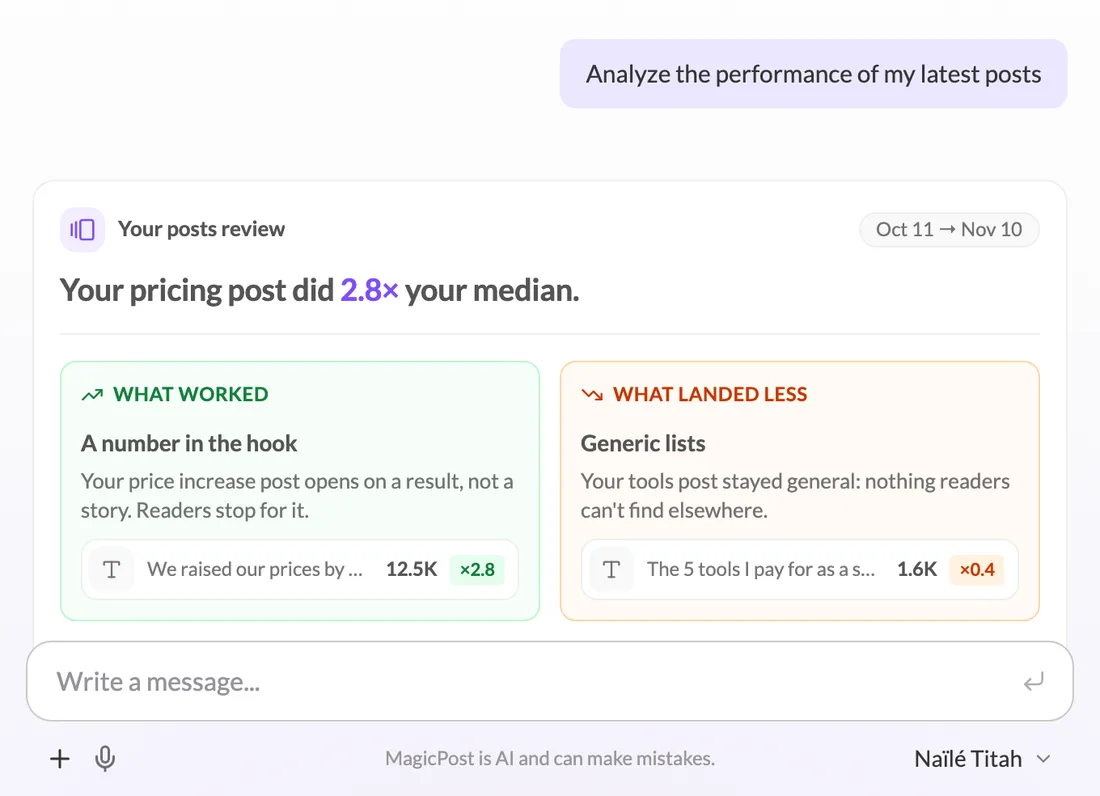
Analyze my posts and tell me what works
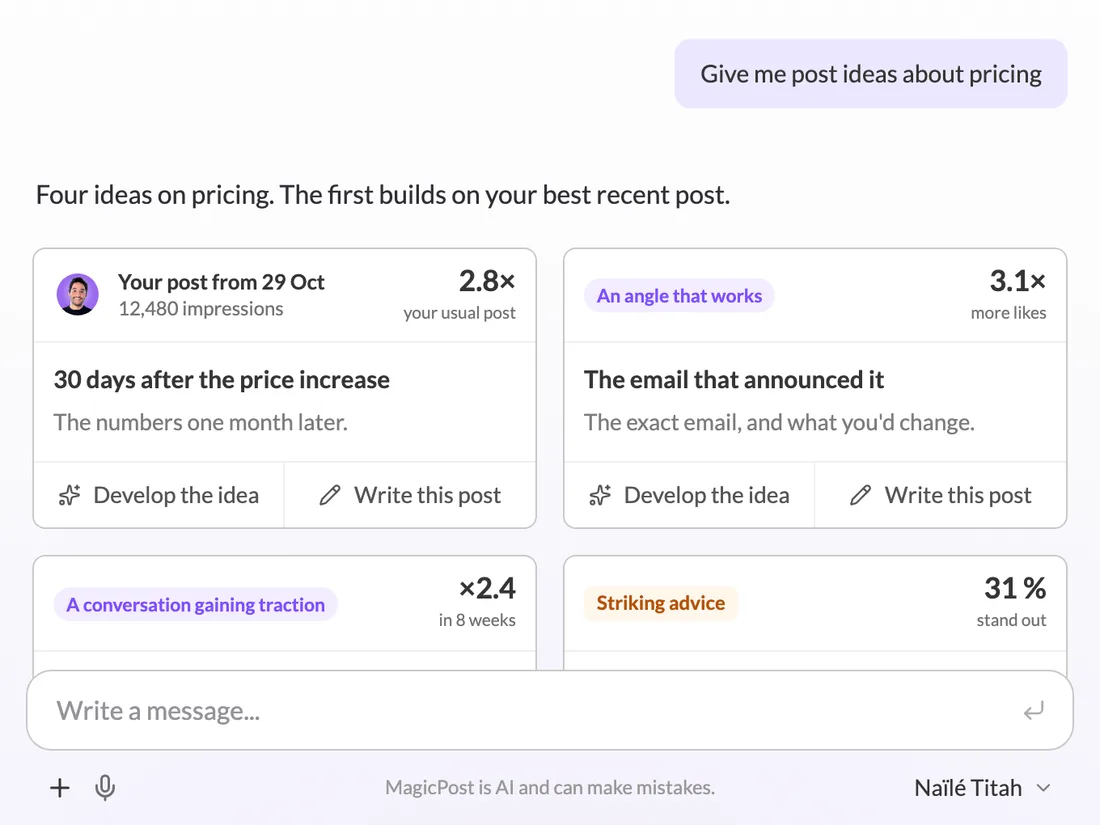
Give me post ideas about pricing
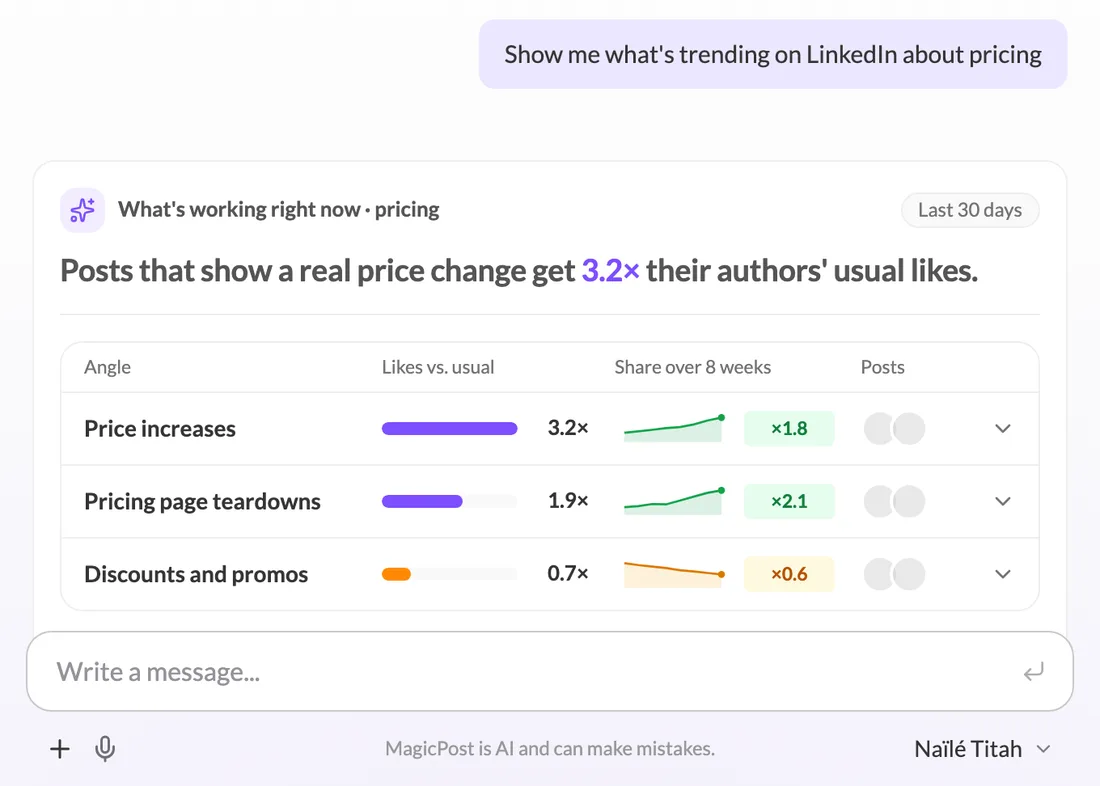
What’s working on LinkedIn about pricing right now?
Turn this article into a post
Make a carousel from this post
Schedule it for Thursday at 9am
Plan 8 posts over March
Review my LinkedIn profile
Who are my best leads from my last post?
WHAT THE CHAT DOES
Your LinkedIn work, in one conversation.
Write a post in your style, then rework it
Give it a topic, a rough idea or a draft: the Chat writes from your own posts. Ask for changes the way you would say them. Every version stays available, and you can go back to any of them.
Ask what worked this month. The Chat reads the stats of your published posts, compares each one to your median and tells you what carried them and what landed less.
Ask which posts are working right now on your topic. The Chat compares the likes of each angle with what their authors usually get, and shows which angles are gaining ground over 8 weeks.
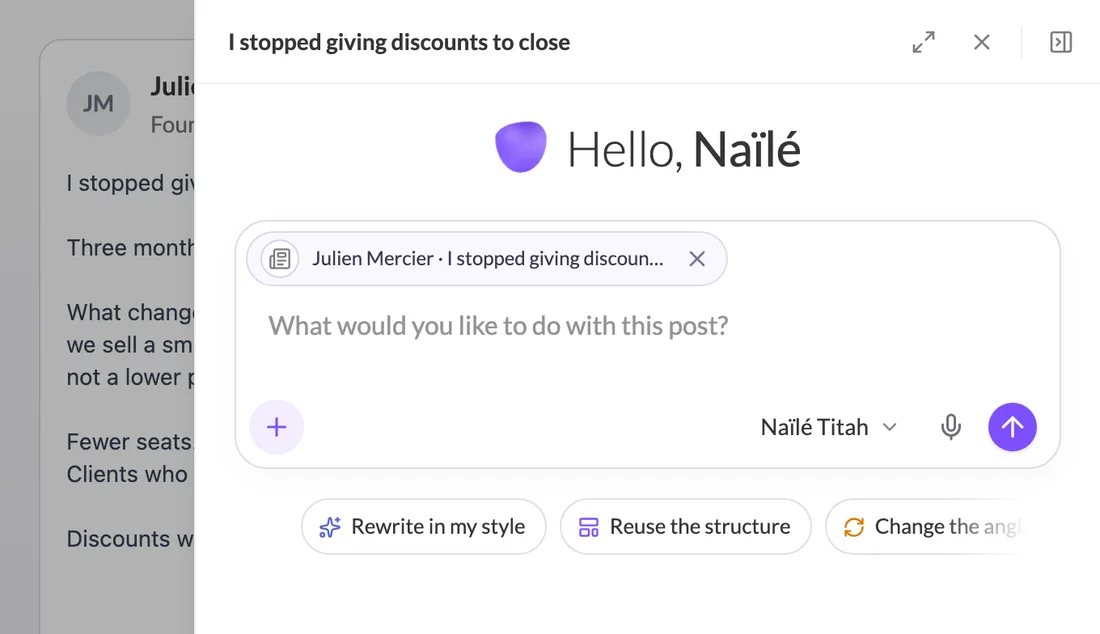
A post spotted in Inspirations, a draft in the Editor: open its menu and click Send to chat. The Chat opens next to it with the post attached, ready to rewrite it in your style or reuse its structure.
Every MagicPost account, except the Growth plan, which doesn’t include AI generation.
Is there a message limit?
There is none on the Creator, Agency and Team plans, while free accounts and trials get a limited number of messages.
Does every message use a credit?
No, only a post written by the Chat uses a post credit.
Can the Chat analyze my posts on any plan?
Analyzing your posts needs a plan with LinkedIn statistics, or a free trial in progress.
Does the Chat remember what I tell it?
Yes, it learns from what you tell it, and you can edit its memories anytime in your Knowledge base, under Chat memories.
How is the Chat different from ChatGPT or Claude?
They are general-purpose assistants, while the MagicPost Chat is built for LinkedIn: it writes from your posts, reads their numbers and schedules them.