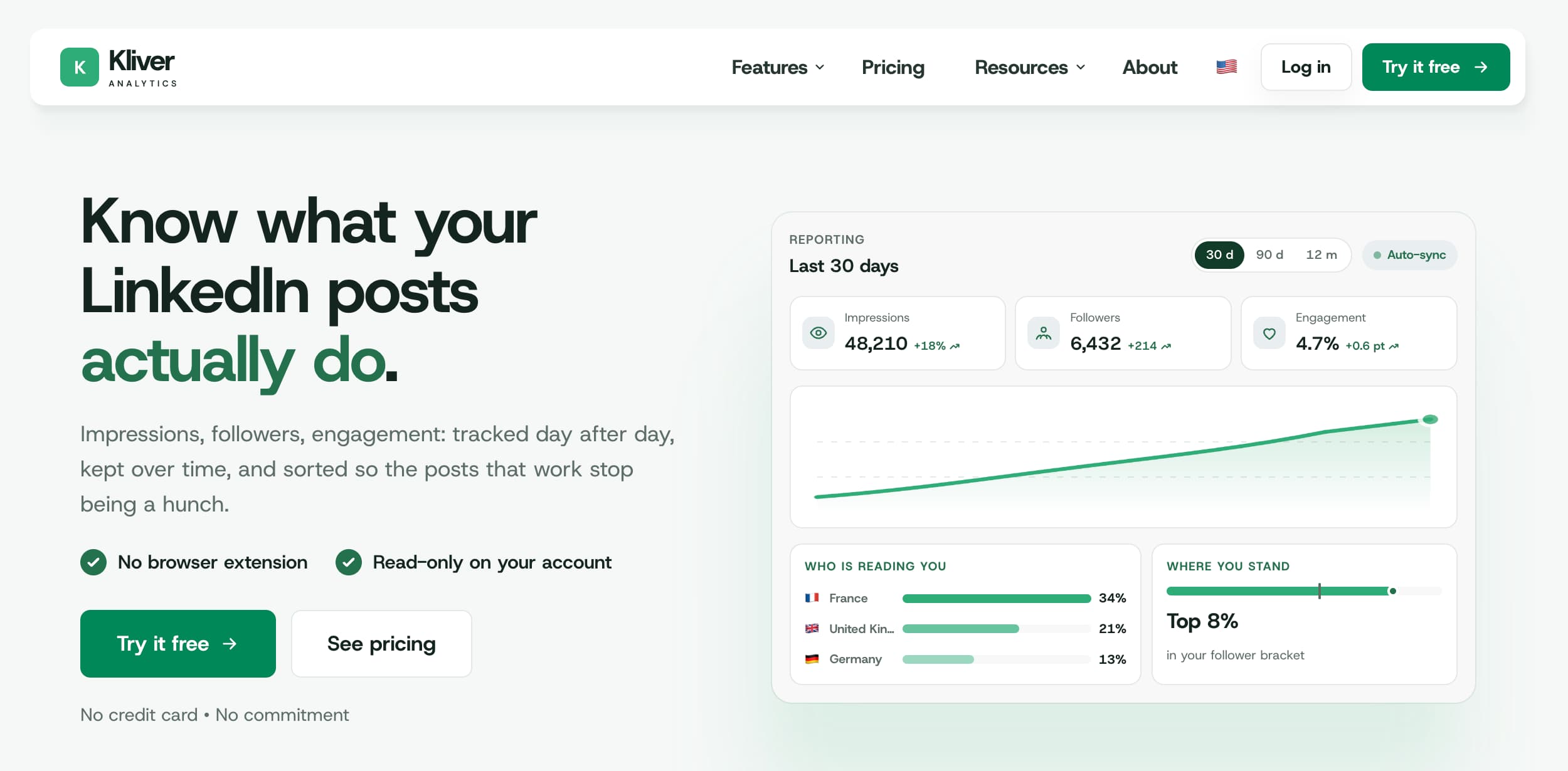
Kliver Analytics is a LinkedIn analytics tool that does one job and refuses the rest: it reads your account through the official API, keeps the numbers, and shows you whether they are any good. No writing, no scheduling, no browser extension.
This review covers what it does, what it costs, what it deliberately leaves out, and who should buy it. One caveat first: Kliver is built by MagicPost, which publishes this blog. Read the limits section before you read the verdict.
What Is Kliver Analytics?
Kliver Analytics is a LinkedIn analytics tool and nothing else. It reads one LinkedIn account through the official API, keeps the numbers it reads, and lays them out as a timeline instead of a folder of screenshots. There is no post generator, no scheduler, no engagement feed and no lead detector.
Two things follow. Kliver never writes to your account: the connection is read-only, so nothing can be published from it. And there is no browser extension anywhere in the chain, which is the failure mode that ended Shield Analytics in 2026.
We make it. Kliver comes out of MagicPost, which also publishes this blog, so this is a review of our own product. Everything below is on Kliver’s own pages, and you can hold it against us.
Who Is Kliver For?
Kliver fits a narrow reader. It is for people who already publish on LinkedIn and want to understand what happened, without buying a content platform to get there.
Creators who write in LinkedIn directly and only want the numbers afterwards.
Freelancers and consultants who report performance to a client every month.
Agencies that need one profile per client and a PDF at the end of the month.
Teams where several people post and someone has to read all of it in one place.
It does not fit anyone looking for help writing, scheduling or engaging. If that is the job, a content platform is the right purchase and Kliver is the wrong one.
Kliver’s Features
Post analytics
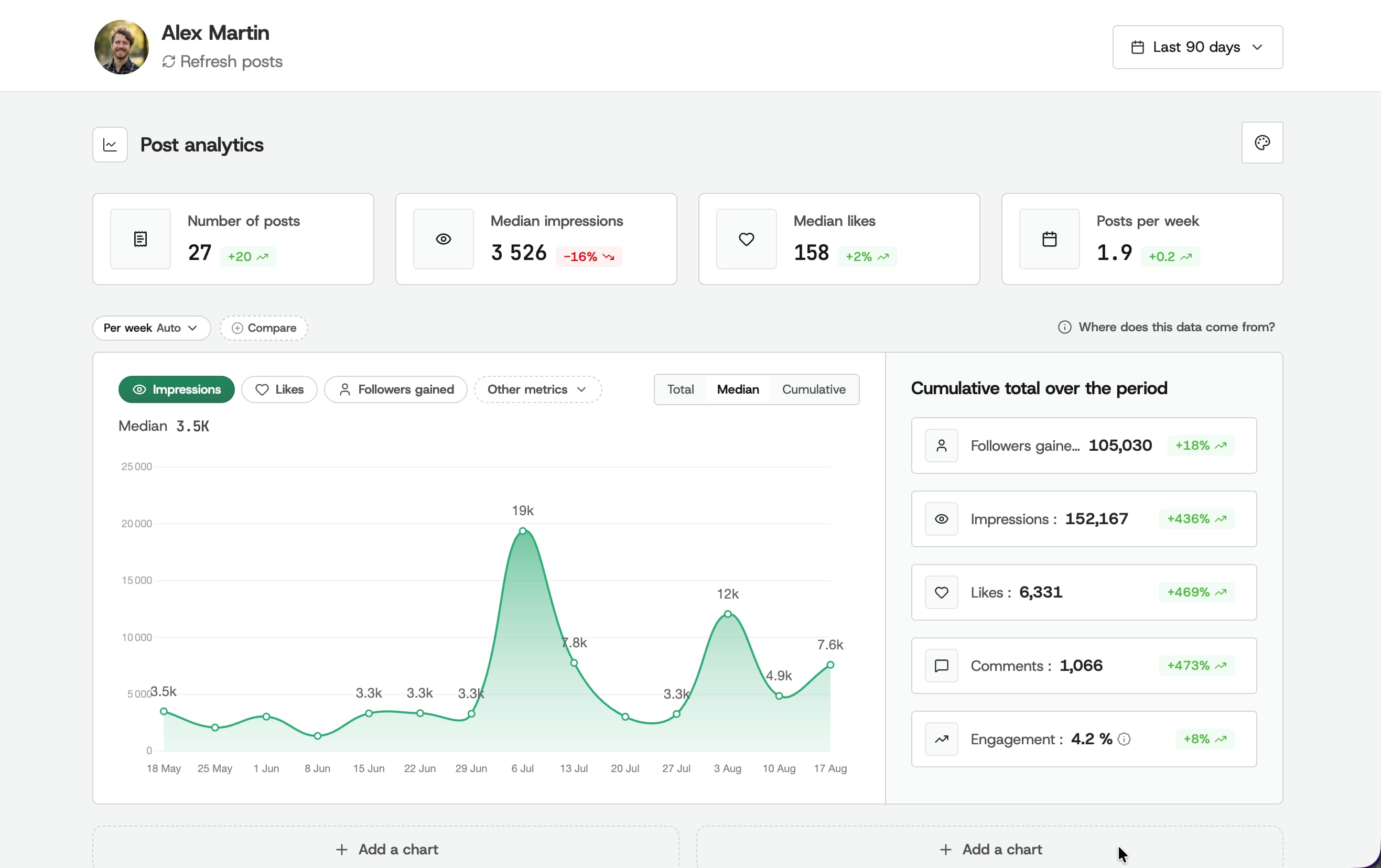
The dashboard opens on the period you choose and reports medians rather than averages: median impressions, median likes, posts per week. Medians matter here, because one viral post drags an average up for a month and tells you nothing about a normal week.
Your posts, ranked
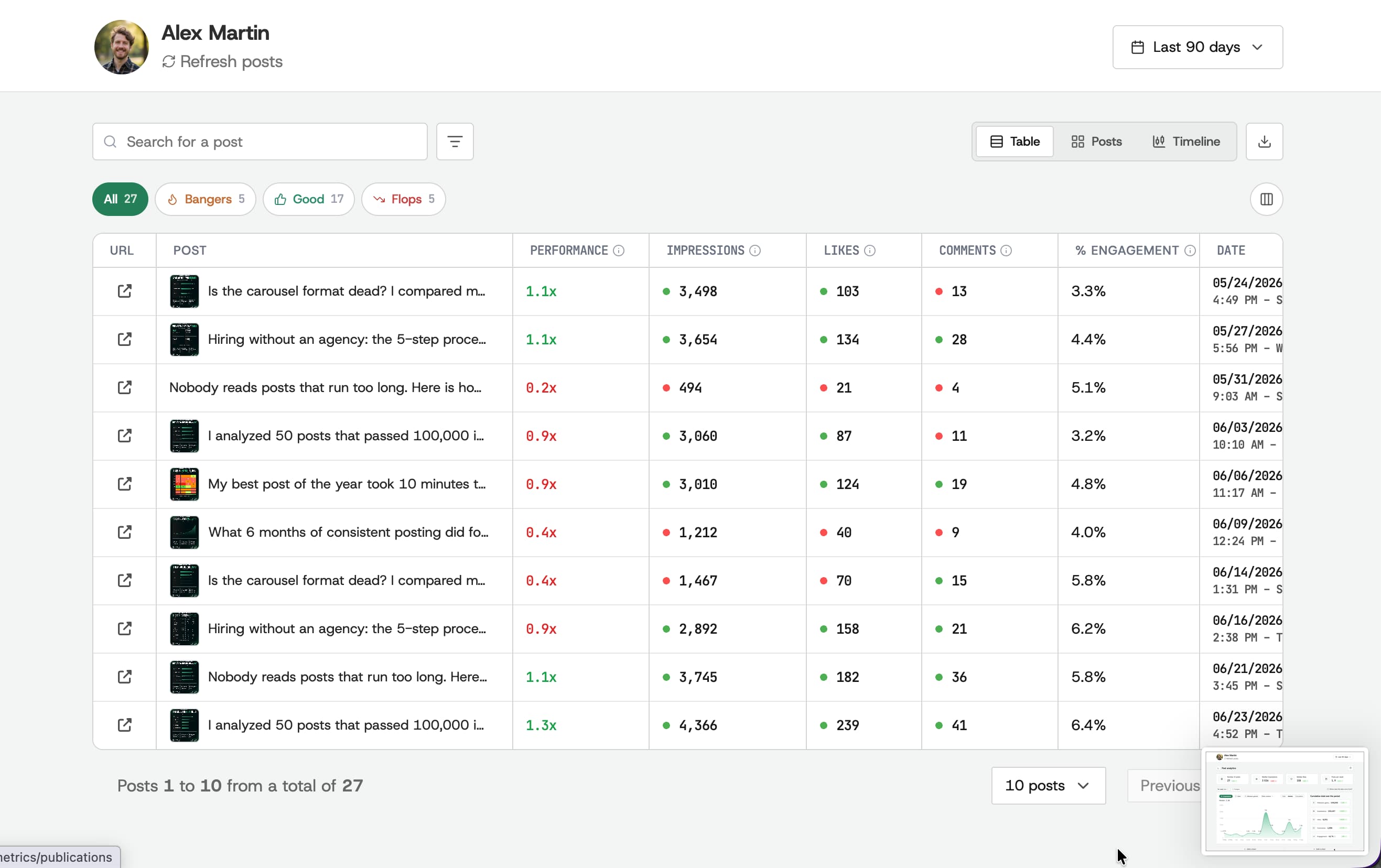
Every post is scored against your own median and sorted into bangers, good and flops, with a multiplier next to it. The table can be read as a table, as post cards or as a timeline, and it exports.
Audience
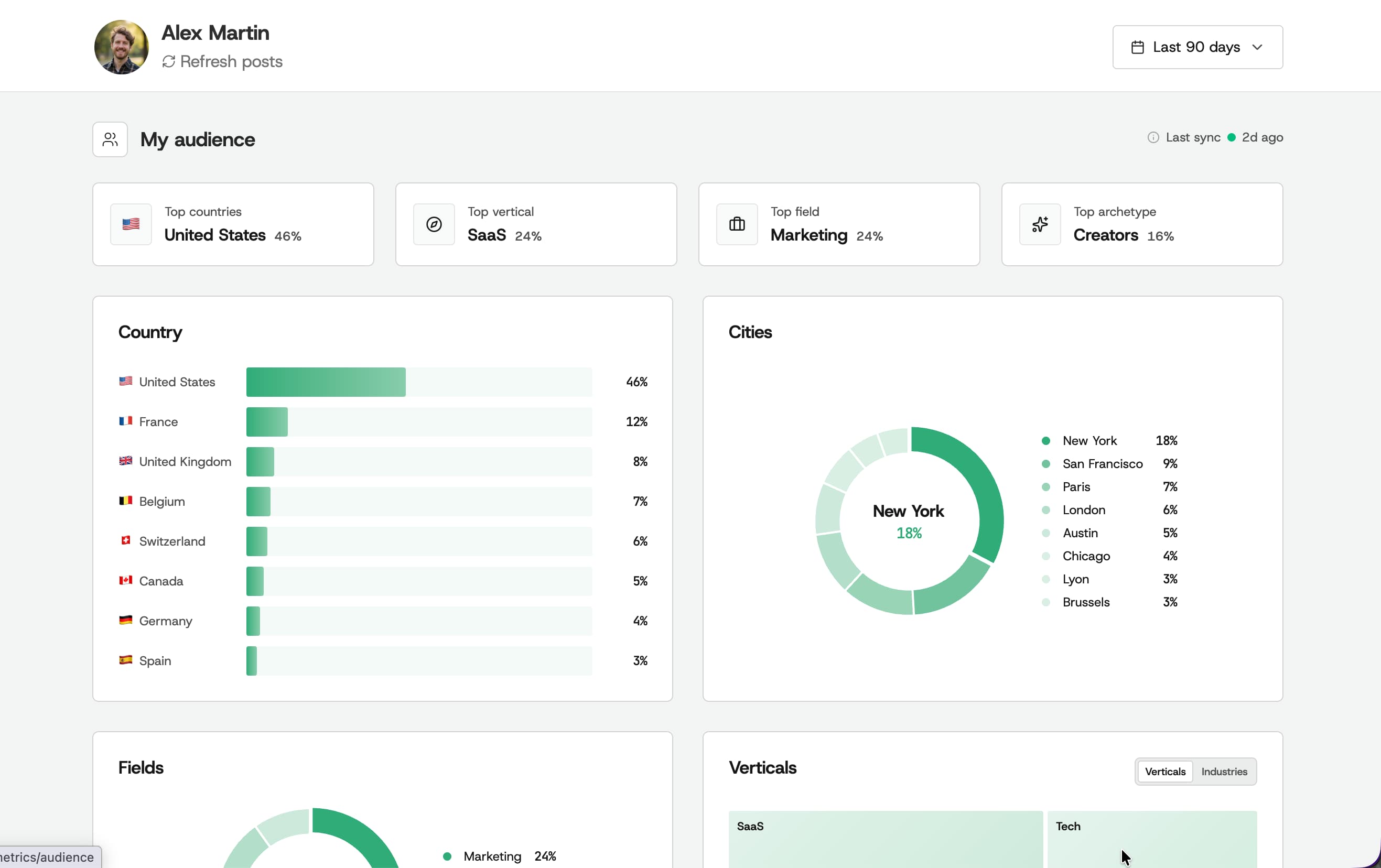
The audience view profiles the people who liked and commented on your last twenty posts, not your follower list, and breaks that sample down by country and city, then by vertical, field and archetype. LinkedIn’s own demographics describe followers rather than the people who engaged, and cap each category at its top five results.
Benchmarks
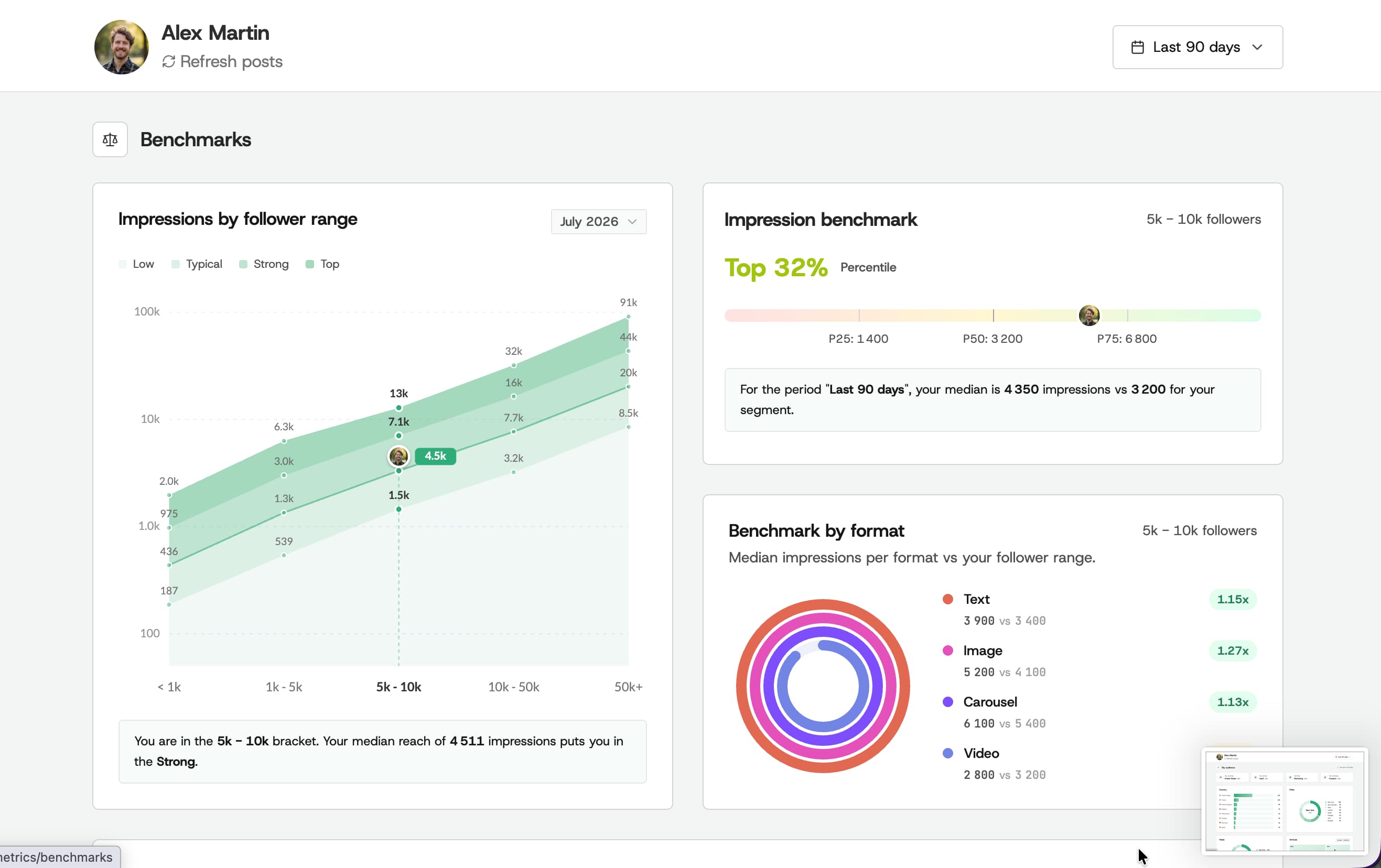
This is the part a dashboard normally cannot do. Kliver places your median reach in a percentile of your follower bracket, and sets the median impressions per format next to yours, so you can see whether your carousels beat text posts for someone your size rather than in general.
Report export
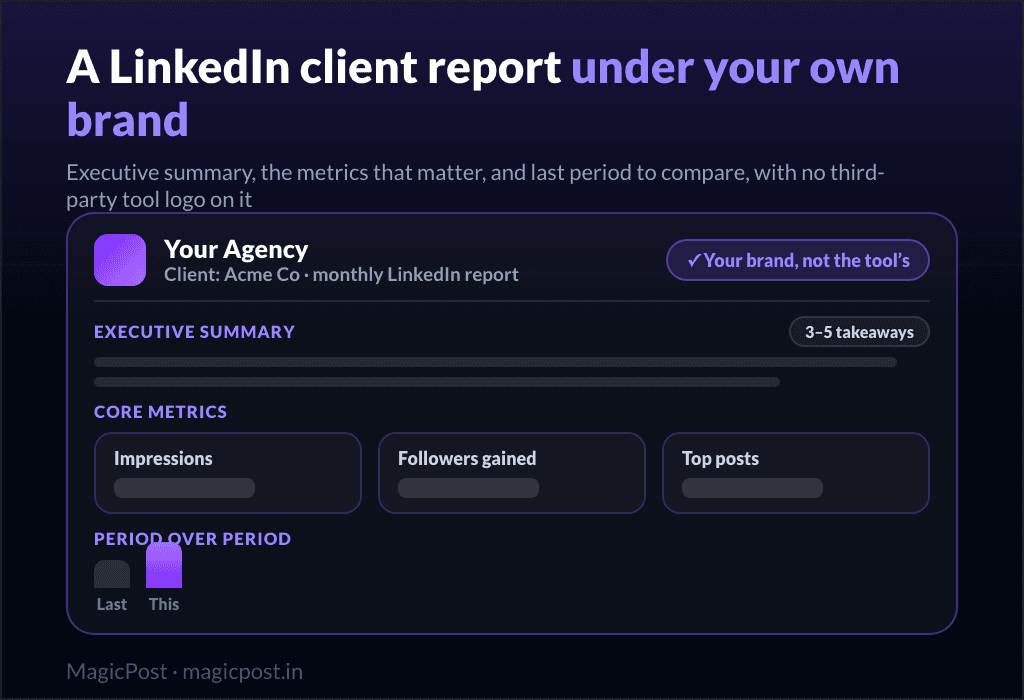
Any period exports as a multi-page A4 PDF through report export, under your logo and your accent colour, with your photo and job title on the cover. For anyone who reports to a client, that is the feature that replaces an afternoon of copy-paste into slides.
Is Kliver Safe to Use?
In LinkedIn tooling, safety is decided by the connection. Kliver’s runs through the official API and it is read-only.
There is no browser extension and no DOM injection, so nothing runs inside your LinkedIn session and nothing modifies the interface. That distinction is not academic. Shield Analytics ran through a Chrome extension and wound down in 2026 after pressure from both LinkedIn and the Chrome Web Store; Apollo.io and Seamless.ai faced the same kind of enforcement.
Read-only also means Kliver cannot post, comment, connect or message on your behalf, even by accident. If your worry is an automation that acts as you, there is nothing here that can.
Kliver Pricing
One plan, billed per profile. A profile is one person whose numbers you follow: yours, then one for each teammate or client. From two profiles up, Kliver creates an organization and you read them all in one place.
Billing | Price | What you get |
Monthly | $19 / €19 per profile | The whole product, no feature gating |
Yearly | $9.50 / €9.50 per profile | Same product, billed $114 / €114 per year |
Trial | Free | No card required |
The yearly price is a straight 50% off the monthly one, and both currencies carry the same number (see the pricing page). There is no cheaper tier that removes features: the plan is the product.
What Kliver Does Not Do
Kliver launched in 2026, so there is no body of public customer reviews to quote yet, and we are not going to invent one. The limits are the part we can state precisely.
No publishing and no scheduling. You write and post in LinkedIn, or in a content tool, and Kliver reads the result.
LinkedIn only. No other network, now or planned.
Your kept history starts at your first sync. Kliver stores what it reads from that point onward. It does not reconstruct years of data you never synced.
No private numbers from other profiles. The Creators view reads what another profile published publicly; LinkedIn keeps impressions private there, so Kliver ranks those posts on comments and never estimates the reach.
No AI writing, no engagement tools, no lead detection. Those live in a content platform, not here.
None of these gaps are on a roadmap. If one of them matters to you, Kliver is the wrong $19 to spend, and waiting for a future version will not change that.
Kliver’s Pros and Cons
Pros | Cons |
✅ Official LinkedIn API, read-only, no extension | ❌ No publishing, scheduling or engagement |
✅ History kept past LinkedIn’s rolling window | ❌ Kept history only starts at your first sync |
✅ Benchmark percentile inside your follower bracket | ❌ LinkedIn only, no other network |
✅ White-label A4 PDF export for client reporting | ❌ Too new to have a public review record |
✅ One plan, no feature gating, trial without a card | ❌ Built by MagicPost, so not an independent tool |
Final Verdict: Is Kliver Worth It?
Kliver is worth it if you already post on LinkedIn and what you are missing is knowing whether any of it worked. At $19 a month, or $9.50 on the yearly plan, it is cheaper than the analytics tier of most content platforms and it does that one job further than they do, because the benchmark tells you what a number means for someone your size.
It is not worth it if you also need help writing or scheduling. Paying for Kliver plus a content tool is paying twice for the same LinkedIn connection; MagicPost carries the same analytics inside a platform that also writes, schedules, engages and detects leads, and that is the cheaper answer when you need both.
If you only ever wanted the numbers, start with the free trial; it takes no card and the whole product is in it.
FAQ
Is Kliver Analytics worth it?
If you already publish on LinkedIn and only need to understand the results, yes: it is $19 a month for the whole product, or $9.50 on the yearly plan. If you also need help writing or scheduling, a content platform covers both halves for less than buying two tools.
How much does Kliver cost?
$19 or €19 per profile per month, or $9.50 / €9.50 per profile when billed yearly, which comes to $114 / €114 per year. There is one plan and it contains the whole product.
Does Kliver have a free trial?
Yes, and it does not ask for a card. The trial covers the full product rather than a reduced version of it.
Does Kliver need a browser extension?
No. Kliver reads your account through LinkedIn’s official API. Nothing is installed in your browser and nothing runs inside your LinkedIn session.
Can Kliver publish or schedule posts?
No. The connection is read-only by design, so Kliver cannot post, comment or message on your behalf. You publish in LinkedIn or in a content tool, and Kliver reads what happened.
Does Kliver show data from before I signed up?
Kliver keeps what it reads from your first sync onward, and reads back as far as LinkedIn still exposes at that moment. It does not reconstruct history you never synced, which is the trade for not using a browser extension.
Is Kliver the same as MagicPost?
No, though they are built by the same company and read the same kind of data. MagicPost is a full LinkedIn content platform, with these analytics inside it. Kliver is the measurement side sold on its own, for people who do not want the rest.