Trigify shut down at 11:59pm BST on 22 October 2026, a cutoff set by an announcement of 23 September 2026 that tied the closure to the team's move to HubSpot.
If you used it to see who engaged on LinkedIn and push those people into a CRM, monitoring, integrations and the API have stopped, and one of the Trigify alternatives below now has to do that job.
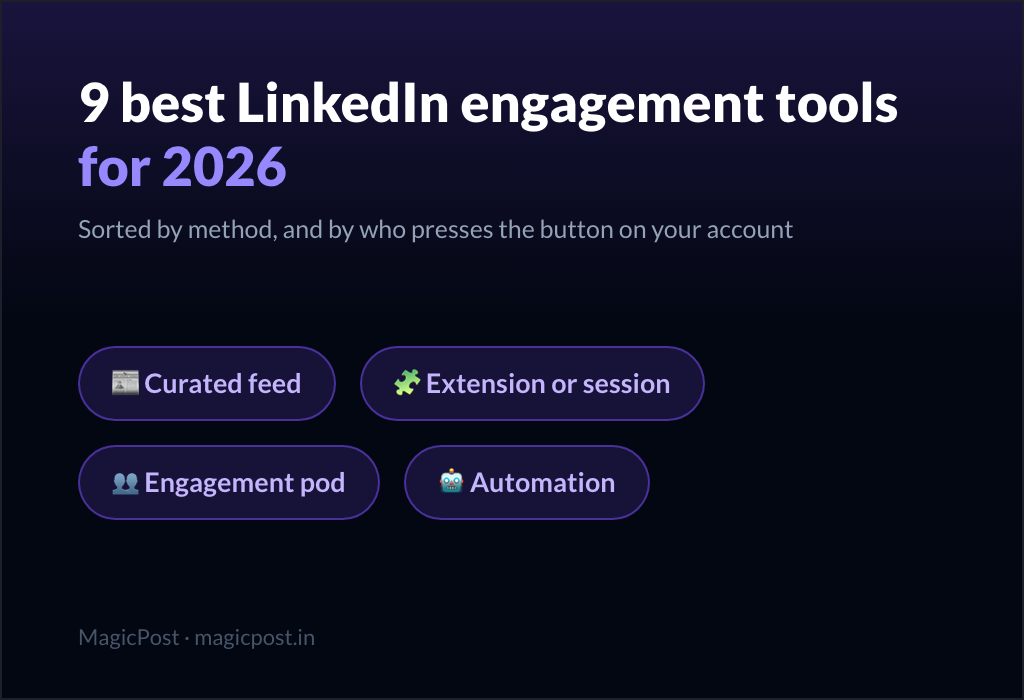
The seven tools split on two questions: whose posts they watch, and how they reach LinkedIn.
Trigify alternatives at a glance
Tool | Best for | Price/mo. | Posts it watches | How it reaches LinkedIn | Start |
MagicPost | Scoring your own engagers against an ICP | $49 (Growth) | Yours | Free trial, no card | |
Teamfluence | Team, competitor and keyword signals | €449 | Yours, your team's, competitors' | Not documented; Chrome extension listed | Sales call |
Embers | A ranked lead queue from your activity | $49 (Solo) | Yours, your comments, a watchlist | No login, cookie or extension | Trial of 7 days or 2,000 engagers |
Linked Panda | Engagers of competitors' posts, pay as you go | $49 (Starter) | Any tracked profile or page | Third-party data providers | $10 pack |
traxy | Market-wide discovery with enrichment | $149 (Pro) | Watchlist plus market scan | No LinkedIn account needed | 7-day trial |
PhantomBuster | Exporting any post's likers and commenters | $69 (Start) | Any post URL you give it | Session cookie, cloud runs | Free plan, 14-day trial |
LeadShark | Lead-magnet DMs to commenters | $39 (Pro) | Yours | Not documented; sends DMs from your account | 7-day trial, no card |
Teamfluence publishes its price in euros only, so its row keeps the euro figure rather than a conversion.
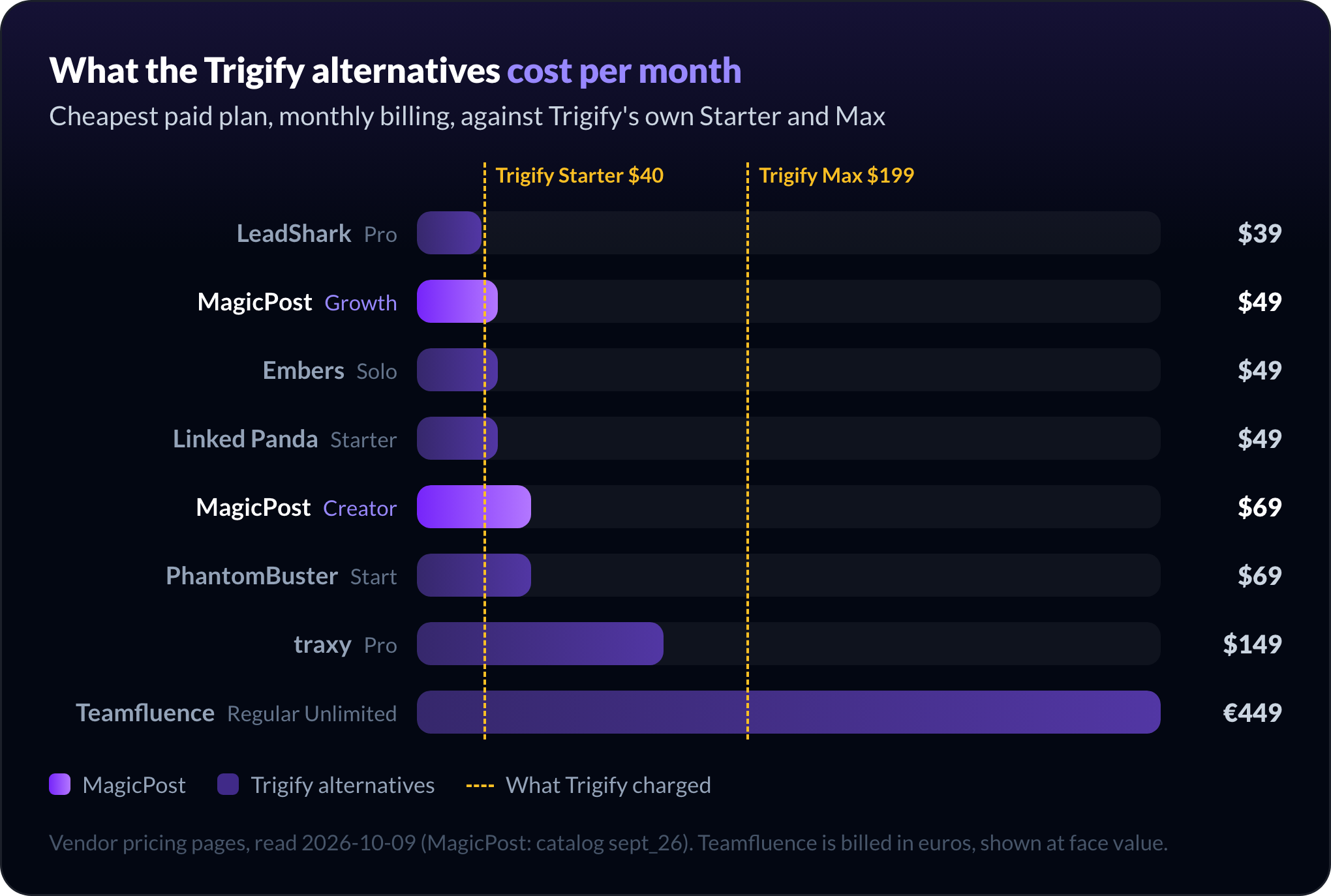
Trigify customers paid $40/mo. on Starter or $199/mo. on Max. Among the paid monthly plans, only LeadShark comes in under the old Starter price; PhantomBuster's free plan and Linked Panda's $10 one-off pack are cheaper ways in, without a subscription.
Teamfluence is the only tool whose list price sits above Max, and it offers Trigify customers a price match.
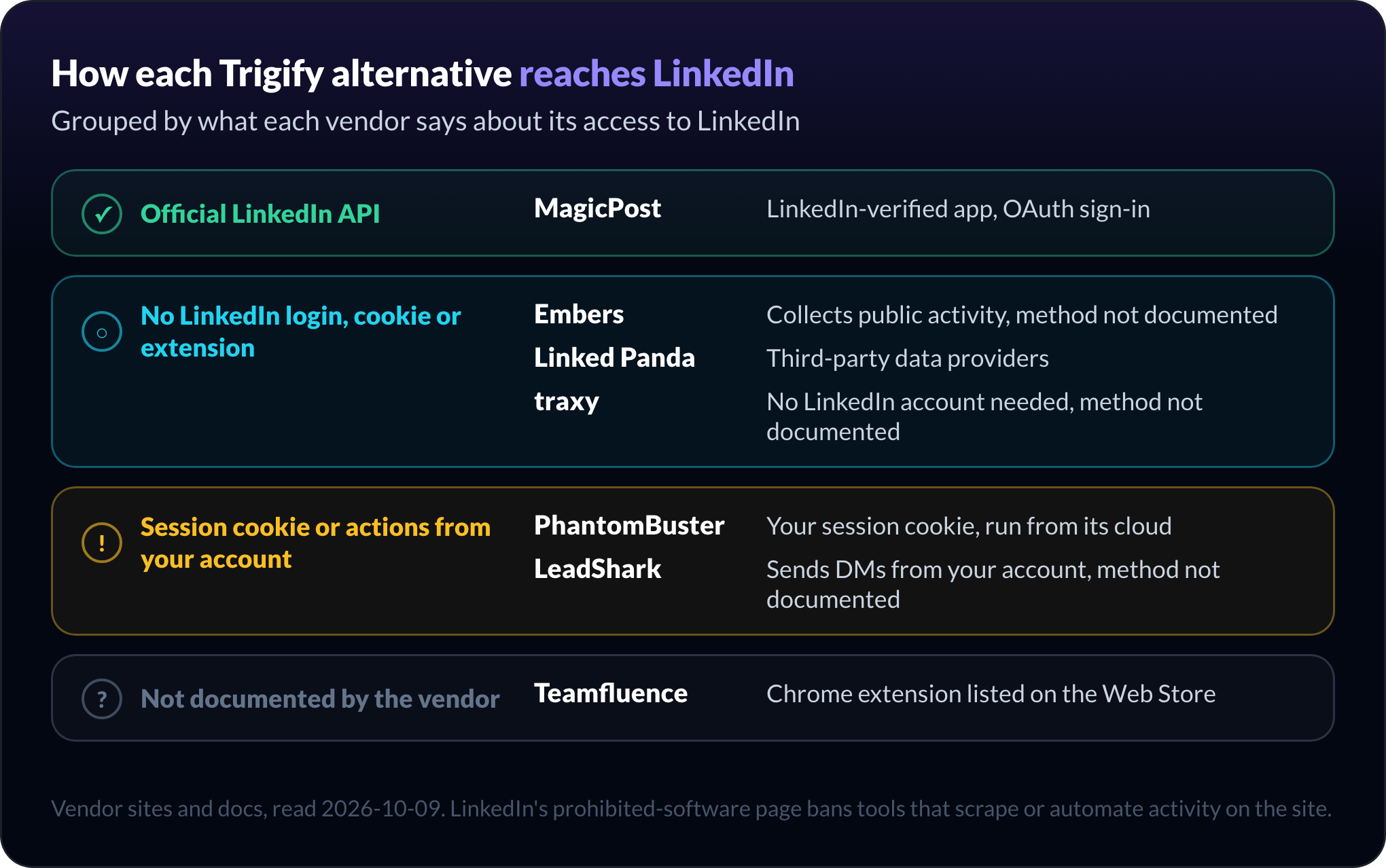
LinkedIn's prohibited software and extensions page bans tools that "scrape, modify the appearance of, or automate activity" on the site. The access column shows which of these tools that rule applies to.
What Trigify customers lost on 22 October 2026, and what you can still recover
Trigify's announcement set the cutoff at 11:59pm BST on 22 October 2026 for customers on the standard notice period. Customers with a different contractual notice period got their dates from Trigify directly.
Four things stopped at that moment:
Account access, including saved searches and lists.
Monitoring and signal collection on every tracked profile and keyword.
Integrations, including the HubSpot push.
API access, so every webhook or script calling Trigify broke.
Nothing moved to HubSpot. Trigify accounts were not migrated, and the announcement states that HubSpot will not use customer data as part of the team's move.
Subscriptions did not renew past the end date; final invoices, credits and refunds are settled customer by customer.
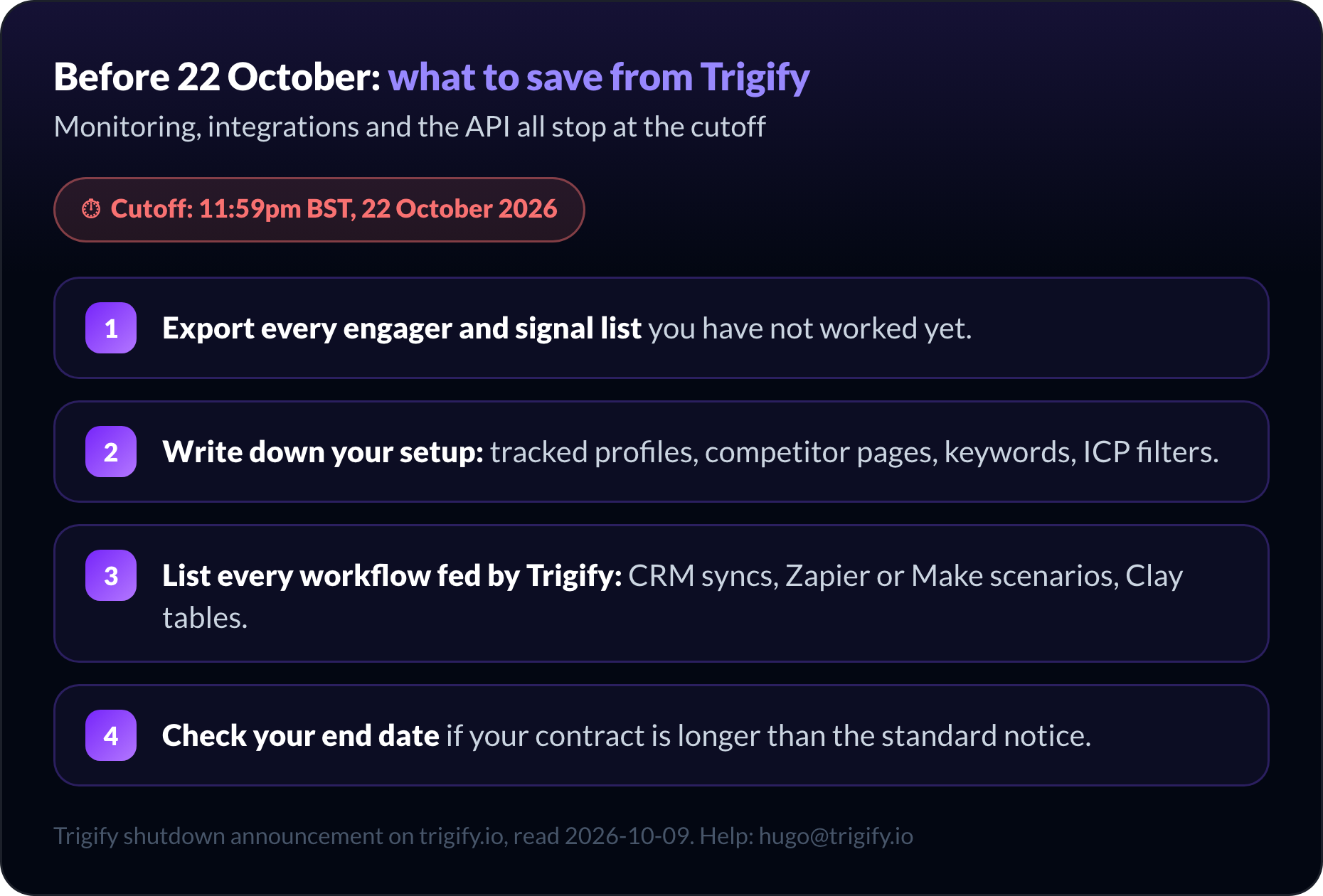
Trigify's in-app export options ended with account access, and app.trigify.io now redirects to the closure announcement. If you did not export in time:
Write to hugo@trigify.io, the contact Trigify gives for help obtaining your information.
Rebuild your setup list: tracked profiles, competitor pages, keywords, ICP filters.
List every workflow Trigify fed: CRM syncs, Zapier or Make scenarios, Clay tables, which now receive nothing.
Check your end date if your contract carried a longer notice than the standard one.
Contacts Trigify already pushed to HubSpot or another CRM sit in your CRM, not in Trigify, so your past leads survive the shutdown. Your setup list is what you rebuild in the next tool.
1. MagicPost: Best for scoring your own LinkedIn engagers against an ICP
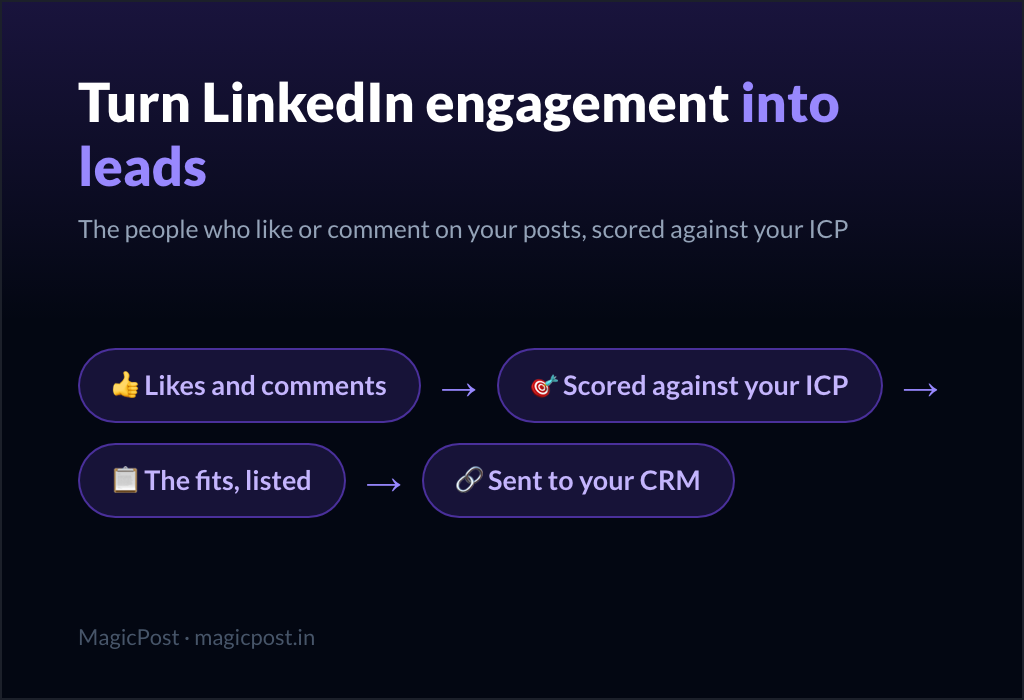
MagicPost Leads is the Trigify alternative for people whose leads come from their own posts: it scores everyone who likes or comments against your ICP and sends the fits to your CRM, through LinkedIn's official API.
Each detection run collects the people who liked or commented on a post published by your connected account. You run it from the Posts tab with one click, or you let the detection agent scan each new post at the check times you pick after publication.
Scoring runs in two steps. A free pre-qualification checks each profile against your ICP's keywords and filters (country, industry, company size). The profiles that pass get an AI fit level, Excellent, Good or Medium, with the reasoning; anyone below Medium is set aside and costs nothing.
MagicPost reaches LinkedIn as a verified application on the Community Management API, which LinkedIn grants only after an application and a review. Nothing to install, no password, no cookie. It sends no invitations, DMs or emails: what you do with a lead stays your decision, and our playbook for turning post engagers into qualified leads covers that outreach step.
Key features
Detection on your own posts' likes and comments.
Detection agent for every new post.
Free pre-qualification on ICP keywords and filters.
AI fit levels: Excellent, Good, Medium.
Table and kanban with statuses and tags.
Native HubSpot, Pipedrive, Lemlist, ReachBoost push.
Webhook for Zapier, Make and n8n.
Pros | Cons |
✅ Official LinkedIn API through OAuth, with no extension or cookie | ❌ Your own posts only: no competitor or influencer tracking |
✅ You pay per lead that fits, never for the engagers set aside | ❌ No email or phone enrichment |
✅ Posting, analytics and engagement on the same subscription | ❌ No bulk import yet: leads come from detections or are added one by one |
Plan | Price/mo. | Includes |
Growth | $49 | Leads module, 100 leads/mo., scheduling, analytics, engagement |
Creator | $69 | 200 leads/mo., AI writing, scheduled comments |
Agency | $59 per seat, from 2 seats | 100 leads/mo. per seat that includes Leads, client workspaces |
Extra lead credits can be bought from the Leads page, and the free trial opens Leads with a small credit allowance.
2. Teamfluence: Best for replacing Trigify's team, competitor and keyword tracking in one platform
Teamfluence is the closest feature-for-feature Trigify alternative for a sales team: it watches your team's posts, your competitors and your keywords, enriches the people it finds and routes them to the CRM.
The signal list is the widest in this comparison. Teamfluence logs likes, comments, shares, follows and new connections on your teammates' posts, visits to their profiles and to the company page, activity on tracked competitor and influencer posts, and keyword matches.
Contacts come enriched with work emails, phone numbers and company data, paid from the plan's credits: 4 credits per email, 40 per phone number. HubSpot and Salesforce connect natively; Slack, webhooks, Clay, Zapier, Make and a REST API cover the rest.
The product also runs LinkedIn networking campaigns, with daily limits per person. Its site does not say how it connects to LinkedIn, and a Teamfluence extension is listed on the Chrome Web Store. Ask the sales team how campaigns act on your account before you connect it.
Key features
Team post engagement and profile visitors.
Competitor, influencer and keyword tracking.
Work email and phone enrichment.
Native HubSpot and Salesforce sync.
Networking campaigns with daily limits.
Unlimited seats on one plan.
Pros | Cons |
✅ Profile and company-page visitors, which no other tool here captures | ❌ €449/mo., with no cheaper plan priced publicly |
✅ Unlimited seats: one price for the whole sales team | ❌ No trial and no self-serve sign-up |
✅ Price match and free migration for Trigify customers | ❌ LinkedIn connection method not documented on its site |
The published price applies to new customers from 1 October 2026. Every account starts with a call and guided onboarding; existing customers get custom pricing. Trigify customers who switch get a price match and a free migration service.
Plan | Price/mo. | Includes |
Regular Unlimited | €449 | Unlimited seats, 1,000 new leads, 20,000 credits |
Small Unlimited | Not published | Listed on the pricing page without a price |
Extra lead buckets | Not published | Bought monthly on top of the plan |
3. Embers: Best for a self-serve Trigify alternative that ranks engagers into a lead queue
Embers is the self-serve Trigify alternative closest in scope: it turns engagement on your posts, on your comments and around a watchlist into one lead queue ranked against your ICP, from $49/mo.
Embers reads four sources:
Reactions and comments on your posts.
Reactions and replies to your comments under other people's posts.
The audience of watched profiles, such as competitors.
Public discussions that match your keywords.
The second source is the one no other tool here offers: the people who react to your comment under someone else's post become signals too.
Each lead arrives in an ICP-ranked queue with the evidence behind it, a priority explanation and a suggested next step. From there it goes to HubSpot, Slack, HeyReach, Instantly or Smartlead, and signed webhooks and an MCP assistant cover the rest.
Embers never sends connection requests, messages, comments or reactions; drafts stay drafts. It needs no LinkedIn password, cookie or extension, and how it collects the activity is not explained on its site.
Pros | Cons |
✅ Captures engagement on the comments you leave elsewhere | ❌ 5 watched profiles and 10 keywords on Solo |
✅ Native routes to outreach tools as well as HubSpot | ❌ HubSpot is the only CRM named |
✅ Takes no action on your LinkedIn account | ❌ No word on where the activity data comes from |
Plan | Price/mo. | Includes |
Solo | $49 | 5 watched profiles, 10 keywords |
Growth | $99 | 10 watched profiles, 25 keywords, unlimited members |
Enterprise | $199 | 20 watched profiles, 50 keywords |
The trial takes no card and lasts 7 days or 2,000 engagers, whichever comes first.
4. Linked Panda: Best for pay-as-you-go engager lists from competitors' posts
Linked Panda watches other people's posts on a small budget: it captures who likes and comments on the profiles and pages you track, adds work emails and scores each lead out of 100.
You pick "tracked voices", the competitors, industry voices or teammates whose audiences you want. Linked Panda collects their posts' likers and commenters, then adds verified work emails when they exist, job titles and firmographics.
The ICP score runs from 0 to 100, against ICPs written in plain English, and one lead can match several ICPs. Scoring starts on Growth; Starter stops at CSV and Sheets export.
Linked Panda asks for no LinkedIn login, cookie or extension. It states that it collects public engagement signals through third-party data providers, and it takes no action from your account.
Key features
Tracked profiles and company pages.
Likers and commenters per tracked post.
Verified work emails when available.
0 to 100 ICP score, multi-ICP tags.
HubSpot and Salesforce from Growth.
API on Scale.
Pros | Cons |
✅ A $10 pack with no subscription, and its profiles never expire | ❌ No free trial |
✅ The only no-login tool here that names its data source: third-party providers | ❌ ICP scoring missing from Starter, which tracks 2 voices |
If you'd rather not subscribe, the pay-as-you-go pack costs $10 once for 100 profiles and 2 tracked voices. Every plan counts profiles, not leads: an engager who does not fit still uses one.
Plan | Price/mo. | Includes |
Starter | $49 | 500 profiles/mo., 2 voices, CSV and Sheets |
Growth | $99 | 1,000 profiles/mo., 5 voices, ICP scoring, CRM |
Scale | $199 | 2,500 profiles/mo., 15 voices, all integrations and API |
5. traxy: Best for market-wide engagement discovery with email and phone enrichment
traxy is the Trigify alternative that looks beyond the posts you name: an agent scans LinkedIn engagement across your market every hour and qualifies the people it finds against your ICP.
Two inputs feed it. The Discovery Agent runs the hourly market scan, and a watchlist follows the posts of you, your competitors, creators and industry voices, with no cap on tracked profiles.
Every qualified engagement costs a credit. Enrichment costs more: 3 credits for an email, 5 for a phone number. Leads are ranked by fit and buying intent, then pushed to Slack, Meta Ads and the other tools on the integration list.
traxy needs no connected LinkedIn account for lead sourcing; the origin of its engagement data goes unexplained on its site. Sending outreach through traxy requires a configured sender.
Key features
Hourly Discovery Agent across your market.
Unlimited watchlist profiles.
ICP qualification at 1 credit per engagement.
Email and phone enrichment.
MCP access for AI assistants.
Optional outbound agent and done-for-you outbound.
Pros | Cons |
✅ Finds engagers on posts you never listed | ❌ Highest self-serve entry price here, $149/mo. |
✅ Phone numbers as well as emails on a self-serve plan | ❌ Credits meter qualification and enrichment separately |
✅ No cap on watched profiles | ❌ CRM integrations not named on its site |
Plan | Price/mo. | Includes |
Pro | $149 | 5,000 credits |
Scale Starter | $299 | 15,000 credits, sending platform |
Scale Growth | $499 | 30,000 credits, outbound agent |
Scale Max | $1,099 | 100,000 credits |
The paid plans start with a 7-day trial.
6. PhantomBuster: Best for a do-it-yourself export of any post's likers and commenters
PhantomBuster suits teams ready to rebuild their Trigify workflow themselves: give it a post URL, and a Phantom exports the people who liked or commented on it. It also features in our roundup of LinkedIn scraping tools for lead generation.
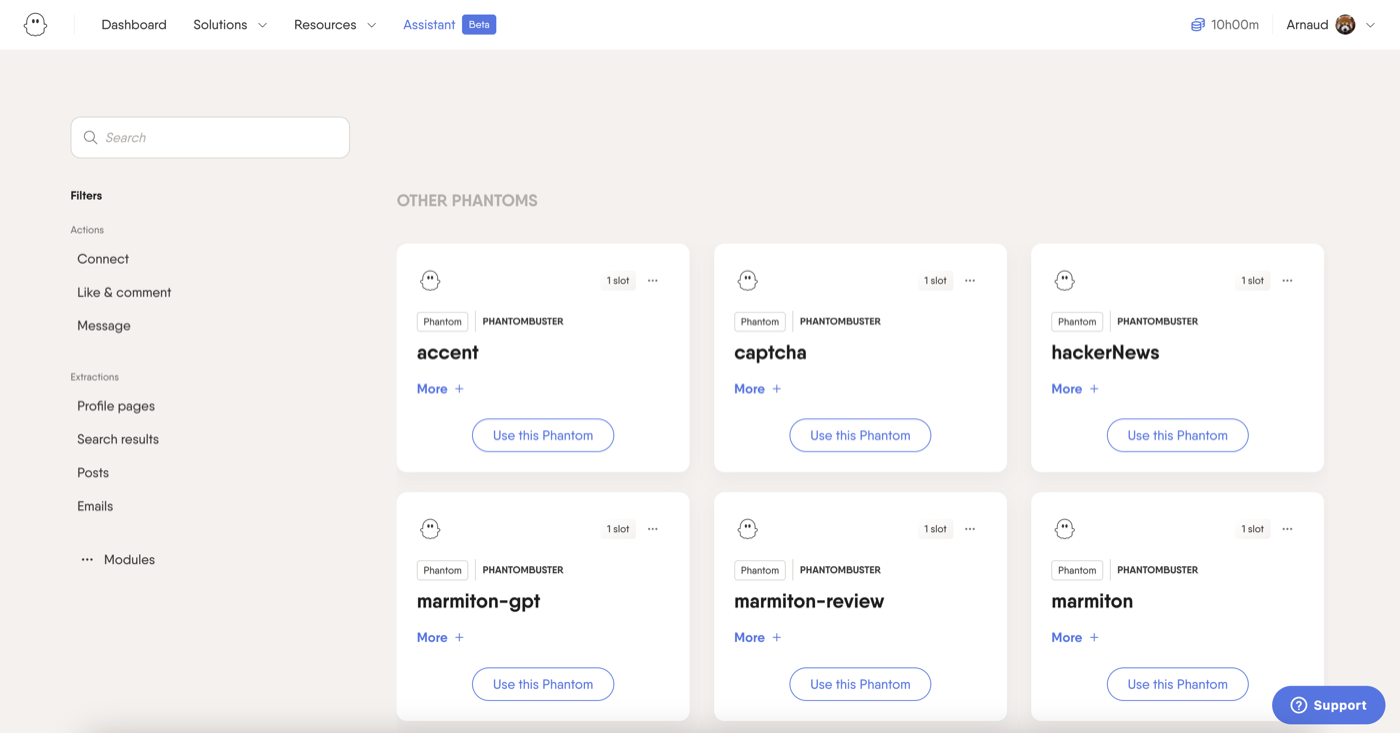
Any post works: yours, a competitor's or an influencer's, and other Phantoms extract from profiles and company pages. PhantomBuster's own engagement playbook chains the export with qualification and outreach, and syncs the qualified contacts into HubSpot, Salesforce and Pipedrive.
The scoring is yours to set up. The playbook describes a rule-based fit score from 1 to 3 on role, company fit and decision-maker status; there is no AI ICP model built in.
Phantoms run in PhantomBuster's cloud on your LinkedIn session cookie, so the actions come from your account while you are away. Users on G2, Capterra and Reddit report account restrictions with that cookie-based pattern, according to La Growth Machine.
Pros | Cons |
✅ Works on any post, not only tracked profiles | ❌ Runs on your session cookie from the cloud |
✅ A permanent free plan to test the export | ❌ You build and maintain the scoring yourself |
✅ Phantoms for other networks on the same subscription | ❌ Billed on execution hours, not on leads |
Plan | Price/mo. | Includes |
Free | $0 | 30 minutes/mo., 1 slot, 10-row exports |
Start | $69 | 20 hours/mo., 5 slots, 10,000 AI credits |
Grow | $159 | 80 hours/mo., 15 slots |
Scale | $439 | 300 hours/mo., 50 slots |
The 14-day trial takes no card and comes on top of the free plan.
7. LeadShark: Best for creators who turn post comments into lead-magnet DMs
LeadShark replaces Trigify for creators who collect leads through "comment to get" posts: it sends your lead magnet by DM to everyone who comments, or only to those who use your trigger word.
The workflow starts from a post. LeadShark replies under the comments, delivers the resource in DMs, captures the email addresses people send back and tracks the clicks on your links.
The format LeadShark automates now costs reach. Since the week of July 27, 2026, "Comment KEYWORD" posts get 52% fewer impressions than their author's average post, according to a MagicPost study of 684,000 LinkedIn posts.
The leads go to a CRM or a newsletter, with Kit and Beehiiv named on its site. Nothing in it scores those people against an ICP: every commenter who matches the trigger gets the message.
The DMs leave from your LinkedIn account automatically. LeadShark's site mentions safety and automated pacing but not how it connects to LinkedIn, and LinkedIn's prohibited-software page covers tools that automate activity.
Key features
Lead magnet sent by DM to commenters.
Trigger keywords or every comment.
Automatic replies under the post.
Email capture and link click tracking.
Sync to CRM, Kit and Beehiiv.
Pros | Cons |
✅ Delivers the resource at the moment someone comments | ❌ Sends DMs from your account without a click |
✅ Captures emails, not only LinkedIn profiles | ❌ No ICP scoring of commenters |
✅ Newsletter sync for creators | ❌ Silent on how it reaches LinkedIn |
Plan | Price/mo. | Includes |
Pro | $39 | 10 running automations, auto-DM and replies, click tracking |
Pro+ | $59 | 100 automations, email-gated pages, repost automations |
Apex | $119 | Unlimited automations, company-page replies, DMs to non-connections |
Pro and Pro+ start with a 7-day trial, Apex with a 3-day trial, and sign-up takes no card.
How to choose the best Trigify alternative for LinkedIn leads
Pick the replacement by the job Trigify did for you.
Leads from your own posts. MagicPost, on the official API; Embers adds your comments elsewhere.
Your team's posts and visitors. Teamfluence, if a €449/mo. sales-led plan fits the budget.
Competitor and influencer audiences. Linked Panda on a budget, traxy for a market scan, PhantomBuster to build it yourself.
Comment-to-get posts. LeadShark, with automated DMs as the trade-off.
Six of these seven work on LinkedIn only, and PhantomBuster covers other networks as do-it-yourself automations. If you relied on Trigify's monitoring of X, Reddit or YouTube, budget a separate social-listening tool.
Four other names come up in Trigify comparisons. Clay enriches and routes data rather than capturing post engagement, RB2B identifies the people visiting your website, and Common Room sells buyer intelligence through demos with no public price. Jungler does capture engagement on partners' and competitors' posts, but publishes no price.
MagicPost Leads: a Trigify alternative for your own posts
If your Trigify leads came from people engaging with your posts, MagicPost Leads rebuilds that pipeline: it scores every liker and commenter against your ICP, pushes the fits to HubSpot, Pipedrive or a webhook, and runs on LinkedIn's official API.
See how MagicPost Leads works, or start a MagicPost free trial with posting, analytics and Leads on one account.
FAQ
When did Trigify shut down?
Trigify shut down at 11:59pm BST on 22 October 2026 for customers on the standard notice period. Account access, monitoring, signal collection, integrations and API access all ended at that cutoff. Customers whose contract carried a different notice period received their own end date from Trigify.
Why did Trigify shut down?
Trigify's announcement of 23 September 2026 ties the shutdown to the team's move to HubSpot: it says HubSpot was drawn to the team's work on signals and data, and the standalone platform was wound down as part of that move.
Trigify gives no other reason, and the product does not continue inside HubSpot.
Did my Trigify account or data move to HubSpot?
No. Trigify's team moved to HubSpot, but Trigify accounts were not migrated, and the announcement states that HubSpot will not use customer data as part of the move.
Data is retained or deleted under Trigify's contractual, privacy and legal obligations; hugo@trigify.io is the contact Trigify gives for help obtaining it.
Can I still export my data from Trigify?
Not from the app, for customers on the standard notice period: Trigify's export options ended with account access on 22 October 2026, and app.trigify.io now redirects to the closure announcement.
Trigify names hugo@trigify.io as the contact for help obtaining your information, and the leads it already pushed to your CRM are still in your CRM.
What is the best Trigify alternative for monitoring LinkedIn engagement?
MagicPost is the best Trigify alternative when the engagement you monitor is on your own posts, because it scores every liker and commenter against your ICP through LinkedIn's official API. For competitors' posts, Linked Panda and traxy track other profiles; Teamfluence covers team posts, competitors and keywords together.
Which LinkedIn tool scores post engagers against an ICP and pushes them to a CRM?
MagicPost scores the people who like or comment on your posts against your ICP, then pushes them to HubSpot, Pipedrive, Lemlist, ReachBoost or a webhook after each detection run.
Linked Panda does the same on tracked profiles from its $99 Growth plan, and Embers ranks engagers into an ICP queue with a HubSpot destination.
Which Trigify alternatives don't need my LinkedIn cookie or password?
MagicPost connects through LinkedIn's official API with OAuth, so no cookie or password is involved. Embers asks for no password, cookie or extension, and Linked Panda and traxy need no LinkedIn login for lead sourcing. PhantomBuster runs on your session cookie, and LeadShark sends DMs from your account.
How much do Trigify alternatives cost?
Trigify alternatives start at $39/mo. for LeadShark and $49/mo. for MagicPost, Embers and Linked Panda, whose $10 one-off pack also works without a subscription.
PhantomBuster starts at $69/mo. with a free plan below it, traxy at $149/mo., and Teamfluence lists one plan at €449/mo., with a price match for Trigify customers. Trigify itself charged $40/mo. on Starter and $199/mo. on Max.