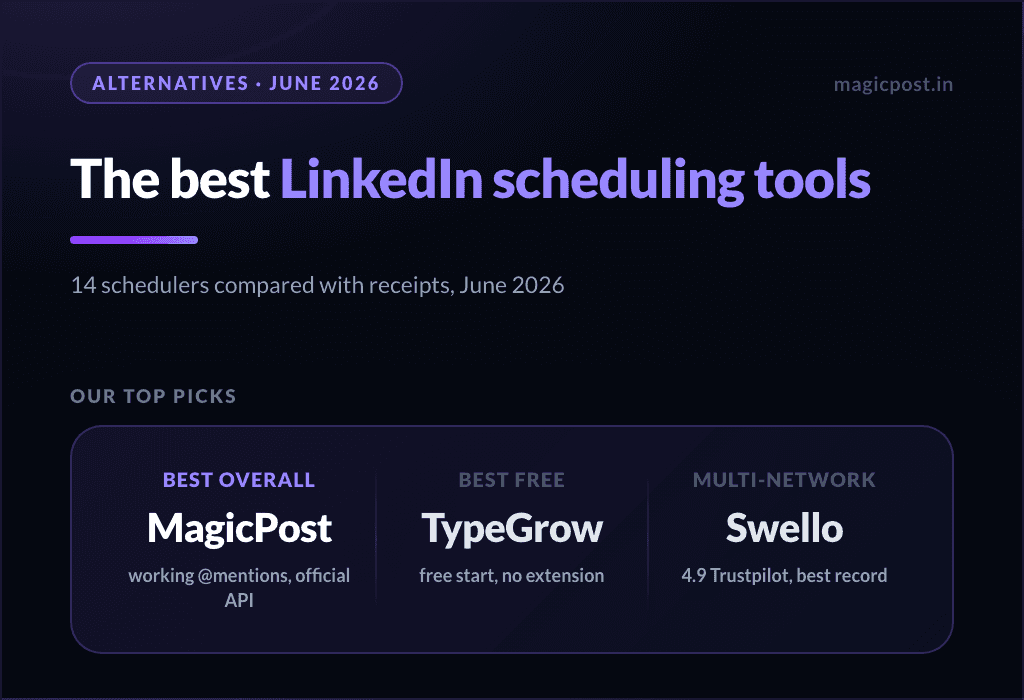
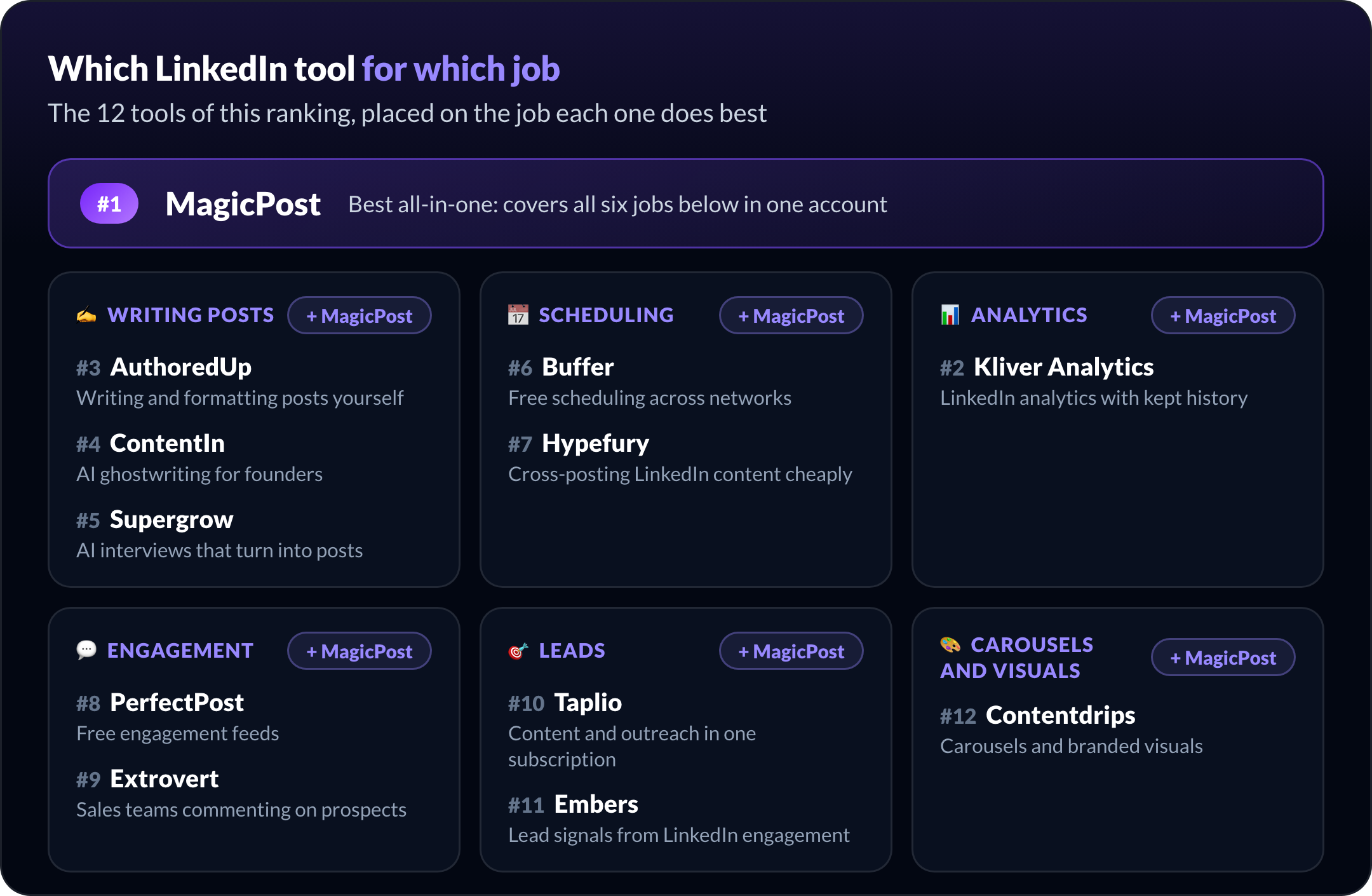
The best LinkedIn tools in 2026 are MagicPost for the whole loop, Kliver Analytics for analytics, AuthoredUp for writing posts yourself, Buffer for free scheduling, PerfectPost for engagement, Embers for lead signals and Contentdrips for carousels.
Together they cover six jobs: writing, scheduling, measuring, engaging, finding leads and designing visuals. Most people need one tool that runs the whole loop, plus one specialist at most where that tool stops.
This page ranks 12 LinkedIn tools by the job each one does best. Every price is the monthly rate from the vendor's own pricing page, and every entry says how the tool connects to your LinkedIn account, because that decides how much risk you take with it.
Two names that topped older lists are missing on purpose. Shield's website was offline when we checked (our Shield Analytics alternatives cover the replacements), and Trigify shut down on October 22, 2026, after its team joined HubSpot.
The 12 best LinkedIn tools at a glance
# | Tool | Best for | Price/mo. | Free plan or trial | How it connects to LinkedIn |
1 | All-in-one: write, schedule, measure, engage, leads | From $49 | Free trial, no card | Official API | |
2 | LinkedIn analytics that keep your history | $19 per seat | Free trial, no card | Official API, read-only | |
3 | AuthoredUp | Writing and formatting posts yourself | From $19.95 | Free trial, no card | Chrome extension |
4 | ContentIn | AI ghostwriting for founders | From $19 | 7-day trial | Official API, per its FAQ |
5 | Supergrow | AI interviews that turn into posts | From $39 | 7-day trial | Official API, per its FAQ |
6 | Buffer | Free scheduling across networks | Free, then $6 per channel | Free plan | Official integration |
7 | Hypefury | Cross-posting LinkedIn content cheaply | From $6 per channel | 7-day trial, no card | Not documented |
8 | PerfectPost | Free engagement feeds | Free, then $19 | Free plan | Browser extension |
9 | Extrovert | Sales teams commenting on prospects | From $29 per seat | 10-day trial, no card | Chrome session or password |
10 | Taplio | Content and outreach in one subscription | From $39 | 7-day trial | Web app plus Chrome extension |
11 | Embers | Lead signals from LinkedIn engagement | From $49 | Trial, no card | No login, cookie or extension |
12 | Contentdrips | Carousels and branded visuals | Free, then $15 | Free plan | Not documented |
The best all-in-one LinkedIn tool
1. MagicPost: Best for an all-in-one LinkedIn workflow
MagicPost is the best LinkedIn tool for anyone who wants writing, scheduling, analytics, engagement and leads in one account instead of four subscriptions.
MagicPost is built for LinkedIn only. It writes posts in your voice from your own past posts, publishes them on schedule, then shows how each one performed against LinkedIn benchmarks for profiles like yours.
The loop continues after publishing. A curated feed and daily objectives keep you commenting on the right posts, and the leads module scores the people who engage with you against your ideal customer profile, then sends them to your CRM. Our guide to turning LinkedIn engagement into qualified leads walks through the method.
MagicPost publishes through LinkedIn's Community Management API, which LinkedIn opens only to developers it has reviewed and approved. No browser extension, no cookies.
Key features:
AI post writing trained on your voice
Idea generator and a 2M+ post inspiration library
Scheduling with working @mentions
Analytics with market benchmarks and audience analysis
Engagement feed of the profiles you follow, saved comments, scheduled comments
Lead detection with HubSpot, Pipedrive, Lemlist and Zapier
Carousels and AI visuals
Client workspaces and validation mode for agencies and teams
Pros | Cons |
✅ Covers all six jobs on this page in one account | ❌ LinkedIn only: other networks need a second tool |
✅ Official API publishing, no extension | ❌ AI writing starts on Creator, not on the entry plan |
✅ Benchmarks show where each post stands against similar profiles | ❌ Scheduled comments are Creator only |
Plan | Price/mo. | Included |
Growth | $49 | Manual writing and scheduling, advanced analytics, engagement, 100 leads/mo. |
Creator | $69 | Everything in Growth, plus AI writing, ideas, carousels, AI visuals, scheduled comments, 200 leads/mo. |
Agency | $59 per seat | Client workspaces, validation mode, white-label reports, from 2 seats |
Team | $59 per seat | Team dashboards and member spaces, from 2 seats |
Each Black Friday, MagicPost discounts these plans: MagicPost's Black Friday discount has this year's percentages and sale dates.
The best LinkedIn analytics tool
2. Kliver Analytics: Best for LinkedIn analytics with long-term history
Kliver Analytics is the best LinkedIn analytics tool when measuring is the whole job: it keeps your numbers after LinkedIn drops them and ranks you against comparable profiles, for $19 per seat.
LinkedIn's own analytics expire: engagement counts stay available for 1,000 days, members reached for 400 days and demographic breakdowns for 180 days. Kliver stores your post metrics as they come in, so its 12-month view keeps data LinkedIn no longer shows.
Most of the value sits in the benchmark. Kliver compares your posts with the median of profiles in your follower bracket, by format, length and weekday, and gives you a percentile. It also reads any other public profile with the same yardstick.
Kliver Analytics is built by the same company as MagicPost and sold as a separate product.
It only reads: no editor, no scheduler, no AI writing. Access is read-only through LinkedIn's official API, with no browser extension.
Key features:
Metrics history beyond LinkedIn's retention window
30-day, 90-day and 12-month views
Sortable table of every post, flagged as hit or flop
Audience of your recent engagers, by country and job title
Benchmarks against similar profiles, with your percentile
Report export and an MCP connection
Pros | Cons |
✅ Keeps metrics LinkedIn stops showing | ❌ Analytics only: you still need a tool to write and post |
✅ Percentile against profiles of your size | ❌ No engagement or lead features |
✅ Read-only access, nothing posted from your account | ❌ No permanent free plan |
Plan | Price/mo. | Included |
Kliver Analytics | $19 per seat | Every feature; from 2 seats, the purchase creates a team organization |
The median LinkedIn post earns 788 impressions, measured on 539,310 posts with synced analytics in MagicPost's LinkedIn statistics study. A platform-wide median hides the size effect, which is why Kliver Analytics compares you with profiles in your own follower bracket.
Our full Kliver review has the complete test. For a wider comparison, including agency reporting tools, see our LinkedIn analytics tools roundup and our Kliver alternatives.
The best LinkedIn tools for writing posts
3. AuthoredUp: Best for writing and formatting posts yourself
AuthoredUp is the best LinkedIn tool for people who write every word themselves and want a better editor, previews and post statistics, without any AI generation.
AuthoredUp has no AI writer, by design. Instead, it gives you a formatting editor with bold, italics and bullets, a readability grade, 150+ hook references and 100+ call-to-action templates, plus a preview of how the post will look in the feed.
It runs as a Chrome extension inside your own LinkedIn session, and scheduling goes through that extension. The analytics side collects your post history, adds saves, sends and profile views, and exports to CSV. Company pages are included on every plan.
Key features:
Formatting editor with readability grading
150+ hooks and 100+ CTA templates
Feed preview before publishing
Scheduling and a content calendar
Post history with saves, sends and profile views
CSV export and team analytics on Business
Pros | Cons |
✅ The most complete manual editor on this list | ❌ No AI writing at all |
✅ Company pages included at no extra cost | ❌ Scheduling depends on the Chrome extension |
✅ Detailed post statistics with export | ❌ Business plan needs at least 3 profiles |
Plan | Price/mo. | Included |
Individual | $19.95 | 1 profile, editor, scheduling, analytics |
Business | $14.95 per profile | Minimum 3 profiles, team analytics, collaboration |
Growth | Custom | 10 profiles or more, billed annually |
Read our AuthoredUp review for the full feature test. Kleo, the other editor older lists recommend, withdrew its in-LinkedIn extension in June 2025 after LinkedIn required its removal, and now sells a web app at $99/mo.
4. ContentIn: Best for AI ghostwriting for founders
ContentIn is the best fit for founders who want an AI ghostwriter that drafts from their own past posts, with unlimited drafts from $39/mo.
ContentIn learns your voice from the posts you already published and drafts new ones without a monthly cap on the Growth plan. You can upload knowledge documents so drafts use your own material, and a carousel designer covers visual posts.
Its FAQ states that it publishes through LinkedIn's official API as a verified app. A content calendar handles unlimited scheduling, including first comments and scheduled comments, and Pro adds company pages and a Telegram bot.
Pros | Cons |
✅ Unlimited AI drafts from $39 | ❌ The $19 Essentials plan has no AI writer |
✅ Drafts can draw on your own documents | ❌ No free plan, only a 7-day trial |
✅ Comment scheduling included | ❌ Agency plan is custom-priced |
Plan | Price/mo. | Included |
Essentials | $19 | Analytics and scheduling, no AI writer |
Growth | $39 | 1 personal profile, unlimited AI drafts |
Pro | $59 | Company pages, Telegram bot |
Ghostwriter/Agency | Custom | Multiple profiles, approval flows |
5. Supergrow: Best for AI interviews that turn into posts
Supergrow is the best LinkedIn tool for people who find it easier to talk than to write: it interviews you, then drafts posts from your answers.
Its AI interviews and voice-to-post turn spoken ideas into LinkedIn drafts, and a Content DNA profile keeps the tone consistent. It also repurposes YouTube videos, blog posts and PDFs into posts, and builds carousels and infographics on Pro.
Scheduling uses a calendar, a queue or a Kanban board, with automatic first comments. Its pricing FAQ states it connects through LinkedIn's official API. Analytics are the weak spot: G2 reviewers repeatedly ask for more detailed reporting.
Key features:
AI interviews and voice-to-post
Content DNA voice profile
Repurposing from YouTube, blogs and PDFs
Carousel maker and infographic generator
Engage lists with AI comment suggestions
Approval workflows and leaderboard on Teams
Pros | Cons |
✅ Interview-based drafting for people who dislike writing | ❌ Reporting is a recurring complaint from G2 reviewers |
✅ Repurposes long content into posts | ❌ No free plan, only a 7-day trial |
✅ Team plan covers 5 accounts | ❌ Jump from $39 to $199 when you add a second person |
Plan | Price/mo. | Included |
Pro | $39 | 1 account, AI writing, scheduling, carousels, Engage, MCP |
Teams | $199 | 5 accounts, approvals, team analytics, leaderboard |
Enterprise | Custom | More than 5 executives |
Our Supergrow alternatives page compares it tool by tool. For more writing-only options, see our ranking of the best AI LinkedIn post generators.
The best LinkedIn scheduling tools
MagicPost's analysis of 2,667,049 LinkedIn posts, each scored against its author's own average, puts the best time to post on LinkedIn at 7am to 9am local time on a weekday. A scheduler lets you hit that window without being online.
6. Buffer: Best for free scheduling across networks
Buffer is the best free LinkedIn scheduling tool if you also post on other networks: the free plan covers 3 channels, LinkedIn included.
The free plan gives you 3 channels, 10 scheduled posts per channel and one user, with no time limit. Paid plans are priced per channel, which keeps the cost low when LinkedIn is one network among several.
Essentials adds first-comment scheduling, Team adds approval workflows and branded reports, and an AI Assistant helps with drafts.
Buffer supports LinkedIn person mentions, with conditions: you can only tag your own connections, and the tagged person must allow mentions. Its LinkedIn features stay general-purpose, so heavy LinkedIn users usually pair it with a specialist.
Pros | Cons |
✅ A real free plan, not a trial | ❌ LinkedIn mentions limited to your connections |
✅ Cheapest paid entry per channel | ❌ No LinkedIn-specific analytics or benchmarks |
✅ One queue for every network | ❌ Free plan caps you at 10 queued posts per channel |
Plan | Price/mo. | Included |
Free | $0 | 3 channels, 10 scheduled posts per channel, 1 user |
Essentials | $6 per channel | Unlimited scheduling, first comment, 1 user |
Team | $10 per channel | Unlimited team members, approvals, branded reports |
Our Buffer alternatives for LinkedIn covers what changes when LinkedIn becomes your main channel.
7. Hypefury: Best for cross-posting LinkedIn content cheaply
Hypefury is the best low-cost option for creators who publish the same content on LinkedIn, Threads, Bluesky and Instagram from one queue.
Hypefury dropped X support and now schedules for Bluesky, Threads, LinkedIn, Instagram, TikTok and Mastodon. Most older reviews still describe it as a Twitter tool with a $29 to $199 price list; the current prices are $6 per channel or $19 for all channels.
For LinkedIn, it schedules text posts and carousels, and turns long text posts into carousels. Autoplugs add an automatic first comment. Hypefury does not document how it publishes to LinkedIn.
Key features:
Unlimited scheduling and cross-posting
Long text turned into LinkedIn carousels
Autoplugs for automatic first comments
Engagement builder with keyword monitoring
Analytics for impressions and profile clicks
AutoDMs
Pros | Cons |
✅ $19 covers every supported network | ❌ Publishing method to LinkedIn not documented |
✅ Text-to-carousel conversion | ❌ Free plan discontinued |
✅ One queue for six networks | ❌ No AI writer or team features advertised |
Plan | Price/mo. | Included |
Flexible | $6 per channel | 1 channel, plus $6 per extra channel |
Full | $19 | All channels |
See how it compares in Taplio vs Hypefury, and the full LinkedIn scheduling tools ranking.
The best LinkedIn engagement tools
The median LinkedIn post gets 6 comments, measured on 1,141,948 posts in MagicPost's comment benchmark, and a quarter of posts get at most 1. With so few comments per post, each one you leave gets seen.
8. PerfectPost: Best for free LinkedIn engagement feeds
PerfectPost is the best free LinkedIn tool for engagement: its free plan includes a custom feed, unlimited drafts and a weekly scheduled post.
Everything runs through browser extensions for Chrome, Firefox, Edge and Safari, so you post and comment without leaving LinkedIn. Custom feeds filter the people you want to engage with, and Premium adds a tracker for comments you have not answered yet.
The free plan is permanent, with clear limits: 1 scheduled post per week, one month of analytics history, 1 custom feed and about 2 AI-assisted posts per week. Premium removes the limits for $19 per month.
Key features:
Custom feeds of chosen profiles
Unanswered-comments tracker on Premium
Top commenter insights
AI writing assistant
Scheduling and analytics export
Extensions for four browsers
Pros | Cons |
✅ Permanent free plan with a custom feed | ❌ Works through a browser extension |
✅ Tracks comments you still owe a reply | ❌ Free plan schedules only 1 post per week |
✅ Top commenter insights show who engages most | ❌ One month of analytics history on Free |
Plan | Price/mo. | Included |
Free | $0 | 1 scheduled post/week, 1 custom feed, 1 month of analytics |
Premium | $19 | Unlimited scheduling and feeds, full analytics, commenter insights |
9. Extrovert: Best for sales teams commenting on prospects
Extrovert is the best LinkedIn engagement tool for sales teams that want to comment on their prospects' posts before reaching out.
You import prospects from your CRM, Clay or a CSV. Extrovert tracks their posts and drafts comments and DMs from a playbook you set up.
Campaigns start in review mode: you approve, edit or skip each suggestion before it goes out. You can also hand the commenting over to Extrovert, which then posts approved comments for you at intervals.
It acts through your LinkedIn session, either via its Chrome extension or by logging in with your email and password from its servers (its account-safety docs).
Key features:
Prospect import from CRM, Clay or CSV
Tracking of prospects' new posts
Unlimited AI comment drafts
DM suggestions from Business
Review mode on by default
Webhooks, Make, Zapier and n8n
Pros | Cons |
✅ Built around a prospect list, not a feed | ❌ Runs through your session or your password |
✅ Every action reviewed by default | ❌ Optional auto-posting hands your comments to software |
✅ Comment and DM on teammates' behalf | ❌ Per-seat pricing adds up for large teams |
Plan | Price/mo. | Included |
Light | $29 per seat | 250 prospects, 2 campaigns, unlimited AI comment drafts |
Business | $49 per seat | 500 prospects, unlimited campaigns, 15 DM suggestions per day |
Pro | $75 per seat | 1,000 prospects, unlimited DM suggestions, delayed posting |
More options for this job are in our LinkedIn engagement tools ranking, and AI comment drafters get their own comparison of LinkedIn comment generators.
The best LinkedIn lead generation tools
10. Taplio: Best for content and outreach in one subscription
Taplio is the right pick when you want content tools and automated outreach in the same subscription, and accept the account risk that comes with its extension.
Taplio covers AI writing trained on a library of viral posts, scheduling on a Kanban board, analytics, a carousel generator and AI-assisted engagement. The Pro plan adds automated outreach: auto-connections and auto-DMs.
The Starter plan at $39 includes no AI credits; AI writing starts on Growth at $69.
Advanced actions run through the Taplio X Chrome extension. Taplio's own support says LinkedIn treats it as an automation tool against its Terms of Service.
Key features:
AI writing from a viral-post library
Kanban scheduling
Carousel generator
Analytics beyond LinkedIn's dashboard
AI engagement with niche voices
Auto-connections and auto-DMs on Pro
Pros | Cons |
✅ Content and outreach in one tool | ❌ Extension flagged by its own support under LinkedIn's ToS |
✅ Large viral-post library for ideas | ❌ No AI credits on the $39 Starter plan |
✅ Several LinkedIn accounts managed from one place | ❌ Outreach automation only on the $199 plan |
Plan | Price/mo. | Included |
Starter | $39 | Scheduling and analytics, no AI credits |
Growth | $69 | 250 AI credits, 500 comment credits |
Pro | $199 | Unlimited credits, auto lead outreach |
Before you connect it, read is Taplio safe? and our Taplio review.
11. Embers: Best for lead signals from LinkedIn engagement
Embers is the best standalone LinkedIn lead-signal tool: it turns engagement into a ranked lead list without letting any software act on your account.
Embers collects people who react to or comment on your posts and your comments, plus people engaging around profiles and keywords you watch. It matches them against your ideal customer profile and ranks them, each with the evidence, the reason for its priority and a suggested next step.
It needs no LinkedIn password, cookie or extension (Embers FAQ), and it takes no action on LinkedIn: no connection requests, messages, comments or reactions. Its site does not say whether collection runs on LinkedIn's API or third-party data. Leads go to HubSpot, Slack or sequencers.
Key features:
Signals from your posts and your comments
Watchlist of competitors and influencers
Keyword tracking on public discussions
ICP-ranked lead queue with evidence
HubSpot, Slack, HeyReach, Instantly, Smartlead
Webhooks to Zapier, Make, Clay, n8n
Pros | Cons |
✅ Never acts from your LinkedIn account | ❌ Data collection method not documented |
✅ Each lead comes with its evidence | ❌ No content or scheduling features |
✅ Wide range of CRM and sequencer destinations | ❌ Watched profiles capped by plan |
Plan | Price/mo. | Included |
Solo | $49 | 5 watched profiles, 10 keywords |
Growth | $99 | 10 watched profiles, 25 keywords, unlimited members |
Enterprise | $199 | 20 watched profiles, 50 keywords |
If you used Trigify, which shut down on October 22, Embers is the closest self-serve match for its own-post and watchlist signals. Our Trigify alternatives list the other replacements.
Leads from your own posts, no outreach automation. MagicPost scores the people who engage with your posts against your ideal customer profile and sends them to HubSpot, Pipedrive, Lemlist or Zapier. See how MagicPost lead detection works.
The best LinkedIn tool for carousels and visuals
Longer carousels earn more likes. Across 67,765 LinkedIn carousels measured by MagicPost, 13 to 20 slides earn 58 median likes against 22 for 2 to 5 slides, as detailed in how many slides a LinkedIn carousel needs.
12. Contentdrips: Best for carousels and branded visuals
Contentdrips is the best LinkedIn tool for carousels: templates, a brand kit and an AI design agent, with a permanent free plan to start.
You can turn a topic, a blog post or a YouTube video into carousels, quote cards and other branded visuals. The brand kit applies your colors and fonts automatically, and CSV-to-carousel builds a full carousel from a spreadsheet.
The free plan needs no card and includes 50 one-time AI credits, basic templates and 1 brand, but no scheduling. Paid plans add LinkedIn and Instagram publishing; Contentdrips does not document how that publishing connects to LinkedIn.
Key features:
AI design agent
Carousel, quote and reel templates
Brand kit applied to every design
CSV-to-carousel and text-to-carousel
Match My Style voice learning
Scheduling and a two-week bulk planner
Pros | Cons |
✅ Permanent free plan, no card | ❌ AI credits metered on every plan |
✅ CSV-to-carousel for batch production | ❌ No scheduling on Free |
✅ Brand kit for consistent visuals | ❌ Publishing method not documented |
Plan | Price/mo. | Included |
Free | $0 | 50 one-time AI credits, basic templates, 1 brand |
Starter | $15 | 500 AI credits/mo., LinkedIn publishing, 3 brands, 2 members |
Pro | $26 | 1,200 AI credits/mo., unlimited brands and team members |
Our Contentdrips review has the full test, and our Contentdrips alternatives and our ranking of LinkedIn carousel generators list other carousel makers. If you want carousels in the same tool as your posts, use the MagicPost carousel generator.
Free LinkedIn tools built into LinkedIn
Before paying for anything, use what LinkedIn gives every member for free. The core analytics work without Premium.
Post analytics: impressions, members reached, reactions, comments, reposts, saves, sends and followers gained, per post.
Combined post analytics: a date-range view of all your posts, exportable to an .XLSX file.
Audience analytics: total and new followers, with top job titles, locations, industries and seniority.
Comment impressions: how many times your own comments were shown.
These free analytics stop at LinkedIn's retention windows: engagement counts for 1,000 days, members reached for 400 days and demographics for 180 days. They also give no benchmark against similar profiles and no team view.
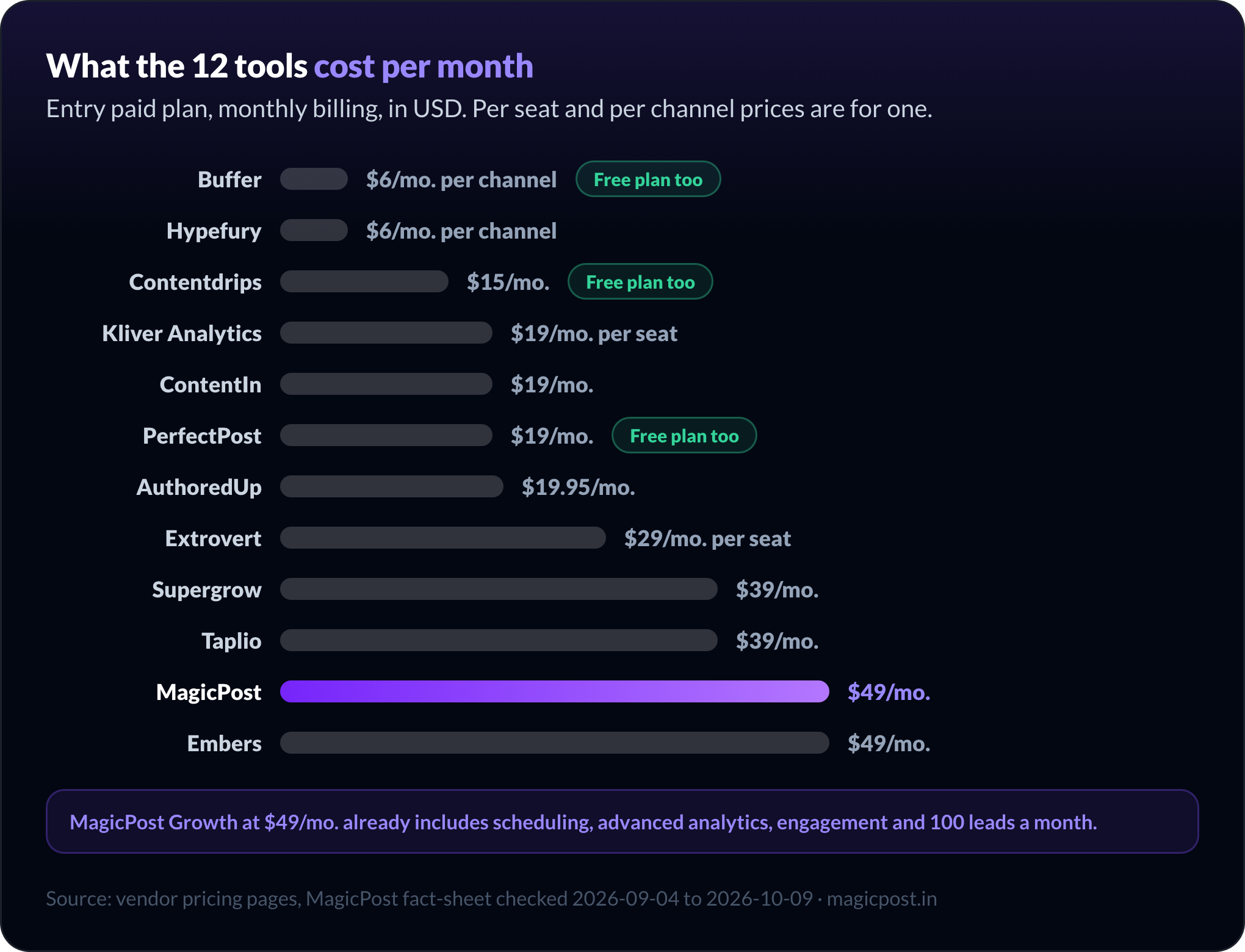
The only Premium gate in analytics is the list of people who viewed your profile after a post. Once you outgrow these free limits, a paid entry plan among the 12 tools costs from $6 per channel (Buffer, Hypefury) to $49/mo. (MagicPost, Embers).
For free AI tools that work on your profile rather than your posts (headline, summary, photo), see our list of free LinkedIn AI tools for your profile.
LinkedIn's paid tools: Premium and Sales Navigator
LinkedIn also sells two paid products of its own. Premium adds the list of people who viewed your profile after a post. Sales Navigator is LinkedIn's prospecting tool, built for lead search and saved lead lists.
Neither LinkedIn Premium nor Sales Navigator writes, schedules or benchmarks your posts, so they sit next to the tools above rather than replacing them. For prospecting stacks, see the best LinkedIn tools for sales teams.
How to choose the best LinkedIn tools for your stack
Five checks narrow the 12 tools down to the one or two your stack needs.
Start with one tool that runs the whole loop. Idea, draft, publish, measure, engage, follow up. Three partial subscriptions cost more and leave gaps between them.
Add a specialist only where the main tool stops. Buffer or Hypefury for other networks, Kliver Analytics if measurement is all you need, Contentdrips for heavy carousel production.
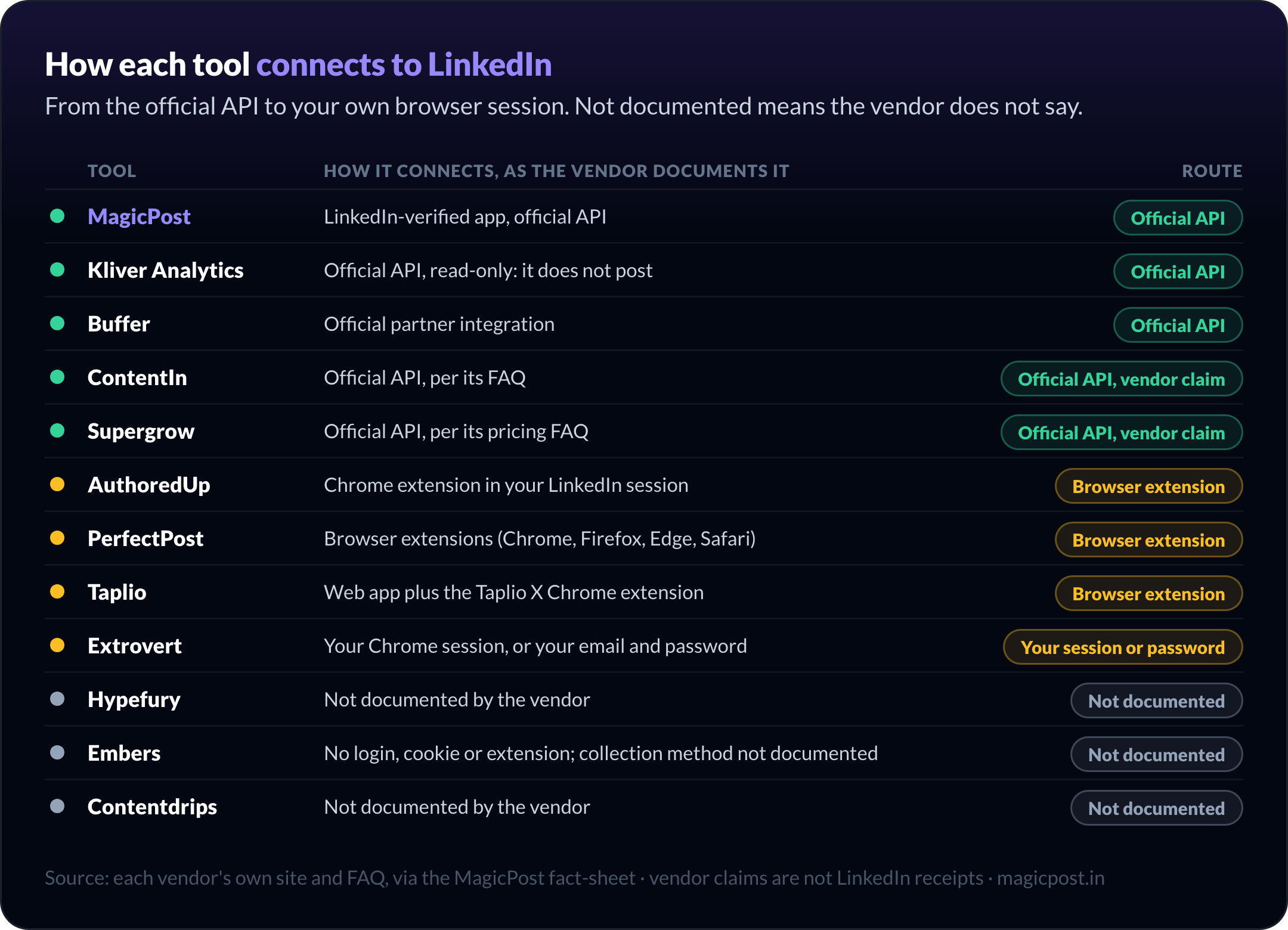
Check how each tool connects. Official API tools publish without touching your session. Extensions and session-based tools act as you, which is what LinkedIn's rules on automation target. The safe LinkedIn connection page explains the difference.
Keep your own voice in AI drafts. In MagicPost's study of 143,515 English posts by 3,000 authors, four AI turns of phrase each drag a post about 4% to 7% below the author's own normal. Edit drafts before you post.
Separate free plans from free trials. Buffer, PerfectPost and Contentdrips have permanent free plans. MagicPost, Kliver, AuthoredUp, Hypefury, Extrovert and Embers offer trials without a card; the others have trials only.
Buying in November? Our tracker of LinkedIn tool Black Friday deals checks each offer on the vendor's own site, and whether the price lasts after year one.
We also rank the best tools by role in four dedicated guides:
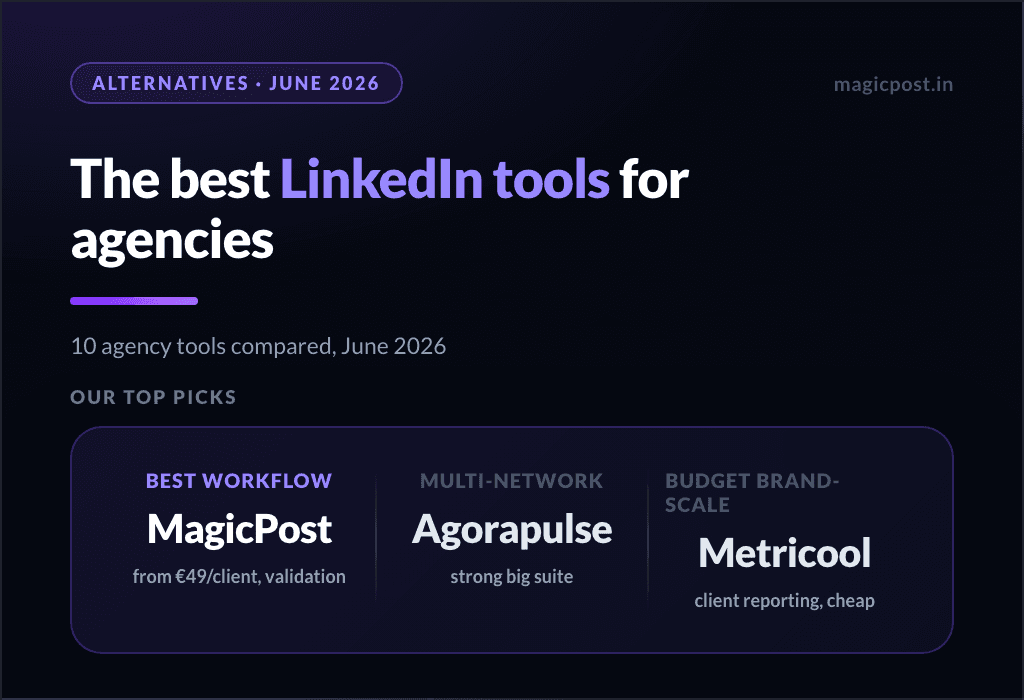
Best LinkedIn tools for agencies: client workspaces, approvals, white-label reports
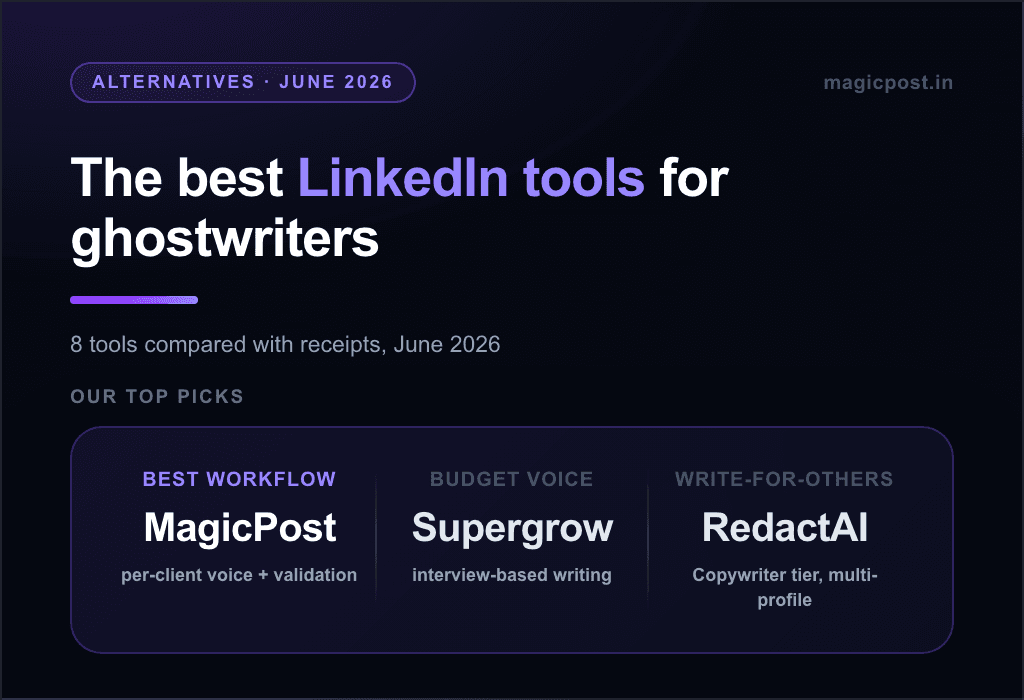
Best LinkedIn tools for ghostwriters: voice capture and client validation
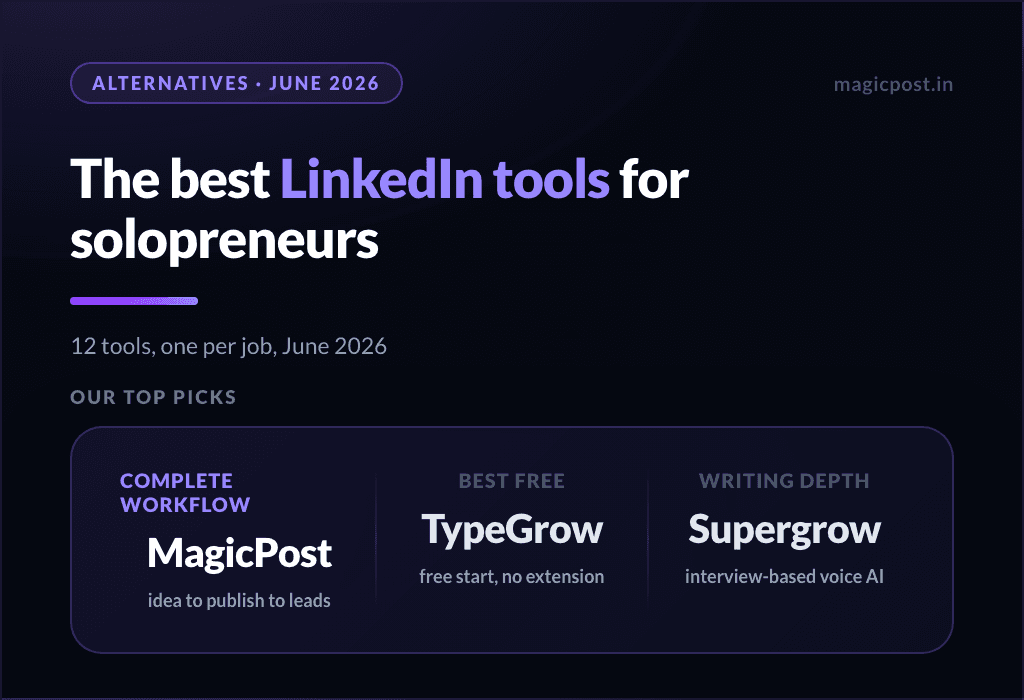
Best LinkedIn tools for solopreneurs: one person, one stack
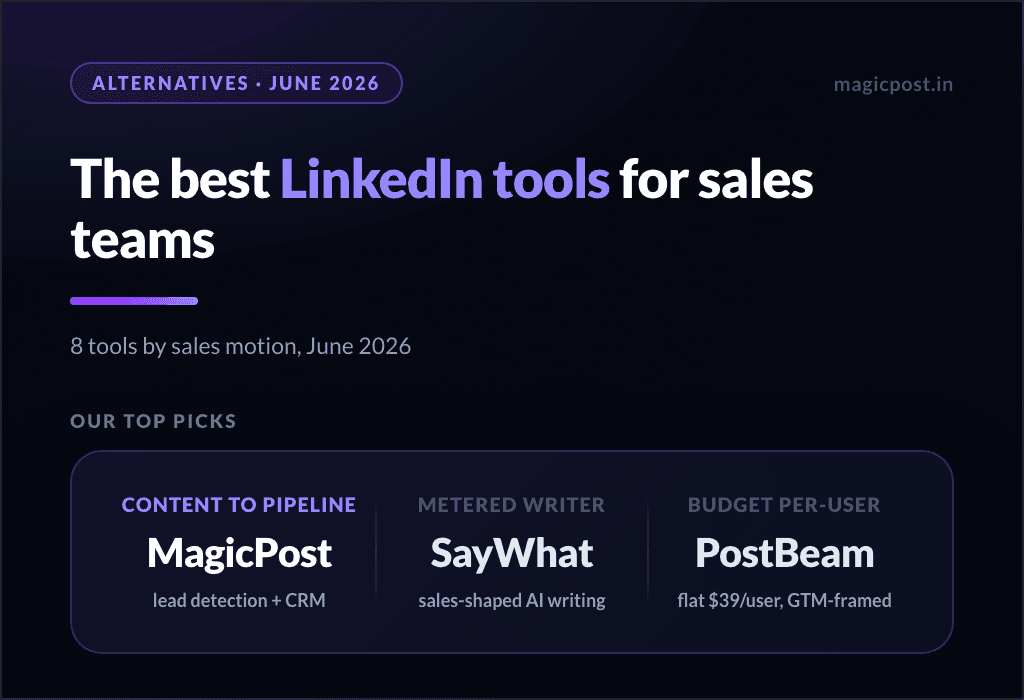
Best LinkedIn tools for sales teams: social selling and lead follow-up
For a management-first comparison across team workflows, see our LinkedIn management tools guide.
Try the best all-in-one LinkedIn tool
One LinkedIn tool for the whole loop. MagicPost writes in your voice, schedules through LinkedIn's official API, benchmarks every post, keeps you engaging and turns engagement into leads. See how creators use MagicPost, or try MagicPost for free →
FAQ
What is the best LinkedIn tool in 2026?
MagicPost is the best all-in-one LinkedIn tool in 2026: it writes posts in your voice, schedules them through LinkedIn's official API, benchmarks your analytics and turns engagement into leads, from $49/mo. with a no-card trial.
For a single job, the best picks are Kliver Analytics for analytics, AuthoredUp for manual writing and Buffer for free scheduling.
What are the best free LinkedIn tools?
The best free LinkedIn tools are LinkedIn's own analytics, Buffer's free plan for scheduling (3 channels), PerfectPost's free plan for engagement feeds and Contentdrips' free plan for carousels. These are permanent free plans. MagicPost, Kliver Analytics and AuthoredUp offer free trials with no card, which end after the trial period.
Which AI tools should I use to grow on LinkedIn?
MagicPost covers the full growth loop with AI: drafts in your voice and lead scoring, plus a free LinkedIn comment generator as a separate tool.
For AI writing alone, ContentIn drafts from your past posts and Supergrow interviews you before drafting.
Whatever tool you use, edit the draft: in MagicPost's study of 143,515 English posts by 3,000 authors, each templated AI turn of phrase drags a post about 4% to 7% below its author's usual engagement.
Are LinkedIn automation tools safe to use?
LinkedIn automation tools are safest when they connect through LinkedIn's official API: MagicPost publishes that way, Buffer through an official integration, and Kliver Analytics only reads your data, without posting. None of them acts from your browser session.
Extensions and session-based tools act as you; Taplio's own support says LinkedIn treats its Taplio X extension as an automation tool. Tools that auto-send comments, connection requests or DMs carry the most risk.
Can a LinkedIn tool get my account restricted?
Yes, a LinkedIn tool can get your account restricted when it acts as you through an extension or your session, or auto-sends connection requests, comments or messages. LinkedIn's restrictions target that automated activity, not the posts you publish through its official API.
If it already happened, our guide to a restricted LinkedIn account covers the causes, the appeal and how long a restriction lasts.
What is the best LinkedIn analytics tool now that Shield is offline?
Kliver Analytics is the best LinkedIn analytics tool for profiles today: it keeps your metrics after LinkedIn's retention window, benchmarks you against similar profiles and costs $19 per seat per month.
MagicPost also includes analytics with benchmarks inside its full platform.
Do I need more than one LinkedIn tool?
Most creators need one all-in-one LinkedIn tool and, at most, one specialist. MagicPost covers writing, scheduling, analytics, engagement and leads; add Buffer or Hypefury if you post on other networks, or Contentdrips if you produce many carousels. Agencies and sales teams have different needs, covered in our role-specific guides.
What is the best LinkedIn tool for lead generation?
The best LinkedIn tool for lead generation is MagicPost when your leads come from your content: it scores the people who engage with your posts against your ideal customer profile and sends them to your CRM.
Embers is the best standalone LinkedIn lead-signal tool, from $49/mo., and it takes no action on your account. Taplio adds automated outreach on its $199 Pro plan, through tools its own support links to LinkedIn's automation rules.