
Everything in the Agency plan
 |
|The MagicPost Agency plan is for agencies and ghostwriters who run their clients' LinkedIn from one workspace. It lets you manage each client account, have each post approved before it is published, and export their performance under your own brand. See also MagicPost for agencies.
The Agency plan is priced per seat: $59 (€49) per seat per month, or $47 (€39) per seat per month billed yearly. You choose how many seats you need, from 2 seats.
A MagicPost price can vary by country: the Agencies tab of the Billing page shows the amount that applies to you.
A standard Agency seat opens every feature of the Creator plan, with limits of its own: see "Seats, seat types and limits" below. What are the MagicPost plans and what is in them? compares the four plans.
What the Agency plan changes for your clients
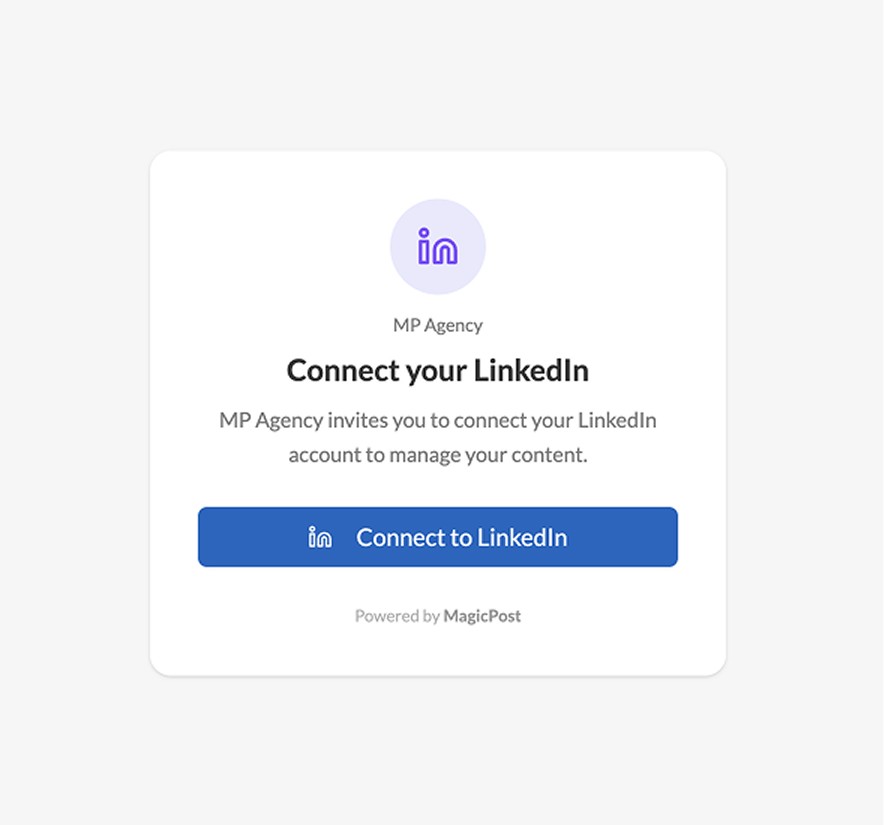
A client does not have to log into MagicPost. When you add a client with Quick add and send them the secure LinkedIn link, the client creates no MagicPost account and shares no password.
Nothing is published before it is approved. With Client workspace on for the client in MagicPost, which is the default for a new account, a scheduled post is not published until it is approved, by the client from the shared link or by your team with Approve post when scheduling.
An administrator you invite to MagicPost uses no seat by default. You can invite as many administrators as your agency needs, as Super admin, Manager or Account manager, and give one a paid seat with Assign a paid seat.
Add your clients to your workspace
MagicPost gives you two ways to add a client to your Agency organization.
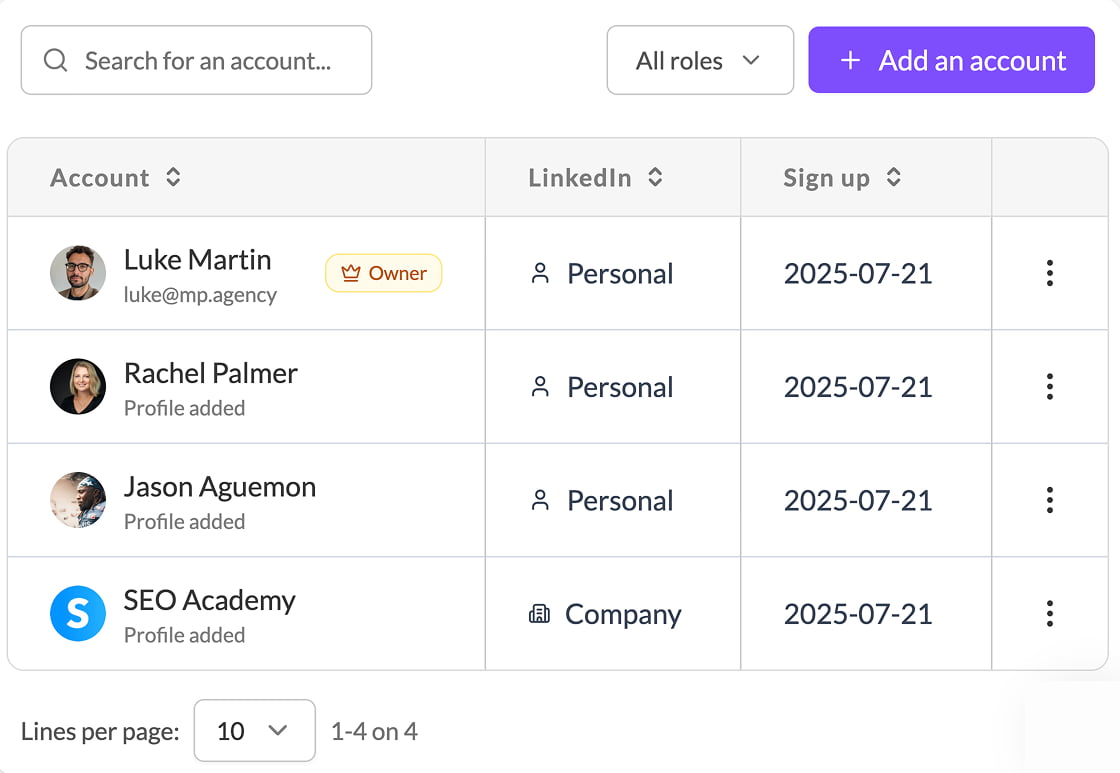
Invitation sends the client an email: they join the organization, get their own MagicPost login and can manage their account themselves. Quick add needs only a name: you manage the account yourself, and the client never logs in.
Either way, each client takes one seat, with their own AI settings, their own post history and their own calendar.
Connect their LinkedIn securely
To connect a client's LinkedIn to MagicPost, you send the client a connection link, which MagicPost offers for a Quick add account, or while Client workspace is on for the account. The client clicks it and authorizes LinkedIn. With a Quick add account, the client never sees a MagicPost login screen.
A MagicPost seat connects one LinkedIn identity: a personal profile or a company page.
Switch between clients in one click
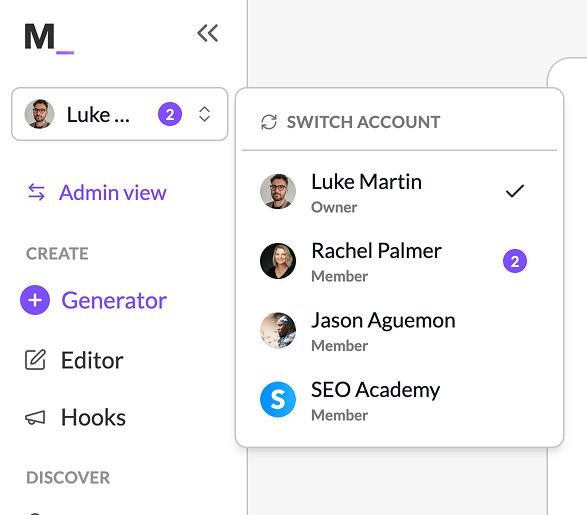
From the account selector at the top of the MagicPost sidebar, an administrator jumps from one client account to the next. As an administrator you drive each client's content, calendar and engagement without logging out. An Account manager only sees the accounts assigned to them, and a Manager does not see the owner's or other administrators' accounts.
Share the calendar, or a single post
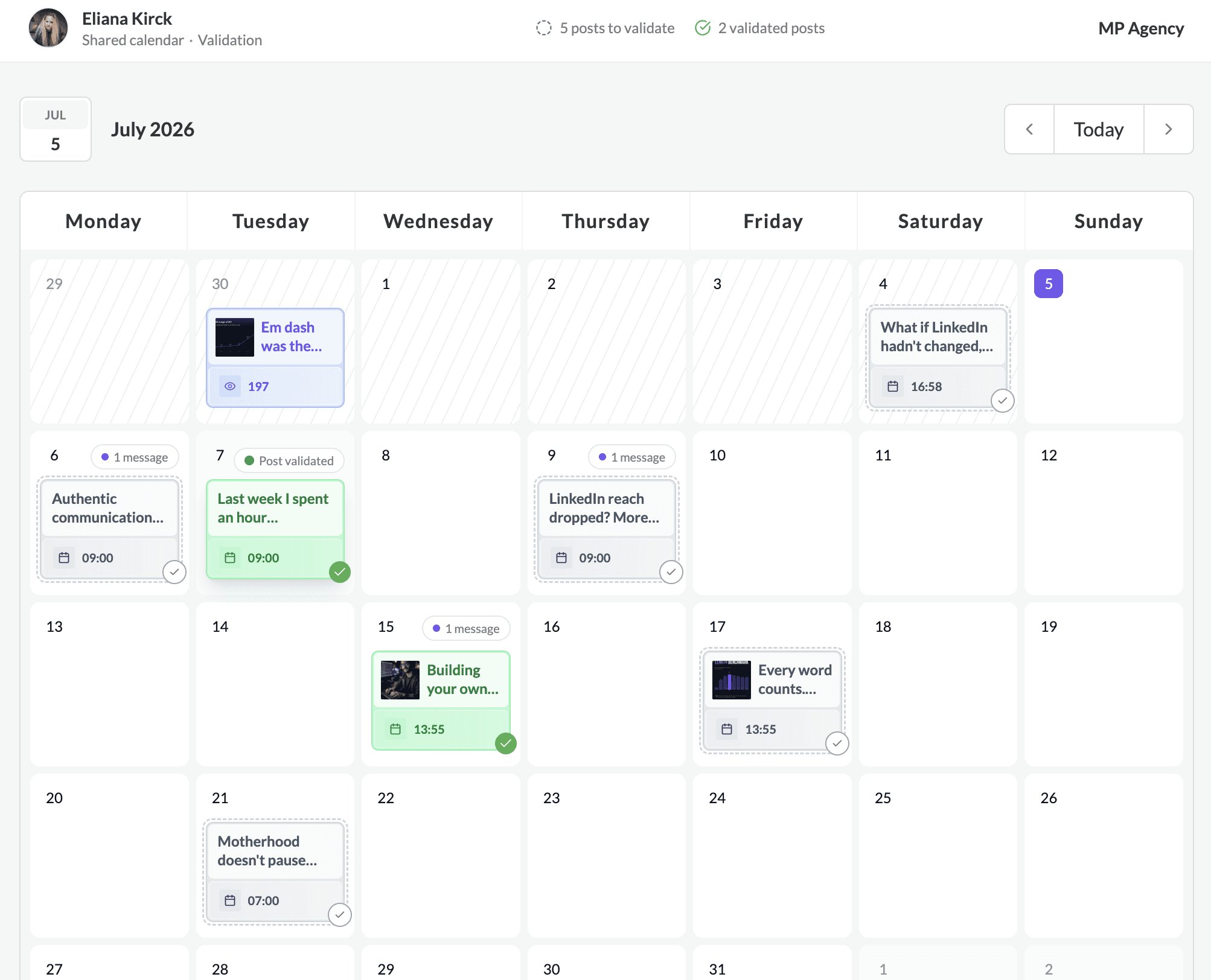
MagicPost lets you send a client a link to their whole calendar, or to one post. The client opens a MagicPost share link in the browser, with no account and no password.
Let your clients approve the content
Turn on Client workspace for a client and a scheduled post is not published until it is approved, by the client from the shared link or by your team with Approve post. Each MagicPost share link carries one access level:
Approval: the client sees the calendar, discusses the posts, and approves them for publication.
Editing: everything in Approval, plus editing the posts and their scheduled date.
Simple: a link to one post that only lets the client read it, with no approval and no discussion.
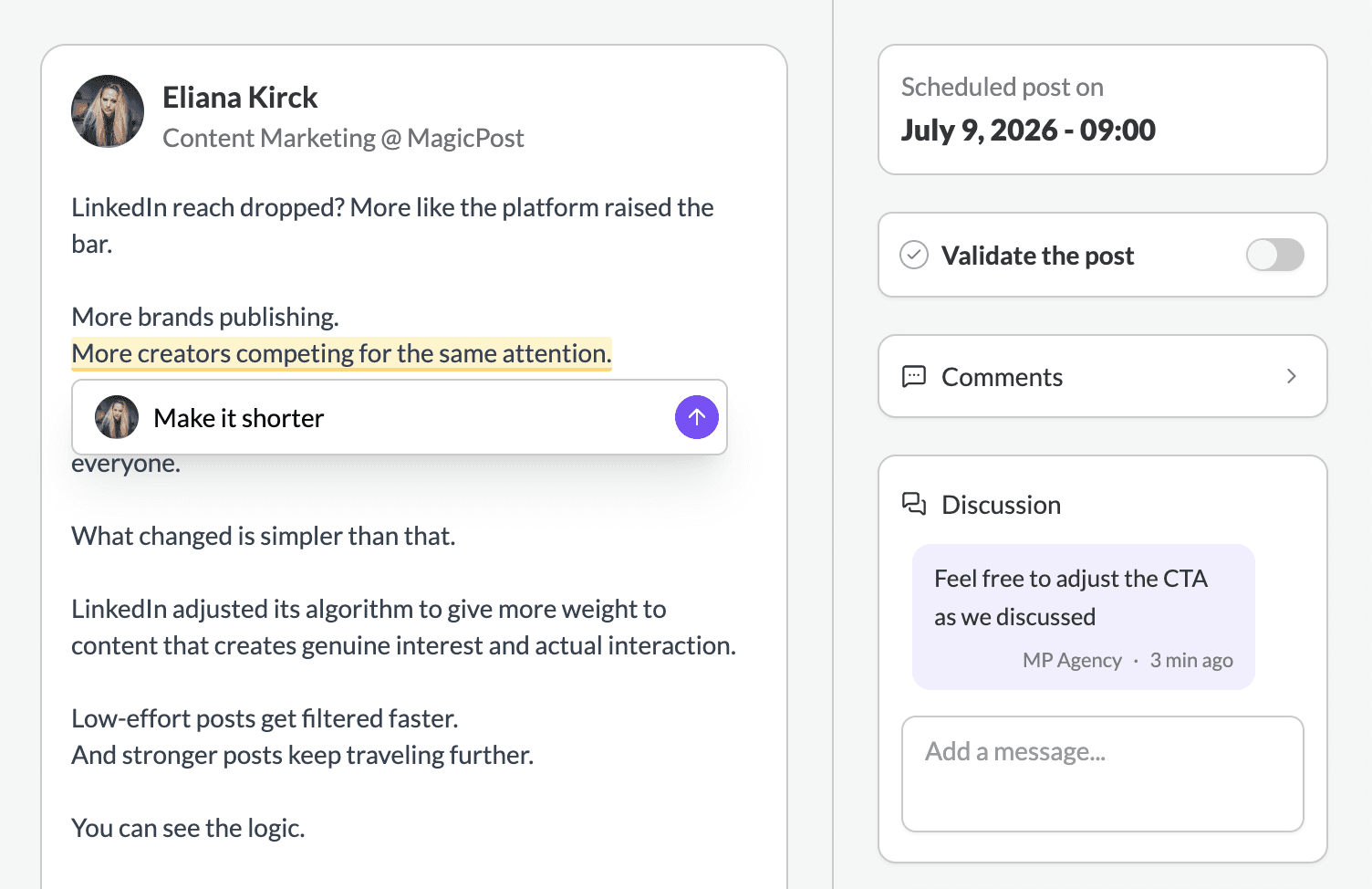
Full guide: how to have clients approve posts before publishing.
Export white-label reports
On the Agency plan, MagicPost exports a client's LinkedIn performance as a report carrying your logo and your colors. You choose which metrics the report includes.
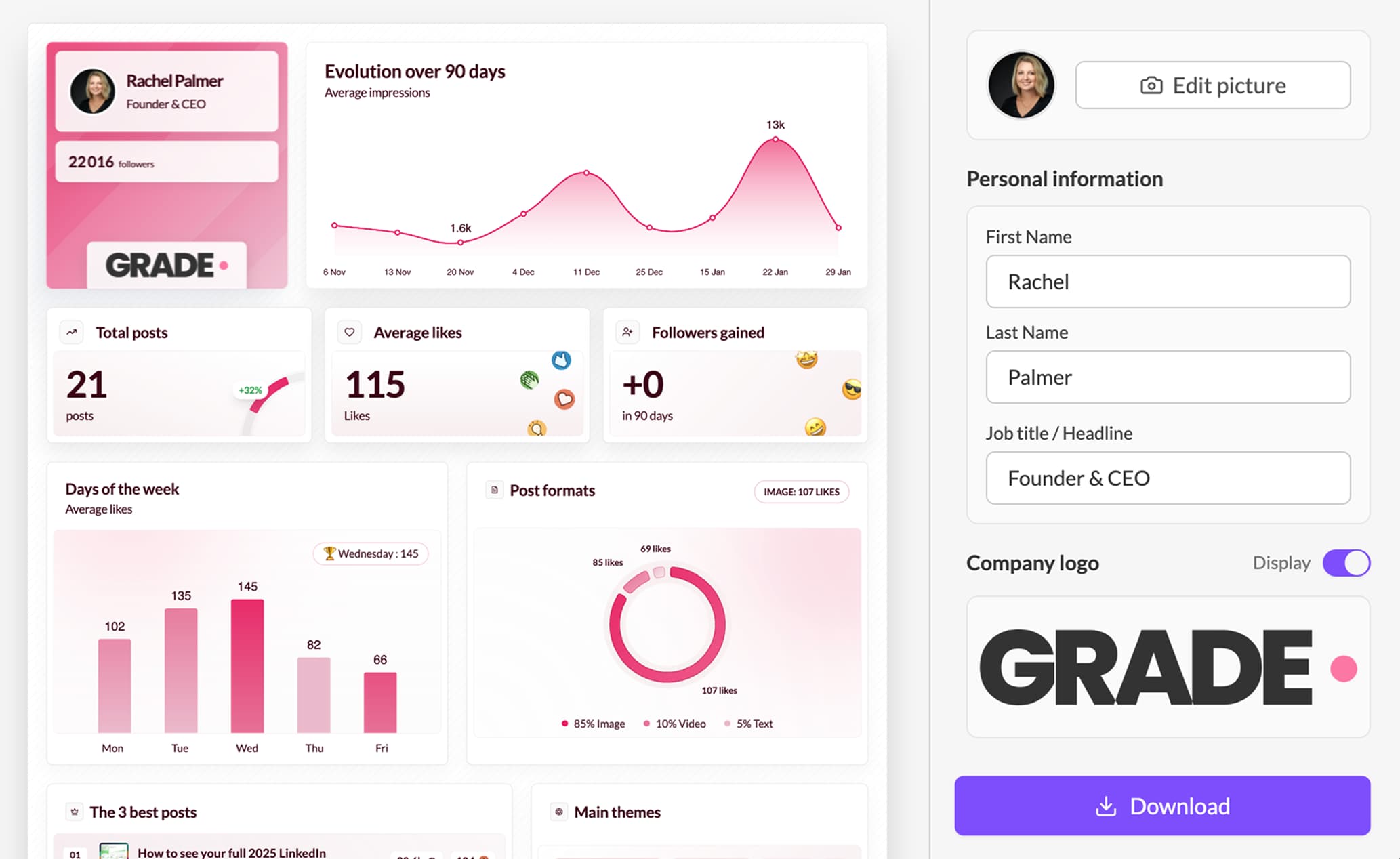
Watch it: Exporting your clients' analytics
Drive it all from your AI assistant
The Agency plan includes API and MCP access. Connect MagicPost to Claude or Perplexity and manage your clients in plain language: read their metrics, publish for them, or build your own dashboards without leaving the conversation. Managing multiple LinkedIn accounts from one AI assistant shows the workflow in practice.
See What is MCP, and what can I do with it?
Seats, seat types and limits
On the Agency plan you pay for a number of seats. To change that number, the owner, who holds the subscription, clicks Add or remove seats on the plan card of the Billing page. The owner and Super admins also find Add or remove seats on the seats banner of the Accounts page, and the seats stay billed on the owner's subscription.
In the Add or remove seats dialog, the last step of the seat selector cannot be bought on your own: at that step, the dialog shows Need more seats? and offers a call with the MagicPost sales team instead of a payment.
The standard Agency seat is the Creator seat, with full access. MagicPost also has three specialized seat types for clients who need only part of the product: Growth (analytics, engagement, leads and publishing without AI), Analytics (statistics and calendar) and Engagement (engagement only).
Specialized seats are not self-serve by default. The MagicPost team enables them organization by organization, on request. Once enabled, each specialized seat type appears as its own row in the Add or remove seats dialog, with its price.
The limits of an Agency seat are not those of the Creator plan. On Agency, AI images are capped at 100 per month, AI edits of visuals and carousels at 100 per month, and leads at 100 per month. Carousel and visual generation has no cap on Agency.
MagicPost shows what is left on the gauge of each feature. See how many visuals and carousels you can generate.
FAQ
What is a seat on the Agency plan?
One seat is one LinkedIn identity: a personal profile or a company page. Each seat has its own workspace. An administrator you invite uses no seat unless you assign one.
Can I add seats to my Agency plan later?
Yes, at any time, with Add or remove seats. When you add seats during a billing period, MagicPost charges only the prorated amount for the days left until your renewal date.
How do I pay for fewer seats?
Open Add or remove seats and lower the number of seats. If the seats you remove are in use, MagicPost asks you to select the members to remove from the organization. The dialog does not let you go below the minimum number of seats of the Agency plan.
Does my client need to pay, or create a MagicPost account?
No. The client pays nothing. With Quick add, the client creates no account: they connect their LinkedIn through your link and, with Client workspace on, approve posts from a shared link. A client you add by Invitation does get their own MagicPost login.
Can I switch my Agency plan to yearly billing, or to another plan?
Yes, from the Billing page. One exception: an organization that uses specialized seats cannot change plan or billing cycle on its own. In that case, contact the MagicPost team, who make the change while keeping your rates.
What is the difference between the Agency plan and the Team plan?
The Agency plan is built for publishing on behalf of clients: client approval and white-label reports, priced per seat. The Team plan is built for your own employees posting under their own names: a team calendar and team metrics, also priced per seat. See Everything in the Team plan.
Need help?
Book a 30-minute call and we will set your agency up: https://cal.com/magicpost/book-a-call