Taplio is an AI-powered LinkedIn tool that combines content creation, scheduling, engagement automation, and a lead database.
It’s one of the more complete tools in the LinkedIn space, but it’s also one of the priciest, and pricing structure means most people end up paying for features they never touch.
This Taplio review breaks down what each plan actually gets you, what’s useful, and where the gaps are.
⚠️ Account Safety: Taplio uses a Chrome extension and cookie-based authentication, not LinkedIn’s official API. It’s designed to mimic natural user behavior, and for most standard use (writing posts, scheduling, commenting), the risk is low.
The risk goes up with aggressive automation: mass DMs, bulk connection requests, and high-volume engagement. LinkedIn has temporarily blocked Taplio in the past (April 2025), and some users report occasional reconnection prompts. Use it for content. Be more careful with the outreach features.
What Is Taplio?
Taplio is an AI-powered LinkedIn tool built around three main functions: writing LinkedIn posts with AI, scheduling them, and tracking what’s working.
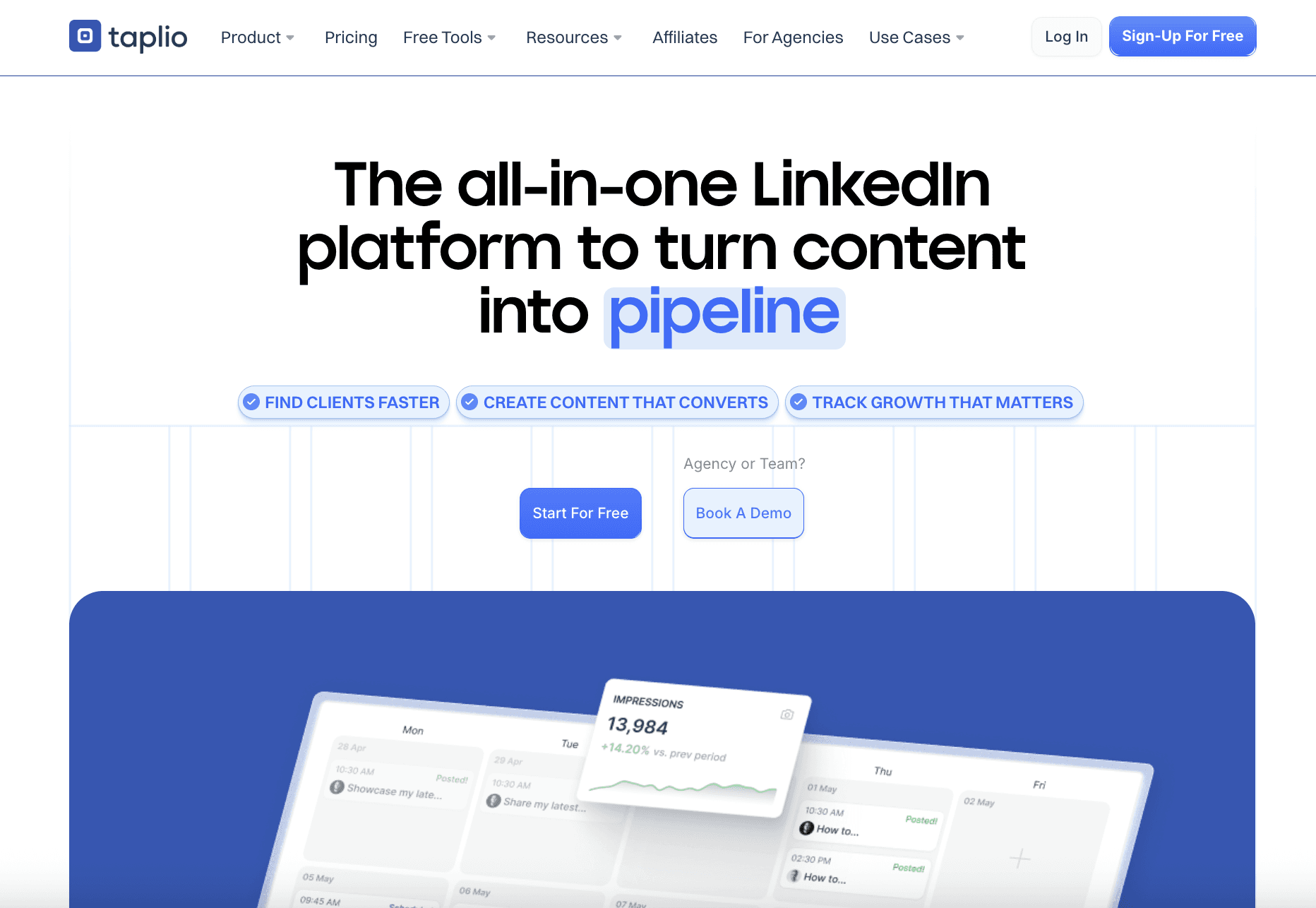
On top of that, it has engagement automation and a lead database, which is what pushes the price into territory that makes most content creators pause.
At its core, the platform does three things:
Writes: AI generates posts, hooks, carousels, and replies based on your profile and preferences.
Schedules: You plan and queue content in advance, with optimal posting time suggestions, which relieves you from manually scheduling LinkedIn posts.
Analyzes: A dashboard tracks your key LinkedIn metrics so you can see what’s actually moving the needle.
It also has a fourth layer that separates it from most content tools: engagement and outreach automation. That's where Taplio starts to feel like more than a content platform and where most creators realize they're paying for features they won’t use.
Who Is Taplio For?
Taplio is a good fit for a specific type of LinkedIn user. It’s not the right tool for everyone, and knowing the difference will save you money. Here’s whom it’s recommended for:
Sales professionals and B2B teams who want to combine content creation with lead generation in one place. The Pro plan’s lead database and auto-DM features are built for this.
Founders and consultants who post consistently and want AI assistance to speed up the writing process without hiring a ghostwriter.
Marketing teams managing LinkedIn for multiple people or brands who need cross-account analytics.
It’s probably not the right for you if you mainly want clean formatting, simple scheduling, and basic analytics. At that level, you’re likely paying for features you won’t use. There are more focused tools at a lower price point for that use case.
Taplio’s Features
Here’s a breakdown of each feature. We’ll also highlight what you should watch out for and how to get the most out of each.
1. AI-Powered Content Creation
Taplio’s AI analyzes your LinkedIn profile and posting history to generate posts that are supposed to feel like you wrote them. You give it a topic or a prompt, and it produces a draft you can tweak and publish.
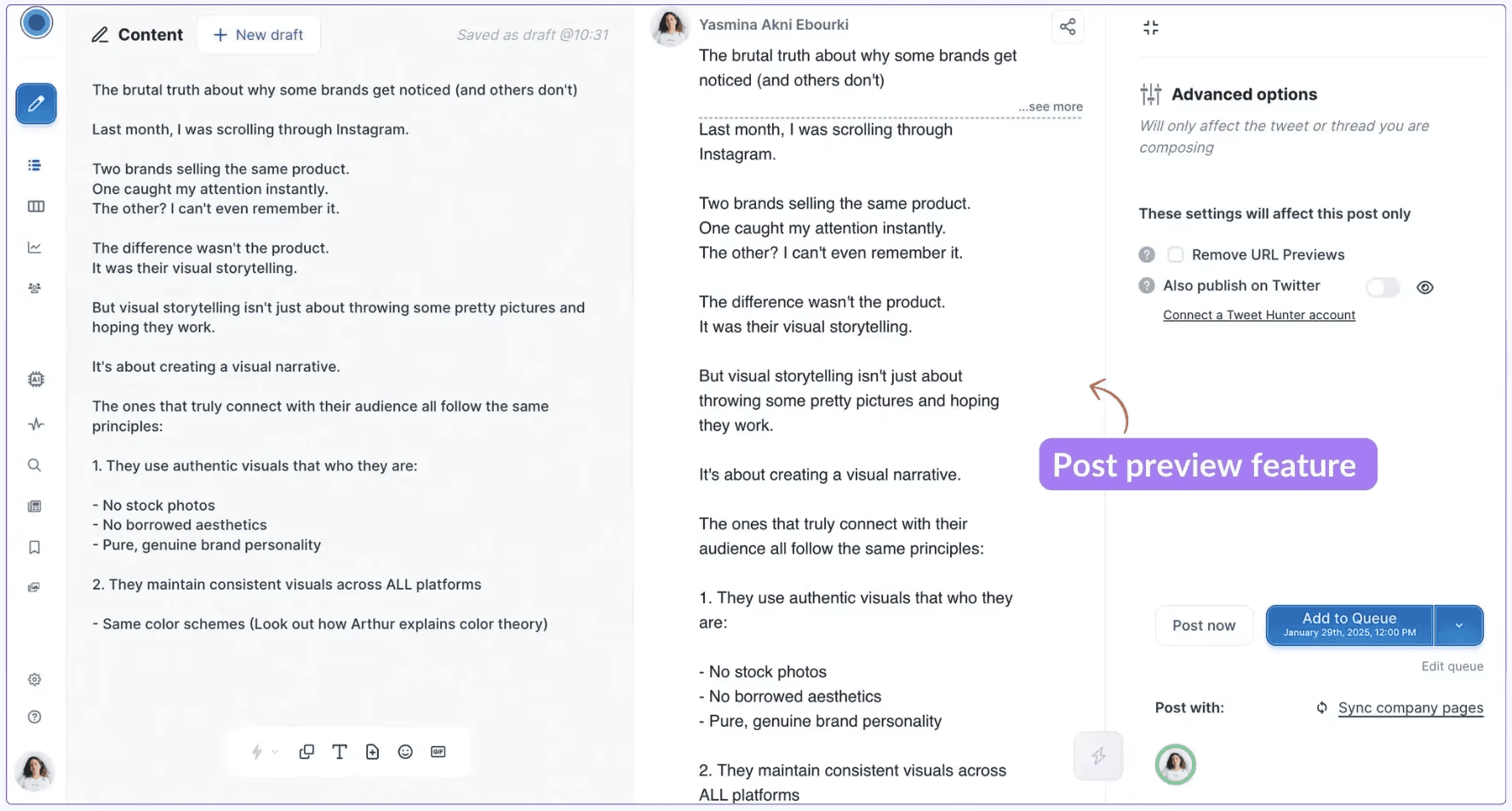
The ChatAssist feature is a conversational AI interface built specifically for LinkedIn, not a generic chatbot. You can refine drafts, ask for alternative angles, adjust tone, or build on previous posts. It comes loaded with 30+ ready-to-use prompts to help you get started.
There are also AI shortcuts throughout the platform so you can improve a post without switching to a separate tool.
⚠️ Warning: The AI content generator is locked behind the Growth plan ($69/mo). On Starter ($39/mo), there’s no AI writing at all. You’re paying for scheduling and a content calendar, which you could get from cheaper tools. If AI writing is why you’re considering Taplio, budget for Growth.
💡 Pro Tip: The AI works best when your LinkedIn profile is complete and your posting history is substantial. The more context it has, the less generic the output. If you’re starting from zero, expect to do more manual editing early on.
2. Post Scheduling
The scheduling tool is clean and functional. You define your posting schedule, pick your days and times, and Taplio queues everything up. It uses data from thousands of posts to suggest optimal posting windows, which is a nice touch compared to just guessing and earns Taplio a spot in our roundup of the best LinkedIn scheduling tools.
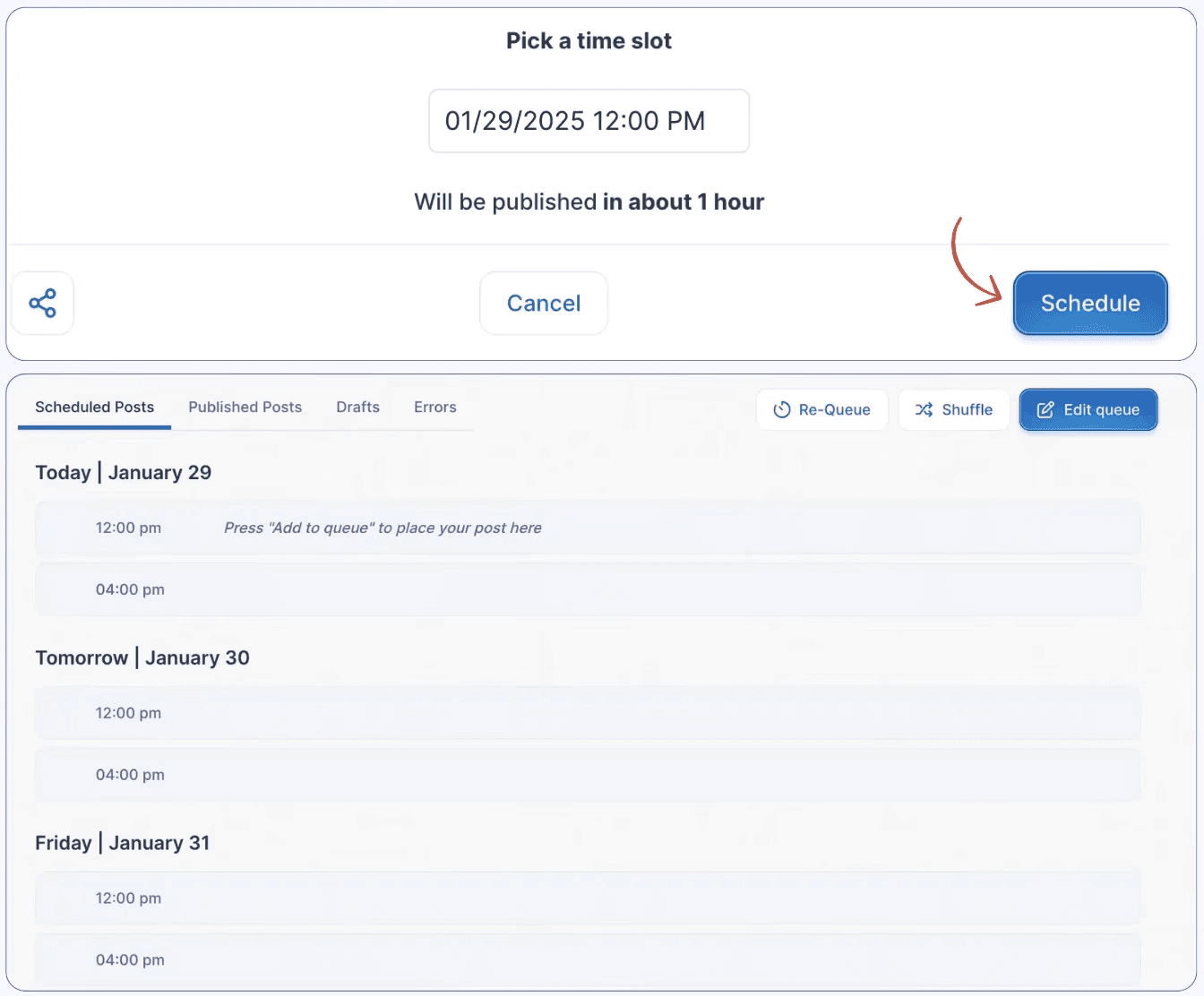
You can schedule text posts, carousels, images, and videos. Posts sit in a visual queue so you can see your content calendar at a glance. On timing, the best time to post on LinkedIn varies by audience, and Taplio’s suggestions are a solid starting point.
One useful detail is that Taplio lets you use labels to categorize posts by type. That means you can separate thought leadership from promotional content in the queue, which helps you maintain a balanced content mix.
💡 Pro Tip: You can also cross-post to X (Twitter) through a Tweet Hunter subscription. This is useful if you’re running a dual-platform strategy, but note that it requires a separate paid subscription.
3. Carousel Generator
Carousels consistently outperform standard text posts on LinkedIn for reach and saves. Taplio has a built-in carousel creator with AI generation, template selection, and the ability to turn YouTube videos or article URLs into carousel drafts automatically.
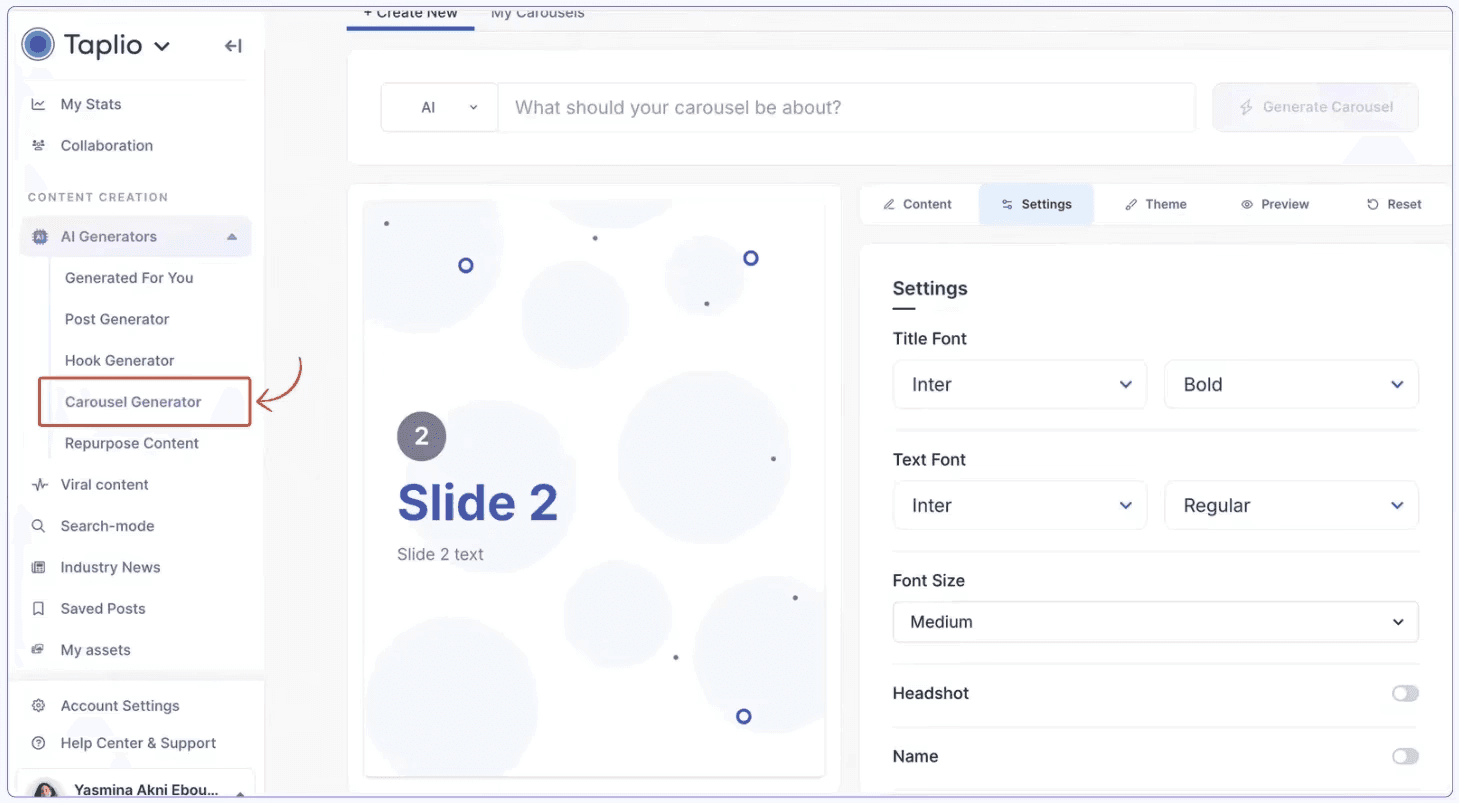
The process is fast. You paste a URL or describe a topic, the AI generates the slide content, you pick a template, add your profile picture and handle, and it’s ready.
⚠️ Warning: The carousel builder is available on all plans, including Starter. However, the design options are limited. Multiple user reviews on G2 specifically call out that you can’t adjust font size, move elements freely, or get the level of visual control you’d get from Canva. If brand consistency matters to you, you may need an external tool. Our best LinkedIn carousel generators guide compares the dedicated options.
4. Engagement Management
This is one of Taplio’s more distinctive features and one of the reasons it costs more than basic content tools. The LinkedIn engagement module lets you build lists of target profiles, monitor their latest posts, and drop comments from within Taplio without ever visiting LinkedIn.
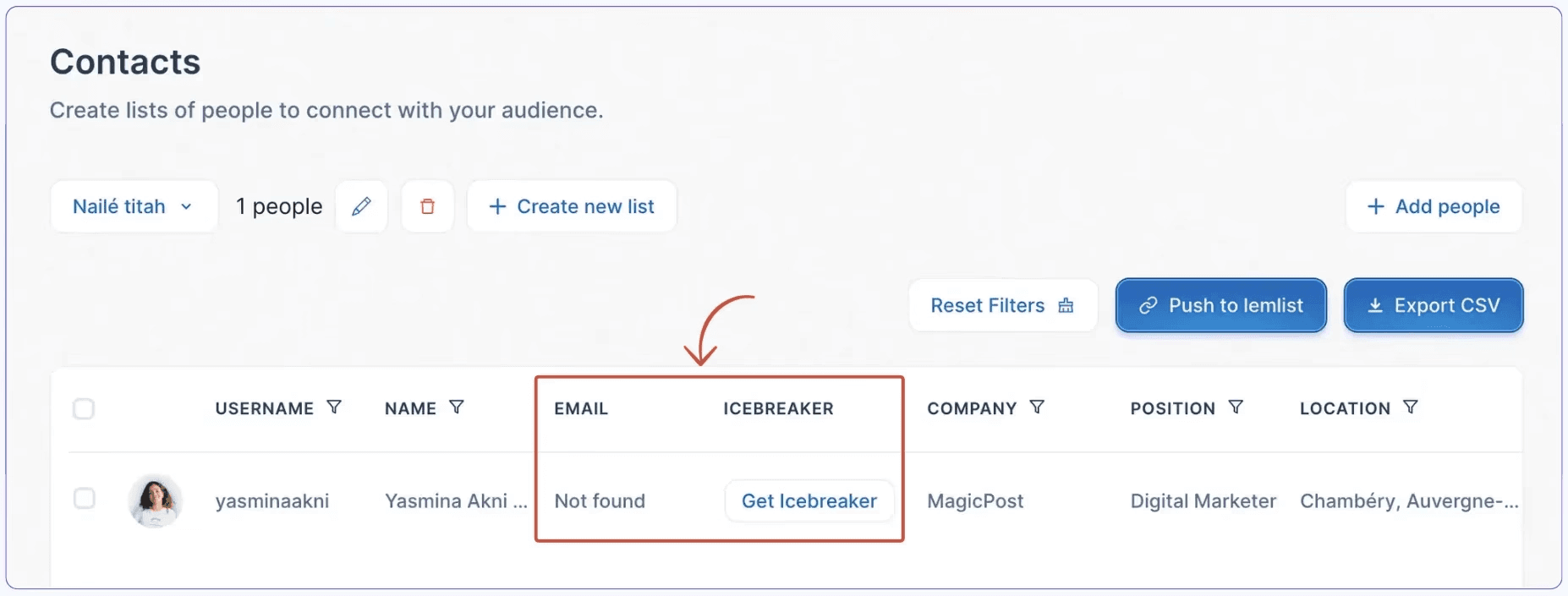
It also identifies unanswered comments on your own posts and suggests AI-generated replies. You’re not manually scrolling through notifications looking for comments you missed; Taplio surfaces them and gives you a one-click reply draft to edit and send.
There’s also a two-way engagement feature. You can see who recently engaged with your content and pull their latest posts so you can return the favor. This kind of reciprocal engagement is genuinely useful for building relationships rather than just broadcasting.
💡 Pro Tip: Build your engagement lists around 10 to 15 highly relevant accounts in your niche rather than hundreds of loosely connected ones. Commenting on every post from a targeted group builds a visible presence with the right audience faster than scattering comments broadly.
5. Connection Requests
Taplio launched Connection Requests in May 2026, and it’s the most significant feature addition in recent months. It lets you send connection requests and DMs directly from the Taplio interface, specifically to people who’ve already engaged with your posts.
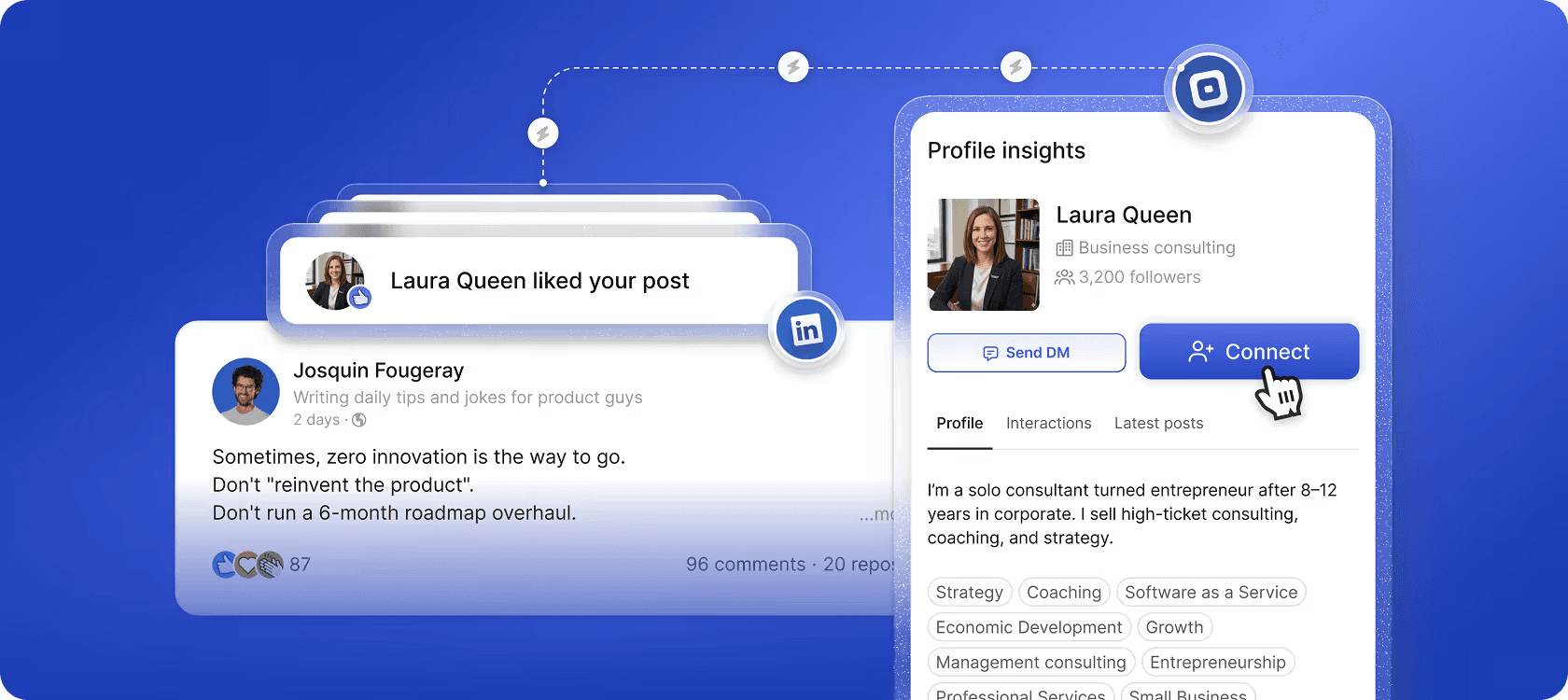
When someone likes or comments on your post, you see them in Taplio, open their side panel, and send a personalized connection request with a note without leaving the app. You can also push entire lists (likers, commenters, lead lists, or any People List), into a connection request campaign.
The “Intent Orchestrator” spaces out requests over time to mimic natural behavior. If you queue 50 requests at once, LinkedIn sees a normal activity pattern rather than a bulk action. Here are the caveats:
It’s available on Pro plan only.
It’s capped at 50 connection requests per day.
DM is queued and sent automatically once they accept.
Connection Requests Hub (centralized tracking dashboard) is still in development.
⚠️ Account safety: Taplio says the Intent Orchestrator keeps activity within safe limits. That said, Taplio uses cookie-based authentication rather than LinkedIn’s official API. Use these outreach features conservatively; aggressive automation always carries more risk than manual activity, regardless of the tool.
6. Lead Database
Exclusive to the Pro plan, the lead database gives you access to over 3 million LinkedIn contacts filterable by country, follower count, post topics, job level, and more. You can build lists, send bulk DMs to people who liked or commented on posts, and automate connection requests.
For sales teams running a LinkedIn lead generation operation, this is a meaningful feature set. For content creators focused on organic growth, it’s an expensive feature you’ll never use
It’s worth checking out how to generate B2B leads on LinkedIn to decide whether you actually need automation for this or whether organic content is enough for your goals.
⚠️ Warning: Auto-connection requests and mass DMs carry inherent risk on LinkedIn. Even if Taplio is designed to behave within normal usage patterns, aggressive automation can trigger account flags. Use these features conservatively.
7. LinkedIn Analytics
Taplio’s analytics dashboard covers the standard metrics for measuring performance: followers, profile views, likes, and comments. Each metric has a growth curve so you can track trends over time rather than just looking at point-in-time snapshots.
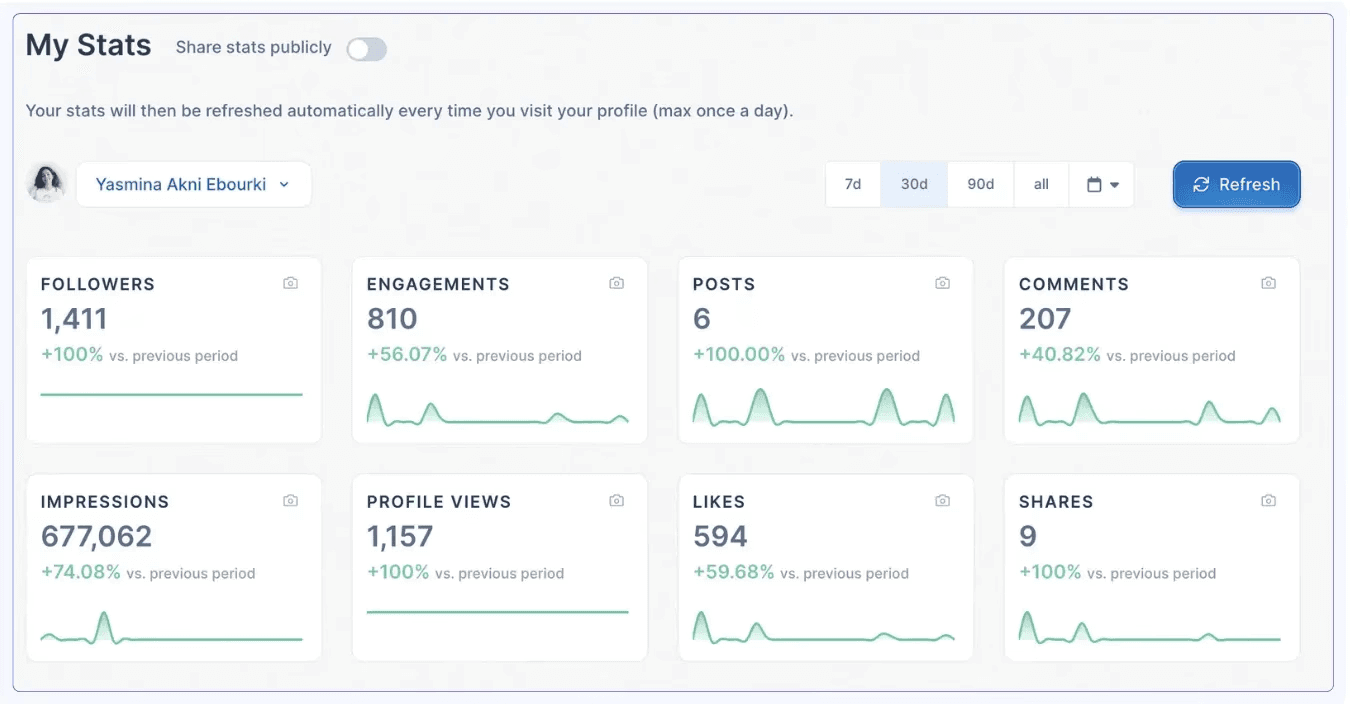
You can also drill into individual post performance to see what formats and topics are resonating. On higher plans, there’s cross-account analytics for teams, which is useful if you’re managing LinkedIn presence for multiple people or an organization.
Taplio’s analytics are solid for monitoring rhythm and identifying top posts, but they stop short of deep audience analysis. To see the job titles, industries, or geographies of people engaging with your content, you’ll need LinkedIn’s native analytics or a dedicated tool such as MagicPost’s LinkedIn analytics dashboard.
For a benchmark on what good looks like, see what counts as good impressions on LinkedIn.
8. Chrome Extension (Taplio X)
The Taplio X Chrome extension brings important features directly into your LinkedIn feed without switching tabs. When you visit someone’s profile, it surfaces their best-performing content and a summary of who they are. It’s useful for quickly deciding whether to follow, engage, or reach out.
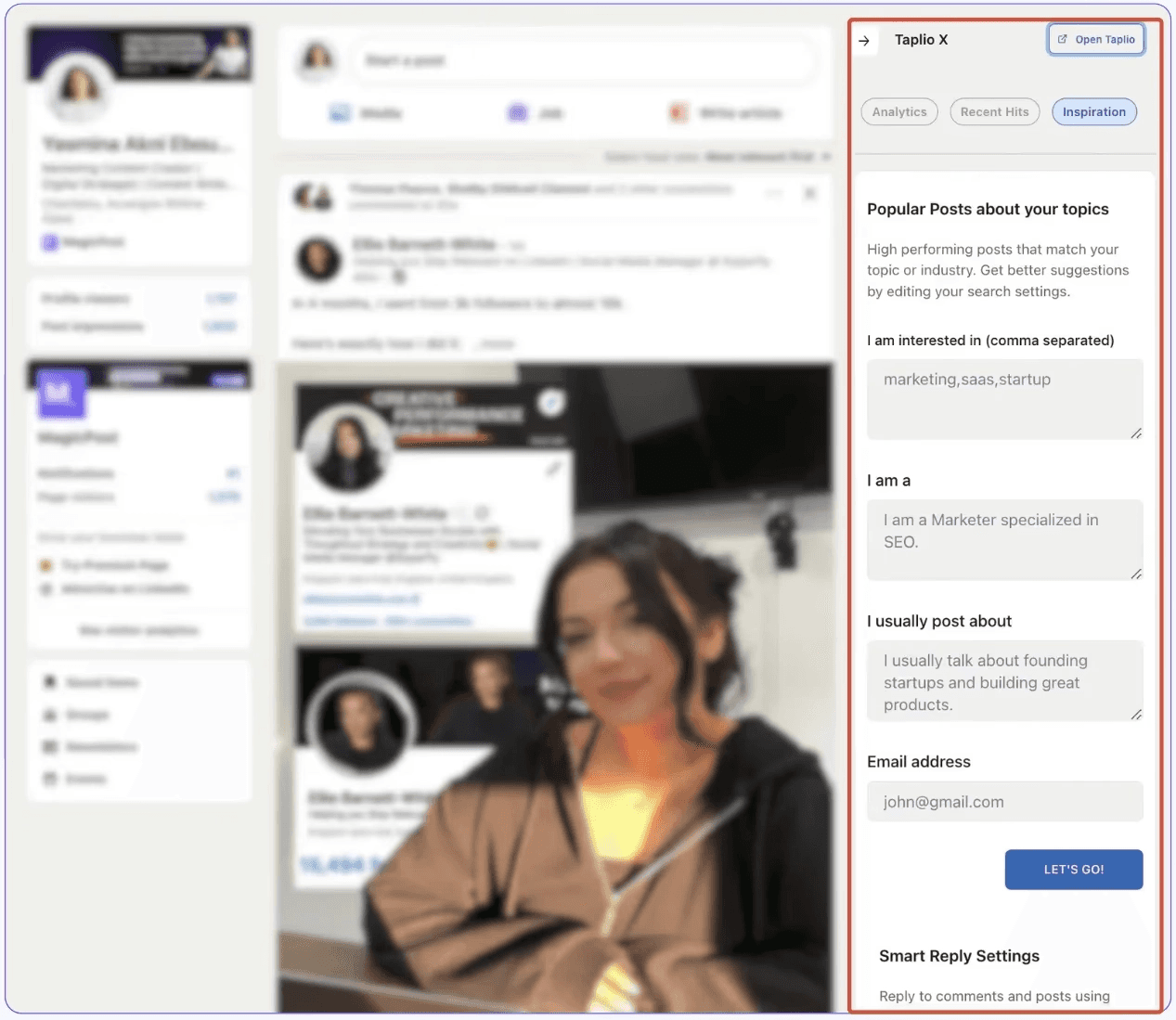
You also get access to inspiration tools within the extension, so you can find trending posts in your niche while you’re already on LinkedIn rather than switching to the main app.
Several G2 reviewers mention that the extension doesn’t always work reliably. It’s a useful supplement to the main platform, but don’t rely on it as a primary workflow tool.
Is Taplio Safe to Use?
Taplio connects to LinkedIn through the Taplio X Chrome extension and cookie-based authentication, not LinkedIn's official API. Its own support documentation states that Taplio X "is considered by default as an automation tool by LinkedIn, which goes against their Terms of Service," and that users can receive warnings.
On the record: LinkedIn restricted Taplio's company page in April 2025, and one Trustpilot reviewer describes being "flagged and off LinkedIn" through the engagement tools (the account was restored). No source documents a user banned for scheduling posts or using the AI writer.
→ The risk scales with the automation features you use: scheduled posts and AI writing are low risk; mass DMs, auto-connection requests and bulk engagement are higher risk. Tools that operate through LinkedIn's official API remove that risk by design. The full dossier, with LinkedIn's policy, the founder's statement and a feature-by-feature risk table, is in Is Taplio safe for your LinkedIn account?
Taplio Pricing
Taplio has three plans. What each one actually includes:
Feature | Starter | Growth | Pro |
|---|---|---|---|
Pricing | $39/mo | $69/mo | $199/mo |
AI Credits | 0 | 250/mo | Unlimited |
Comment Credits | 0 | 500/mo | Unlimited |
1-click post scheduling | ✅ | ✅ | ✅ |
5M+ post ideas | ✅ | ✅ | ✅ |
Carousel builder | ✅ | ✅ | ✅ |
Post analytics | ✅ | ✅ | ✅ |
Chrome extension (basic) | ✅ | ✅ | ✅ |
Hook & post generator (AI) | ❌ | ✅ | ✅ |
AI Copilot writing | ❌ | ✅ | ✅ |
Repurpose viral content | ❌ | ✅ | ✅ |
Auto-reply & smart comments | ❌ | ✅ | ✅ |
3M+ lead database | ❌ | ❌ | ✅ |
Auto-connection requests | ❌ | ❌ | ✅ |
Auto-DM likers & commenters | ❌ | ❌ | ✅ |
Mass DM campaigns | ❌ | ❌ | ✅ |
So, what’s the value behind each plan?
Starter ($39/mo.) gives you scheduling, a carousel builder, post analytics, and access to 5M+ post ideas. What you don’t get is any AI writing. Zero AI credits means no post generation, no hook generator, and no copilot. For $39/mo., you’re essentially paying for a scheduler with a content inspiration feed. There are cheaper tools that do this.
Growth ($69/mo.) is where Taplio becomes useful as an AI content tool. You get the hook generator, AI copilot, viral post repurposing, and auto-reply features with 250 AI credits and 500 comment credits per month. For active creators, 250 credits goes faster than you’d expect if you’re generating multiple variations per post.
Pro ($199/mo.) is built for sales and outreach. You get unlimited AI credits plus the lead database, auto-DMs, mass messaging, and connection automation. If you’re not using LinkedIn for prospecting, this tier offers nothing you need that Growth doesn’t cover.
💡 Pro Tip: An annual subscription saves you 25% on any chosen plan. In addition, the 7-day free trial gives you Pro access regardless of which plan you select. That’s an advantage for testing the full feature set before committing. Just remember to add a credit card and set a reminder to cancel if it’s not for you.
Around Black Friday, Taplio adds a BF30 code on top: in 2025, it took 30% off the first six months of a monthly plan or the first year of a yearly plan, then the regular price came back. Our Taplio Black Friday deal page follows the 2026 terms.
For the annual math, how the AI and comment credits work, and what the same budget buys elsewhere, see our full breakdown of Taplio pricing.
What Customers Are Saying About Taplio
Taplio has a 3.9/5 rating on G2 based on 7 reviews as of June 2026. It's a small sample, but the feedback is consistent enough to draw some honest conclusions.
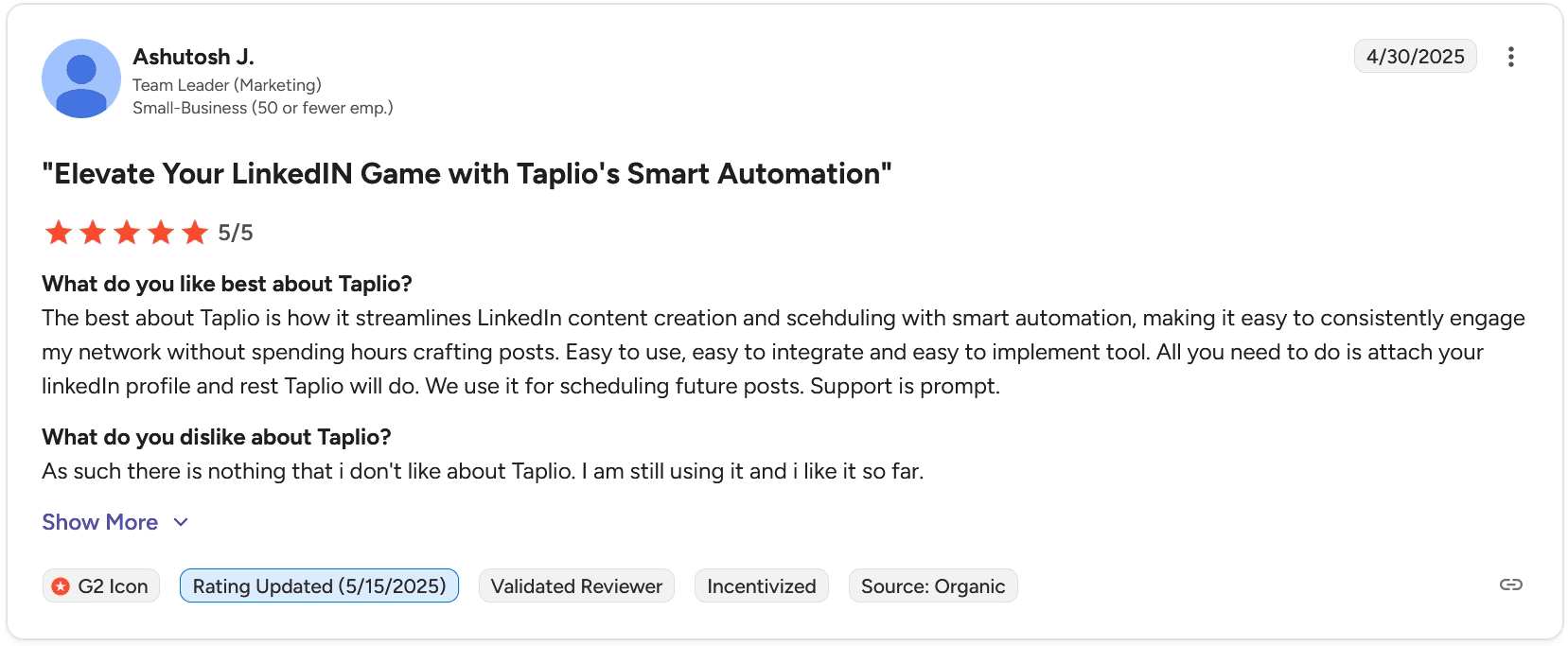
Users appreciate how much easier Taplio makes consistent LinkedIn posting. The AI writing tools, scheduling, and built-in analytics are frequently cited as genuine time-savers.
"My go-to for publishing LinkedIn content." One reviewer gave it 4.5/5 and highlighted the AI brainstorming tools and built-in stats. Another 5/5 reviewer described it as making content creation effortless: just connect your profile and the tool handles the rest.
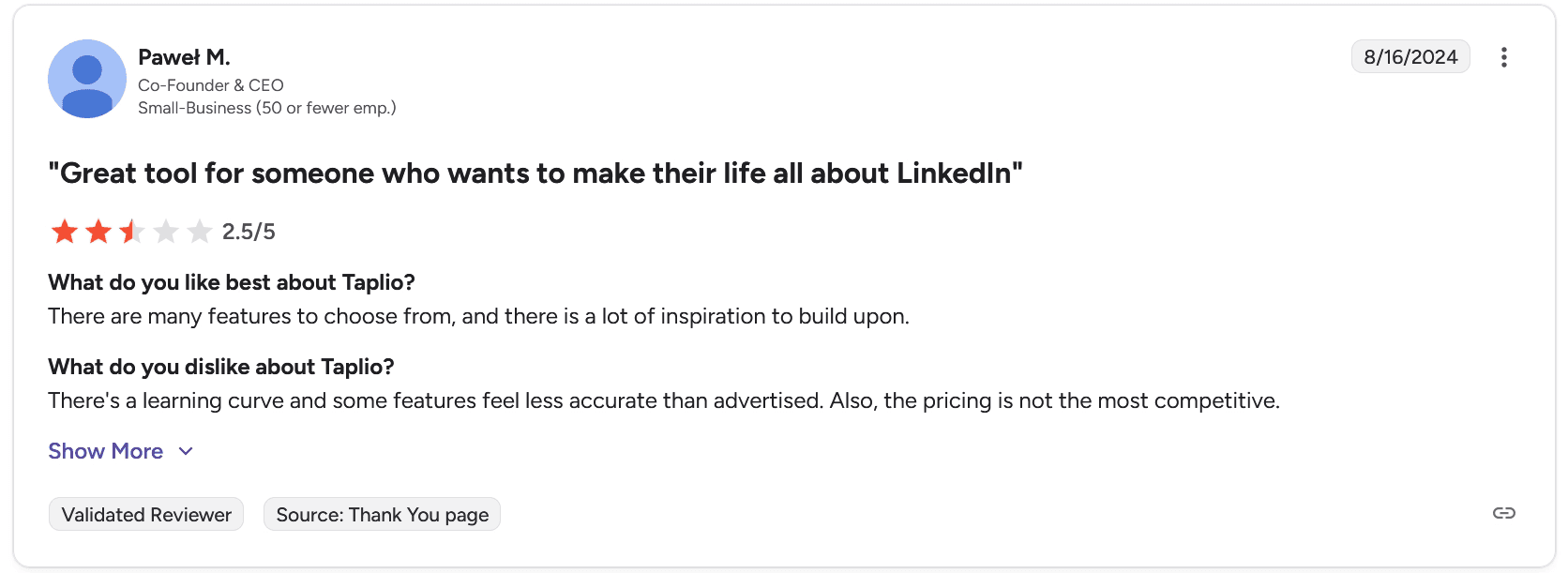
The critical reviews are more pointed. Two reviewers gave it 2.5/5. One called out a learning curve, features that felt less accurate than advertised, and uncompetitive pricing. Another specifically mentioned that carousels are too limited design-wise and that the price doesn't match the value.
"Useful but still limited and comparatively expensive." That quote from a 2.5/5 review captures the tension in most of the critical feedback.
A few smaller complaints worth noting: the Chrome extension doesn't always work reliably, and you occasionally need to manually reconnect your LinkedIn account. One reviewer flagged the design as outdated and in need of a refresh.
The Trustpilot record
Trustpilot tells a harsher story than G2: 2.4/5 across 13 reviews, 69% of them one star, with "Cancellation," "Service" and "Subscription" as the most-mentioned topics (as of June 2026; Trustpilot notes the company has not invited reviewers). The recurring theme is the billing relationship rather than the features.
The dated verbatims all circle the same complaint:
March 2026: "They don't tell you about upcoming renewals, they just charge your card. No receipts, nothing."
April 2026: a reviewer found her subscription "active and charging for months without me noticing... No emails, no reminders - just recurring billing."
September 2025: a reviewer called the cancellation flow itself buggy.
July 2025: a reviewer says he "was offered 99% discount while leaving and was fully charged."
For fairness, the record cuts both ways: a May 2026 five-star reviewer describes a cancellation issue where "customer support was extremely helpful... and refunded the amount in full."
What the LinkedIn conversation measures
The third channel is LinkedIn itself, and it measures something else again. In our research corpus, Taplio was mentioned in 393 posts over the last twelve months, a steady 25 to 40 per month, and the shape of those mentions is distinctive.
The most-liked ones are multi-tool listicles from a small set of recurring accounts. One "24 AI tools" post appears once in December and again, identical, two weeks later on the same profile.
Then there's a genre Taplio manufactures itself: ranking badges. When Taplio names someone a "Top LinkedIn Influencer," the post writes itself, like this one from a 585,000-follower creator: "I've been named #2 Top LinkedIn Influencer. Thanks to Taplio."
None of this is product feedback; it is distribution, and it works. Read each channel for what it measures: LinkedIn measures Taplio's marketing, G2 measures the feature experience, and Trustpilot measures what happens to your card.
Taplio’s Pros and Cons
We distilled user reviews to give you an accurate summary of what to expect while using Taplio. Here are the platform’s pros and cons.
Pros | Cons |
|---|---|
✅ Genuine AI writing tools on the Growth plan and above, covering posts, hooks, carousels, and replies. | ❌ Starter plan has zero AI credits, making it overpriced for what it offers compared to alternatives. |
✅ Scheduling is clean and functional with smart timing suggestions. | ❌ Carousel design options are limited with little control over layout or typography. |
✅ Engagement management is great for anyone actively building relationships on LinkedIn. | ❌ 250 AI credits on Growth can run out quickly for active users. |
✅ Cross-account analytics makes it viable for teams and agencies. | ❌ Cookie-based authentication means occasional reconnection requests and non-zero account risk. |
✅ The 7-day trial gives you full Pro access, so you can actually test the top-tier features before committing. | ❌ The learning curve is steep, especially for using the engagement and outreach features properly. |
✅ Customer support is praised consistently across reviews. | ❌ Pro tier at $199/mo. is only justified if you're actively using LinkedIn for lead generation and outreach. |
✅ Connection Requests turns post engagement into pipeline | ❌ Chrome extension reliability is inconsistent |
Final Verdict: Is Taplio Worth It?
If you’re a sales professional or B2B team that wants AI content creation and LinkedIn outreach in one place, Taplio is worth it. The engagement tools and lead database are features that would otherwise require subscriptions.
But for most creators and consultants, the pricing structure works against it. Starter is too stripped down at $39/mo., Growth at $69/mo. is where it actually becomes useful, and Pro at $199/mo. only makes sense if outreach is a pillar of your LinkedIn strategy.
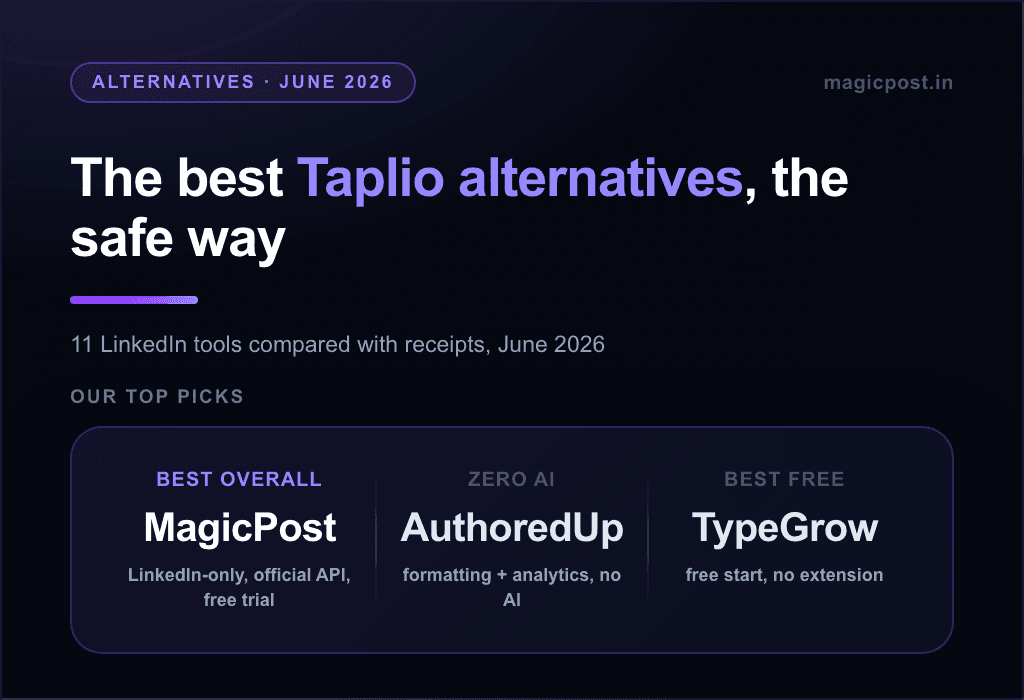
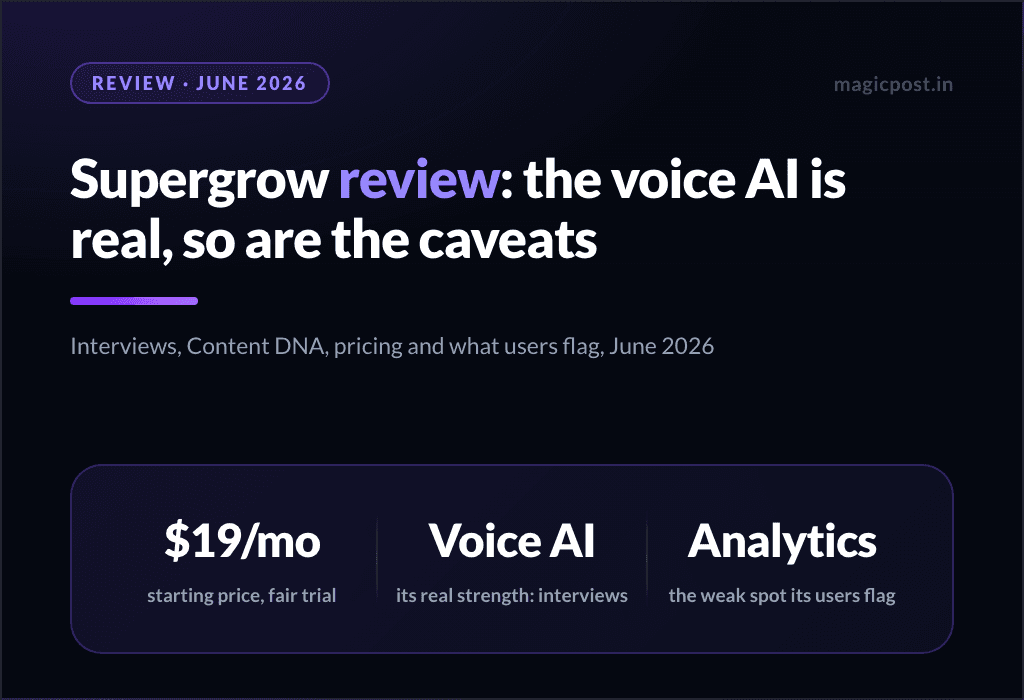
If your priority is writing great LinkedIn posts consistently, without the outreach layer, our roundup of the best Taplio alternatives for LinkedIn walks through the lighter, more focused options. For a direct head-to-head with the voice-first pick, see Supergrow vs Taplio.
MagicPost is the LinkedIn-only premium alternative for exactly that job: it operates through LinkedIn's official API as a verified application, with no feature gatekeeping on the writing tools at any tier and a free trial with no card. Try it for free today.
FAQ
Is Taplio worth it?
It depends on how you use LinkedIn. If you need AI content creation, scheduling, and lead outreach in one place, yes. If you mainly want to post and grow organically, you're likely paying for features you won't use.
How much does Taplio cost?
Taplio has three plans: Starter at $39/mo (no AI credits), Growth at $69/mo (250 AI credits), and Pro at $199/mo (unlimited AI credits and lead generation tools).
Does Taplio have a free trial?
Yes. Taplio offers a 7-day free trial with full Pro access regardless of which plan you select. A credit card is required to start the trial.
Is Taplio safe for my LinkedIn account?
Taplio uses cookie-based authentication rather than LinkedIn's official API. For most standard usage, it's low risk, but aggressive automation features like mass DMs and auto-connection requests can draw LinkedIn's attention.
If account safety is non-negotiable, look for tools that use LinkedIn's official API.
What are the best Taplio alternatives?
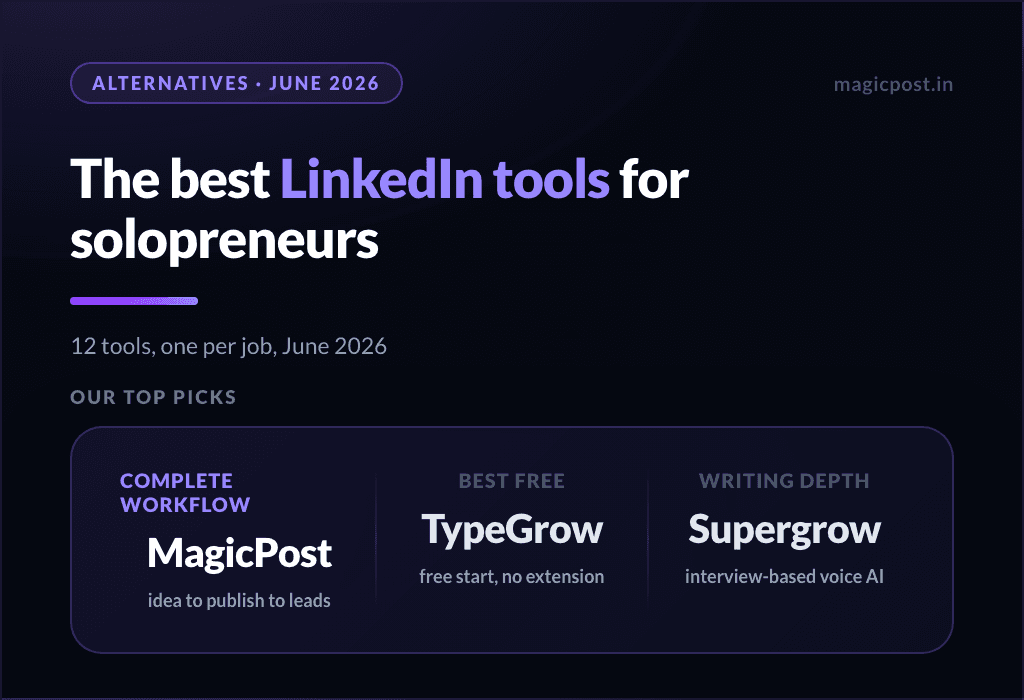
The best alternatives depend on your use case. MagicPost is the closest all-in-one for content creation and scheduling via official API. AuthoredUp is better for formatting and editing. Supergrow is strong on carousels and voice learning. See the full Taplio alternatives guide for a complete breakdown.
Does Taplio's Starter plan include AI writing?
No. The Starter plan at $39/mo has zero AI credits. AI writing, the hook generator, and the AI copilot are only available from the Growth plan ($69/mo) and above.
What is the Connection Requests feature?
Launched in May 2026, Connection Requests lets you send connection requests and DMs directly from Taplio to people who engage with your posts. The Intent Orchestrator spaces requests out to mimic natural behavior. It’s available on Pro plan only and is capped at 50 requests per day.